11 Diagnostics
Diagnostics in JavaScript is less about collecting data than understanding what the data means. The chapter frames runtime signals as practical clues from the engine, runtime, and operating system, then builds a shared vocabulary for interpreting them across Node.js, Deno, Bun, browsers, and constrained environments. It emphasizes that the same symptom can have very different causes, so the key skill is learning to read memory, CPU, scheduling, and I/O signals together rather than in isolation.
The memory section shows how to tell a leak from normal garbage-collection pressure by watching trends in heap usage, GC traces, and heap snapshots. A true leak shows steadily rising troughs, declining collector effectiveness, and objects that survive across snapshots because some reference keeps them alive. The chapter explains how to use snapshot comparisons, retainer chains, and allocation profiling to identify what is accumulating and why, while also warning that high allocation volume or long-lived objects can create pressure without a leak.
For performance, the chapter distinguishes genuine CPU bottlenecks from event-loop delay, thread-pool saturation, and I/O latency. It introduces CPU profiles, deoptimization tracing, event-loop delay monitoring, and event-loop utilization as complementary tools for locating hot functions, spotting repeated optimize-bailout cycles, and deciding when to scale. The closing message is that tools are runtime-specific, but the underlying mental model is portable: if you understand garbage collection, scheduling, object shapes, and execution flow, you can diagnose problems even when a particular diagnostic feature is missing.
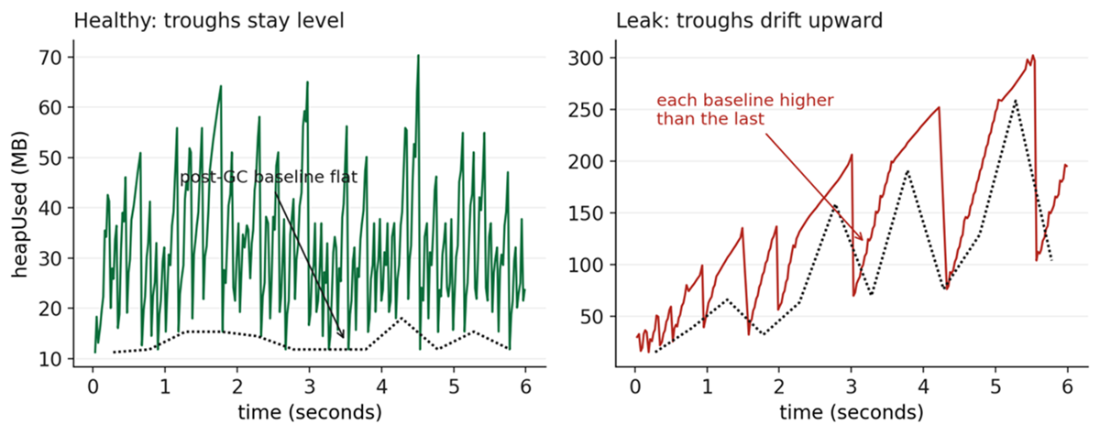
A healthy memory graph shows regular, narrow spikes with consistently level troughs; while memory leaks gradually increase over time.
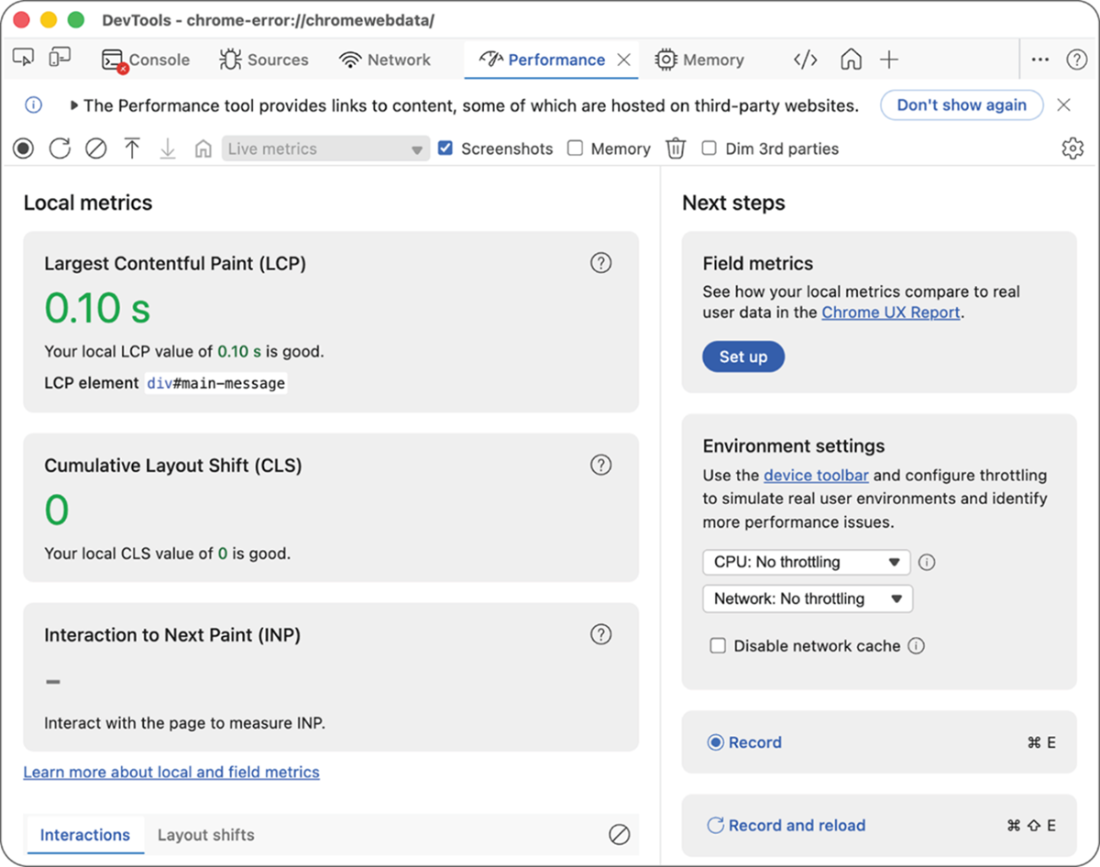
The Chrome/Edge DevTools Performance Tab
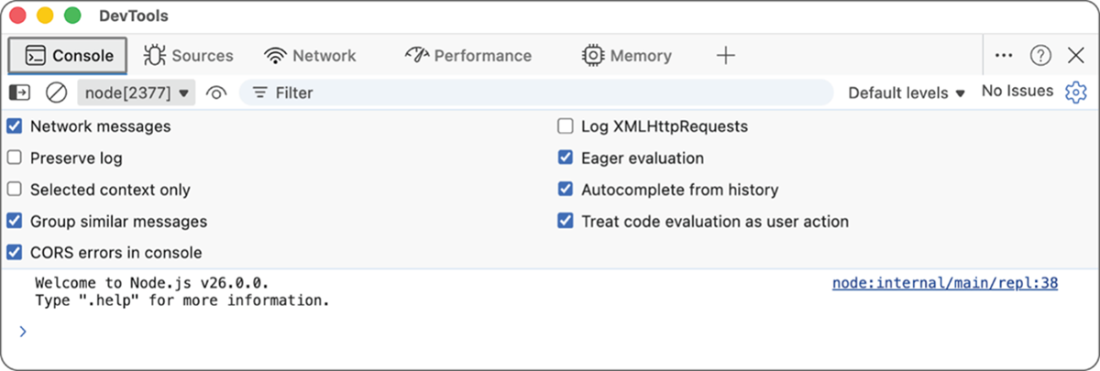
The Chrome/Edge DevTools connected to a Node.js instance
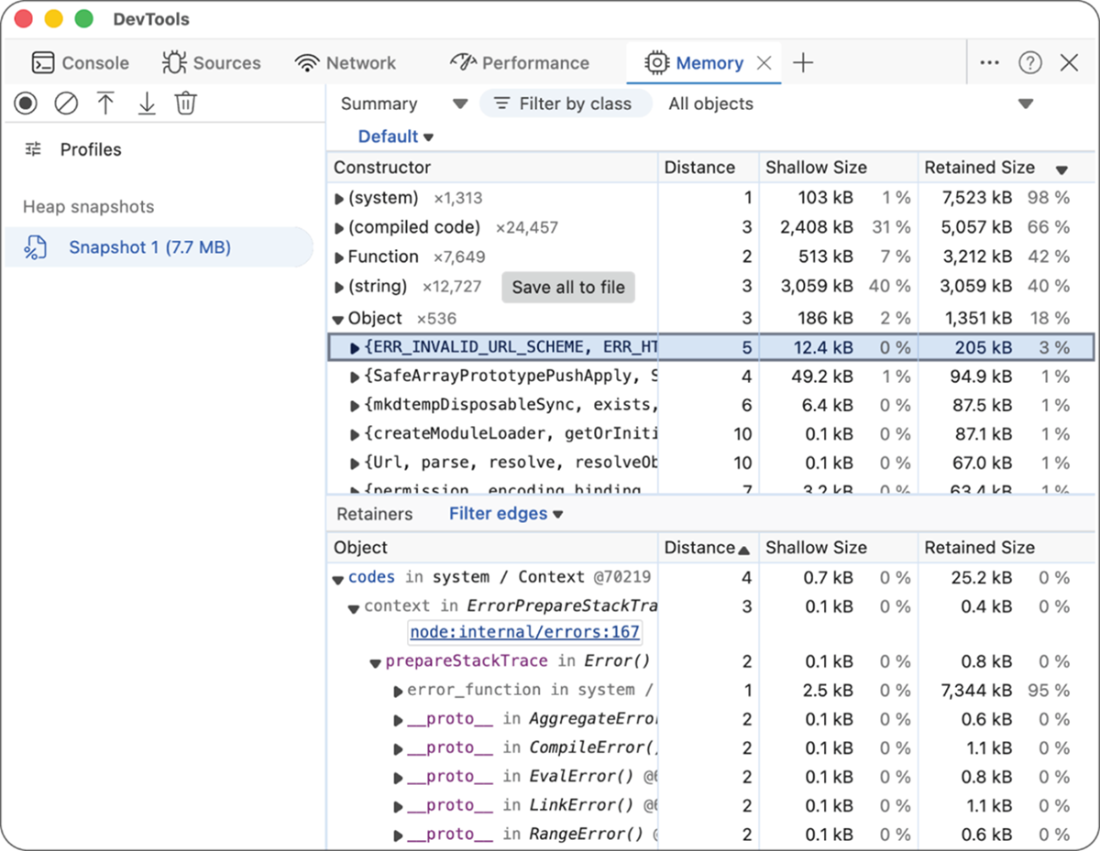
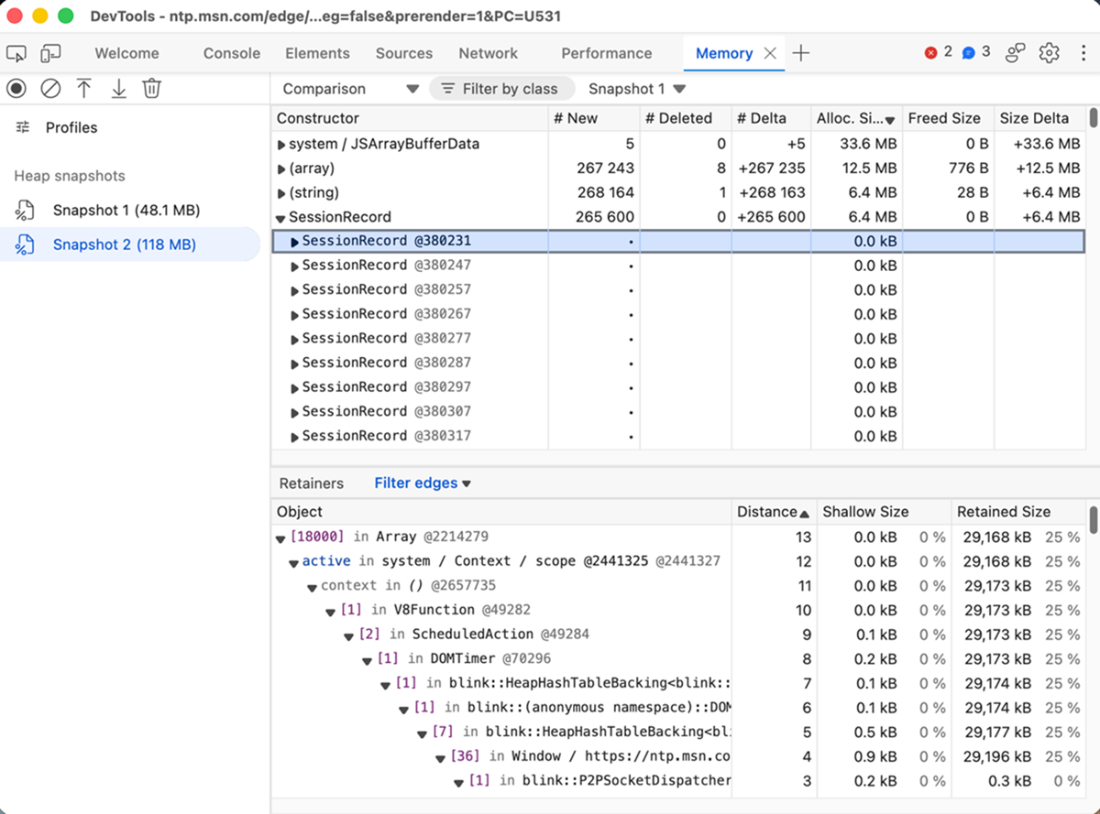
A heap-snapshot from Node.js in the Chrome/Edge DevTools Memory tab.
Collecting an Allocation sample in DevTools
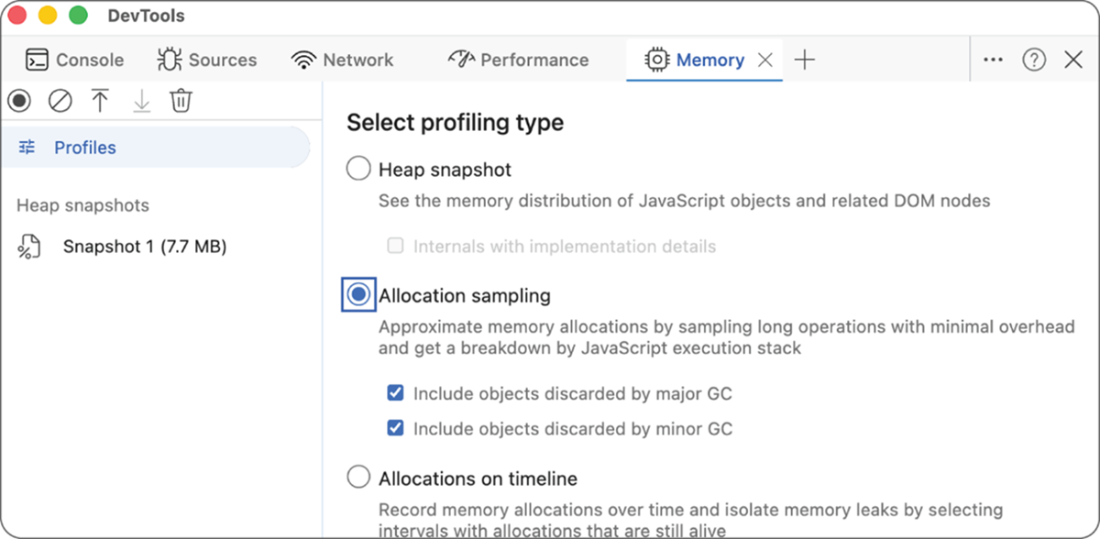
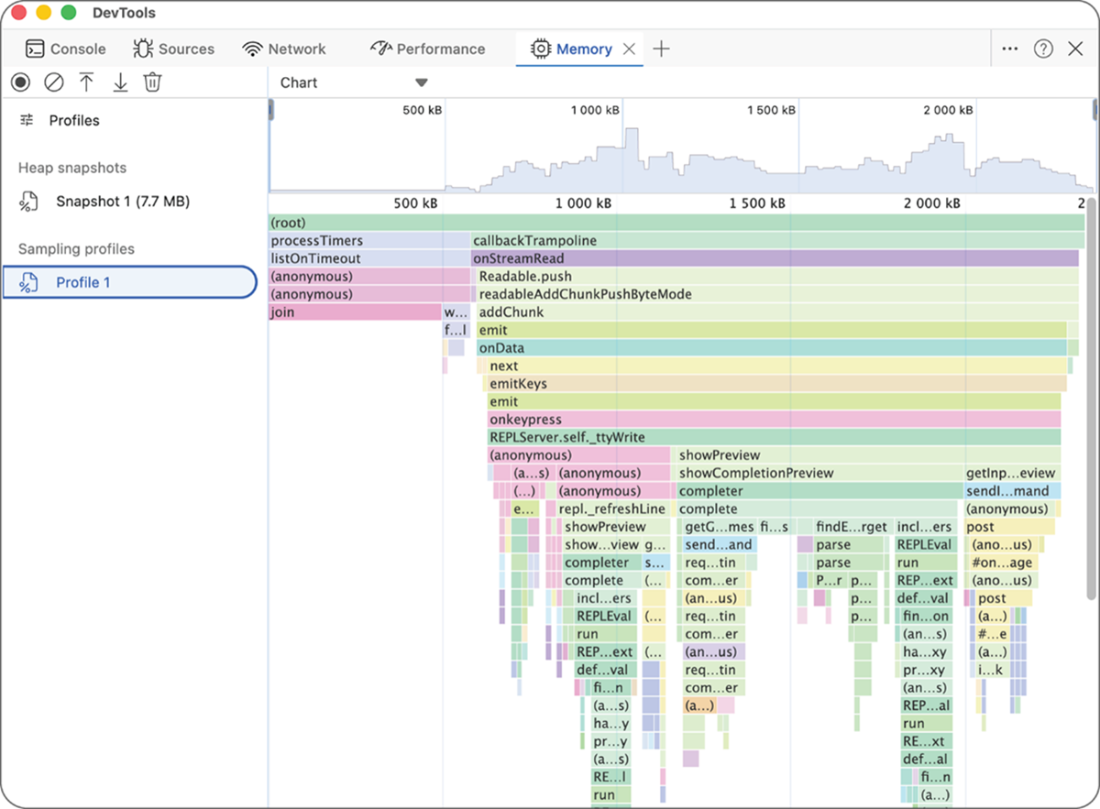
An allocation sample generates what is essentially an allocation flamegraph representing a breakdown of where in your application and the runtime the most memory is being allocated. This is essential to determining precisely where excess memory is being allocated. The wider the stack.
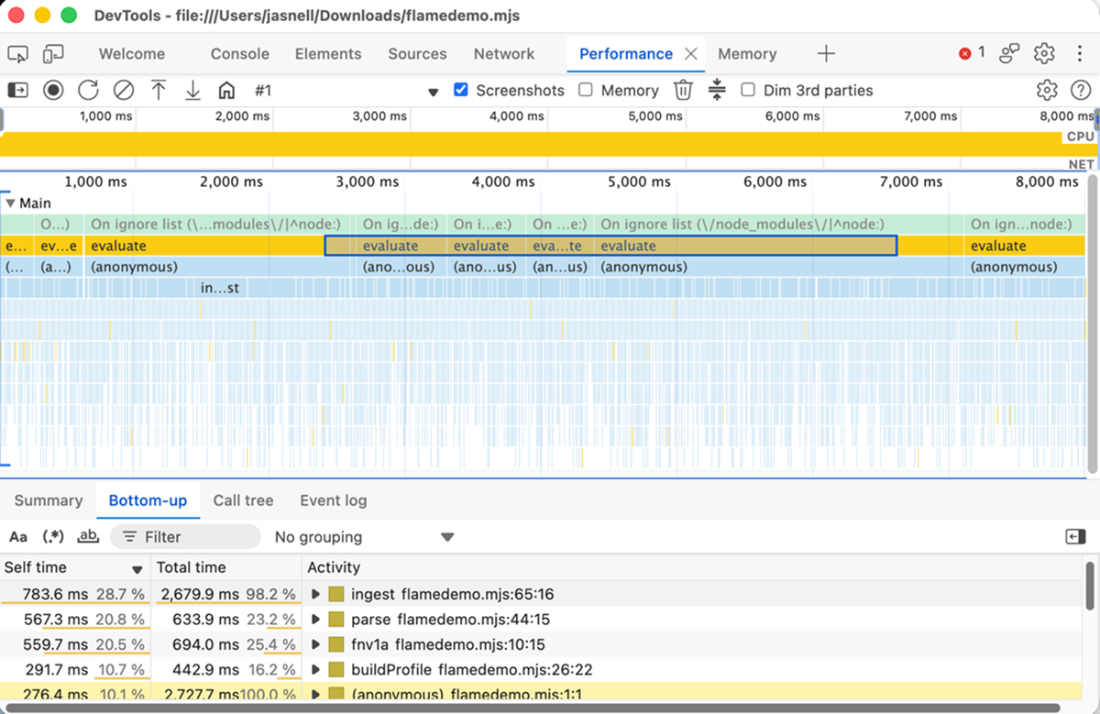
The Chrome/Edge DevTools Performance Tab provides detailed CPU and wall-time profiling of where your application is spending time.
SessionRecord and its per-record payload Array climb together and nothing else moves.
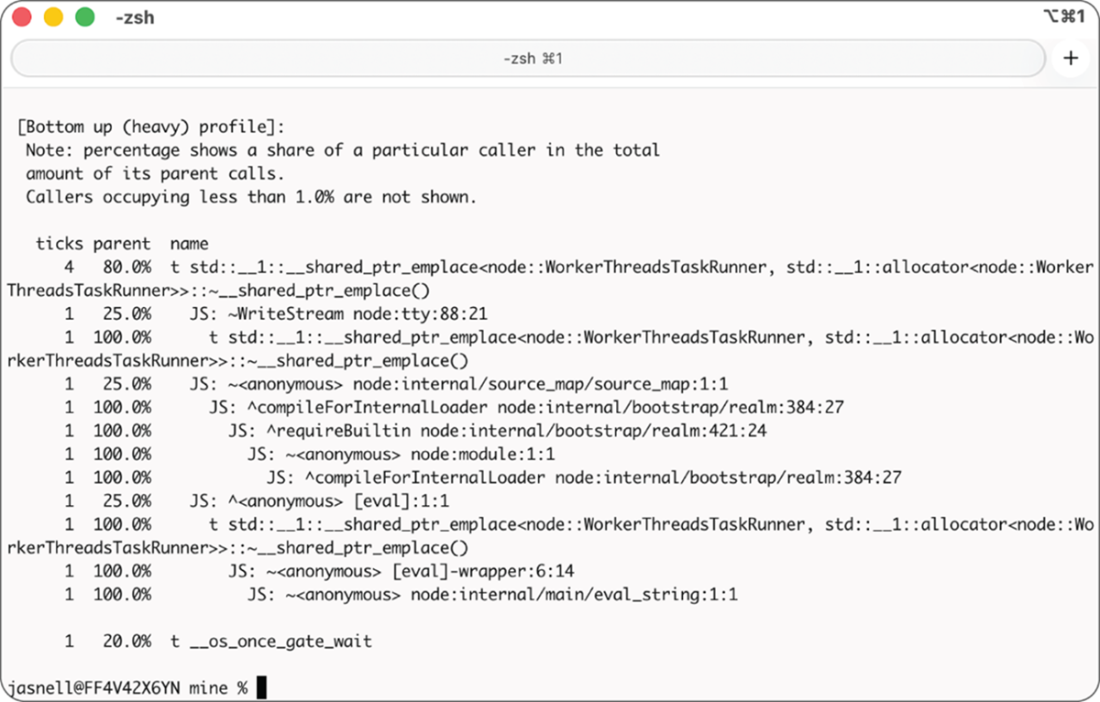
The partial output from V8’s --prof-process command showing a breakdown of where the application was spending the most time while the profile was being collected. In the past, I would have described step-by-step how to interpret these files but now, uploading one of these to an AI agent for analysis often reveals better analysis and insight, especially if the agent also has access to your code.
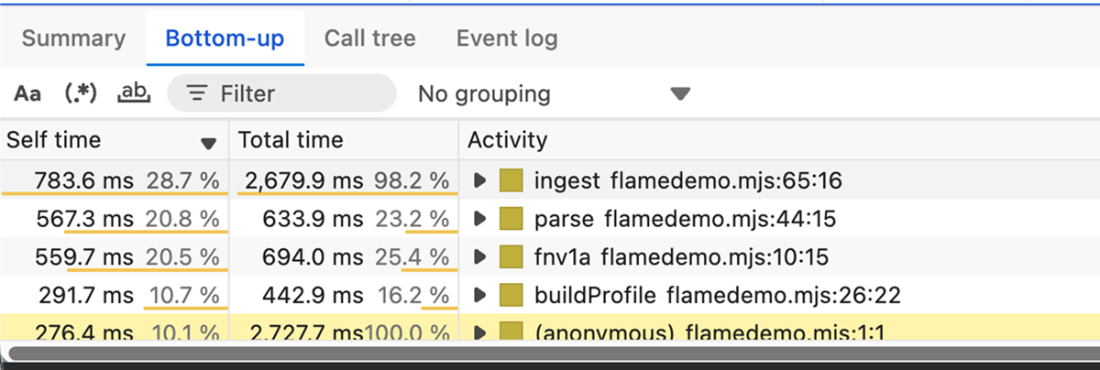
The performance profile details panel breaks down self time vs total time for each sampled function.
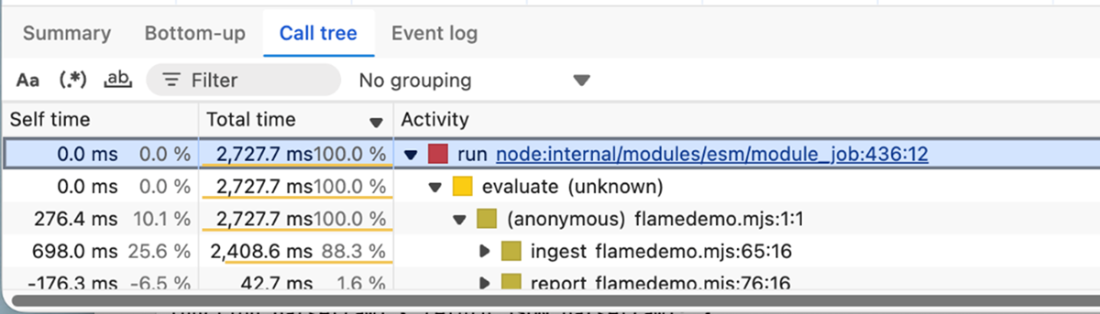
The call tree illustrates the actual way that functions were called.
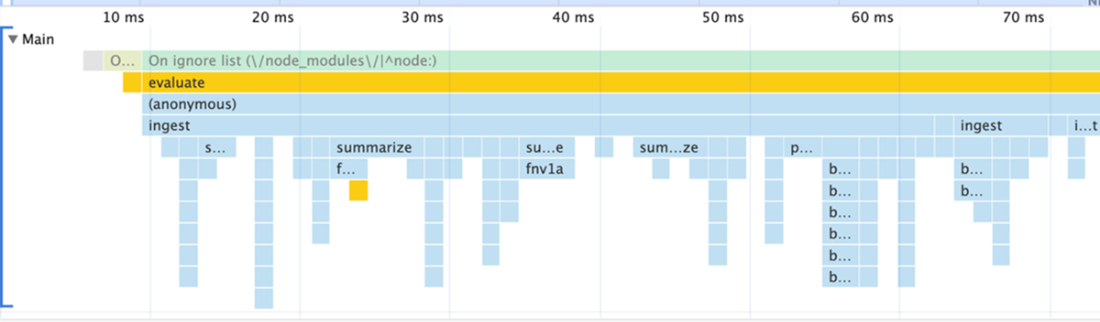
Each horizontal bar represents a function. Width represents time the function was on the stack.
Summary
- process.memoryUsage() and process.resourceUsage() provide two complementary views of your application: the JavaScript engine's view of memory and the operating system's view of the process. The relationship between rss, heapTotal, heapUsed, and external narrows which category of memory is growing before you reach for heavier tools.
- A memory leak is a failure to make objects unreachable, not a failure to free memory. The diagnostic flow is: confirm the symptom with process.memoryUsage() over time, distinguish leak from pressure with --trace-gc, find what is accumulating through heap snapshot comparison, and find why it is retained through retainer chains.
- GC pressure is distinct from a leak. The collector is reclaiming correctly but working too hard. The --trace-gc signals are increasing Scavenge frequency, Mark-Compact events appearing under load, and mu declining. The cause is either high allocation volume or objects surviving into old generation longer than necessary.
- CPU profiles are statistical samples that show where the engine spent time, not where your source code spent time. --prof, --cpu-prof, and DevTools Performance panel each show a different layer of the same execution. The same code produces fundamentally different profiles on V8 and JSC because the engine implementations behind every builtin API are different.
- Event loop delay measures how long tasks wait before the event loop processes them. It is distinct from how long tasks take to execute. The microtask queue drains within a macrotask turn and is not captured by monitorEventLoopDelay(), creating a blind spot for promise-heavy workloads.
- Event loop utilization measures the ratio of time the event loop spends working versus waiting for I/O. It strips away background thread activity that inflates CPU utilization, making it a more reliable scaling signal for Node.js workloads than CPU percentage.
- Diagnostic tools are runtime-specific. The full toolkit is available on Node.js with V8. On Bun with JSC, CPU profiling and heap snapshots are available but GC tracing, deoptimization tracing, and mu are not. On Cloudflare Workers, nearly nothing is accessible. The engine knowledge from the previous chapters is the only diagnostic instrument that works on every runtime.

 JavaScript in Depth ebook for free
