6 Building an asset monitor
This chapter shows how to build a practical, programmer-friendly asset monitor that keeps all your holdings in one place and turns raw positions into actionable insight. Starting from the assumption that you already own assets, it focuses on staying in control and informed by consolidating data from online APIs and offline records, computing portfolio value and passive income, and projecting future progress toward financial milestones. The result is a repeatable workflow you can run from a notebook and publish to a spreadsheet for ongoing tracking and monthly reporting.
The workflow begins with a clear architecture and a unified schema (ticker, shares, average price, exchange, broker, asset type) so positions from different sources merge cleanly. It demonstrates API-based ingestion from brokers geared to developers and from a crypto exchange, while covering manual capture of assets without APIs via a lightweight SQLite store. A lookup table harmonizes ticker symbols across data providers, and enrichment layers add fundamentals and reference prices from market data services. Prices from multiple currencies are normalized, totals and yields are computed per position, and both past and projected gains are derived. Finally, everything is exported to a multi-worksheet spreadsheet, including optional live formulas, with guidance on credentials, security, and the practical limits of different providers.
Asset processing pipelines are tailored to each class. Stocks pull current price, analyst targets, and dividends, with currency conversion and aggregation to total value and income. ETFs use comparable interfaces but emphasize fund-specific metrics such as NAV and aggregated yields. Bonds are handled more simply, drawing coupon rates from the offline store and focusing on par value, income, and position sizing. Cryptocurrencies combine exchange positions and staking rates with external price feeds, plus a fallback for live quotes where finance functions are unavailable. Together, these pieces produce per-asset worksheets and an overview that support filtering, performance review, and passive-income tracking. The chapter closes by encouraging customization for deeper analyses and positioning the monitor as a foundation for the risk-focused work that follows.
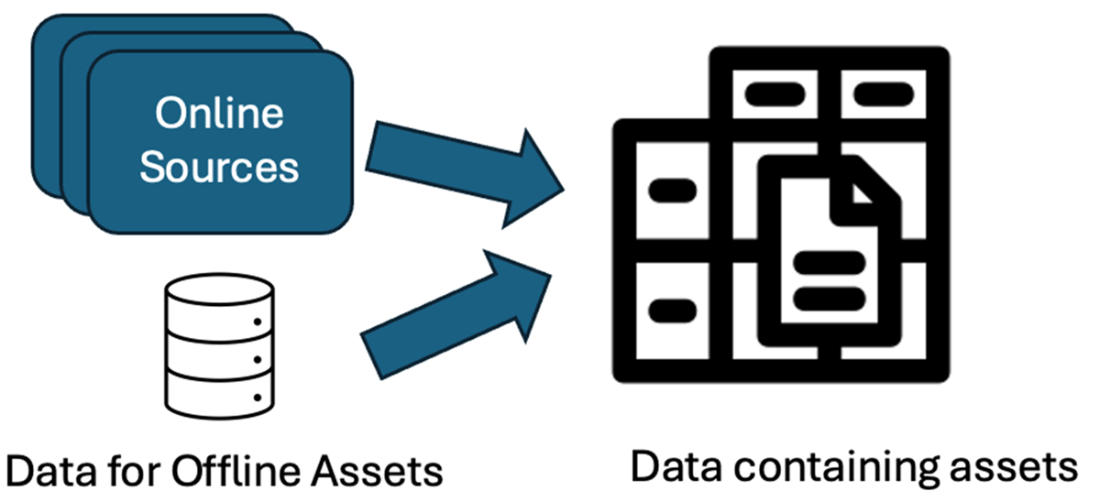
Data Flow from asset data to worksheets in a Google Sheets document
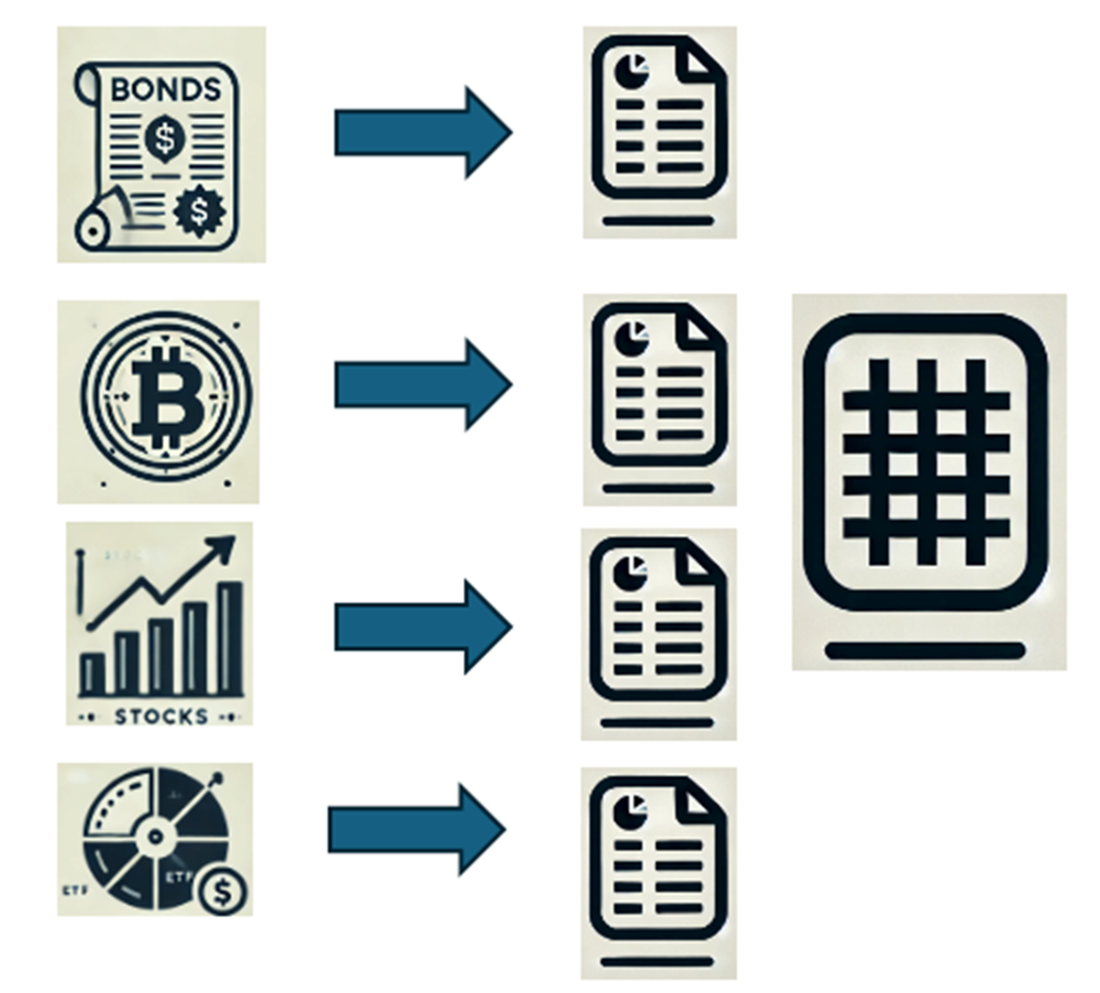
Collecting online sources into DataFrames.
A reference example of the Google Sheets worksheet with stock information.

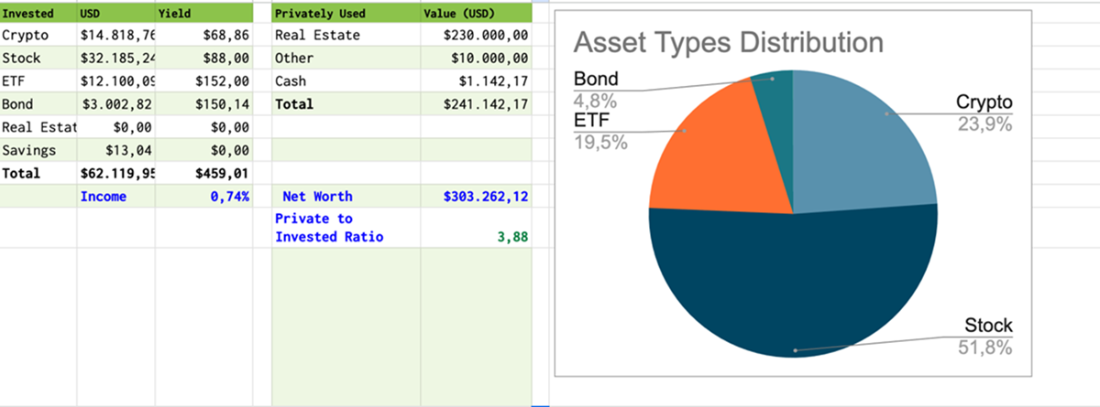
Overview Worksheet with assets grouped by value (USD) and passive income(yield).
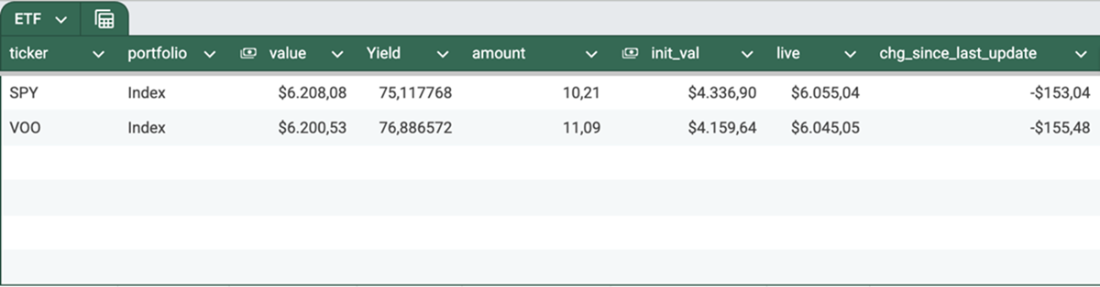
In the ETF Worksheet, we do not have a column for the projected gains as it is difficult to forecast price development accurately over multiple assets.
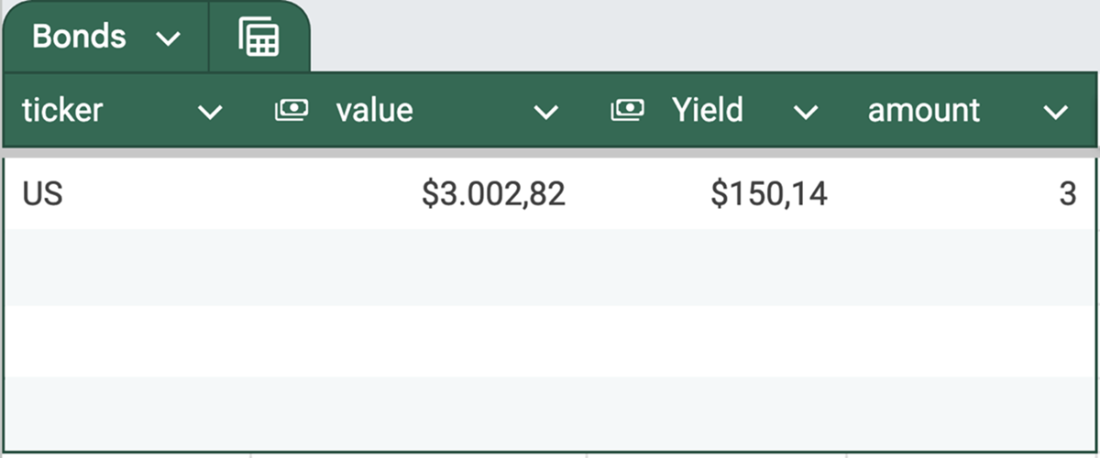
In the bond worksheet, the value represents the par value (the value we will get returned at maturation), and we also get the annual yield, besides the number of bonds we hold.
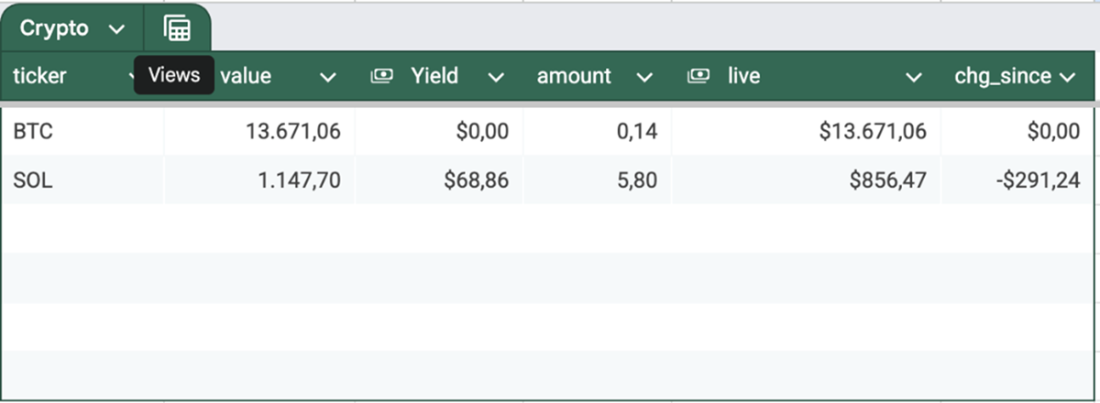
The crypto worksheet returns the total value, the staking yield, the amount we own, and the live data.
Summary
- An asset monitor helps you collect information about all your assets in one place.
- Using Python, we can access brokers such as Alpaca or Interactive Brokers, extract data, and merge it into a single dataset.
- We can enrich this dataset with data from financial platforms such as yfinance, giving us all the details we need about our holdings.
- You can use Google Sheets as an asset monitor and write into worksheets using Python and the library gspread.
- Unifying the view on our assets helps convert all shares into the same currency if you hold assets in different currencies.
- Sometimes, tickers collected from brokers differ from those used by financial platforms. We can solve this using lookup tables.
- Occasionally, we cannot retrieve data for certain assets. However, we can duplicate the information about these assets in a database and still process them for financial analysis.
- Stocks and ETFs share a similar interface. We can collect them through the same commands, but not all methods available for one type of asset are available for the other.
- Although they differ in detail, we can sum up dividend payments from stocks, coupon rates from bonds, and staking rewards from crypto as “yield” to have a common terminology for passive income.
- When collecting data from Binance, we can load actual price data from Coinmarketcap.
- Traditional finance platforms have limited support for cryptocurrency, but we can use a different provider, such as cryptoprices.cc and Coinmarketcap, to get live data in cells.
FAQ
What is the goal and architecture of the asset monitor built in this chapter?
The chapter guides you to build a Jupyter notebook that consolidates holdings from multiple sources (brokers, exchanges, and manual/offline entries) into unified DataFrames and exports them to a Google Sheets workbook. Each asset type (stocks, ETFs, bonds, crypto) gets its own worksheet, and the monitor tracks total value, passive income (yields), and projected returns, with optional live updates via spreadsheet formulas.How do I handle assets without APIs or no digital footprint (e.g., real estate)?
Create and maintain a manual holdings table namedoffline_asset (stored in SQLite for the demo). Key fields: ticker (primary key), yield, avg_price, exchange, amount, asset_type. Load it into a DataFrame and merge with broker/exchange data so manually tracked positions are included in analytics and exports.How do I standardize and merge positions from multiple brokers?
- Define a unified schema: Ticker, Number of shares (amount), Average price, Exchange, Broker. - Fetch positions from Alpaca and Interactive Brokers into DataFrames using their Python APIs. - Append the offline DataFrame and concatenate everything withpd.concat.
- Use this consolidated DataFrame as the single source for enrichment and export.How do I resolve ticker mismatches across brokers, Yahoo Finance, and Google Finance?
Maintain anasset_lookup table (SQLite) with columns: ticker (broker), asset_type, portfolio, yahoo, google. Merge it into your positions DataFrame and fill nulls in yahoo/google with ticker. This maps cases like BRK.B (broker) to BRK-B (Yahoo) and lets you tag assets to portfolios for filtering and reporting.How do I enrich holdings with market data programmatically?
- Use yfinance to collect per-ticker metadata: e.g.,currentPrice, targetMeanPrice, dividendRate for stocks; navPrice and yield for ETFs.
- Merge selected metrics into your positions DataFrame by ticker (using the Yahoo symbol).
- Then compute position-level totals and derived fields (e.g., past gains and projected gains).How do I convert multi-currency assets into a single reporting currency?
- Use the CurrencyConverter library to build a map from each exchange to its base currency and a conversion rate to your target (default USD). - Apply the conversion to per-share fields like initial price, current price, and yield. - Aggregate to position totals afterward so your “value” and “yield” columns are comparable across markets.How do I export data to Google Sheets and add live pricing?
- Authenticate with Google Sheets (gspread) using a JSON key and proper permissions. - Push DataFrames with a helper that writes headers and rows. - For live prices, write a formula column using=GOOGLEFINANCE("TICKER") multiplied by the amount.
- For cryptocurrencies (often unsupported by Google Finance), use an alternative like IMPORTDATA("https://cryptoprices.cc/SYMBOL") wrapped in IFERROR to fall back to the last exported value.What differs when processing ETFs versus individual stocks?
ETFs are pooled assets. Prefer ETF-specific metrics from yfinance such asnavPrice (net asset value) and yield. Some single-stock metrics (e.g., analyst target mean price) may not be available or meaningful for ETFs, so projected gains columns may be omitted. Currency conversion, aggregation, and export steps are otherwise the same.How should I track bonds in the monitor?
Bonds are typically identified by issuance (e.g., ISIN) and can vary by coupon and maturity. Instead of yfinance, store their yields in theoffline_asset table and merge them into your bond positions. Compute total value (often par/maturity value for reports) and annual yield based on holdings; you can extend with risk ratings if needed.How do I include cryptocurrencies and staking in the monitor?
- Load exchange positions via APIs (example: Binance with python-binance) from flexible and locked earning products, capturing amount and APY. - Include self-custodied coins fromoffline_asset as needed.
- Fetch prices via the CoinMarketCap API and merge into your DataFrame.
- Export to a crypto worksheet and use an alternative live-price formula provider in Sheets, since Google Finance often lacks crypto coverage.
 Investing for Programmers ebook for free
