Overview

9 Programming Agents

Modern AI applications often require more than a single specialized model; they need systems that can understand natural language, reason through multi‑step tasks, choose and use the right tools, and synthesize results. This chapter introduces such systems—agents—highlighting how they decompose problems, plan actions, call external tools or models, and return coherent answers. It frames agents as a practical response to ambiguous or dynamic workflows and sets the stage for building them with two complementary approaches: lightweight experimentation with smolagents and more feature‑rich, stateful designs using LangChain and LangGraph. By the end, you learn the essentials of agent design, tool integration, and managing state and memory for multi‑step reasoning.

With smolagents, you build code‑executing agents that pair an LLM with tools to act programmatically. The chapter walks through creating search and computation agents using built‑in tools like DuckDuckGoSearchTool and PythonInterpreterTool, explains the agent’s run loop, and shows how to swap LLM backends—from hosted inference (via Hugging Face) to local or third‑party providers (e.g., through LiteLLM with Ollama or OpenAI). It emphasizes practical concerns such as inference credits and latency, and demonstrates creating custom tools with a simple decorator and clear docstrings, illustrated by a weather retrieval function that calls an external API. A key takeaway is that tool choice and LLM selection significantly affect quality, speed, and reliability.

For enterprise‑grade use, the chapter turns to LangChain and LangGraph. LangChain standardizes tool use through the Tool interface and wraps popular utilities (e.g., web search) so agents can follow a ReAct‑style loop—reason, act with tools, observe, and answer—using zero‑shot prompting. It then extends the same ideas in LangGraph, where agent logic is represented as a directed graph with nodes for the agent, tools, and flow control, enabling robust, multi‑step, and conditional workflows. Examples show how to add real‑time search for up‑to‑date answers, define custom tools (such as weather), and incorporate memory via message state so agents can sustain context across turns. Together, LangChain and LangGraph provide a path from quick prototypes to stateful, production‑ready agents that coordinate reasoning, tools, and conversation history.

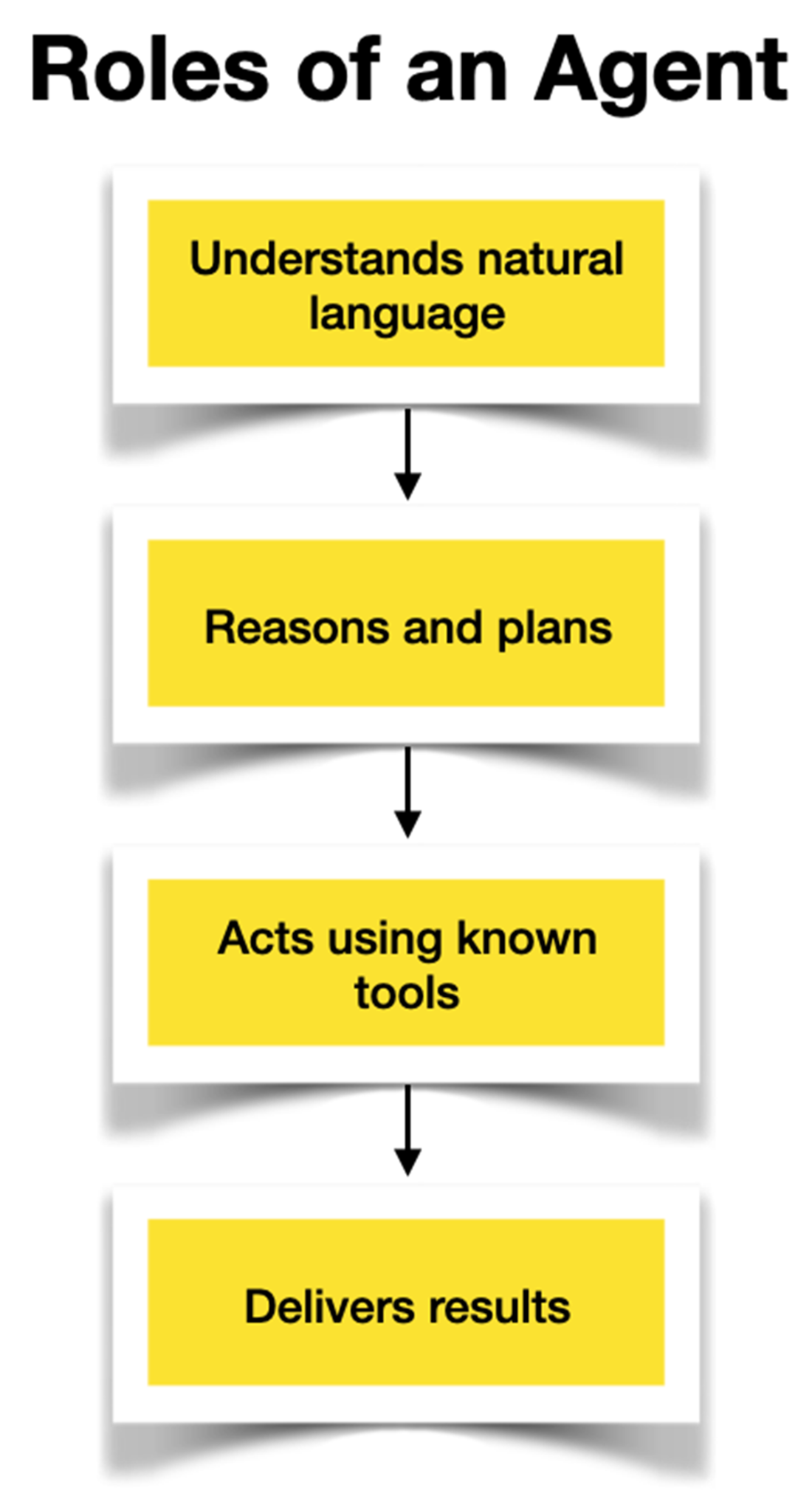
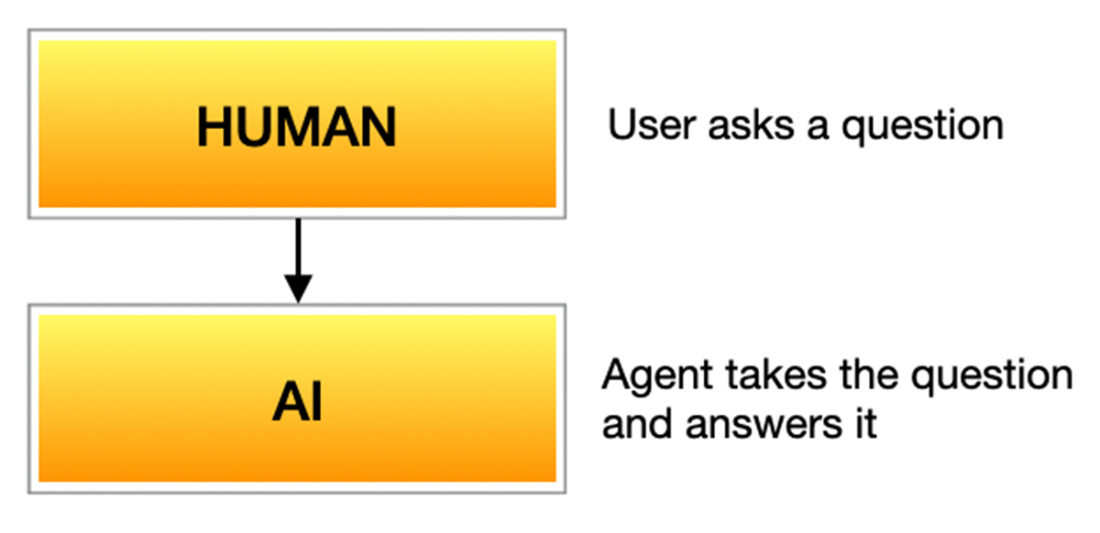
Roles of an agent
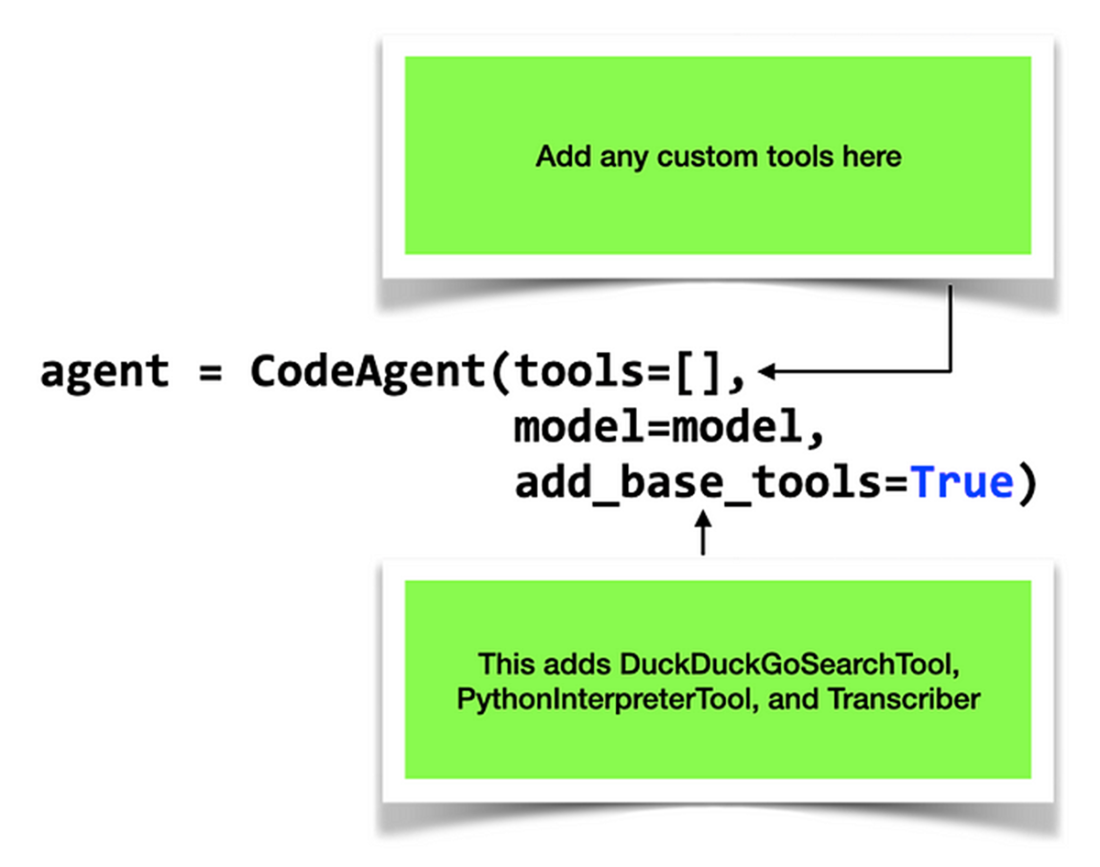
The agent will automatically use the default tools if you set the add_base_tools parameter to True
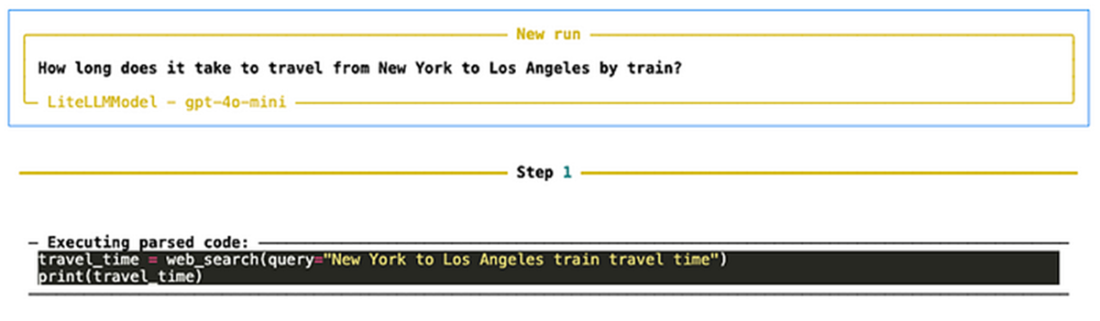
The agent working on the first step to solving the question
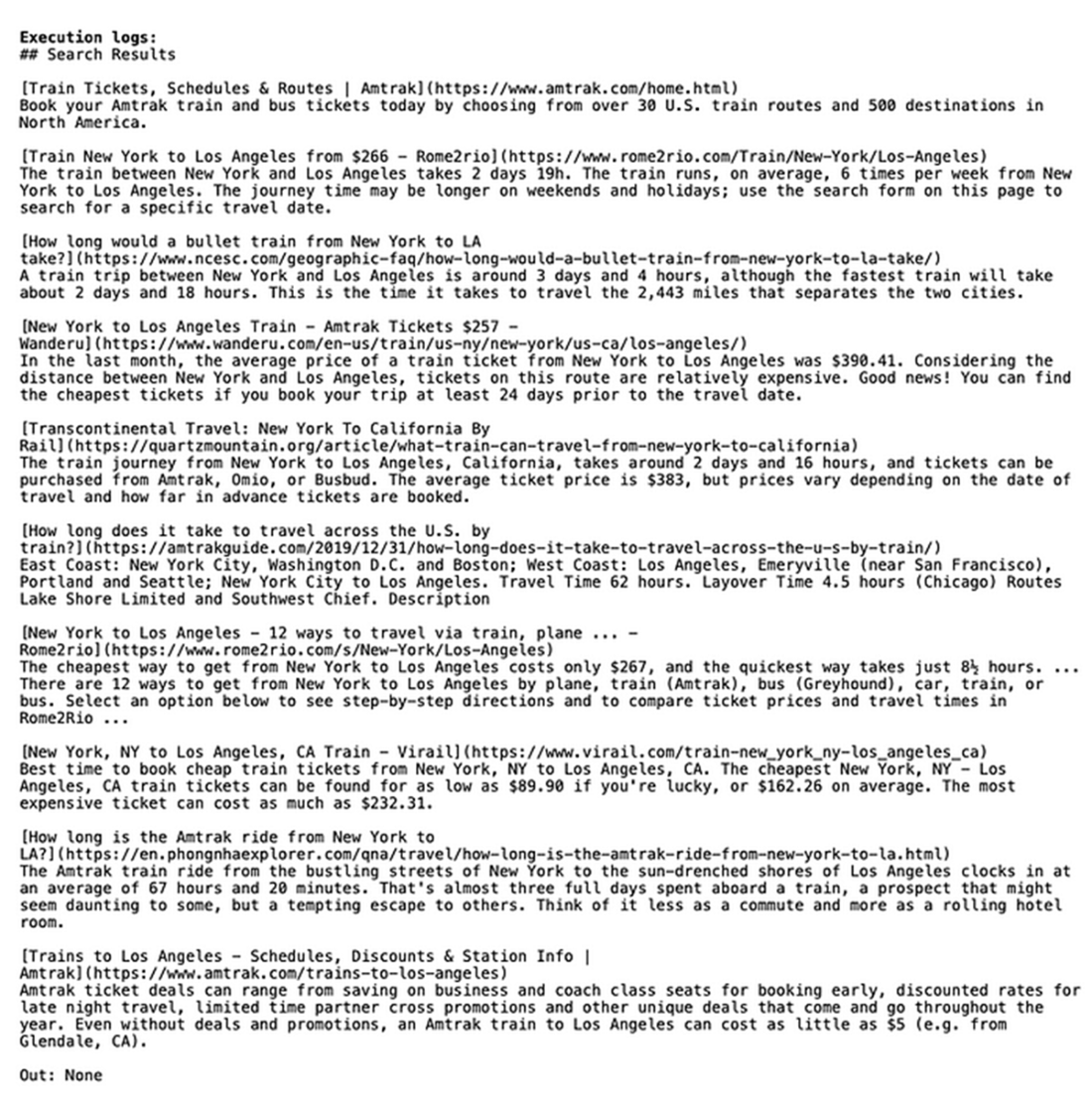
The agent displaying its execution log
The final answer returned by the agent
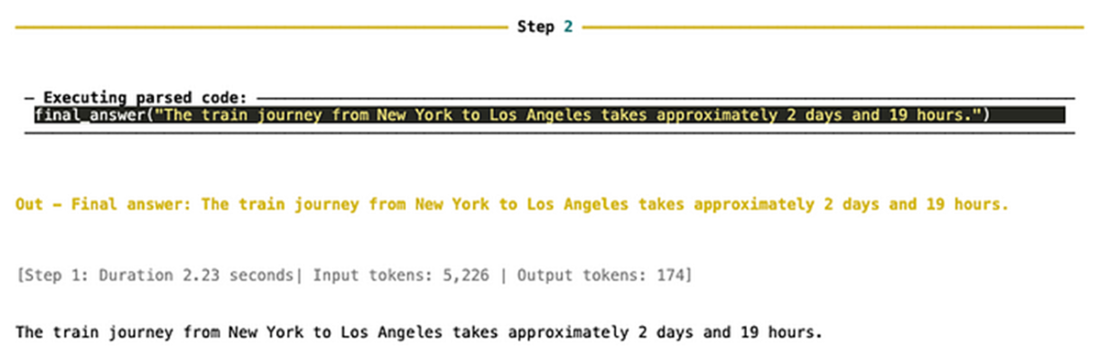
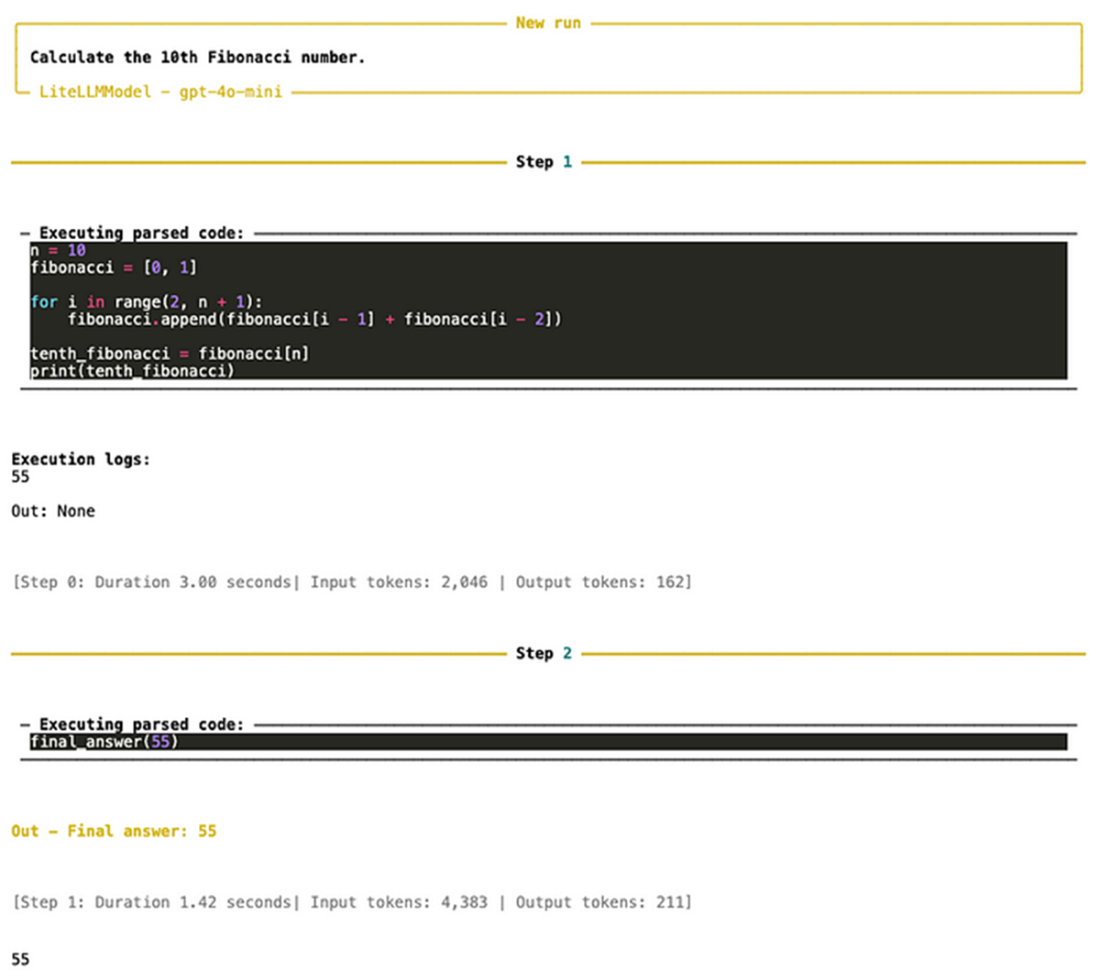
Using the agent to write the code to find the 10th Fibonacci number
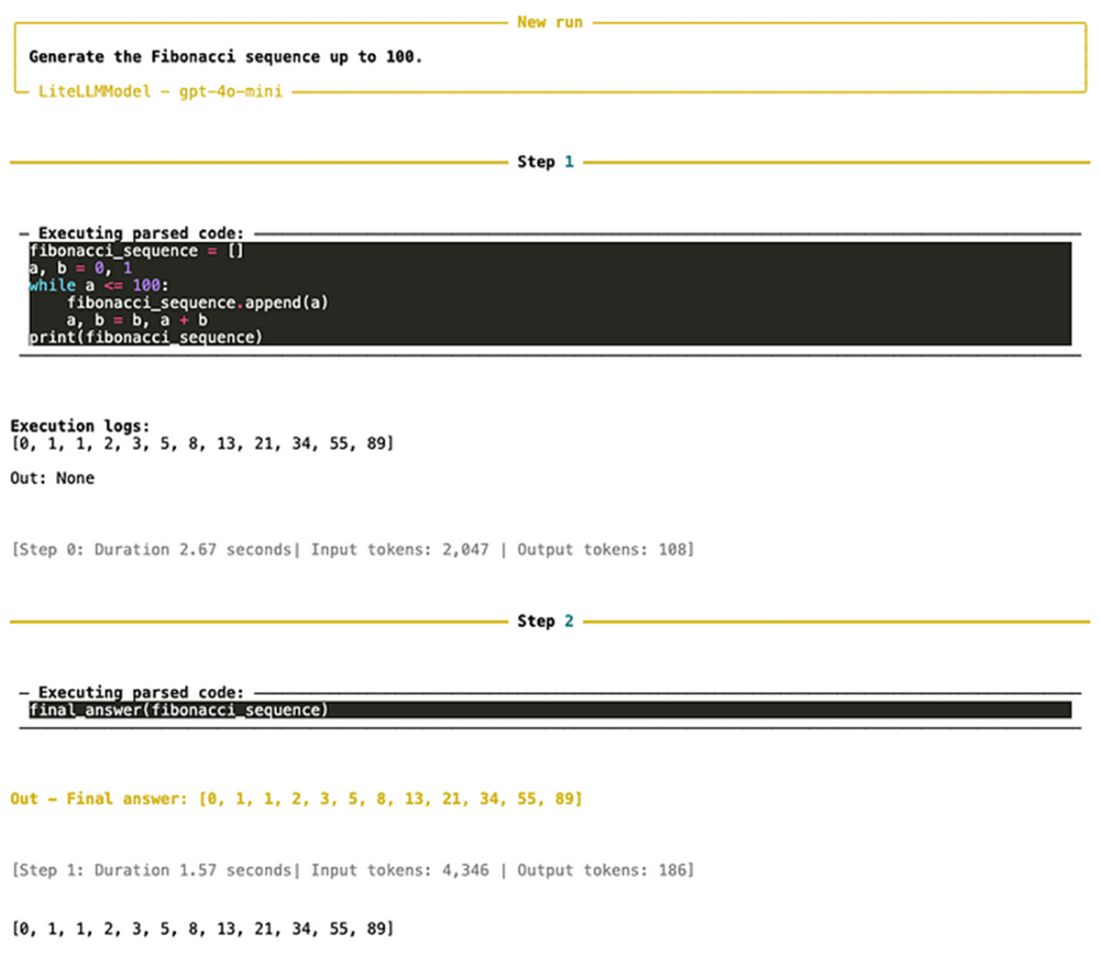
Getting the agent to generate the Fibonacci numbers up to 100
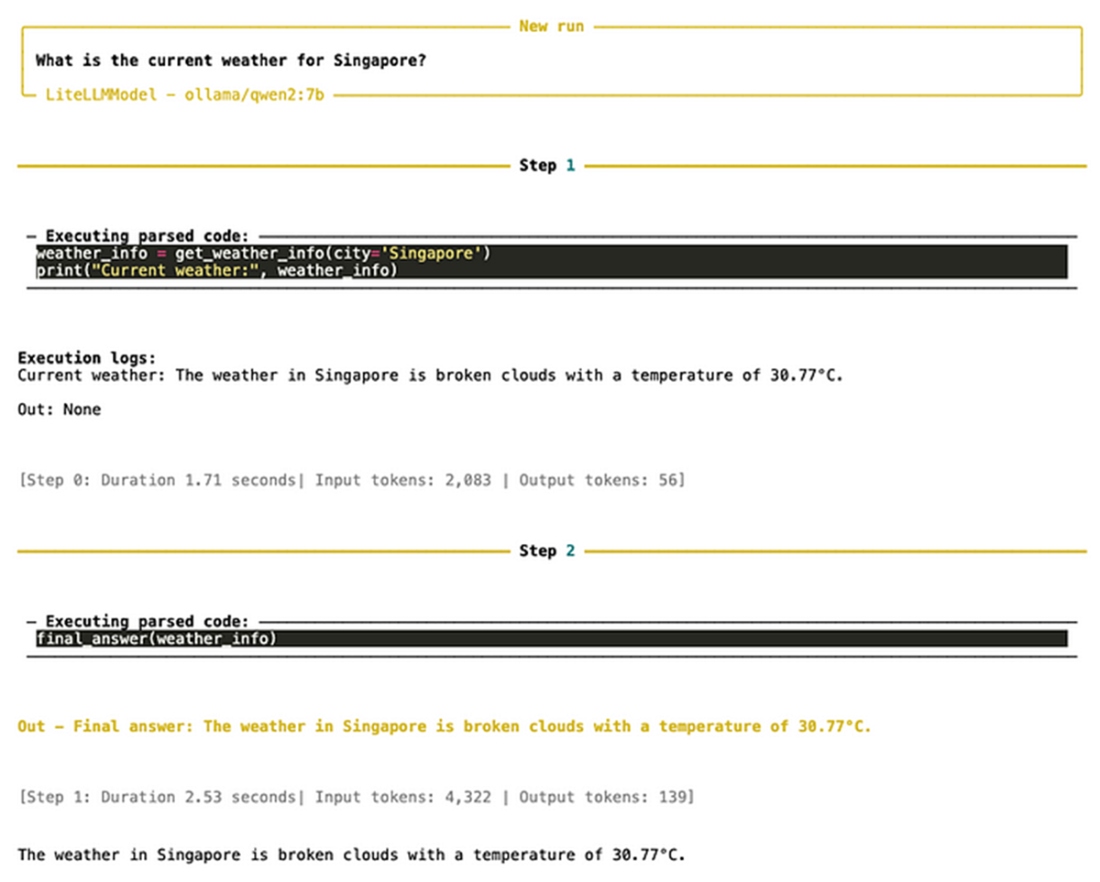
The result from the agent when you asked for the weather of a city/country
The graph for the agent we are building
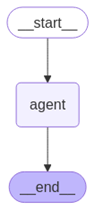
The steps taken by the LangGraph agent
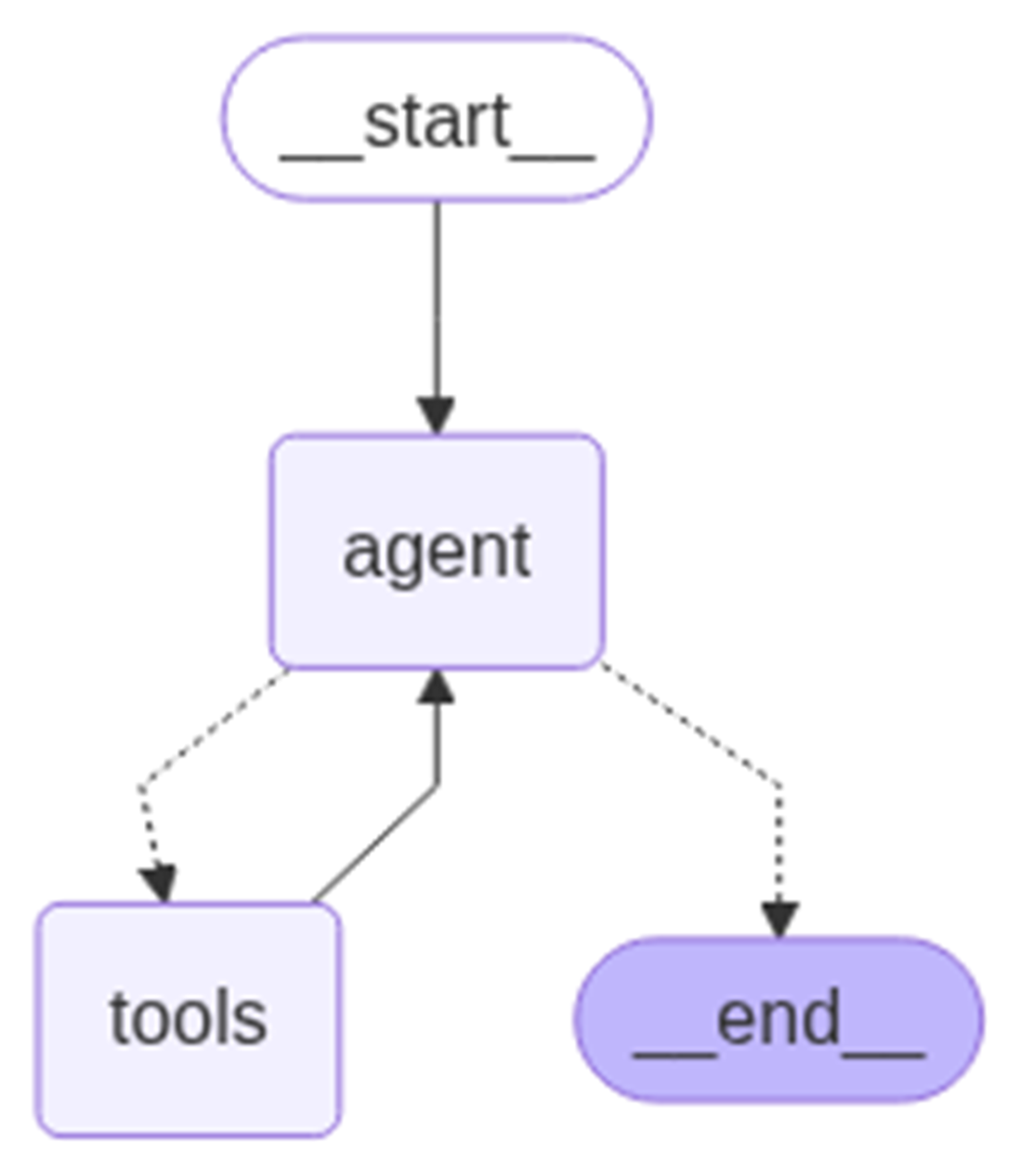
The graph of the agent together with the external tool
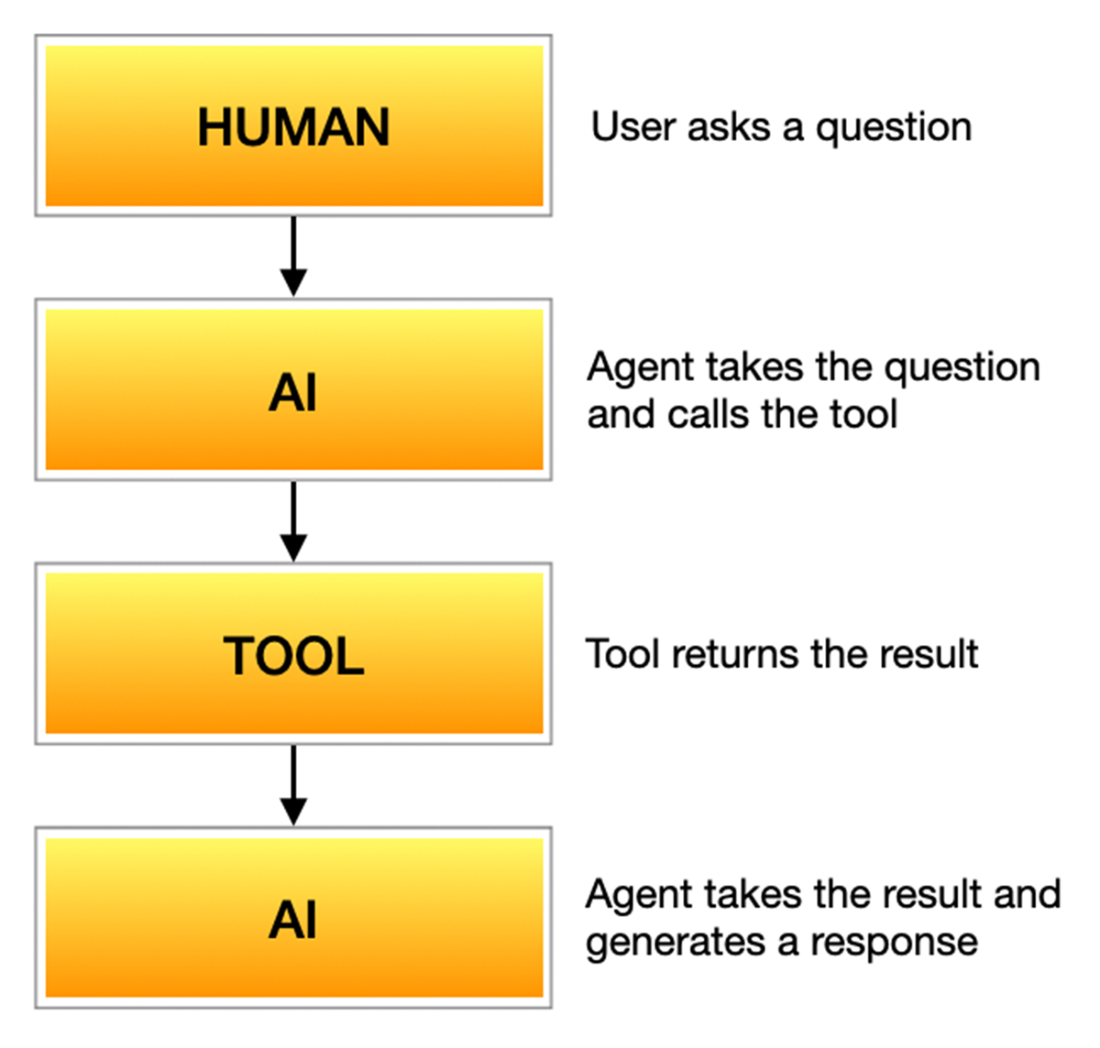
The agent works with the tool to return the answer
Summary

  • An agent is a specialized system designed to perform tasks autonomously by combining language understanding, reasoning, and tool usage.
  • smolagents is a lightweight and flexible framework designed to make agent development simple and approachable.
  • DuckDuckGoSearchTool is a lightweight and privacy-focused search tool that allows your agent to find information from the web quickly and efficiently.
  • Using the HfApiModel() object, you can use a model hosted on Hugging Face server.
  • The CodeAgent class creates a smolagents agent.
  • To use a locally running LLM through Ollama, use the LiteLLMModel class, which connects to the Ollama server and allows your agent to send prompts and receive responses directly from models running on your machine.
  • The PythonInterpreterTool class allows the agent to execute Python code dynamically.
  • Use the @tool decorator above your function to design it as a custom tool.
  • SerpAPI is a real-time search API that allows developers to programmatically access and extract search results from search engines like Google, Bing, Yahoo, YouTube, Amazon, and more.
  • You can create a LangChain agent using the initialize_agent() function.
  • LangGraph is a flexible and feature-rich framework designed specifically for building complex, stateful agents.
  • You can use the create_react_agent() function to create a ReAct-style agent.
  • ReACT is a method where the agent thinks step-by-step, calls tools if needed, observes results, and continues reasoning.
  • In LangGraph agents, you create a Tool object and use it as a custom tool.
  • You can maintain memory in your LangGraph agent by creating a State object and passing it to your agent.

FAQ

What is an AI agent and what core steps does it perform?An agent is a system that uses a large language model to understand natural language, reason and plan tasks, act by calling tools (APIs, search, code), and deliver a coherent final result. In short: understand → plan → act with tools → respond.
When should I use an agent instead of a single specialized model?Use an agent when tasks are ambiguous, multi-step, require dynamic decision-making, or need external information/tools. Single models are fine for well-scoped tasks (e.g., translation), but agents shine in workflows that require reasoning, tool use, and delegation.
How do I build a simple agent with smolagents?Install smolagents, choose an LLM, and create a CodeAgent with a list of tools. Then call agent.run("your question"). CodeAgent uses the LLM to reason and may generate/execute Python code while invoking tools to produce an answer.
Which built‑in tools does smolagents provide and how do I enable them?Common built-ins include DuckDuckGoSearchTool (web search), PythonInterpreterTool (execute Python), and Transcriber. You can pass specific tools to CodeAgent or set add_base_tools=True to enable the default set automatically.
How do I choose and connect an LLM to smolagents (HF Inference, Ollama, OpenAI)?- HfApiModel uses Hugging Face Inference endpoints (default: Qwen/Qwen2.5-Coder-32B-Instruct); watch credit limits. - LiteLLMModel connects to local or hosted providers (e.g., Ollama with model_id "ollama/qwen2:7b" and api_base http://127.0.0.1:11434). - You can also use OpenAI (e.g., model_id "gpt-4o-mini" with your API key).
What is PythonInterpreterTool and when should I use it?PythonInterpreterTool lets the agent write and run Python during its reasoning. Use it for calculations, data processing, calling libraries/APIs, or quick scripts (e.g., computing Fibonacci numbers). Output quality can vary by LLM, so test a few models.
How do I write a custom tool in smolagents?Write a Python function, add the @tool decorator, and include a clear docstring with parameters and purpose. For example, a get_weather_info(city) function can call OpenWeatherMap and return a formatted summary. Without a docstring, the agent may not use the tool correctly.
How do LangChain agents use tools, and what’s the difference between wrappers and tools?Utility wrappers (e.g., SerpAPIWrapper, WikipediaAPIWrapper) handle API specifics but aren’t directly callable by agents. Wrap them in a Tool (name, func, description) to expose them to the agent. Then create an agent (e.g., initialize_agent with AgentType.ZERO_SHOT_REACT_DESCRIPTION) and ask questions; verbose=True shows step-by-step reasoning.
What is LangGraph and why use it for agents?LangGraph builds stateful, multi-step agent workflows as graphs (nodes for LLM/tool steps; edges for control flow). It offers fine-grained control, tool integration, branching, and memory. The prebuilt create_react_agent uses ReAct to think, act with tools, observe, and answer. It’s ideal for conversations, decision trees, and complex tool-using agents.
How do I add tools and memory to a LangGraph agent?- Tools: Wrap services (e.g., SerpAPI) in a Tool and pass tools to create_react_agent. This enables up-to-date answers (e.g., election results beyond the LLM’s training cutoff). - Memory: Define a State TypedDict with messages: Annotated[List, add_messages], pass and update it on each invoke, and keep a conversation loop so the agent retains context across turns (e.g., resolving pronouns like “her”).

pro $24.99 per month

  • access to all Manning books, MEAPs, liveVideos, liveProjects, and audiobooks!
  • choose one free eBook per month to keep
  • exclusive 50% discount on all purchases
  • renews monthly, pause or cancel renewal anytime

lite $19.99 per month

  • access to all Manning books, including MEAPs!

team

5, 10 or 20 seats+ for your team - learn more


choose your plan

team

monthly
annual
$49.99
$499.99
only $41.67 per month
  • five seats for your team
  • access to all Manning books, MEAPs, liveVideos, liveProjects, and audiobooks!
  • choose another free product every time you renew
  • choose twelve free products per year
  • exclusive 50% discount on all purchases
  • renews monthly, pause or cancel renewal anytime
  • renews annually, pause or cancel renewal anytime
  • Hugging Face in Action ebook for free
choose your plan

team

monthly
annual
$49.99
$499.99
only $41.67 per month
  • five seats for your team
  • access to all Manning books, MEAPs, liveVideos, liveProjects, and audiobooks!
  • choose another free product every time you renew
  • choose twelve free products per year
  • exclusive 50% discount on all purchases
  • renews monthly, pause or cancel renewal anytime
  • renews annually, pause or cancel renewal anytime
  • Hugging Face in Action ebook for free
choose your plan

team

monthly
annual
$49.99
$499.99
only $41.67 per month
  • five seats for your team
  • access to all Manning books, MEAPs, liveVideos, liveProjects, and audiobooks!
  • choose another free product every time you renew
  • choose twelve free products per year
  • exclusive 50% discount on all purchases
  • renews monthly, pause or cancel renewal anytime
  • renews annually, pause or cancel renewal anytime
  • Hugging Face in Action ebook for free
