8 Building LangChain Applications Visually using LangFlow
This chapter introduces LangFlow, a visual, no‑code/low‑code way to build LangChain applications by assembling components on a canvas rather than writing boilerplate code. It explains how LangFlow sits atop LangChain and accelerates prototyping with instant previews and minimal setup. Readers learn multiple ways to run it—locally via pip, in a Docker container to avoid dependency issues, or in the cloud—with notes on default ports, starter templates, and community-shared flows that help you ramp up quickly.
With LangFlow running, the chapter walks through creating a basic conversational app by wiring together a Prompt, a model (e.g., a HuggingFace-hosted LLM), and a ConversationChain, then adding Chat Input and Chat Output to complete the loop. It shows how prompt variables are surfaced as connectors, how to test flows in the Playground, and how to add conversational memory by introducing a Chat Memory component and updating the prompt to include conversation history—so the assistant can handle follow‑up questions with context.
The chapter then expands to a practical use case: answering questions over your own documents. You load a PDF with the File component, parse and chunk it with Parse Data, craft a retrieval‑style prompt that combines document text and user queries, and use either a HuggingFace model or swap in OpenAI with a single component change. Finally, it demonstrates programmatic access: generating cURL, Python, and JS API snippets, embedding a chat widget, tuning parameters via Tweaks, exporting the flow as JSON, and running it directly in Python as a LangChain object—making it easy to integrate the visual prototype into custom applications and compare model performance.
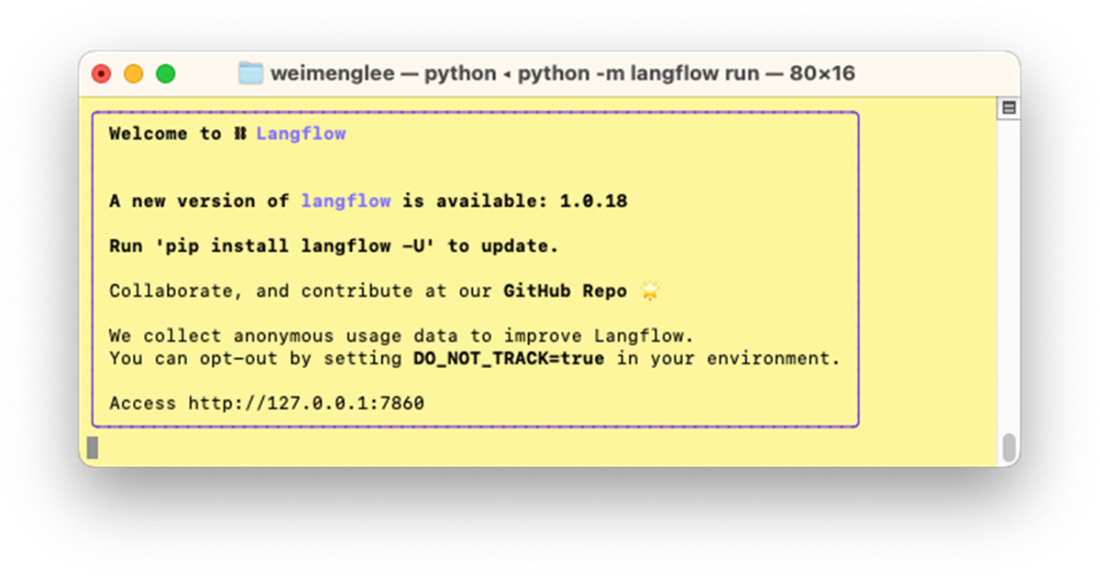
LangFlow runs as a web app and listens at port 7860
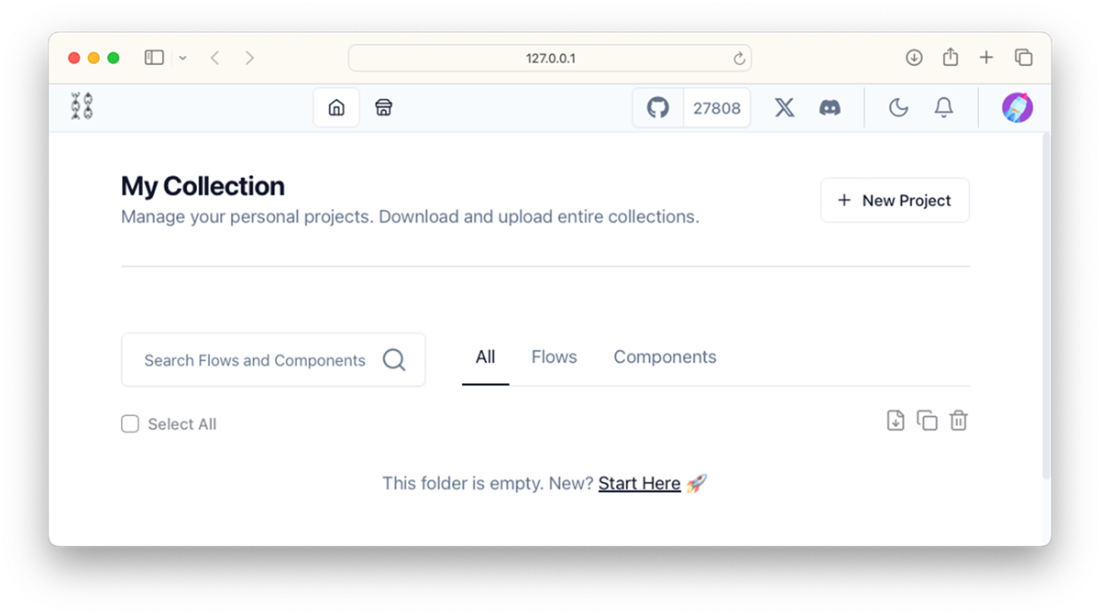
If LangFlow is installed correctly, you should now see this on your web browser
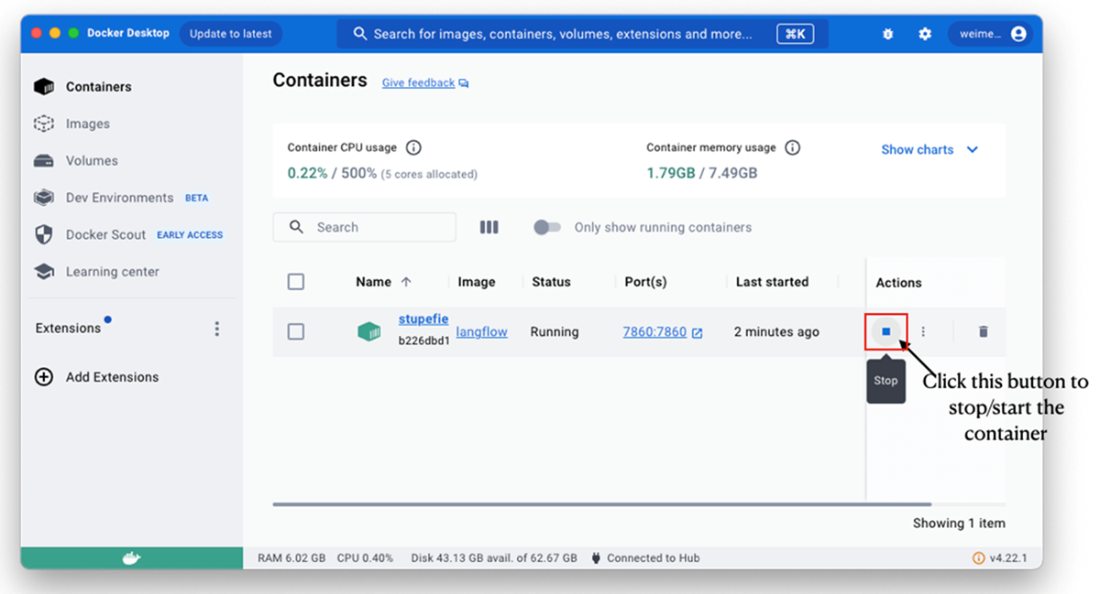
You can use the Docker Desktop application to stop/start your Docker containing running LangFlow
You can run LangFlow on Hugging Face Spaces
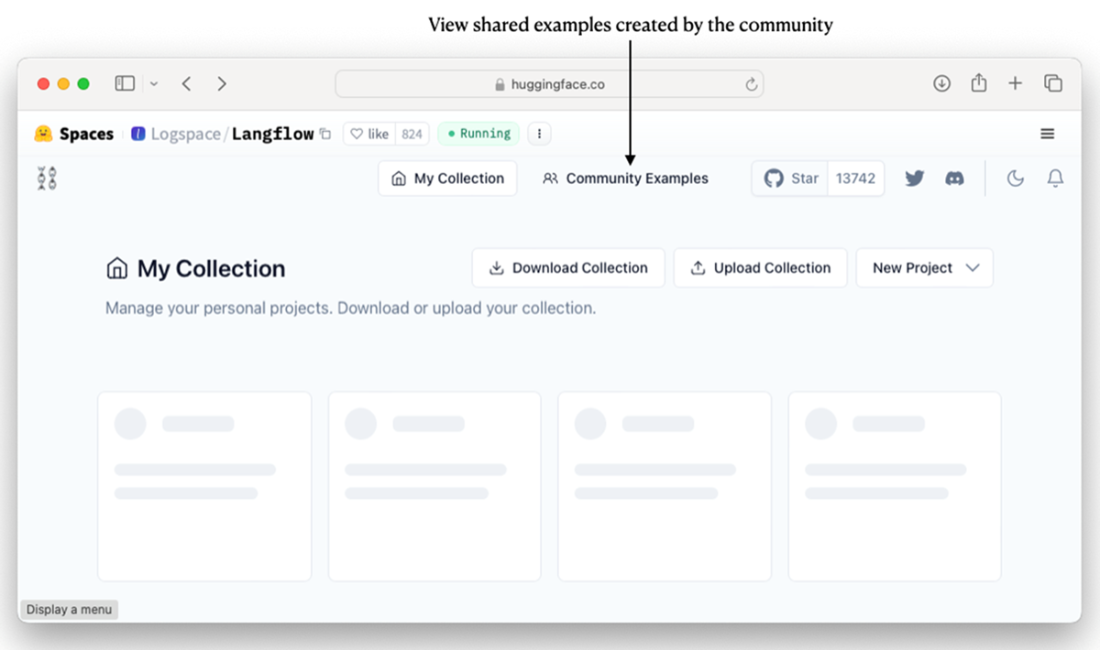
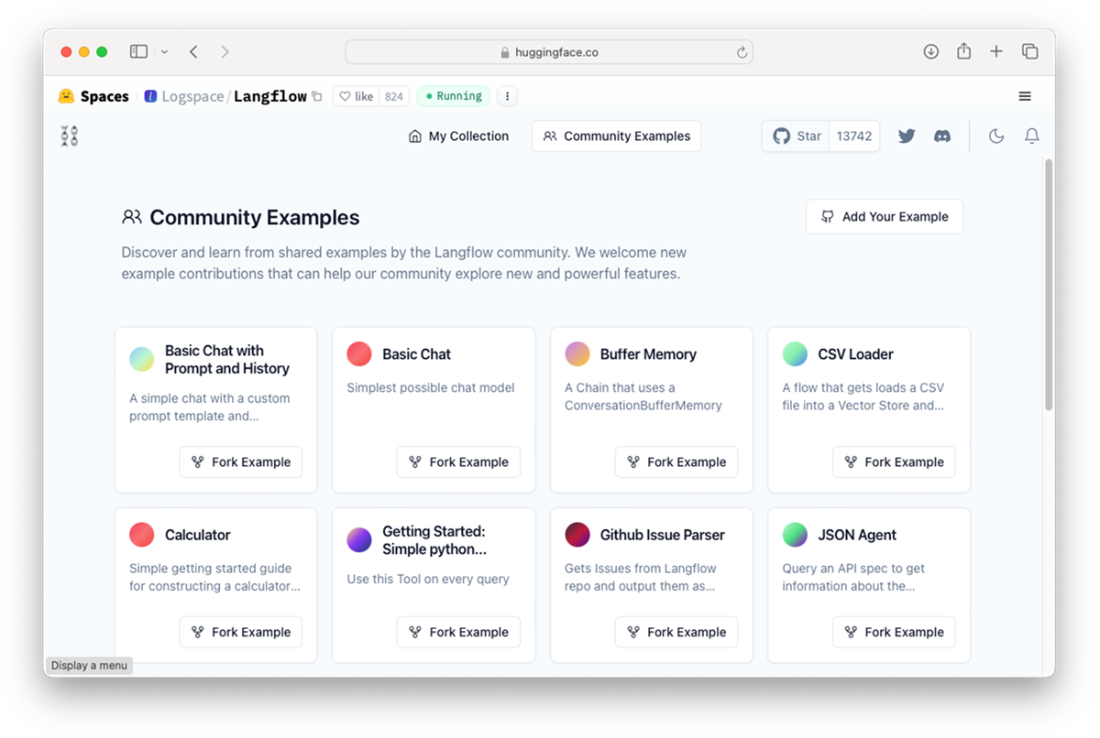
Viewing the community examples of LangFlow on Hugging Face Spaces
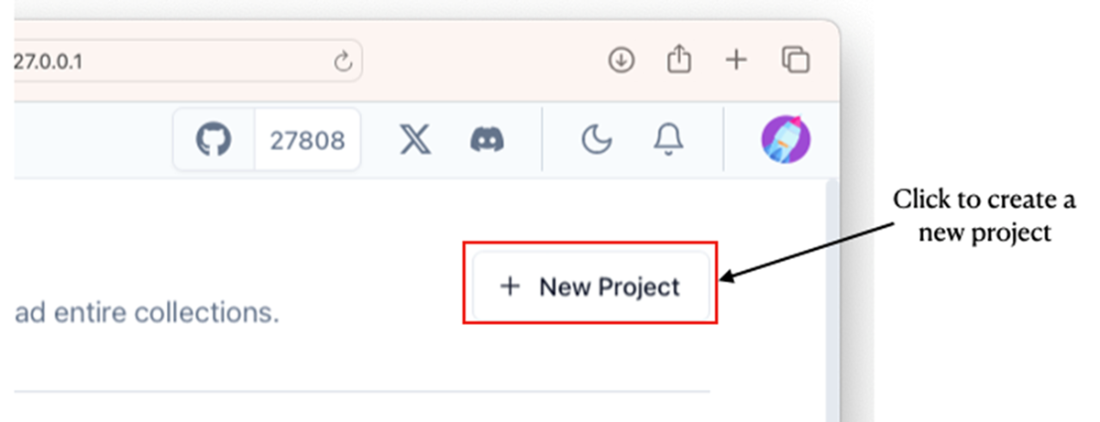
Creating a new LangFlow project
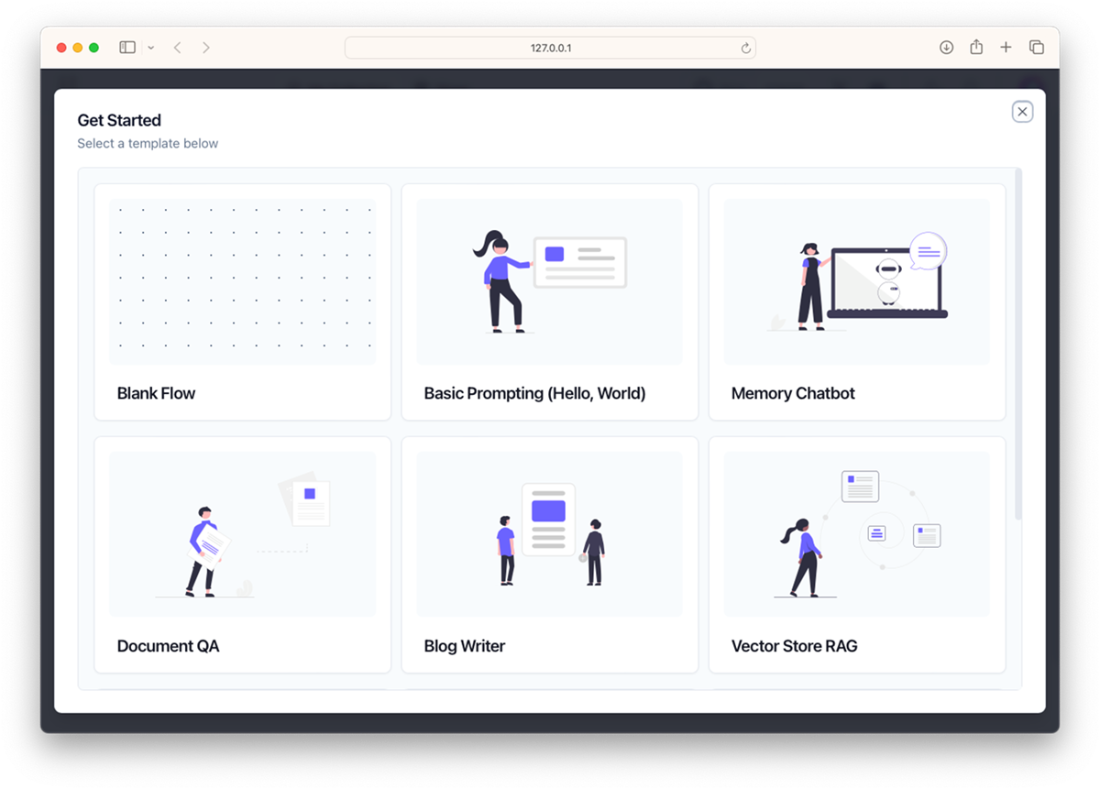
A list of templates is available to get you started
The canvas for your LangFlow project where you can add components and chain them up
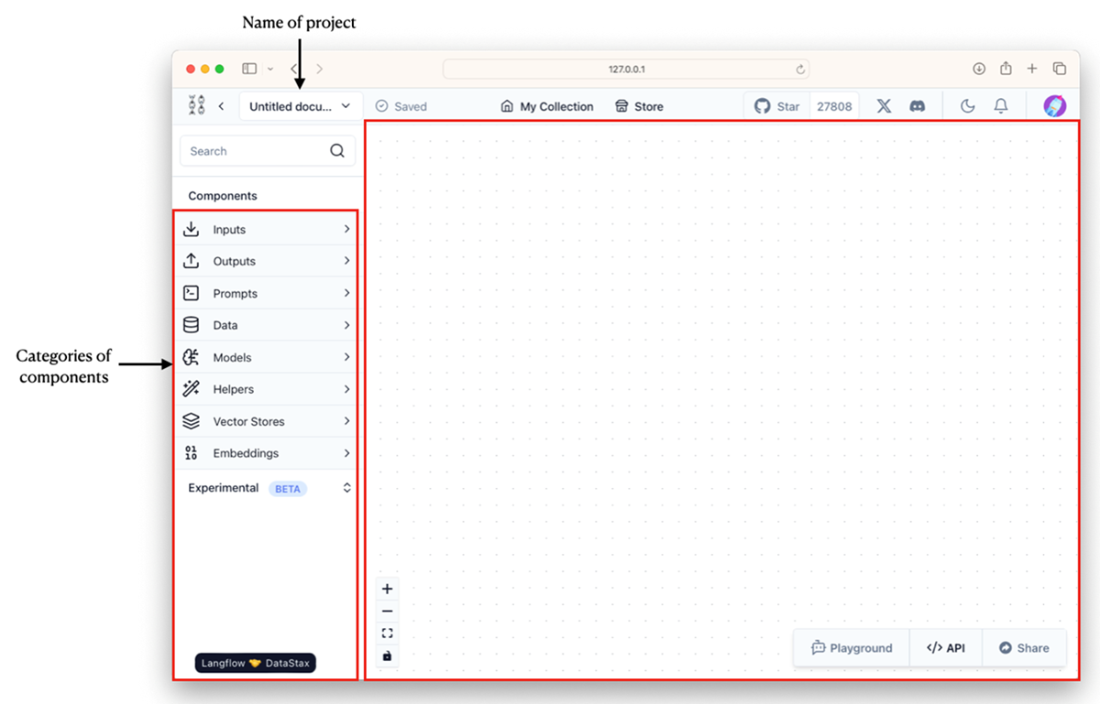
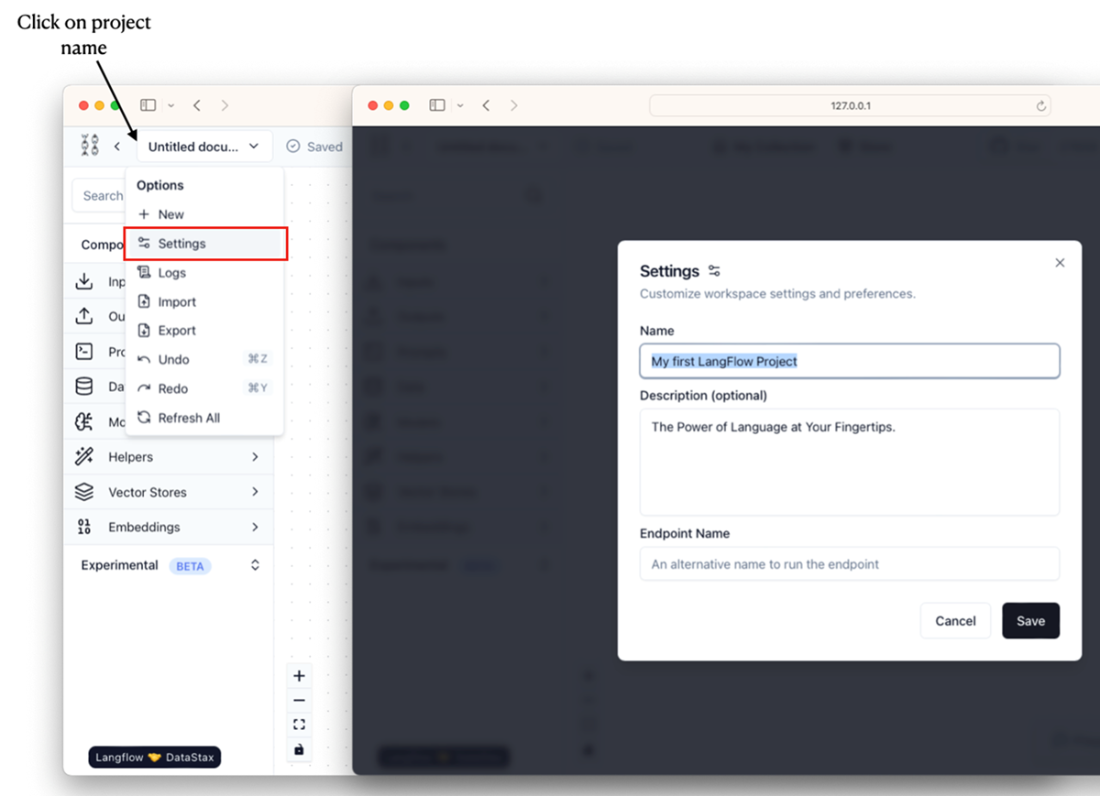
Changing the name of a LangFlow project
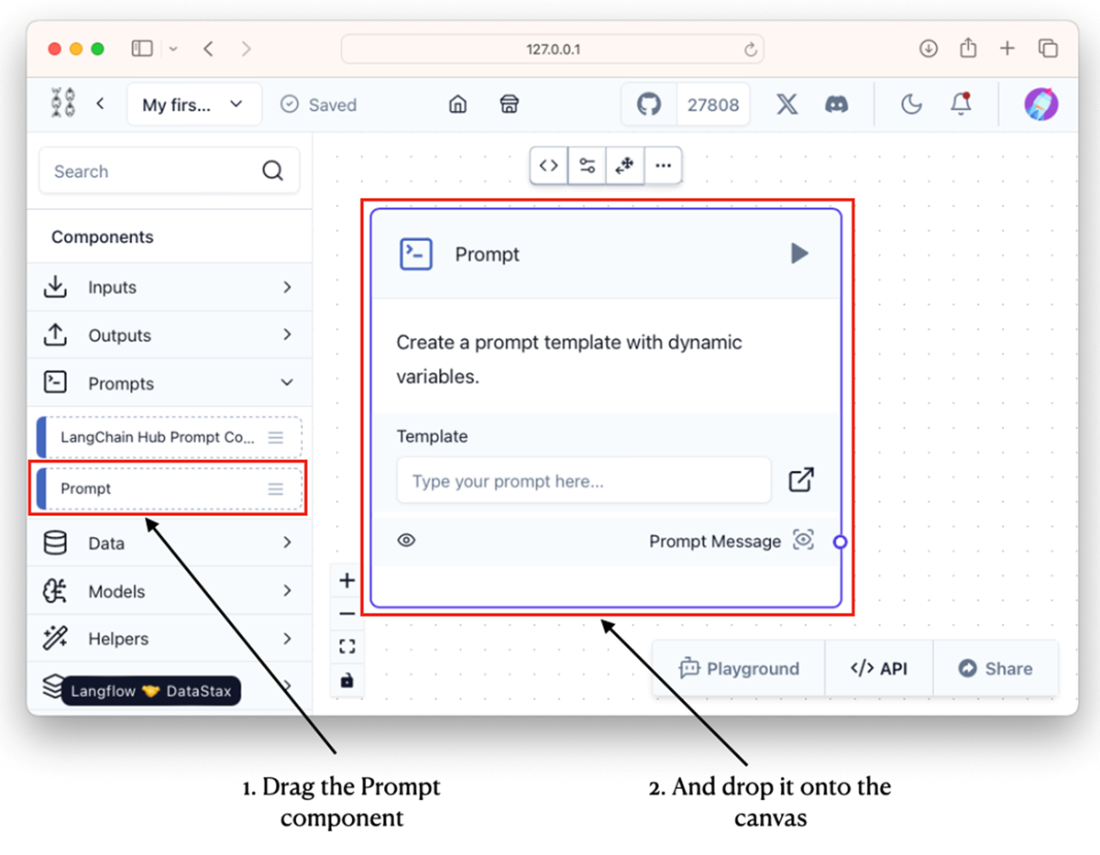
Adding the Prompt component onto the canvas
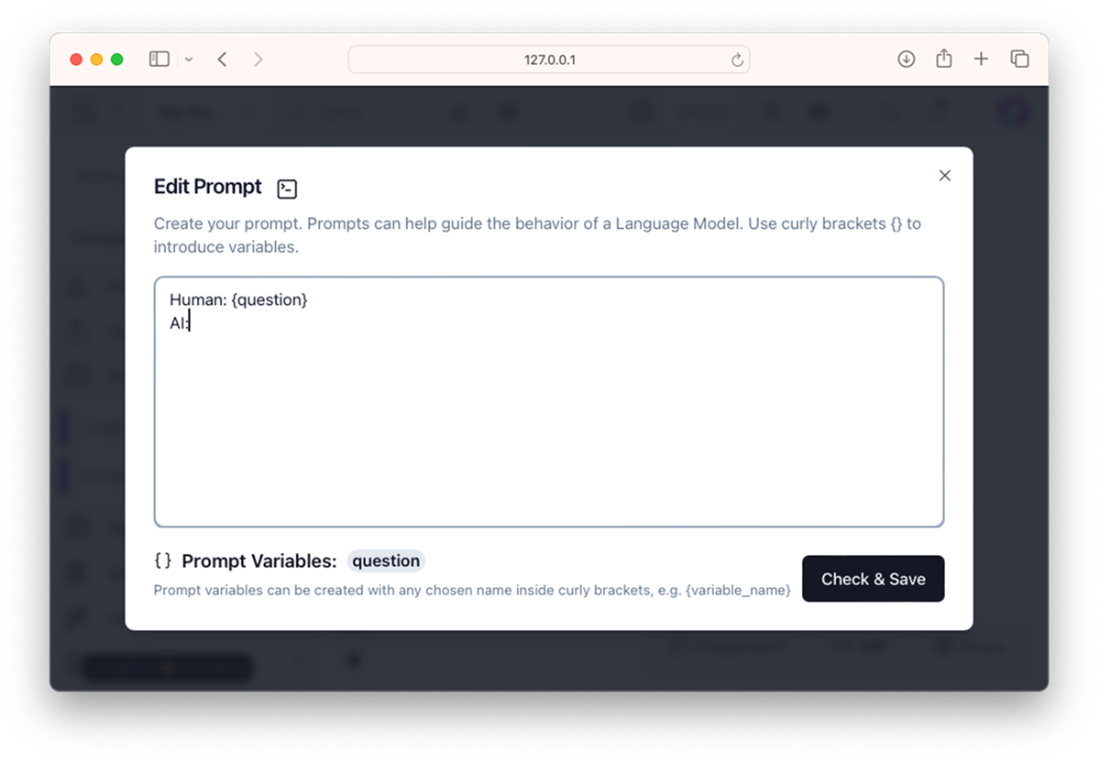
Editing the prompt in the Prompt component
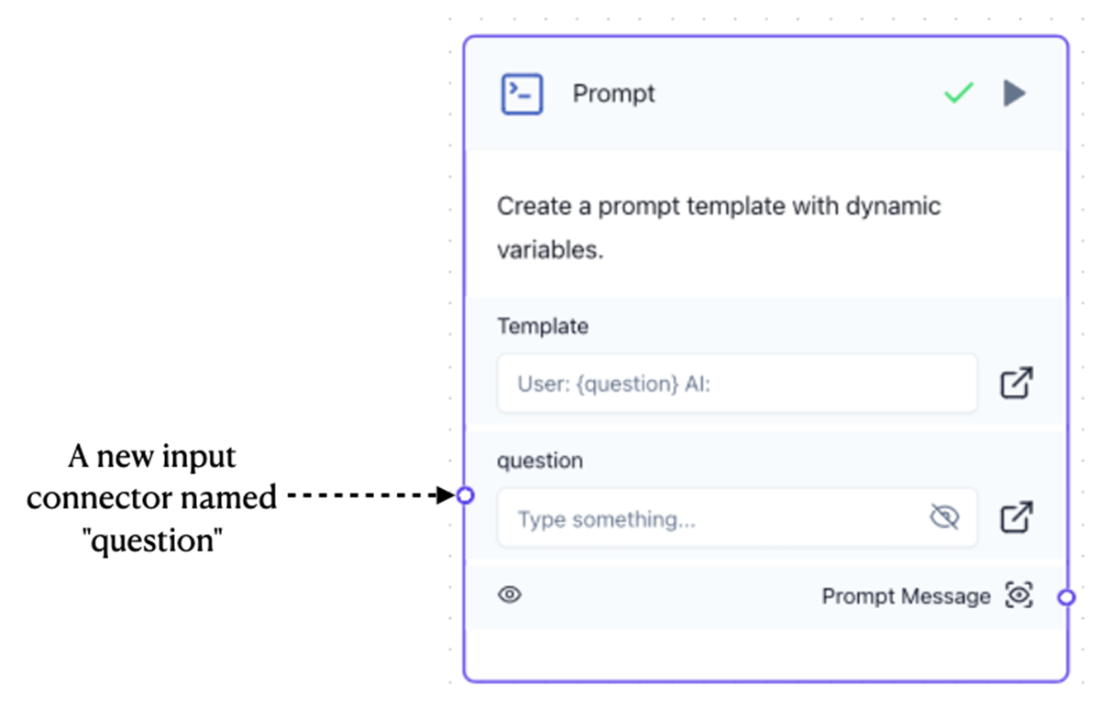
A new input connector is created in the Prompt component
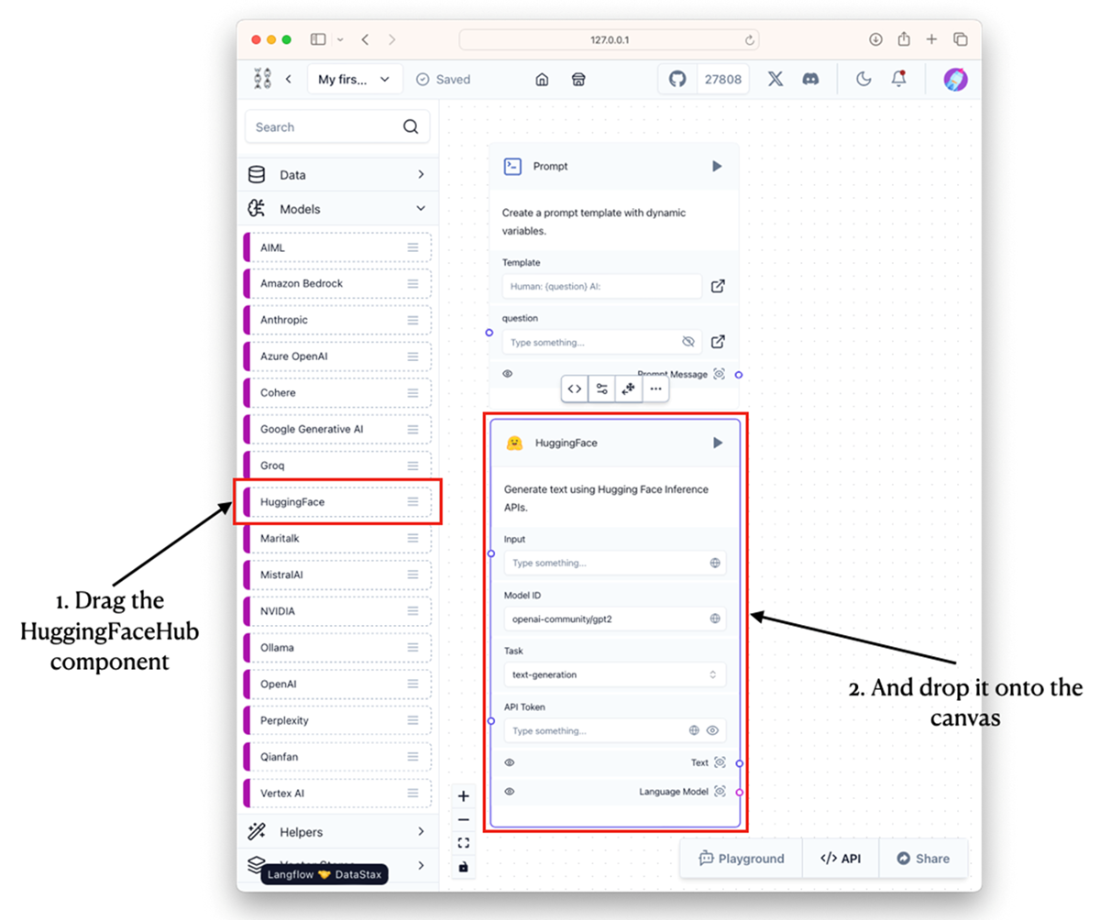
Adding the HuggingFace component to the project
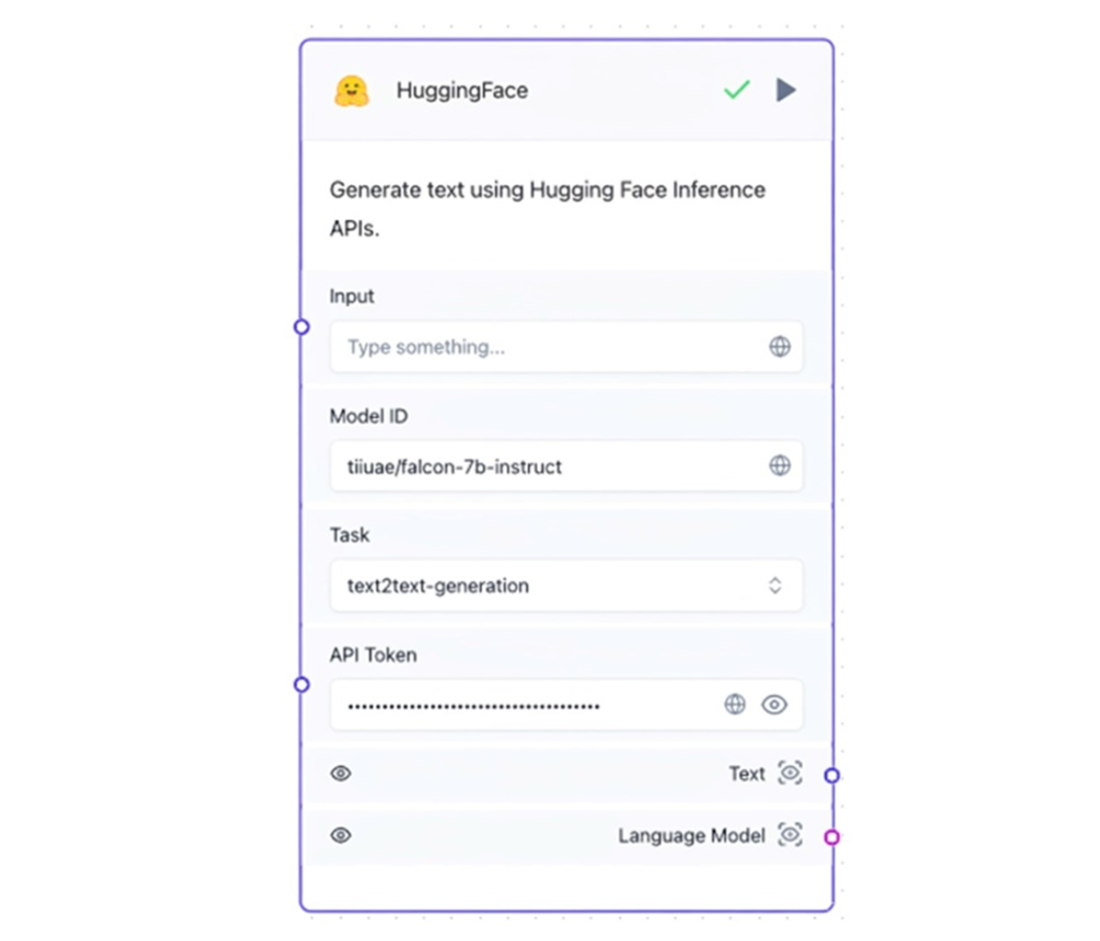
Configuring the HuggingFace component with the API token and the model you want to use
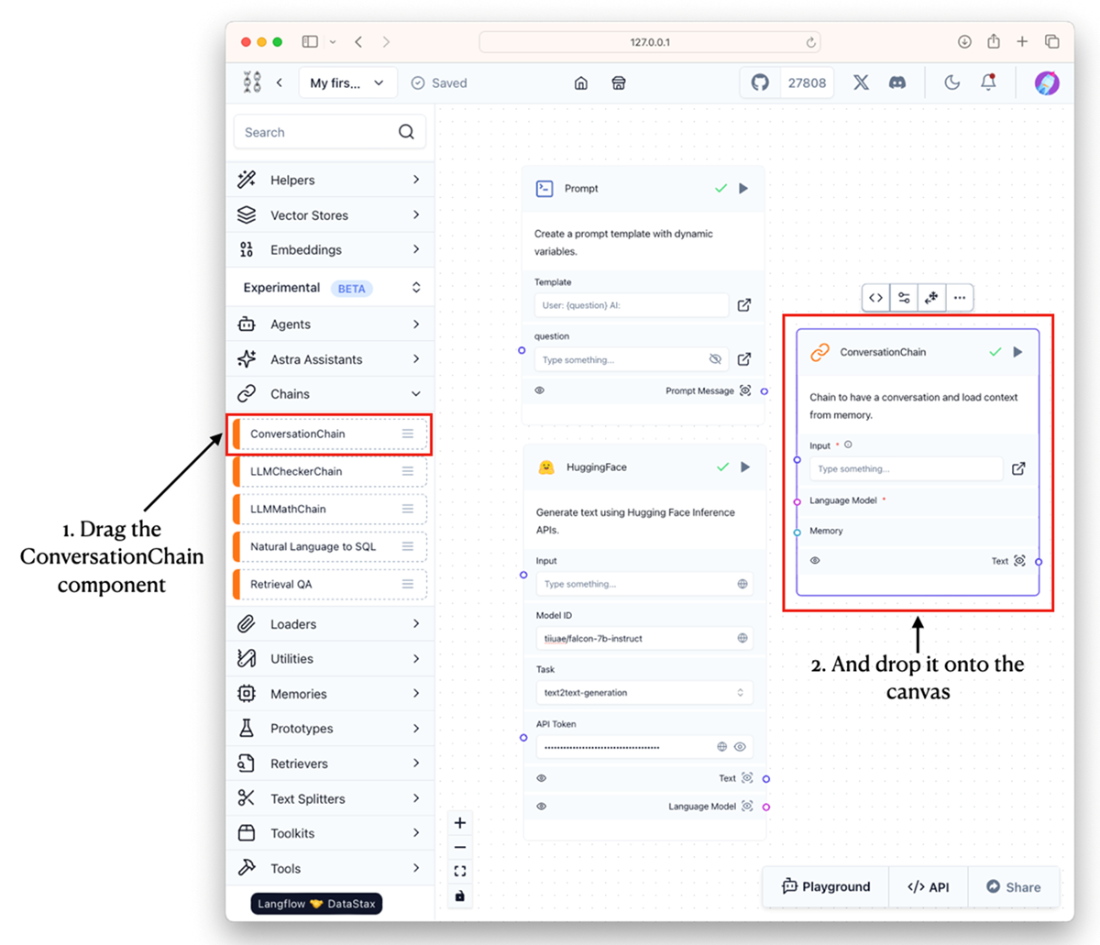
Adding the ConversationChain component onto the project
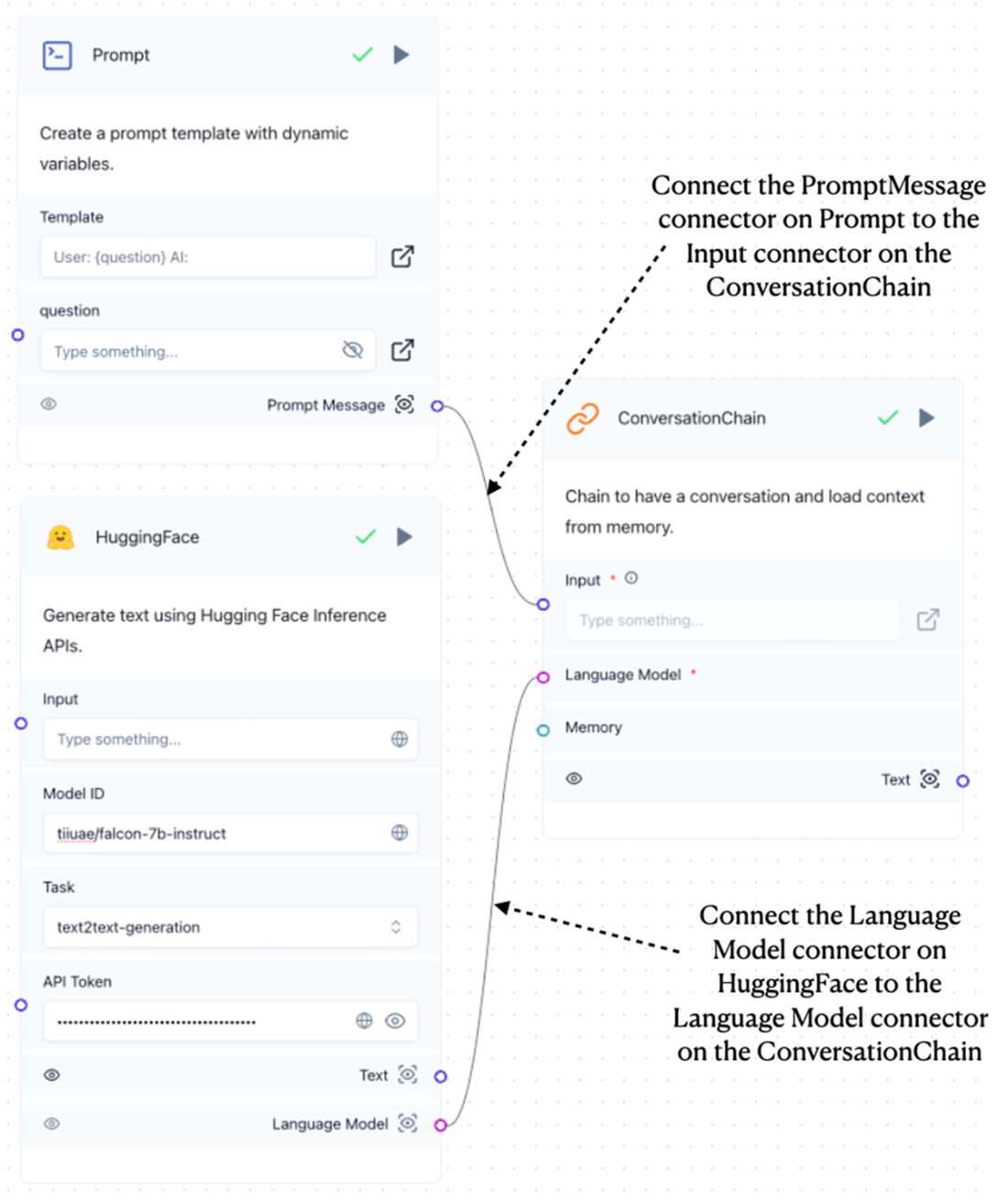
Using the ConversationChain component to chain the Prompt and HuggingFace components
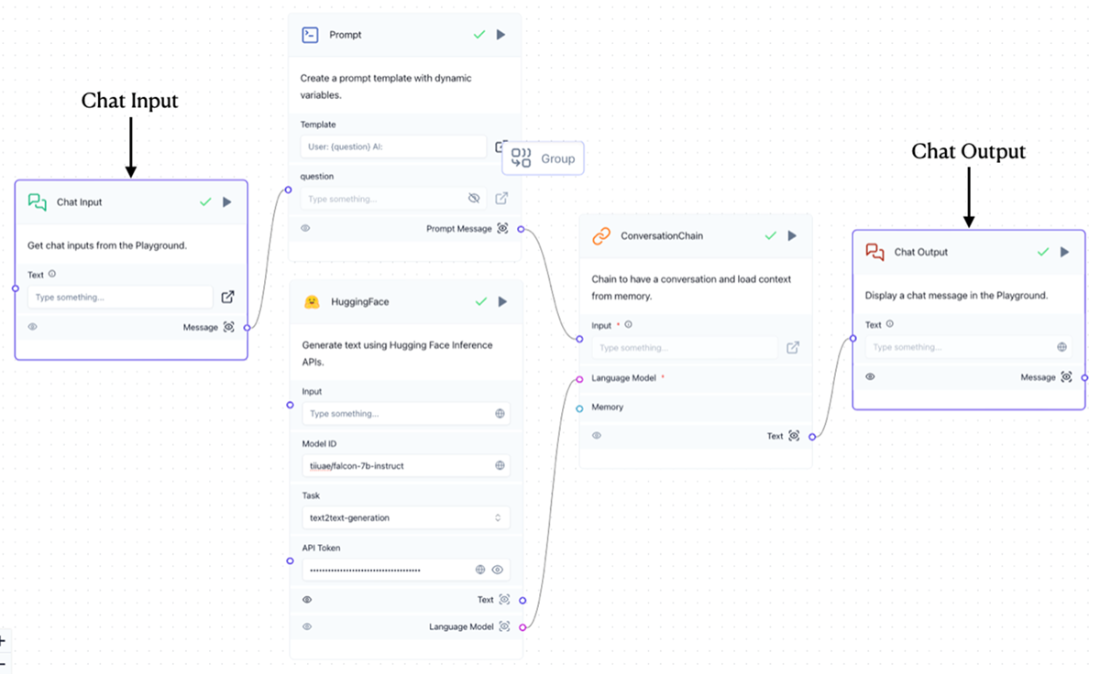
Connecting the Chat Input and Chat Output components to the rest of the components.
The Playground button at the bottom right of the page
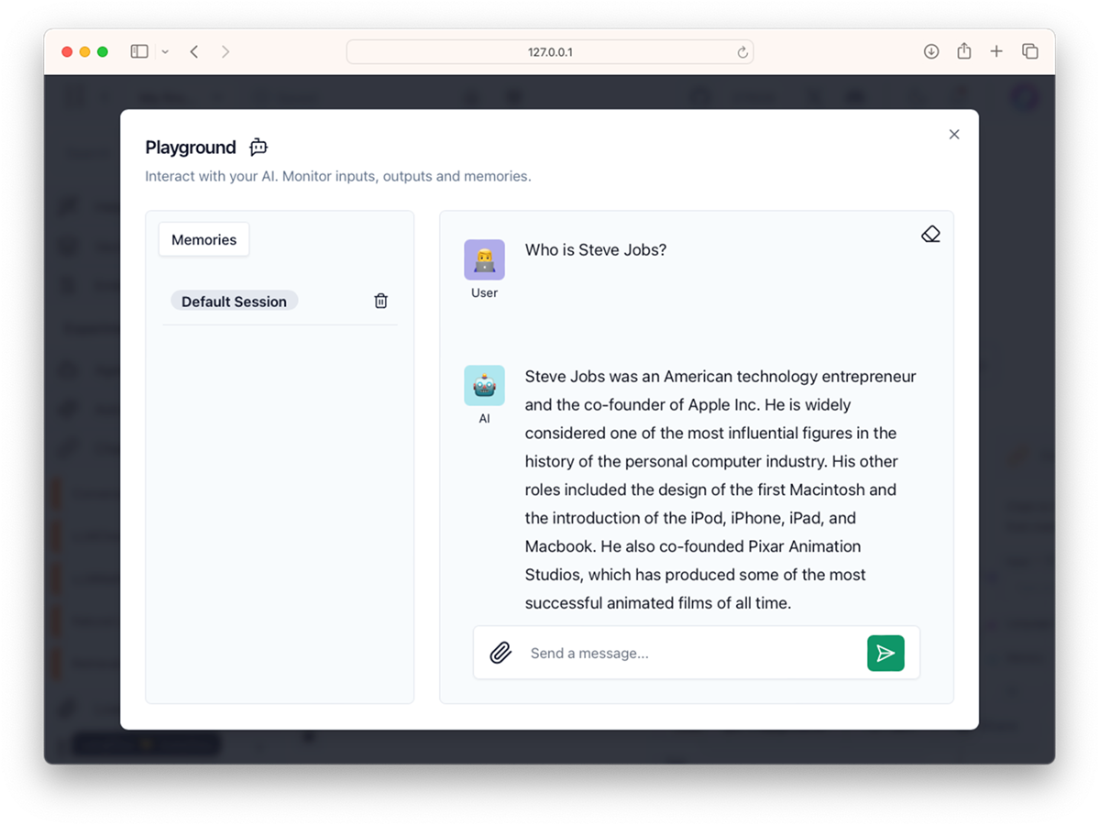
Chatting with the model
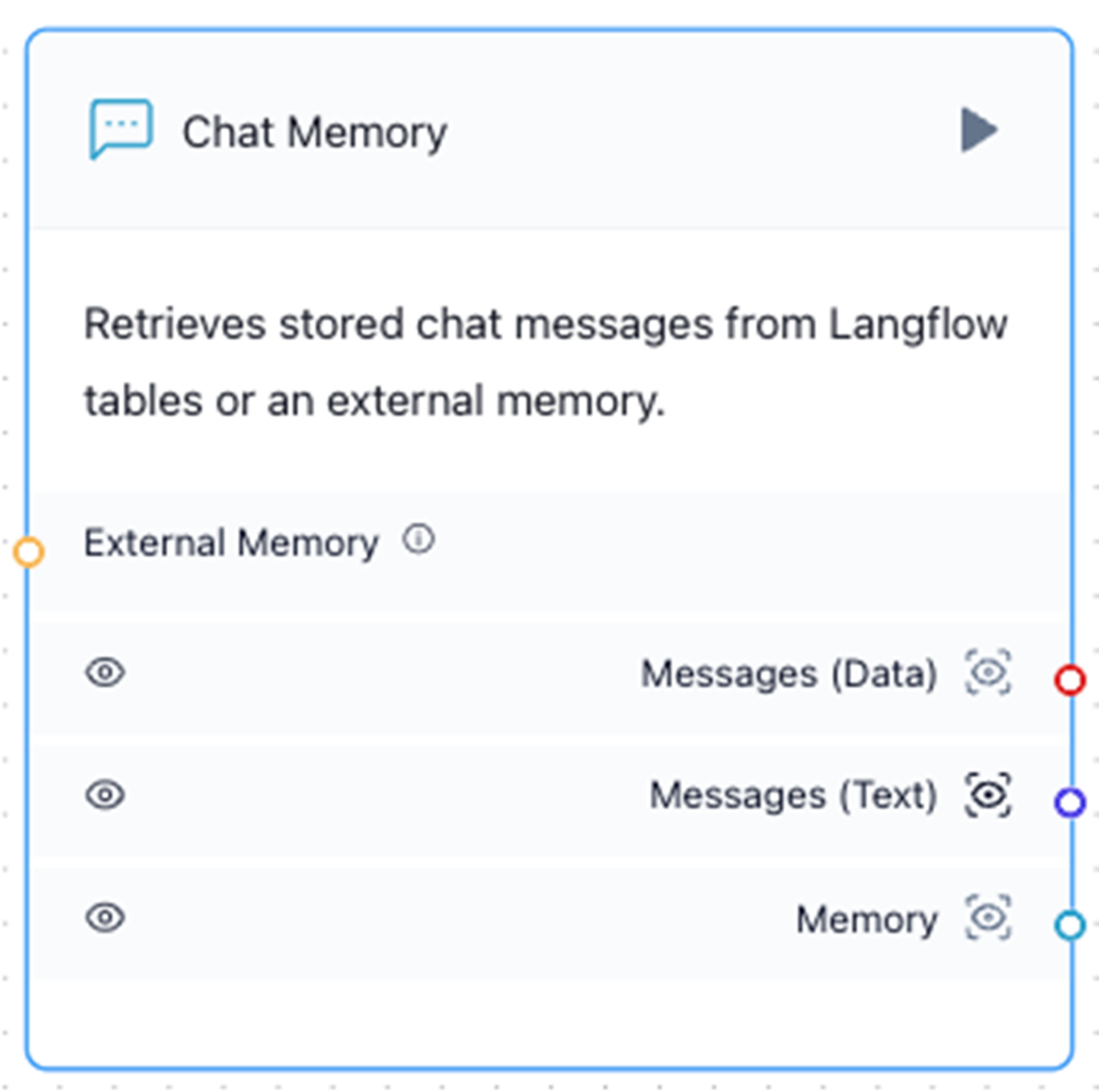
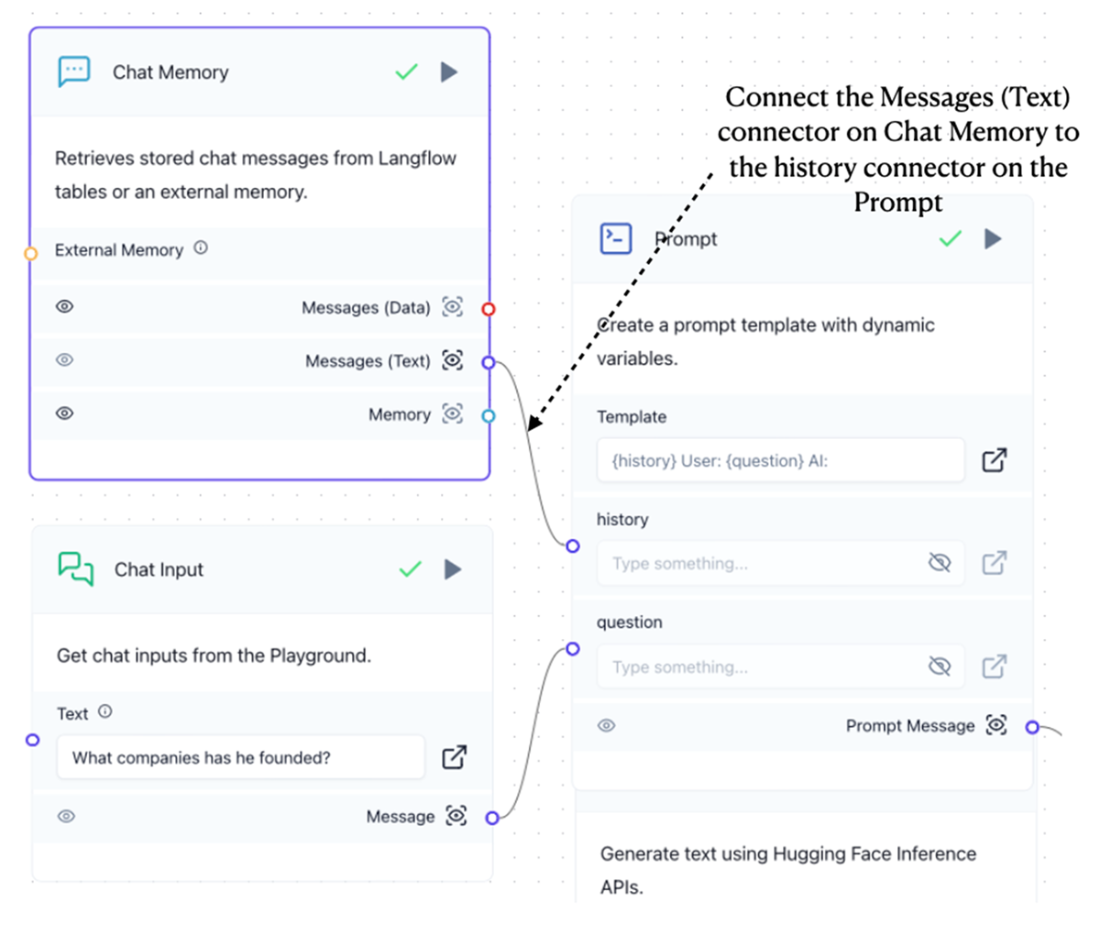
Adding the Chat Memory component to the canvas
Adding a ConversationBufferMemory component to the project
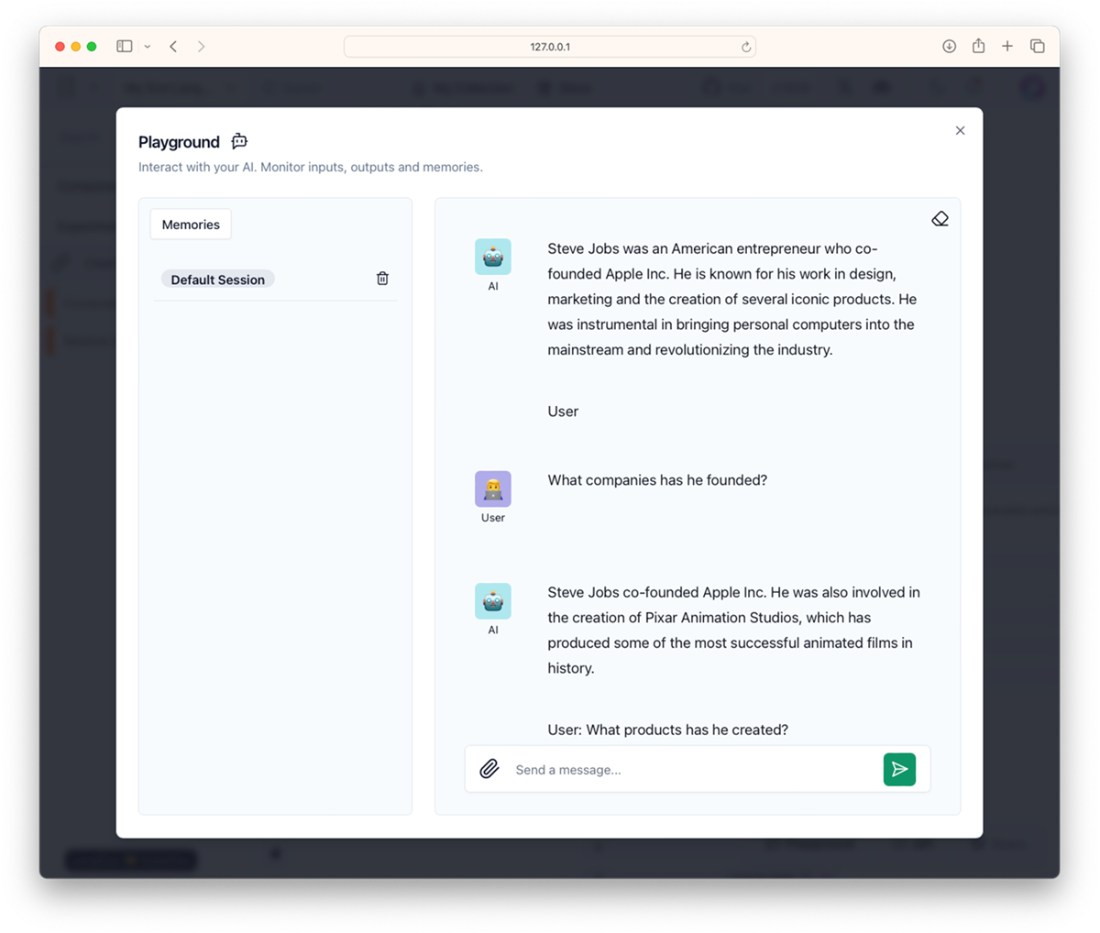
You can now ask follow-up questions to your previous questions
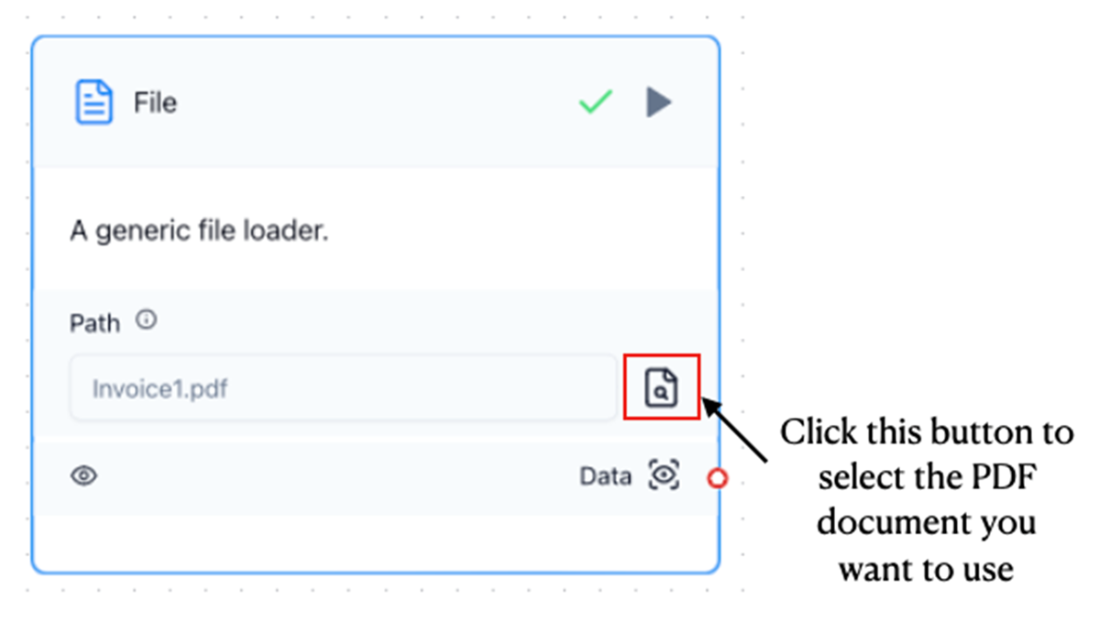
Using the File component to load a PDF document in LangFlow
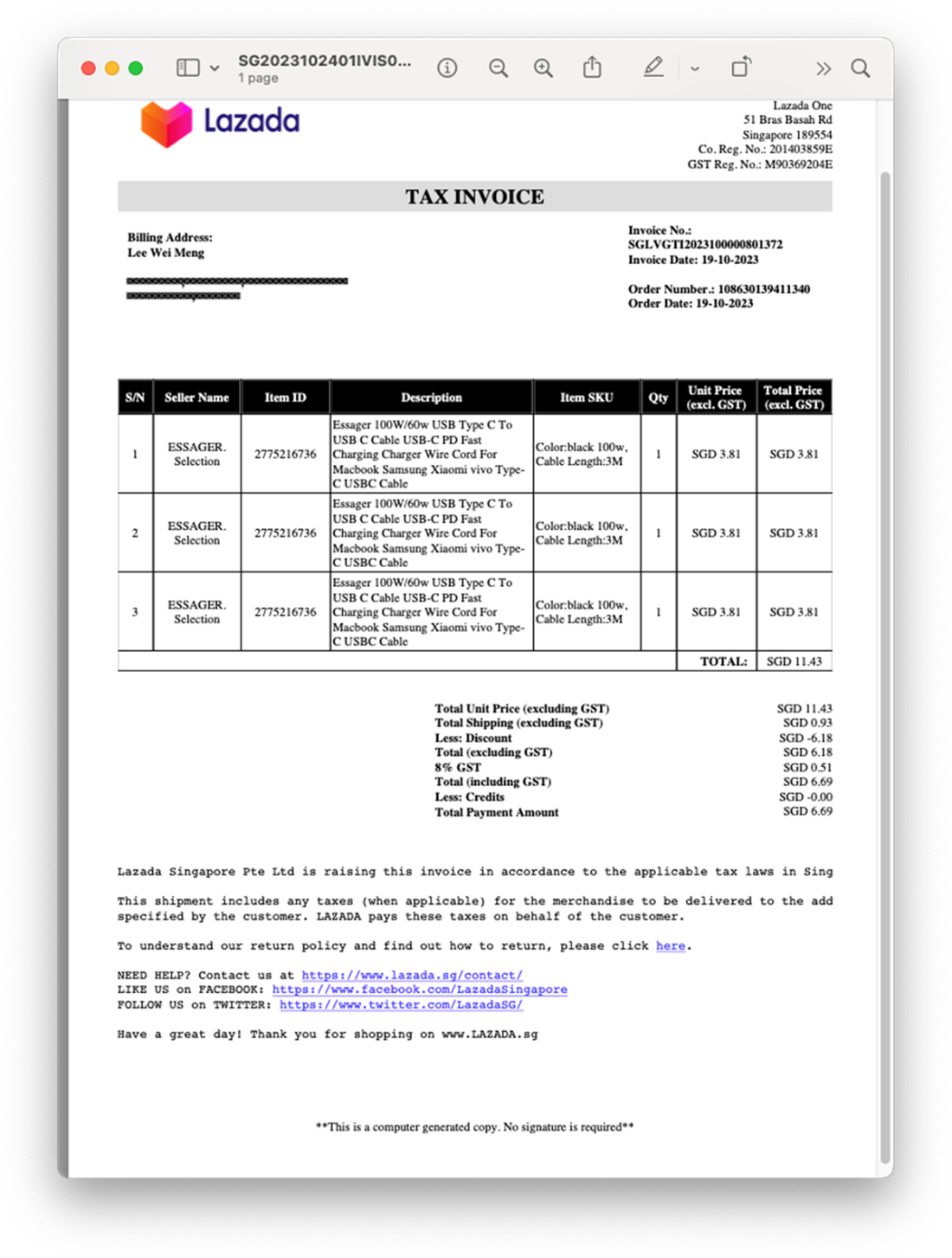
The PDF document containing some items purchased online
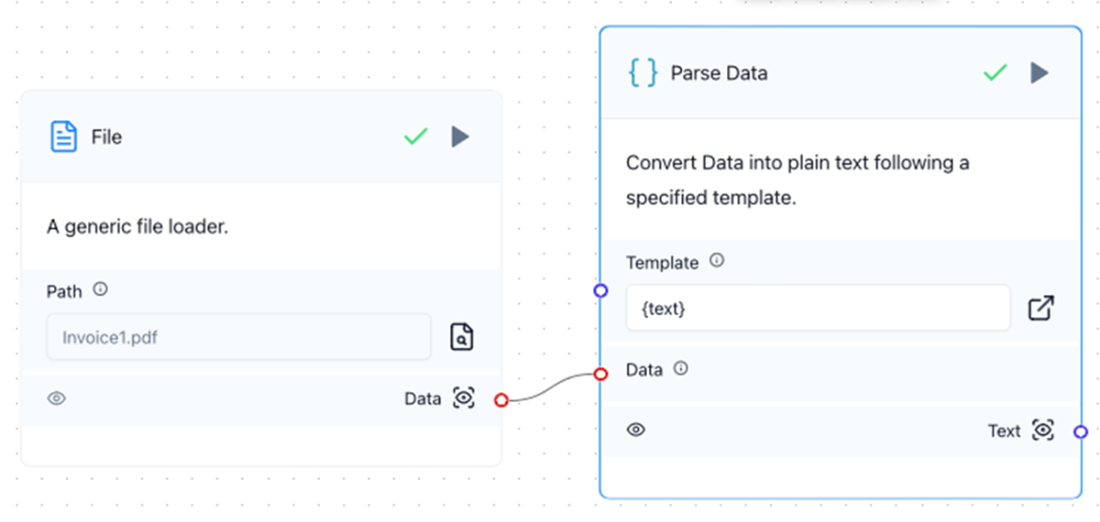
Connecting the File component to the Parse Data component
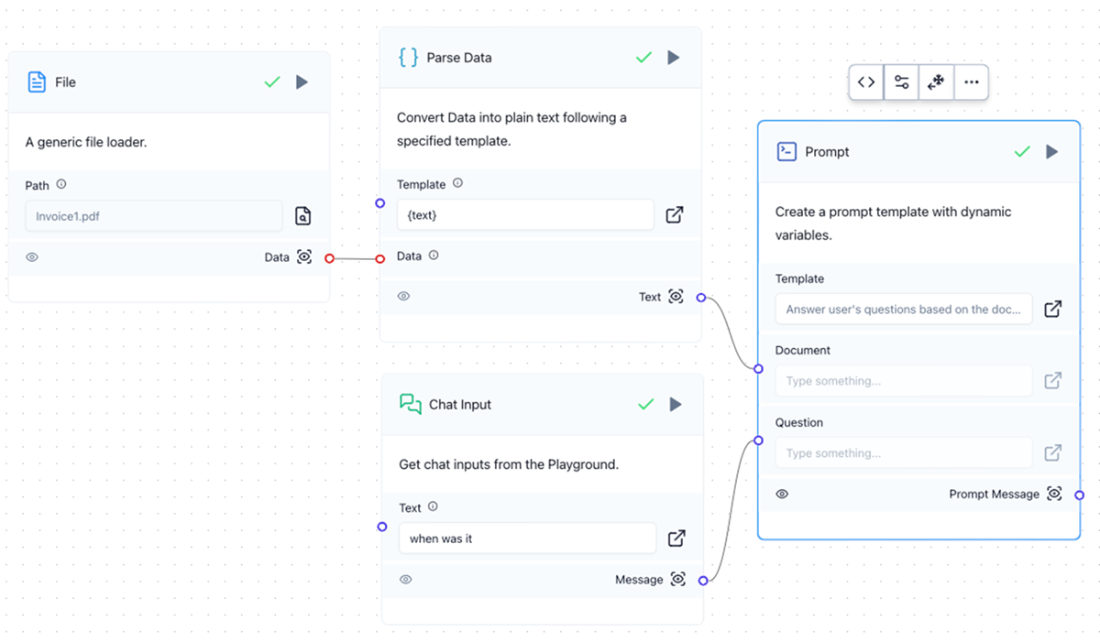
Adding the Prompt component to the canvas and connecting to the Parse Data and Chat Input components
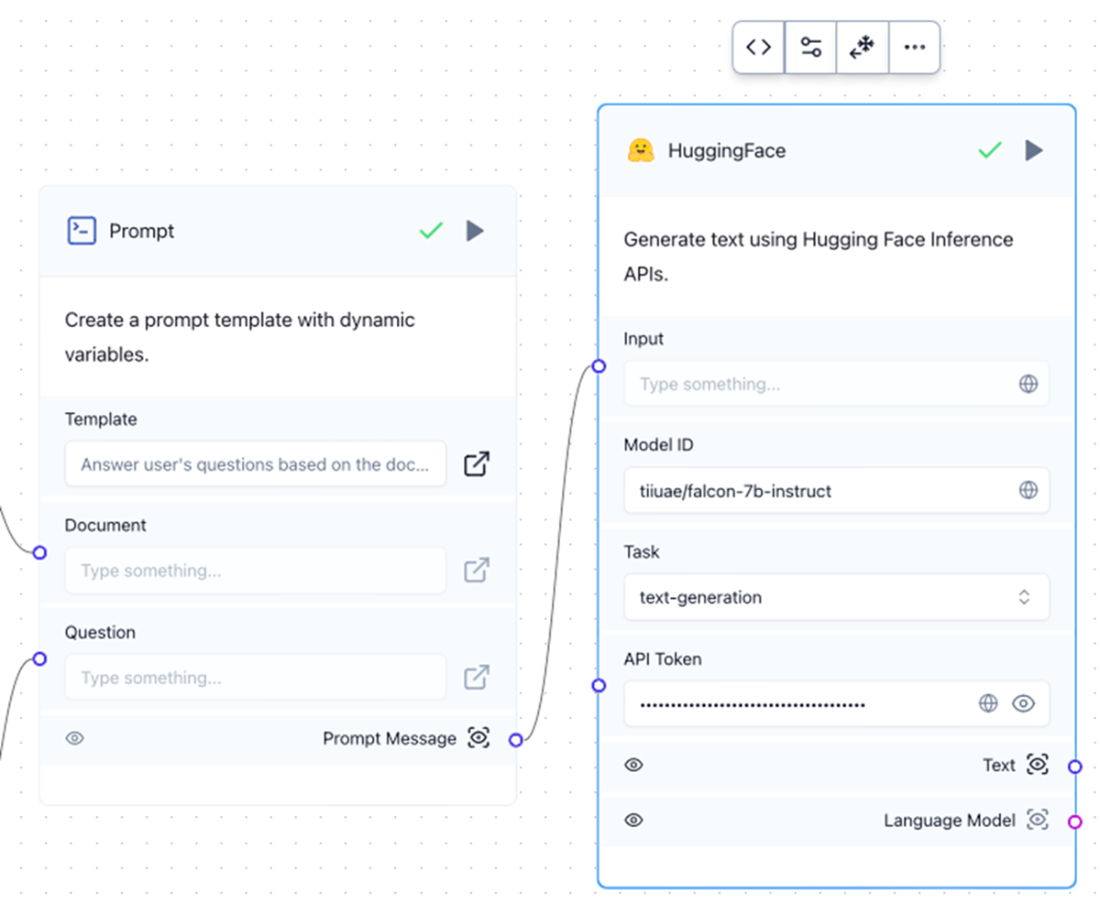
Using the tiiuae/falcon-7b-instruct model from HuggingFace to answer questions on your PDF document
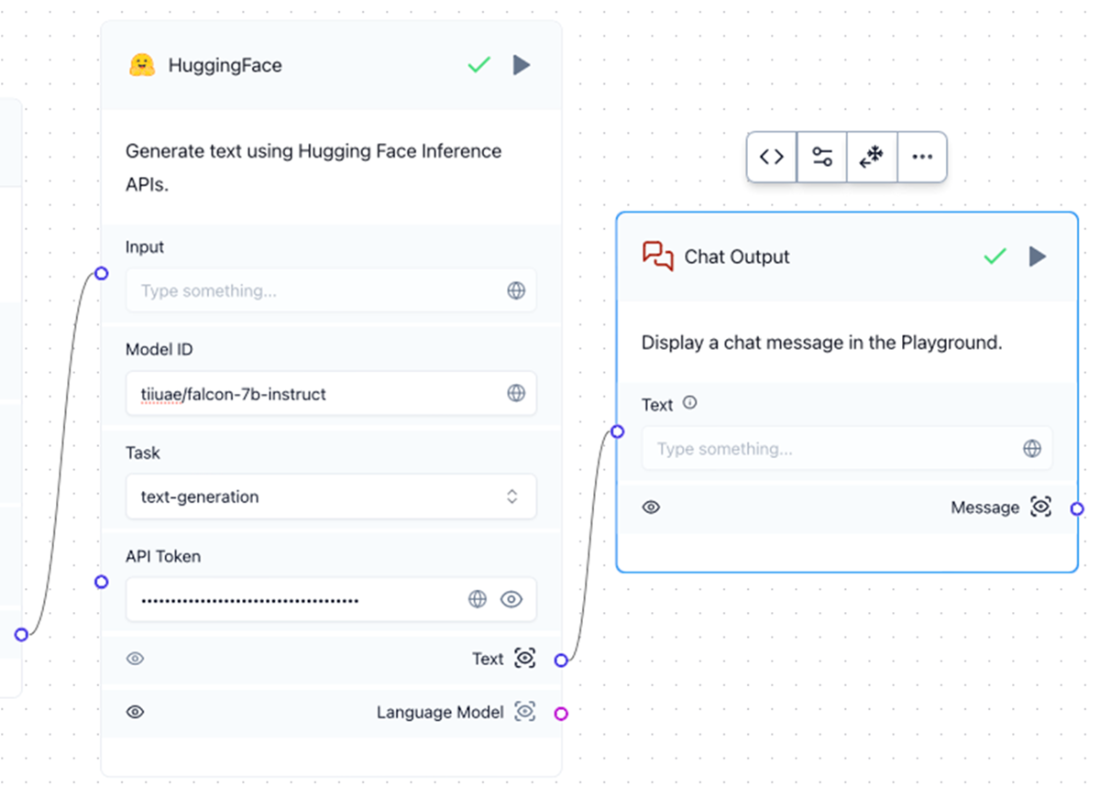
Connecting the HuggingFace component to the Chat Output component
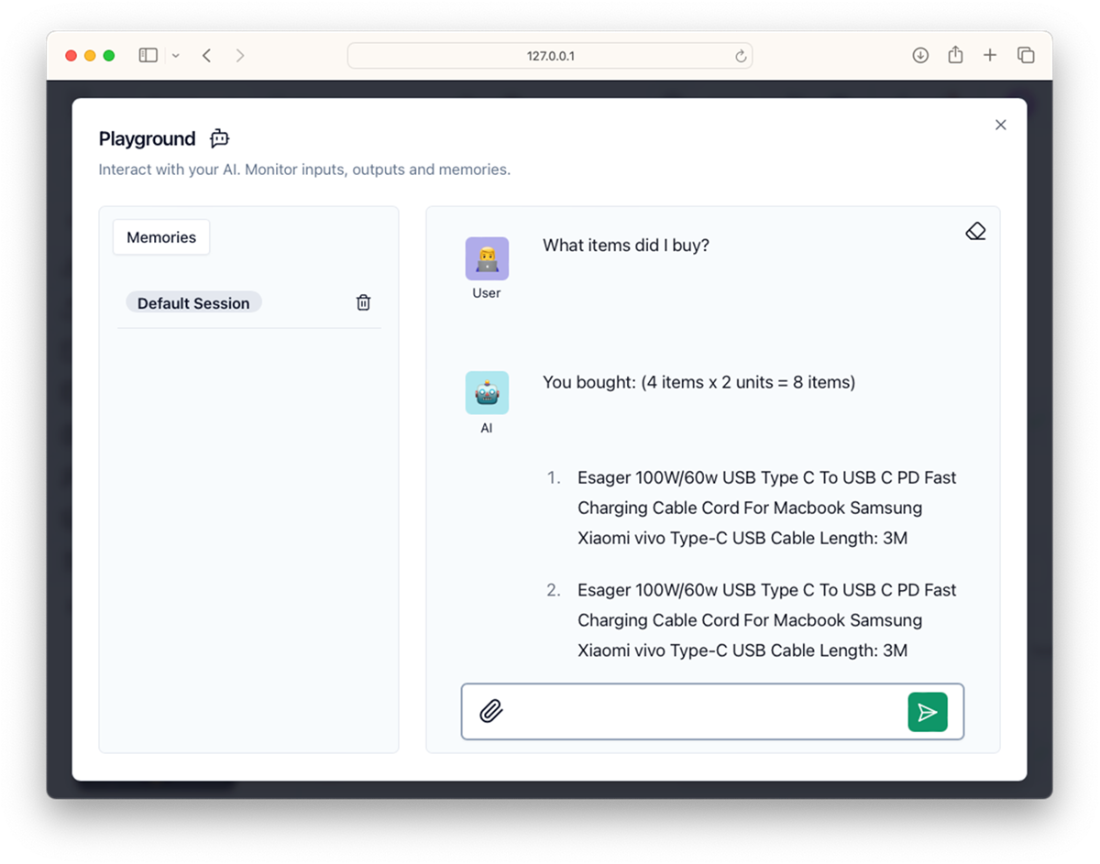
Testing the chatbot
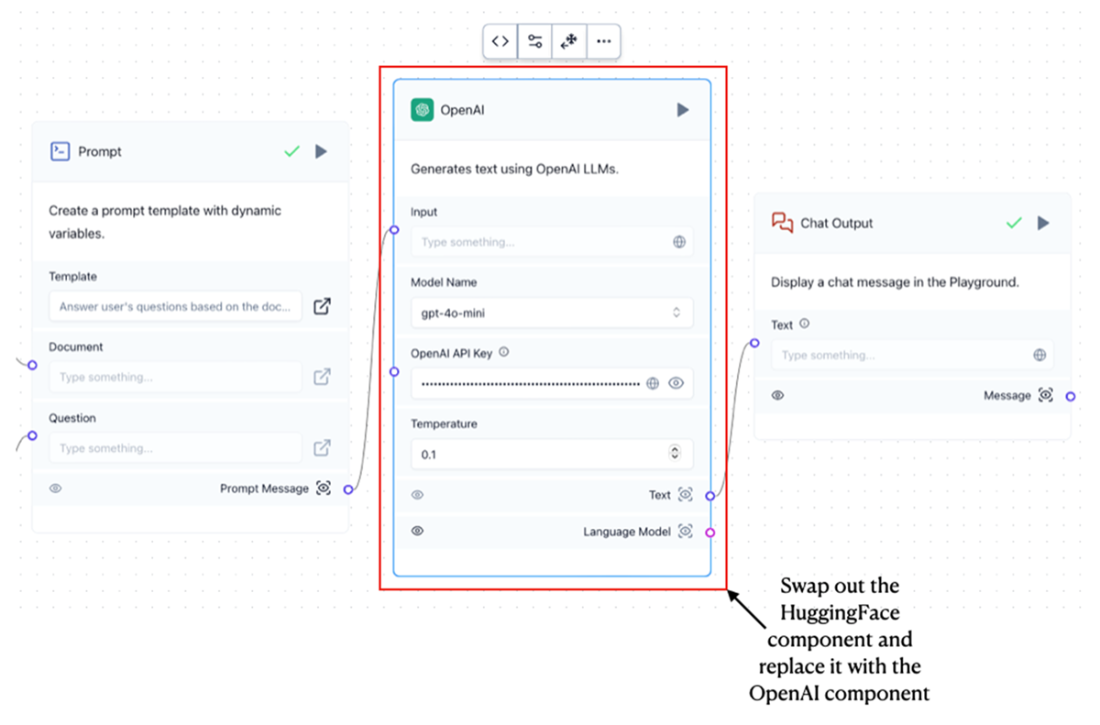
Replacing the HuggingFace component with the OpenAI component
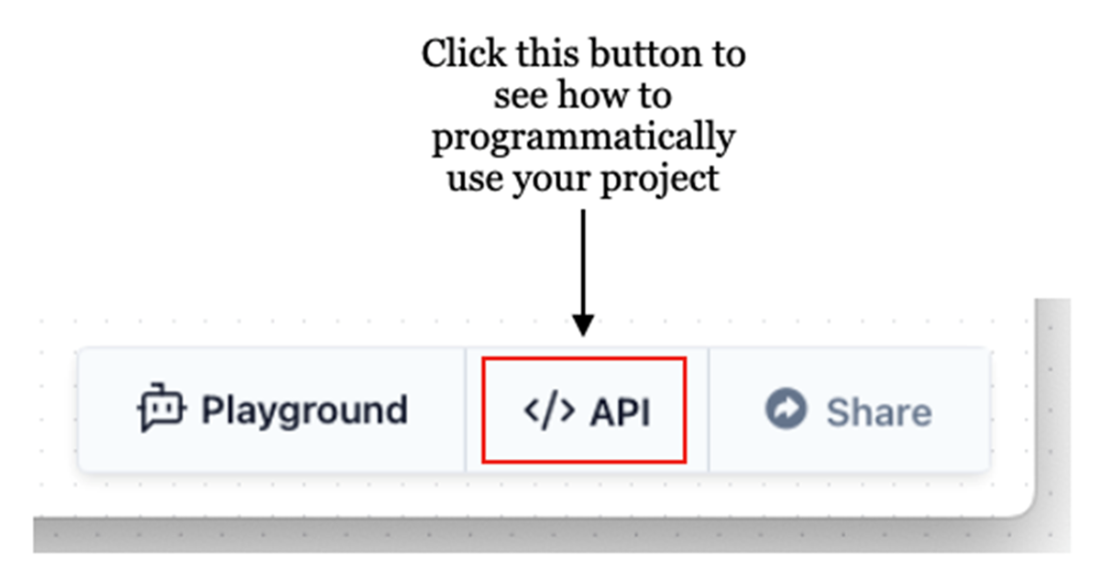
The Code button showing how you can use your LangFlow project programmatically
The various tabs showing how you can make use of your LangFlow project programmatically
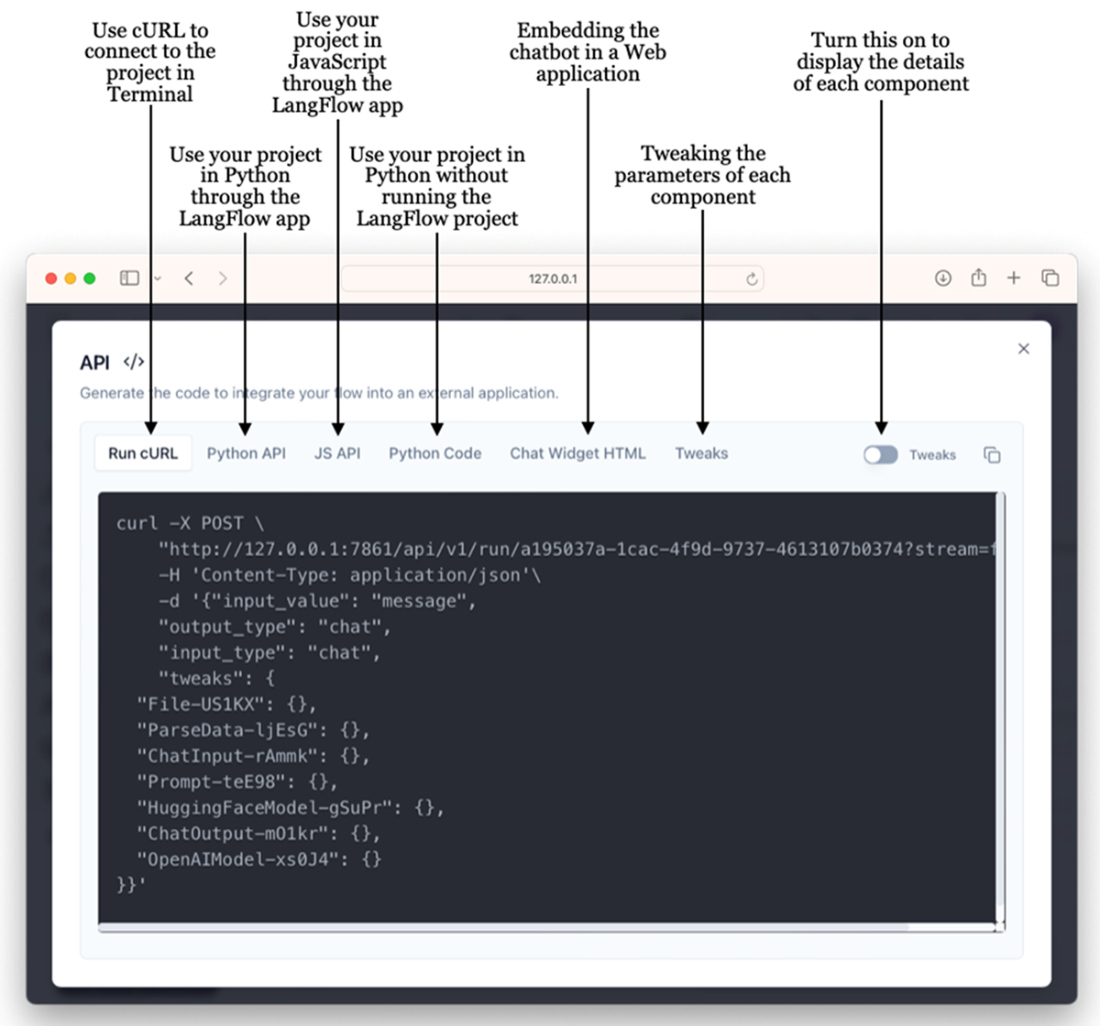
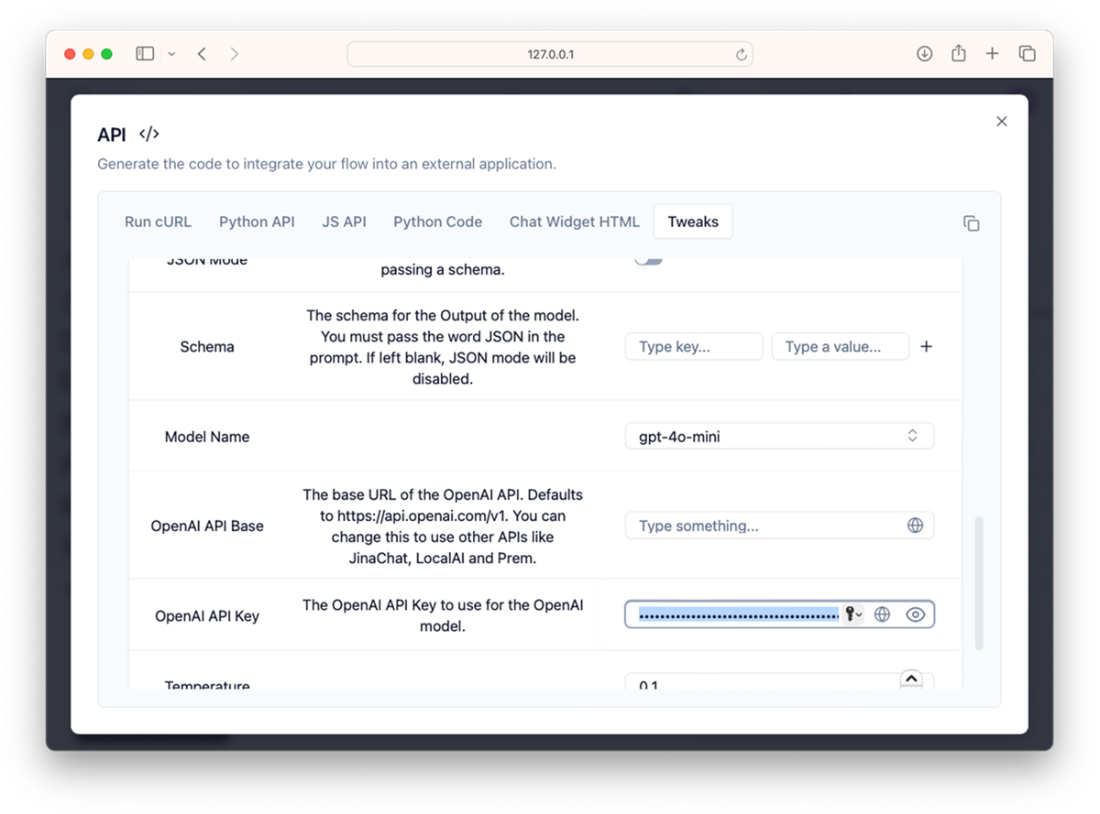
You can use the Tweaks tab to modify the various parameters to use with your LangFlow project
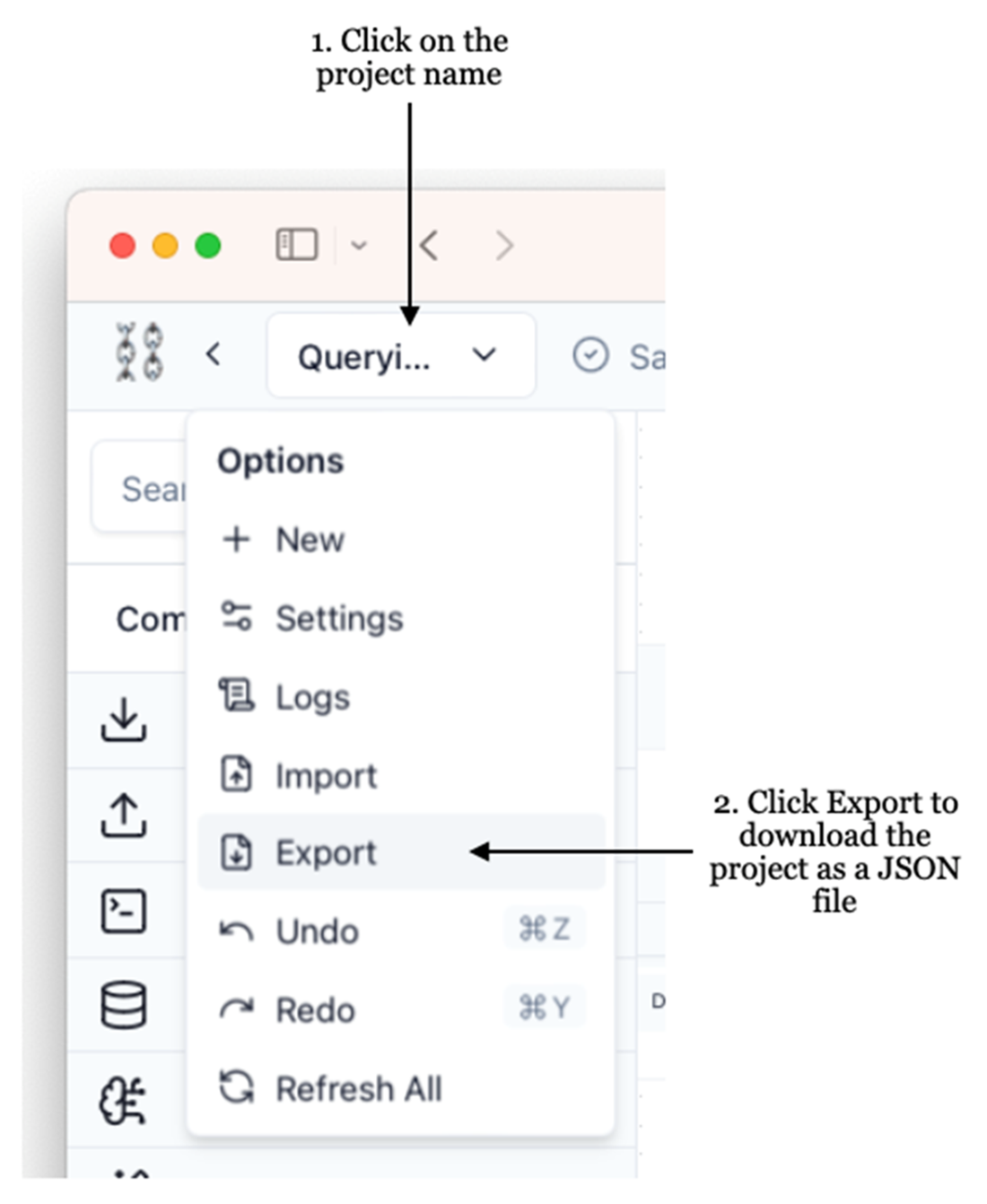
Downloading the LangFlow project as a JSON file
Summary
- LangFlow is an open-source library that allows you to build LLM-based applications using LangChain through a drop-and-drop visual interface.
- You can install LangFlow using the pip command, or use it through Docker. Alternatively, you can also use LangFlow on the cloud.
- Components are the building blocks in a LangFlow project (commonly known as the flows).
- You can make use of the LangFlow projects programmatically. You can also embed your chatbot in a web application.
FAQ
What is LangFlow and how does it relate to LangChain?
LangFlow is an open‑source, drag‑and‑drop visual builder for LangChain. It lets you assemble prompts, LLMs, chains, memory, and I/O components without writing code, enabling a No‑Code/Low‑Code workflow to prototype and preview LLM applications quickly.How do I install and launch LangFlow locally with pip?
- Install:pip install langflow (or pin a version, e.g., pip install langflow==1.0.18)- Run the server:
python -m langflow run- Open your browser to
http://127.0.0.1:7860 (ensure port 7860 is free) to access the UI.How can I run LangFlow using Docker?
- Create aDockerfile with: FROM langflowai/langflow:latest- Build:
docker build -t langflow .- Run:
docker run -p 7860:7860 langflow- Visit
http://127.0.0.1:7860. You can start/stop the container via Docker Desktop.Is there a cloud-hosted option for LangFlow?
Yes. You can use LangFlow on Hugging Face Spaces at https://huggingface.co/spaces/Logspace/Langflow. This option requires no local setup and provides access to many community-shared examples you can open and remix.How do I start a new LangFlow project and rename it?
- Click New Project and choose the Blank Flow template.- Use the left sidebar to drag components (Prompts, Models, Chains, Memory, Inputs/Outputs) onto the canvas.
- Click the project name, open Settings, and change the project name.
How do I build a minimal chat app in LangFlow?
- Add a Prompt component and create a template with a variable like{question}, then Check & Save (this creates an input connector named after your variable).- Add a HuggingFace model component, supply your HF Hub token and a model repo ID (e.g.,
tiiuae/falcon-7b-instruct).- Add a ConversationChain (Chains category) and connect Prompt and Model to it.
- Add Chat Input and Chat Output components; connect them to complete the flow.
- Click Playground to chat with the model.
How can I make the chatbot remember conversation context?
- Add a Chat Memory component (Memories category).- Update the Prompt template to include a
{history} variable along with your user input variable (e.g., {question}).- Connect Chat Memory’s Messages (Text) output to the Prompt’s
history input.- Test in the Playground; the model can now handle follow‑up questions with context.
How do I make the app answer questions about my own PDF?
- Add a File component and upload your PDF (e.g., an invoice).- Add a Parse Data component and connect File → Parse Data to structure/split the text for downstream processing.
- Add a Prompt with a template that includes placeholders like
{Document} and {Question}; connect Parse Data output → {Document} and Chat Input → {Question}.- Add a HuggingFace (or OpenAI) model and connect it to the Prompt; then connect to Chat Output.
- Use Playground to ask questions grounded in the PDF’s content.
How do I switch between Hugging Face and OpenAI models?
Replace the HuggingFace component with the OpenAI component (or vice versa), supply the appropriate API key, and keep the rest of the flow connections the same. You can then compare responses and performance between providers.How can I use my LangFlow project programmatically or embed it?
- Click the “</> API” button in the UI to access ready‑made snippets:• cURL, Python API, and JS API to call the running LangFlow server.
• Python Code to download your flow as JSON and run it locally as a LangChain object (e.g., via
run_flow_from_json) without the server.• Chat Widget HTML to embed your flow in a web page.
• Tweaks to set API keys and parameters that are injected into the generated code.

 Hugging Face in Action ebook for free
