5 Exploring, Tokenizing, and Visualizing Hugging Face Datasets
This chapter introduces the Hugging Face Datasets ecosystem and shows how to go from discovery to hands-on use with reliable, scalable workflows. It motivates why curated datasets matter for training, evaluation, and analysis, then demonstrates practical techniques to find dataset IDs, verify availability, and inspect splits. You learn to download data with load_dataset, optionally select only the splits you need, understand where artifacts are cached locally, and shuffle deterministically for reproducibility. For large corpora, the chapter explains streaming to iterate without loading everything into memory, and it highlights performance-friendly access to Parquet artifacts so you can read splits directly with common data tools.
The chapter then grounds tokenization concepts for NLP, contrasting word-, subword-, and character-level strategies and explaining why modern transformer models favor subword methods for robustness to rare forms and morphology. Using an IMDB example, it walks through applying a pretrained tokenizer via map to produce the model-ready fields input_ids, token_type_ids, and attention_mask. It clarifies special tokens, subword markers, and how attention masks exclude padding while token_type_ids distinguish segments (or remain all zeros for single-sequence inputs). The result is a clean, reproducible preprocessing path that prepares raw text for fine-tuning.
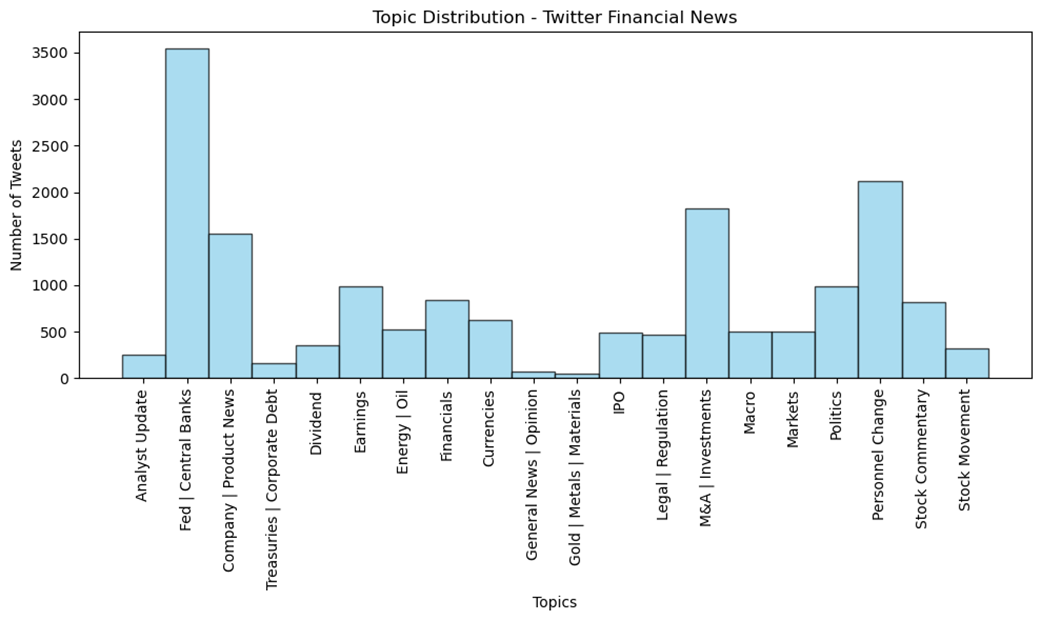
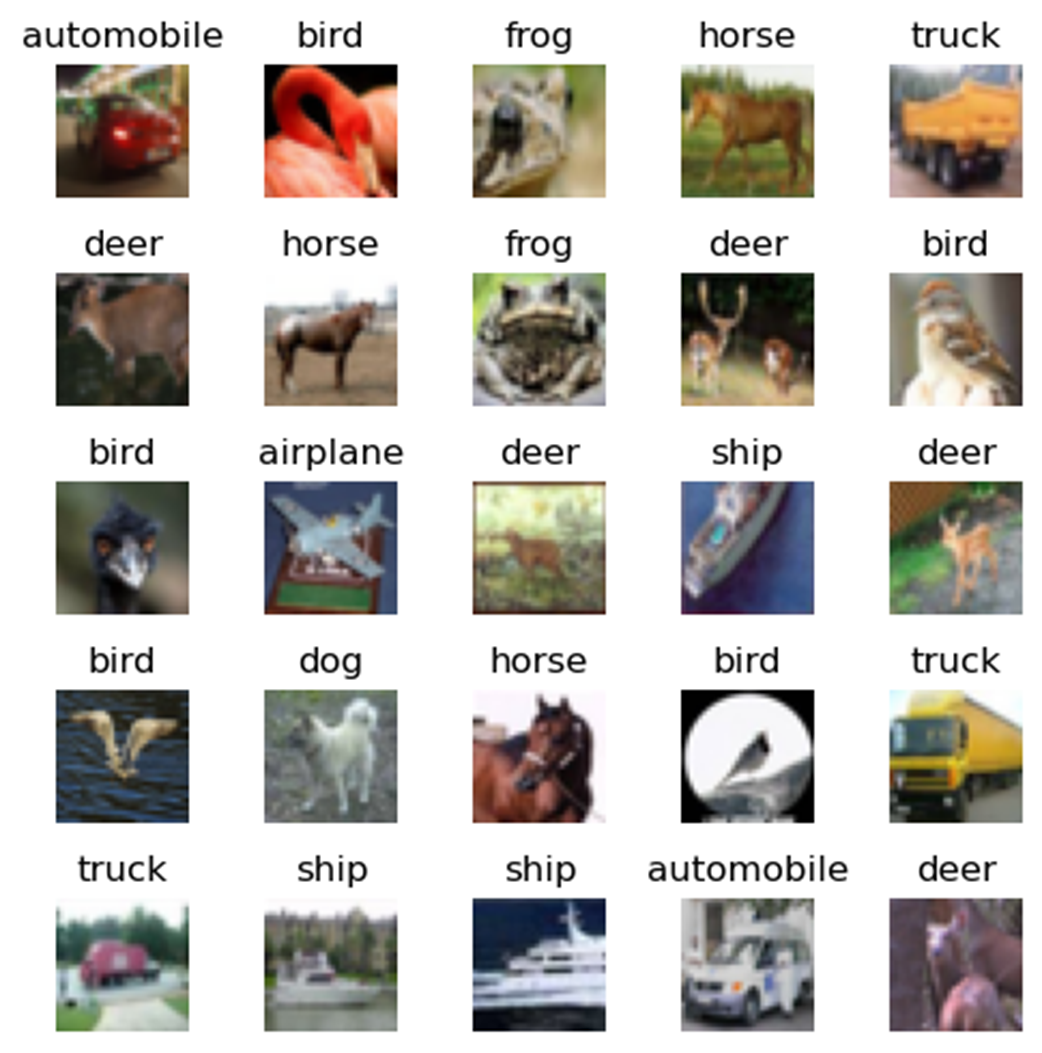
Finally, it demonstrates exploratory visualization to understand data balance and content before modeling. With the Twitter Financial News Topic dataset, it maps numeric labels to human-readable topics and plots their distribution to reveal class imbalance and coverage. With CIFAR-10, it loads images, retrieves class names from metadata, and displays a grid of labeled samples to sanity-check variety and quality. Together, these practices form an end-to-end workflow—discovering datasets, preparing them through efficient tokenization, and visualizing them—to inform better experimental design and model performance.
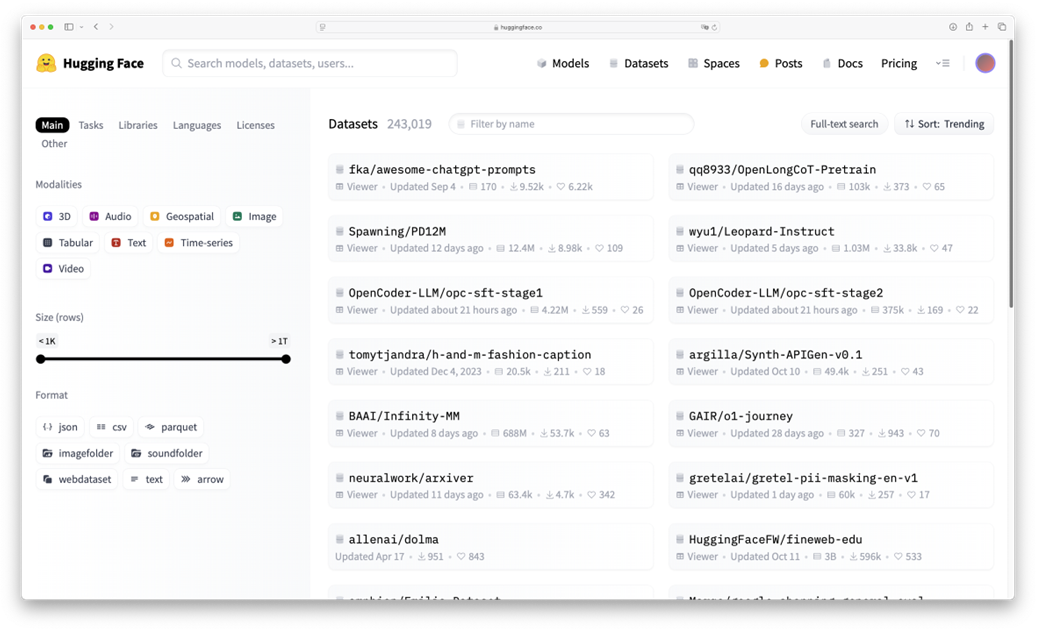
Hugging Face Datasets web site contains datasets of different modalities (types)
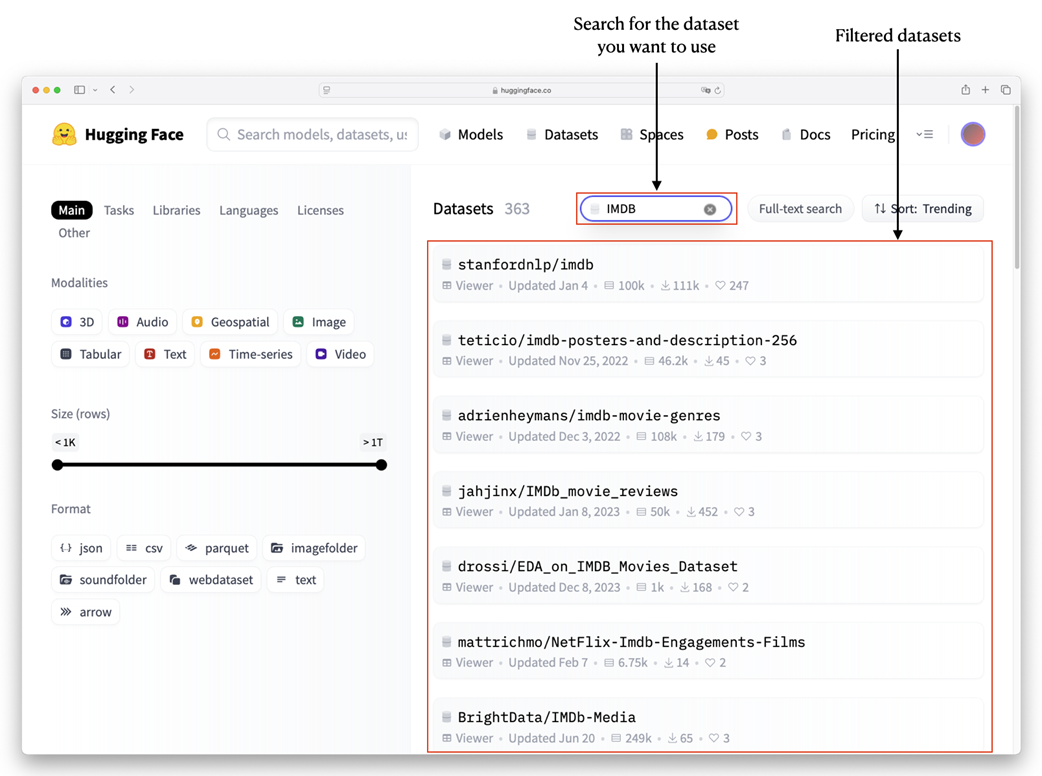
Searching for the desired dataset
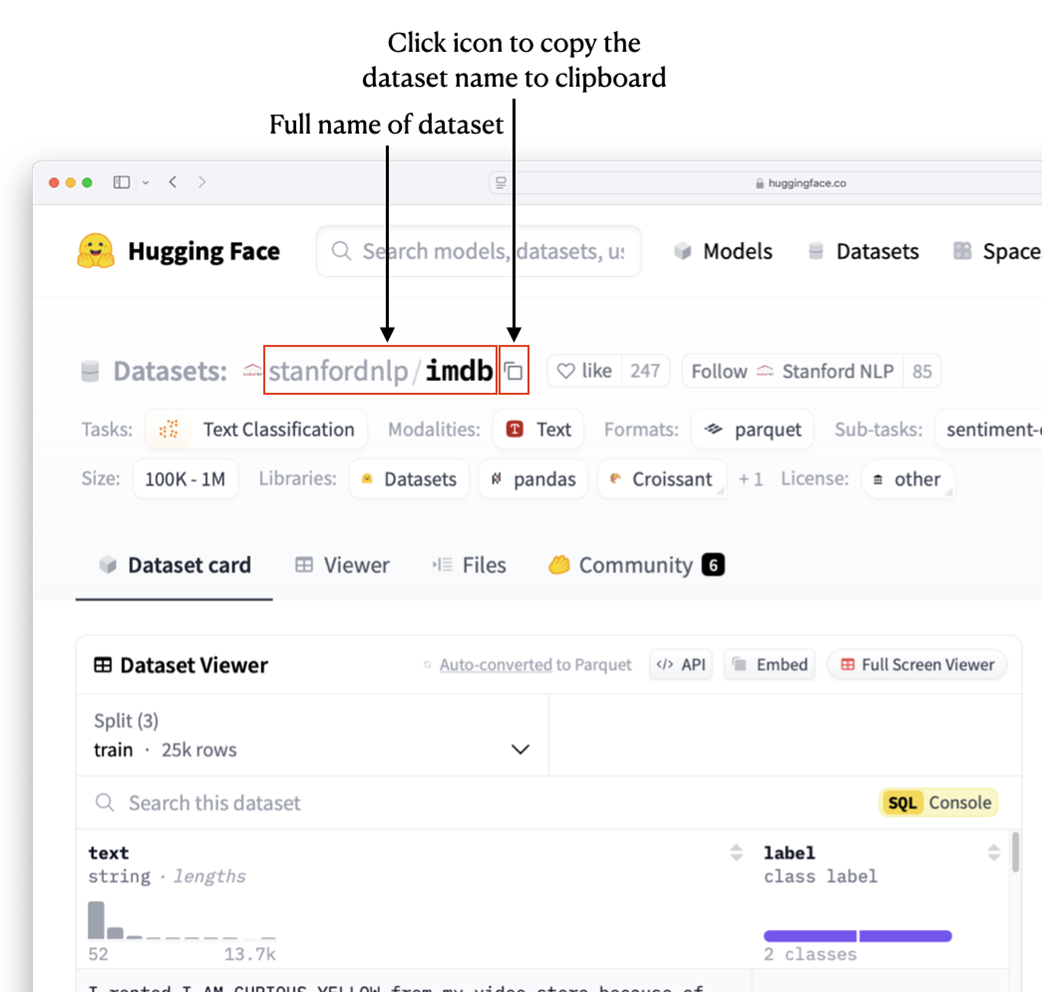
Locating the full name of the dataset
The syntax for using the curl command to check the validity of a dataset
The syntax for using the curl command to check the splits of a dataset
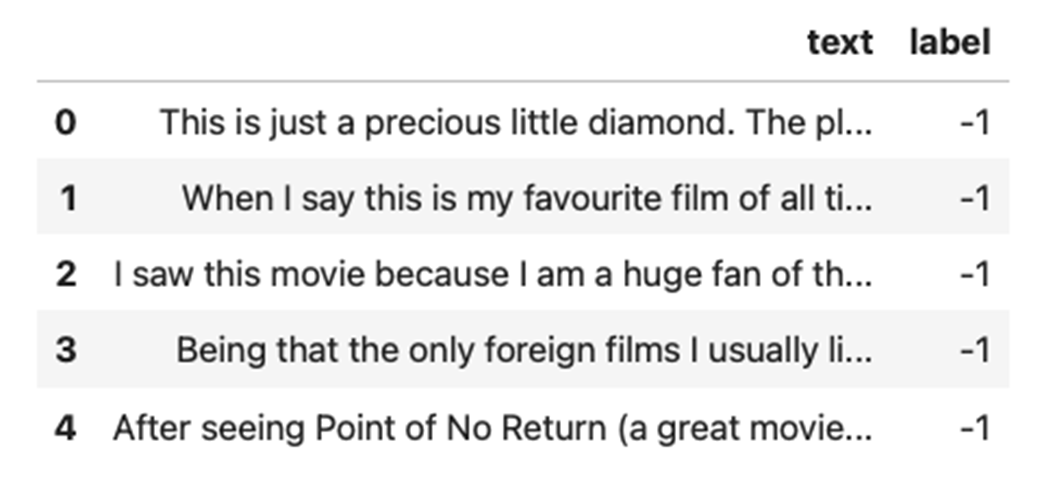
The first five rows of the unsupervised split
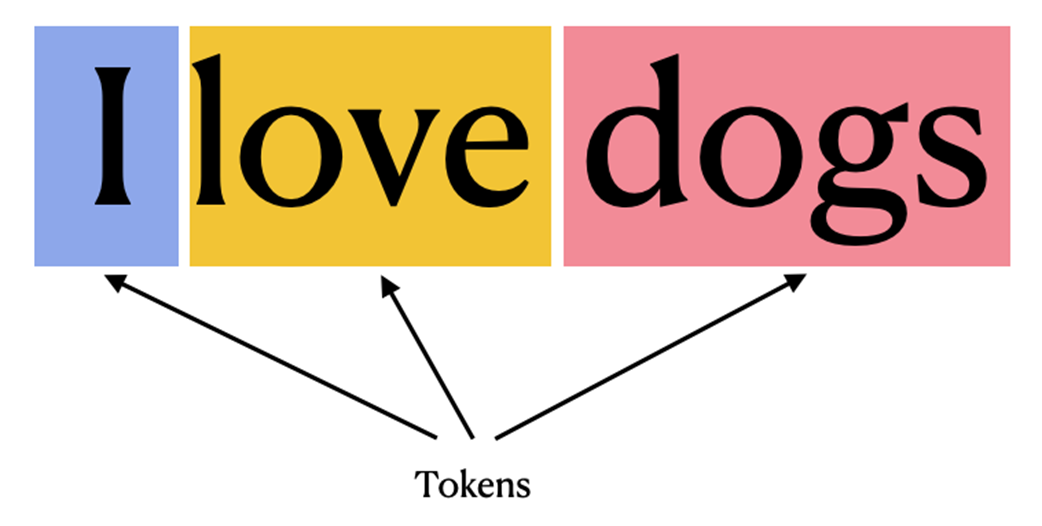
Example of word-level tokenization - the sentence is tokenized into three tokens
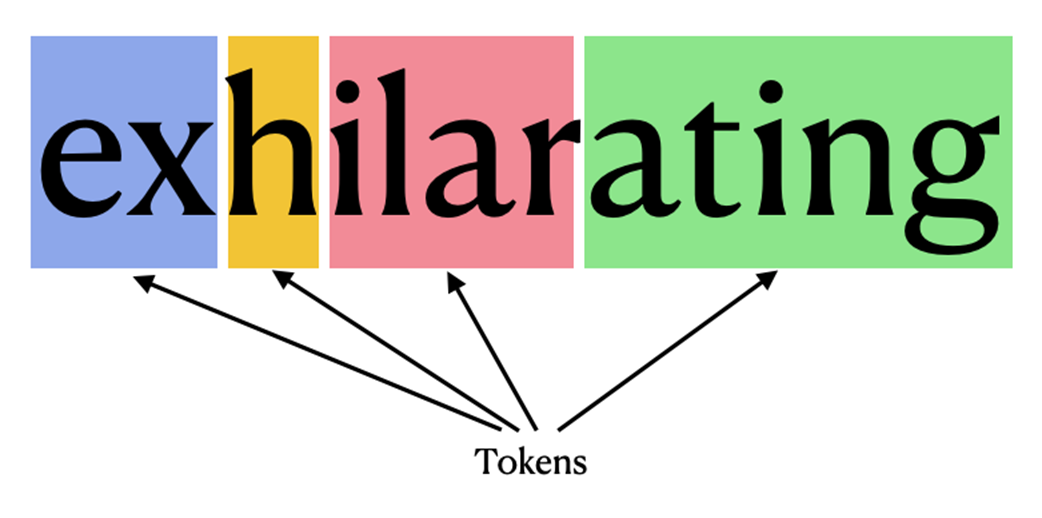
Example of subword-level tokenization - the single word “exhilarating” is tokenized into four tokens
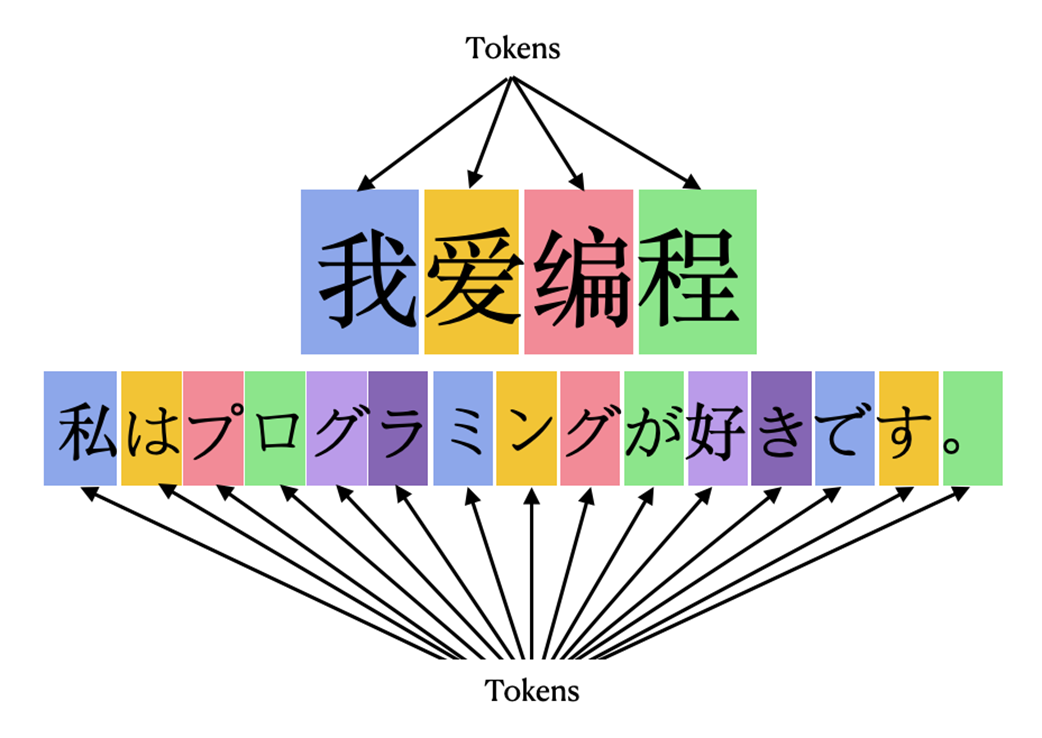
Examples of character-level tokenization using Simplified Chinese and Japanese
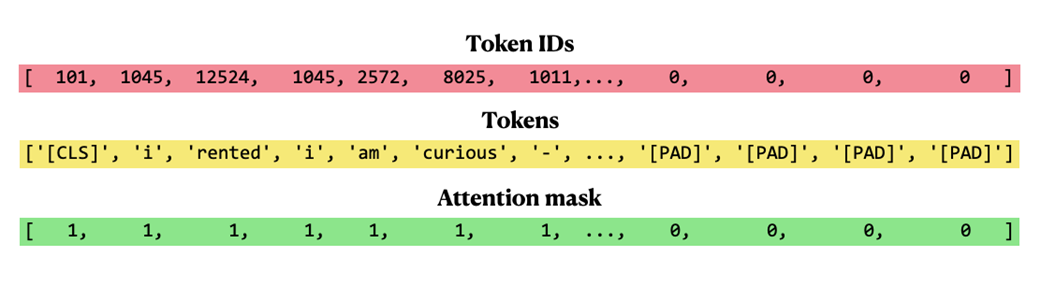
The token IDs, tokens, and attention mask for the first row of the training data in the dataset
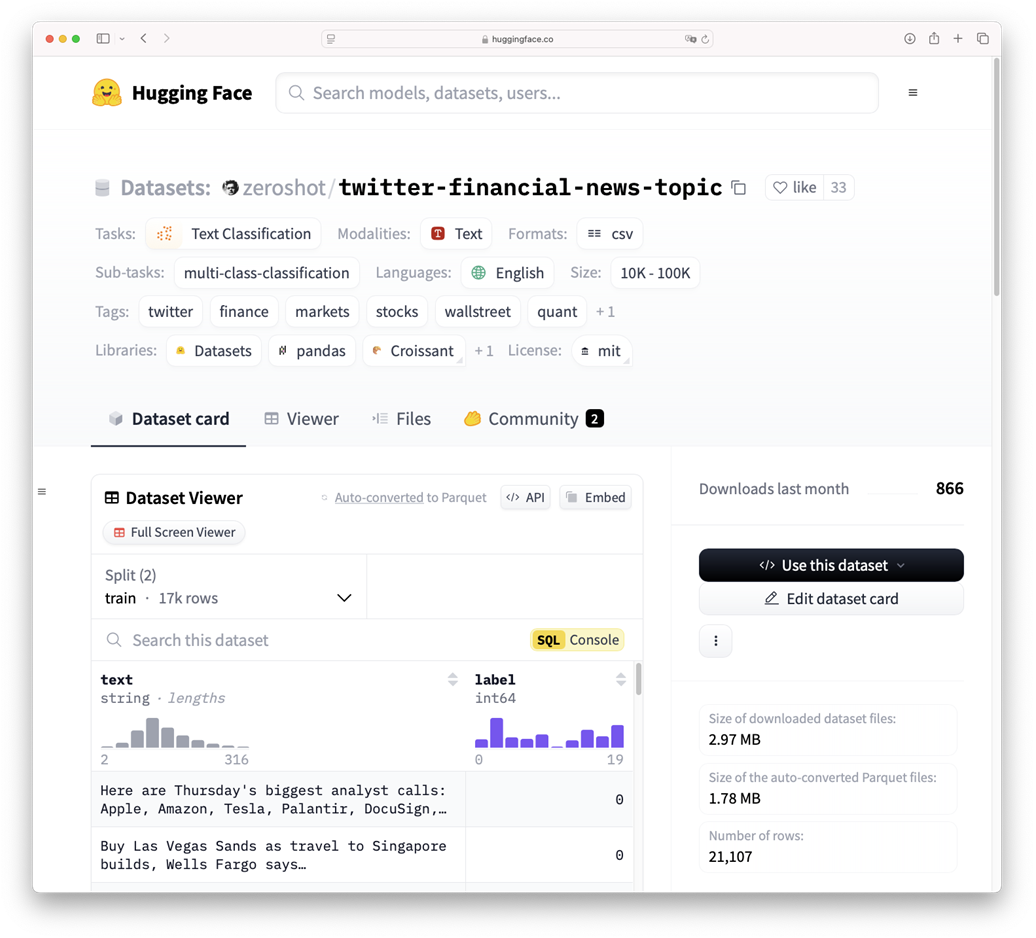
The Twitter Financial News Topic dataset hosted by Hugging Face
You can visualize the various topics and the number of news related to each
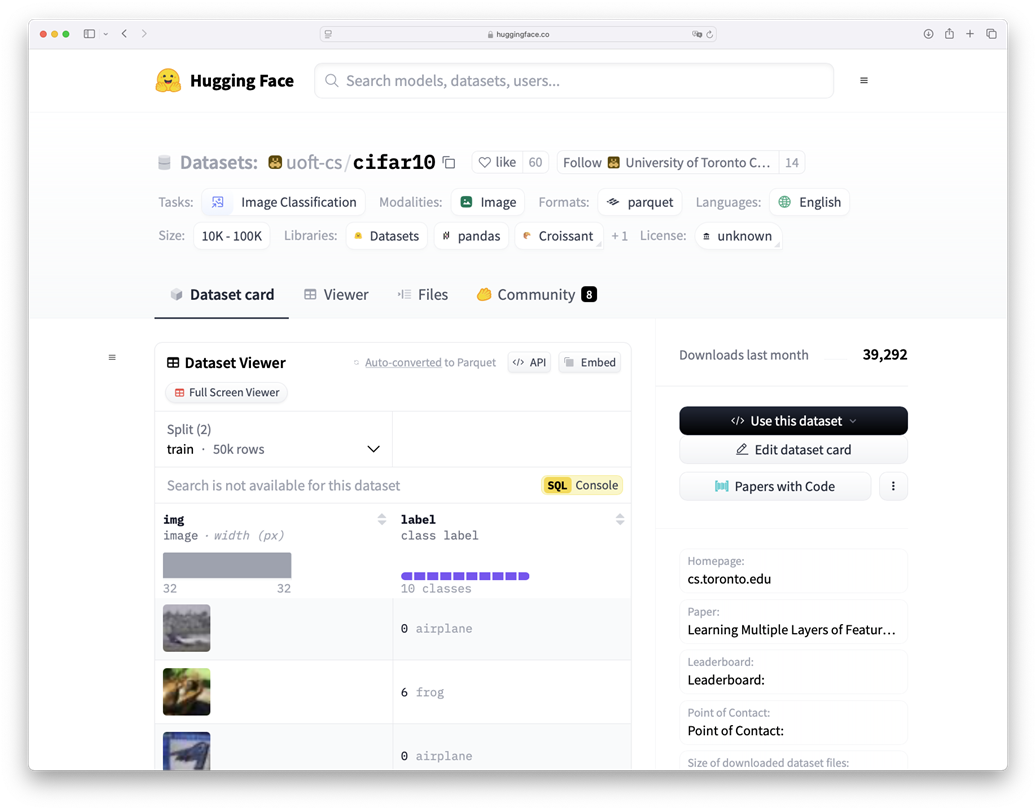
The dataset page for CIFAR-10 on Hugging Face
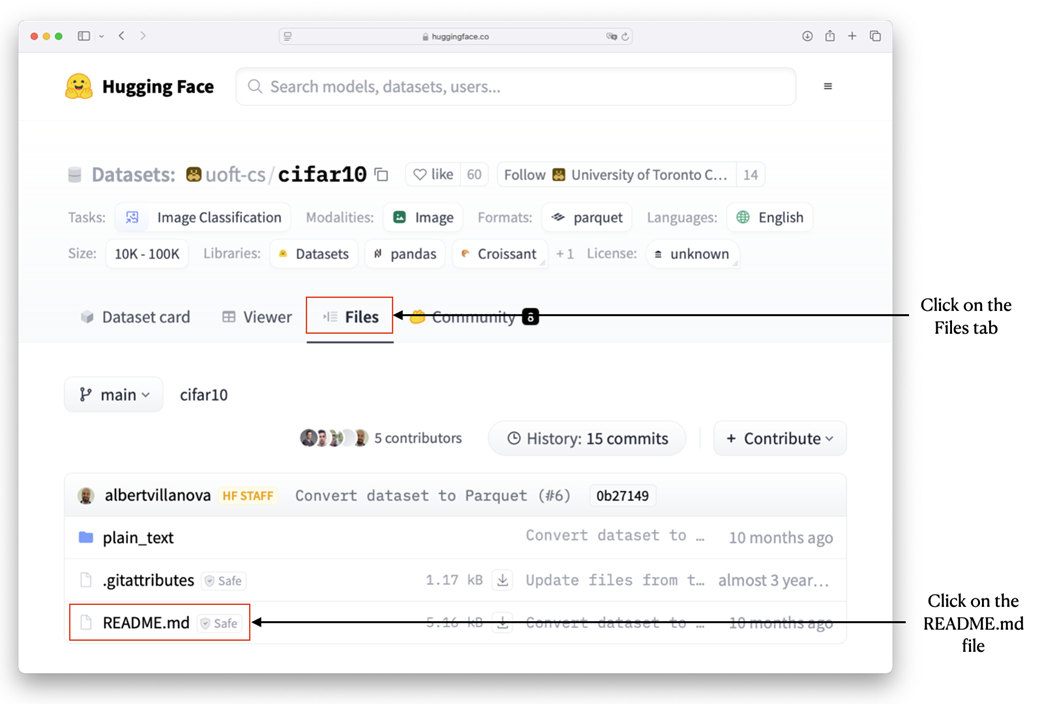
The page for the CIFAR-10 dataset on Hugging Face
25 random images from the CIFAR-10 dataset
Summary
Hugging Face Datasets is an open-source library designed for accessing and processing large datasets commonly used in machine learning and data science.
Use the list_datasets() function to show a list of available datasets.
Use the load_dataset() function to download a dataset.
Datasets are usually split into subsets, such as train, test, unsupervised, and more.
For large datasets, you can stream the data and download one row at a time.
You can also get the Parquet version of the dataset from Hugging Face.
Tokenization is a foundational process in Natural Language Processing (NLP) that breaks down text into manageable units or tokens.
Subword-level tokenization is the most common tokenization method used by newer models such as BERT and GPT.
Tokenizing a dataset allows it to be used for applications such as fine-tuning a model.
Visualizing a dataset allows you to gain a better understanding of its structure, distribution, and underlying patterns.
FAQ
What is Hugging Face Datasets and why should I use it?Hugging Face Datasets is an open-source library for loading, processing, and sharing datasets across NLP, vision, audio, and more. It offers:
- Simple Python APIs to load thousands of community datasets
- High-performance memory mapping, Arrow/Parquet backing, and streaming
- Seamless integration with PyTorch, TensorFlow, and Transformers
- Built-in tools for splitting, mapping, filtering, and pushing your own datasetsHow do I find and copy a dataset’s full ID on the Hugging Face Hub?Go to https://huggingface.co/datasets and use the search/filter box to find a dataset. Open its page and copy the full repository ID shown at the top (e.g., owner/name) using the copy icon. You’ll use this ID with load_dataset and API calls.How can I list available datasets programmatically without running out of memory?Use huggingface_hub.list_datasets(), which returns a generator. Iterate with next() or a loop instead of converting to a list to avoid memory issues. Each item is a DatasetInfo object (id, author, tags, created_at, likes, etc.) you can inspect lazily.How do I verify that a dataset is available before downloading?Use the datasets server API:
- Python: GET https://datasets-server.huggingface.co/is-valid?dataset={dataset_id}
- curl: curl -X GET "https://datasets-server.huggingface.co/is-valid?dataset=owner/name"
Some endpoints may require an access token (create one at https://huggingface.co/settings/tokens). A valid dataset returns flags like preview, viewer, search, filter, statistics = true.How do I download a dataset (or a single split), and where is it cached locally?- Download: from datasets import load_dataset; ds = load_dataset("owner/name")
- Specific split: ds = load_dataset("owner/name", split="train")
- Cache location: ~/.cache/huggingface/datasets (Linux/macOS) or C:\Users\<username>\.cache\huggingface\datasets (Windows). Each dataset/split is stored in its own folder, often as Arrow/Parquet files.
- Inspect rows: ds["train"][0] or ds[0] if you loaded a single split.What are dataset “splits,” and how do I see them?Splits (e.g., train, validation, test, unsupervised) partition a dataset for specific purposes. After load_dataset, you typically get a DatasetDict with split names. You can also query splits via the API: GET https://datasets-server.huggingface.co/splits?dataset={dataset_id}.How do I shuffle a dataset reproducibly?Use the shuffle() method with a seed to ensure the same randomized order across runs, for example: shuffled = ds.shuffle(seed=42). This is helpful for debugging and consistent experiments.What is dataset streaming, and when should I use it?Streaming loads examples on-the-fly without downloading the full dataset, ideal for very large datasets or limited memory. Enable it via load_dataset("owner/name", streaming=True), which returns an IterableDatasetDict. Iterate over it with a for loop (e.g., for i, ex in enumerate(ds["train"])) to process samples sequentially.How can I obtain Parquet file URLs for a dataset and read them directly?- List Parquet files: GET https://datasets-server.huggingface.co/parquet?dataset={dataset_id} to retrieve URLs per split/config.
- Read in Python: install pyarrow and use pandas.read_parquet(url, engine="pyarrow") to load a split directly, useful for fast IO and selective column reads.How do I tokenize a dataset and what do input_ids, token_type_ids, and attention_mask mean?- Tokenize: create a tokenizer (e.g., AutoTokenizer.from_pretrained("bert-base-uncased")) and apply it with dataset.map(...) over the text column, using truncation/padding as needed.
- input_ids: integer token IDs representing the tokenized text.
- token_type_ids: segment markers (0/1) for pair inputs; usually all 0 for single-sentence tasks.
- attention_mask: 1 for real tokens to attend to; 0 for padding to ignore.
You can convert IDs back to tokens with tokenizer.convert_ids_to_tokens(...).How can I visualize datasets (e.g., label distributions and image grids)?- Text labels (Twitter Financial News Topic): map numeric labels to human-readable names (from the dataset card), then plot a histogram/bar chart of label counts with matplotlib to see class balance.
- Images (CIFAR-10): read a batch from the train split, map numeric labels to class names (from the dataset README), and display a 5x5 grid with plt.imshow(...) and titles showing the class names.
pro $24.99 per month
access to all Manning books, MEAPs, liveVideos, liveProjects, and audiobooks!



 Hugging Face in Action ebook for free
