13 Bridging LLMs to the Real World with the Model Context Protocol (MCP)
As large language models move from demos to production, a central challenge is giving them secure, consistent access to up-to-date, external data and actions. This chapter introduces the Model Context Protocol (MCP), an open standard that uses JSON-RPC 2.0 to unify how clients such as LLMs discover and invoke capabilities exposed by servers. MCP tackles problems like inconsistent tool access, brittle, one-off integrations, and prompt-engineering overhead by defining common primitives—Tools, Resources, and Prompts—and a predictable request/response flow. It supports flexible deployments (local or remote) and transports (stdio or HTTP with server-sent events), improving reliability, security, and portability across models and platforms.
Readers are guided through building a practical MCP server in Python using the FastMCP framework. The example exposes Resources for reading text and PDF files and returning static configuration, Tools for fetching live weather data and converting temperatures (plus wrappers for file access), and a Prompt template that orchestrates how an LLM can use those tools. The MCP Inspector helps interactively list, test, and debug the server’s capabilities. The chapter also demonstrates good hygiene—such as moving API keys to environment variables—showing how MCP standardizes capability discovery, invocation, and configuration without custom glue code.
Finally, the chapter shows MCP in action with Claude Desktop as the client: after a simple configuration, Claude can request permission to run specific tools, chain them when needed (for example, obtain location, then fetch weather), read local files, and answer document-specific questions. It extends the ecosystem with third-party servers, including a location service (run ad hoc via a package runner) and a time service (launched via a Python runner), illustrating how MCP enables modular and composable capabilities. The result is a maintainable, future-proof approach to bridging LLMs with real-world data and functions, unlocking reliable, real-time workflows without per-integration rewrites.
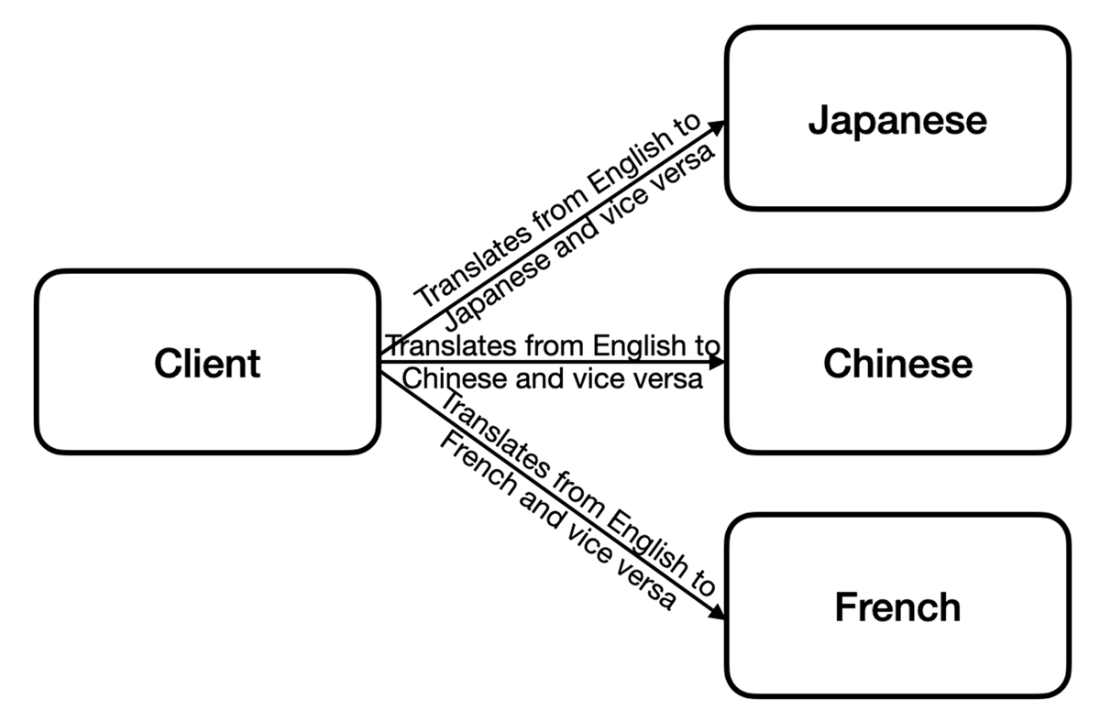
Visualizing the relationships between client and providers
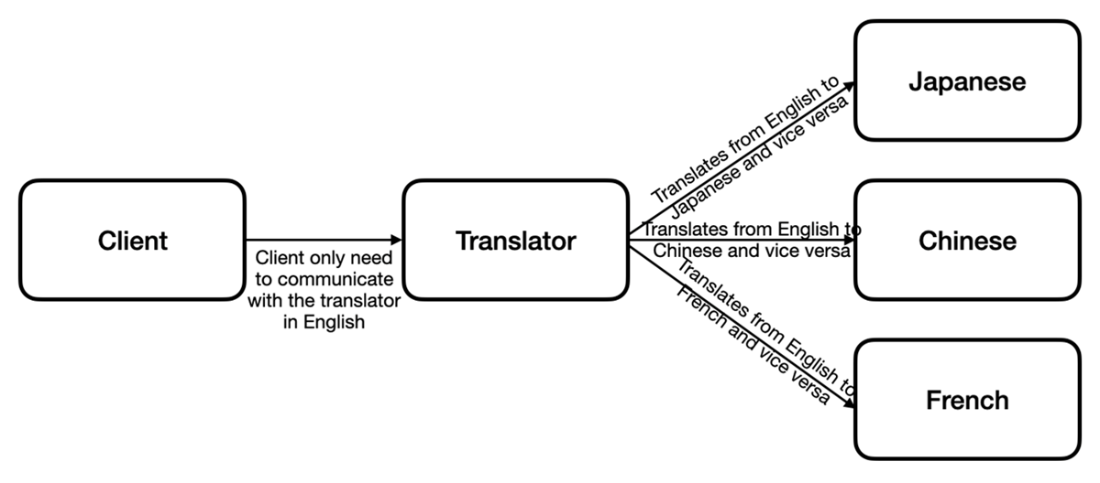
The translator acts as an intermediary between the client and the providers
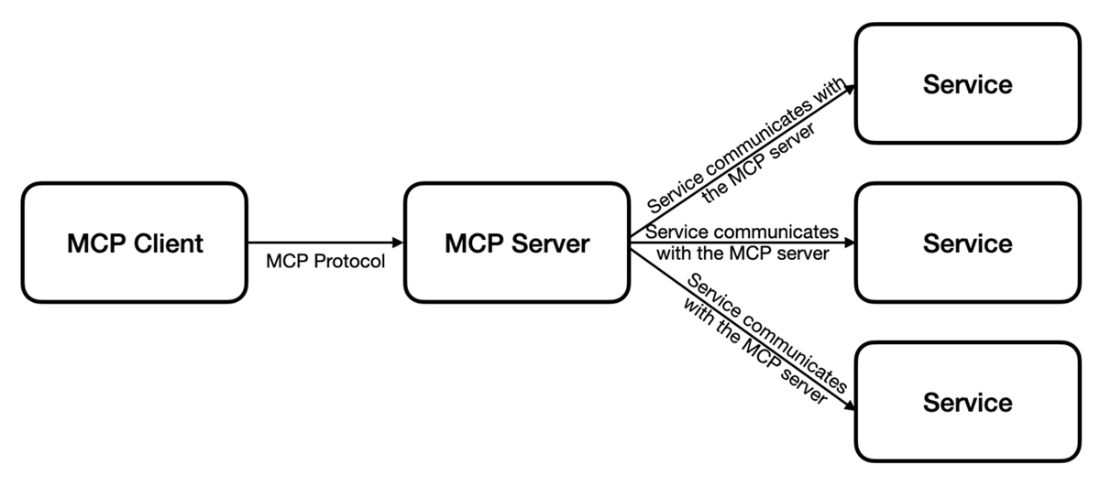
How a MCP client communicate with a MCP server
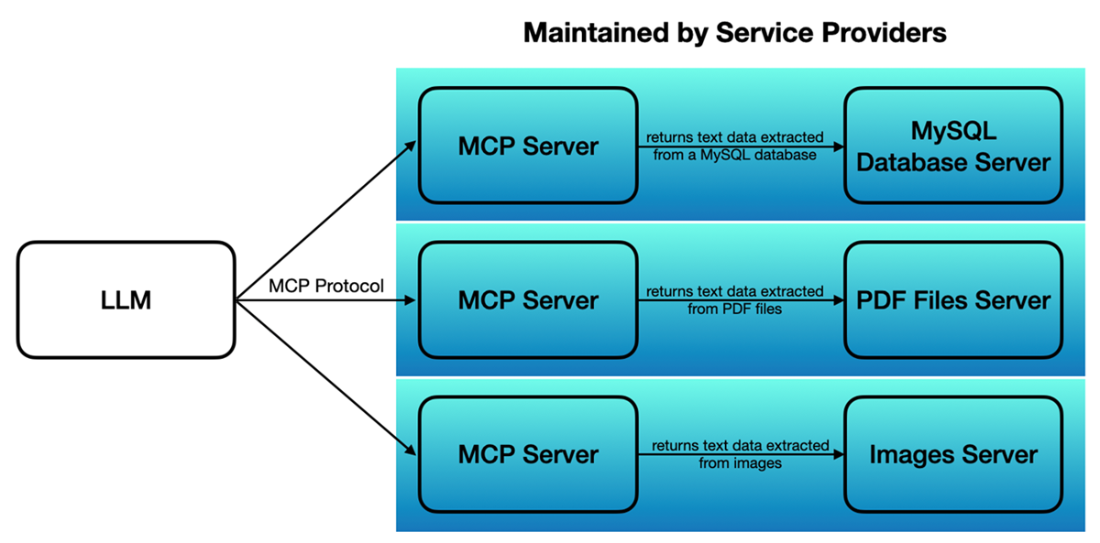
Different services provided by MCP servers
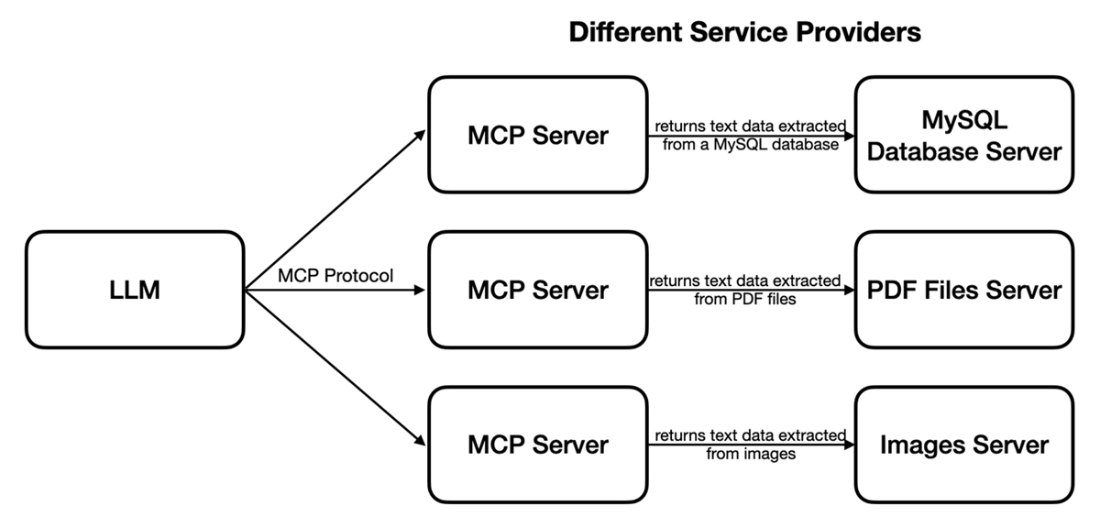
Each MCP server can provide its own service
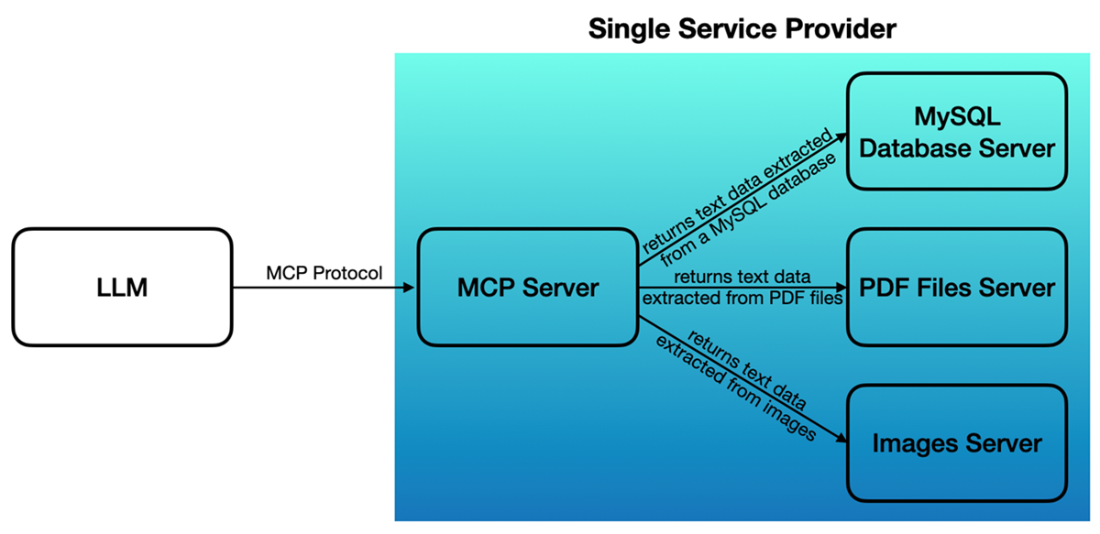
A MCP server can provide multiple services
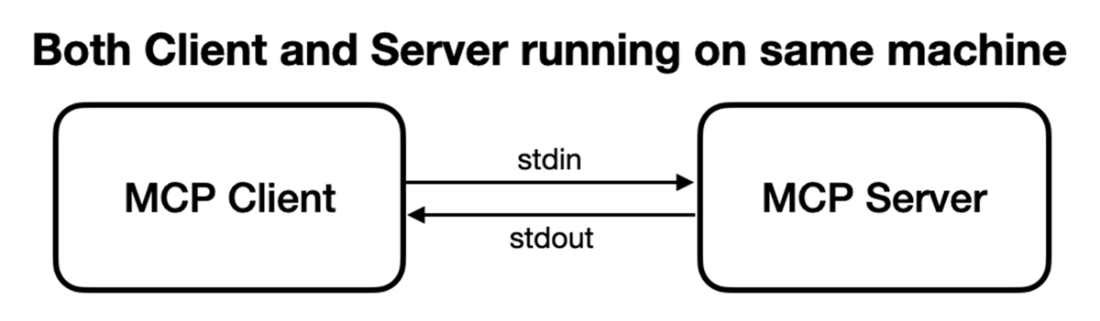
A MCP client communicating with a locally running MCP server using stdio
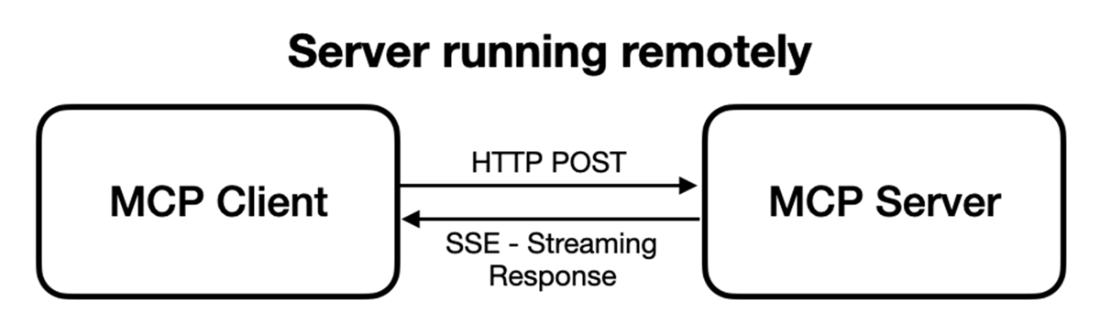
A MCP client communicating with a remote MCP server using HTTP POST and SSE
The components in a MCP server and their uses
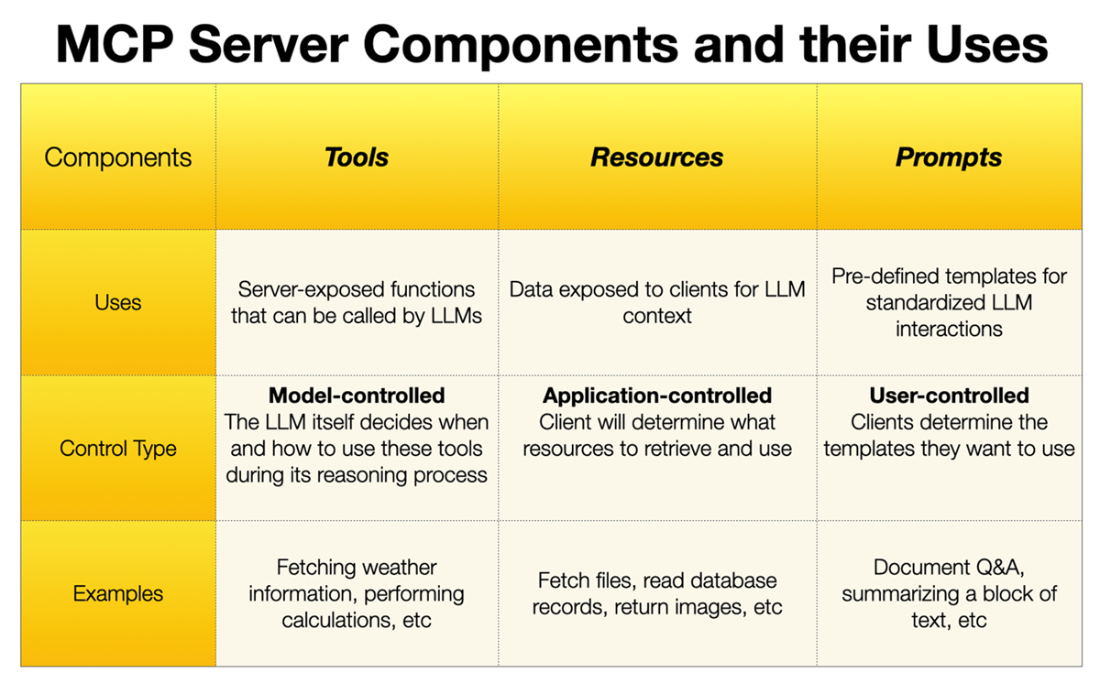
The content of the PDF file
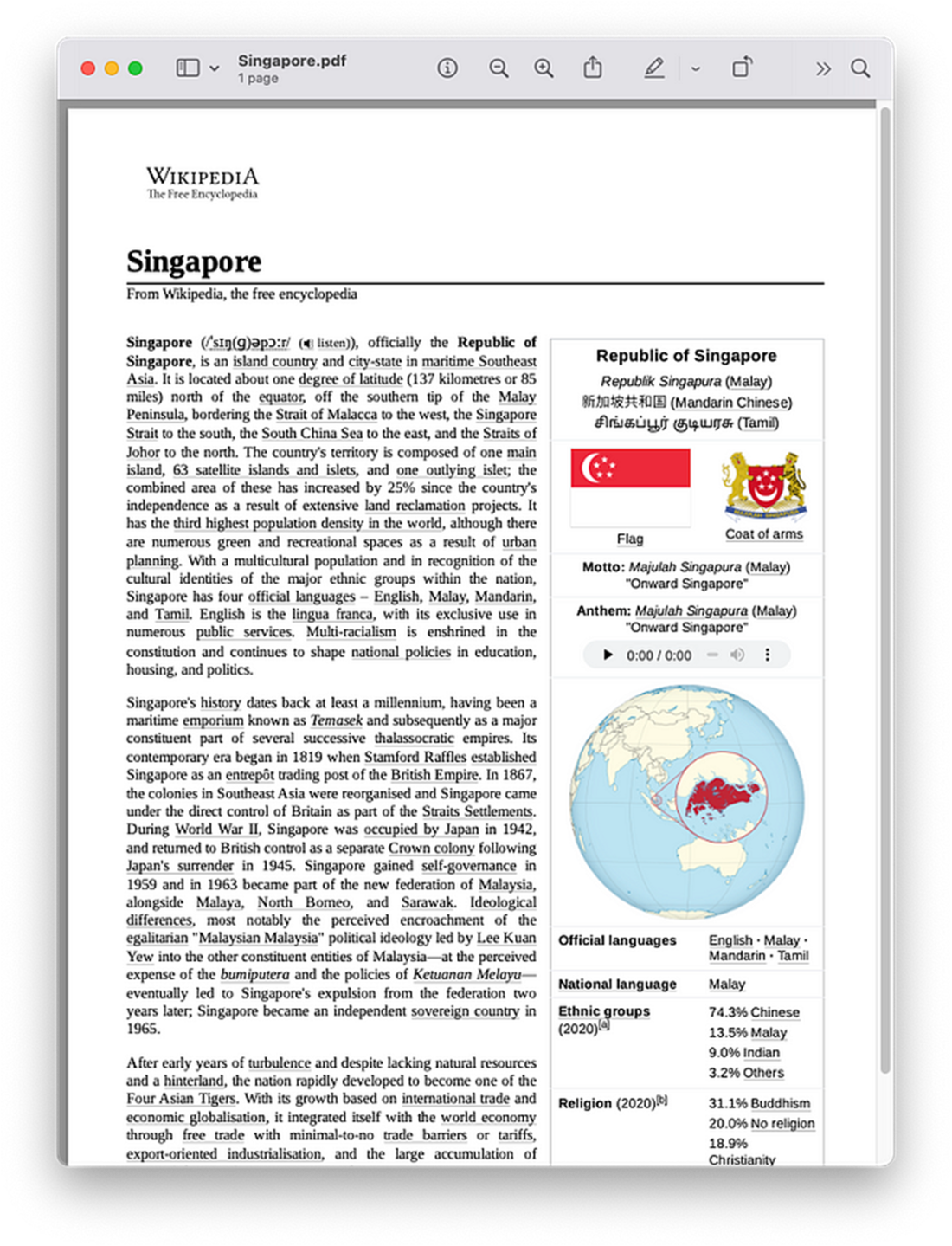
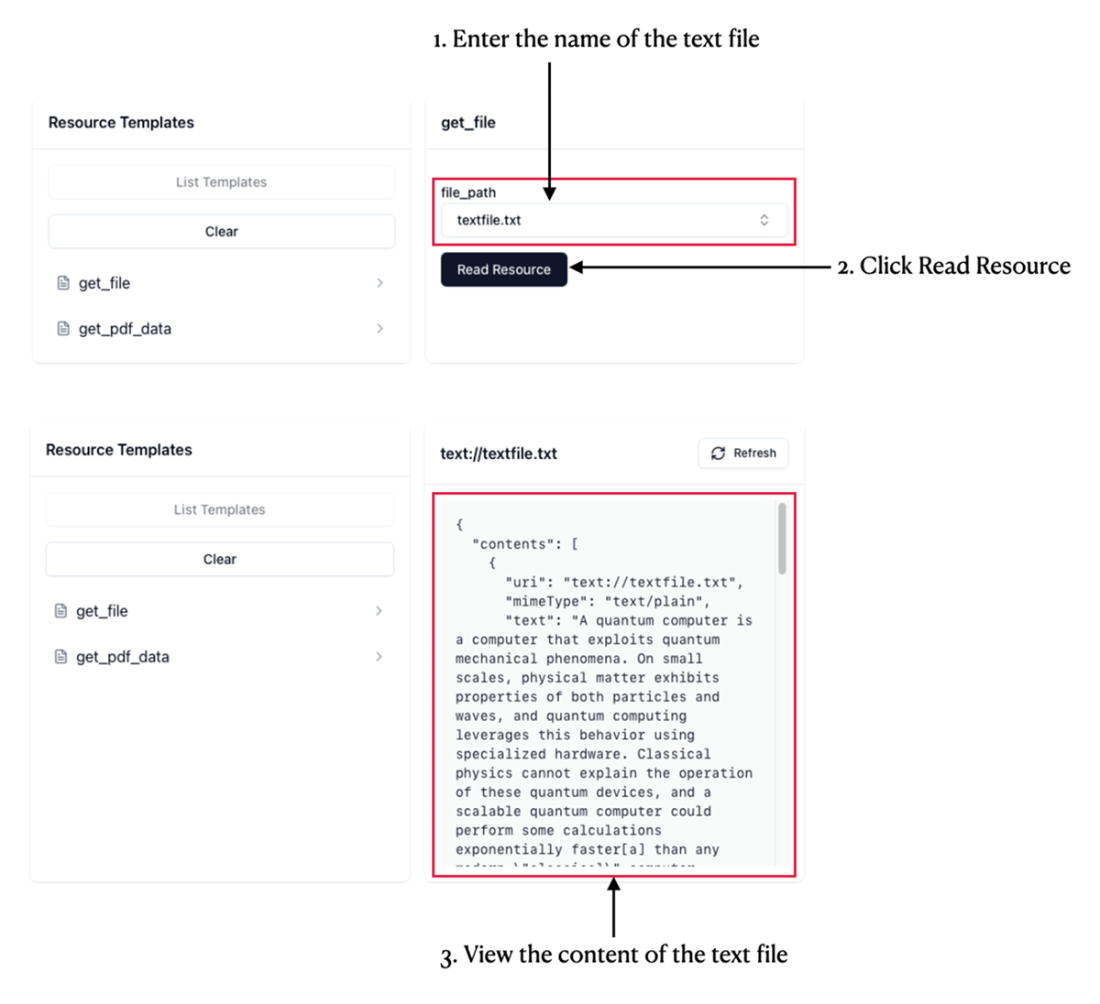
The content of the text file
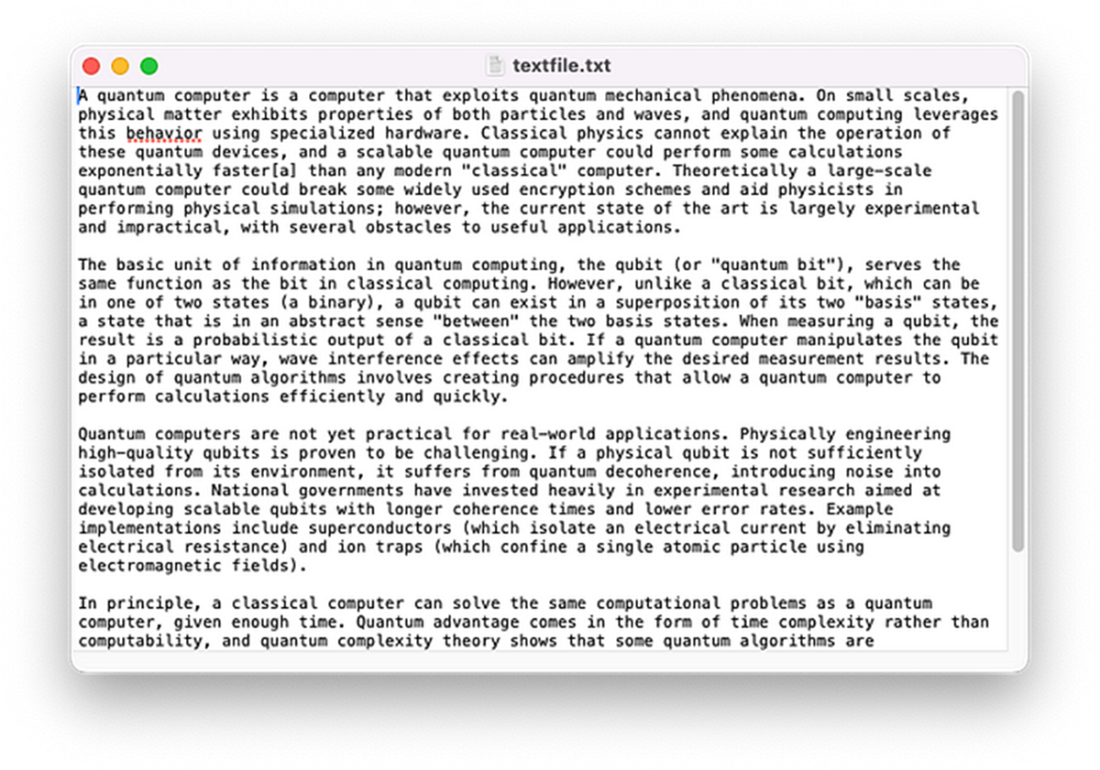
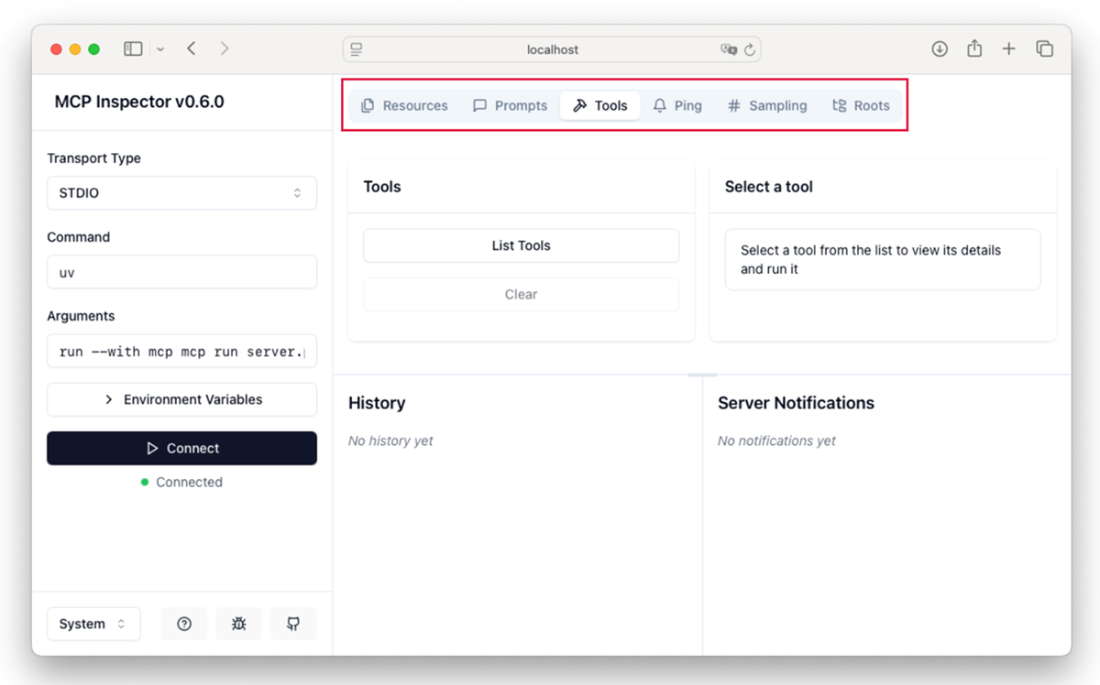
The MCP Inspector
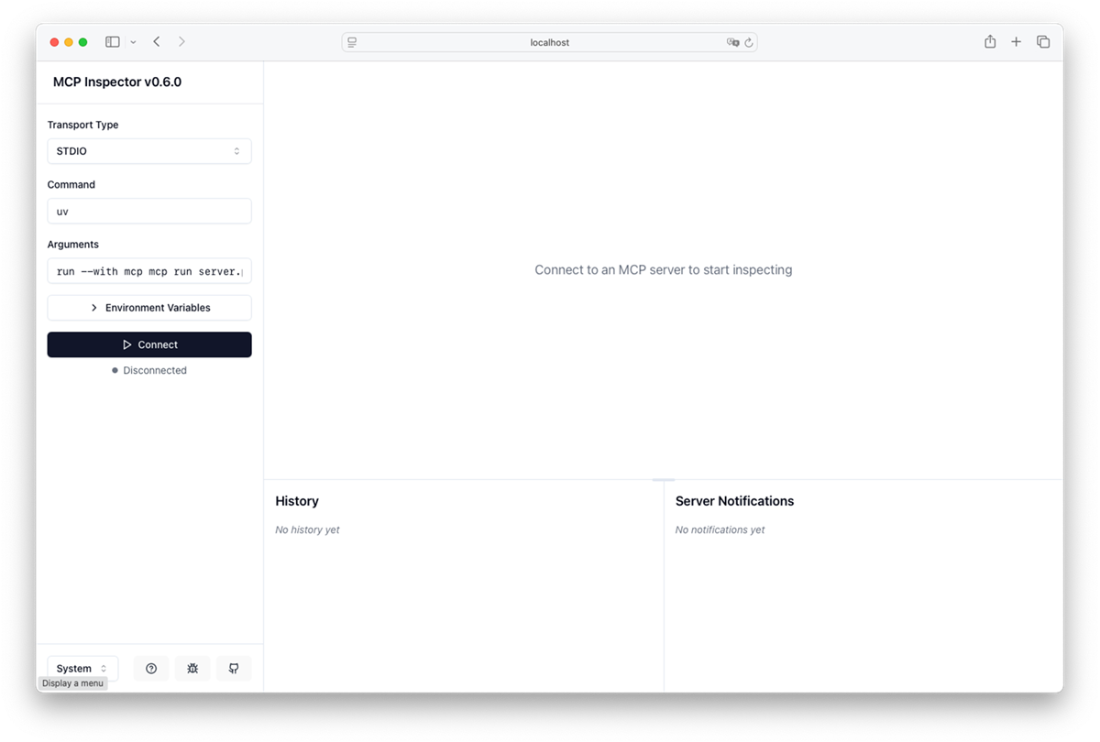
The MCP Inspector connecting to the MCP server
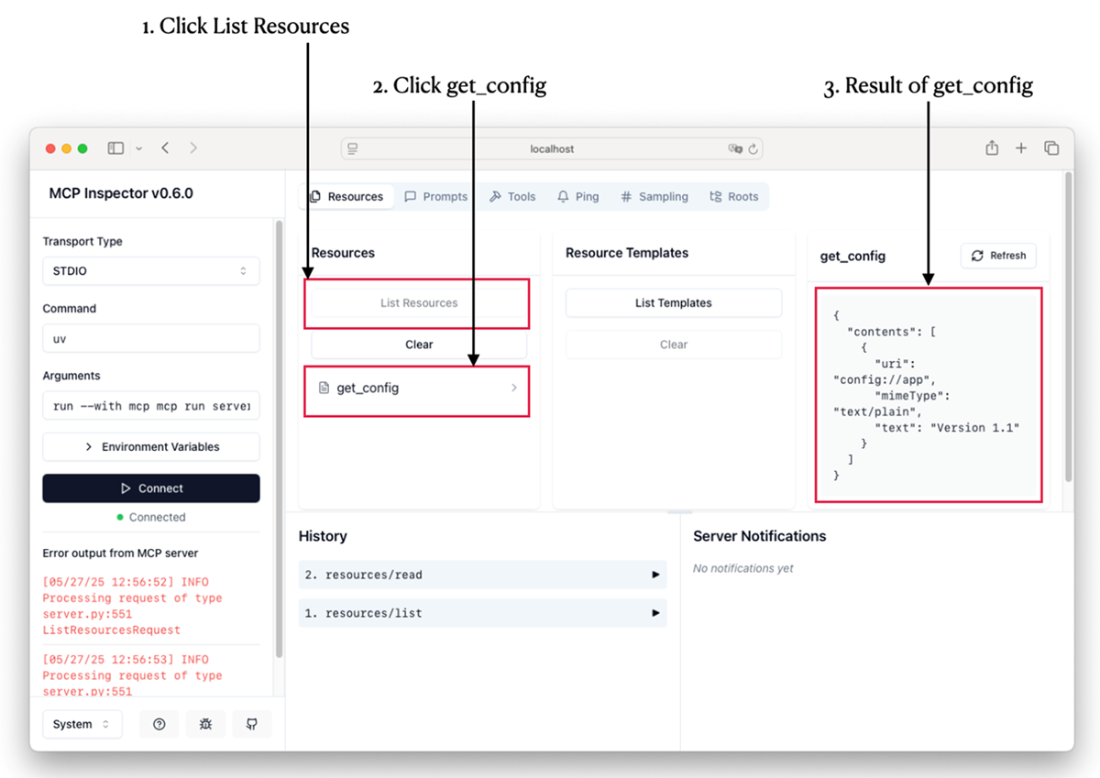
Checking out the resources using the MCP Inspector
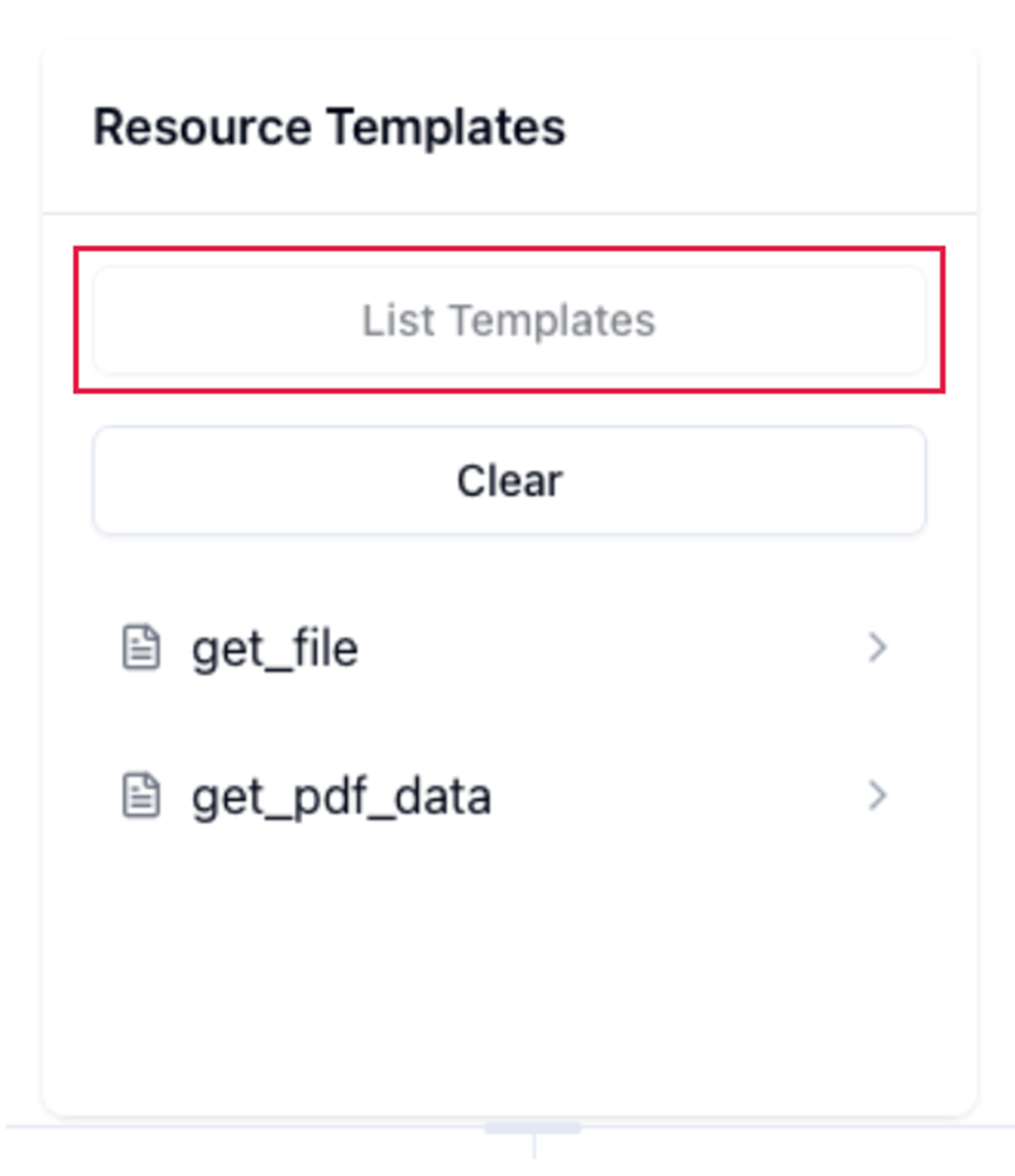
Listing all the resource templates in the MCP server
Loading the content of a text file through a resource
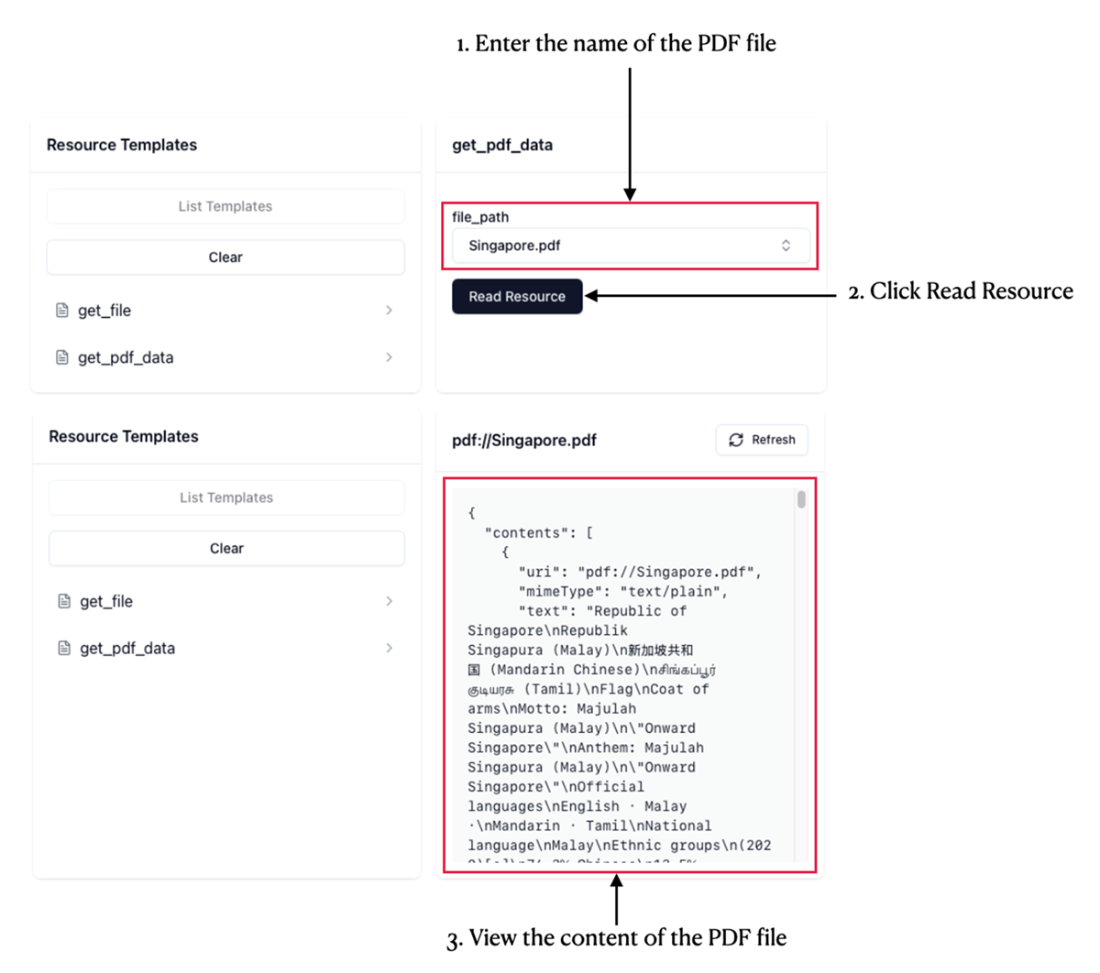
Loading the content of a PDF file through a resource
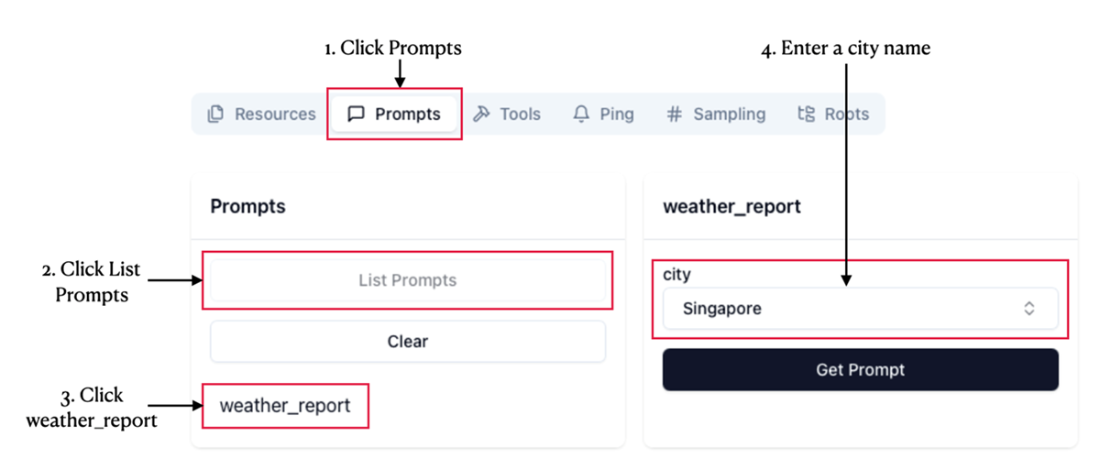
Loading the prompt
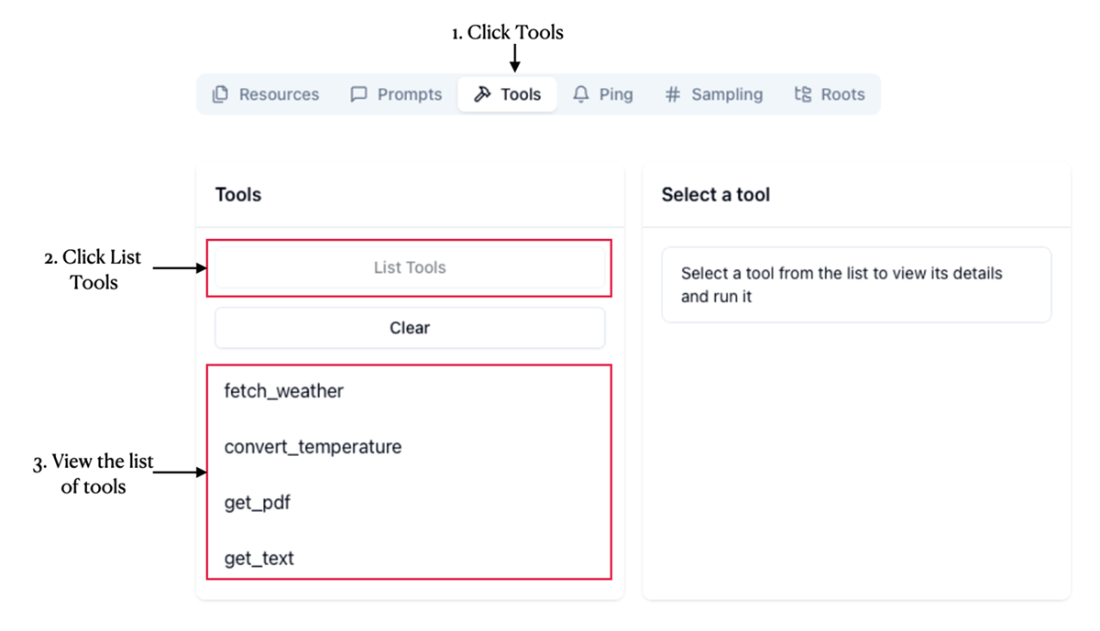
Checking out the tools of the MCP server
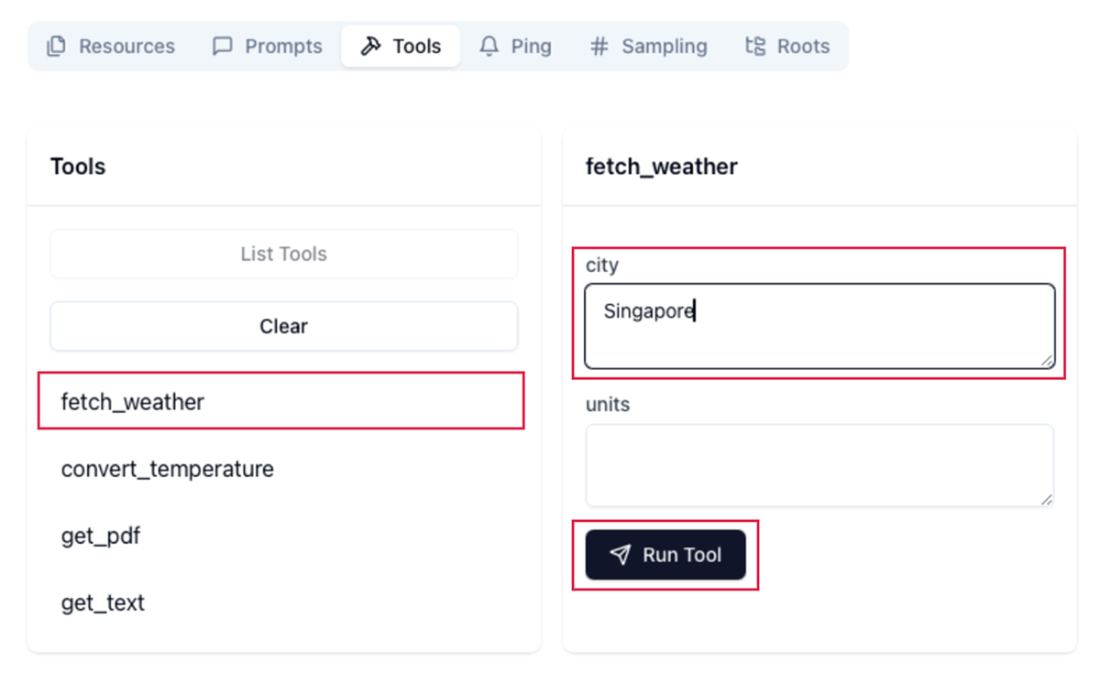
Fetching the weather for a city through a tool
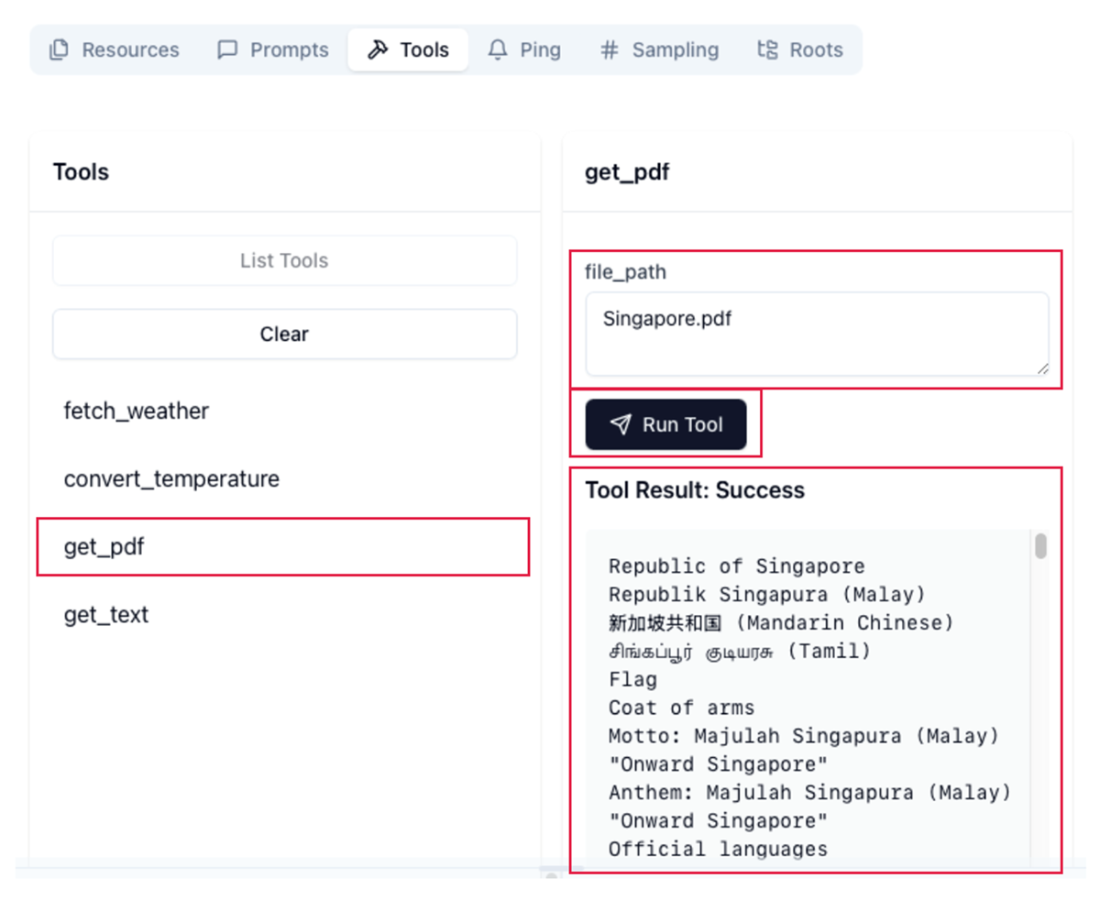
Getting the content of a PDF file through a tool
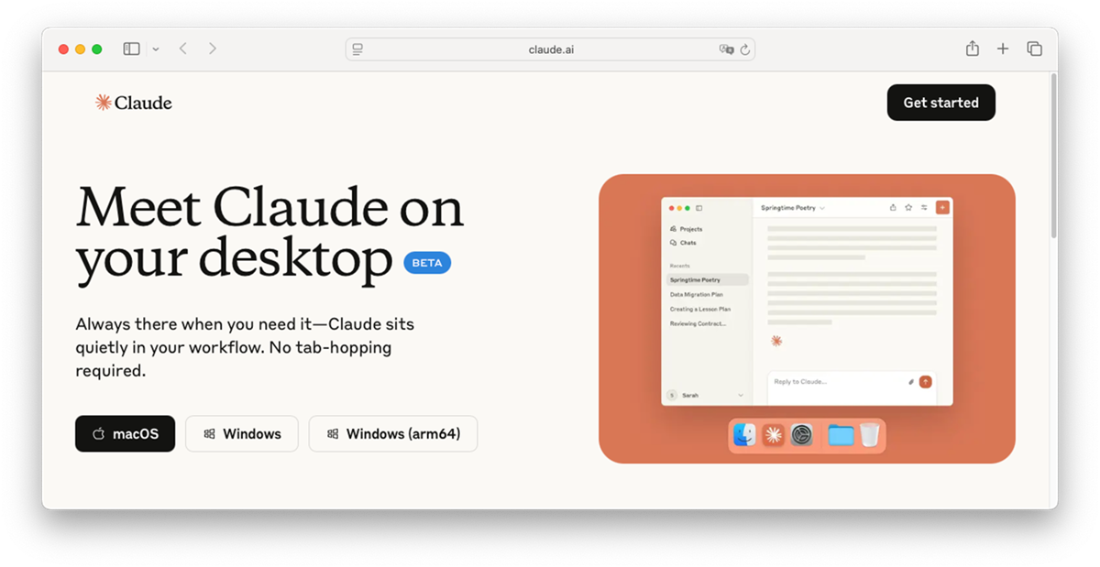
Downloading the Claude Desktop
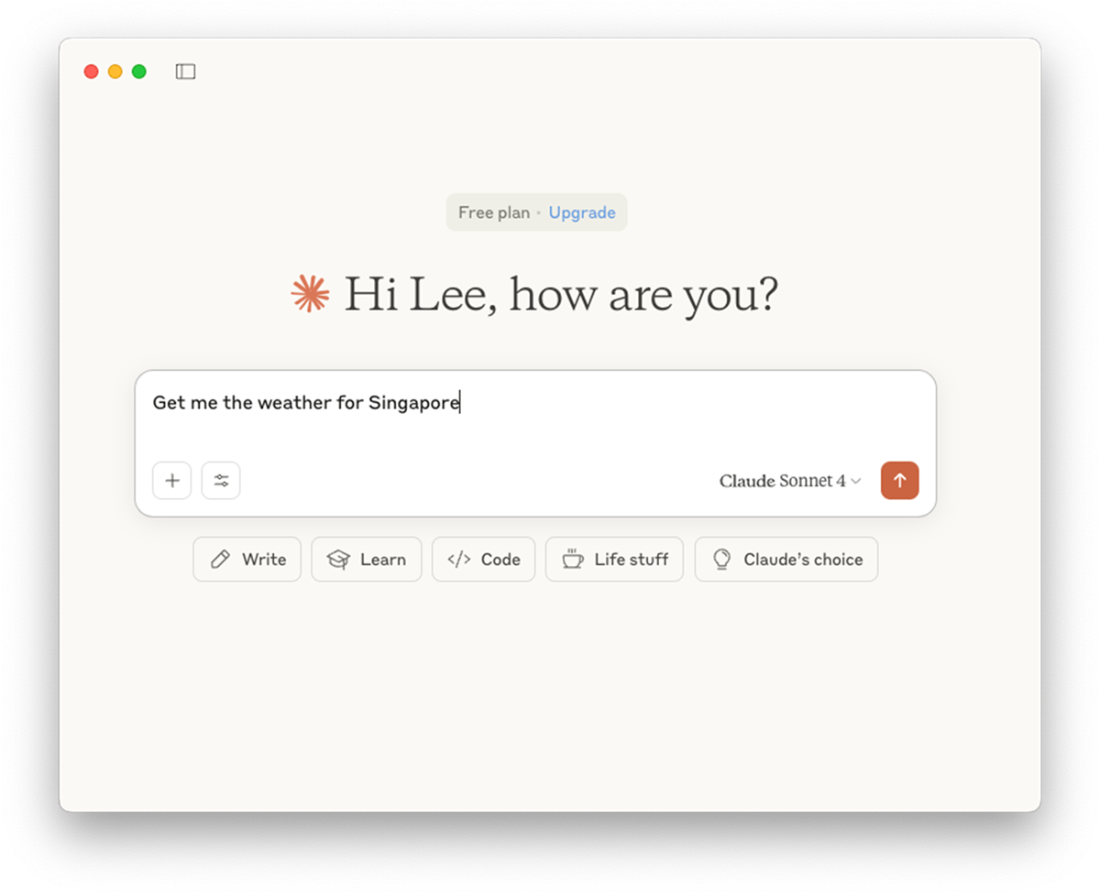
Asking a question in the Claude Desktop
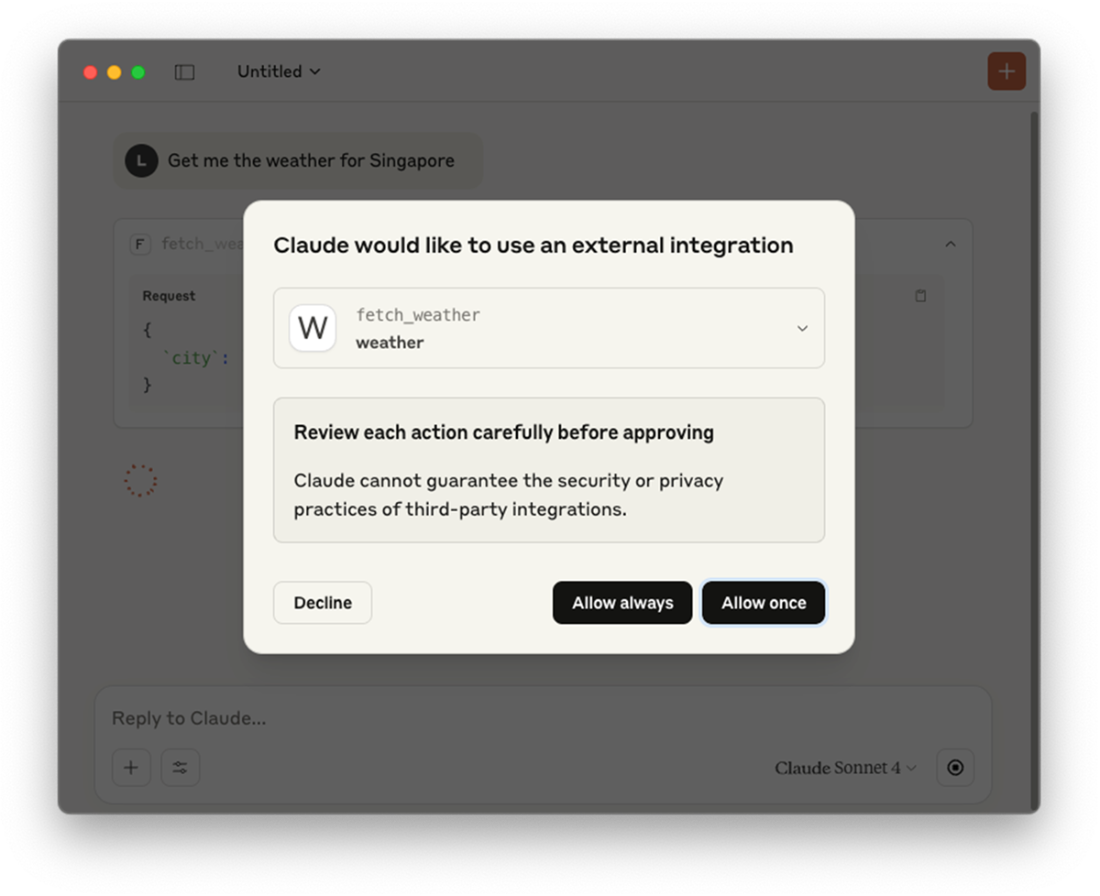
Claude Desktop has found the tool to answer your question
The result returned by the tool
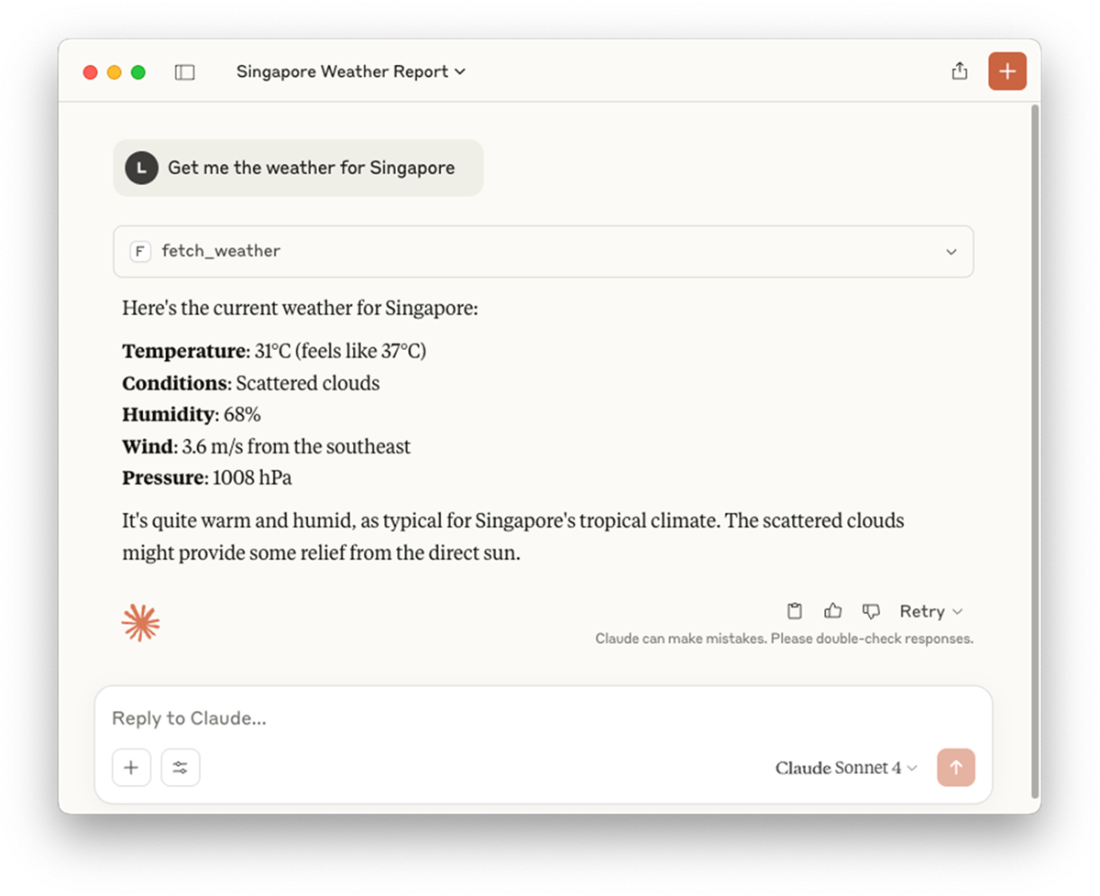
Claude Desktop found a tool to fetch the content of a file
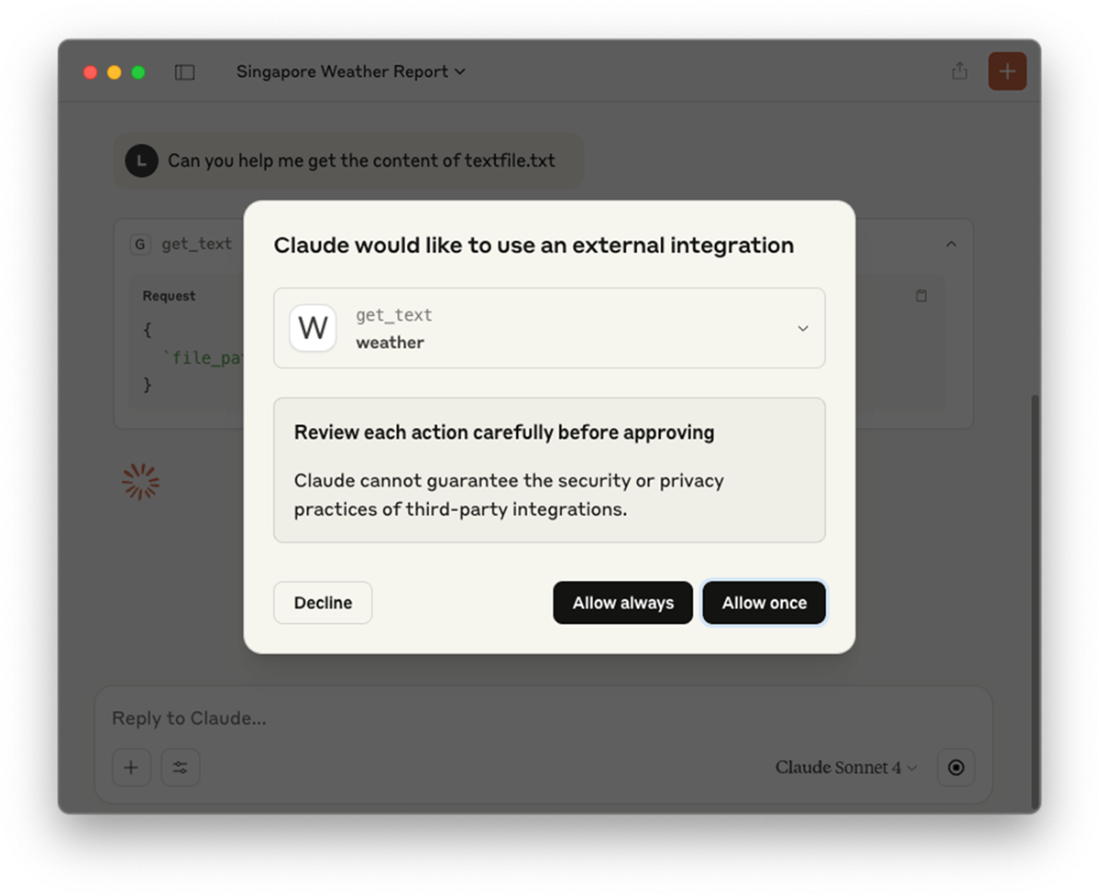
The content of the file returned by Claude Desktop
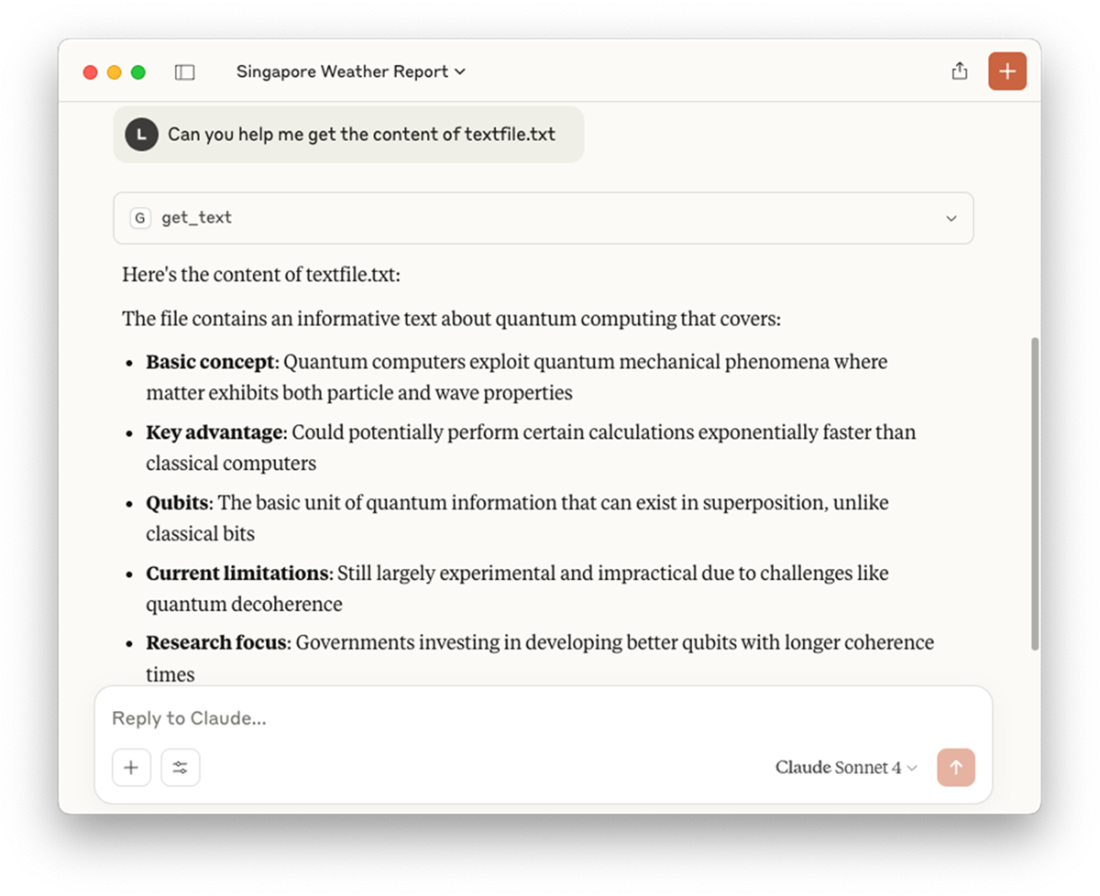
Asking Claude Desktop to summary the content of the file
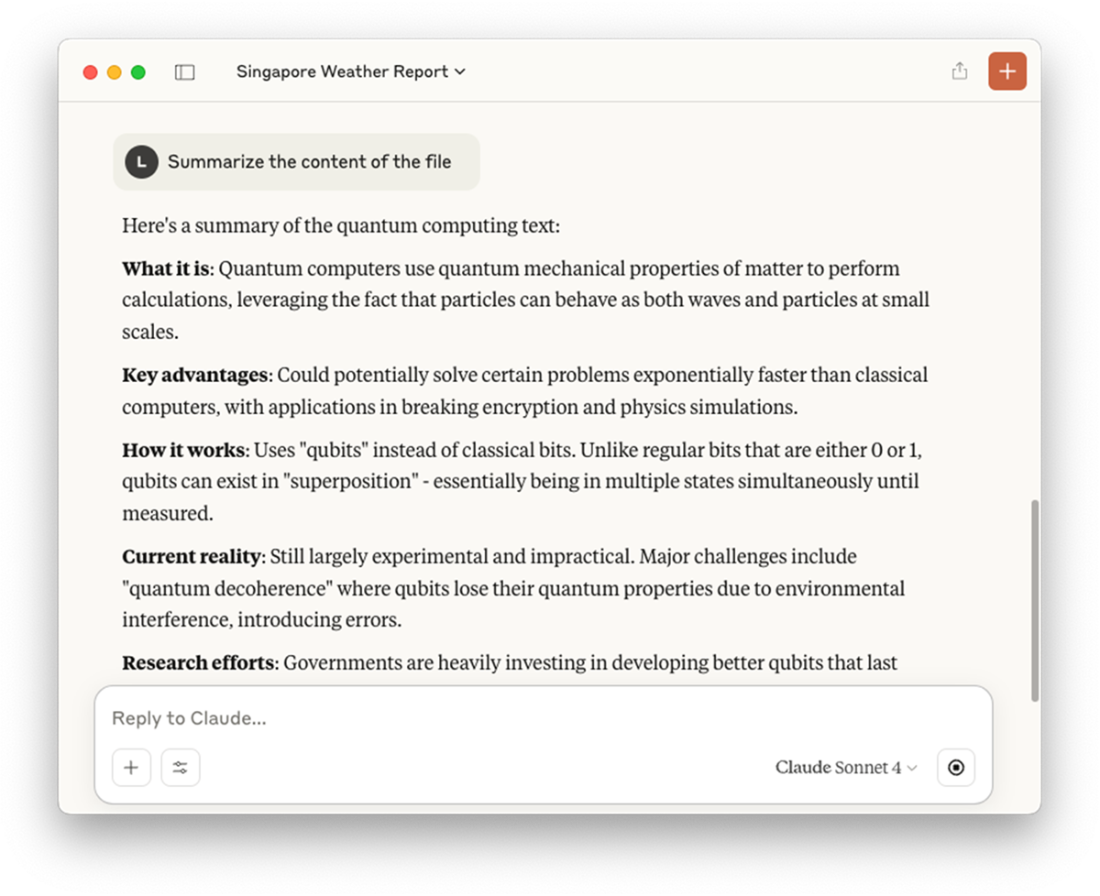
Claude Desktop found a tool to fetch the content of a PDF file
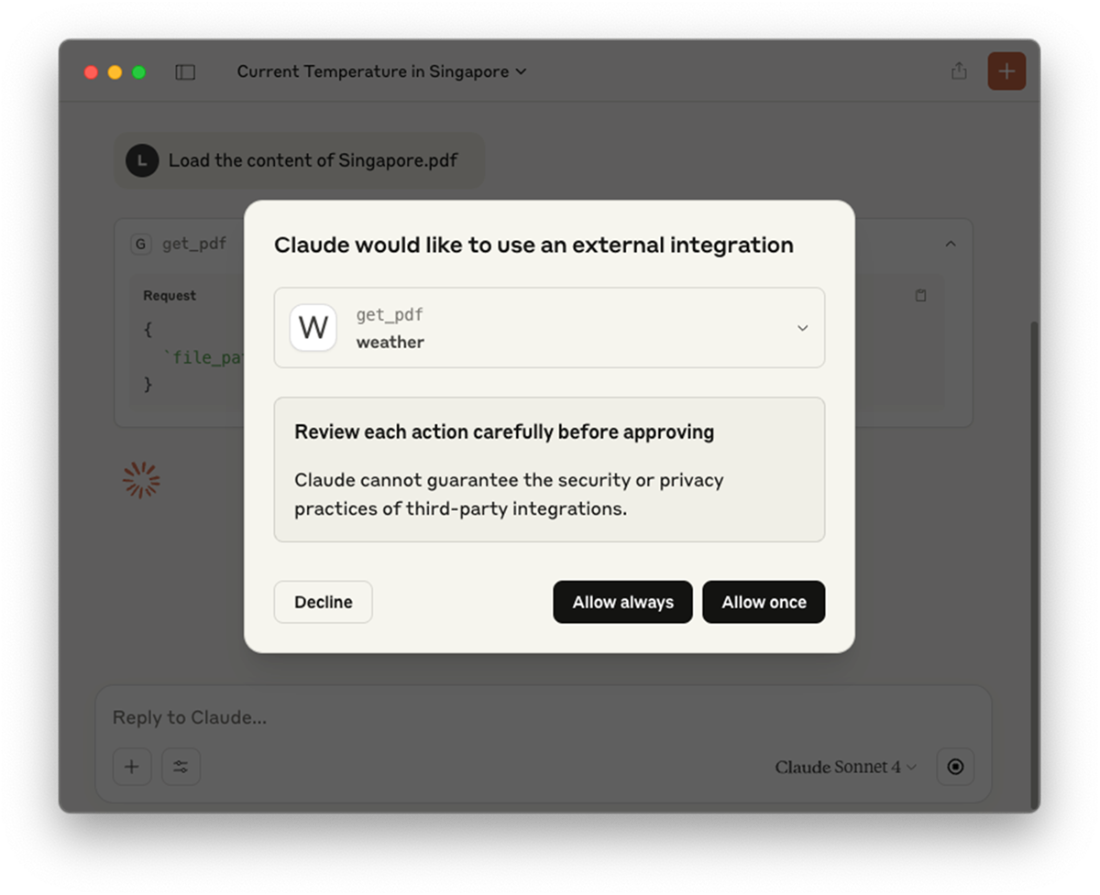
The content of the PDF file returned by the tool
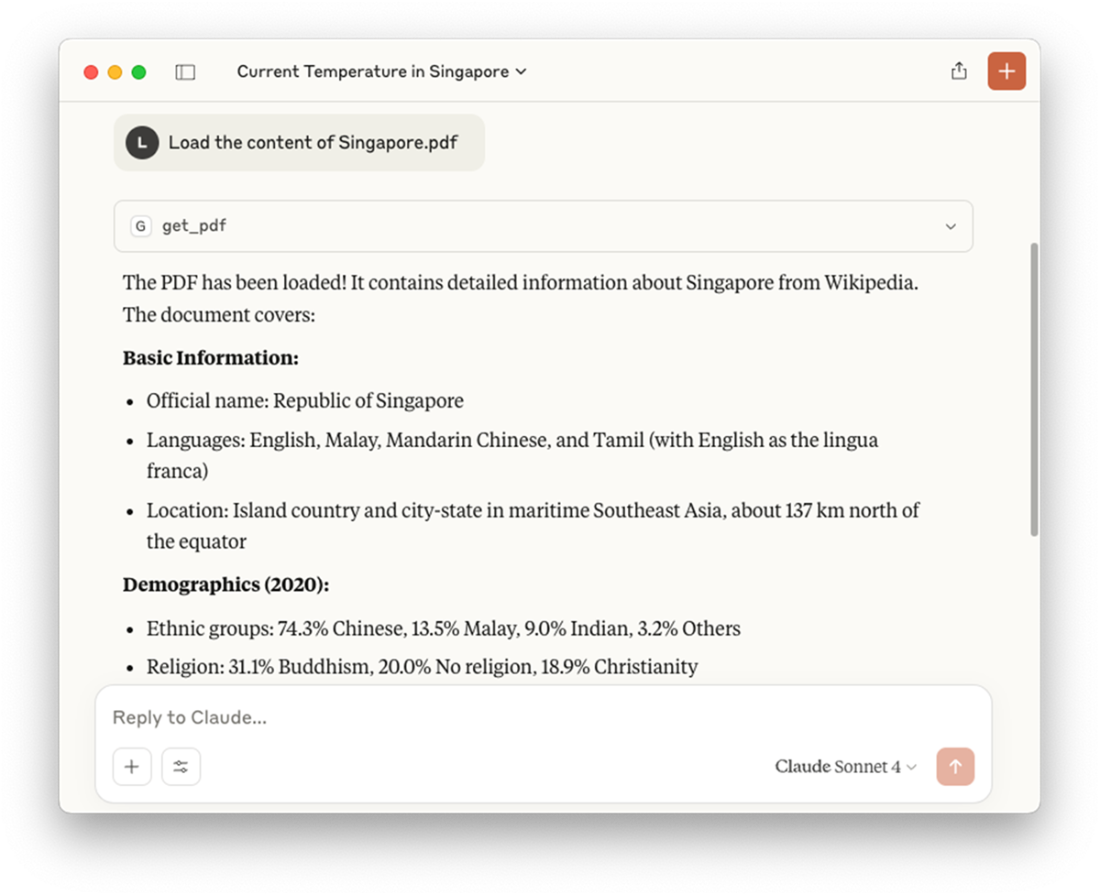
Asking questions pertaining to the PDF document
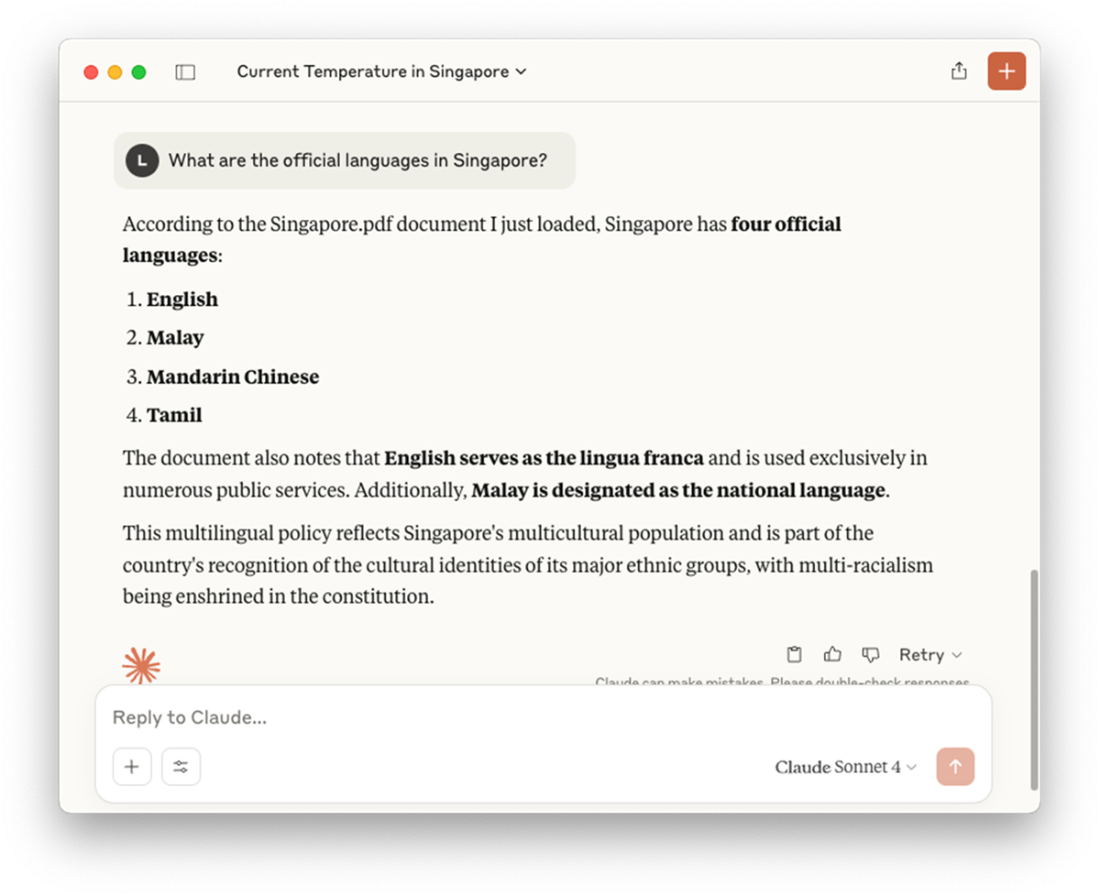
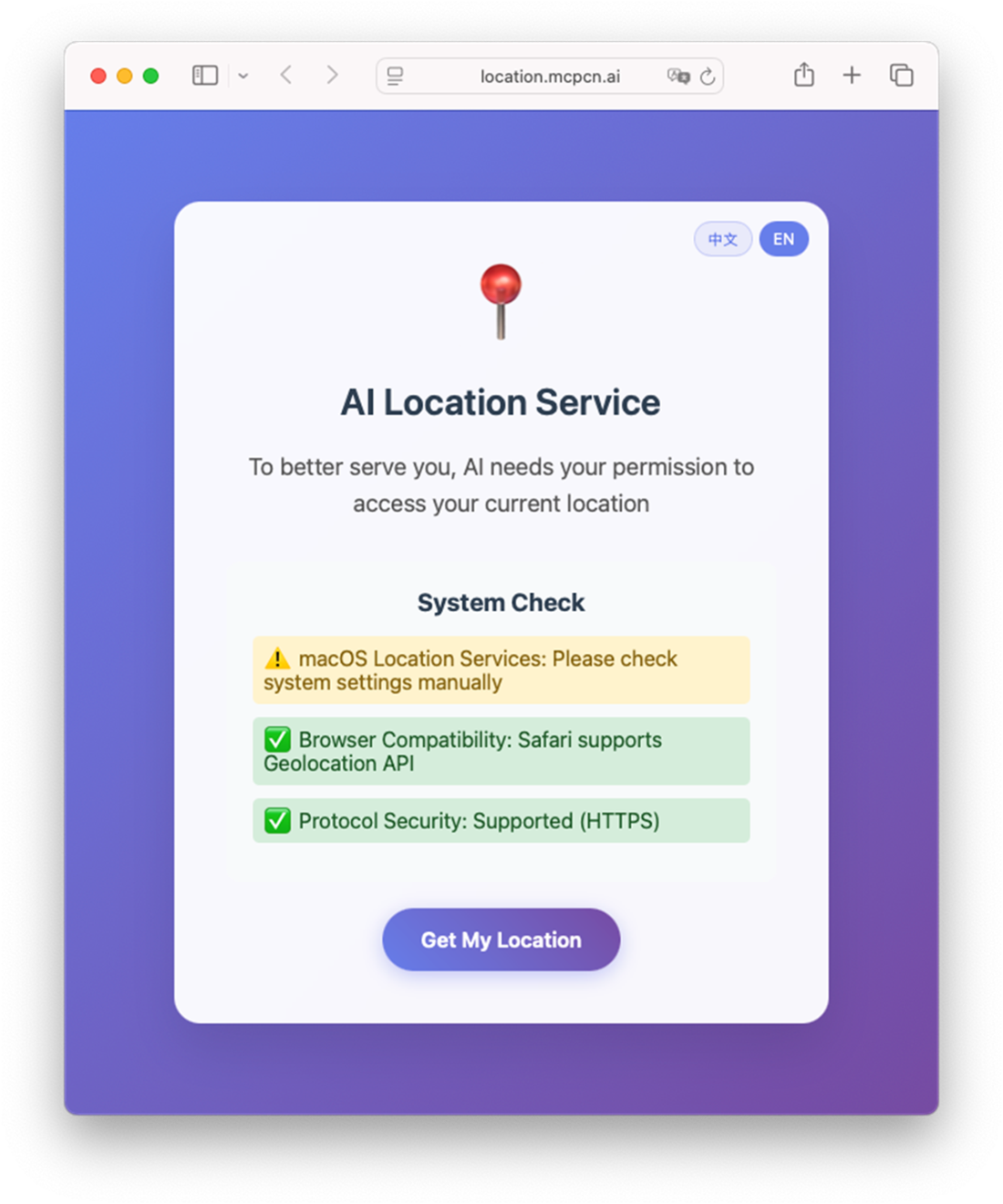
Claude Desktop using the third party tool to get your current location
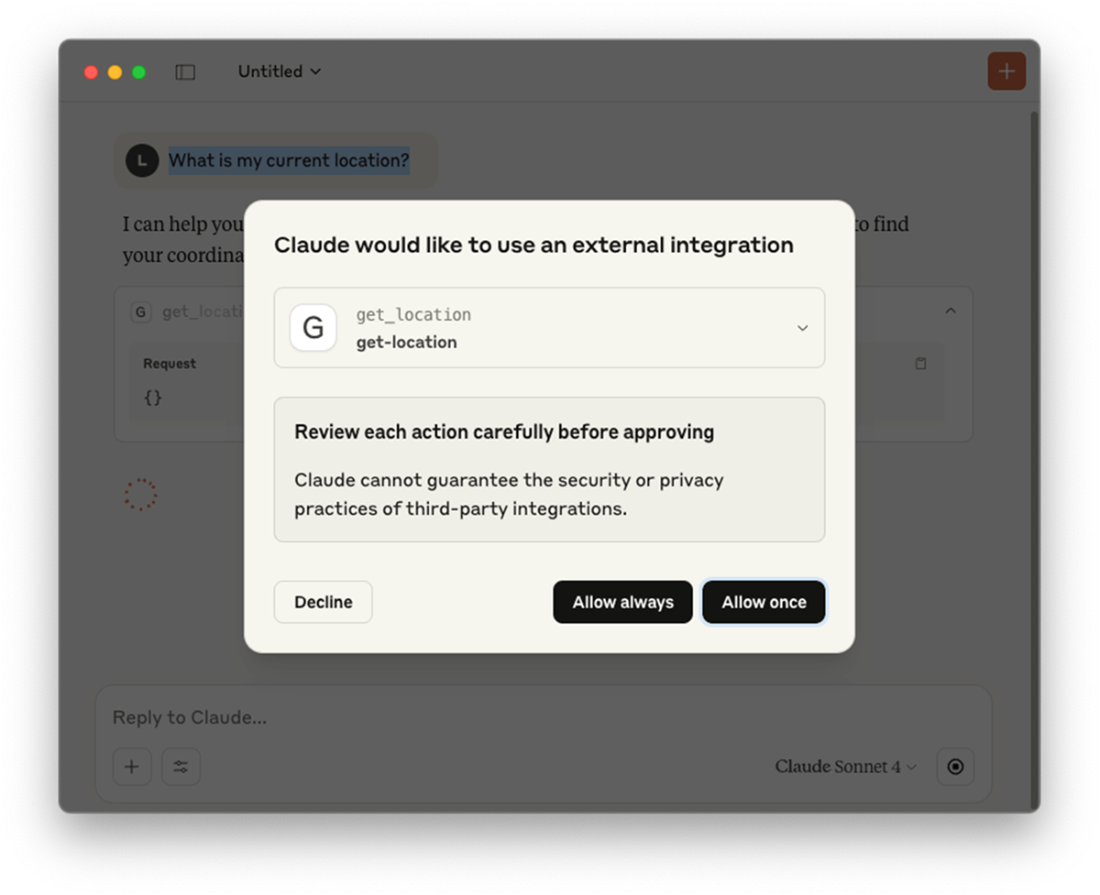
Retrieving your location
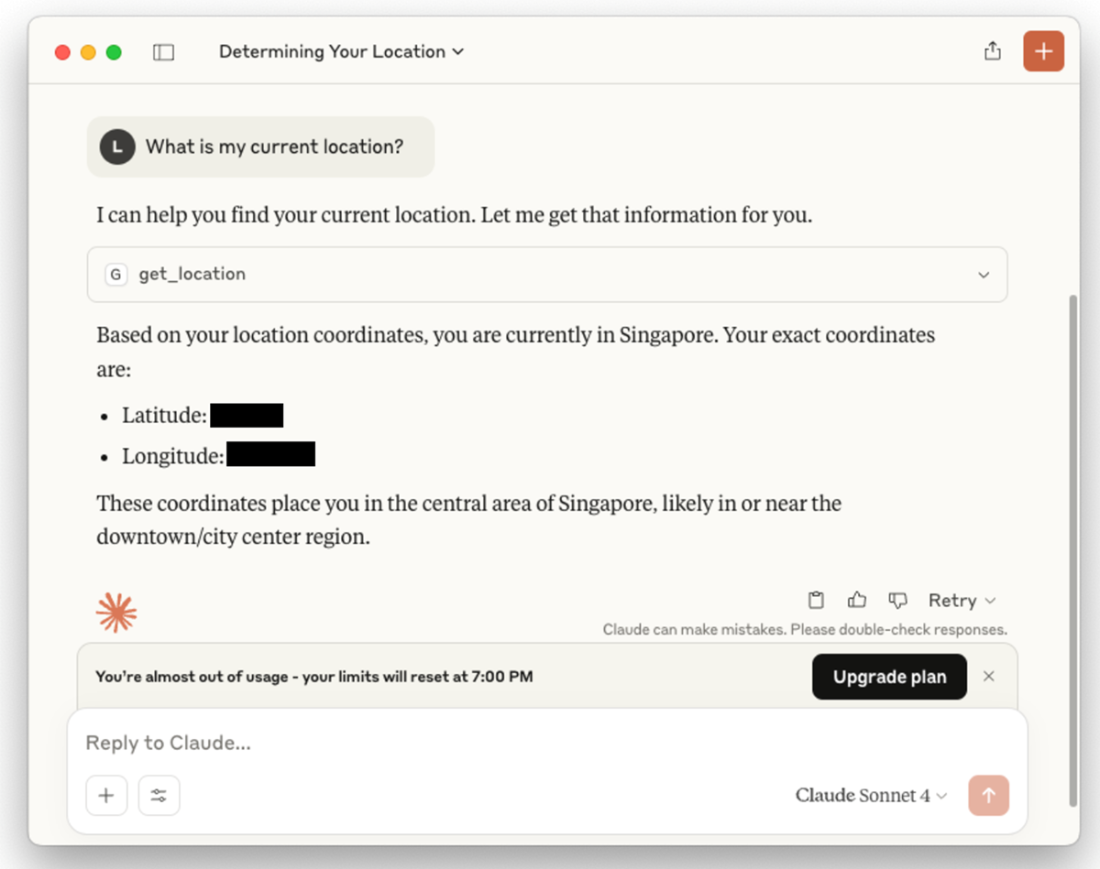
Location information returned by the tool
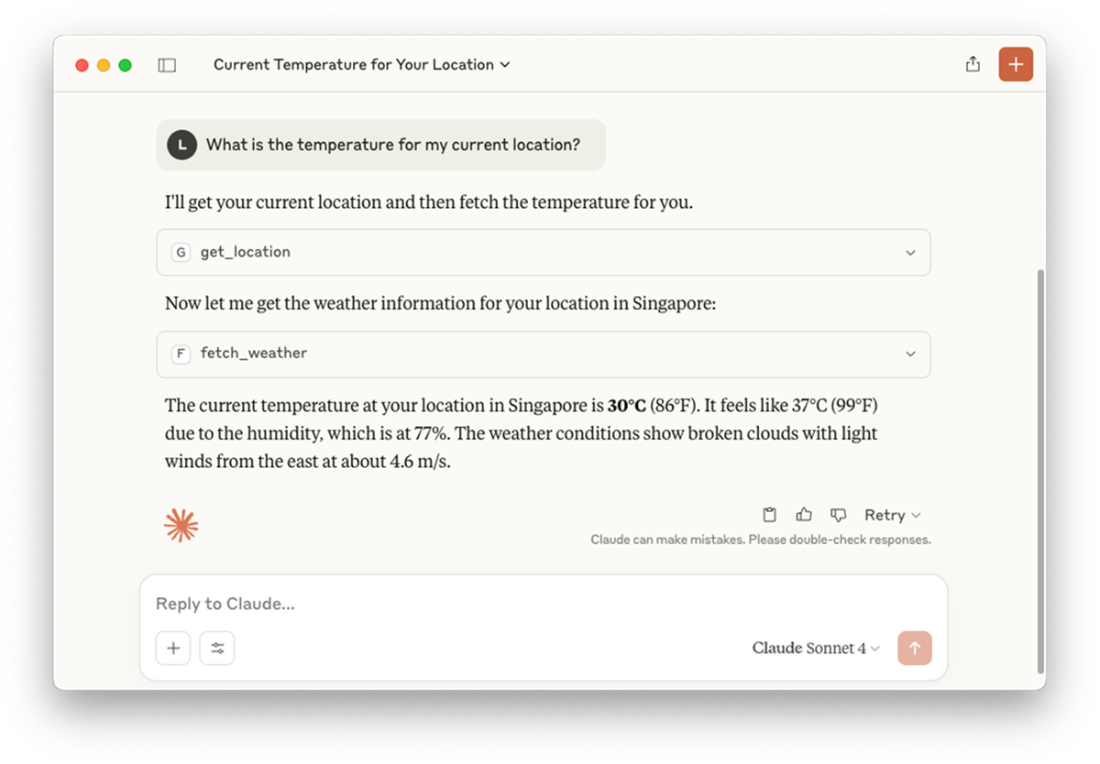
Claude Desktop can invoke multiple tools to answer a question
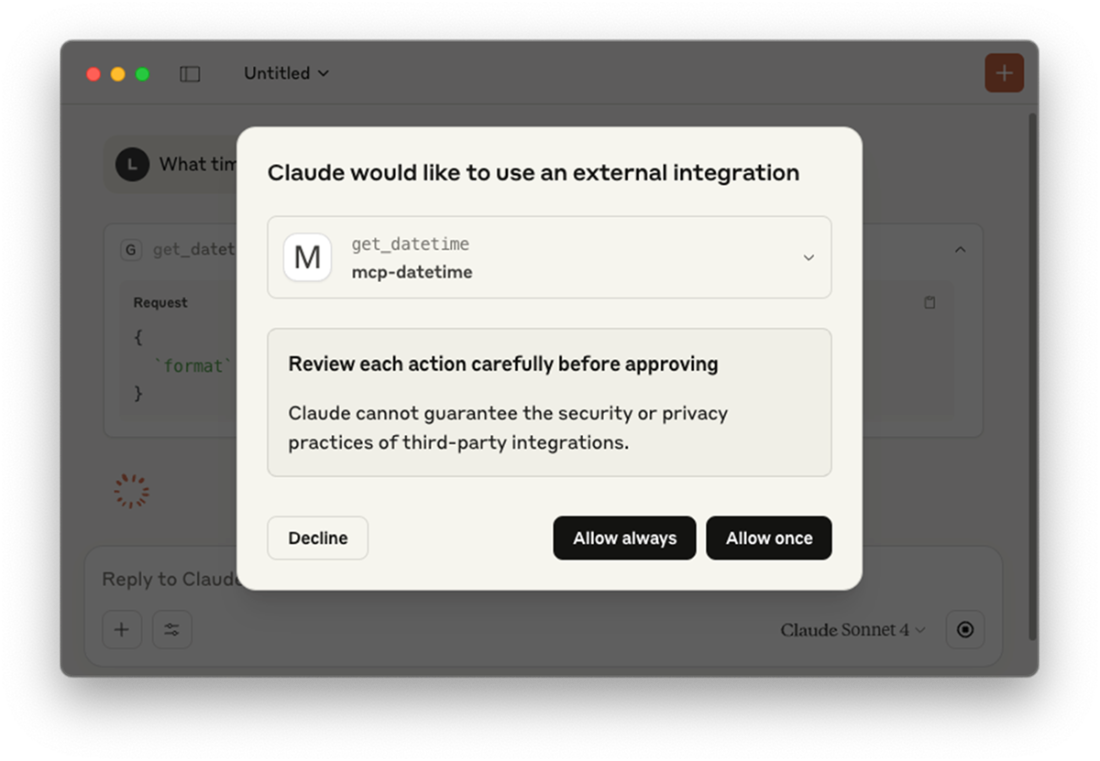
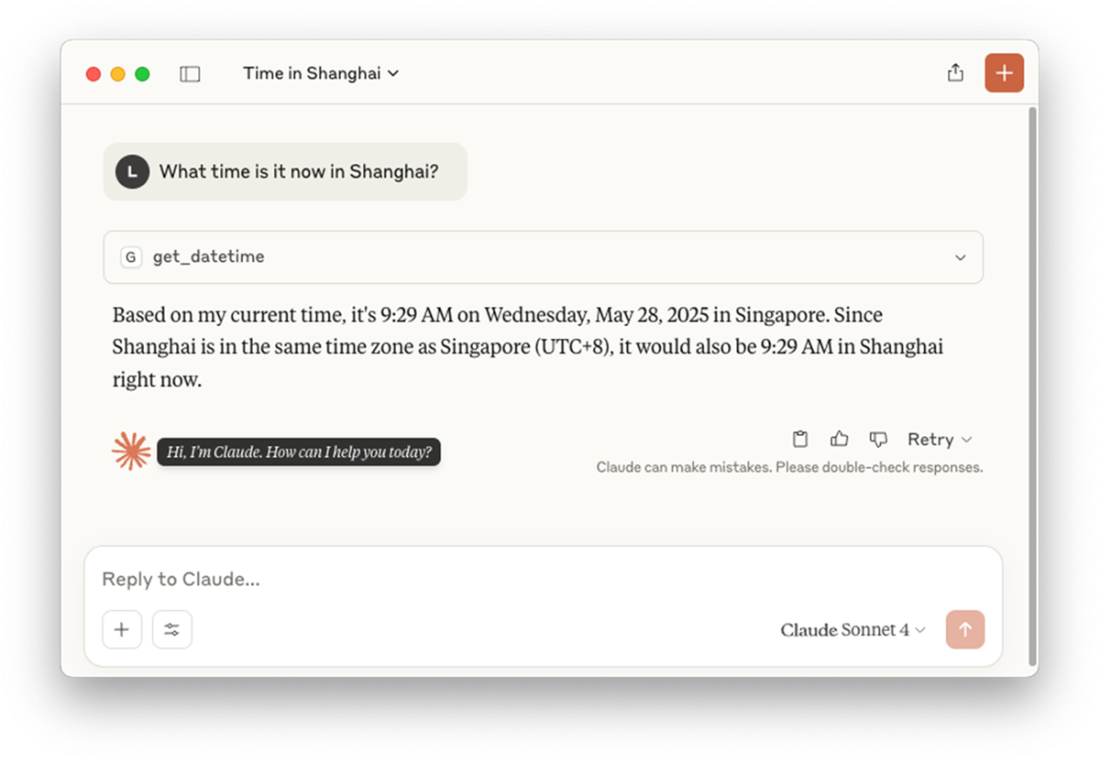
Claude Desktop using a tool to get the time for a particular location
The time returned by the tool
Summary
- MCP stands for Model Context Protocol, which is an open standard created by Anthropic for connecting AI assistants like Claude to external data sources and tools.
- A MCP server is simply a standard application that can run in different configurations.
- Once you've developed your MCP server, you can deploy it in two ways - locally or remotely.
- When the MCP server and client are running on the same machine, they will communicate with each other using standard input and output streams.
- When both the server and the client are running on different machines across the network, the client will communicate with the server using HTTP POST, and the server will respond to the Client using Server-Sent Events (SSE).
- A MCP server has three main components that define its functionality:
- Tools: Executable functions that the AI can invoke to perform actions or computations
- Resources: Data sources that the AI can access to retrieve information
- Prompts: Pre-defined prompt templates that can be used to guide AI interactions
- You can develop a MCP server using the official Python SDK for Model Context Protocol servers and clients.
- You can use the MCP Inspector to test and validate your MCP server.
- You can use your MCP server via the Claude Desktop application.
- MCP Servers are written using a variety of programming languages, such as Python, Node.js, TypeScript, Go, and Rust.
FAQ
What is the Model Context Protocol (MCP) and why was it created?
MCP is an open standard by Anthropic, based on JSON-RPC 2.0, that lets LLMs access external services (filesystems, databases, web APIs) in a consistent, secure, and efficient way. It was created to standardize tool access so models can reliably retrieve real-time or external data without one-off, brittle integrations.Which problems does MCP solve for LLM integrations?
- Inconsistent tool access across models- Unreliable, ad-hoc data retrieval methods
- Excessive, custom prompt engineering per integration
- Fragmented, duplicated integrations without a shared standard
How does MCP work at a high level?
MCP introduces a clear Client–Server–Service pattern. An MCP Client (e.g., an LLM or Claude Desktop) sends JSON-RPC 2.0 requests to an MCP Server. The server exposes Services (tools and resources) that fetch data or perform actions. Conceptually, the server acts like a “translator” that hides provider-specific differences behind one uniform interface.What are Tools, Resources, and Prompts in an MCP server?
- Tools: Actions the client can invoke (e.g.,fetch_weather, get_text), typically with parameters and results.- Resources: Addressable data endpoints the tools interact with (e.g.,
text://{file_path}, pdf://{file_path}, config://app).- Prompts: Predefined prompt templates guiding LLM behavior (e.g., a
weather_report(city) template that suggests which tools to use).How can MCP servers be deployed and what transports are supported?
- Local: Client and server on the same machine using stdio (simple, secure, fast for single-user).- Remote: Client and server over a network using HTTP POST (requests) and Server-Sent Events (SSE) for streaming responses (useful for multi-client, distributed setups). SSE provides a persistent, server-to-client stream.
How do I build a minimal MCP server in Python?
- Useuv to create a project and install deps: uv add "mcp[cli]" httpx PyMuPDF.- Implement
server.py with FastMCP("MCP Demo") and run via mcp.run(transport="stdio").- Start it with
uv run server.py and inspect/debug with uv run mcp dev server.py (MCP Inspector at http://localhost:5173).How do I add file, PDF, and weather capabilities to my MCP server?
- Resources:@mcp.resource("text://{file_path}") to read text files; @mcp.resource("pdf://{file_path}") using PyMuPDF; @mcp.resource("config://app") for static config.- Tools:
@mcp.tool() for actions like fetch_weather(city, units) via OpenWeatherMap with httpx, convert_temperature(), plus wrappers get_text()/get_pdf() that call your resources.What is the MCP Inspector and how do I use it?
The MCP Inspector is a web-based dev tool for testing MCP servers. Runuv run mcp dev server.py, open http://localhost:5173, click Connect, then: list and read Resources (and Resource Templates), preview Prompts (rendered messages), and run Tools with parameters to verify behavior and responses.How do I connect Claude Desktop to my MCP server?
Editclaude_desktop_config.json to add an mcpServers entry with:-
command: path to uv-
args: ["--directory", "/path/to/MCP_Demo", "run", "server.py"]Restart Claude Desktop. When you ask a question, Claude will discover applicable tools and request permission (Allow once/always) before invoking them.
How should I pass API keys and secrets to the server?
Use environment variables. In code, read withos.getenv("OPENWEATHER_API_KEY") and exit if missing. In claude_desktop_config.json, add an env block under your server entry (e.g., "OPENWEATHER_API_KEY": "your_key") so keys aren’t hardcoded.Can I use third-party MCP servers, and what are npx vs uvx for?
Yes. Add them toclaude_desktop_config.json:- Location (Node.js): use
npx -y @mcpcn/mcp-get-location to run without global install; Claude can then answer “What is my current location?”- Time (Python): use
uvx mcp-datetime to fetch time data ephemeral to a temp env.npx runs Node packages on-demand; uvx does the same for Python packages.
 Hugging Face in Action ebook for free
