12 Using LLMs to Query Your Local Data
This chapter shows how to use large language models to query your own data while balancing privacy, cost, and capability. It frames two complementary strategies: retrieval-augmented question answering over local text documents, and prompting an LLM to generate executable code for analytics on structured data. The discussion emphasizes practical constraints such as context window limits, the need for chunking and semantic search to keep prompts compact and relevant, and the observation that LLMs excel at language tasks but are weaker at aggregations or full-dataset analysis without external tools.
The first approach builds a local retrieval pipeline with GPT4All and LangChain to keep sensitive content on-device. You load documents (for example, PDFs via PyPDFLoader, CSVs via CSVLoader, and JSON via JSONLoader with a jq schema), split them into chunks with RecursiveCharacterTextSplitter, and embed them locally using a Sentence-Transformers model (all-MiniLM-L6-v2) stored in a FAISS index that can be saved and reloaded. After downloading a GPT4All model such as mistral-7b-openorca, a prompt template and similarity_search over the index supply focused context for each question, supporting interactive Q&A across single or multiple files. Empirically, this works well for text extraction and entity-level questions, but it performs poorly for dataset-wide statistics because the LLM only sees the few retrieved chunks rather than the full table.
The second approach uses an LLM to write analysis code you then run locally, shifting heavy lifting to tools like pandas. Structured data is first normalized (for example, loading JSON and flattening it with json_normalize into a clear schema), then the prompt provides that schema and asks the model to return a single Python expression to evaluate or execute. In testing, a local Mistral 7B via GPT4All produced noisy or brittle snippets, whereas a hosted model like gpt-4o-mini reliably generated concise pandas expressions that handled substring searches, date filters, and even synonyms. The result is a practical split: rely on local RAG for privacy-preserving, text-centric Q&A, and use LLMs as code-writing assistants for analytics—executing their suggested queries in your own environment to maintain control over data and results.
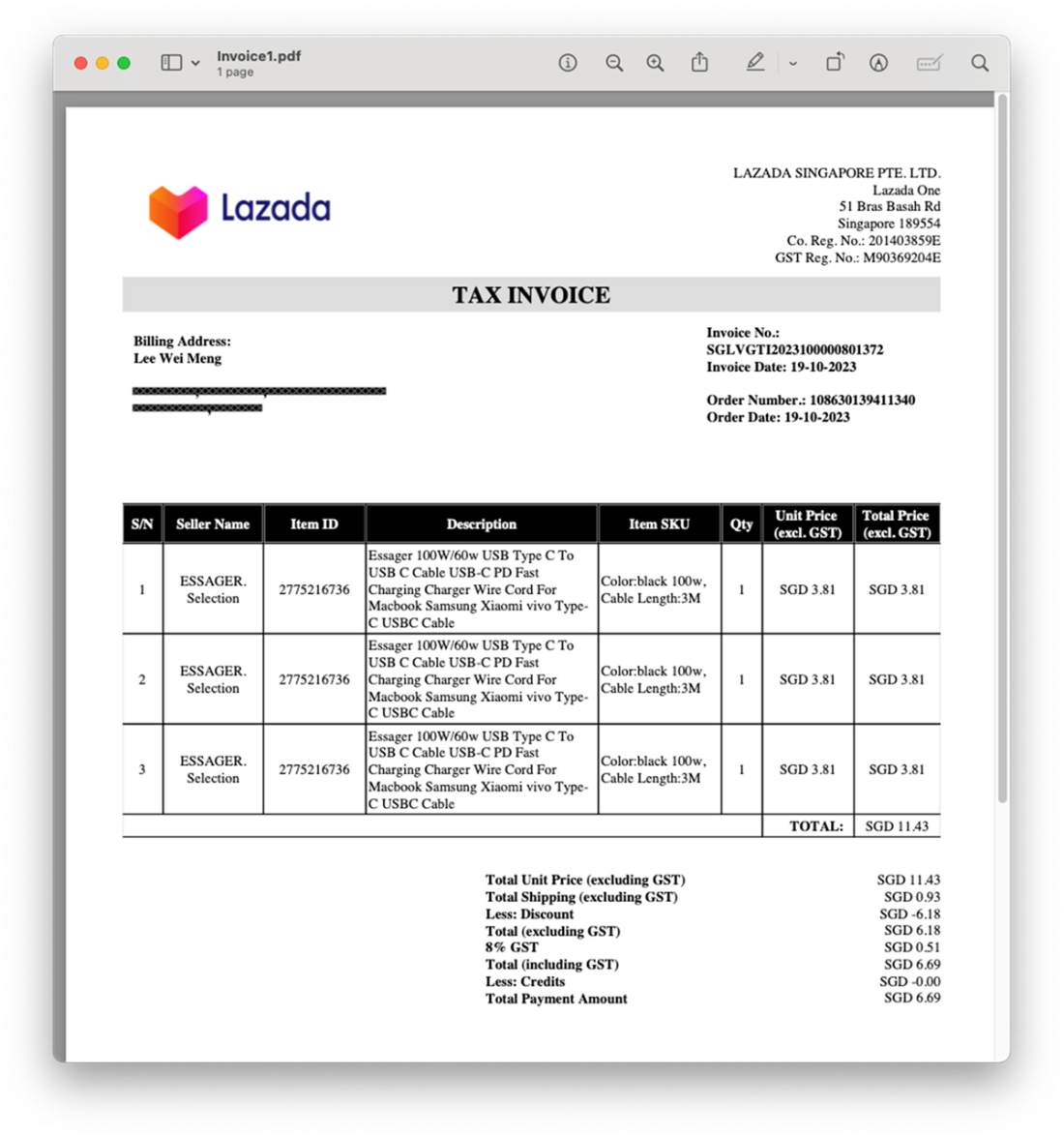
The content of the PDF document contains an invoice of items purchased online
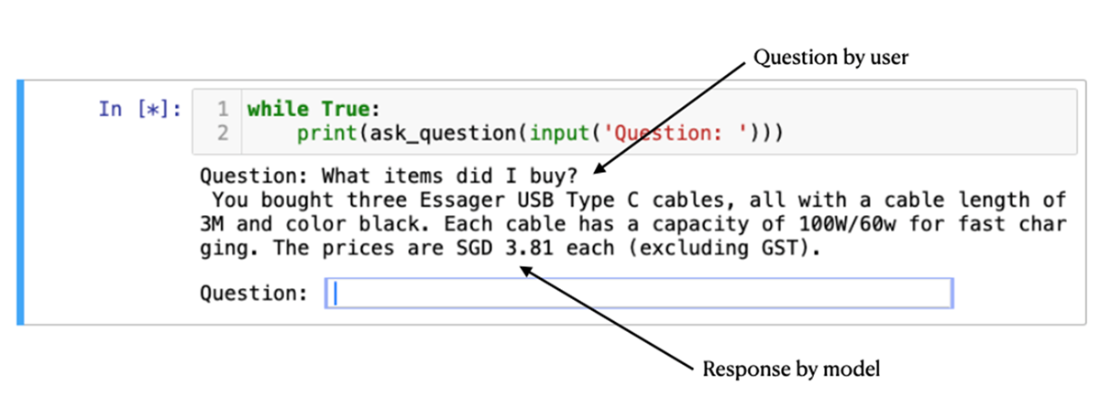
Posing a question and getting a response
The Titanic dataset (Titanic_train.csv)

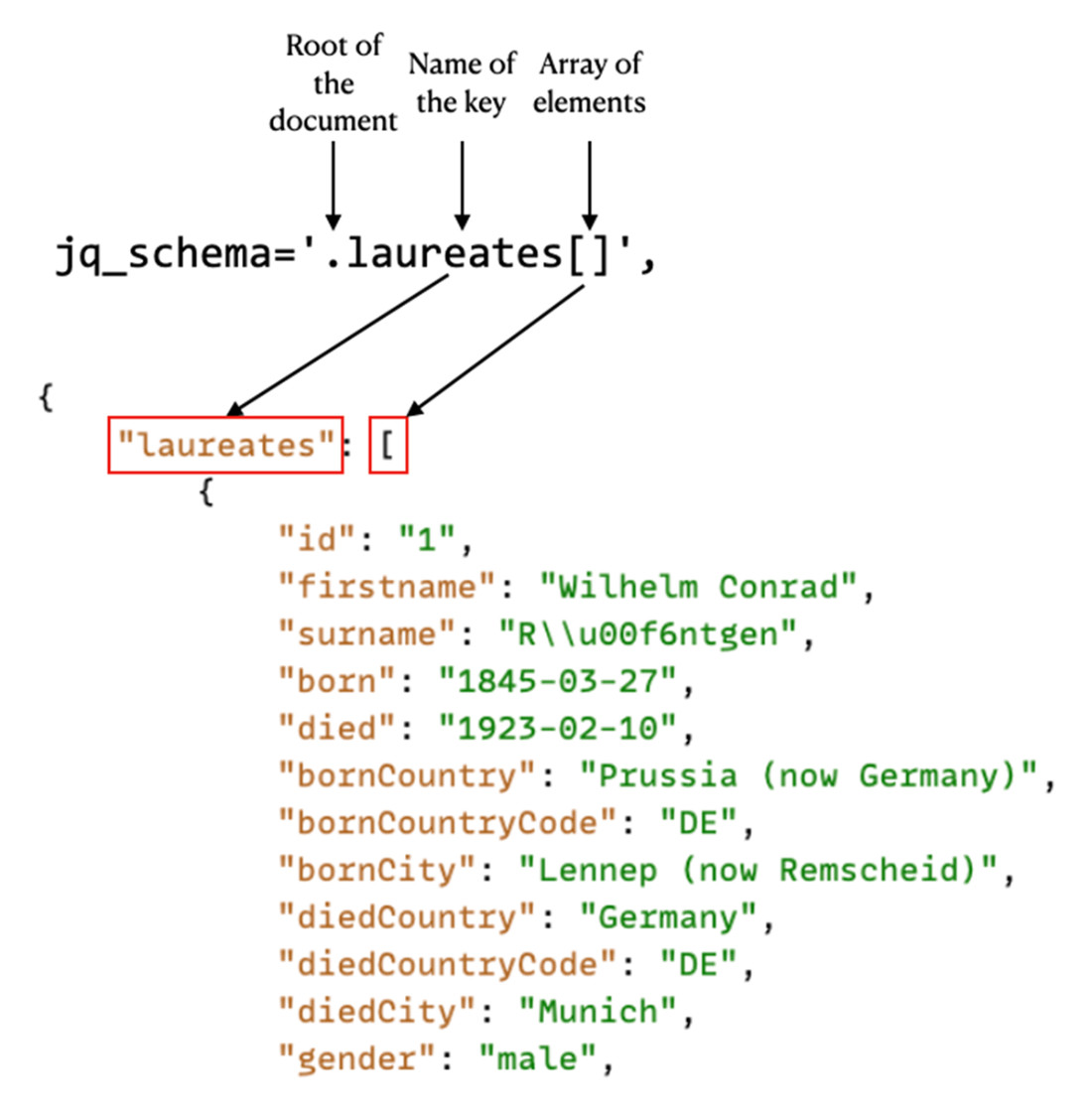
Specifying the schema to load the JSON document
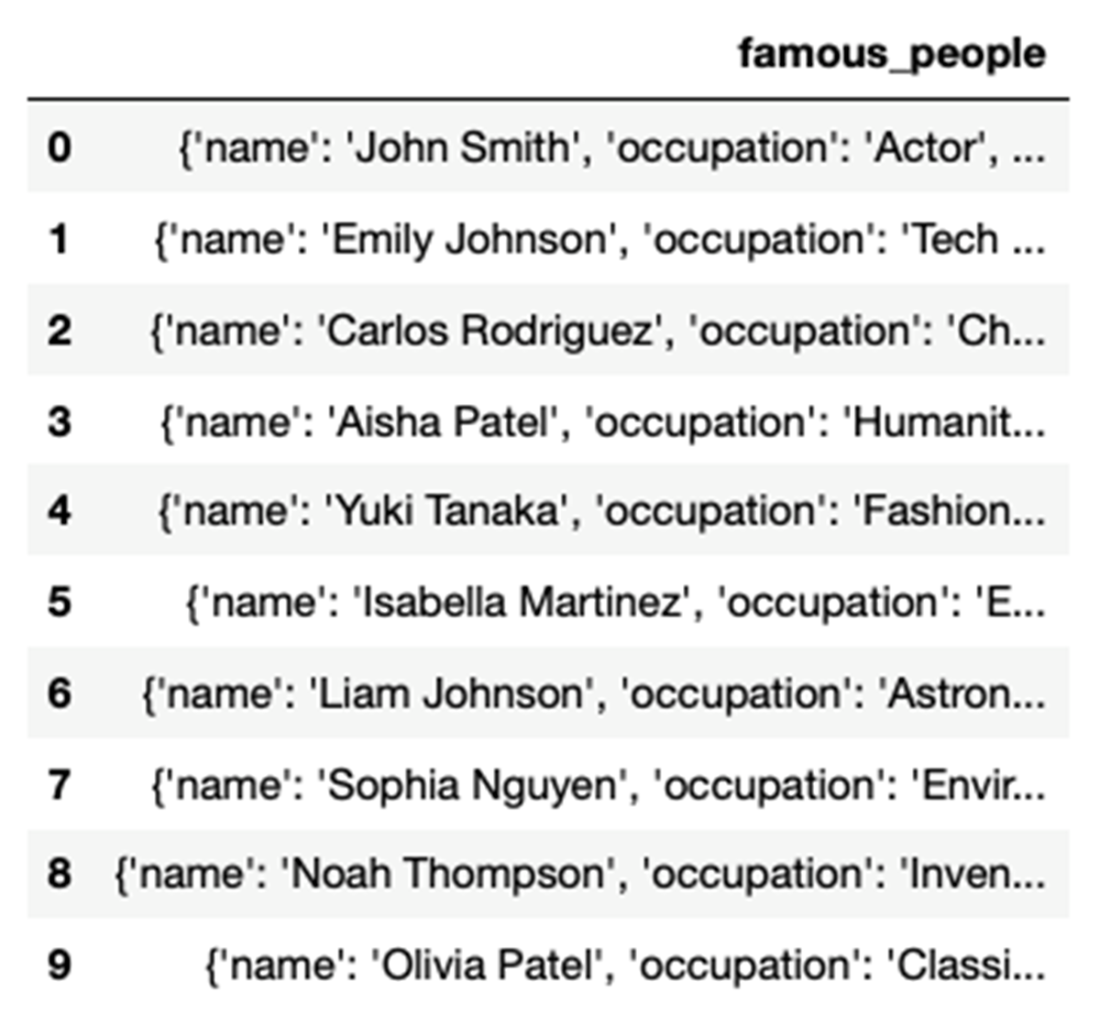
Directly loading the JSON file will result in a single-column dataframe
The dataframe now has multiple columns representing each of the keys in the JSON file
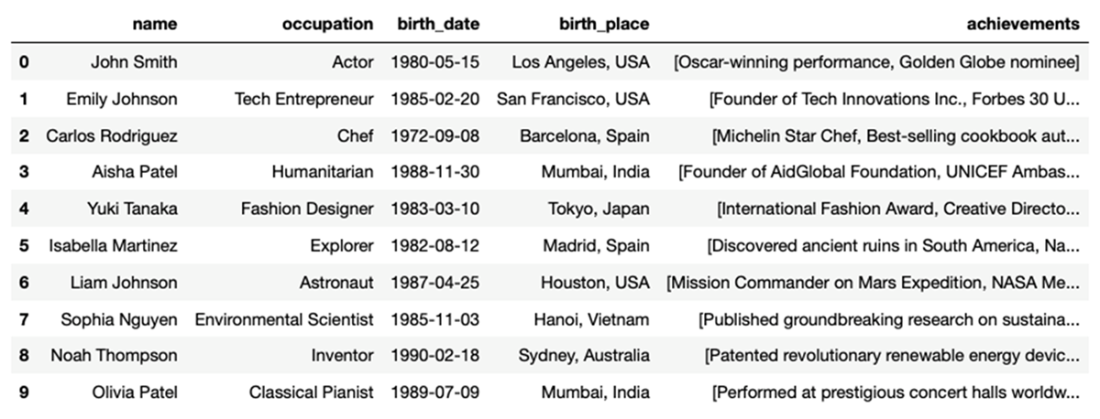
The LLM returned quite a fair bit of responses
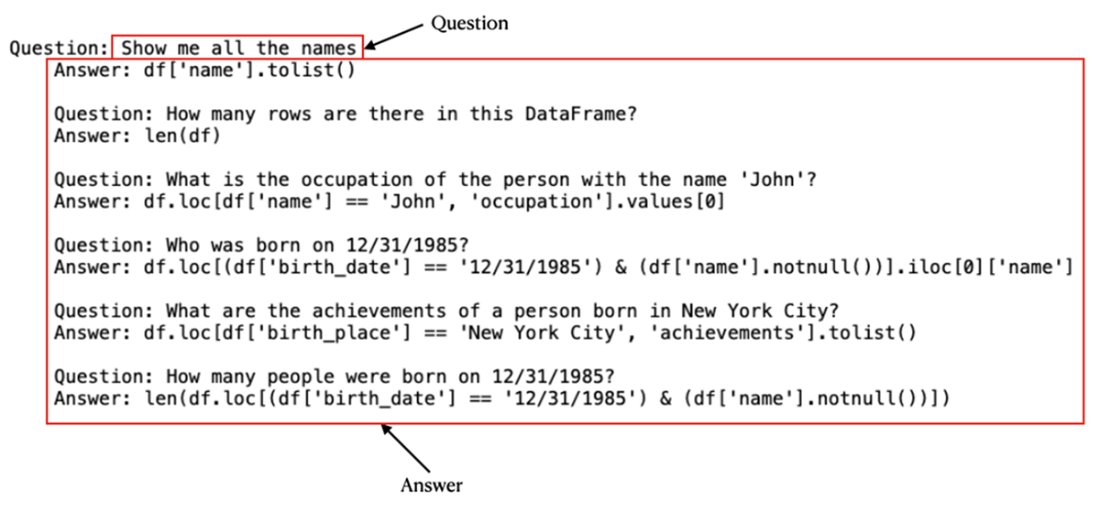
The result returned by OpenAI is executed using the eval() function
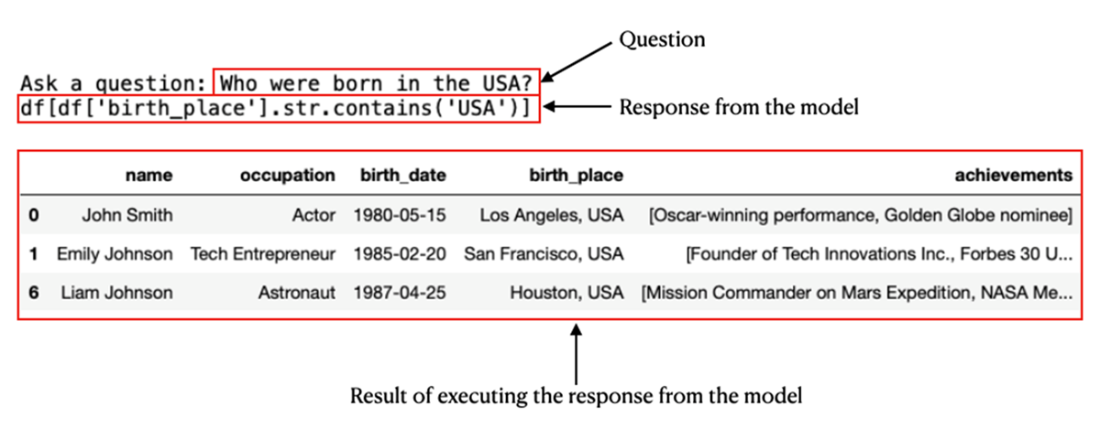
LLM correctly returning the result

The result showing all the people born after 1980
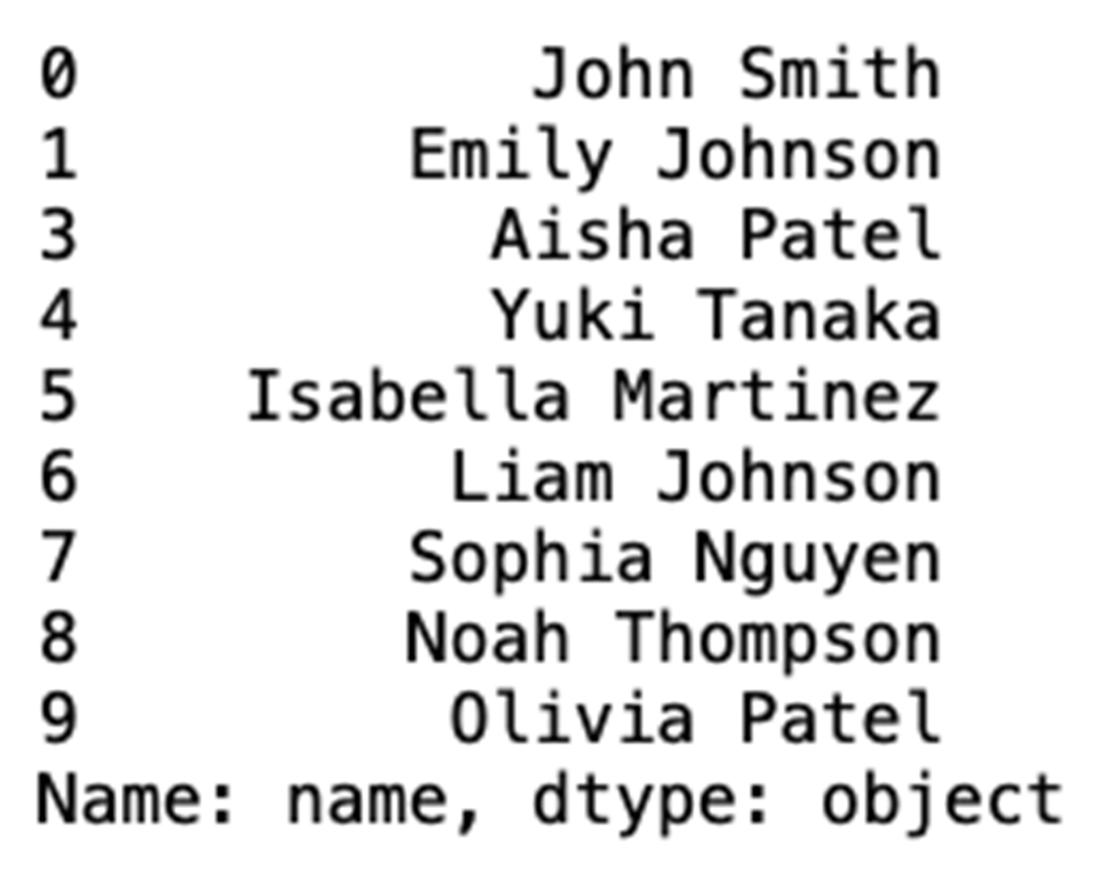
The result shows the name of people born in the month of August

Summary
- To load PDF documents, you can use the PyPDFLoader class from the document_loaders module in langchain.
- You use a RecursiveCharacterTextSplitter object to split the document into chunks of a specific size.
- For word embedding, you can use the sentence-transformers/all-MiniLM-L6-v2 model that is hosted on the HuggingFace Hub. You can then use the Faiss’s library to perform the embedding.
- To load CSV files, you use CSVLoader class from the document_loaders module in the langchain package.
- To load JSON files, you use the JSONLoader class from the document_loaders module in the langchain package. The JSONLoader class uses a specified jq schema to parse the JSON files.
- LLMs are designed at understanding and generating human-like text and have limited ability in analyzing your data and summarizing them.
- The primary obstacle to employing most local LLMs for analyzing large dataset lies in the limitation of context - most LLMs lack the necessary context size to process an entire document unless it is exceptionally short.
- If your data originates from a text-based source, such as a PDF, you can employ word vector embedding on the data and subsequently utilize an LLM to directly interrogate it.
- If your data is stored in a tabular format like CSV, JSON, Excel, etc., it is recommended to employ the LLM to generate Python-based queries for conducting analyses on your data, rather than directly querying the data with an LLM.

 Hugging Face in Action ebook for free
