11 Building Locally-Running LLM-based Applications using GPT4All
This chapter motivates running large language models locally to address data privacy, security, and integration challenges inherent in cloud-hosted services. It introduces GPT4All as a practical solution: a collection of free, quantized models that fit in a few gigabytes and run offline on consumer CPUs. While not matching the very latest hosted systems in raw performance, GPT4All’s accessibility and active open-source ecosystem make it compelling for both experimentation and production. The chapter shows two on-ramps—an end-user desktop app and a Python library—while focusing on how to build locally running applications with the latter.
The desktop application is straightforward to install and use: choose an install location, optionally opt in to analytics, download one or more models, and start chatting. The text highlights typical RAM needs (often 4–16 GB, with 16 GB recommended) and demonstrates querying your own files by enabling “Local Documents.” This requires downloading an SBert embedding model, pointing the app at folders containing documents (such as PDFs), and then asking questions that are answered through local retrieval and inference—keeping both computation and data on your machine.
For developers, the gpt4all Python package provides programmatic access to the models. You can list available models, load one (for example, a Mistral-based variant), and inspect its configuration. Conversations are managed with a chat_session context so the model retains multi-turn context; the chapter shows how to persist and restore that context across interactions. It then walks through building a simple Gradio interface bound to the model’s generate function, and improves it to maintain conversational state across submits. Finally, it upgrades to a chatbot-like UI using Gradio Blocks, a Chatbot component, a textbox, and a “Clear Conversation” button—yielding a natural, stateful, multi-turn chat experience powered entirely by a locally running LLM.
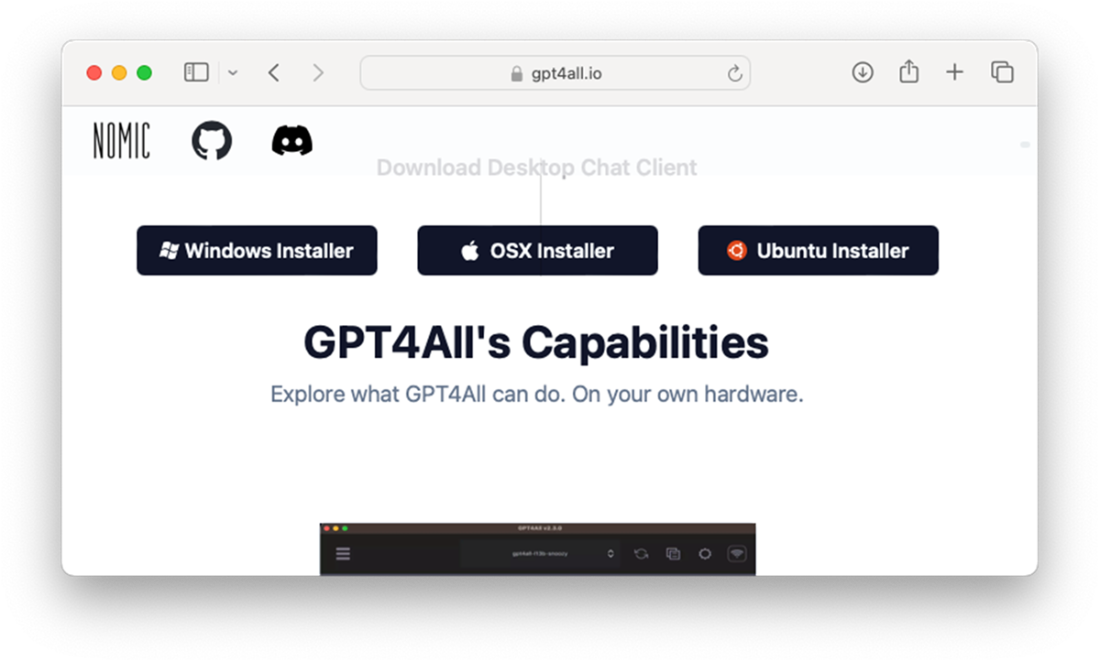
Download the installer for the OS you are using
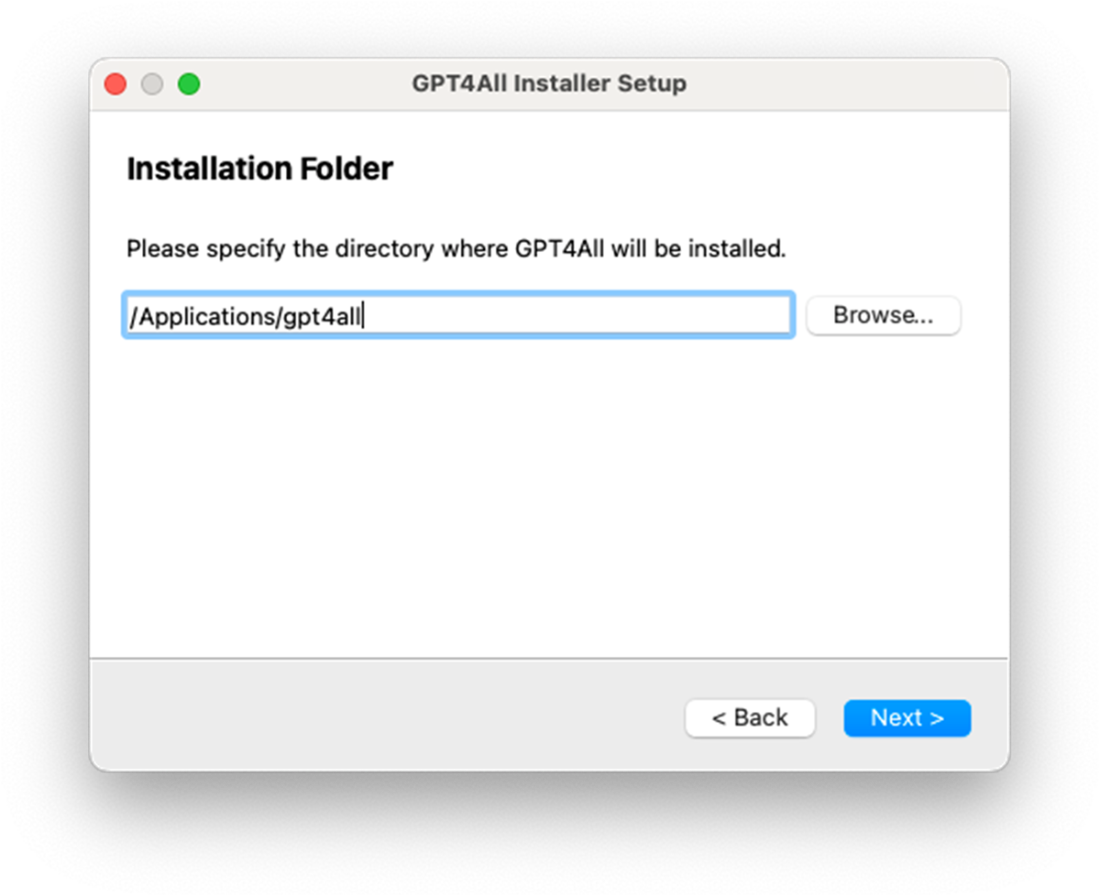
Specifying the directory to store the GPT4All files
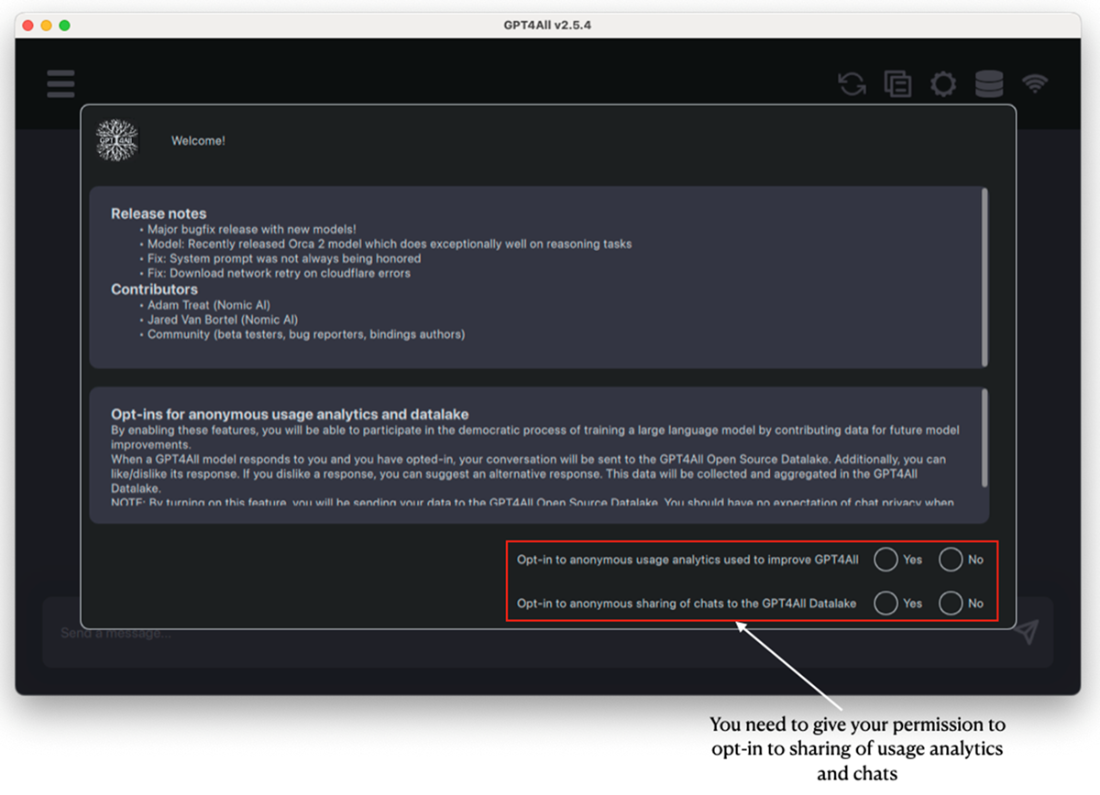
Selecting if you wish to share usage statistics and chat details with GPT4All
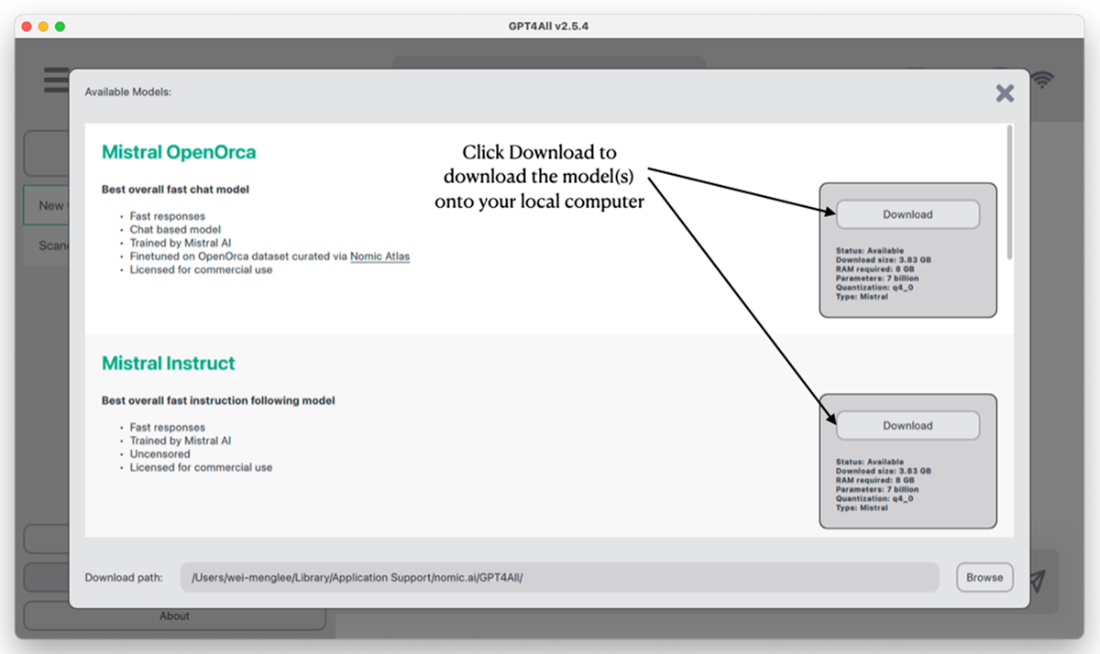
Download the model(s) you wish to try
Testing the model by chatting and getting a reply from it
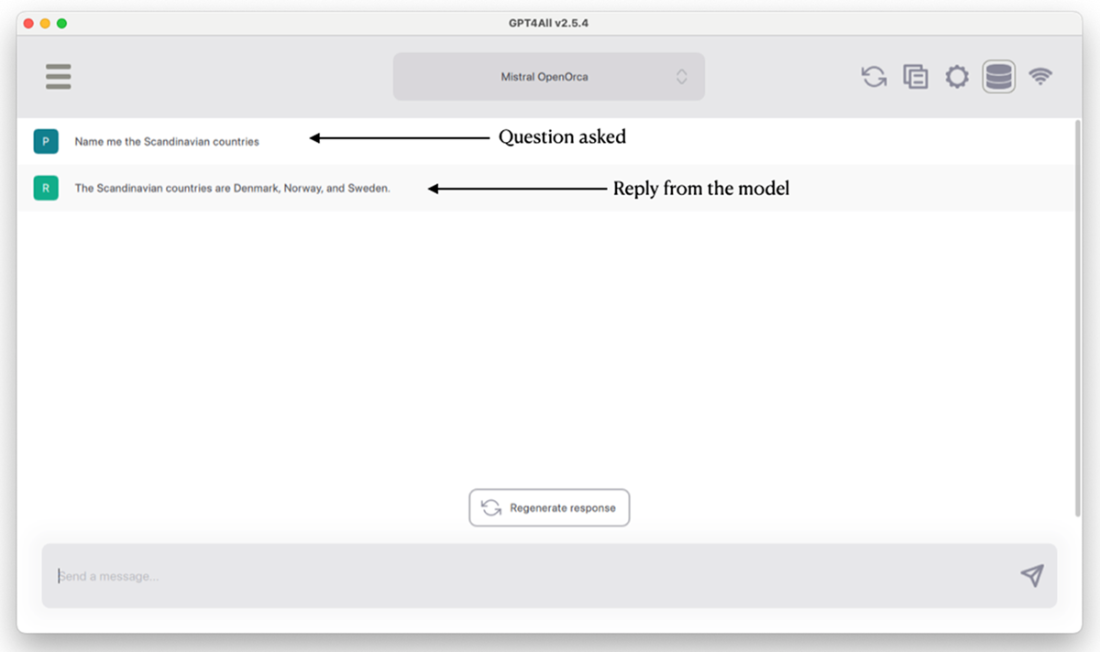
The meaning of each button on the top right corner of the application
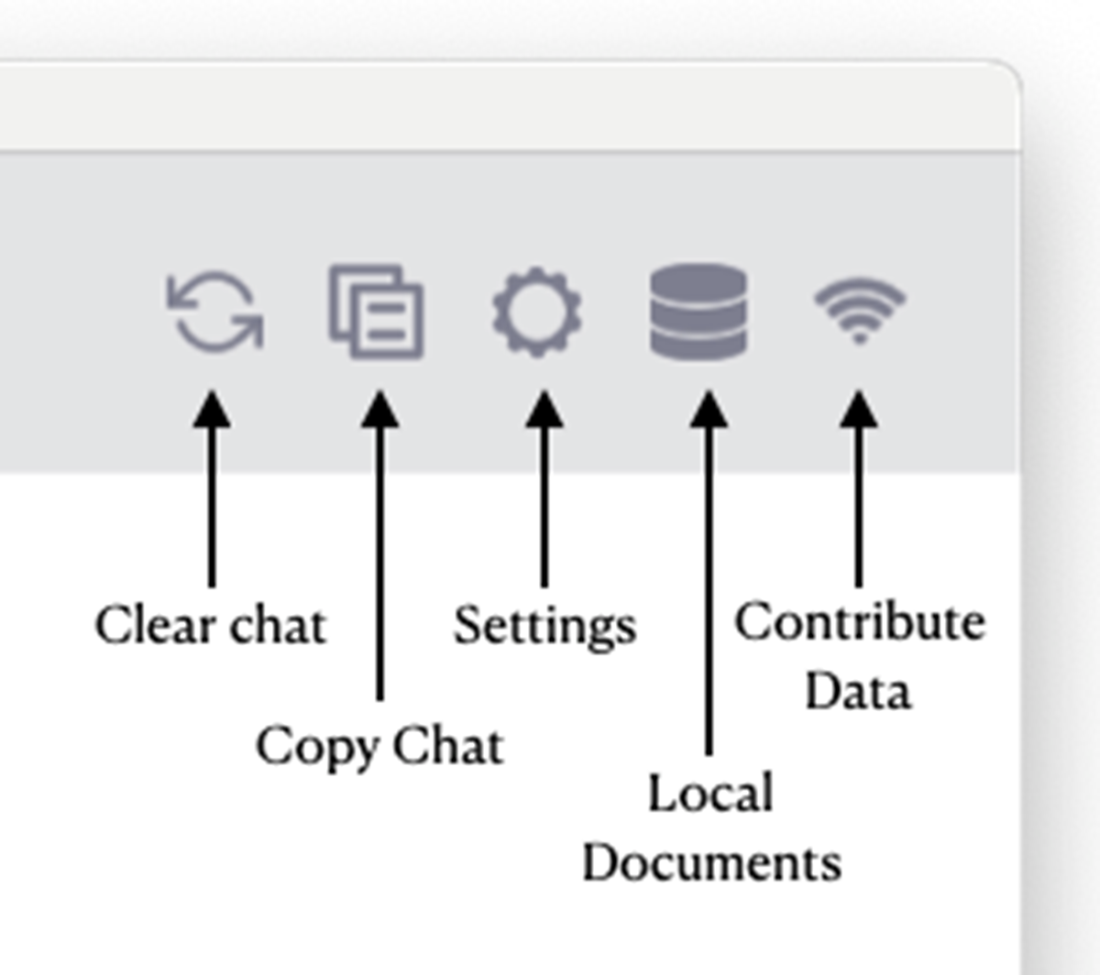
You need to download the SBert embedding model to let the model answer questions pertaining to your own local documents
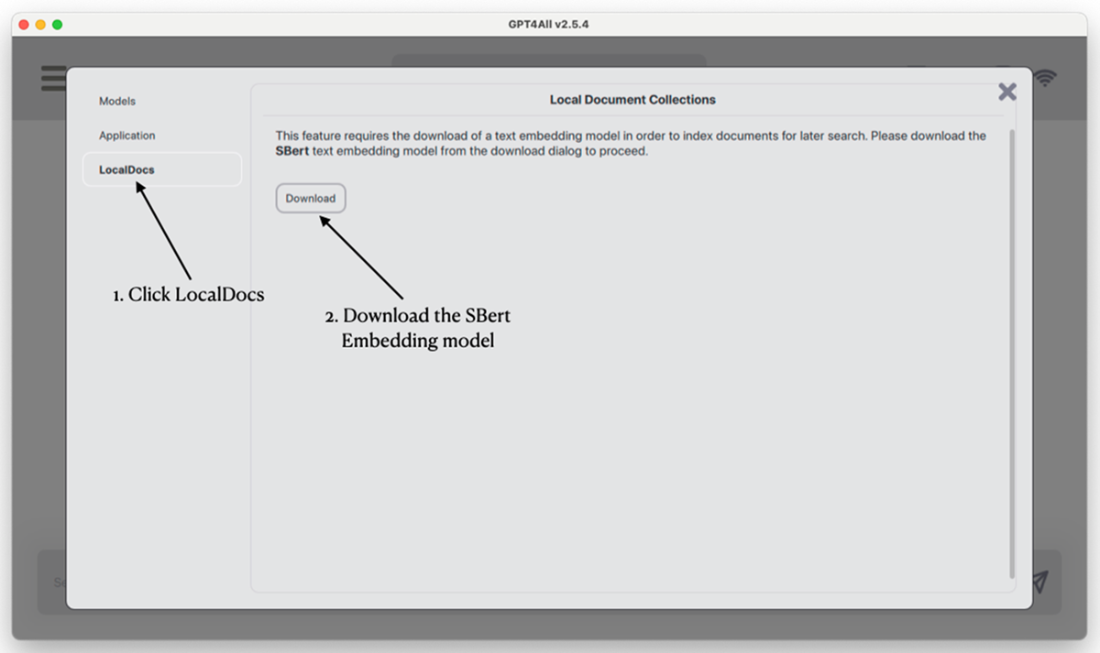
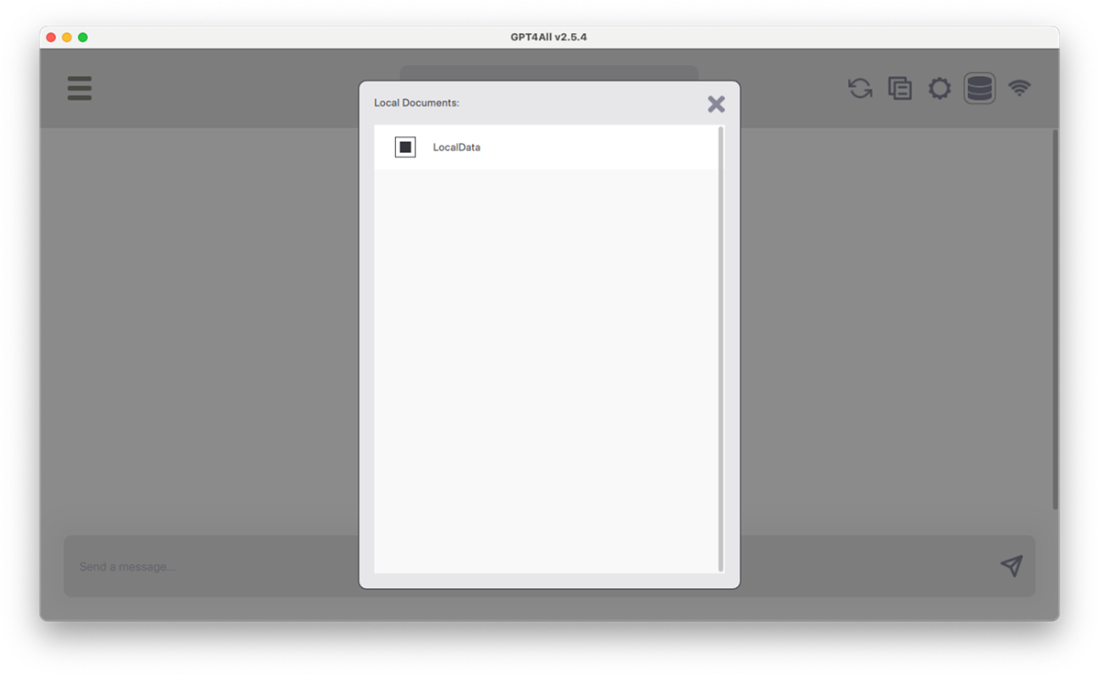
Adding a local documents folder to the app
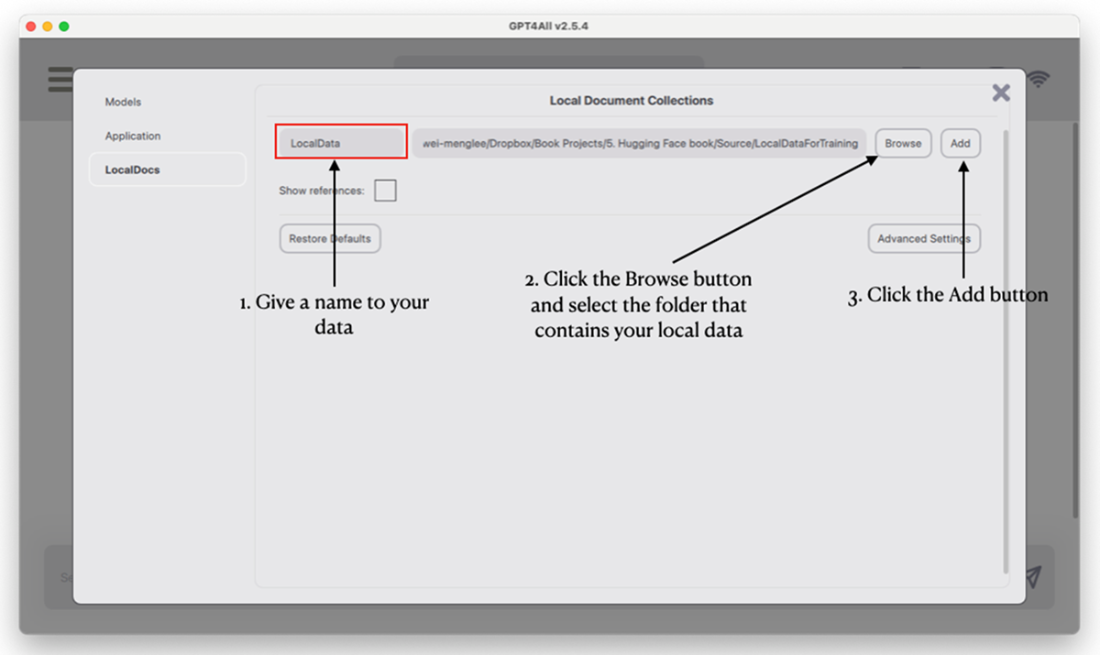
Selecting the local documents folder to use for querying
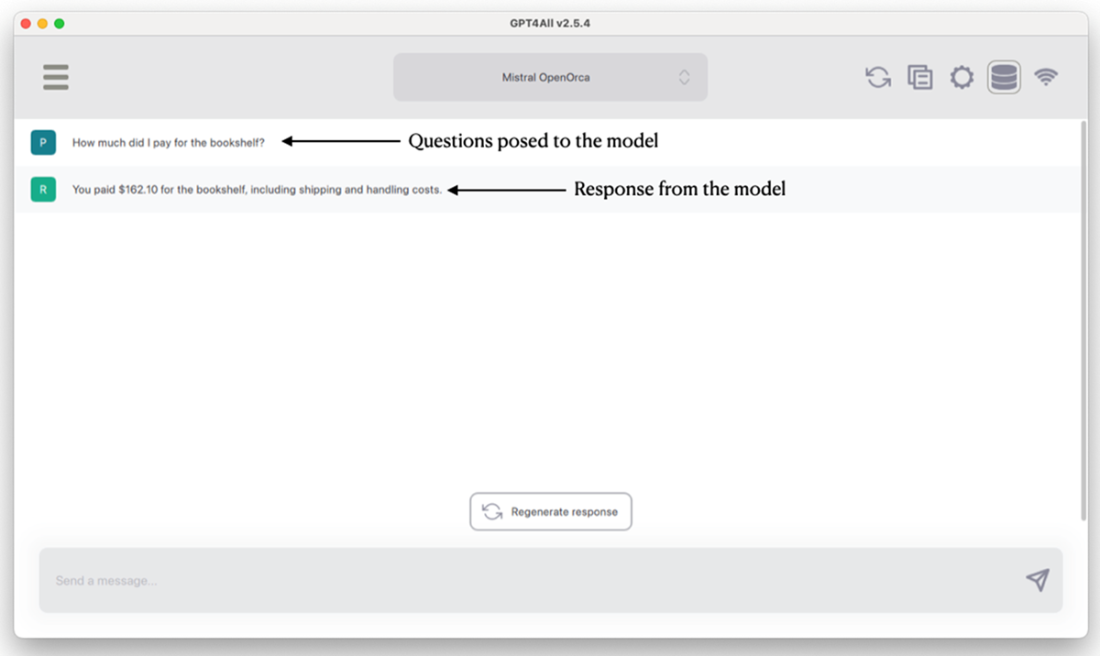
Asking questions specific to your local data
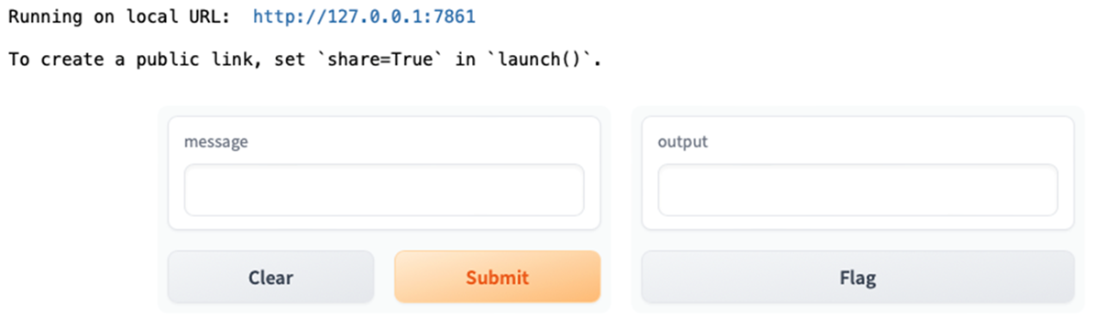
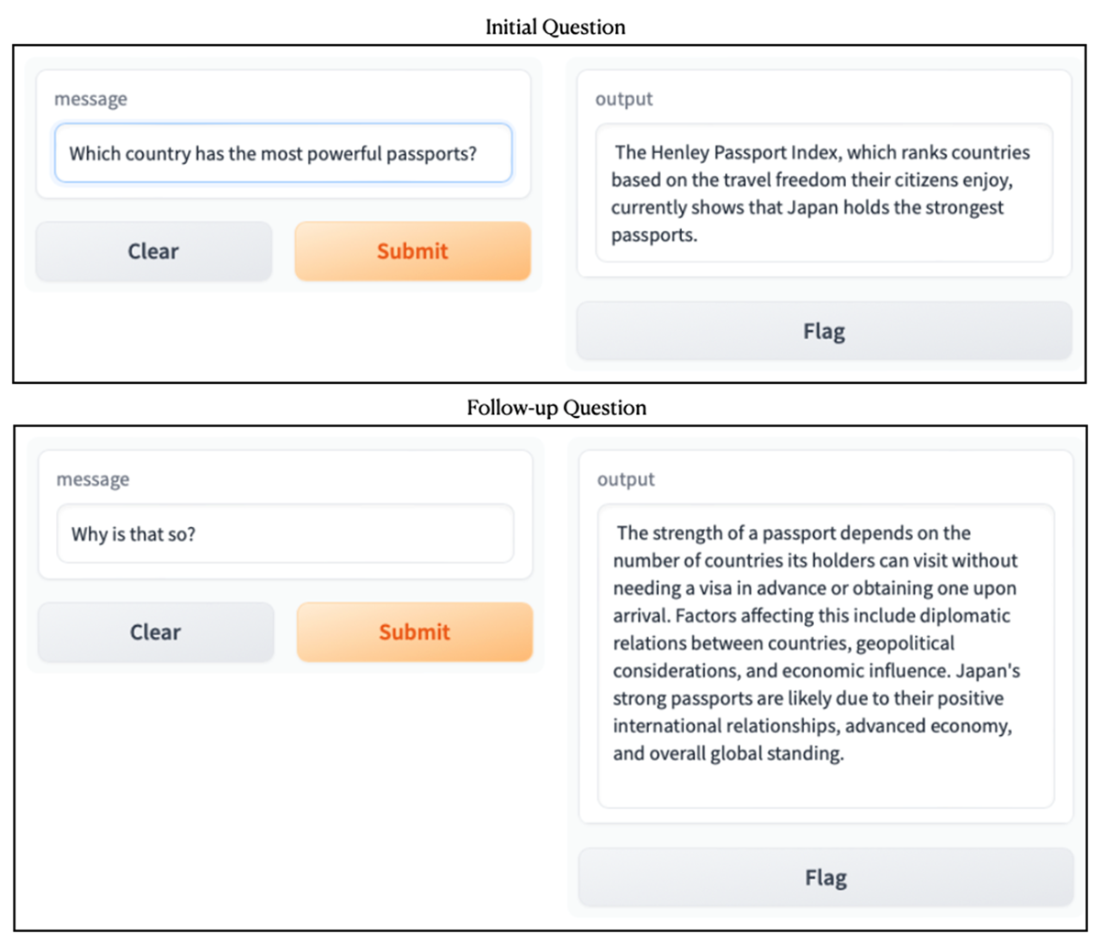
Binding the model to Gradio
You can now ask questions through the Gradio interface
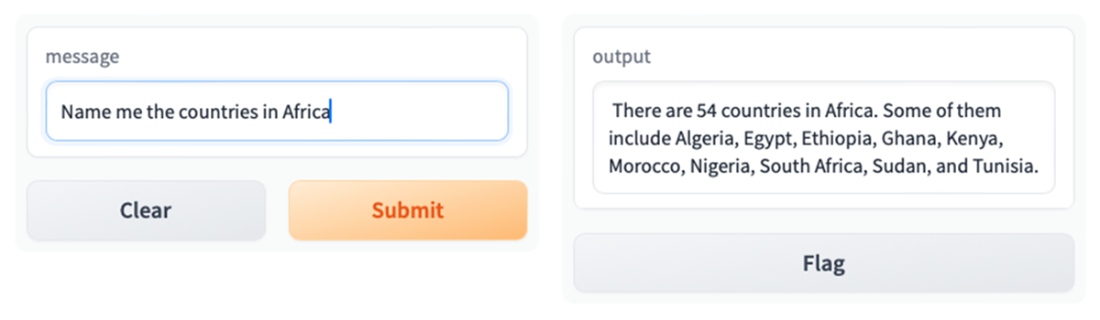
You can now ask follow-up questions through the Gradio interface
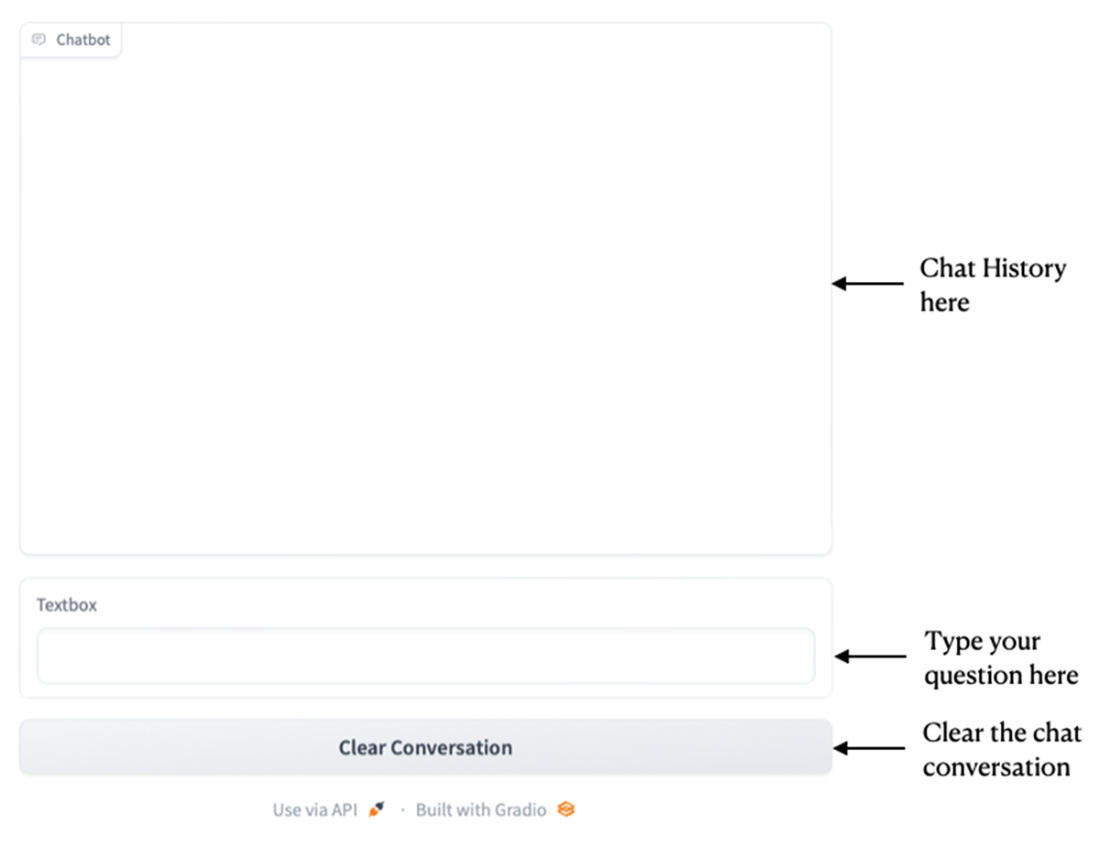
The chatbot UI displayed by Gradio
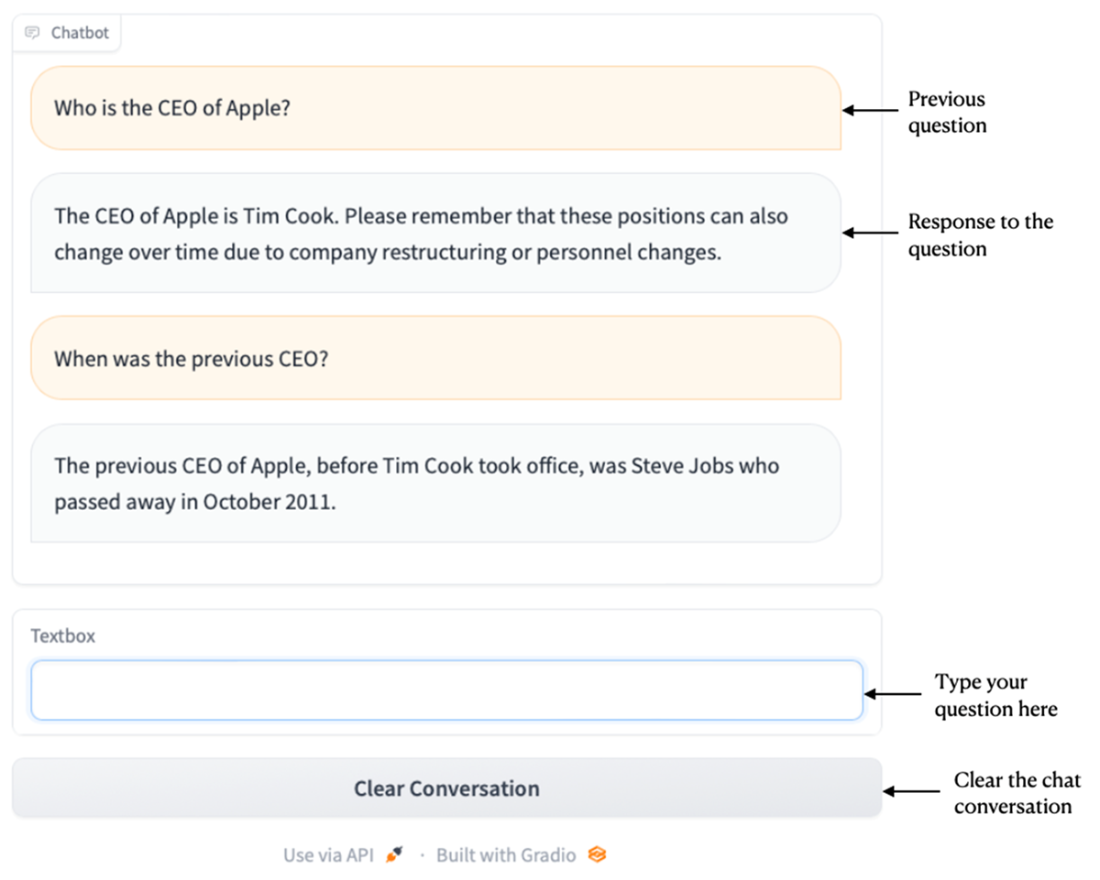
Chatting with the model is now much easier and more natural
Summary
- GPT4All is an open-source project containing several pre-trained Large Language Models (LLMs) that you can use to run locally using consumer grade CPUs.
- GPT4All comes with an end-user application where you can try out the various models supported by GPT4All.
- You can also use the gpt4all Python library to programmatically work with the models using Python.
- A great way to bind a Web UI for your chatbot is to use the Gradio library
FAQ
What is GPT4All and why would I use it instead of a cloud LLM?
GPT4All is an open-source project that lets you run quantized LLMs locally on consumer-grade CPUs. It helps address privacy and data-control concerns because prompts and documents stay on your machine, works offline after download, and avoids vendor lock-in or usage fees. While generally not as strong as top hosted models, it’s fast evolving and sufficient for many on-device applications.Do I need a GPU to run GPT4All? What are the hardware requirements?
No GPU is required. GPT4All models are quantized (roughly 3–8 GB each) to run on CPUs. Expect 4–16 GB of RAM usage depending on the model; 16 GB RAM is a practical minimum for smooth use, and some models may be challenging on 8 GB systems.How do I install the GPT4All Desktop Chat Client?
- Download the installer for your OS from https://gpt4all.io.- Run the installer and choose a storage directory.
- Opt in or out of anonymous analytics/chat sharing.
- Download a model from the in-app list and start chatting immediately.
How can I make GPT4All answer questions about my own local documents?
- In the desktop app, click Local Documents, then LocalDocs.- Download the SBert embedding model when prompted (used to embed and search your files).
- Add one or more folders (for example, PDFs) to index.
- Enable your folder in Local Documents and ask questions that will be answered using your files.
How do I install the gpt4all Python package and load a model?
- Install with: pip install gpt4all- In Python: from gpt4all import GPT4All; gpt = GPT4All("mistral-7b-openorca.Q4_0.gguf")
- The first load downloads the model (several GB) and caches it locally. You can inspect model metadata via gpt.config.
How do I list the available GPT4All models and pick the right filename?
Call GPT4All.list_models() to get a list of supported models and their filenames (e.g., mistral-7b-openorca.Q4_0.gguf). Use the filename when constructing GPT4All(...). You can also filter the list to display just name-to-filename mappings for easier selection.How do I maintain multi-turn conversation context in Python?
Use a single with gpt.chat_session(): block for related turns, calling gpt.generate(...) multiple times inside it. If you need to resume later, save gpt.current_chat_session and restore it before the next generate call. Starting a new chat_session without restoring the prior session will lose context.How do I build a simple Gradio UI and keep the conversation history?
- Start with a function that opens a chat_session and calls gpt.generate(message).- For follow-up questions, store gpt.current_chat_session in a global or state variable and restore it on each call before generating.
- For a chat-style UI, use gr.Blocks with gr.Chatbot and a submit handler that appends (user, assistant) turns and supports a “Clear conversation” action that resets the stored session.

 Hugging Face in Action ebook for free
