9 Tooltime data parsing
The chapter explains how separating balance data from runtime assets can make a Unity project easier to work with, especially when multiple designers, engineers, and QA are involved. Instead of editing gameplay tuning directly inside the scene, the balance is moved into an external asset so it can be created, copied, tested, and revised without disturbing other project files. The author compares Google Sheets and ScriptableObjects as balance-editing tools, noting that Sheets are convenient for collaboration and quick iteration, while ScriptableObjects provide stronger type control, version control support, and faster, safer use inside Unity.
A key idea is that balance data should be validated at tool time and then parsed into a binary file for runtime use. By checking values before parsing, the team can catch mistakes early, avoid expensive runtime conditionals, and keep gameplay code simpler and faster. The chapter shows a workflow where designers prototype values in Sheets, engineers transfer them into ScriptableObjects, and then a parser converts that trusted data into the runtime format that the game loads.
The chapter also addresses live balance updates, versioning, and A/B testing. Because balance can strongly affect gameplay, updating it outside a game release introduces risks: players may end up on different balance versions, bugs may be hard to reproduce, and analytics become harder to interpret. To manage this, the balance should come from one clear source, with old versions preserved for debugging and comparison. With balance stored separately, it becomes straightforward to run experiments by distributing different balance files to different groups of players and comparing their results.
Currently, our balance can only be modified in the Game GameObject in the Unity editor.
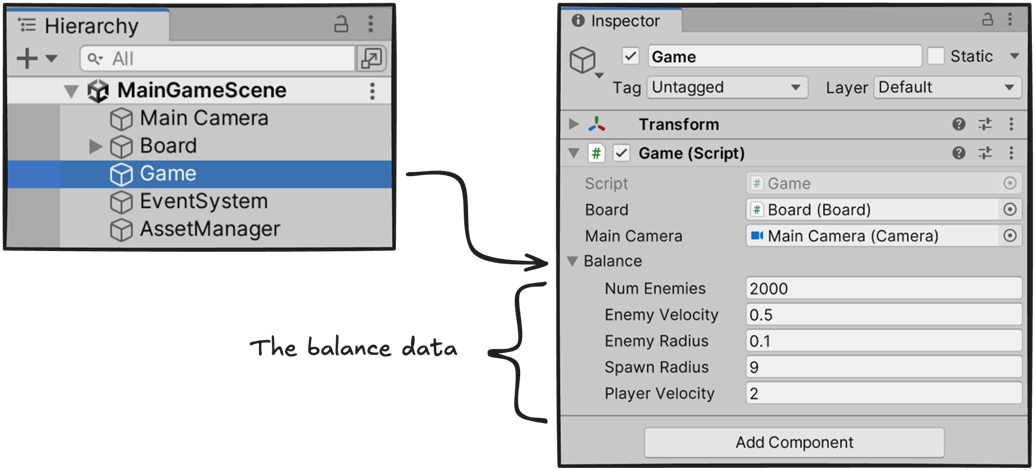
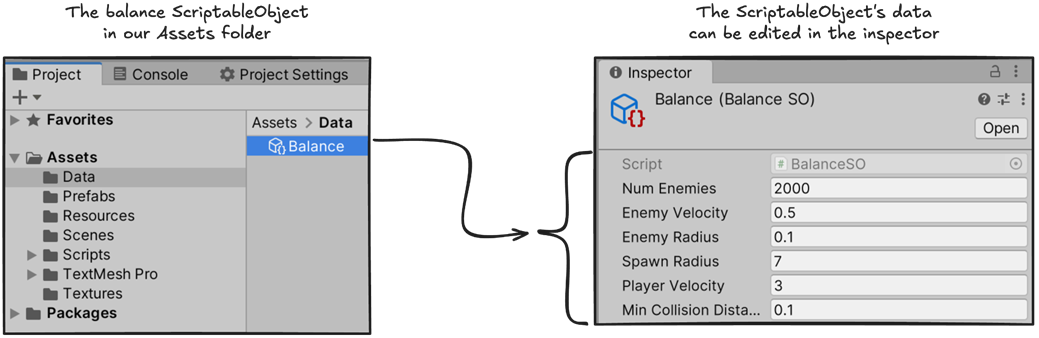
To create a new balance, we just need to right click in the project and create a new balance ScriptableObject.
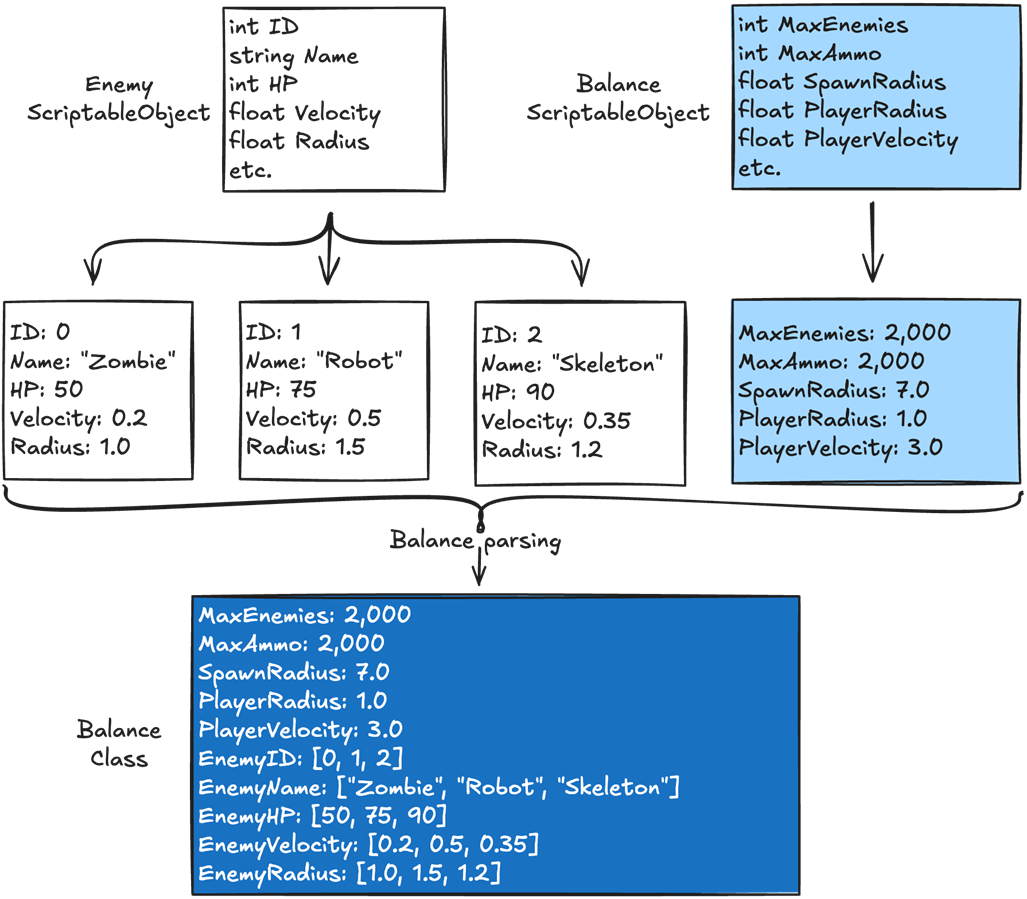
In a larger game, the complete balance can come from multiple ScriptableObjects. Here, one holds the core settings, while others define individual enemy types. During parsing, we combine their data into the runtime balance and store the enemy data in arrays.
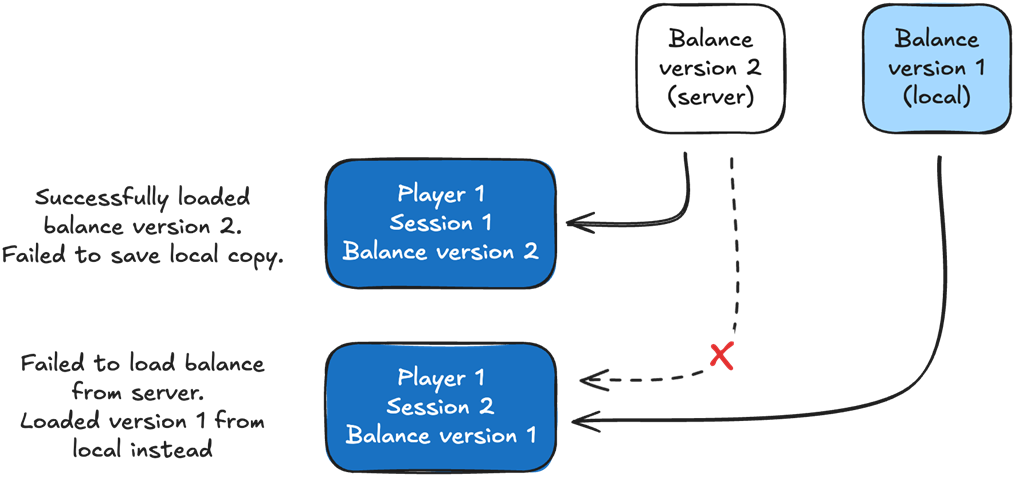
Loading the balance from multiple sources can make it hard to know what version of the balance a user is using, and negatively affect the player experience. In this example, the player plays the game with a newer version in one session, then with an older version in the next session. In the first session, the player successfully downloads version 2 of the balance from the server, but fails to save it locally. In the next session, the same player experiences a server connection issue, so they load version 1 from local storage instead.
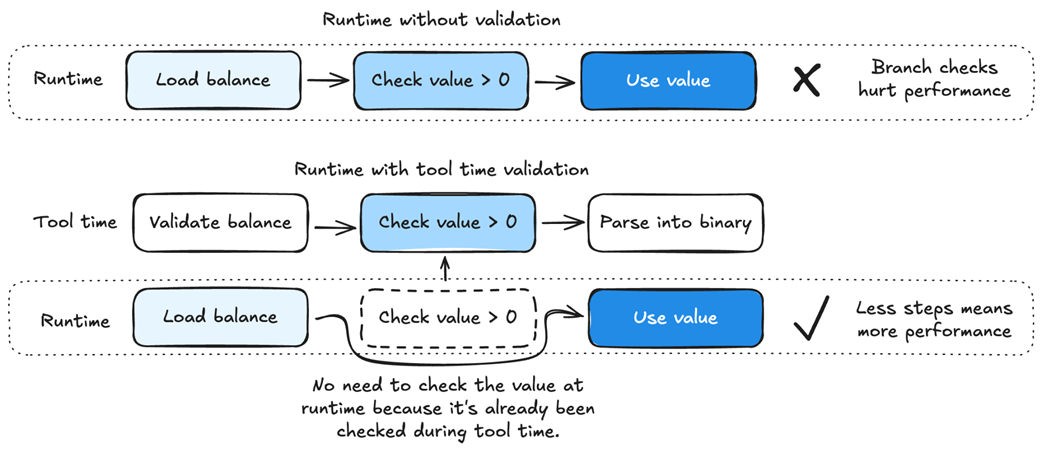
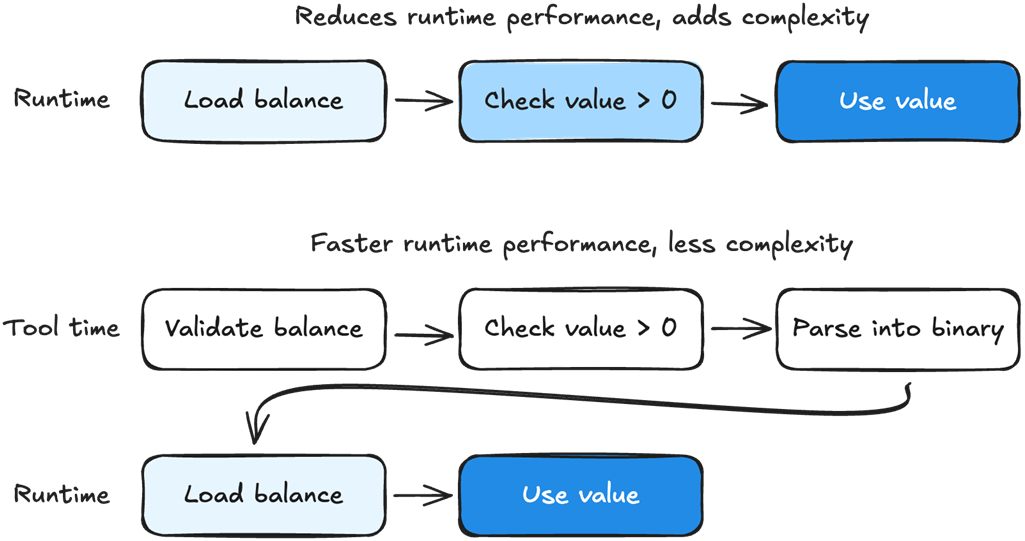
We can increase performance and reduce code complexity by moving branch checks to tool time. In this example, we check whether value is bigger than zero at tool time instead of at runtime. We can trust the balance data because we created and validated it.
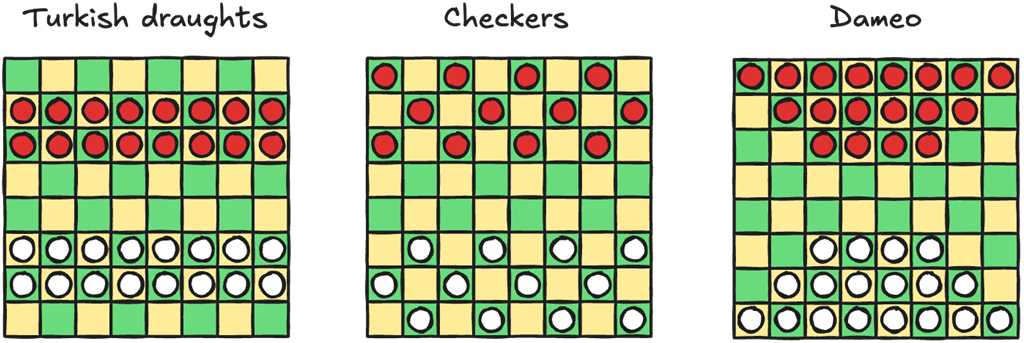
Starting board setups for variations of checkers.
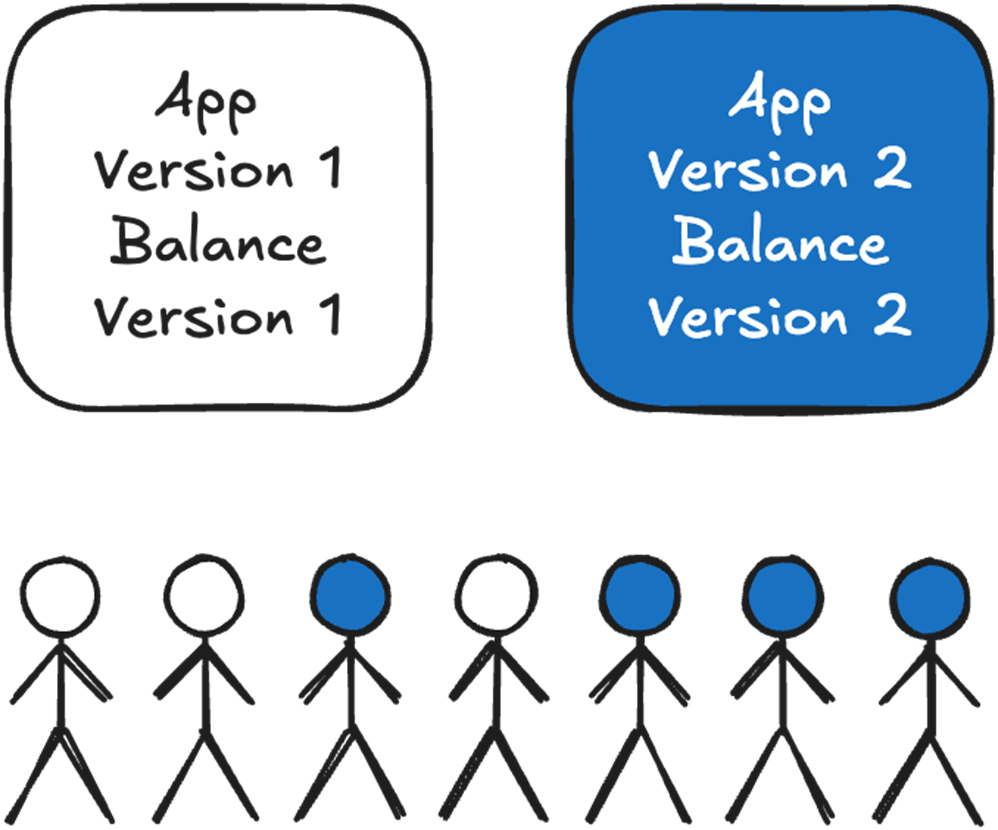
It’s easy to tell what balance version each user has based on their app version. If the user is using app version 1 then they have balance version 1. If they are using app version 2, they have balance version 2.
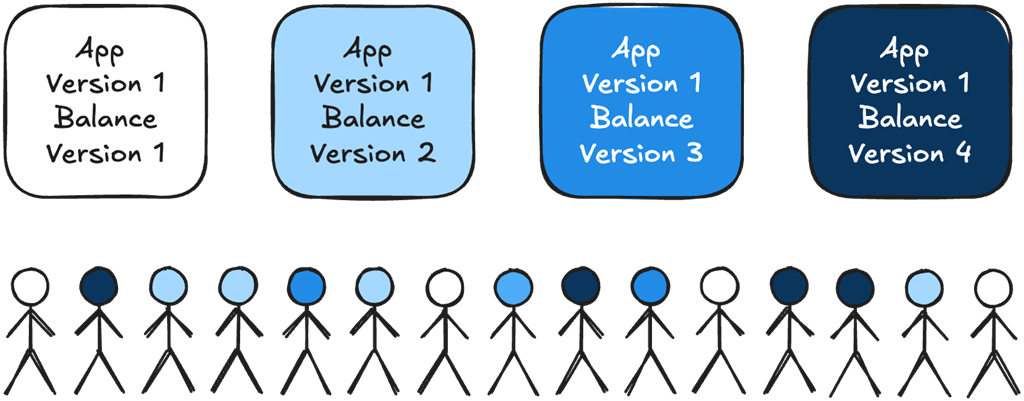
Here all the users could be using the same app version. We need different balance versions to tell which balance they are using.
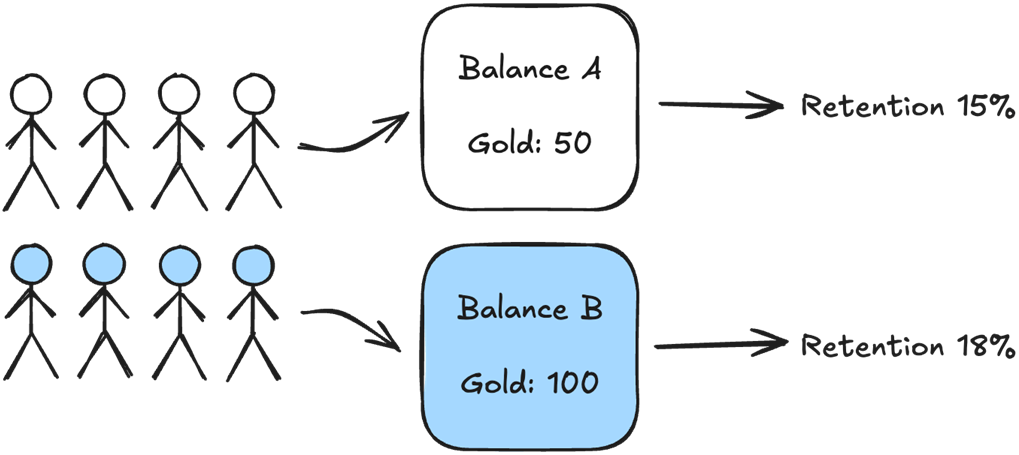
We can split our users into two groups and have one group load balance A, and the other can load balance B. Then we can measure the retention of each group to determine which balance performs better.
We can increase runtime performance and reduce complexity by moving branch checks to tool time when parsing the balance. In this case, we can check whether the value is greater than zero at tool time, then remove the branch check at runtime.
Summary
- Separating the balance data from the project makes it easier for game designers, engineers and QA to work on the balance.
- Both Google Sheets and ScriptableObjects are good candidates for editing the balance data.
- Both Google Sheets and ScriptableObjects have advantages and disadvantages. Choose where to store your data based on your game's unique requirements.
- The advantages of using Google Sheets are that it lets designers edit the balance simultaneously, auto-saves their work, tracks changes, allows them to organize balance data across multiple sheets, and to run calculations without engineering support.
- The disadvantages of using Google Sheets is that it can be error-prone and inefficient to use at scale, lacks version control, makes it difficult for testing different balance versions, and is slow to parse into binary for builds.
- For this chapter, we chose ScriptableObjects because the associated development flow reduces code complexity by ensuring both game designers and engineers know what data is required, making it less likely that data will be missed along the way.
- Parsing balance into binary allows us to structure the data into a data-oriented format:
- We can ensure our data has the correct data type: text is stored as strings, whole numbers as integers, etc.
- Game designers can edit each enemy individually, then we can parse the enemy data into arrays.
- Our balance data comes from a trusted source: us. We can validate our balance data at tool time to avoid unnecessary runtime checks—for example, checking that a value is greater than zero or that a string is not empty.
- Balance versioning differs from game data. It isn't used for backward compatibility, but to show which version of the balance a player was using.
- Live updating the balance is easy, but saving older versions is critical. The balance can completely change how the game is played. If we don’t know what version the player used, we can’t understand what happened in their game.
- Separating the balance into its own file makes A/B testing very easy. We can create two balance files and have half the users load one and the other half load the other.

 High Performance Unity Game Development ebook for free
