8 Separating asset data and logic
This chapter explains how to separate asset data from logic so menus in a Unity game become easier to build, easier to debug, and faster to iterate on. Instead of forcing engineers and artists to repeatedly pass prefabs back and forth, the chapter proposes a workflow where artists prepare UI prefabs once and mark the dynamic elements that code needs to control. That approach reduces dependency on renaming objects, avoids slow and fragile lookup methods, and keeps menus more self-contained.
To make this practical, the chapter introduces a reusable reference component that lets UI creators assign stable keys to GameObjects, text fields, and buttons. Engineers can then fetch those references directly without relying on expensive scene searches or overexposing prefabs through public fields. The chapter also separates persistent menu-related information into its own metadata structure, such as best time and current menu state, and stores it independently from core gameplay data.
The chapter then walks through applying this design to several menus: the main menu, game-over menu, pause menu, and in-game UI. Each menu follows a simple pattern of initializing references once, showing or updating data when needed, and hiding the UI when it is no longer active. A small static helper is used for shared formatting logic, but otherwise each menu remains independent. The result is a data-oriented menu system that supports future expansion, keeps code readable, and avoids unnecessary reuse that could create bugs or make debugging harder.
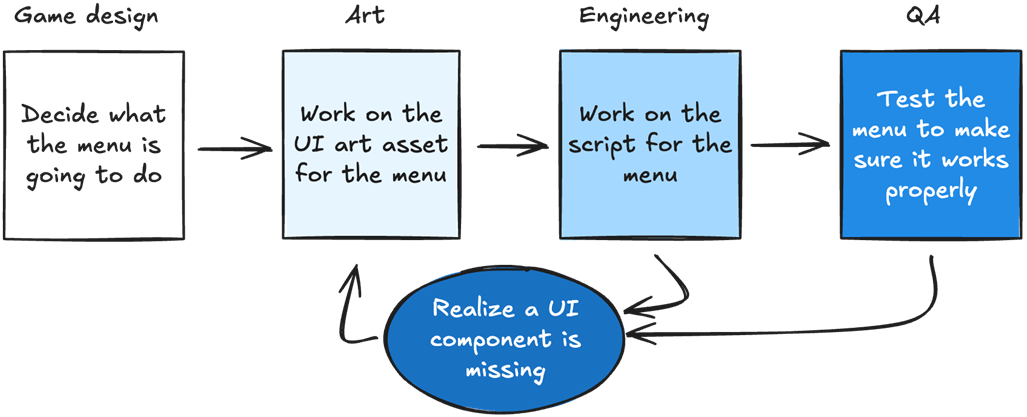
A typical menu development flow, where assets need to be passed back and forth between art and engineering due to missing assets and code.
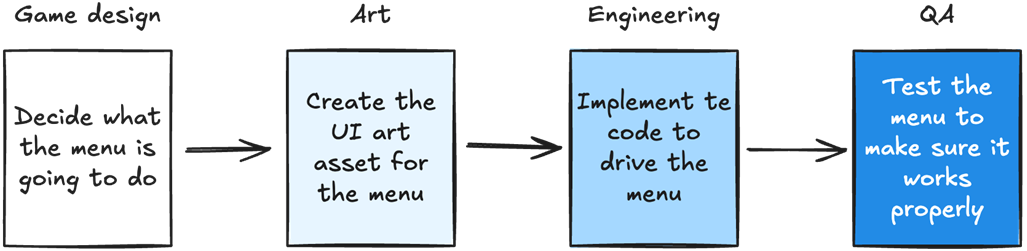
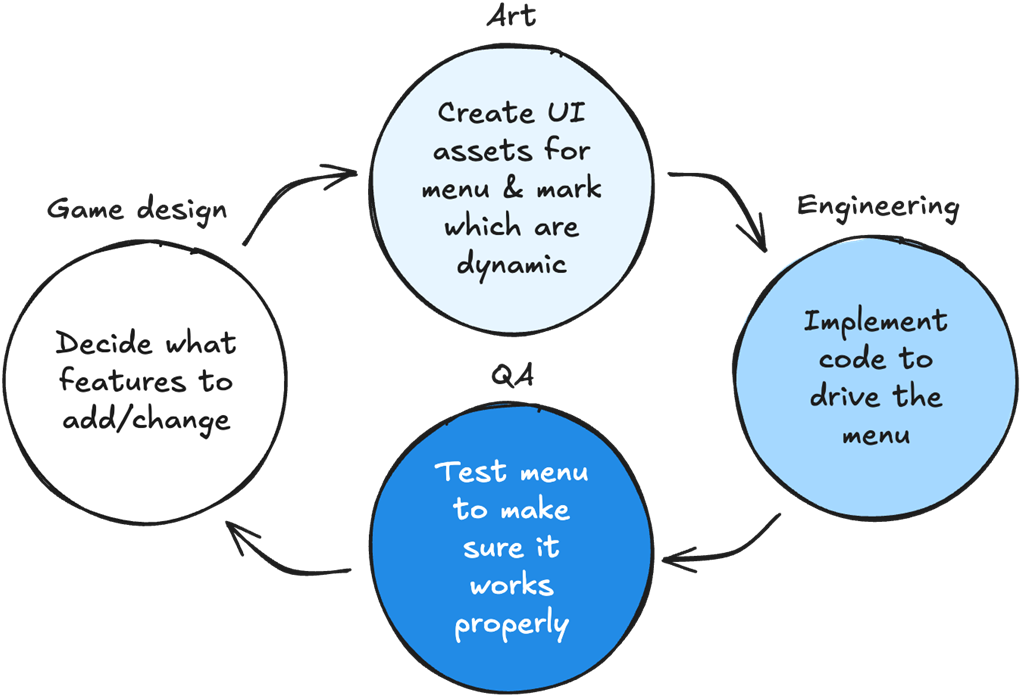
An ideal development flow, where assets pass smoothly from art to engineering.
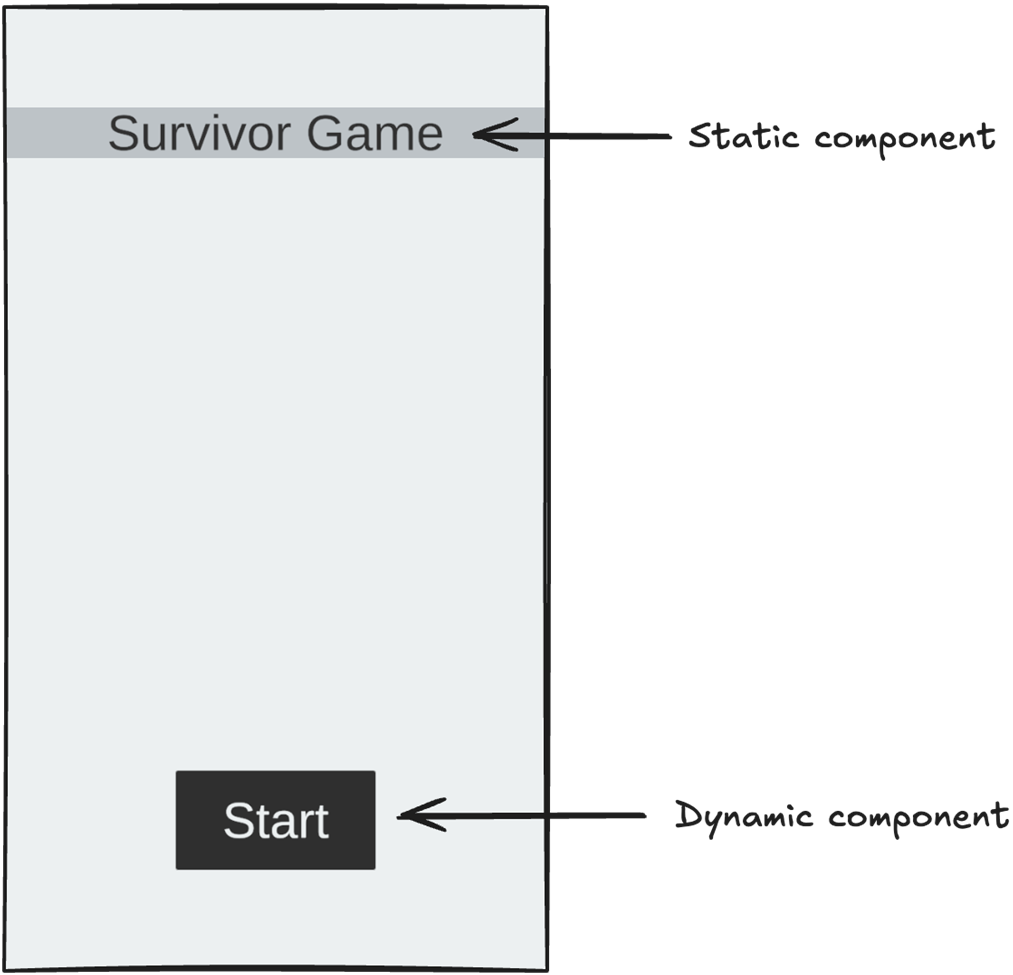
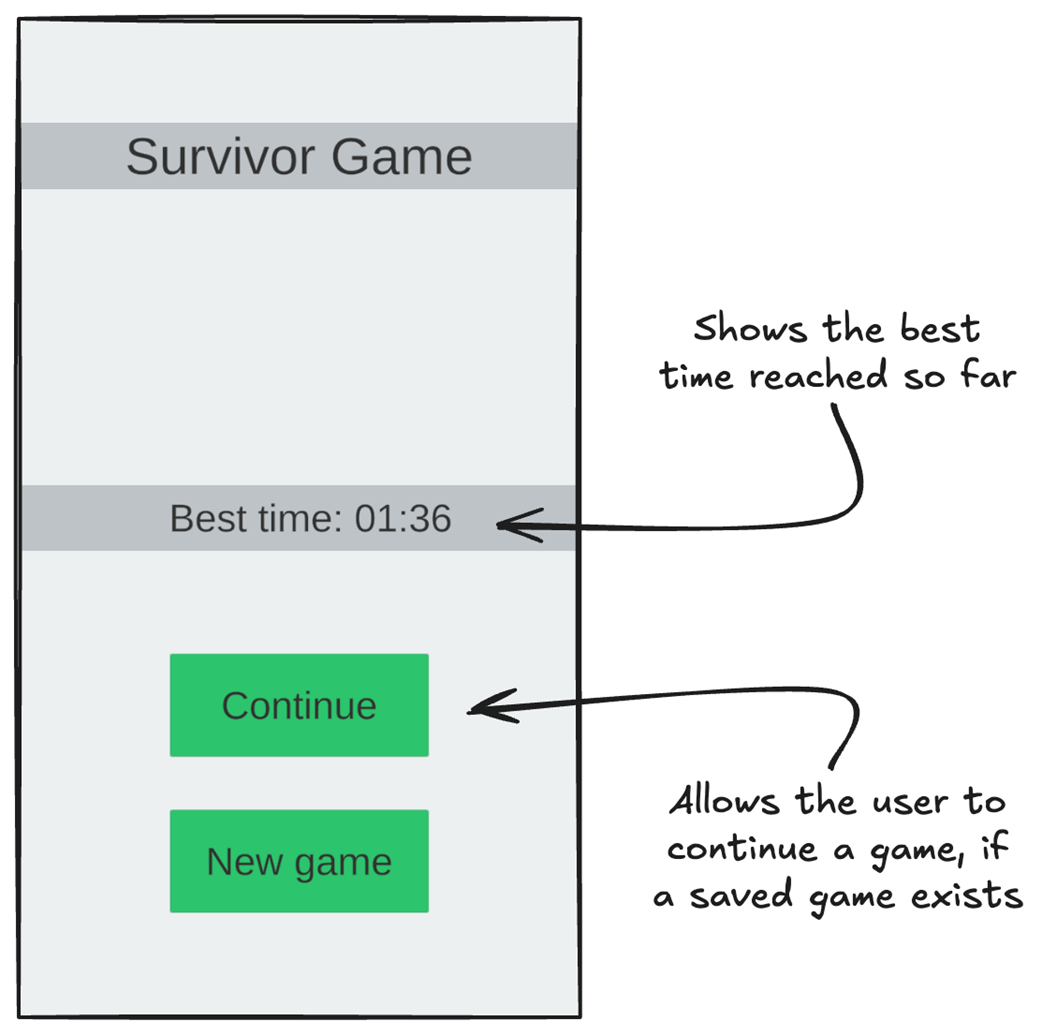
Our main menu has two UI components: the title and a button. The title is a static component because it does not change. As engineers, we don't care about the main menu title because we don't modify it in code. The 'Start' button, on the other hand, is a dynamic component. It calls one of our functions, and ideally, we want to set which function it calls in our script.
Our proposed menu changes.
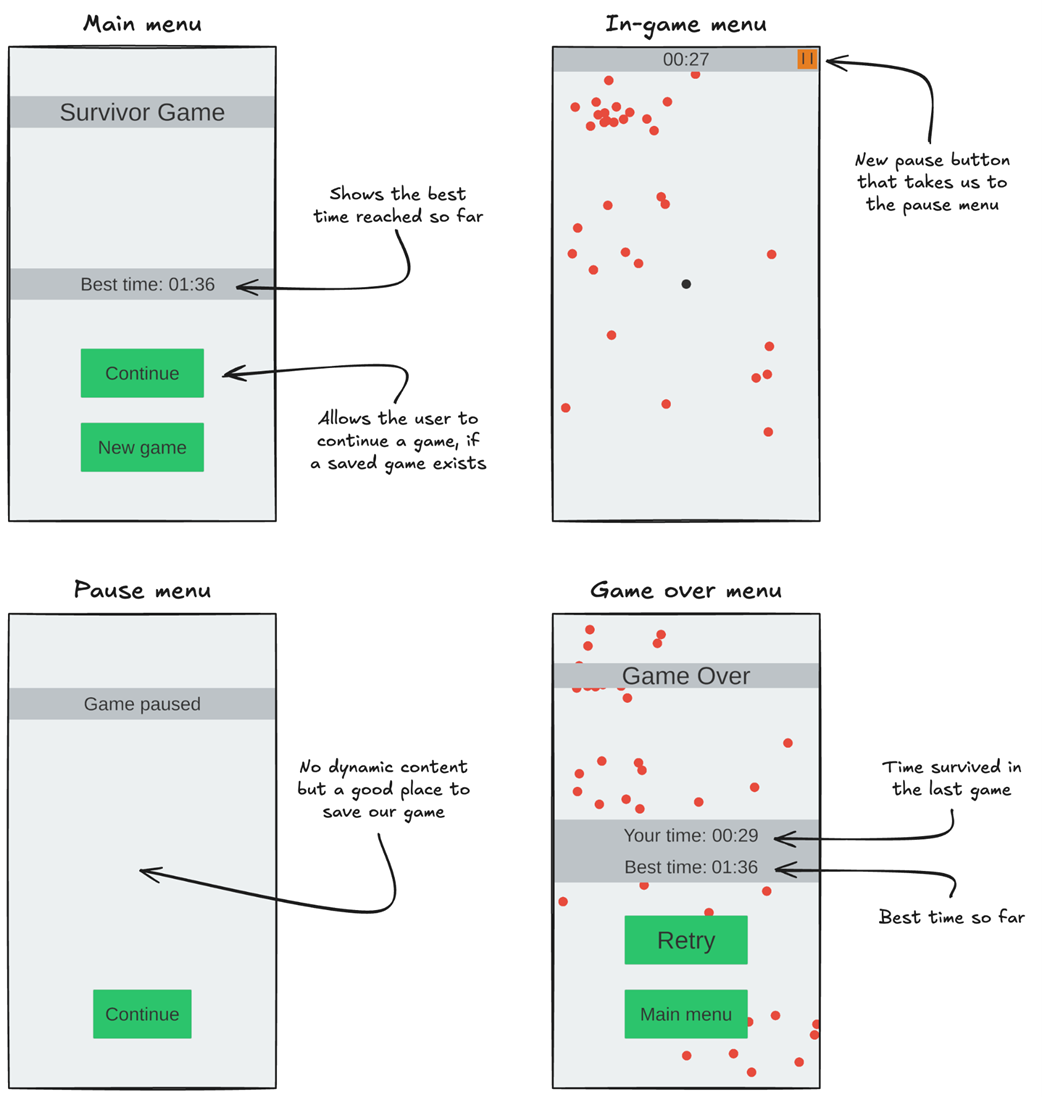
The main menu and the data needed to show it.
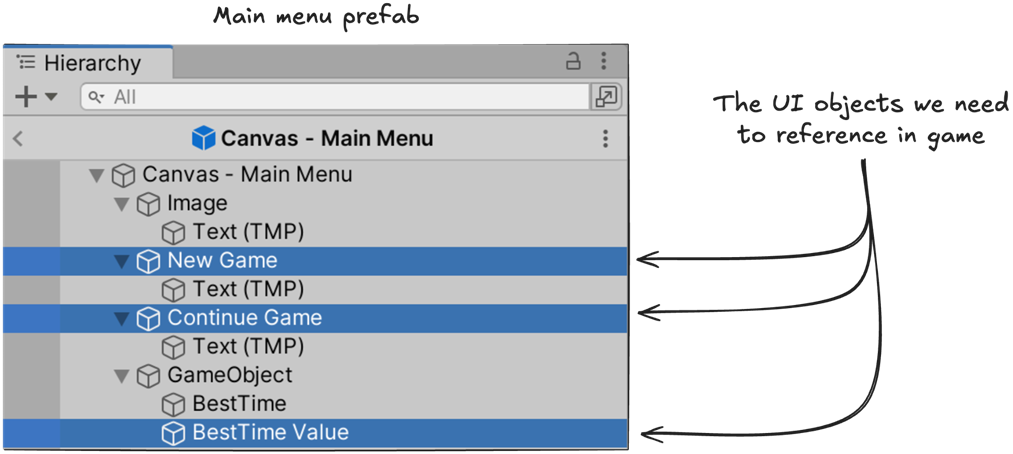
The main menu prefab, including the UI objects we need to access using code.
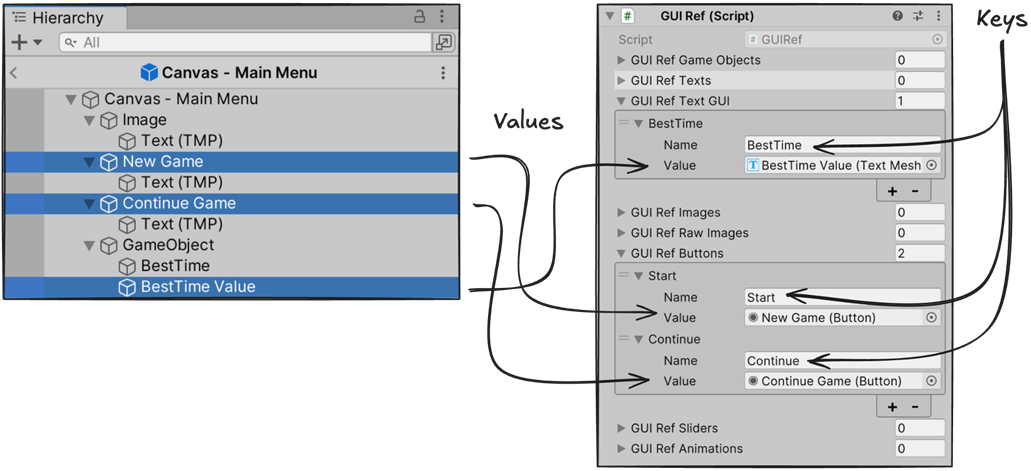
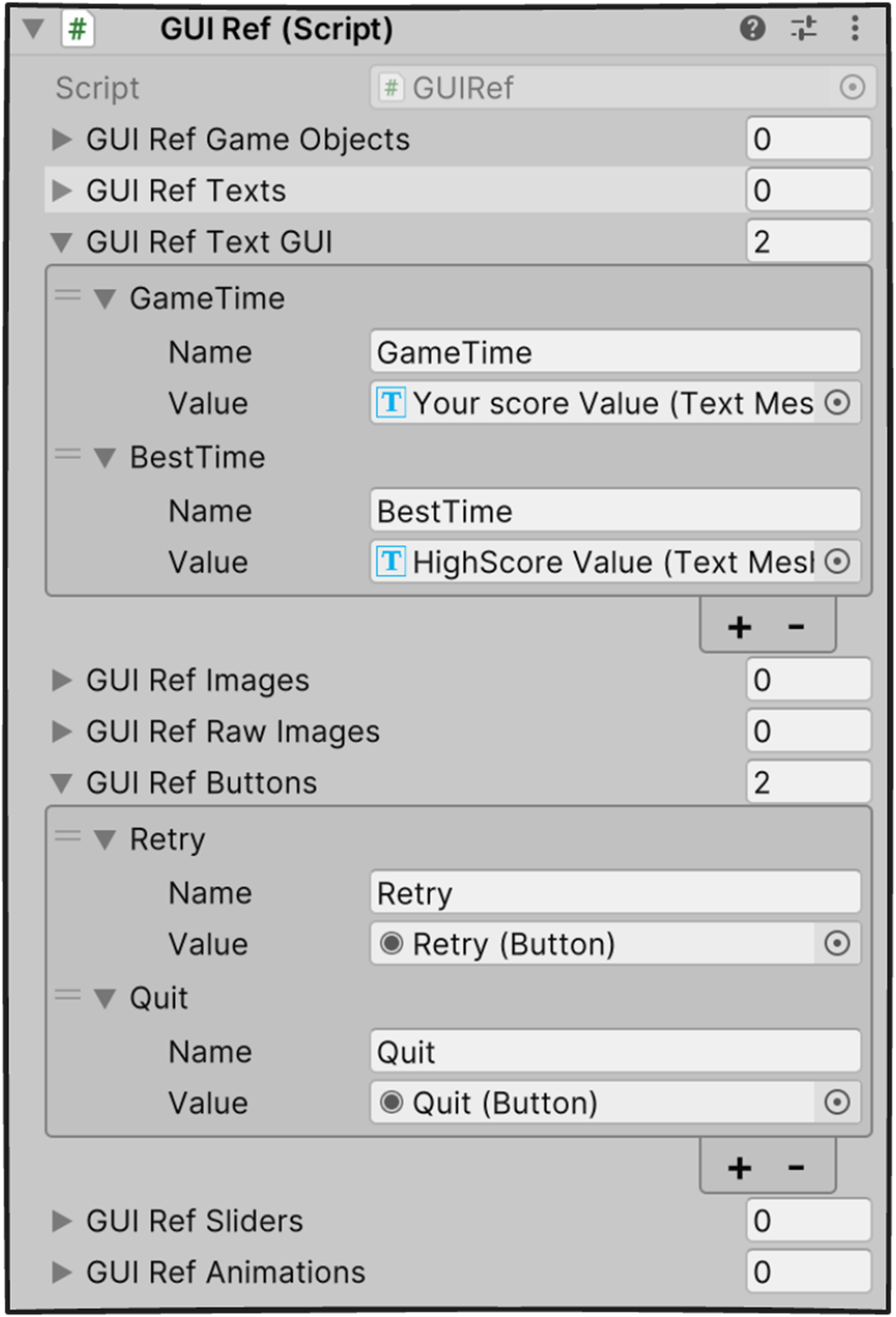
The GUIRef script, with keys and references assigned to the UI components we need access to. This GUIRef script lets UI artists assign multiple components, including GameObjects, 3D TextMeshPro objects, 2D TextMeshProUGUI objects, Images, RawImages, Buttons, Sliders, and even GameObjects with an Animation component attached. In this example, the Unity 2D TextMeshProUGUI component “BestTime Value”, used to show the best time string in the menu, is assigned to the GUI Ref Text GUI array with the key “BestTime”. The buttons “New Game” and “Continue Game” are assigned to the GUI Ref Buttons array with the keys “Start” and “Continue”.
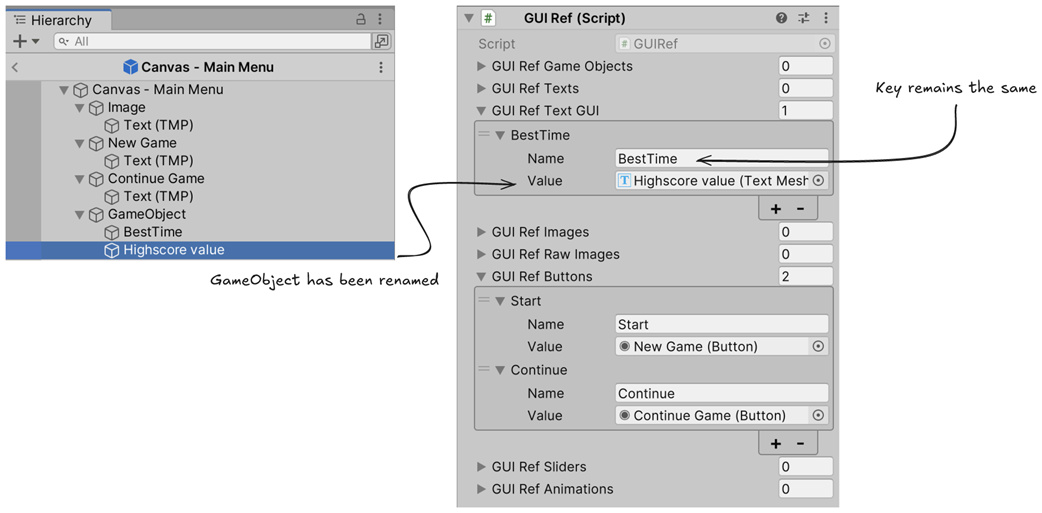
Here, renaming the UI object 'BestTime Value' to 'Highscore value' doesn’t affect our reference because the key remains the same.
Separating our main menu script from the main menu prefab allows us to take back control from Unity on when our script runs.
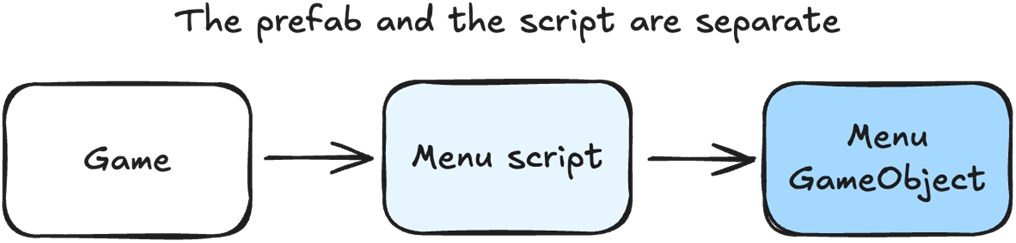
Our main menu script, MainMenuVisual, allocates the UI GameObject using the AssetManager. It has functions to show and hide the main menu. The UI GameObject holds the GUIRef component that references all the dynamic UI elements.

The game over menu and the data needed to show it.
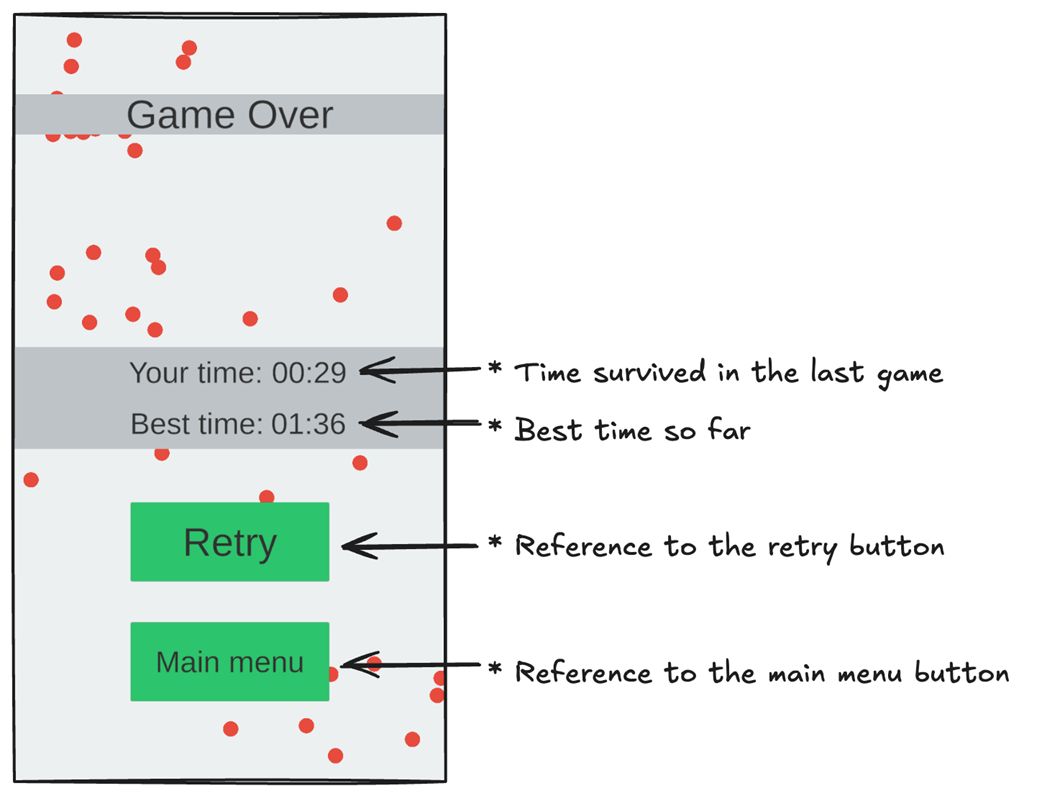
The GUIRef script for our game over menu.
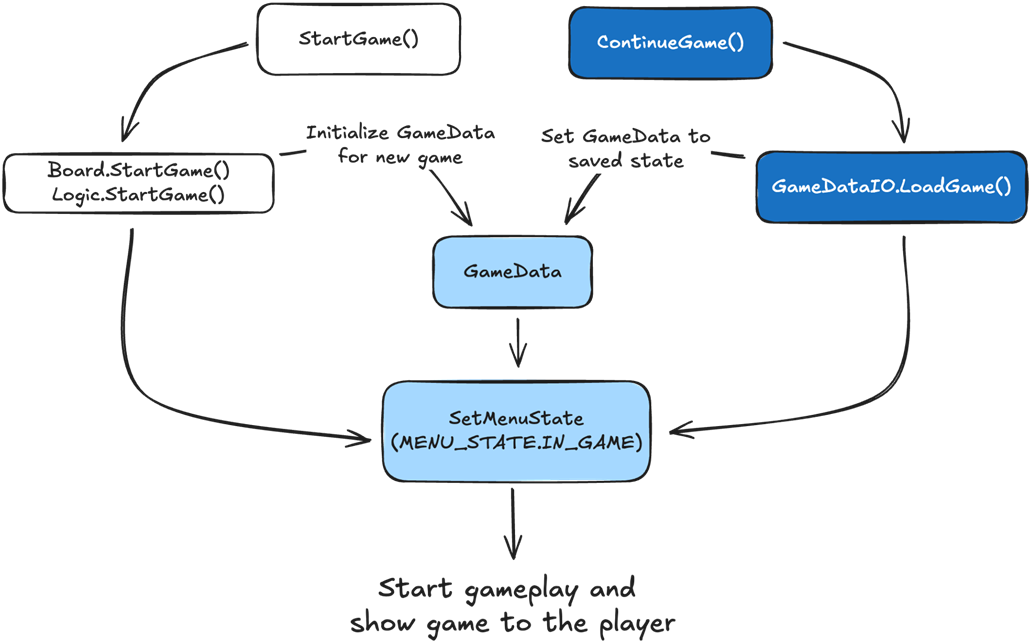
StartGame() initializes the values in GameData so a new game can start. ContinueGame() loads the saved GameData values so the game can continue. When we set the menu state to IN_GAME, the game begins according to the values set in GameData. If the values are set for a new game, the player plays a new game. If they are set to previously saved values, the player continues their game.
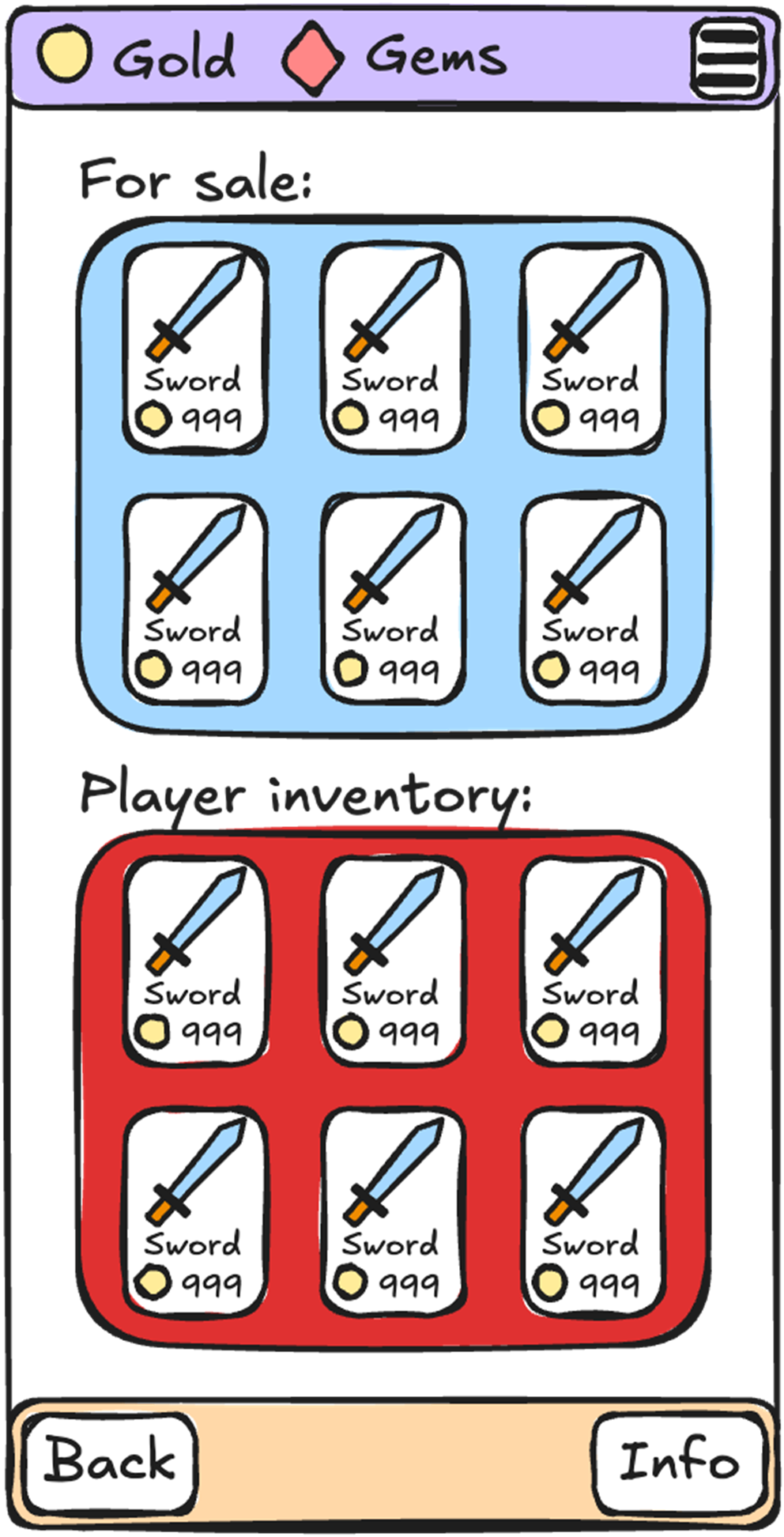
A shop menu, with a top bar showing our virtual currency, a bottom navigation bar, a container showing items for sale, and a container to show our inventory.
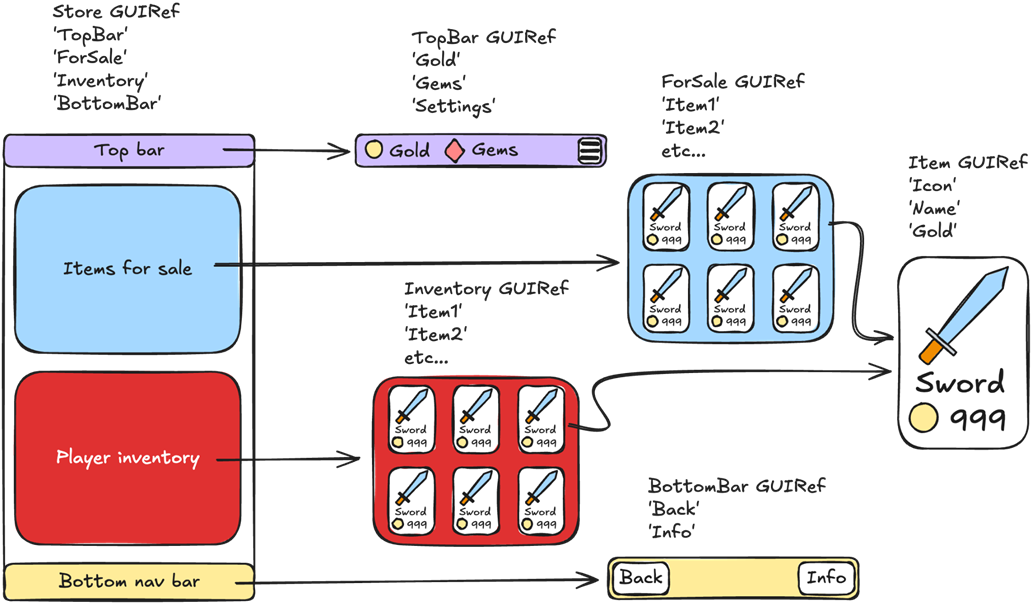
Our shop menu can be broken down into multiple nested prefabs, and each one can have its own GUIRef script.
The ideal, straightforward development flow, which does not require any back and forth between art and engineering.
Summary
- We want our game development flow to be as linear as possible, with as little back-and-forth as possible.
- Dynamic components in assets should be easily accessible to engineers.
- Separating asset data from the logic reduces code complexity by giving us a single, straightforward way to access the necessary data.
- The GUIRef script is a good example of a single script that makes it easy for artists to mark which components of a menu are dynamic and require handling by engineers.
- The GUIRef script enables us to share assets with third-party developers without exposing our entire codebase.
- The GUIRef script separates implementations by data type to help the debugger identify problems.
- The MetaData is data that exists outside of the core gameplay. For example, virtual currency, unlocked characters, or, in the case of our survivor game, the best time reached so far.
- Every menu should have its own implementation. This reduces code complexity because changing one menu does not affect other menus, making it easier for QA to test what has changed, and makes it less likely that bugs will be introduced in other menus.
- Only code that is single-purpose and can be moved to a static function should be shared between menus.
- A state machine is an easy way to control our menu system and makes it easy to know which menu we are on during debugging.
- To build complex menus, we can use nested prefabs and, in turn, nested GUIRefs.

 High Performance Unity Game Development ebook for free
