7 Separating data and logic
This chapter explains that separating data from logic is a practical way to make game code simpler, easier to debug, and easier to extend. The author emphasizes keeping code minimal and avoiding unnecessary patterns or abstractions so that the flow of data is obvious. By organizing game state into a central data structure and handling behavior in separate logic classes, the project becomes cleaner and less prone to hidden complexity as features are added.
A major example is saving and loading game state. Because all core gameplay data is already collected in one place, the game can be saved by writing that data directly to a file and loaded by reading it back in the same order. The chapter argues that binary storage is preferable to JSON or XML because it is smaller, faster, and avoids conversion overhead. It also shows how versioning save files by filename helps preserve backward compatibility without cluttering loading code with many branches. Loading functions are kept separate by source and version so bugs are easier to isolate, and duplicated code is encouraged when it helps keep features independent and predictable.
The same design approach is then applied to asset loading. Instead of depending on broad engine systems indiscriminately, the chapter recommends choosing the simplest tool that fits the problem, such as assigning prefabs through the Unity editor for assets that are only needed at startup. A singleton asset manager provides clear entry points for retrieving specific assets, making it obvious where each asset comes from and reducing the risk of broken references. The chapter closes by extending the idea to different asset sources like local resources, bundles, and live-updated content, stressing that each source should remain separate so the code stays understandable and testing stays manageable.
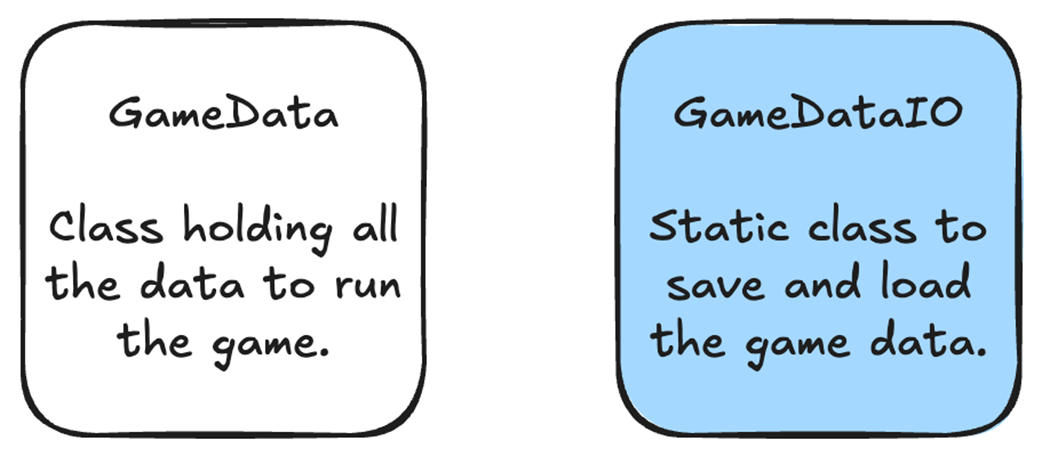
The code that loads our game data should be implemented using static functions in a separate static class from GameData. This reduces code complexity by making it easier to follow what happens when game data is saved and loaded.
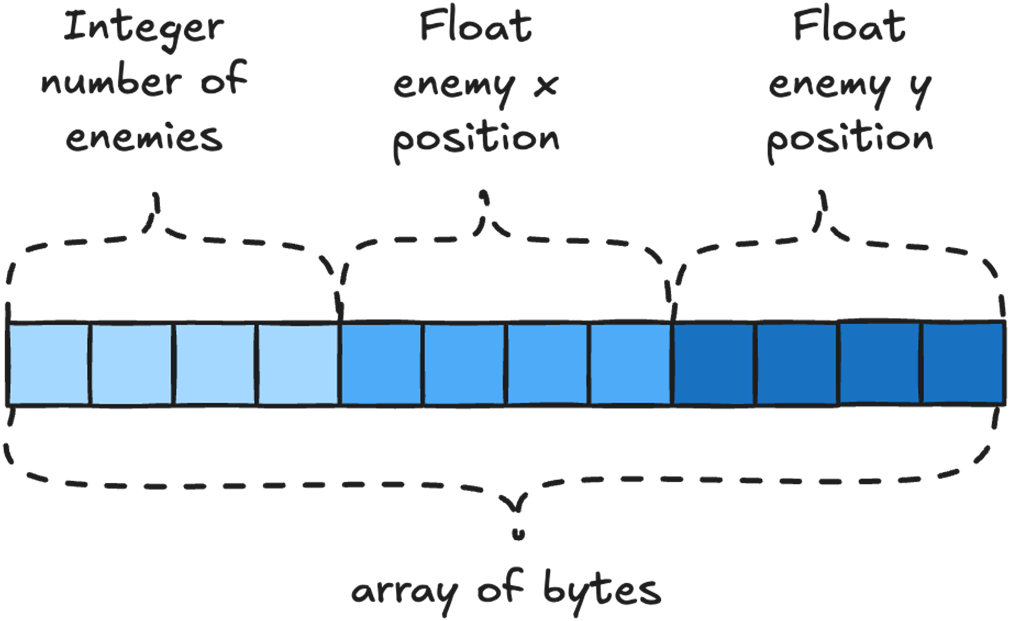
When saving in binary, our GameData is written out as a continuous array of bytes.
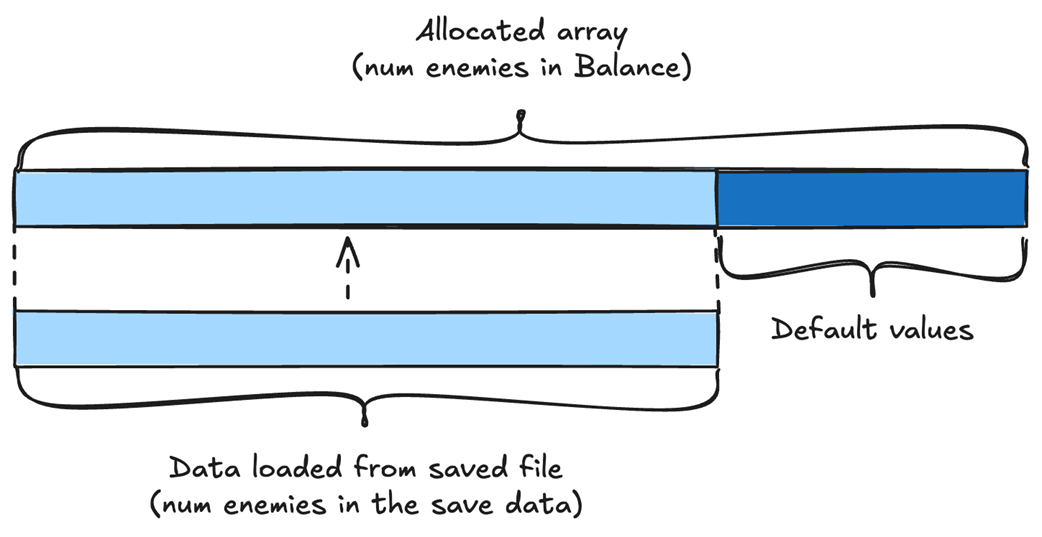
If we are loading fewer enemies than allocated, we just read the enemy data into the allocated array.
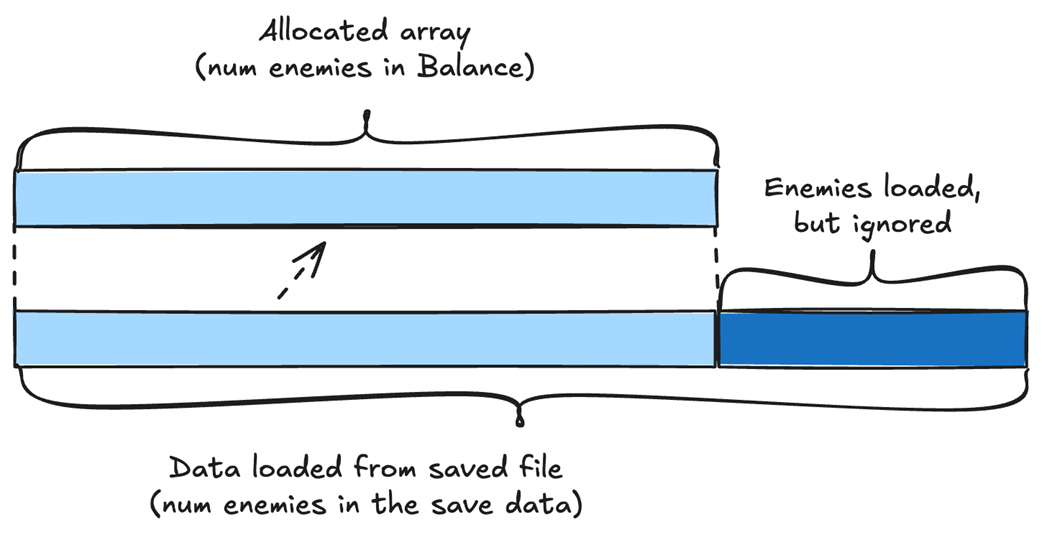
If we are loading more enemies than allocated, we read in all the enemies, but only copy as many enemies as were allocated.
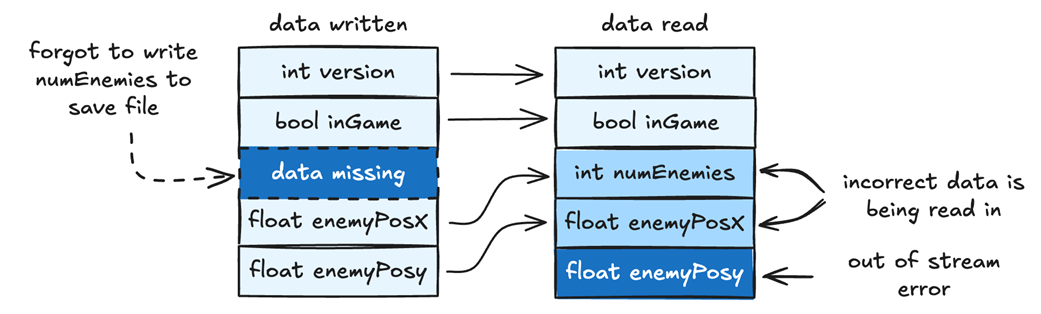
If we forgot to write a variable, for example numEnemies, to the save file, and then try to read it, we’ll get an out-of-stream error. You can fix this by comparing which variables are written and which are read, then identifying the missing one.
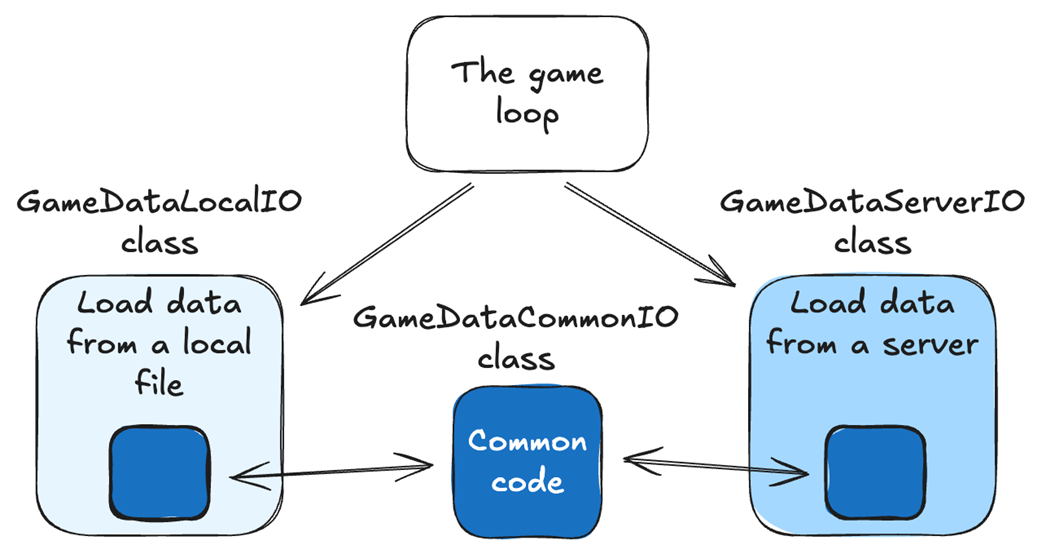
Saving and loading code should be separated by source, but any common code can be moved to a shared static function.
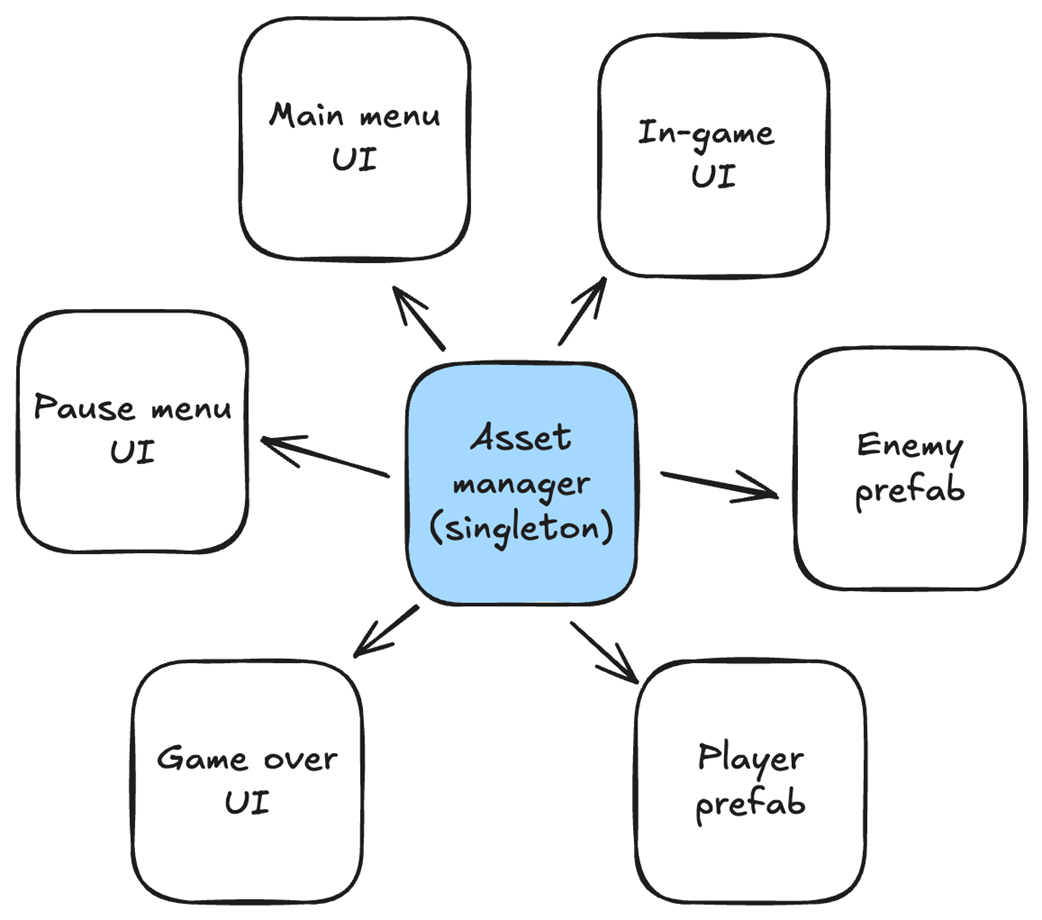
Having the AssetManager be a singleton makes it easier for different objects to access it.
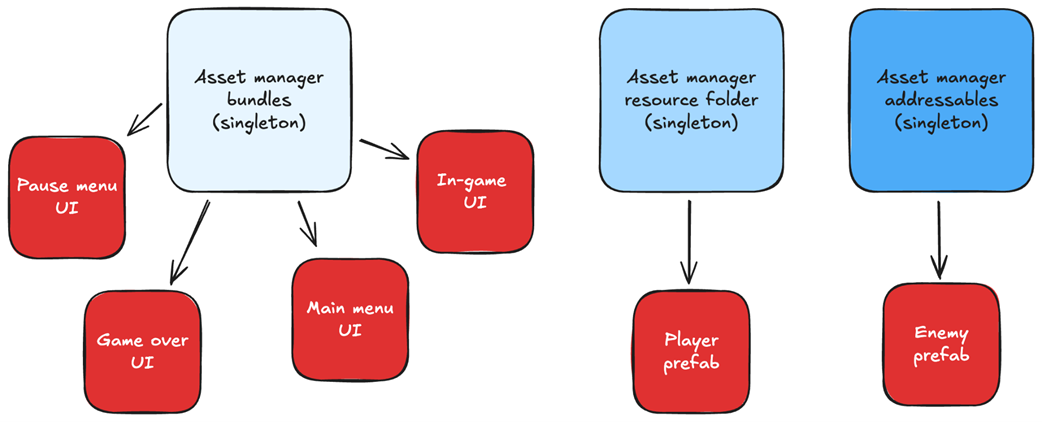
We should separate our asset managers by source, just like we did with the saving and loading of our game data.
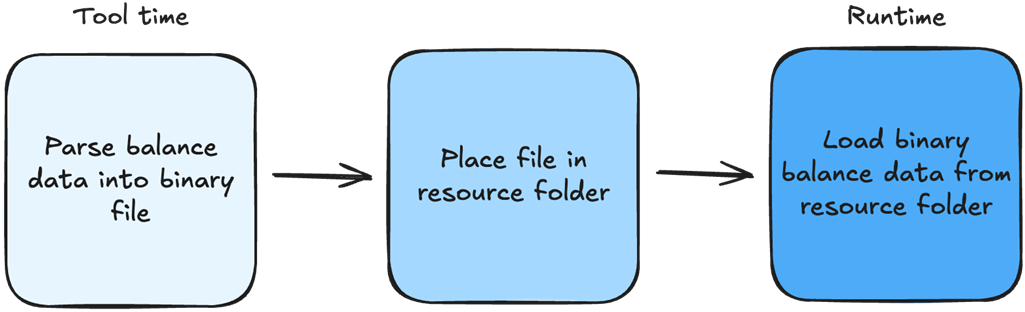
The flow in which we create our balance data binary file.
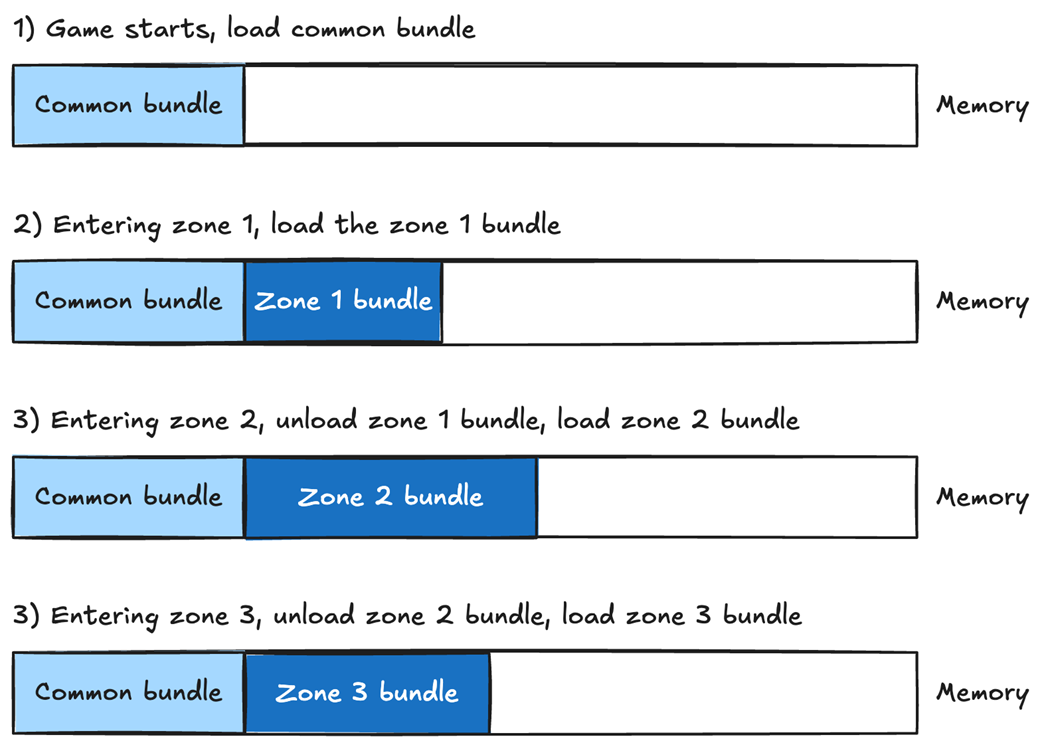
Asset bundles make it easy to manage our memory. We can load the common bundle first and keep it in memory at all times. Then we can load each zone’s bundle separately.
Summary
- Storing all our game data in a single class makes it trivial to save and load our game.
- Storing our data in JSON or XML format requires an additional step to convert the data from binary to text.
- Storing our data in JSON or XML requires significantly more space than storing it in binary format.
- To save space, variables stored in JSON or XML require being renamed to single or double letters, making the code harder to read.
- Our data is already in binary, so storing it in binary avoids unnecessary conversion and gives us direct control over how we write and read the data.
- The functions that save and load our game data should be separate from the game data class.
- The function that loads our game data should not allocate memory; instead, we should pass it a preallocated game data object so we can call it multiple times.
- Backward compatibility significantly increases code complexity and should be implemented as late as possible.
- When the save format changes, storing the version number in the filename lets each loading function handle a single known binary layout, rather than adding more branches to a single loading function.
- When hunting for bugs, don't underestimate the value of the debugger.
- Separate code that saves and loads game data from different locations into distinct files to make debugging easier.
- When deciding how to load assets, always consider the problem you are trying to solve.
- Assigning assets through the Unity editor is a good option if you have very few assets that rarely change.
- The resource folder is a good choice if you have a small number of files that change frequently.
- Asset bundles are a good option if you have lots of assets and want to separate them by lifetime usage.
- Avoid live-updating content unless absolutely necessary.
- Live-updating content is tricky to test and can lead to unexpected bugs in production.
- Don’t use black-box features just because someone says so. Always solve the problem at hand.

 High Performance Unity Game Development ebook for free
