5 Game board and game loop
In this chapter, the book completes the data-oriented design architecture by adding the parts that make the data and logic into an actual playable game. Unity is used as the implementation layer because it is a familiar OOP engine and provides a useful contrast: the goal is to fit a DOD-style flow into Unity without letting Unity’s usual object-by-object lifecycle take control. The result is a simple, explicit structure where Balance defines the rules, GameData stores state, Logic transforms data, Board presents gameplay, and Game orchestrates everything.
A major theme is reducing complexity by centralizing control. Instead of giving every GameObject its own independent Awake, Start, and Update behavior, the chapter argues for a single Game script to drive the loop, making execution order clear and debugging much easier. Game is implemented as a singleton MonoBehaviour so menus and the board can reach it easily, but the logic layer is kept separate and deterministic, never depending on hidden global state or Unity objects. This preserves testability while still allowing intentional coupling between the Unity-facing orchestration code.
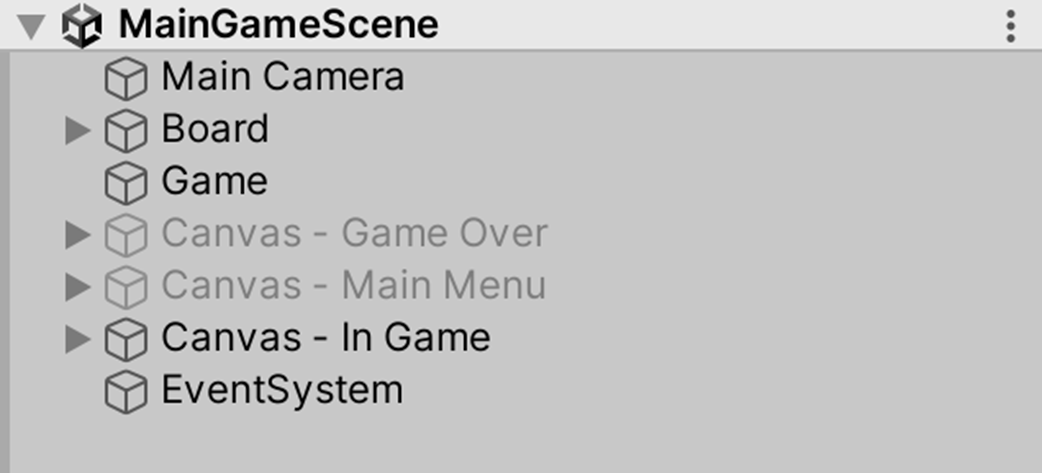
The chapter then shows how to structure a simple Unity scene around that philosophy. Board is responsible for core gameplay presentation and input handling, using custom Init, Show, Hide, and Tick functions instead of Unity lifecycle calls, and it manages object pools, visual updates, and a virtual joystick. Game initializes shared data, starts gameplay, switches menus, and ends the game when Board reports game over. The scene stays minimal—just the camera, Game, Board, and a few UI canvases—because menus, levels, and other runtime differences are treated as data changes rather than separate scenes, keeping the architecture linear, readable, and easy to extend.
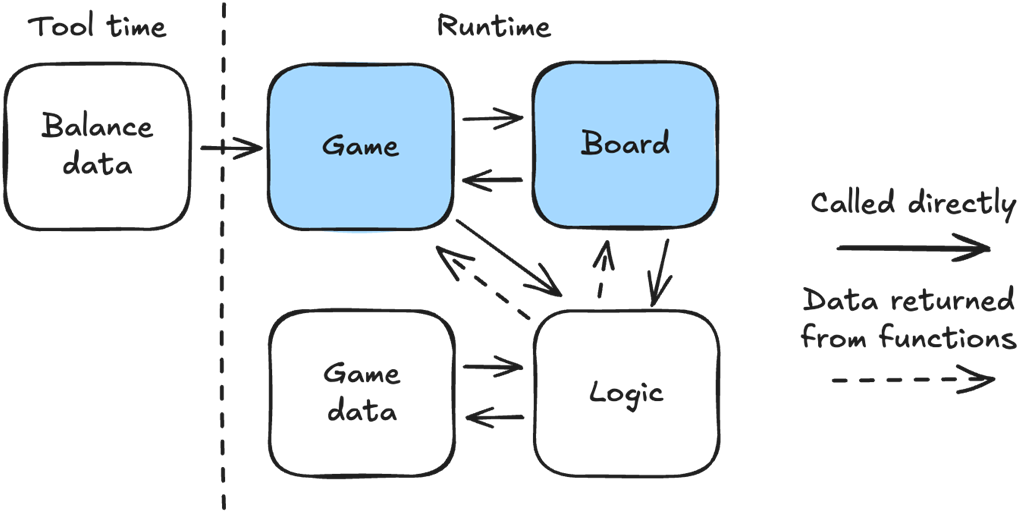
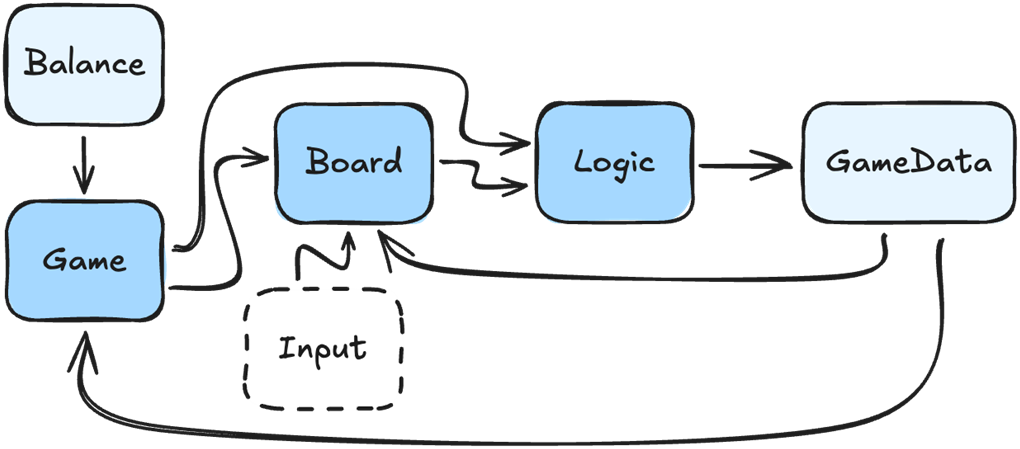
Our simple game architecture, showing how Game and Board fit with Balance, GameData and Logic. The Balance data is created at tool time and loaded by Game. Both Game and Board can communicate freely with each other. Only Logic modifies GameData. Both Game and Board can call Logic, and use the changes to GameData, or the return values from the functions they called, to show changes to the player, such as switching menus or moving sprites. Logic only modifies the data it receives and does not call Board or Game directly.
The most common way to make games in Unity, with each object controlling its own game loop using Unity’s lifecycle functions of Awake/Start/Update/OnEnable/OnDisable/etc. This makes debugging difficult because we have to track which objects are running and in what order.
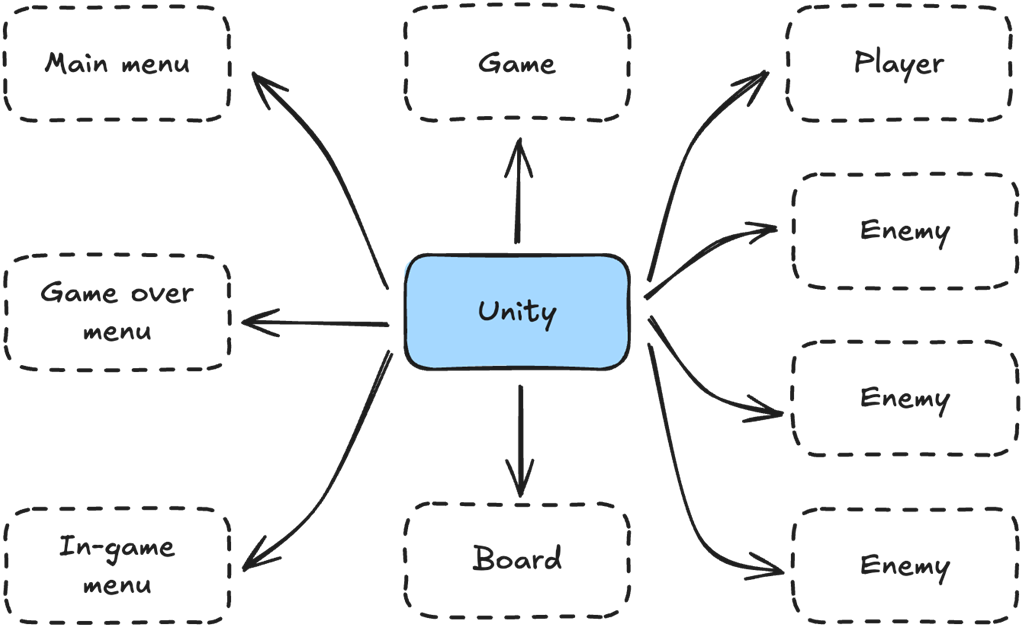
The game loop with a single script, Game, controlling everything. Now it’s trivial for us to figure out what code is running and when, because we are controlling the flow in the game loop, instead of relying on Unity, a black box, to control it for us.
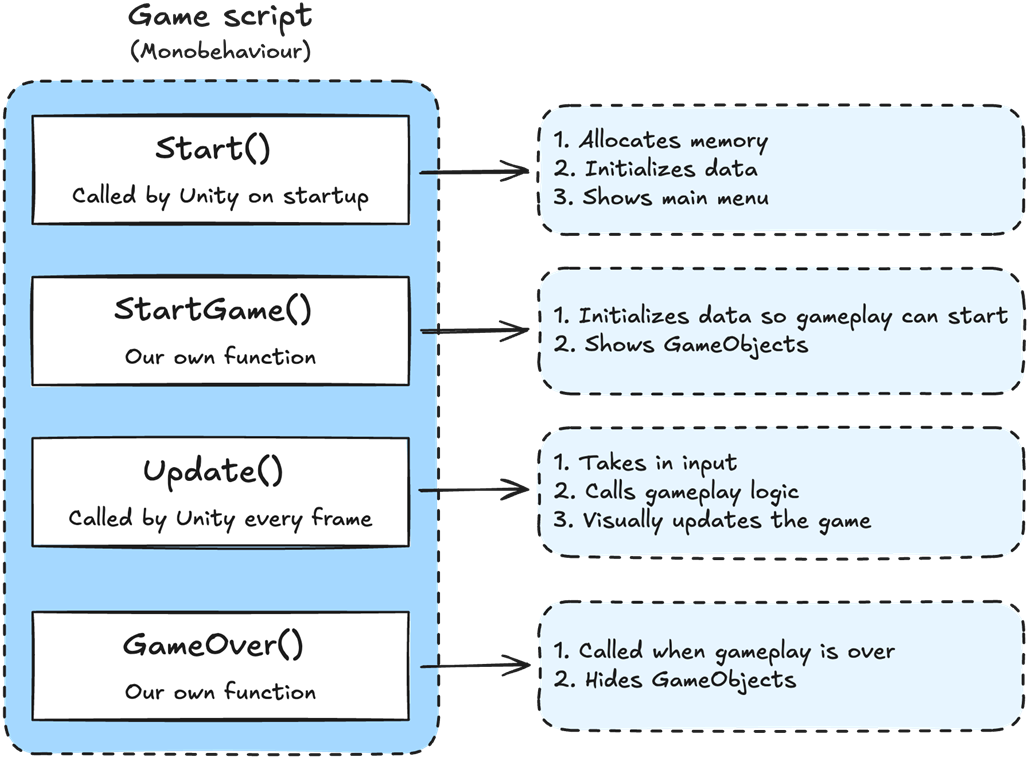
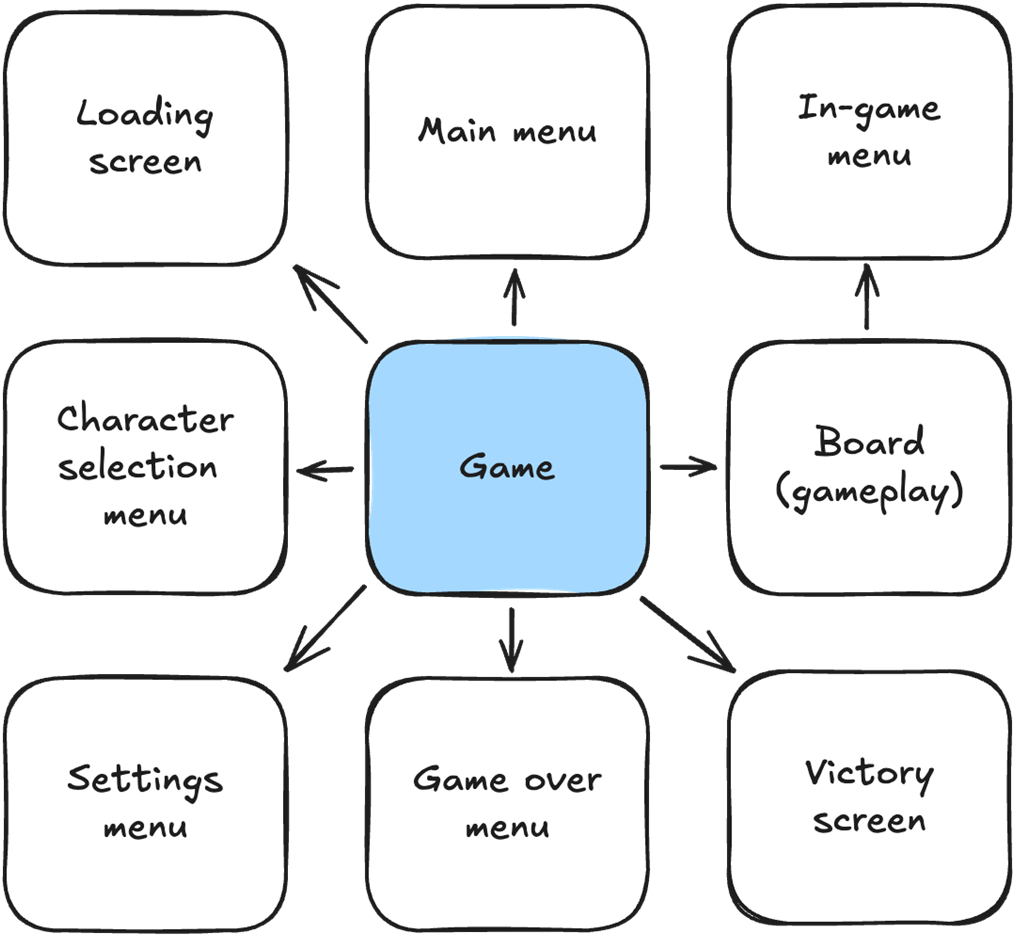
Game drives our entire game loop. It decides which menu to show and whether we are in core gameplay.
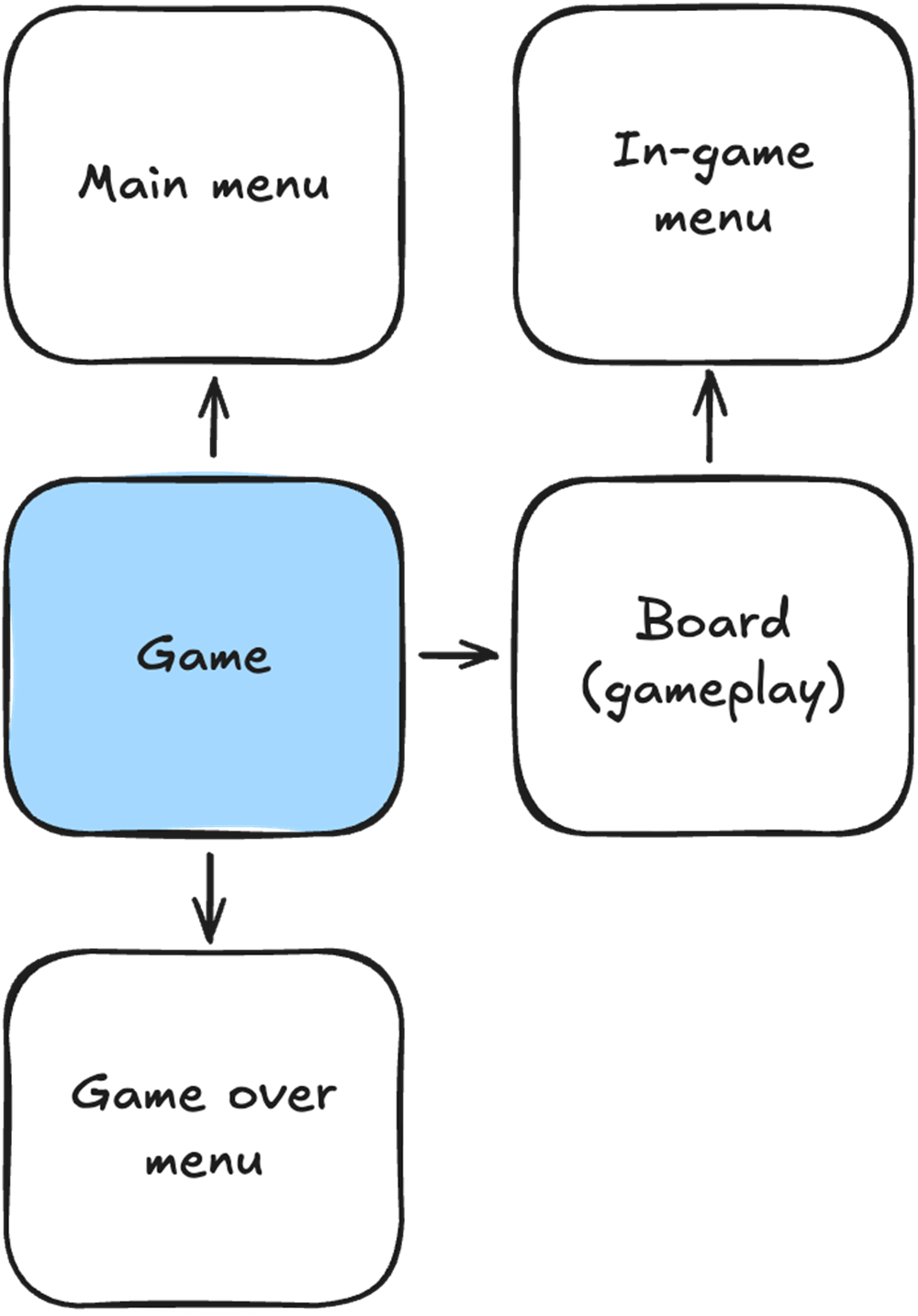
Game will always drive our game loop regardless of how many menus we add or how complex our game becomes.
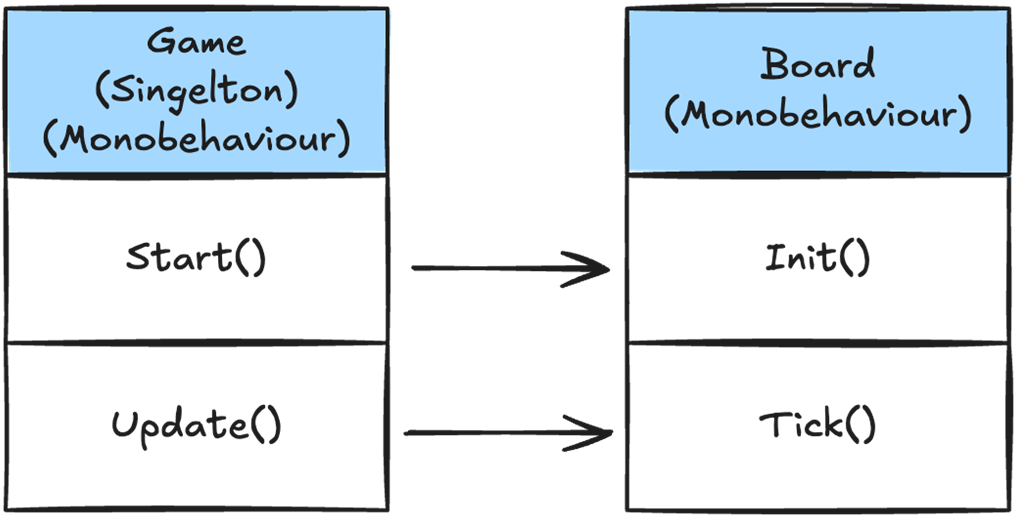
We want to control when Board allocates memory and when it runs every frame, so we use the custom functions Init() and Tick() instead of the Unity-controlled Start() and Update(). This gives us complete control over when Board runs.
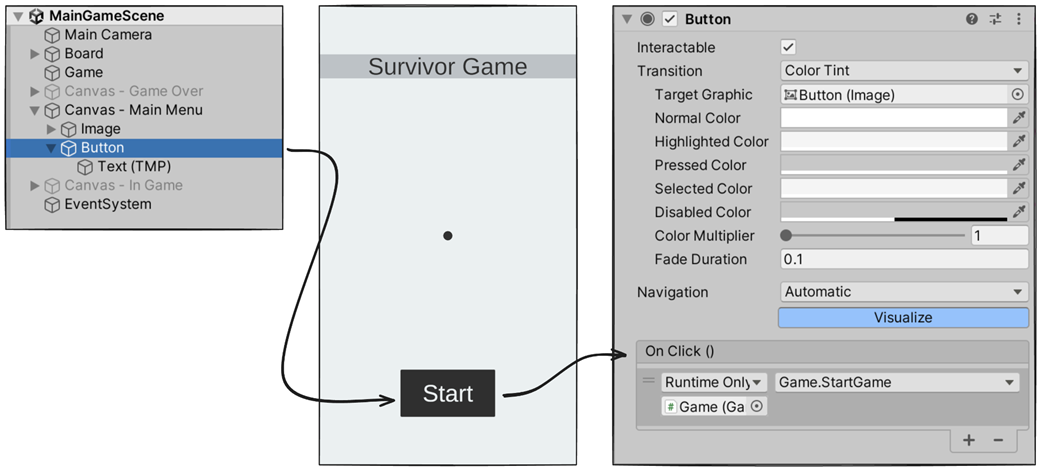
The scene hierarchy for our simple survivor game.
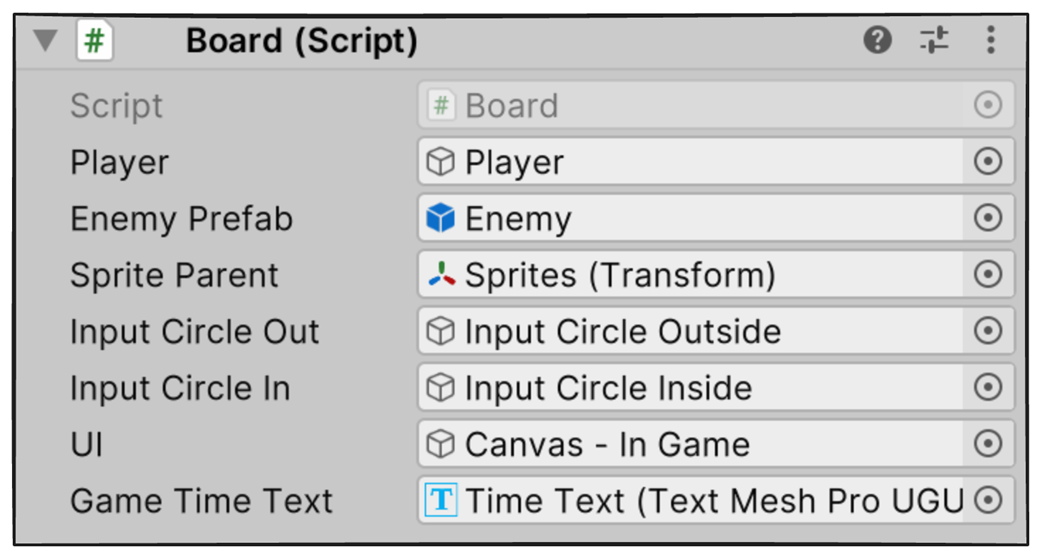
In our simple example, we assign assets directly in the Unity Editor by making them public. For a more complex game, load these using an asset management system.
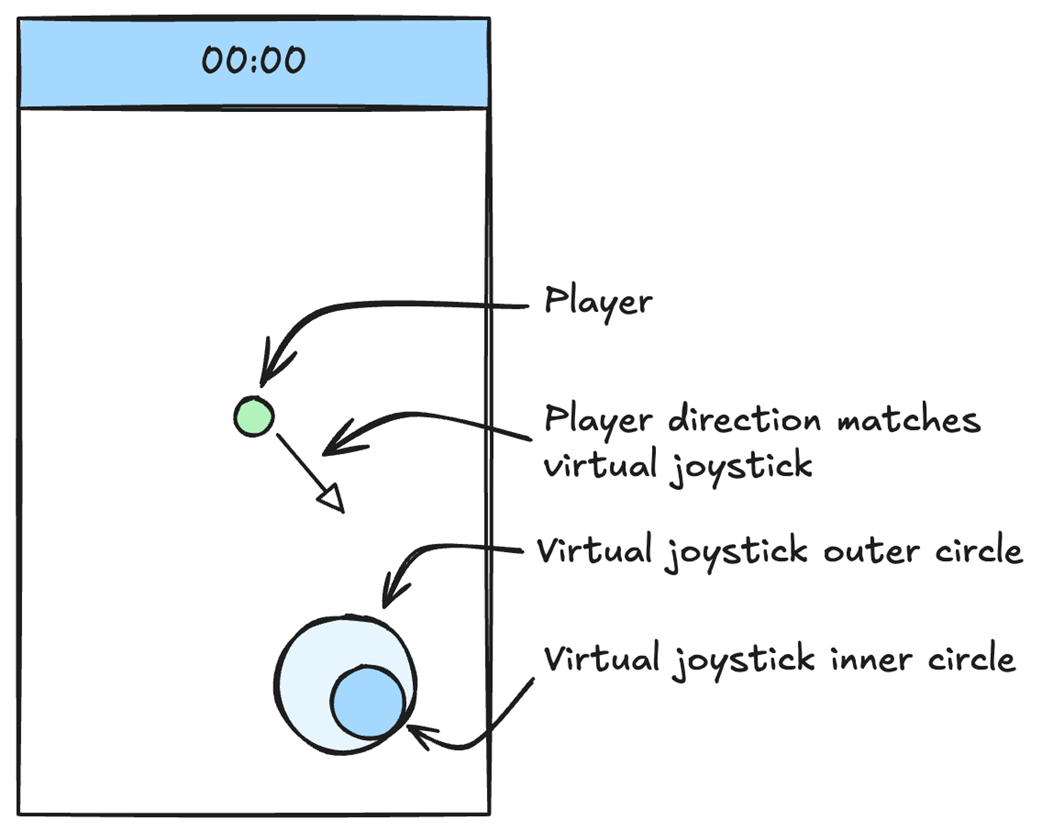
To make it easier to tell where the player is moving, we’ll add a virtual joystick to our game. The outer circle is positioned on mouse down. The inner circle is positioned using mouse move and shows the direction the player will be moving.
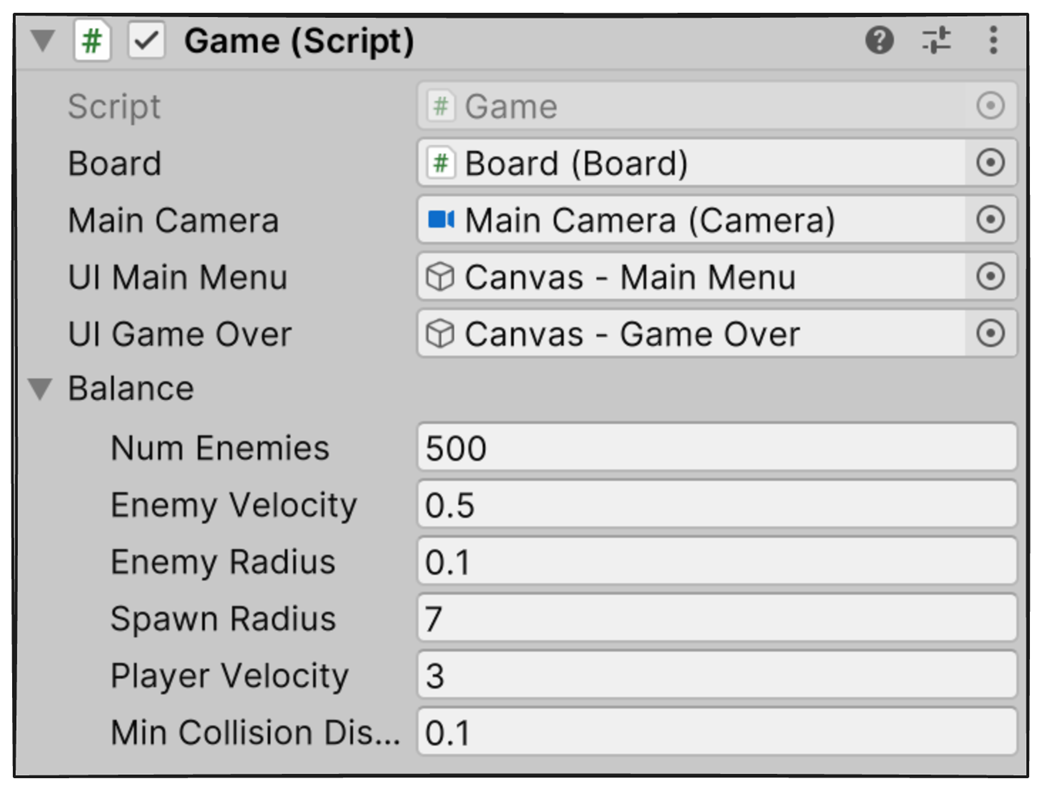
Our Game object in the Unity editor with the assets and balance we need to manually assign. Ideally, the assets would be loaded dynamically, and the balance would come in binary form from the game designers.
In our simple example, we bind the StartGame() function to the Start button directly in the Unity Editor.
A basic data-oriented design architecture
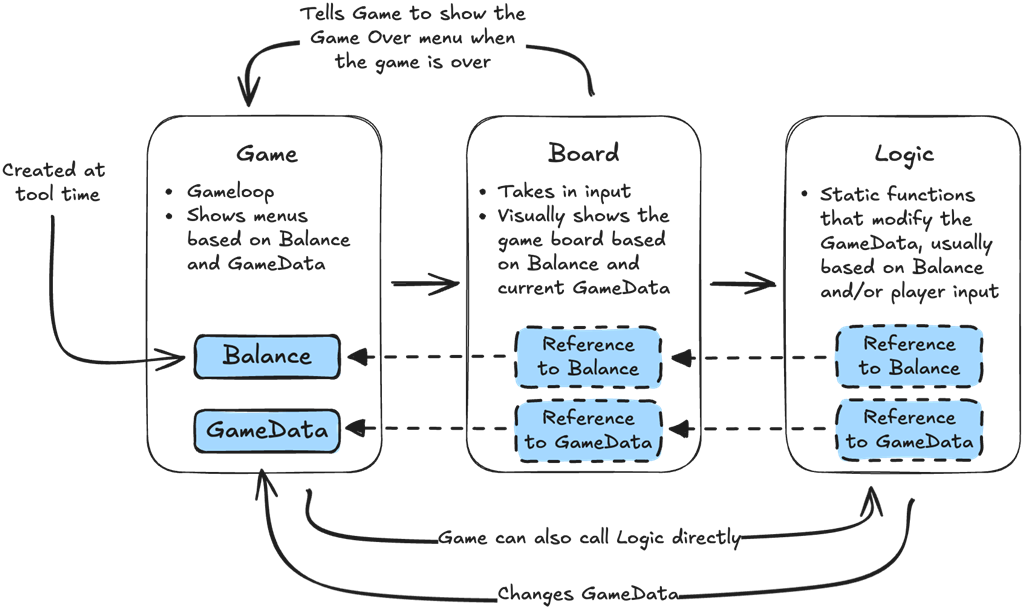
The core gameplay architecture. Game takes in Balance and calls Board. Board takes in Input and calls Logic. Logic runs on arrays of data from GameData, which Board and Game then use to show the player what happened.
A generic mess of connections, roughly copied from a post on Reddit where someone was showing off their architecture for implementing a cheat code in their game. This is less than a quarter of what was drawn.
Summary
- The Board visually shows our game to the player, including sprites and the UI.
- The Board also takes player input.
- The Game controls our game loop, including which menu we are on.
- Singletons are a convenient way to make data publicly available without passing references around.
- To reduce code complexity, Game is the only script that runs our game loop and the only one that uses Unity’s default lifecycle functions (Awake/Start and Update).
- The board does not implement Unity’s default lifecycle functions (Awake/Start/Update).
- The board implements its own function to initialize and allocate data called Init().
- The board implements its own function that runs every frame, called Tick(), which the game’s Update() calls every frame.
- To reduce code complexity and keep our architecture simple, we use a single Unity scene to implement our game.
- Unity scenes are simply objects that hold our Camera and GameObjects; they don't fit a data-oriented architecture because they encapsulate our data in objects.

 High Performance Unity Game Development ebook for free
