4 Data and logic
This chapter introduces a simple data-oriented architecture for a survivor-style game, built to separate engine-agnostic game state and logic from the Unity-specific parts that handle input, rendering, and the game loop. The core idea is to keep the codebase simple by dividing data into two categories: balance data, which is set before gameplay and remains unchanged, and game data, which changes during play. By organizing the game around these responsibilities, the architecture becomes easier to reason about, debug, extend, and potentially reuse outside of Unity.
The balance data holds fixed design-time values such as enemy count, movement speeds, spawn radius, collision distance, and player velocity. The game data stores the mutable state needed during a play session, such as enemy positions, player direction, elapsed time, best time, and menu state. The chapter emphasizes that the player is always kept at the center of the world, while enemies move relative to that origin, which helps preserve floating-point precision and makes collision handling more reliable over long play sessions.
All gameplay changes are made through a static logic class whose functions take data in, transform it, and output updated data. The chapter walks through functions for allocating game data, initializing a new run, processing each frame, handling mouse input, spawning enemies, moving enemies toward the player, respawning enemies that drift too far away, resolving enemy-to-enemy collisions, and detecting game over. By keeping logic deterministic and self-contained, the design supports server-side simulation, clearer control over state changes, and a clean boundary between gameplay rules and the systems that display them.
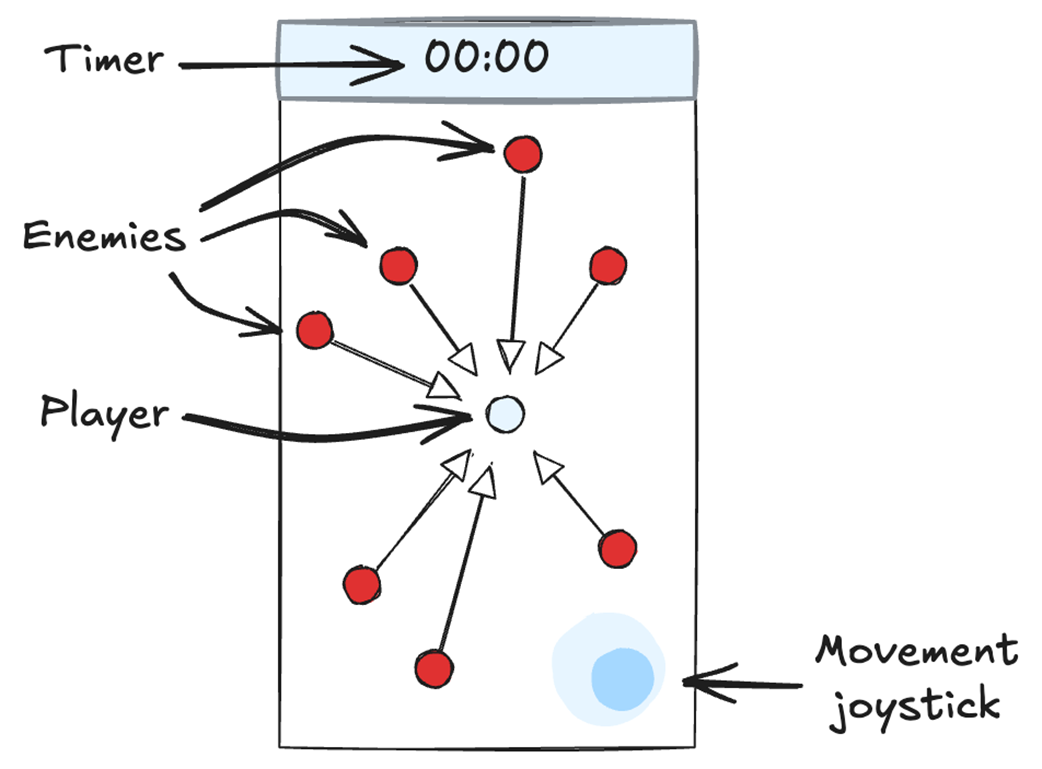
Screenshot from our basic survivor game. The player is the dot in the middle. The enemies are the red dots. The user can move the player around the screen while the enemies all move towards the player. If the player touches an enemy, the game is over.
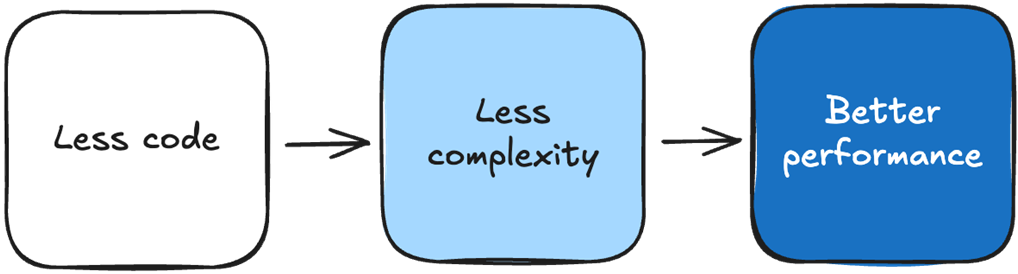
Less code means our codebase is less complex, and it is easier to add new features, modify existing ones, and debug issues. The simpler our codebase is, the less time our CPU spends processing code, resulting in better performance.
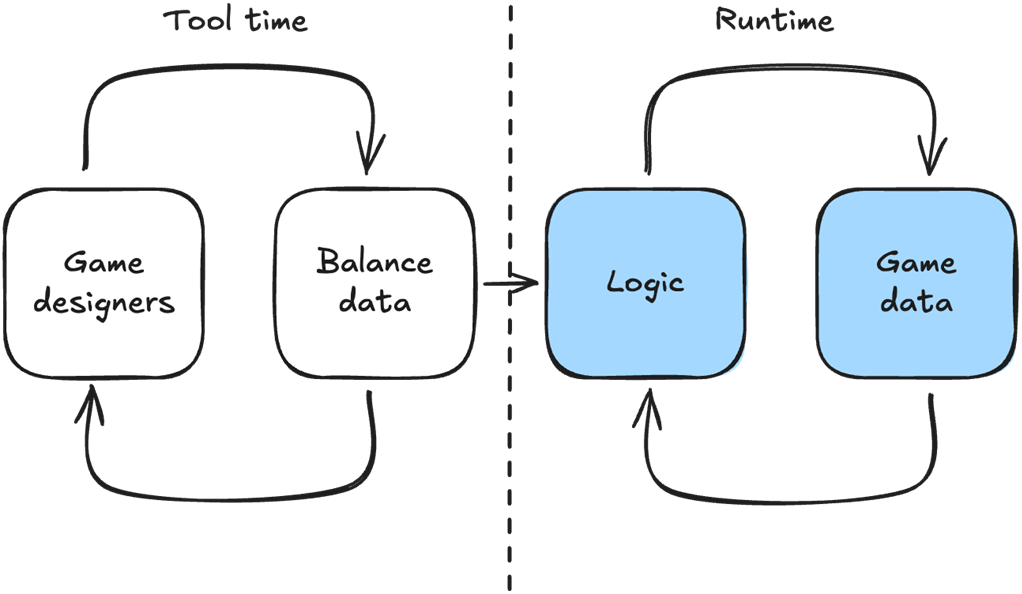
The Balance data is set during tool time by the game designers. It is not modified during runtime. GameData, however, is only modified during runtime by our game logic.
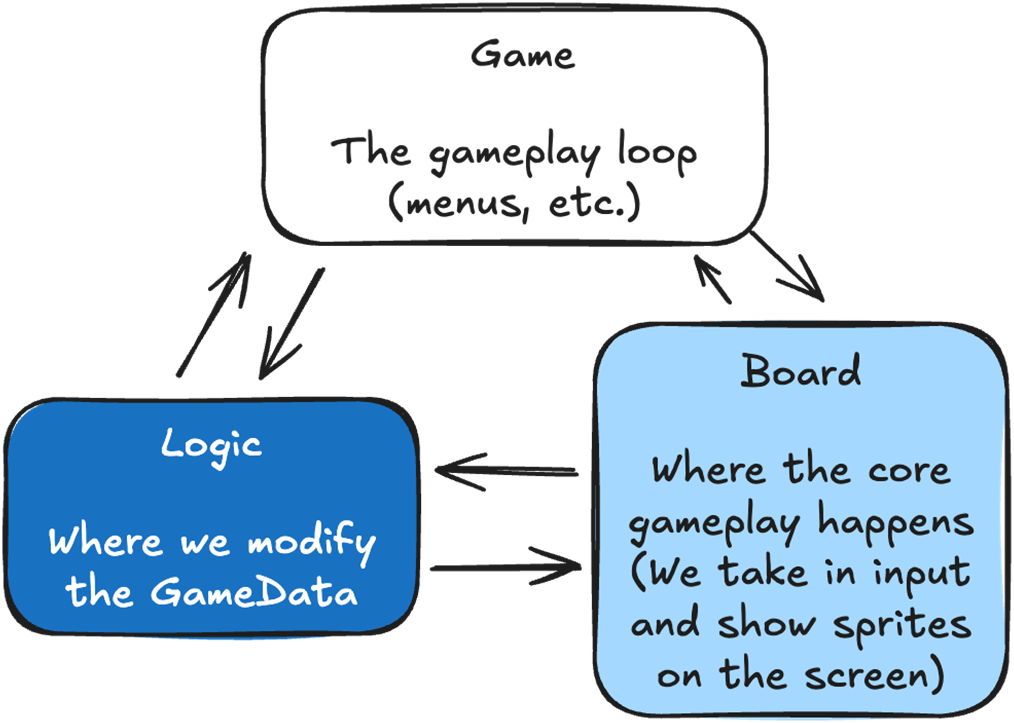
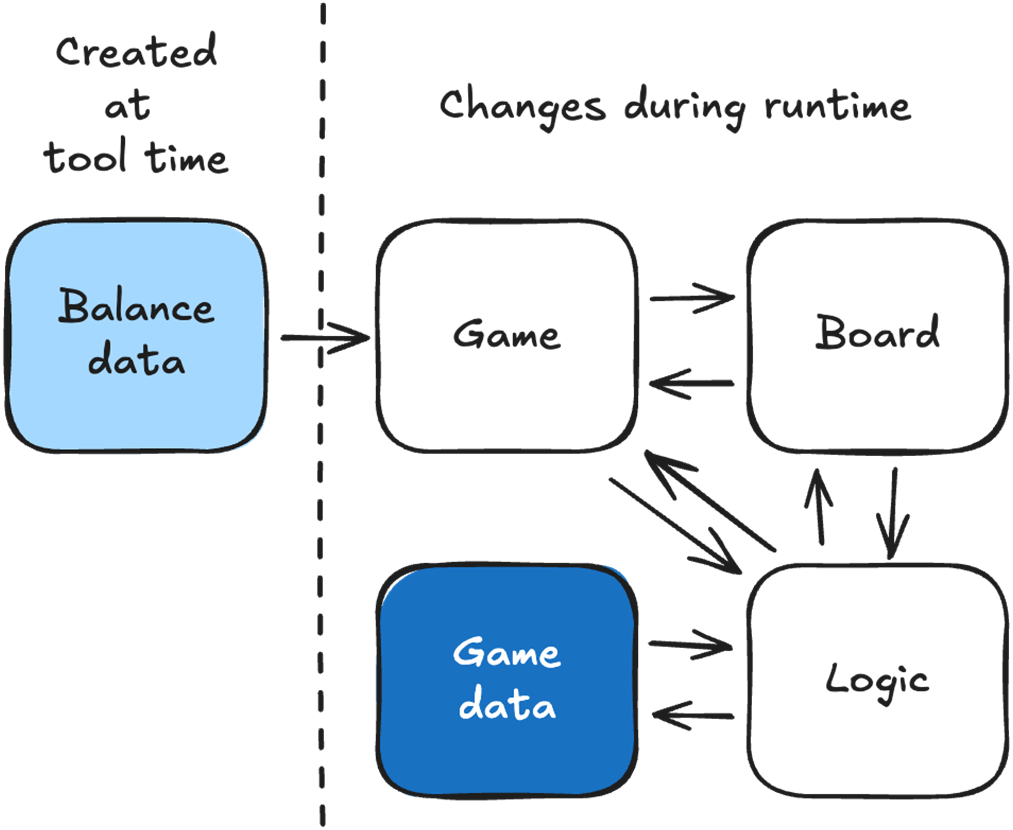
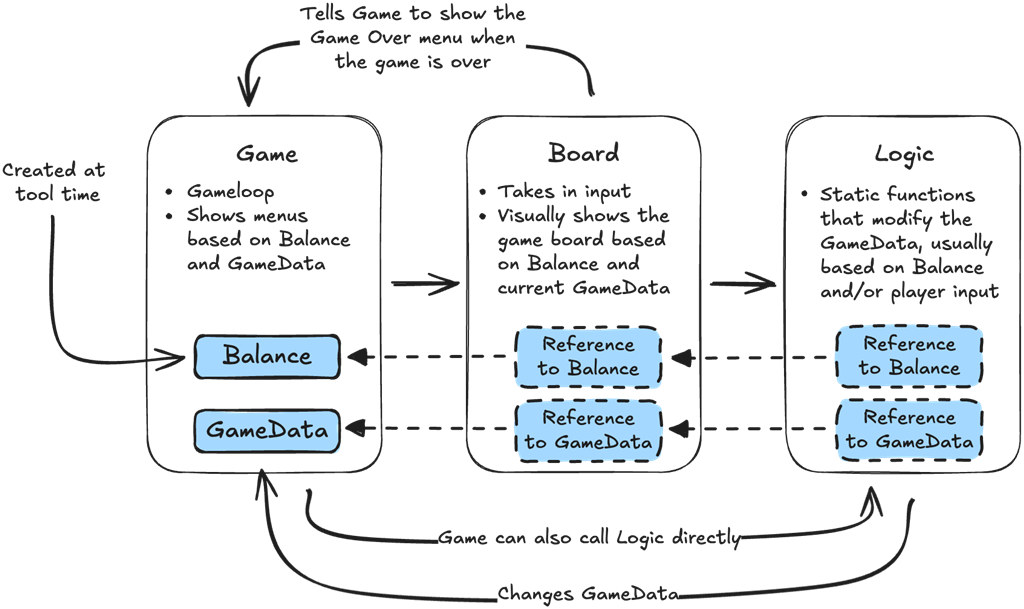
Our game will be driven by three scripts: Logic, Board and Game. The Logic script modifies the game data. The Board takes in input and visually shows the game to the player. The Game controls our entire game loop, including driving the board and displaying menus.
The complete architecture of our survivor game. The Balance data is created at tool time and is loaded by Game. GameData is only modified by Logic. Both Board and Game can directly call the logic functions, which take data in, transform it, and output data back.
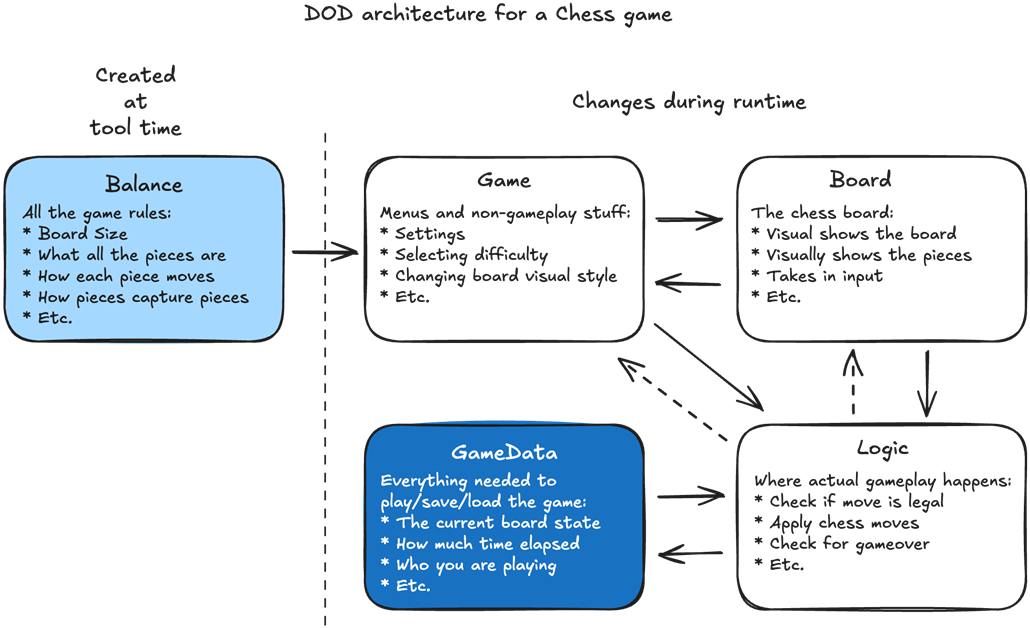
Our DOD architecture for a chess game. Balance holds all the rules, which don’t change during gameplay. GameData holds the board state, which is everything we need to recreate the game's current state. Logic holds all the logic functions for playing chess. Board holds our chessboard, takes in input, and shows the result to the player visually. The Game object holds everything we need for a chess game that doesn’t involve the actual chessboard, like menus.
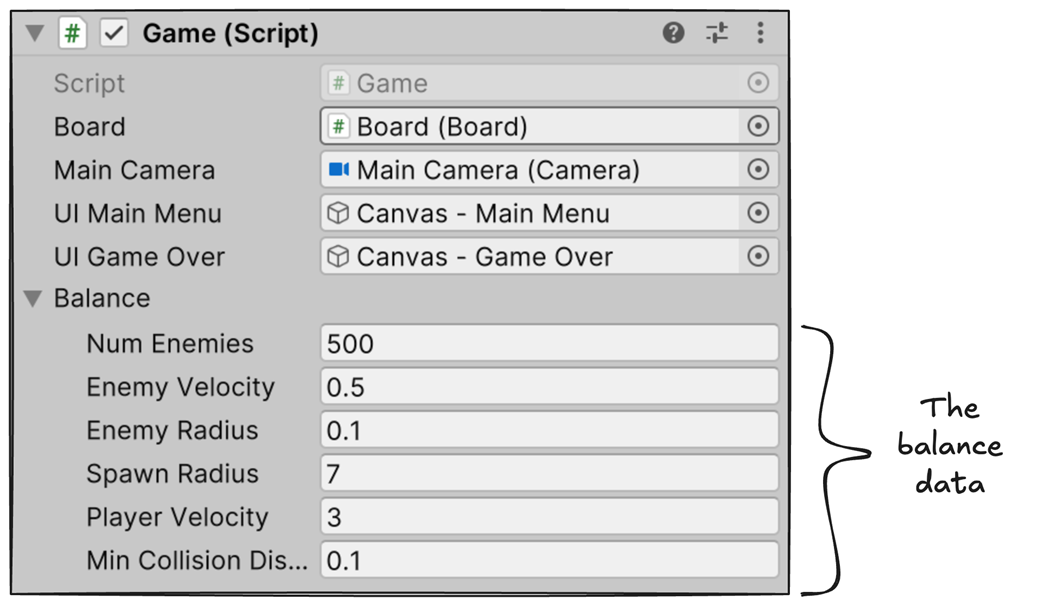
For our simple survivor game, we will fill out the Balance data directly in the Unity Editor by including it in the Game object. We’ll add the Game object in Chapter 5.
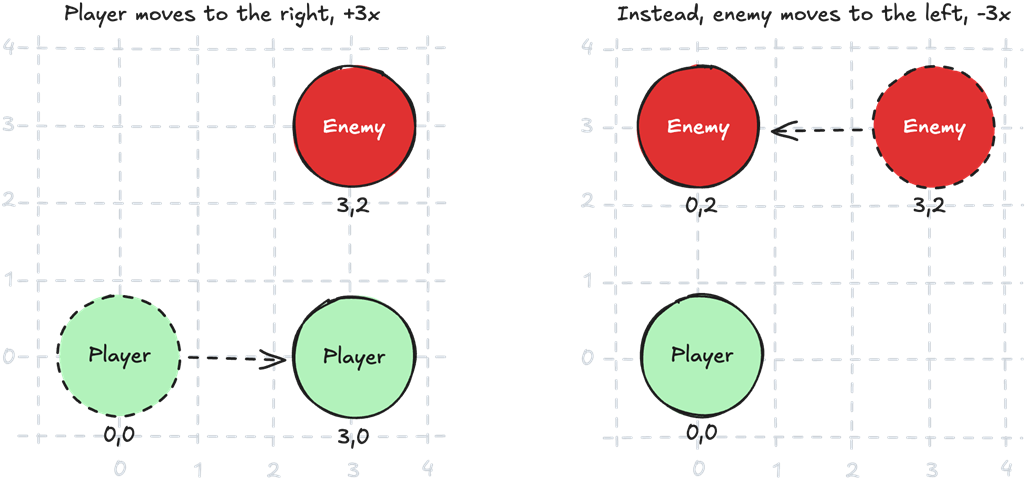
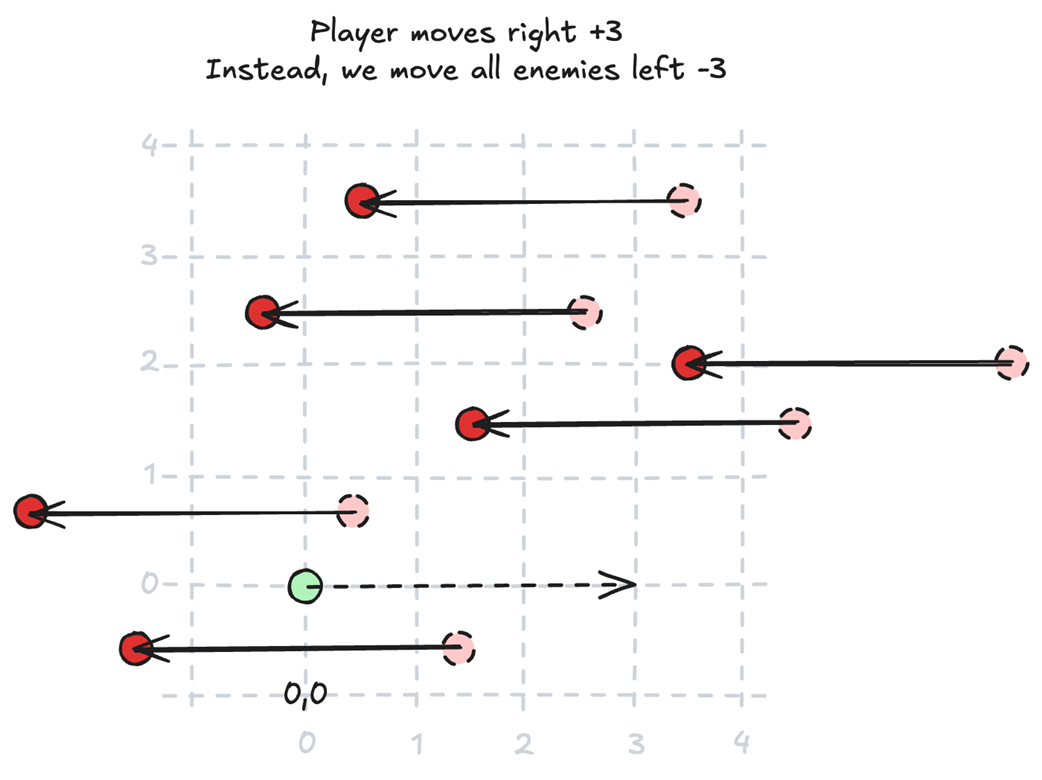
If our player is always in the same position, and we want to move our player three points to the right, we can instead move the enemy in the opposite direction. The player will remain in the same position, but all the enemies will have moved as if the player has moved three points to the right.
Here we can see which logic functions are called by Game and which are called by Board.
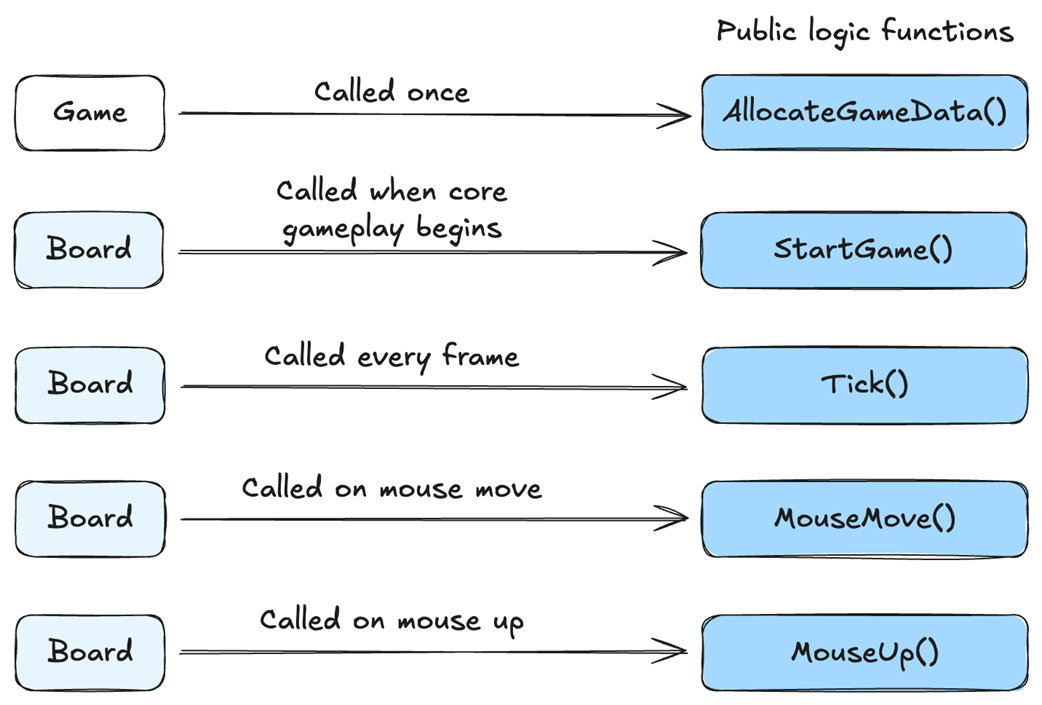
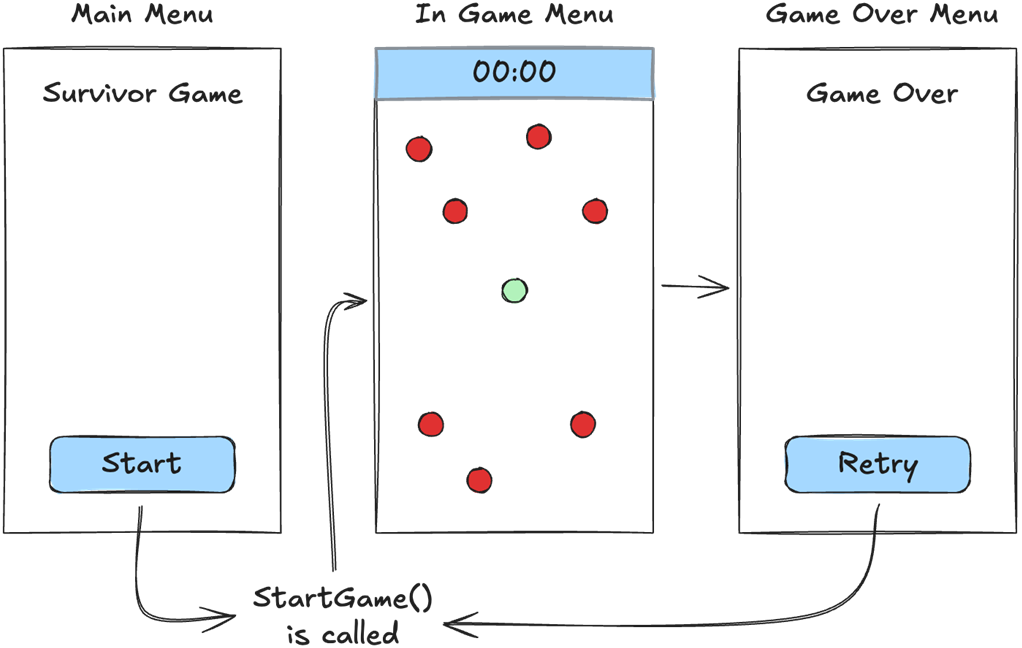
We call StartGame() every time gameplay starts.
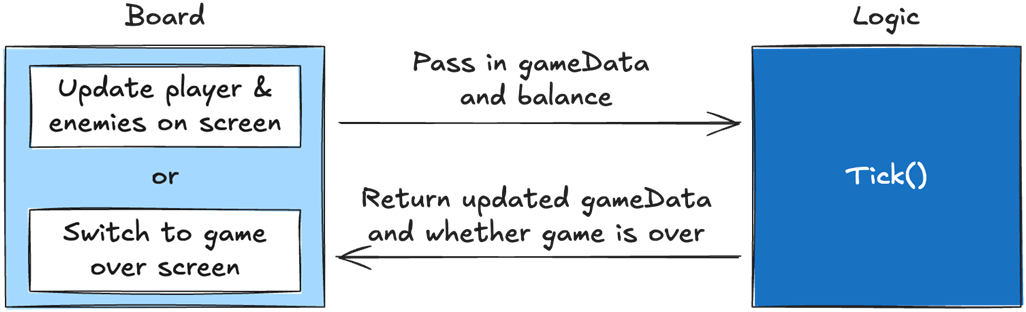
The Board calls our Logic functions, then updates the player and enemies on the screen depending on what happened in the logic. If the game is over, our board tells Game to switch to the game-over screen.
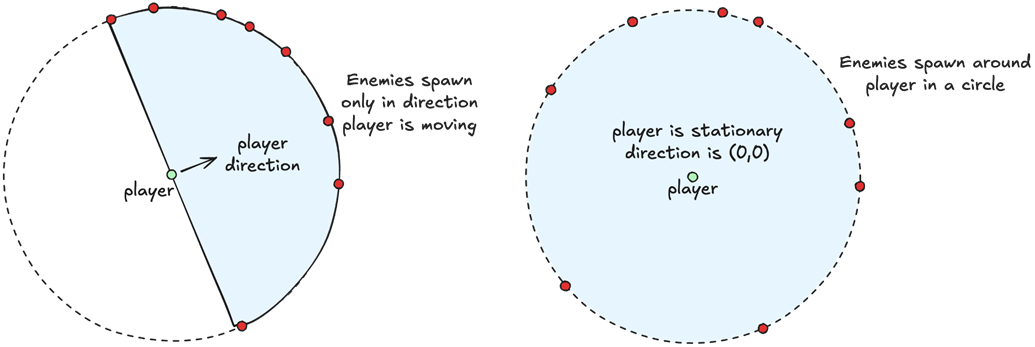
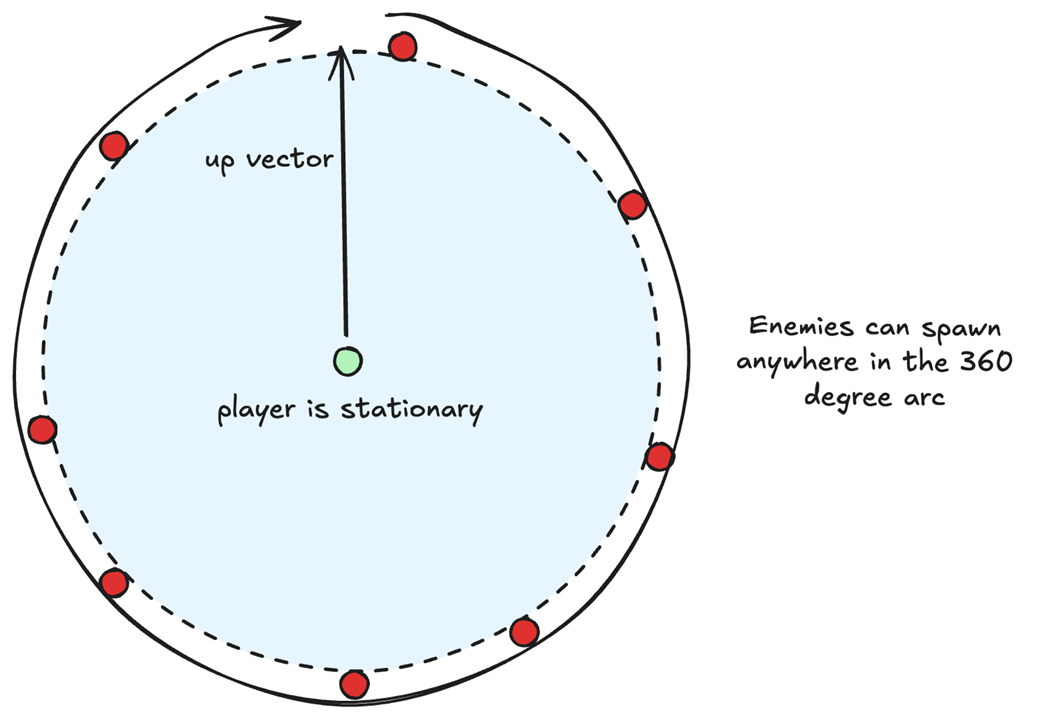
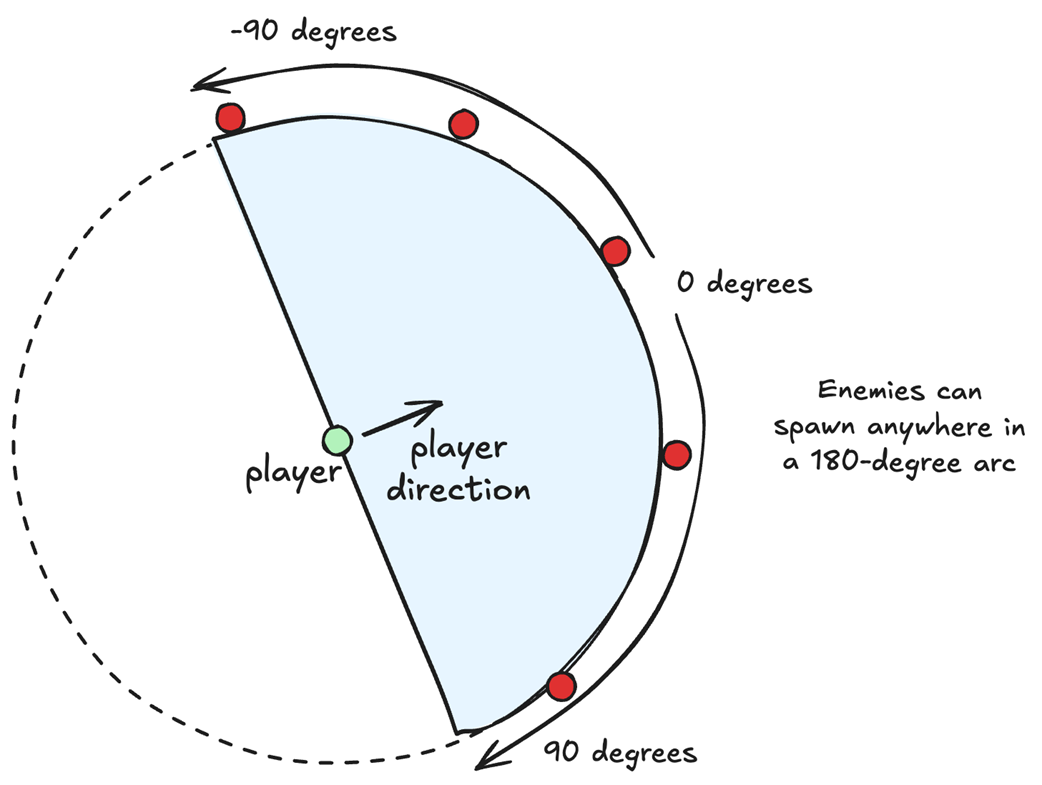
When the player is moving, we want to spawn enemies in a 180-degree arc ahead of it. If the player is stationary, we want to spawn enemies in a circular pattern around it.
To spawn an enemy randomly in a circle, we just take the up vector and rotate it a random amount.
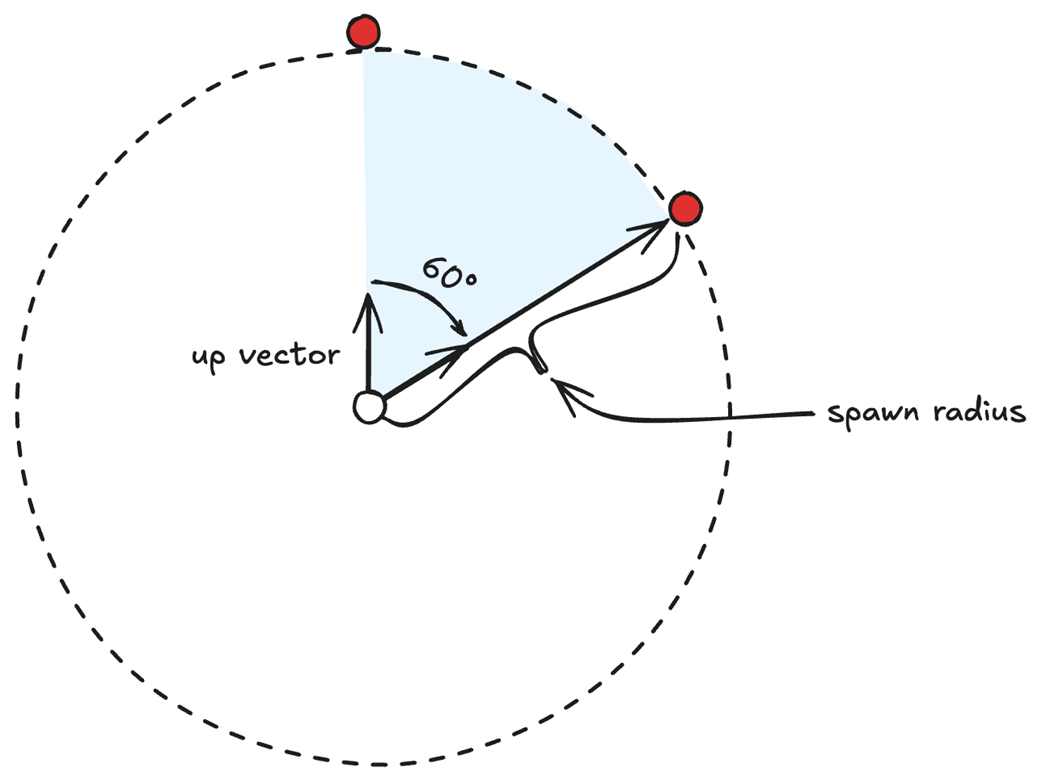
To spawn an enemy randomly in a circle, we just take the up vector and rotate it a random amount between 0 and 360 degrees.
We can spawn enemies in a 180-degree arc based on the direction the player is moving. We use the player's direction vector, randomly rotate it by -90 to 90 degrees, and then multiply it by the spawn radius to place an enemy.
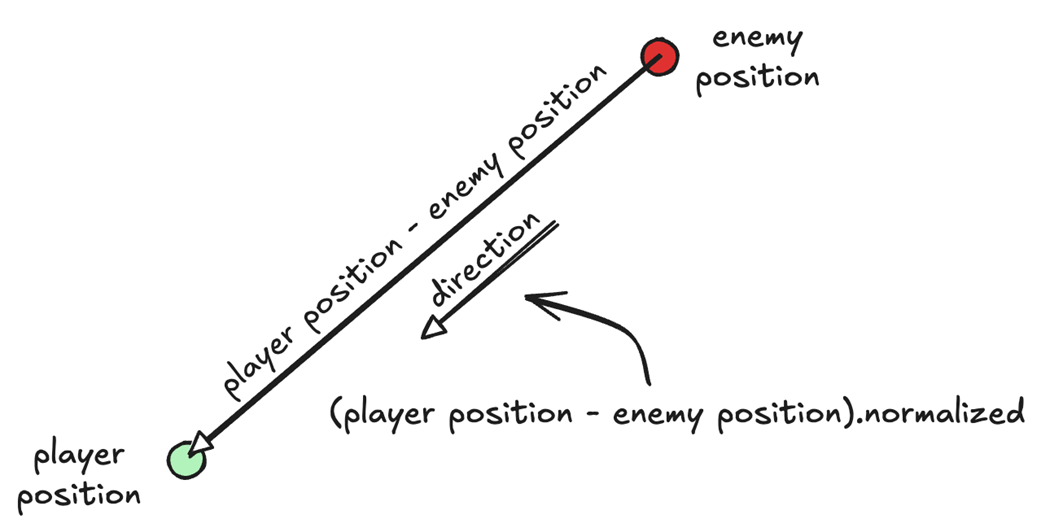
To determine what direction an enemy should move so it moves toward the player, we can just take the difference between the enemy position and the player position, and then normalize it.
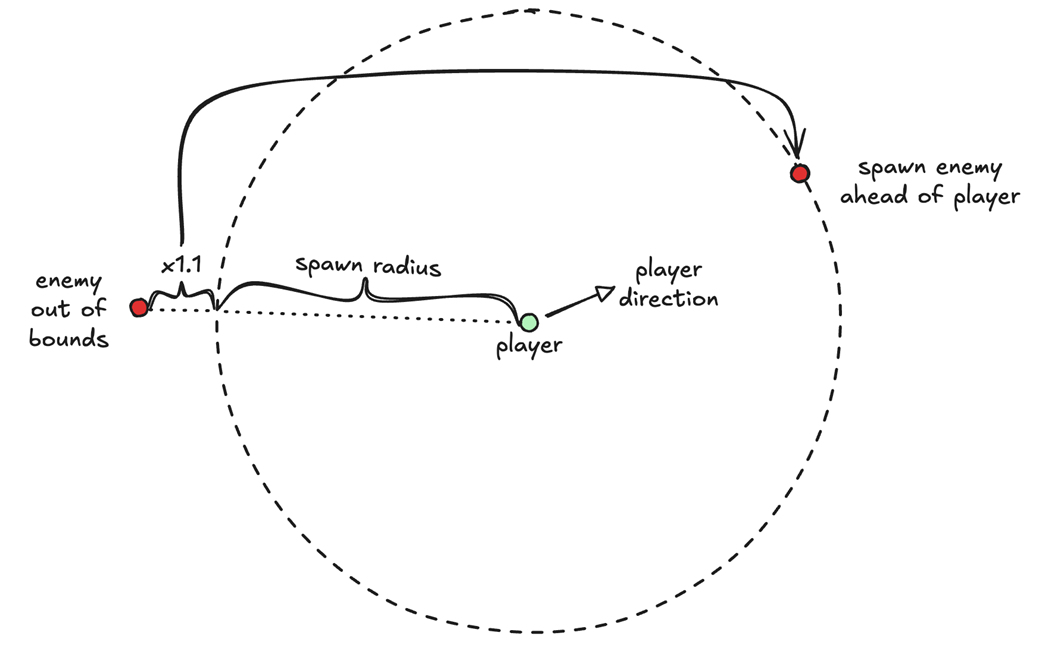
When an enemy is out of bounds, we want to spawn it ahead of the player. This way, if the player is running away from enemies, new ones will seemingly spawn ahead of them.
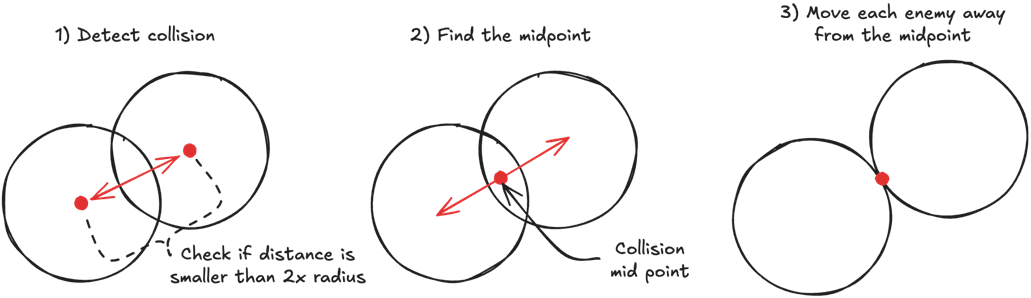
To stop enemies from overlapping, we first need to detect if they are overlapping. To do so, we take the difference between their positions. If the result is smaller than the sum of their radii, then they are overlapping. Then we can find the midpoint between their positions and move them in opposite directions.
If our player is always in the same position, and we want to move our player three points to the right, we can instead move the enemy in the opposite direction. The player will remain in the same position, but all the enemies will have moved as if the player had moved three points to the right.
The five main components of our DOD architecture and how they communicate with each other. The Balance is created at tool time and then never modified. Game drives the game loop and holds both the Balance and the GameData. Game shows menus and/or the game board based on the data in Balance and GameData. Board visually shows the core gameplay (game board) to the player based on the data in Balance and GameData. Both Game and Board call Logic to modify GameData. Our Logic is composed of static functions that modify GameData, usually using Balance and/or user input.
All our logic functions follow the DOD pattern of taking data in, transforming it, and outputting data.

Summary
- The main components of our DOD architecture are the Balance, GameData, Logic, Board, and Game.
- Balance is data that designers create at tool time.
- Balance is the rules of the game.
- Balance data does not change during gameplay.
- Balance data can be either loaded locally or downloaded from a server.
- In some games, the Balance data will never change. In others, it will change every time the designers want to change something.
- GameData is data that is used to store your game state.
- GameData is the current state of the game.
- GameData changes during gameplay.
- GameData should only be modified by our static logic functions.
- Logic is composed of functions that use Balance (the rules) and/or player input to modify the GameData (the current state of the game).
- Static logic functions should be deterministic and self-contained.
- Deterministic functions produce the same output for a given input.
- Self-contained functions perform all their logic in a single go. They cannot be interrupted or affected by other functions or processes.
- All our logic functions follow the data-oriented pattern of taking data in, transforming it, and outputting it.
- We should know what data a function will modify and what data will remain unchanged by looking at the header.
- To reduce code complexity, we want to be explicit when naming our functions.
- To reduce code complexity, we only want to move code out of a function if it is used in more than one place, or if the function name can explicitly describe everything it does.

 High Performance Unity Game Development ebook for free
