3 Memory allocations and performance
This chapter explains why memory behavior is a major part of performance in Unity games. It shows that poor allocation habits can cause sudden slowdowns, cache misses, and even crashes, especially when the heap becomes fragmented or the garbage collector interrupts gameplay. The central idea is that memory management should be planned around gameplay flow so the game stays smooth and predictable.
A key theme is fragmentation: when objects are allocated and freed in an unstructured way, the heap can end up full of holes that are too small for new allocations, even if the total free memory seems sufficient. The chapter also emphasizes that Unity’s garbage collector creates its own problems because it does not free memory immediately, can run at unpredictable times, consumes CPU, and can worsen fragmentation. For this reason, temporary data should stay off the heap whenever possible, and allocations should be grouped and released in a stack-like order.
To reduce these issues, the chapter recommends object pools and level-based allocation patterns. Rather than constantly instantiating and destroying objects, developers should preallocate the objects and data a level needs, reuse them during play, and release them together when the level ends. It also warns about common pooling mistakes, such as failing to reinitialize reused objects or mixing visual state with gameplay logic, and stresses that pool sizes should be chosen based on real design limits and device constraints so they never need to resize during gameplay.
An example of fragmented heap memory, with holes of unused memory surrounded by allocated memory.

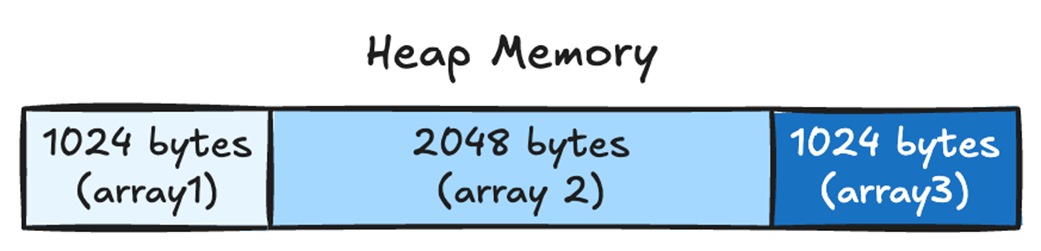
This figure shows how our three arrays look in memory, with array1 allocated first, followed by array2 and array3.
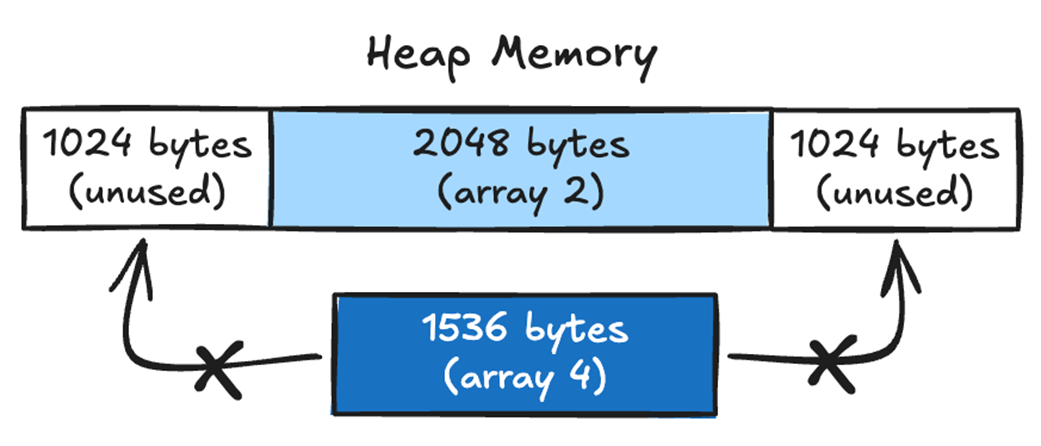
After deleting array1 and array3, we now have two holes in memory on either side of array2.

We have 2048 bytes of memory free, but if we try to allocate an array of 1536 bytes, we’ll run out of memory because the biggest contiguous space is 1024 bytes.
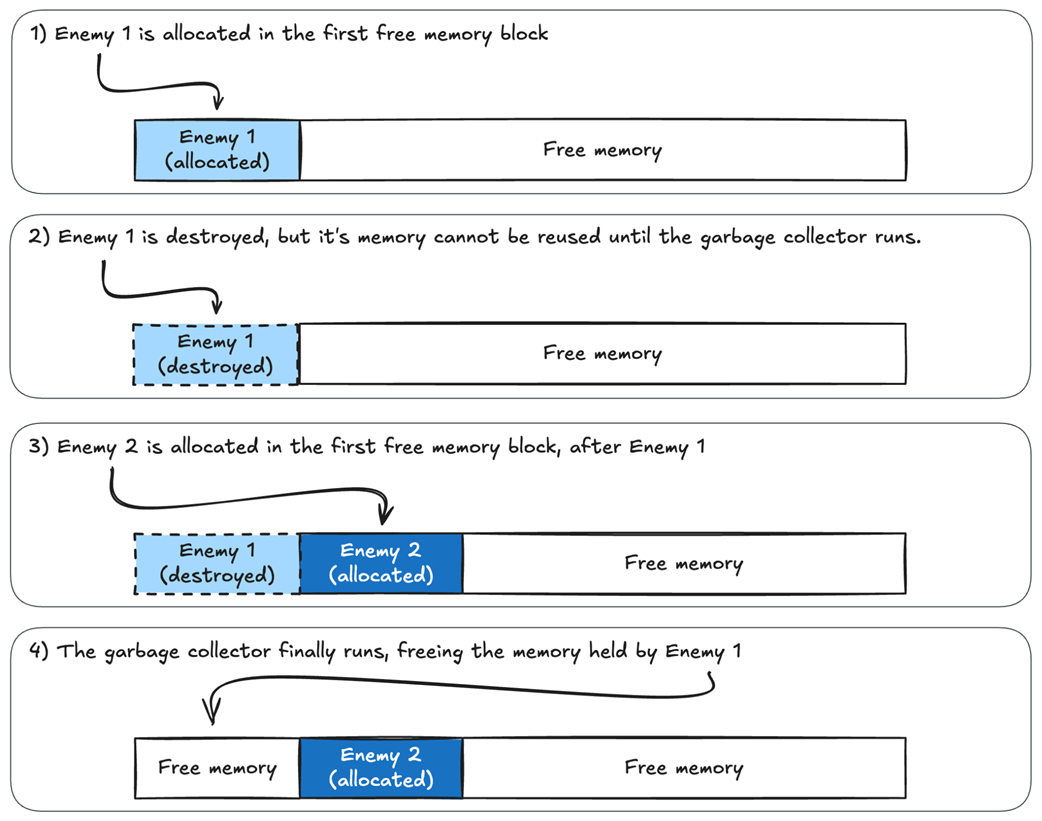
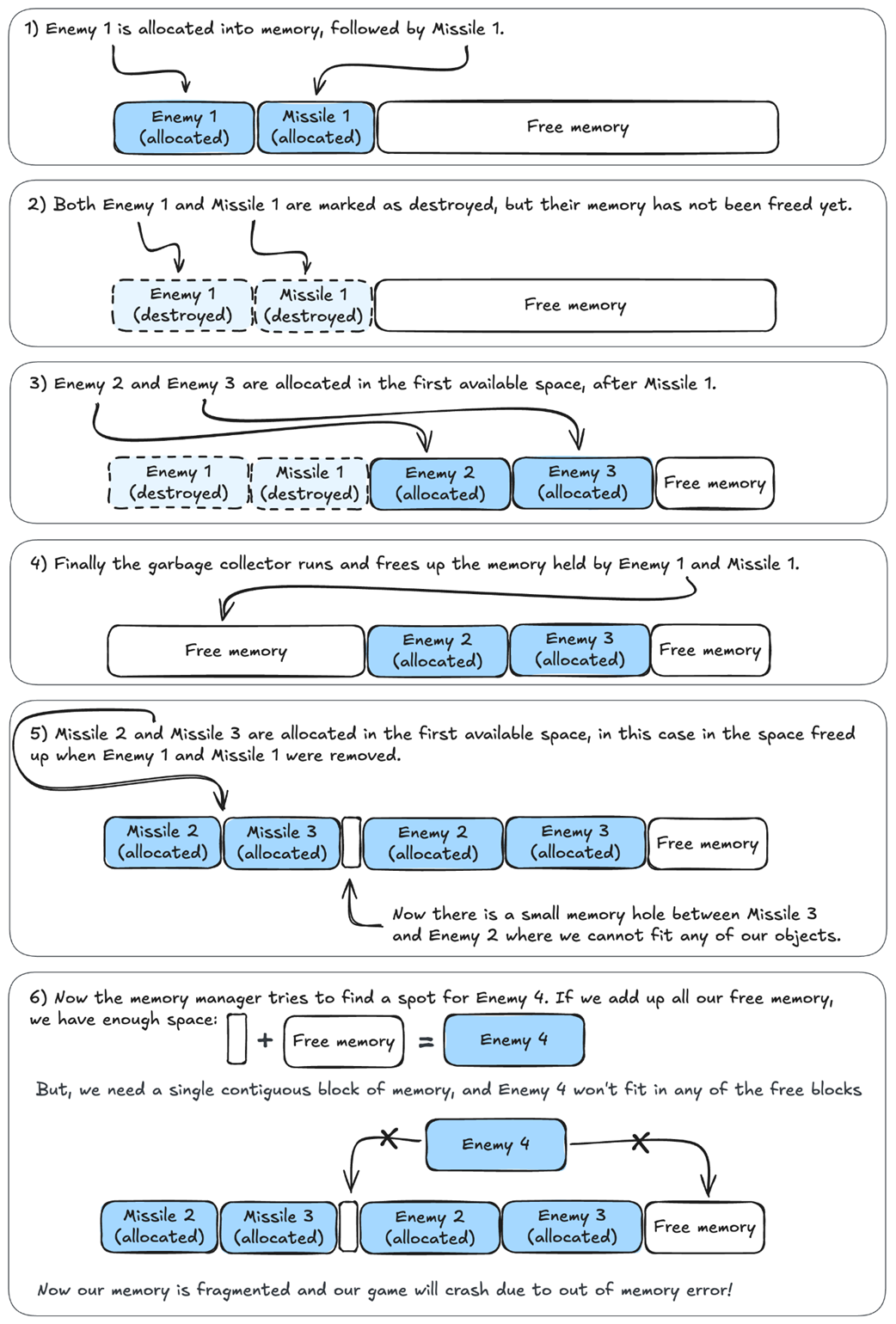
In Unity, freed memory cannot be reused until the garbage collector runs. If we allocate and deallocate objects often, we’ll use more memory than expected.
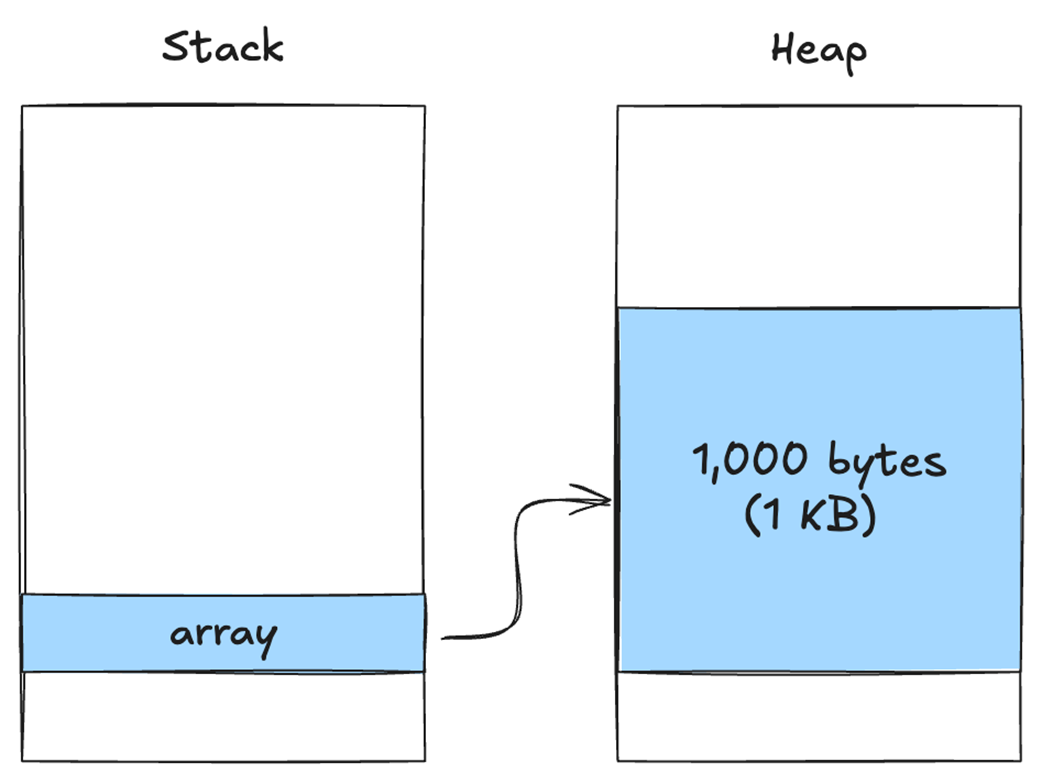
The variable array is allocated on the stack, while the contents, 1,000 bytes, are allocated on the heap.
Screenshot from the Unity profiler

Frequent allocation and deallocation of memory can lead to memory fragmentation, eventually crashing the program
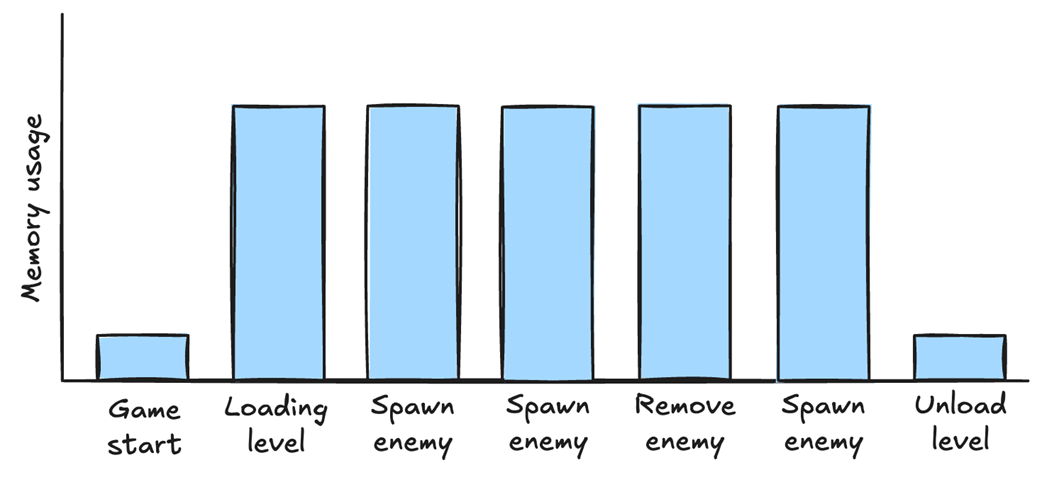
We allocated all the memory we needed when loading the level, and we used only that memory until we unloaded the level, regardless of how many enemies were spawned and removed.
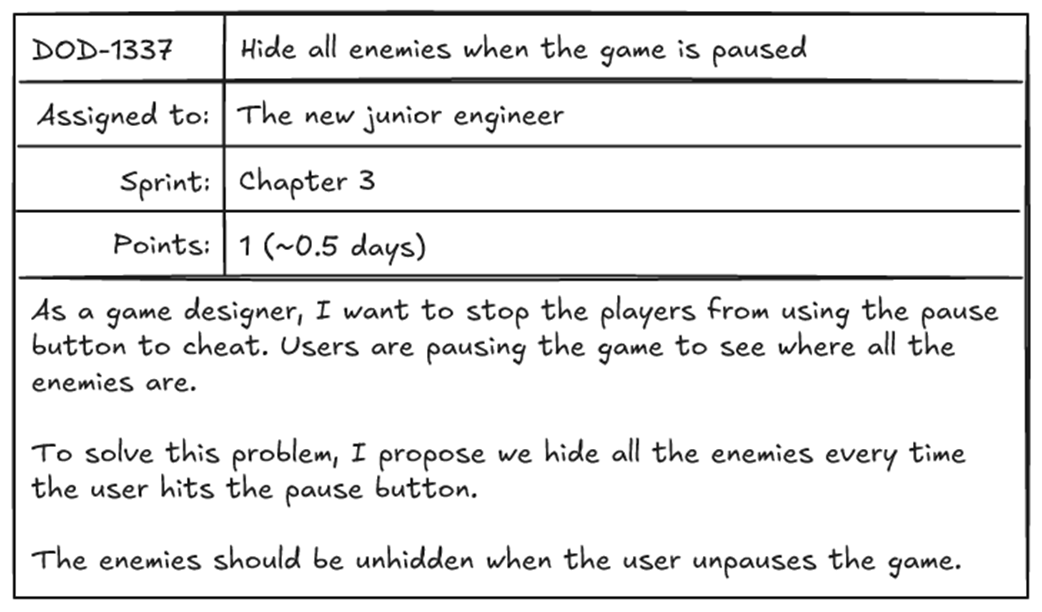
Hide all enemies task
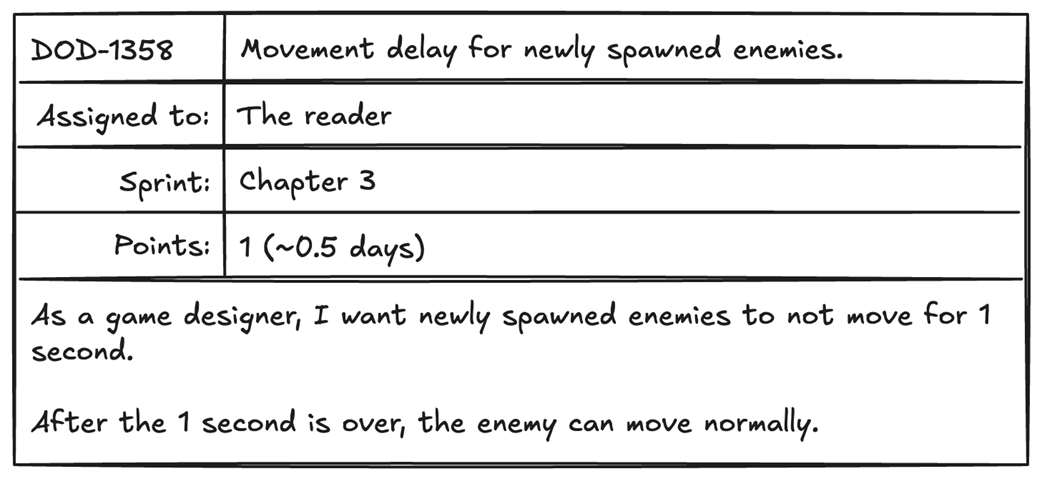
New feature to stop enemies from immediately moving when spawned.
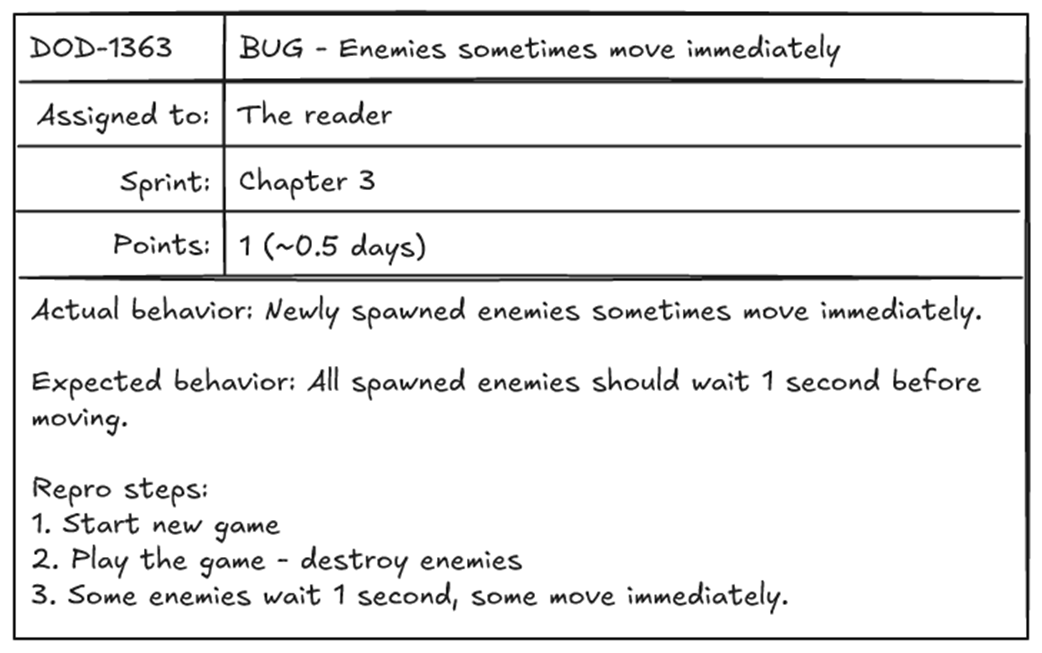
Bug report newly assigned to us about some enemies moving immediately.
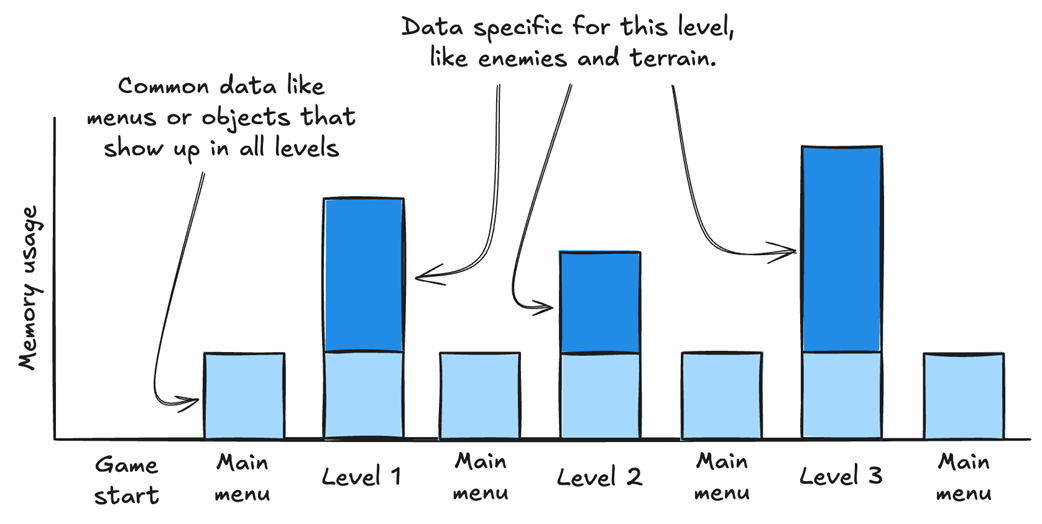
An ideal memory allocation, with common data allocated first, then level-specific data.

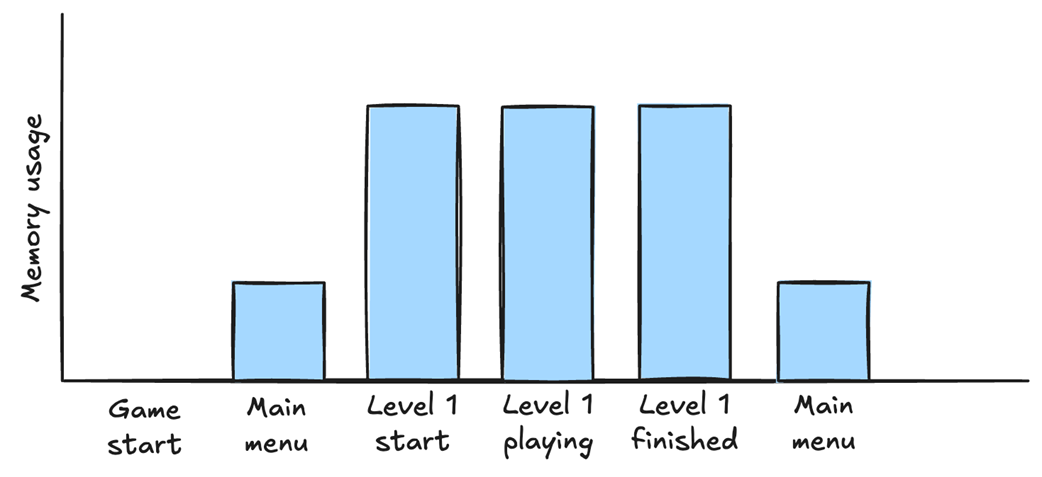
A graph showing what our memory usage looks like when loading the main menu, and then entering and exiting the first level.
A graph showing what our memory usage looks like when loading and unloading multiple levels. We load common data first, such as menus and objects used across all levels. Then, for each level, we load level-specific data, such as enemies or terrain objects.
Summary
- Memory fragmentation is when our memory is full of holes. This is bad because the memory manager allocates data in contiguous chunks. If the memory manager can’t find a chunk big enough for our data, our game will crash.
- A useful way to reduce memory fragmentation is to organize heap data by lifetime: allocate related data together, keep it alive for the same duration, and release it together or in reverse order when possible.
- It is a good idea to avoid triggering the garbage collector during gameplay because it is hard to predict when it will run and can impact performance.
- The garbage collector can also cause memory fragmentation because memory can’t be reused until it runs.
- Object pools allow us to recycle data by allocating everything we need once and reusing it as needed.
- Object pools help limit memory fragmentation and reduce garbage-collector triggers.
- In an ideal situation, we want to allocate all the common data we need when the game loads and keep it in memory until unloading the game.
- We want to allocate all the level-specific data only when loading a level and keep it in memory until the level is complete.
- We want to avoid allocating and deallocating memory during gameplay.
FAQ
What is memory fragmentation in Unity, and why does it matter?
Memory fragmentation happens when heap memory has gaps or “holes” left behind by deallocated objects. Even if the total free memory is large enough, Unity may still fail to allocate a new object if no single contiguous block is big enough. This can lead to crashes and reduced performance.Why can deallocating objects in a different order than they were allocated cause fragmentation?
When objects are freed out of order, the heap can be left with unused spaces between still-allocated objects. These gaps create fragmented memory. The more often this happens, the harder it becomes to find large contiguous blocks for new allocations.Why is memory fragmentation a problem in the heap but not in the stack?
The stack automatically deallocates data in reverse order of allocation, which keeps memory neatly organized and contiguous. The heap does not enforce that order, so it can become fragmented over time.How does the garbage collector affect game performance in Unity?
The garbage collector uses CPU time to find and remove unused objects. Since Unity can run GC automatically during gameplay, it may cause sudden frame drops or stuttering at unpredictable times, hurting the player experience.Why doesn’t Unity immediately reuse memory after calling Destroy()?
CallingDestroy() only marks the object for later removal. The memory is not reclaimed until the garbage collector runs, so the space cannot be reused immediately by new objects.

 High Performance Unity Game Development ebook for free
