2 Structuring data for performance
In this chapter, the main idea is that performance in Unity depends not just on using arrays, but on how data is shaped, stored, and moved through memory. The author explains that choosing between structs and classes, understanding stack versus heap allocation, and being careful about data locality can all have a major impact on speed, cache efficiency, and memory behavior. These choices matter broadly, even though the examples focus on C# and Unity.
Structs are best used for small, fixed-size value data that is usually used together, such as a two-component position, while classes are better for larger, longer-lived data or data made up of arrays and strings. The chapter emphasizes that structs can be efficient because they often fit neatly on the stack and are easy to allocate and discard, but they can also be copied unintentionally when passed to functions. By contrast, classes live on the heap, so passing them around copies only the reference, not the full data, which avoids expensive copying but can make memory locality less predictable.
The chapter also warns that structs are not always “stack-only,” since structs inside classes or containing arrays and strings still rely on heap-allocated memory for those members. Arrays of structs tend to be contiguous and cache-friendly, while arrays of classes store references that point to separate heap objects and can hurt locality. Finally, the author shows that primitive data type selection matters too: smaller types can save memory, but on some devices they may actually be slower than int, so the safest approach is to choose types based on the maximum required range, then profile on target hardware before optimizing.
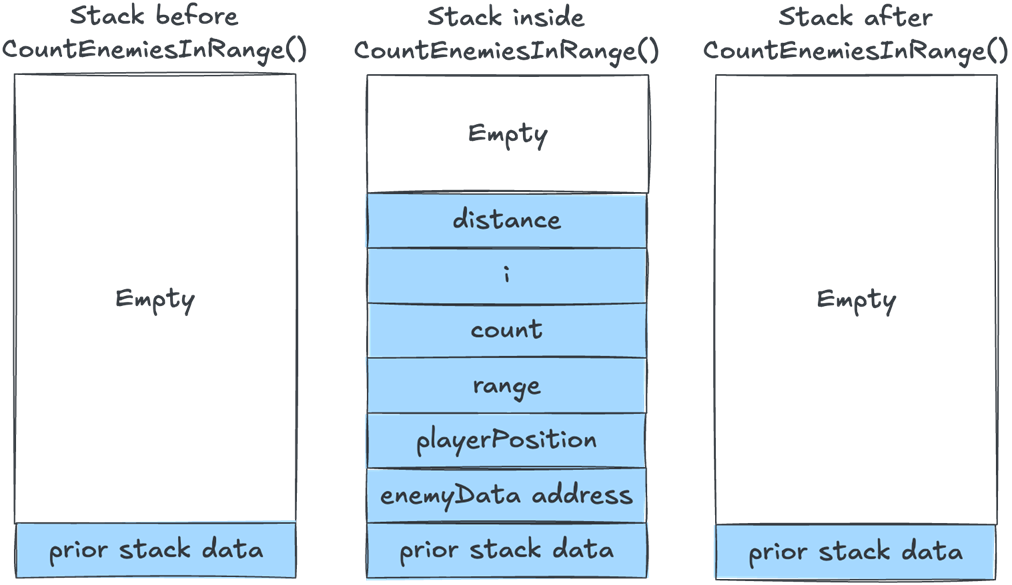
A simplified view of the stack before, during, and after calling CountEnemiesInRange()
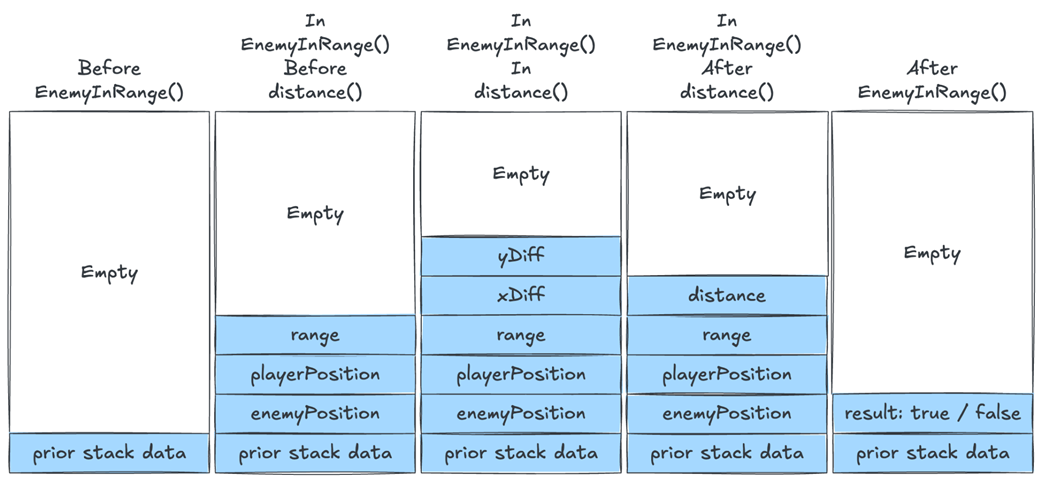
The stack before calling EnemyInRange(), inside enemyInRange() but before calling distance(), inside distance(), after exiting distance(), and after exiting EnemyInRange().
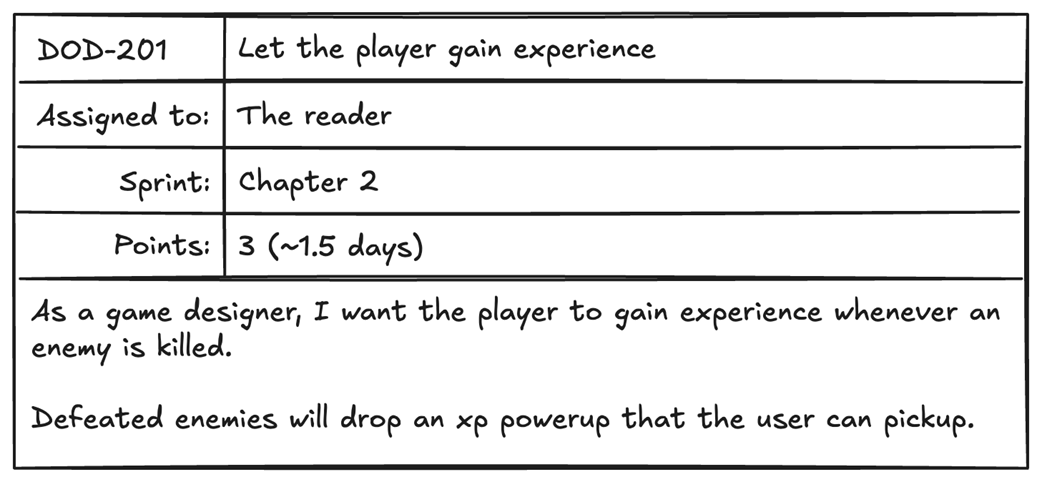
A task for adding experience to our game. To implement it, we’d need to store the current player’s experience in game data.
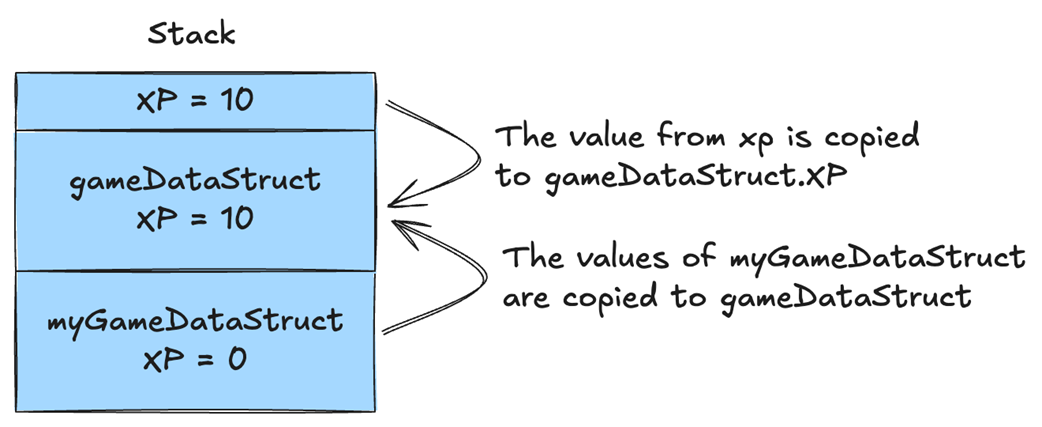
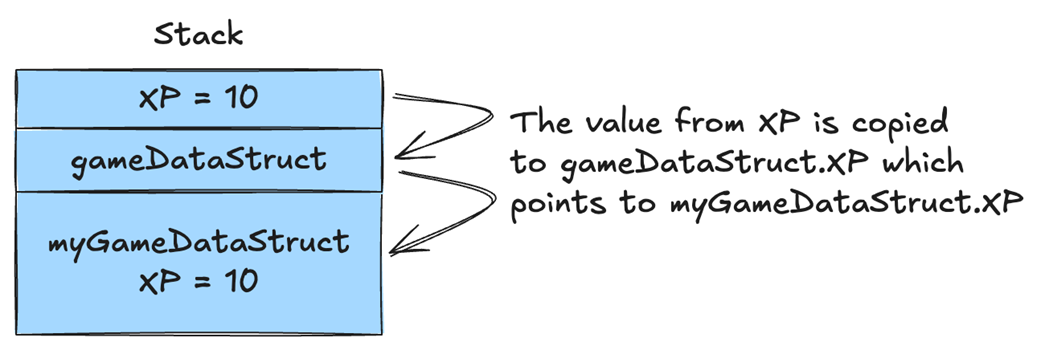
When myGameDataStruct is passed by value into AddXP(), its contents are copied into gameDataStruct. When we modify gameDataStruct.XP we are modifying the copy, so myGameDataStruct.XP’s value remains the same.
When myGameDataStruct is passed by reference, both myGameDataStruct and gameDataStruct point to the same memory address. Modifying one of them also modifies the other, so changing gameDataStruct.XP also changes myGameDataStruct.XP.
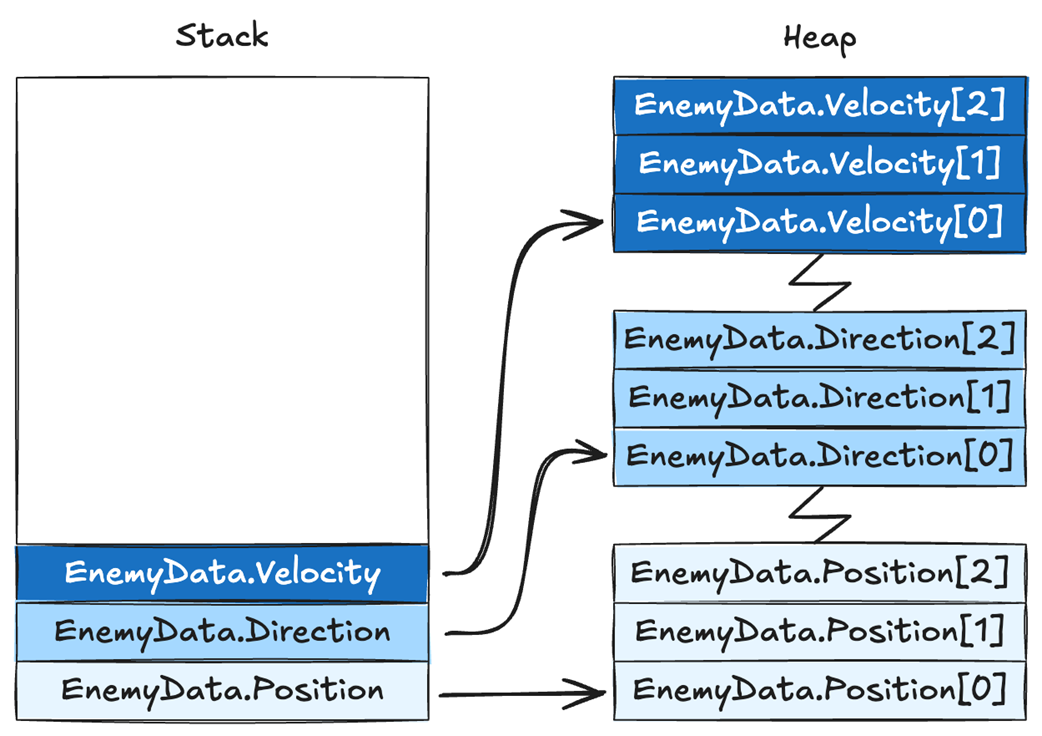
Our EnemyData struct is on the stack, but the arrays point to memory on the heap, and each array points to a different heap memory location.
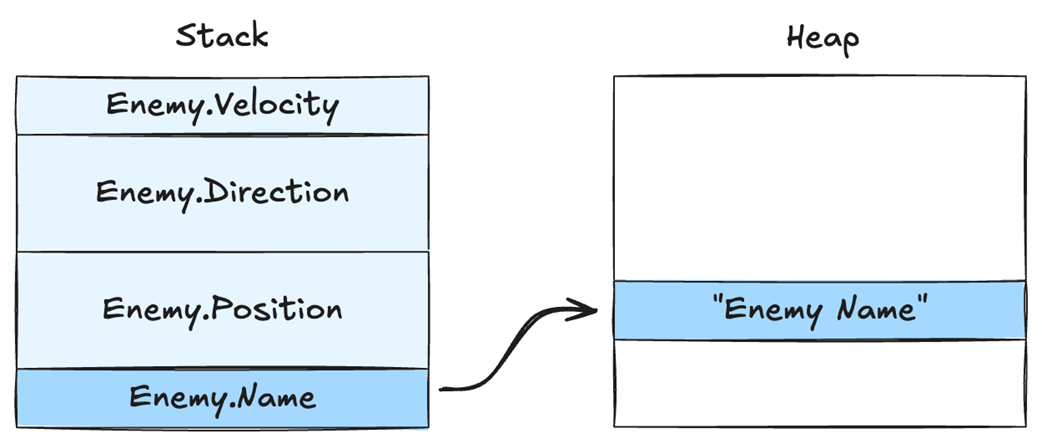
The variable EnemyData.Name is on the stack, but it points to heap memory where the string “Enemy Name” is stored.
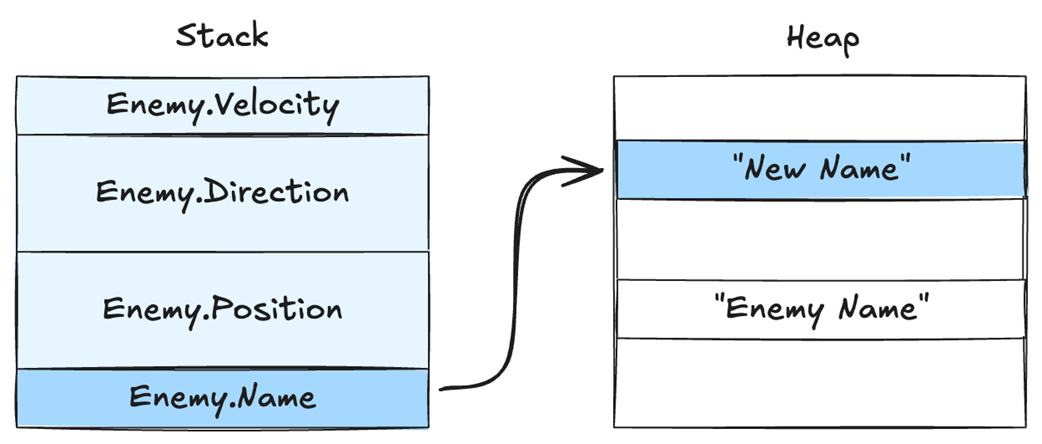
When we change the value of Enemy.Name, it points to a new heap memory location. The old string “Enemy Name” will remain in memory until it is freed by the garbage collector.
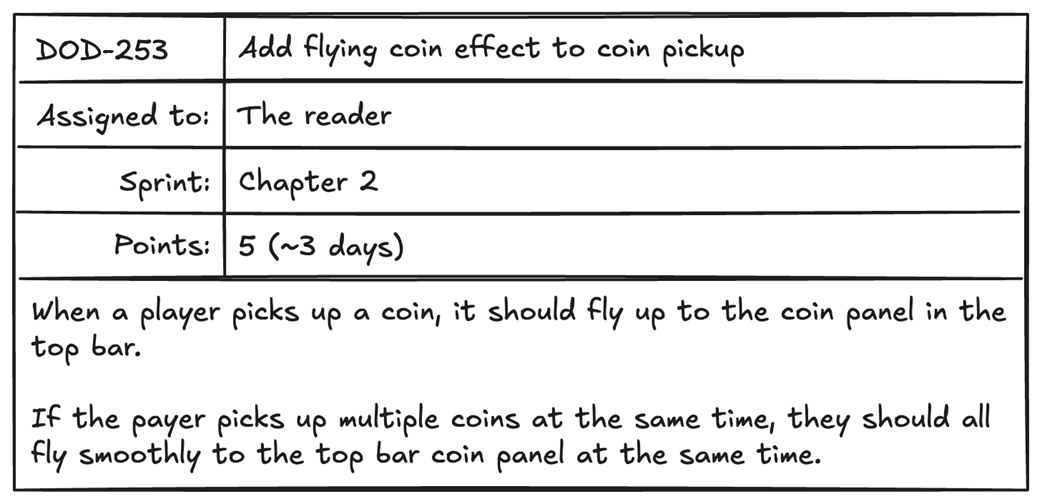
When we collect a coin that was dropped by an enemy, we want the coin to fly to the UI’s top bar, where we show the player's money.
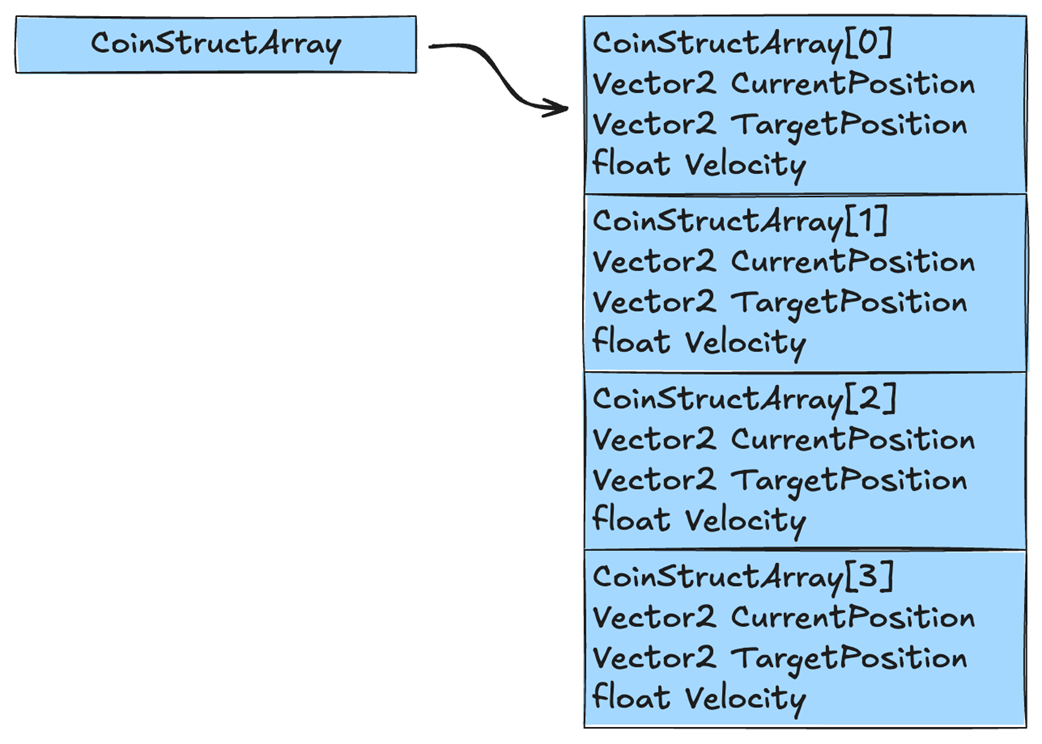
Arrays of structs like CoinStructArray are allocated in a single, contiguous block of heap memory, which holds all their data.
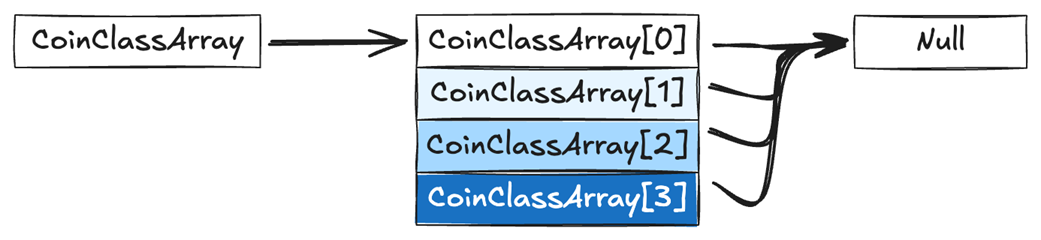
Arrays of classes like CoinClassArray are composed of addresses, and are initially set to null.
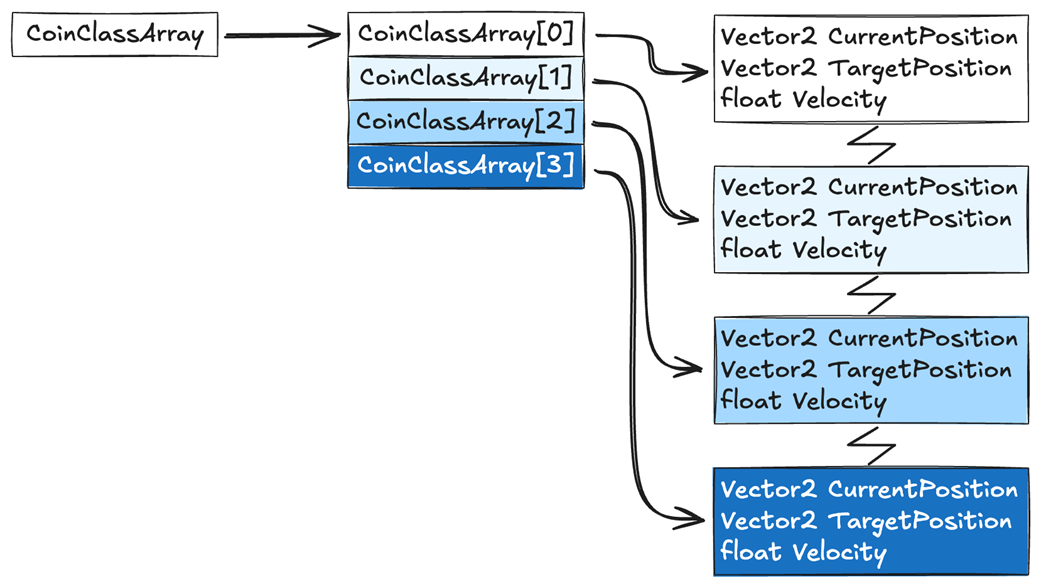
Arrays of class objects are addresses that point to wherever each object was allocated on the heap.
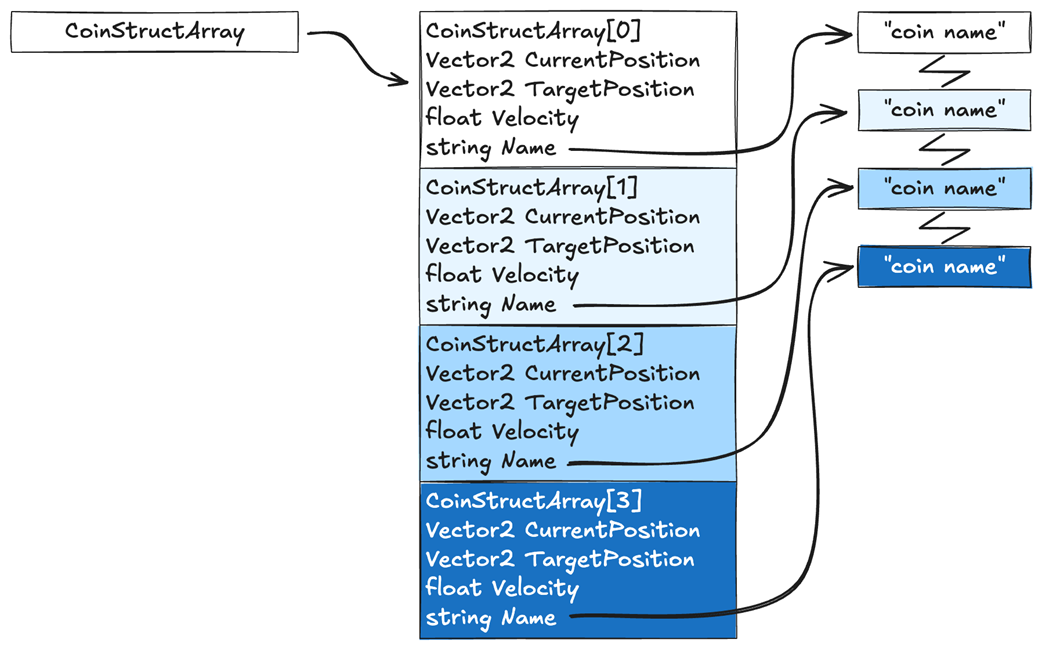
If we add a string CoinName to our CoinStructArray, each string will need to be allocated separately and its data will no longer be in contiguous memory, breaking our data locality.
This figure shows two cache lines, one filled with ints and one with bytes, and shows that we can fit 4x more byte data than int data in a cache line.

Summary
- You should use C# classes when storing variable-length data, like arrays and strings, and data that is not always used together.
- You should use C# structs only when your data is always used together and does not exceed 16 bytes in size.
- Data is pushed onto the stack in a Last-In-First-Out order.
- The stack helps with data locality because it stores data in contiguous memory.
- Stack is also useful with memory management, as stack data is automatically deallocated when it goes out of scope.
- The heap is used to store long-lived data.
- Heap data is allocated where there is room, so data can end up spread out, leading to cache misses.
- C# structs are passed by value by default, which can lead to bugs if you modify the copy instead of the original.
- The larger the struct, the bigger the performance hit we’ll experience in the Unity editor. This can lead to a performance disparity between what we see in the editor and the device, making performance analysis difficult.
- Copying by ref is useful because only the address is copied to the stack, so the performance is the same regardless of the size of the source data.
- C# structs are typically stored on the stack, unless they are a member variable of a heap allocated object.
- C# struct member variables of variable length, like strings or arrays, will need to be allocated on the heap even if the struct was allocated on the stack.
- C# arrays of structs will be stored in a single contiguous block, which helps with data locality.
- C# arrays of class only hold an address to each object, which is stored wherever there is room on the heap, which breaks data locality.
- Saving space by using a byte or short instead of an int can have serious performance implications, depending on the target device.

 High Performance Unity Game Development ebook for free
