11 Branching, performance, and extendibility
Branches are shown as a central trade-off in game code: they can make logic harder to understand while also slowing down hot paths. Even simple constructs like if, switch, and the conditional operator add cognitive overhead because readers must inspect both outcomes, and on modern CPUs they can trigger prediction and pipeline penalties. The chapter emphasizes that predictable branches are less costly than random ones, but the safest performance strategy is still to reduce branching wherever possible rather than assume the compiler or hardware will make it free.
A major technique for doing that is to reorganize data so the runtime can process homogeneous groups without repeatedly checking conditions. Examples include splitting alive and dead enemies into separate arrays, using unused pool-index arrays instead of scanning every pooled object for availability, and separating UI into distinct scripts for different menus or screens. This improves both speed and maintainability: loops become simpler, debugging becomes more direct, and changes to one feature are less likely to affect unrelated code. The chapter also argues for keeping ownership of object lifetimes in your own code, avoiding repeated null checks on Unity objects, and using zero-tolerance error handling in development so problems are caught early instead of hidden by noisy runtime behavior.
The chapter also warns about hidden branches, especially those introduced by C# default parameter values, which can make behavior less obvious and create future maintenance hazards. A method may appear to have a simple call signature while secretly containing a branch that changes how it behaves. Overall, the message is that high-performance Unity code should favor explicit, branch-light design: validate data at the boundaries, keep runtime systems predictable, separate data by behavior, avoid fire-and-forget lifetimes that produce null-object bugs, and make code structure reflect actual game responsibilities rather than convenience alone.
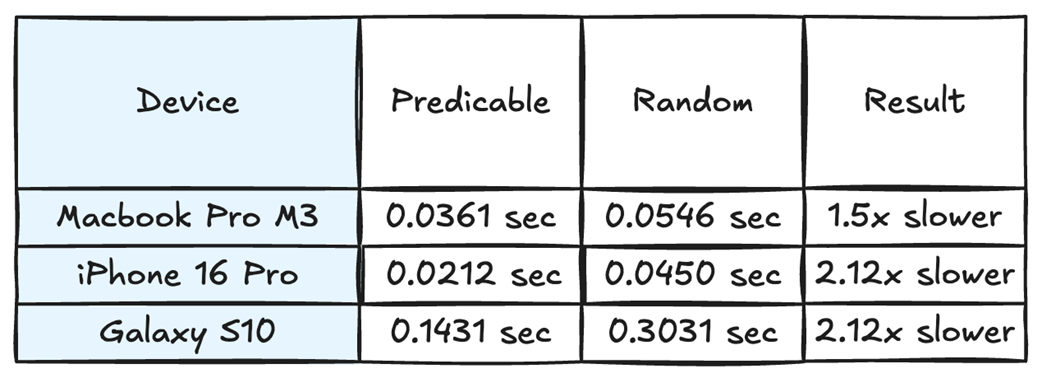
When we test a predictable branch result against a random one, the random branch result is 1.5x to 2.12x slower.
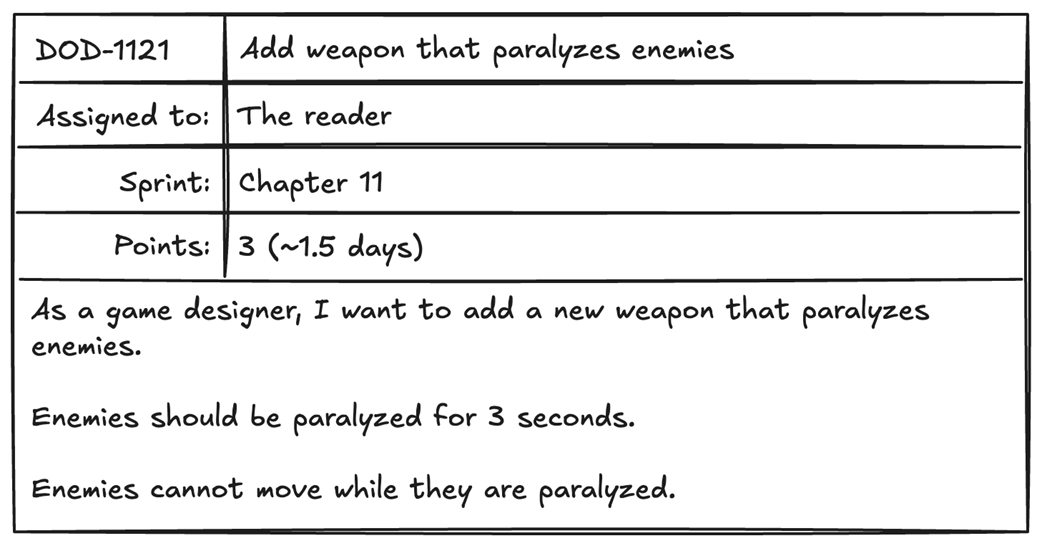
A task to add a new paralysis feature to our enemies.
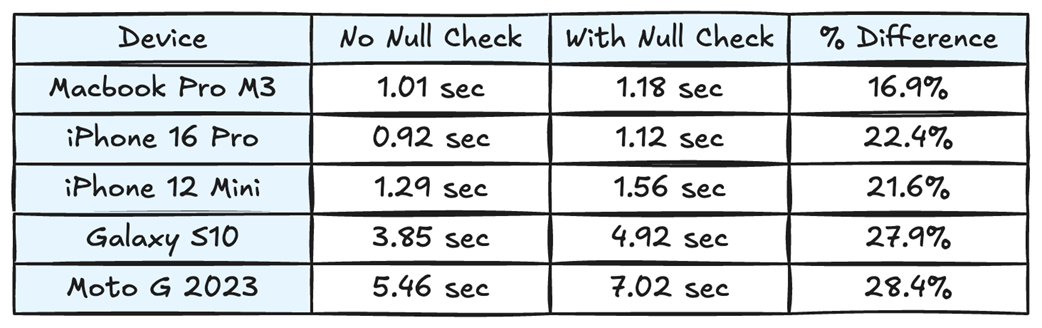
From these results, we can see that adding a null check on a Unity object can have a significant effect on our performance.
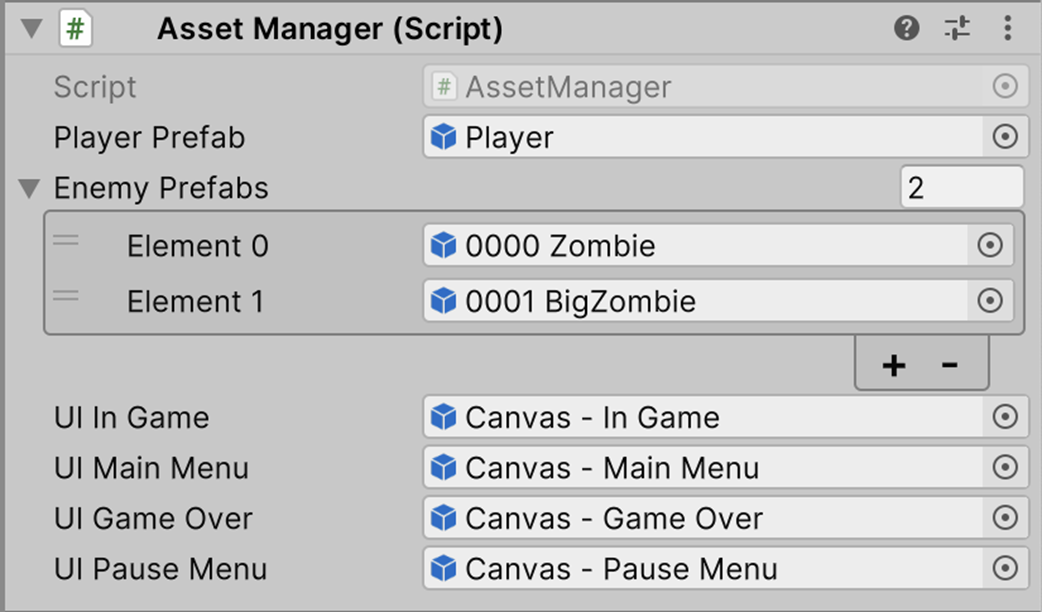
In our AssetManager script, we assign prefabs and menus in the Unity Editor during tooltime. These assets will not change at runtime, so we can skip checking whether they are null.
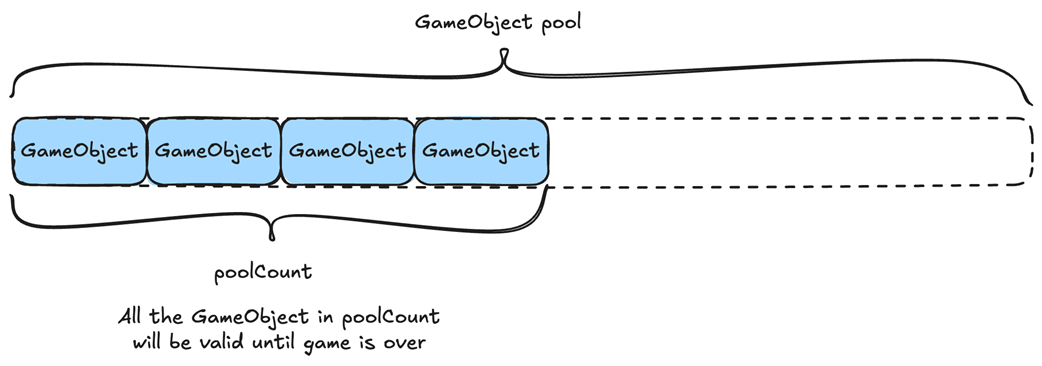
If we own the lifetime of a Unity object, we can safely skip checking it for null.
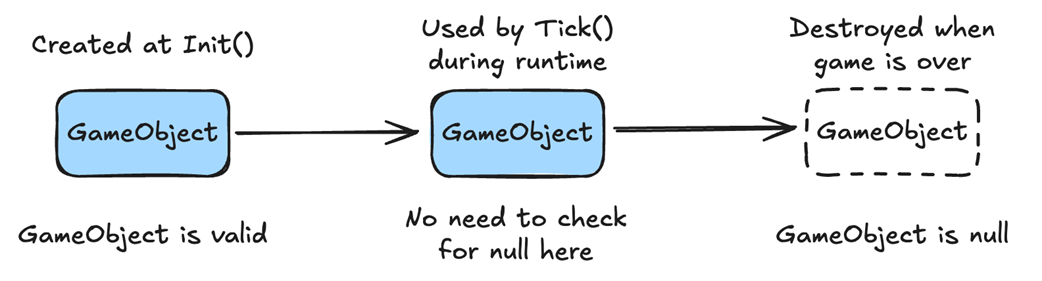
We can skip null checks even with dynamic object allocations if we know when they are instantiated and when we are going to deallocate them.
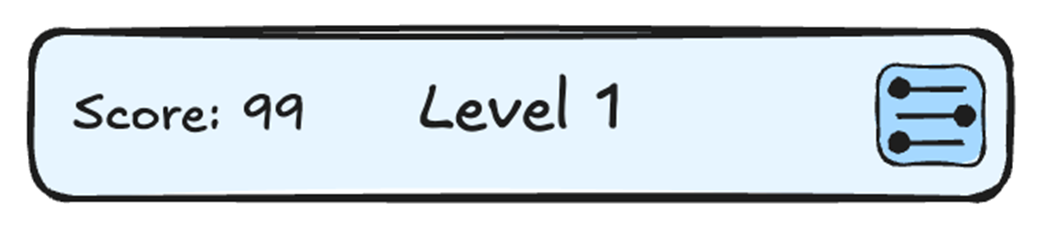
Our Top-Bar, which is found in nearly every menu, with a score on the left, a title in the middle, and a settings button on the right.
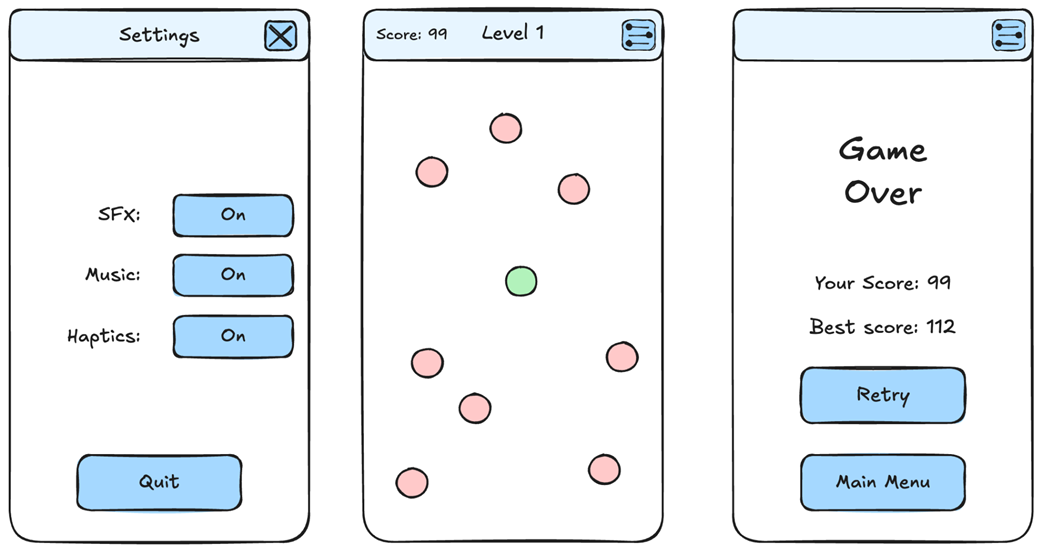
Three menus, each with a slightly different top bar. The settings menu has a title and a different button. The in-game menu has the current score, the title, and an options button. The game over menu has only the options button.
Summary
- Branches increase both runtime cost and code complexity, even when they seem simple.
- Branch misprediction can cause significant slowdowns due to pipeline flushes and wasted CPU work.
- Even predictable branches can still be slower than branchless alternatives, especially in tight loops.
- Unpredictable branch patterns (e.g., random conditions) hurt performance most.
- Move conditional logic outside of core functions to keep them simple and predictable.
- Avoid excessive data checks by owning the data's lifetime.
- Unity’s null checks also account for the native object’s lifetime, adding overhead when repeated in hot runtime loops.
- We can avoid checking GameObjects for null multiple times by checking them once during loading.
- We can adopt a zero-tolerance approach to errors to catch them during development.
- If we own the lifetime of data and GameObjects, we can avoid null checks.
- Avoid coroutines and other asynchronous calls that can unexpectedly try to access null data.
- We can reduce branching by separating data. For example, separating alive and dead enemies so we don’t have to check every enemy’s status.
- We can reduce code complexity and improve extensibility by separating common UI elements.
- Hidden branches increase the risk of unexpected behavior and hard-to-find bugs.

 High Performance Unity Game Development ebook for free
