Overview
9 Reduce Your Code – Use Less, Do More with Class Detergent
This chapter marks the shift to intermediate Swift by showing how classes help you reduce, organize, and reuse code. It introduces the idea of a class as a bundle of related data and behavior, explains why classes make programs cleaner, easier to read, and simpler to maintain, and previews capabilities you gain when you use them: initializers, inheritance, and clearer control of where things can be accessed (scope). The emphasis is on writing less code that does more, while keeping it understandable for both you and other programmers.
You learn the core class concepts through approachable examples: a class is a template, and an object (instance) is a specific thing made from that template. Properties hold state, methods define actions, and you access them via instanceName.member syntax. Instances are independent of one another, so changing one doesn’t change another. The chapter then builds up functionality: adding methods to get/set values, introducing initializers that run when instances are created (designated, required, and convenience forms), and showing how convenience initializers can funnel into a designated initializer for flexibility. It also covers inheritance to reuse and extend behavior, plus overriding to customize child classes while keeping what they inherit from their parent.
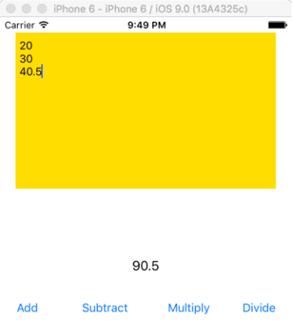
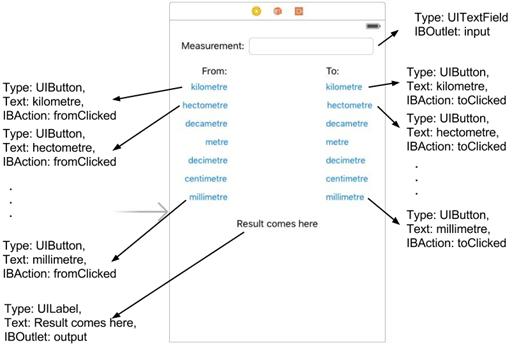
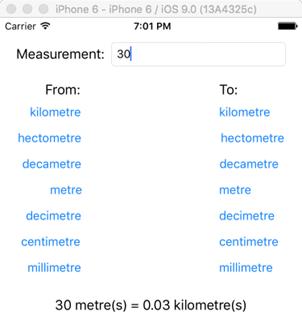
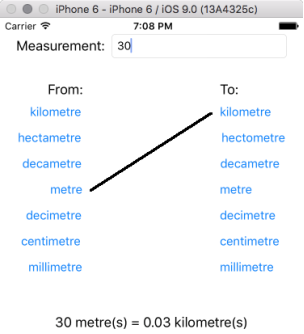
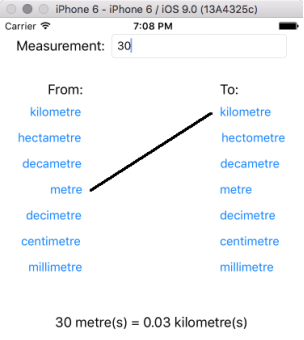
With scope, you see how curly braces define where variables and functions are visible, and you practice the difference between declaring and defining values. These ideas culminate in two hands-on apps. A Calculator app models a list of numbers in a base class and then inherits in a Calculator class to add operations like add, subtract, multiply, and divide, demonstrating reuse and clarity. A Metric Conversion app encapsulates unit rankings and conversion logic in a handler class, adds a small extension for convenience, and, in a second part, introduces a Connector helper to draw a visual line between “from” and “to” units. Together, the projects reinforce how classes, initializers, inheritance, and scope let you write cleaner, shorter, and more maintainable Swift code.
FAQ
What is a class in Swift?
A class is a blueprint that bundles related data (properties) and behavior (methods) into one reusable type. You use the blueprint to create concrete objects that carry their own data and can run the class’s functions.Why should I use classes instead of writing everything in one file?
Classes keep code organized and readable, make maintenance and debugging easier, enable reuse and sharing, and unlock features like initializers and inheritance. Changing code in a class updates all places that use it.What’s the difference between a class and an instance (object)?
The class is the template (for example, Dog). An instance is a specific object created from that template (for example, a dog named Ranger). Each instance has its own property values, independent from other instances.How do I create an instance and access or change a property?
Create an instance with something like var thing = TestClass(). Access a property with thing.name. Change it with thing.name = "New Value". Changing one instance’s property does not affect other instances.What is an extension and what is a computed property?
An extension adds new functionality to an existing type without subclassing it. You can add methods and computed properties. A computed property has a getter and/or setter that calculates its value on the fly; extensions cannot add stored properties.What are initializers, and how do designated, required, and convenience initializers differ?
Initializers (init) run when you create an object and set it up. They don’t return values. A designated init is a primary initializer for the class. A required init must be implemented by subclasses. A convenience init is a helper that must call another initializer in the same class (often forwarding or formatting inputs).How do I use convenience initializers correctly?
A convenience initializer’s first line must call another initializer in the same class (designated or required), typically using self.init(...). You can provide alternate parameter combinations (for example, first/last name) and forward them to the main initializer.How does inheritance work, and what does override mean?
A child class inherits properties, methods, and initializers from its parent, so it starts with all the parent’s capabilities. You can customize behavior by adding new members or by overriding parent methods with override func to change how they work.What is scope, and why can’t I use a variable declared inside braces outside them?
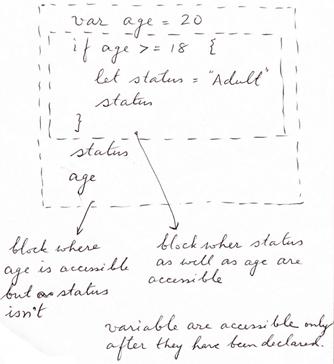
Scope controls where code can “see” names. Anything declared inside a pair of braces { } (such as inside an if, function, or class) is only accessible within those braces. To use a value after a block, declare it before the block and assign inside.What’s the difference between declaring and defining a variable?
Declaring creates the variable (for example, var age: Int). Defining assigns it a value (for example, age = 20). You can also do both at once (for example, var age = 20).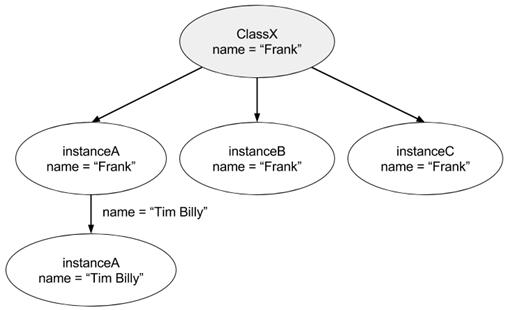

 Hello Swift! ebook for free
