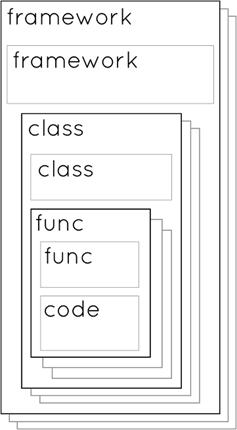
Frameworks are presented as reusable “bookshelves of classes” that bundle related code—functions, classes, and even other frameworks—so you can share, maintain, and reuse functionality across many apps without copy‑pasting. The chapter explains the containment hierarchy (functions inside classes, classes inside frameworks) and why frameworks are ideal for cleaning up projects, fixing bugs in one place, and distributing code to others via repositories. It also notes that this is a special‑topic milestone aimed at developers who want to package and share code rather than build full UIs.
To make the idea concrete, the chapter walks through creating a Cocoa Touch framework called SwiftoFile that encapsulates file reading and writing once handled inline in Chapter 10. You build a small class hierarchy: a base FileContentManager that stores a filename, a FileReader and FileWriter that inherit from it, and a public SwiftoFile facade that exposes simple read/write methods while hiding internal details via access control. Because frameworks must be compiled for the correct target, the chapter shows building the .framework for either a real device (Generic iOS Device) or a simulator, emphasizing that these outputs are not interchangeable due to different architectures.
The second half shows how to consume the framework in an Xcode app by removing now‑duplicate read/write functions, importing the framework, embedding it in the project, and replacing previous code with a SwiftoFile instance’s read and write calls. It highlights the “Embedded Binaries” step to ensure the app includes the framework at runtime and reminds you to run on a device or simulator that matches how the framework was built. Finally, it connects the concept to UIKit, which you’ve been importing all along—another example of a framework—reinforcing how frameworks streamline code reuse, organization, and collaboration.
The “What-contains-what?” diagram.
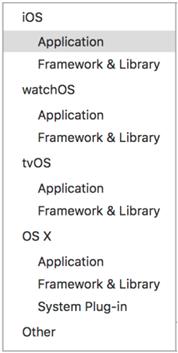
The Project Template Pane.
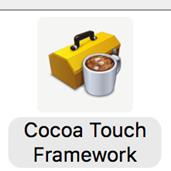
“Cocoa Touch Framework”, the template you should choose.
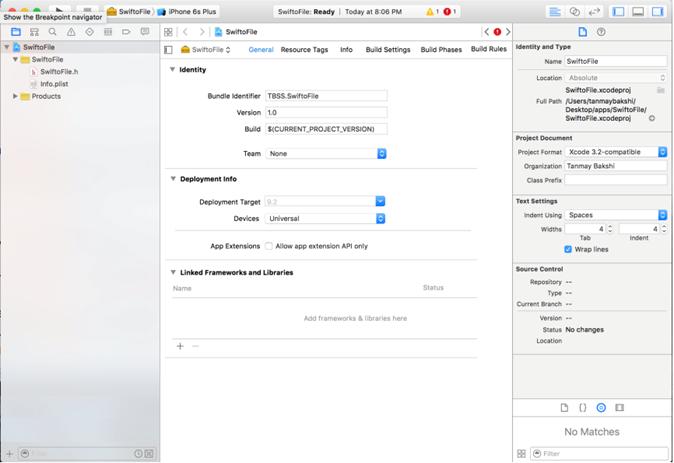
The Xcode Project screen.
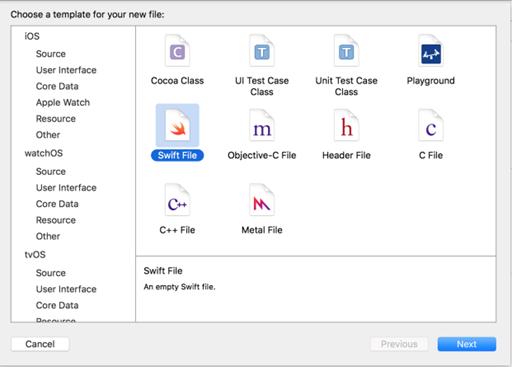
New File Template screen
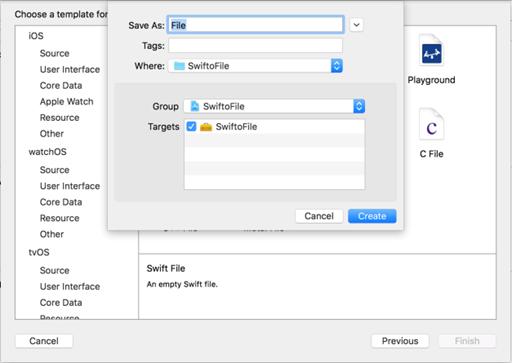
Giving the file a Name.
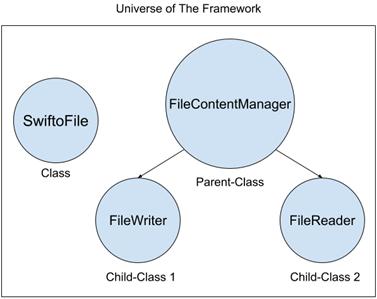
“Universe of The Framework”, an Inheritance diagram.
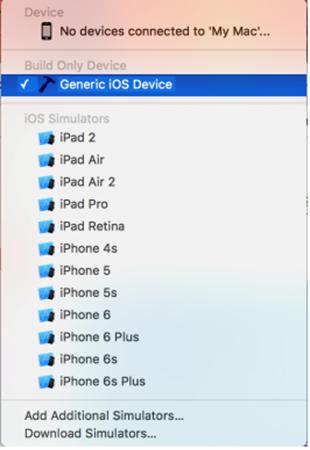
Device Menu, with “Generic iOS Device” selected.
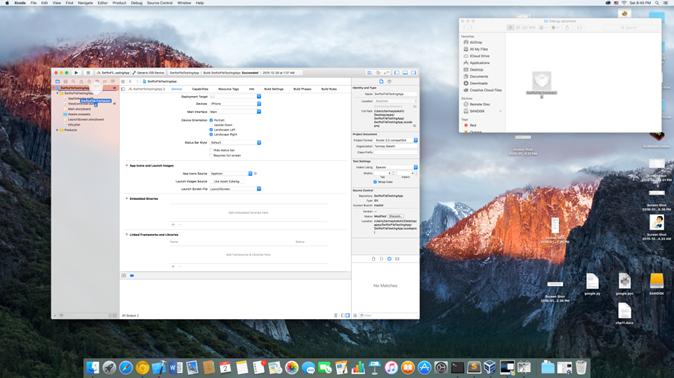
Dragging the Framework file into our Xcode Project.
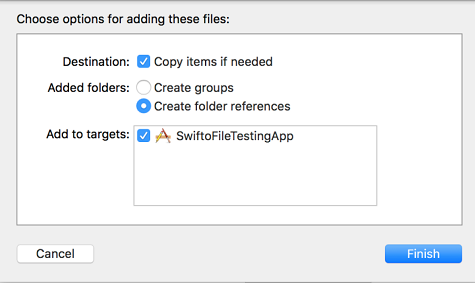
Putting the Framework file into the Xcode Project
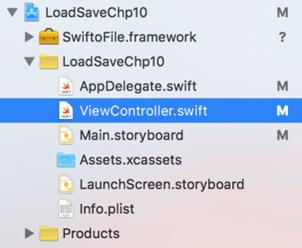
File Navigator in Xcode
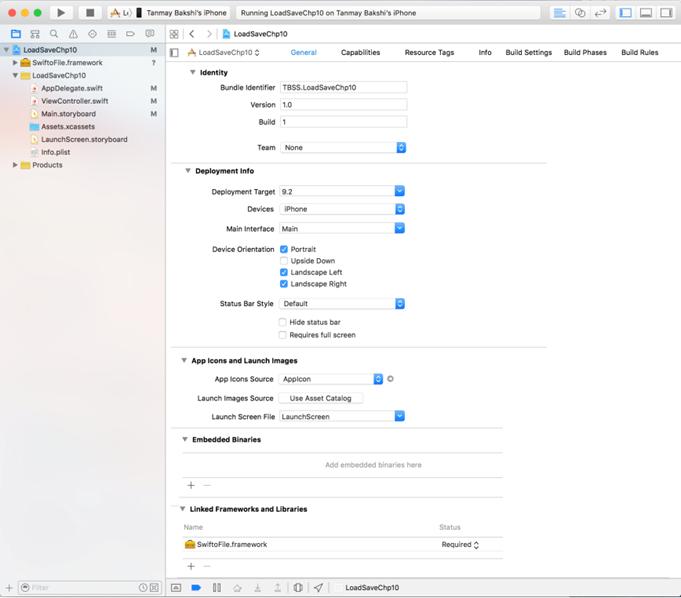
The Xcode Project Screen
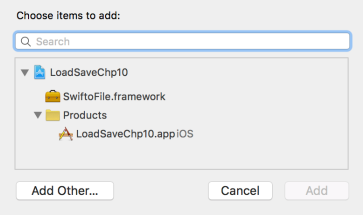
“Embedded Binaries” Add Page
Check Your App-Knowledge
Why do you have to build for simulators and iDevices differently when you make a framework?
What is the advantage of using a framework over functions and classes?
Why do we use the keyword “public” in some classes when creating a framework?
Why do you not see files like “Main.storyboard” when you create a framework project in Xcode?
Describe 2 situations where creating a new framework could be useful.
FAQ
What is a framework in Swift/iOS?A framework is a reusable package of code that can include classes, functions, and even other frameworks. You add it to projects to share functionality without copying files into every app.Why use a framework instead of copying code between apps?Frameworks prevent duplication, keep projects cleaner, and make updates easier. Fix a bug or add a feature once in the framework, and every app that uses it benefits.How do functions, classes, and frameworks relate to each other?Functions group lines of code, classes group related functions (and can contain other classes), and frameworks group related classes (and can include other frameworks). It’s a nesting of reusable building blocks.How do I create a Cocoa Touch Framework in Xcode?Start a new project, choose iOS → Framework & Library → Cocoa Touch Framework, and name it (avoid invalid characters like apostrophes). Xcode creates a library target, not an app.Why doesn’t a framework project have Main.storyboard or ViewController.swift?Frameworks are libraries, not apps, so they don’t include UI files. You only create Swift files that expose the API you want other apps to use.What does “building” the framework mean?Building compiles your Swift files into a .framework binary that devices can run. It translates your code into machine code for a specific target (simulator or device).Why do I need separate builds for simulators and real devices?Simulators and devices use different architectures, so you must build once with a simulator selected and once with Generic iOS Device selected. Each build produces a .framework compatible with that environment.Where do I find the .framework file after building?Open the Products group in Xcode, right-click your framework, and choose Show in Finder. You’ll see it under build folders like debug-iphoneos (device) or debug-iphonesimulator (simulator).How do I add my framework to an app in Xcode?Drag the .framework into the project navigator and check “Copy items if needed.” Then in the target settings, add it under Embedded Binaries so it’s included in the app at runtime.How do I import and use the framework from my app code?Add import SwiftoFile (replace with your framework name) at the top of your Swift file. For example, let f = SwiftoFile(userfilename: "infoSave.txt"); then call f.read() or f.write(content:..., overwriteFile:..., appendNewline:...).
pro $24.99 per month
access to all Manning books, MEAPs, liveVideos, liveProjects, and audiobooks!




 Hello Swift! ebook for free
