8 Database Design in the Age of Generative AI
This chapter shows how generative AI can accelerate end‑to‑end relational database design while still relying on the designer’s judgment to ensure correctness. It introduces a practical workflow powered by large language models and stresses that outputs are probabilistic and must be reviewed. To get consistently useful results, the chapter emphasizes three prompt engineering rules of thumb: be specific and detailed, separate instructions from context, and clearly specify desired output formats with examples.
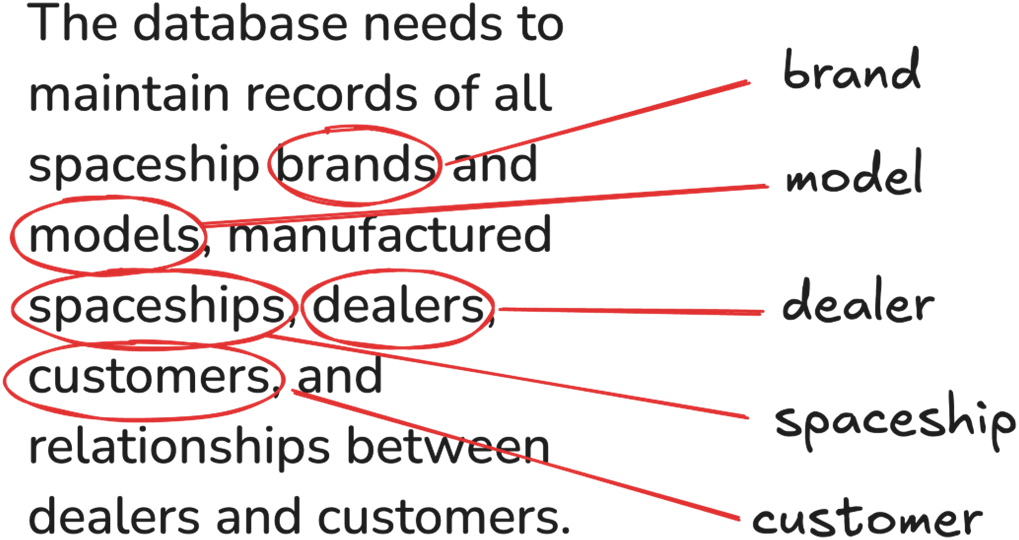
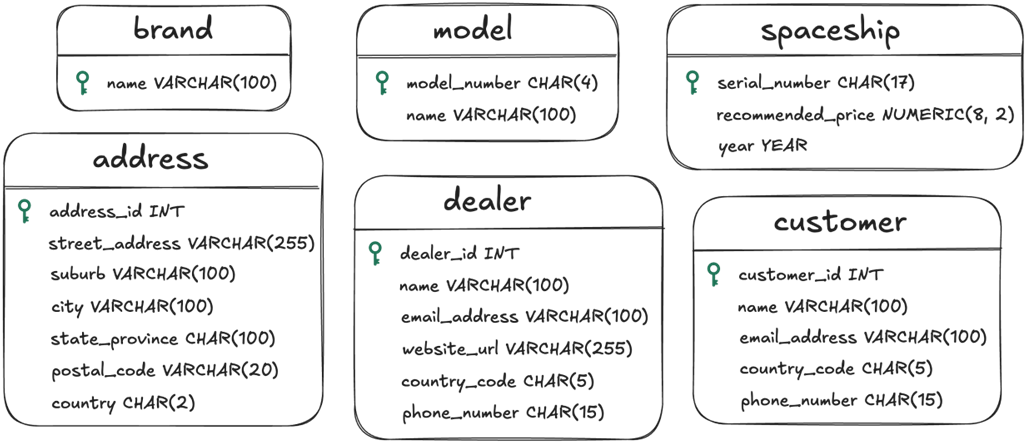
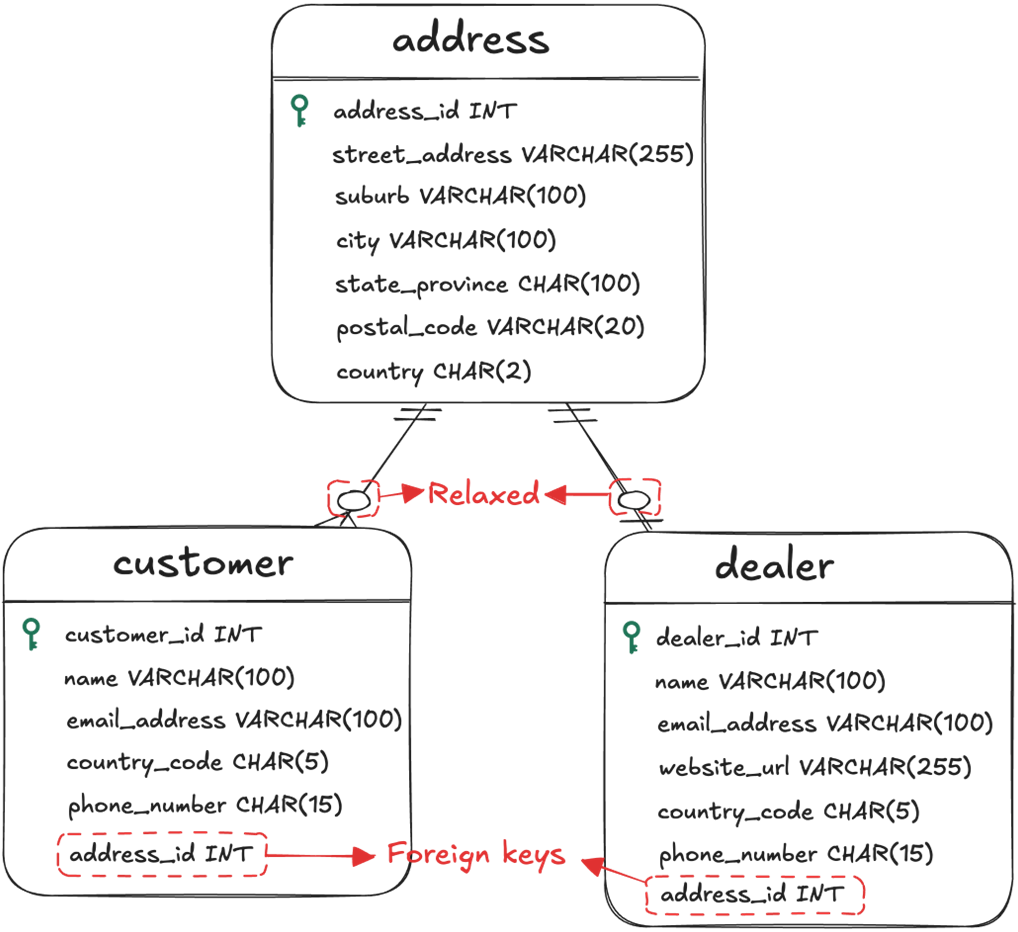
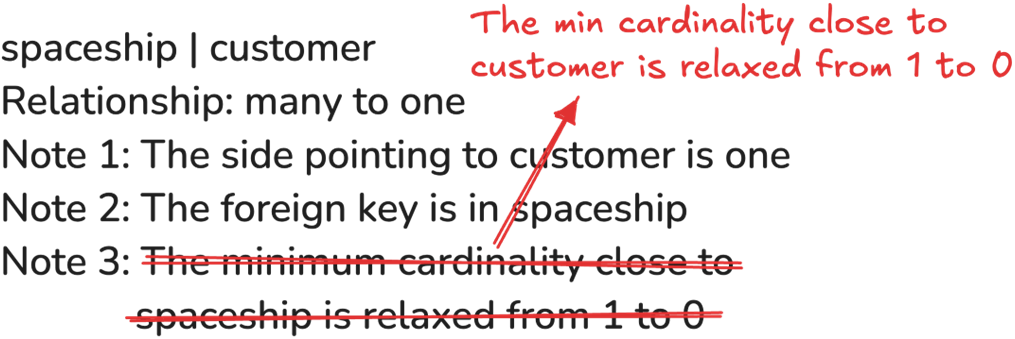
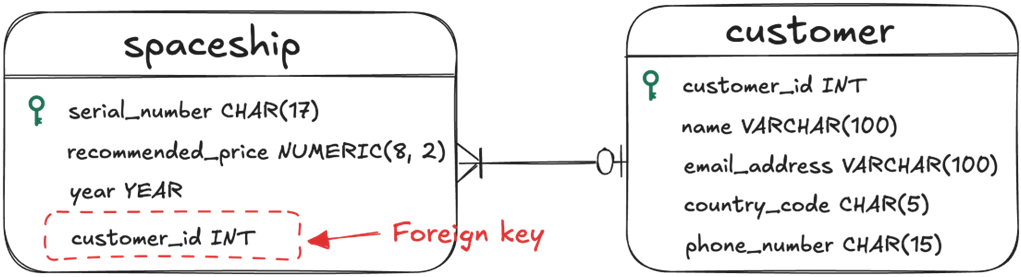
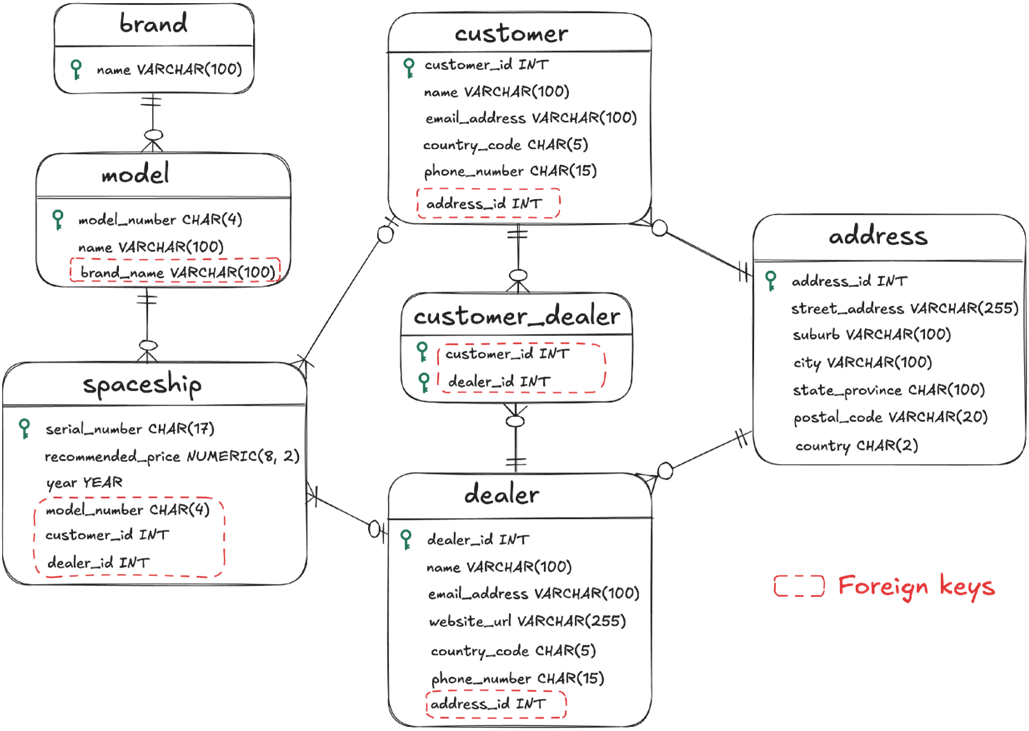
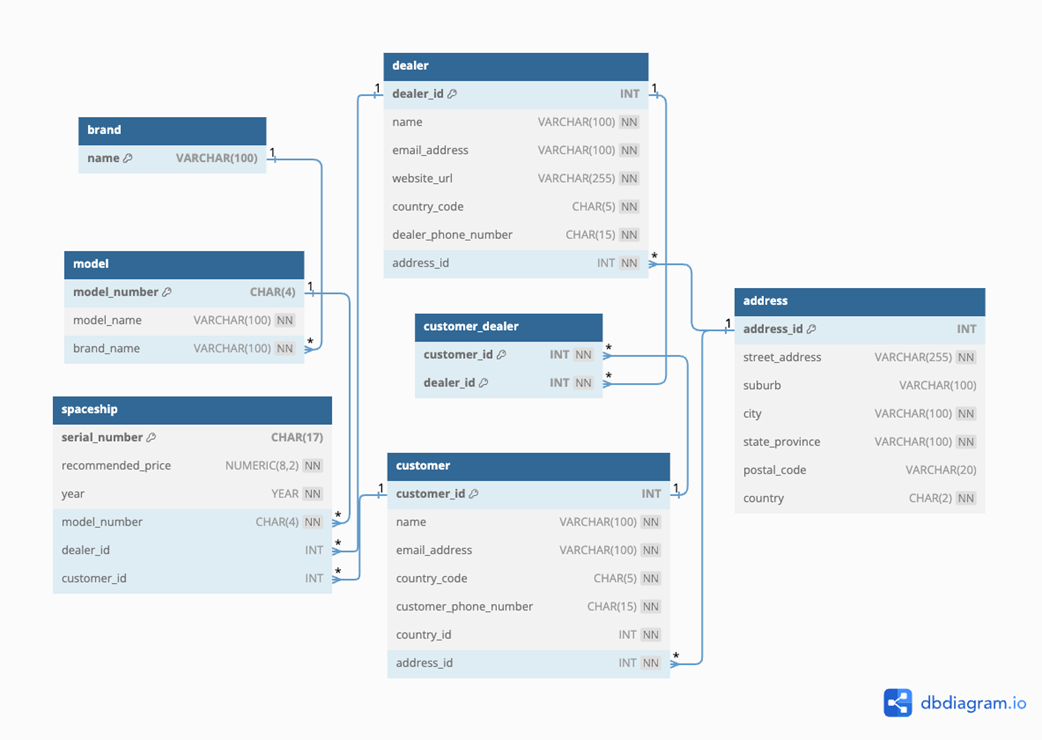
Through a spaceship manufacturer case study, the chapter demonstrates turning requirements into entities, attributes, and relationships with the help of AI, then iteratively refining the drafts. Key corrections include choosing stable surrogate keys for dealer and customer, enforcing uniqueness on emails and phone numbers, splitting phone numbers into country code and local number, and normalizing free‑form addresses into a structured Address entity shared by customers and dealers. It then develops and repairs relationships and cardinalities: brand→model (1‑to‑many), model→spaceship (1‑to‑many), spaceship→dealer (many‑to‑1), spaceship→customer (many‑to‑1 with an optional foreign key so new ships can exist without owners), customer↔dealer (many‑to‑many via a junction), customer→address (many‑to‑1), and dealer↔address (1‑to‑1), including careful placement of foreign keys and thoughtful relaxation of minimum cardinalities.
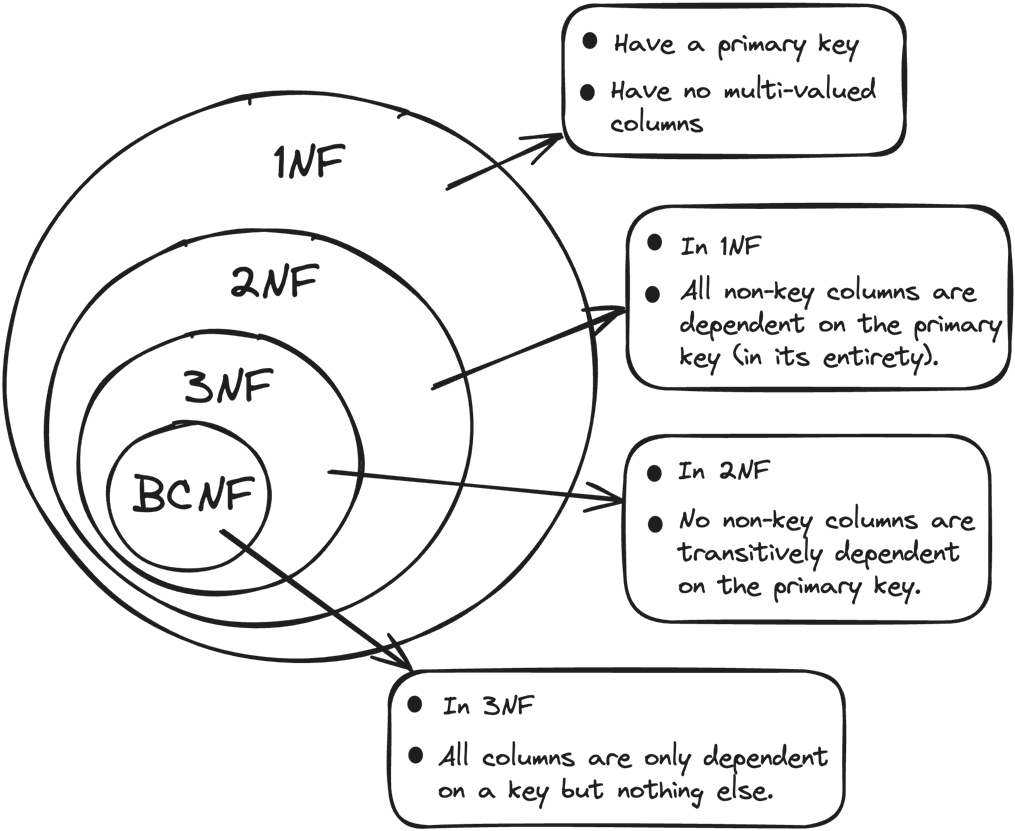
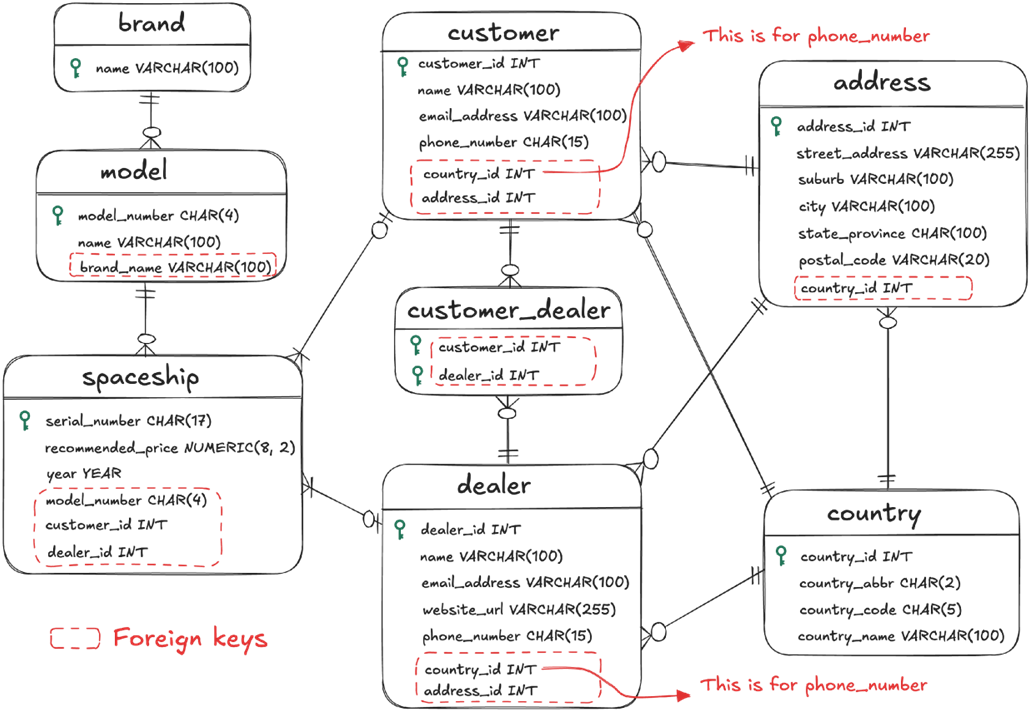
For implementation, the chapter reviews normalization (up to BCNF), derives constraints (primary, foreign, NOT NULL, UNIQUE, and CHECK), and highlights where AI drafts need human fixes, such as missing NOT NULLs or combined uniqueness requirements. It proposes an optimization to replace unwieldy country CHECK lists with a reference Country table reused by Address and phone country codes, improving validation and maintainability. Finally, it shows how to convert the refined design into SQL in a chosen dialect, use tooling to visualize schemas, and even generate sample test data—illustrating a practical pipeline where generative AI speeds up drafting and translation, and the designer safeguards quality through verification and iteration.






Summary
- To use ChatGPT for database design effectively, you need to follow some rules of thumb, including (1) Be specific, descriptive and as detailed as possible, (2) Separate instructions and context, and (3) Articulate the desired output format through examples.
- You should take a stepwise approach to use ChatGPT to help with database design, and make verifications and revisions to the output from ChatGPT at each step.
- You should store the design at each milestone in text for smooth communication with ChatGPT in the future.
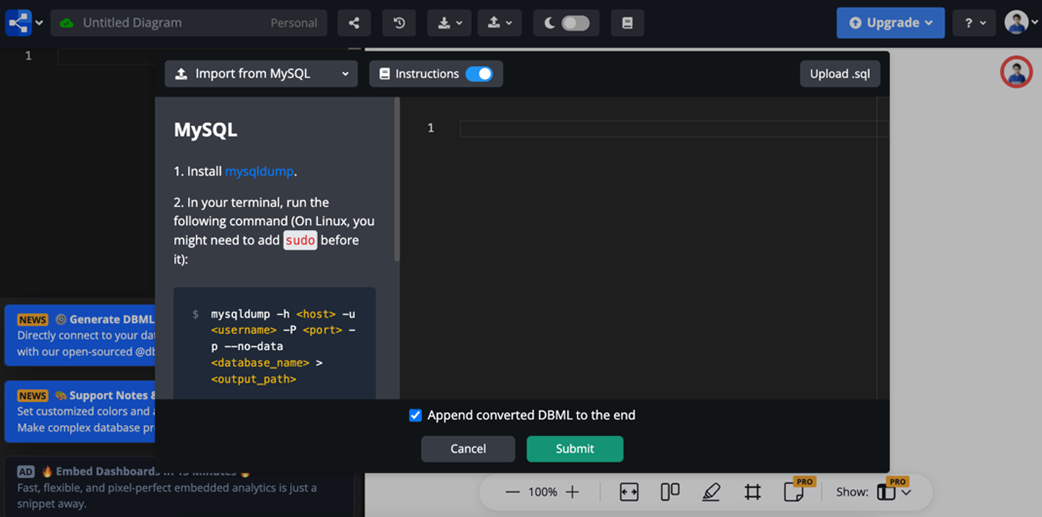
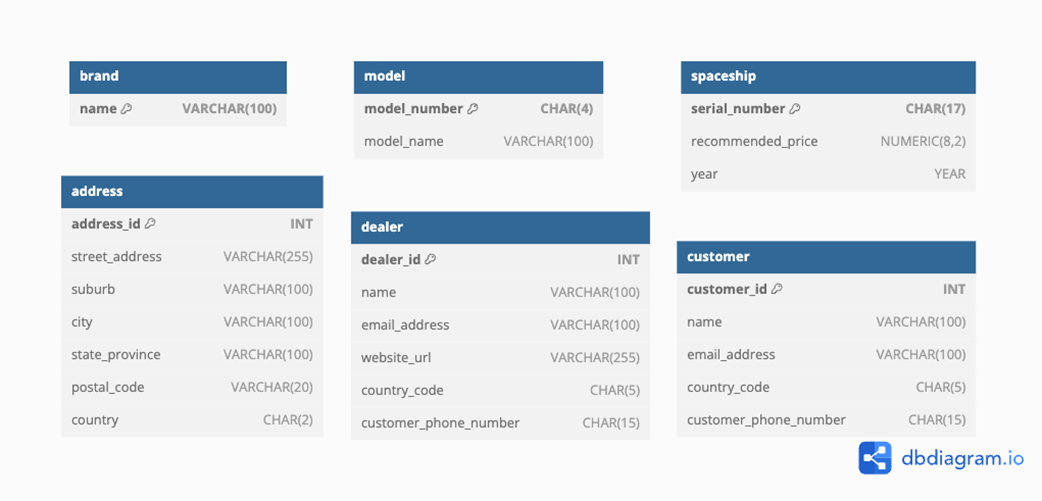
- If you need to communicate your design draft with coworkers, you can convert your design to SQL code with the help from ChatGPT, and then visualize it using tools such as dbdiagram.io.
FAQ
How can generative AI speed up the database design workflow in this chapter?
The chapter demonstrates an end-to-end workflow for SHIPS R US where generative AI (e.g., ChatGPT 4o) is used to: gather and structure requirements; draft entities, attributes, and primary keys; propose relationships and foreign keys; suggest constraints; optimize design choices (e.g., country codes, addresses); generate SQL in your target dialect; and produce test data. You then validate and refine AI outputs, visualize the model via tools like dbdiagram.io using AI-generated SQL, and iterate until a BCNF-level design is ready for implementation.
What prompt-engineering practices does the chapter recommend?
- Be specific, descriptive, and detailed: vague prompts lead to vague answers.
- Separate instructions and context: put instructions first, then delimit the context (e.g., using """ or ###).
- Articulate the desired output format through examples: provide target structure so outputs are consistent and parseable.
How should I structure prompts to extract entities and attributes effectively?
Give clear instructions up front, paste the relevant requirement text as context, and include a concrete “Desired format” example (for entity names, attributes, data types, and primary keys). This yields more consistent results and makes it easier to reuse AI output in later steps (relationships, SQL generation, constraints).
What common issues appear in AI-generated entity designs and how do I fix them?
- Unstable primary keys: Avoid using name or email as PKs for dealer and customer. Use surrogate keys (dealer_id, customer_id) and add UNIQUE constraints to email and to the (country_code, phone_number) pair.
- Phone numbers: CHAR(15) may be insufficient with formatting; split into country_code and phone_number fields to standardize and validate.
- Addresses: A single VARCHAR(255) is brittle; split into structured fields (street_address, suburb, city, state_province, postal_code, country) and consider an address entity referenced by customer and dealer.
How are key relationships modeled for SHIPS R US?
- brand → model: one-to-many, FK in model.
- model → spaceship: one-to-many, FK in spaceship.
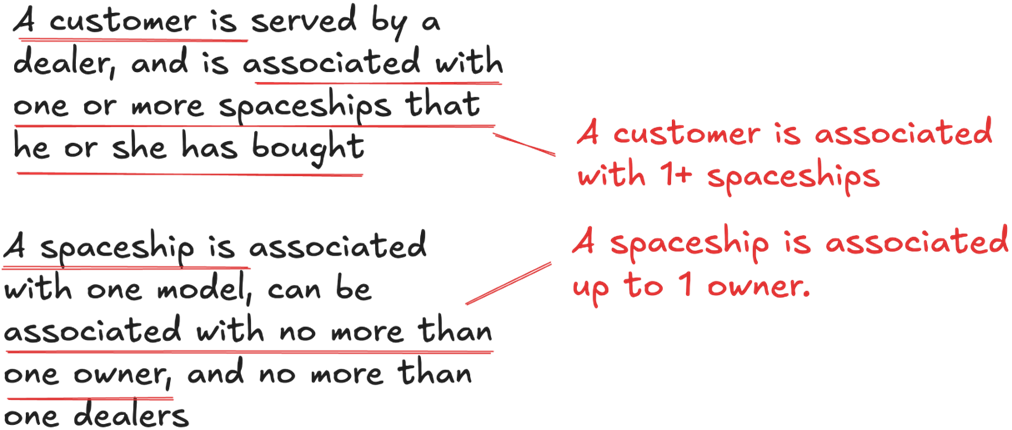
- spaceship → dealer: many-to-one, FK in spaceship.
- spaceship → customer: many-to-one, FK in spaceship (nullable to allow unsold ships).
- customer ↔ dealer: many-to-many via a junction table (customer_dealer).
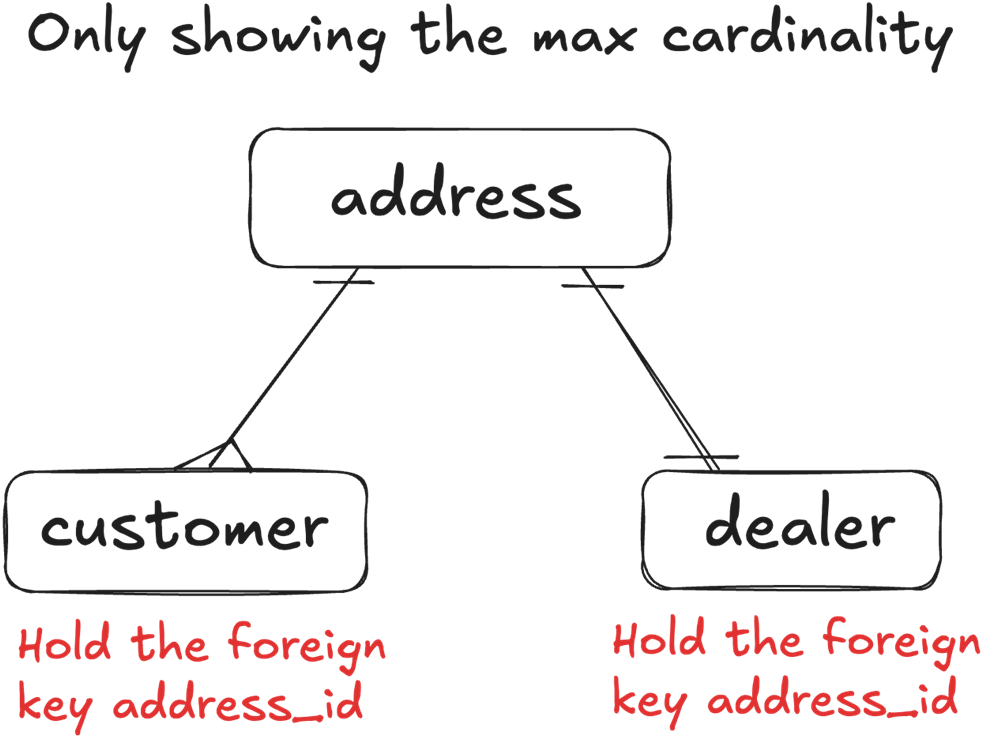
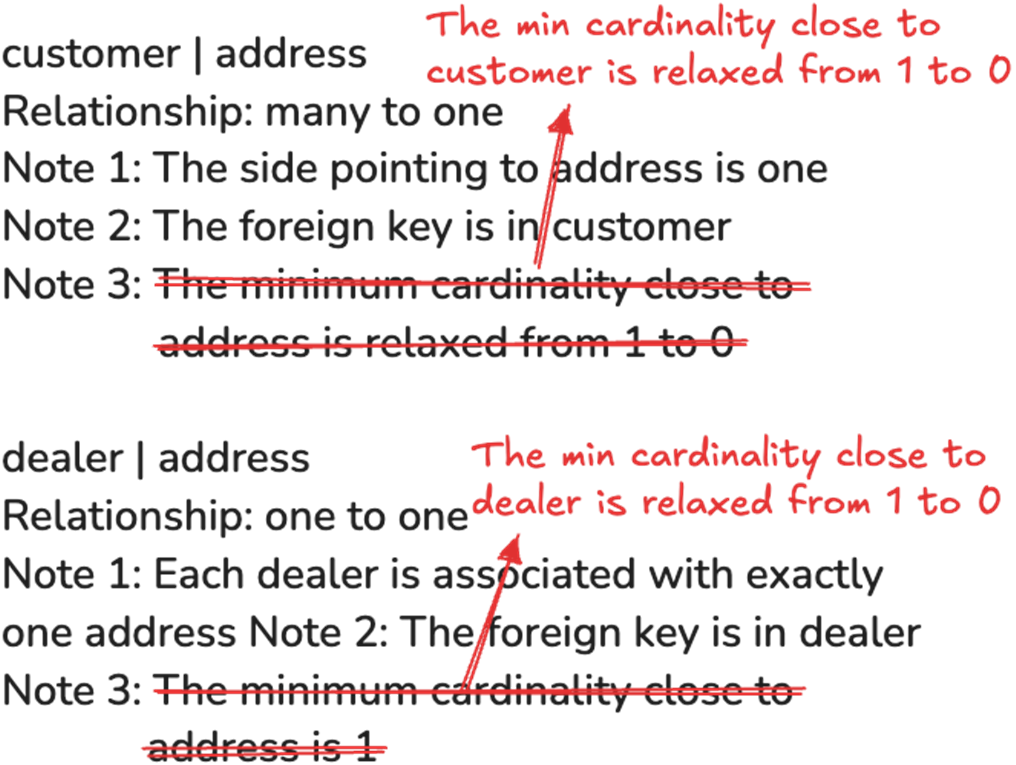
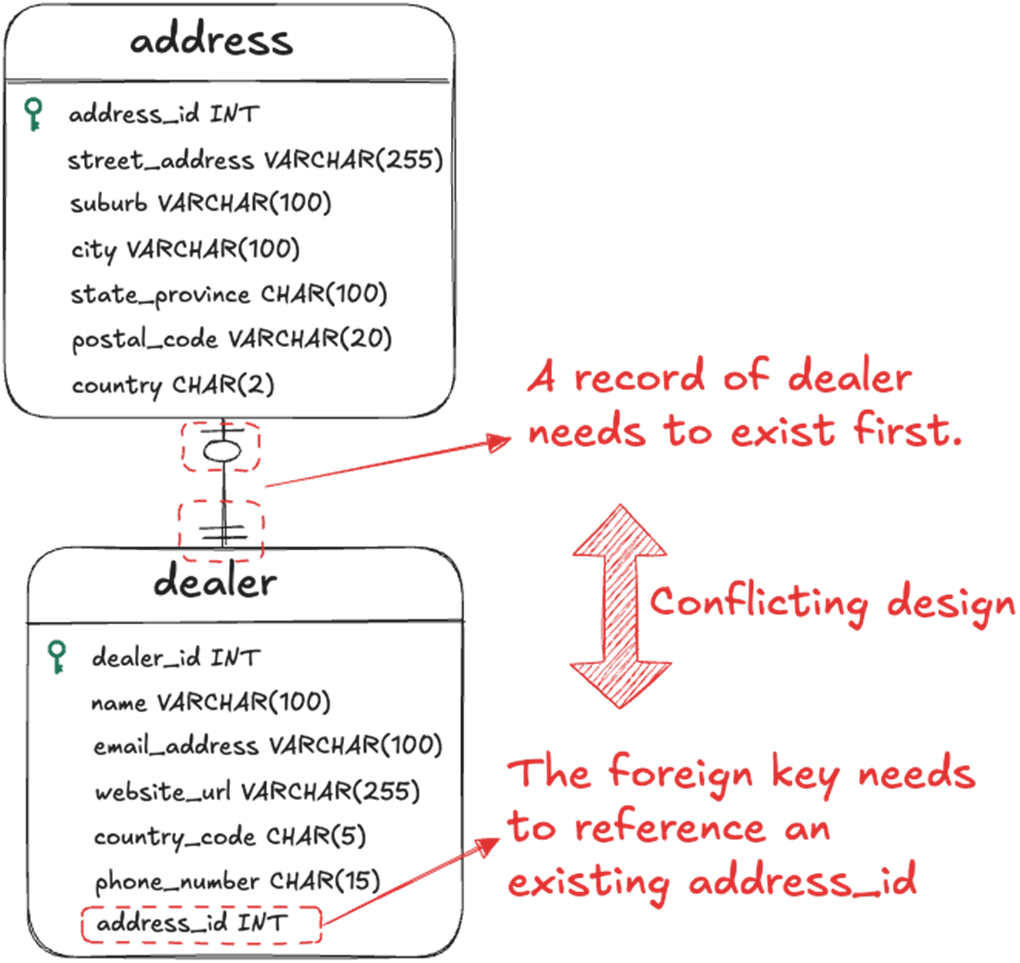
- dealer ↔ address: one-to-one, FK in dealer.
- customer → address: many-to-one, FK in customer.
How do I decide minimum cardinalities and where to place foreign keys?
- Place FKs on the “many” side of 1:M and in the child of 1:1.
- Relax minimum cardinalities when records must exist before a counterpart (e.g., spaceship before customer), or when the “many” side may be empty at creation time.
- In this chapter: customer_id in spaceship is nullable; dealer.address_id is required (but creation order suggests relaxing near dealer); customer.address_id is required, with the “many” side relaxed to allow data entry flows.
How can I visualize the design if AI can’t output diagrams directly?
Ask AI for SQL that defines your schema (tables only or with relationships). Import that SQL into a diagramming tool like dbdiagram.io, which can render the tables and relationships. This makes it easier to share, review, and iterate on the design.
How should constraints be approached with AI assistance?
Have AI propose constraints (PKs, FKs, NOT NULL, UNIQUE, CHECK) from your refined entities and relationships, then review carefully. Watch for missing NOT NULLs, attributes needing multiple constraints (e.g., email_address often needs both NOT NULL and UNIQUE), and ensure nullable foreign keys match relaxed minimum cardinalities (e.g., spaceship.customer_id can be NULL).
What’s the recommended way to validate countries and phone country codes?
Instead of long CHECK lists, use a Country reference table prepopulated with valid ISO-like codes and names. Reference it from address.country and from customer/dealer phone country_code via foreign keys. This improves data integrity, maintainability, and portability across RDBMS.
How do I handle non-determinism in LLM outputs and keep progress consistent?
- Don’t expect identical responses from the same prompt; models evolve and are probabilistic.
- Keep a text record of your refined design (entities, attributes, relationships, constraints) and feed it back in future prompts.
- Focus on process over replication: use AI outputs as drafts, then validate and correct using your database design knowledge.
- Find assets for this chapter (prompts, diagrams, SQL for MySQL/MariaDB/PostgreSQL/SQLite/SQL Server/Oracle) in the chapter_08 folder of the GitHub repo: https://github.com/Neo-Hao/grokking-relational-database-design.

 Grokking Relational Database Design ebook for free
