2 Your first parallel program
This chapter introduces CUDA by building a first working parallel program and using a familiar grading-room analogy to explain how GPU work is divided among many threads. It starts with a minimal “Hello, Parallel World!” example that launches eight threads, each running the same kernel code, and then expands that idea into a real task: squaring the elements of an array. Along the way, it emphasizes that CUDA programs split responsibilities between the host CPU and the device GPU, and that kernels are the functions executed in parallel on the GPU.
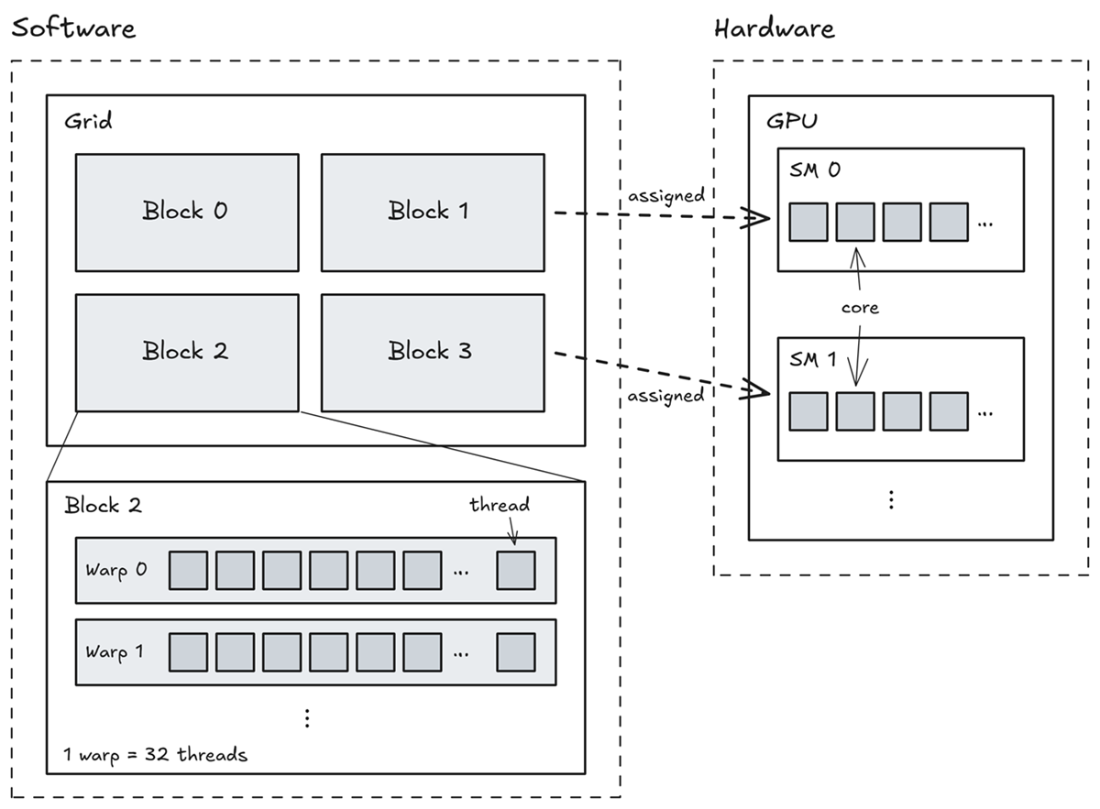
The key programming ideas are simple but essential: mark GPU functions with __global__, launch them with the special <<<blocks, threads>>> syntax, and use threadIdx.x so each thread knows which piece of data belongs to it. Because thread execution order is not guaranteed, each thread must work independently on its own index, and bounds checks like if (idx < n) prevent out-of-range memory access. The chapter also explains how the hardware actually runs CUDA work in layers: threads are grouped into warps, warps run on streaming multiprocessors, and the GPU contains many CUDA cores that perform the arithmetic.
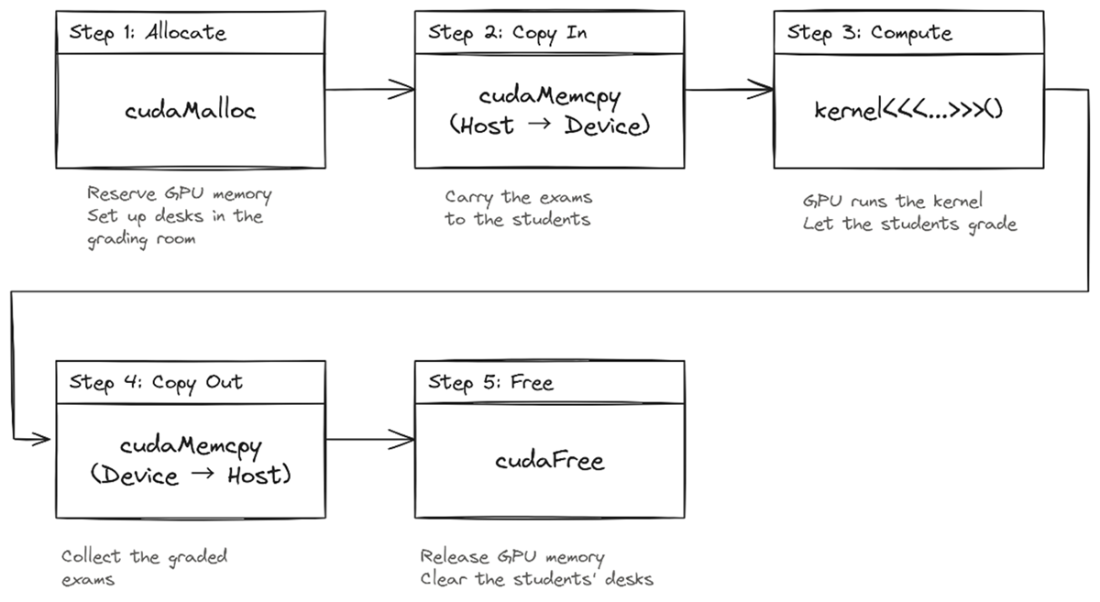
To make the array-squaring program work end to end, the chapter lays out the standard five-step CUDA workflow: allocate device memory, copy data from host to device, launch the kernel, synchronize so the CPU waits for the GPU, copy the results back, and free the GPU memory. It stresses that host and device have separate memories, so data must be moved explicitly with cudaMemcpy, and that forgetting synchronization, using the wrong copy direction, or missing bounds checks are the most common beginner mistakes. Overall, the chapter gives you the mental model and code pattern you need for simple data-parallel GPU programs.
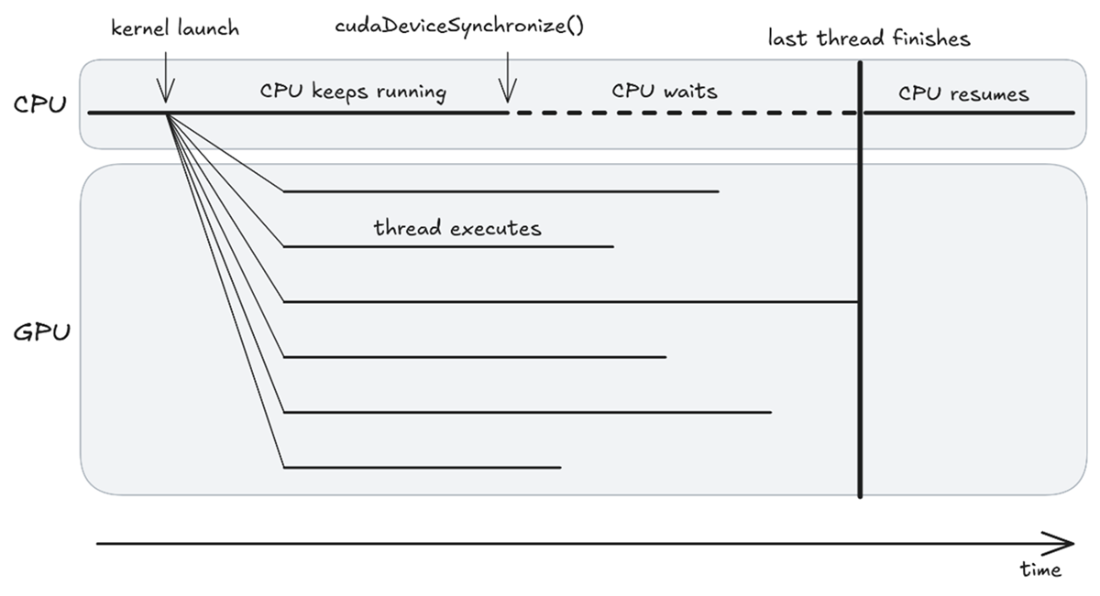
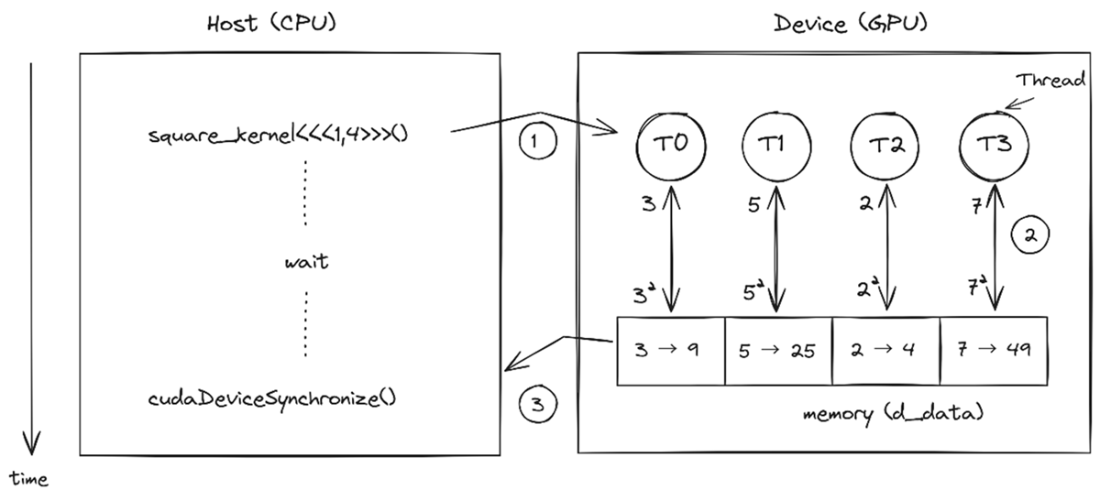
Launch, then wait. The CPU fires the kernel and keeps going while the threads fan out and run in parallel. Threads finish at different times; cudaDeviceSynchronize() makes the CPU wait until the last thread finishes.
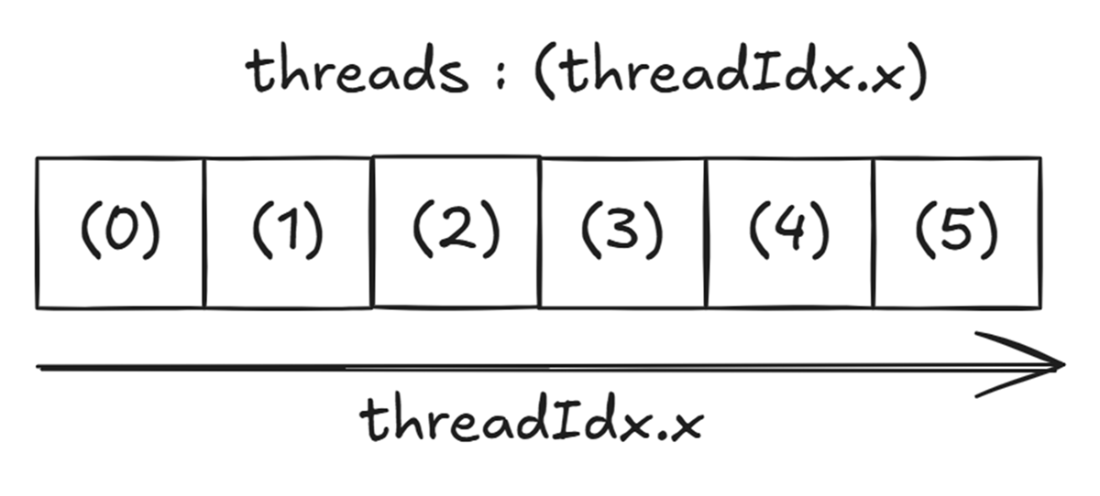
1D thread layout: one index per thread. In a 1D block, each thread gets a unique threadIdx.x starting from 0; that's all it needs to know which element to work on. (These numbers are unique within a block; with multiple blocks, each block counts from 0 again.) The six threads shown here are what a one-dimensional launch like kernel<<<1, 6>>>() creates: the launch is what brings the threads into being, and each one then reads its own threadIdx.x.
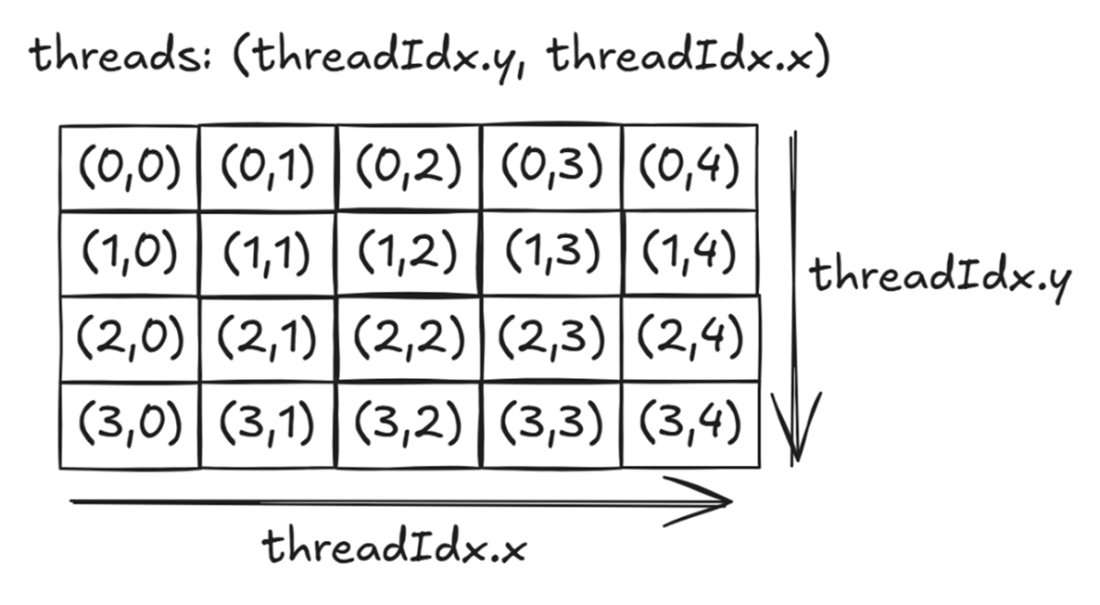
2D thread layout: two coordinates, one thread. In a 2D block, each thread is identified by a (threadIdx.y, threadIdx.x) pair (row, column), making it a natural fit for working with grids, images, or matrices. A block like this comes from a 2D launch, where you pass the block shape as a dim3 instead of the single number a 1D launch uses: here dim3 block(5, 4); kernel<<<1, block>>>(); for 5 columns (x) and 4 rows (y).
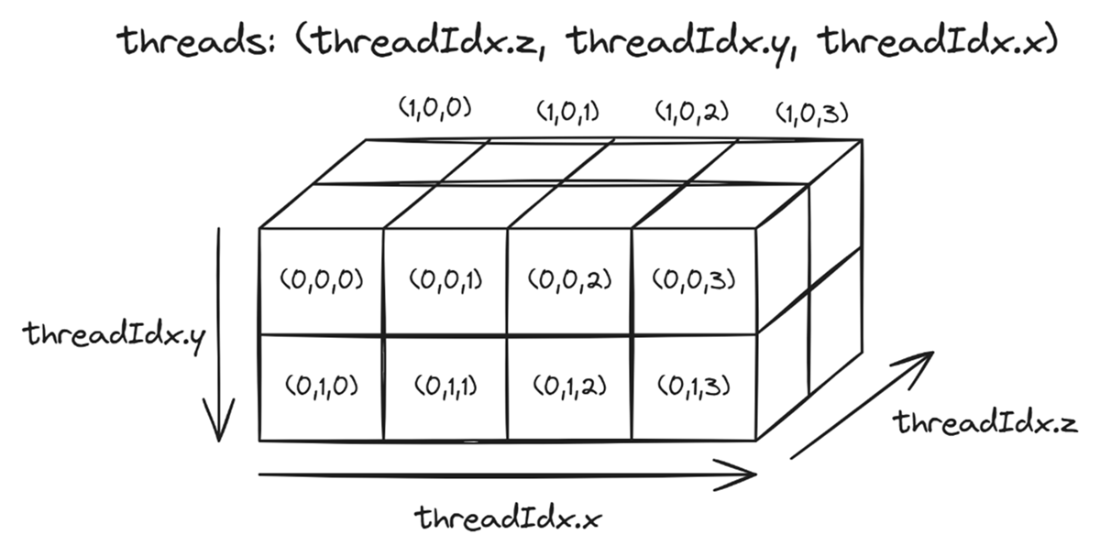
3D thread layout: three coordinates, one thread. In a 3D block, each thread is identified by a (threadIdx.z, threadIdx.y, threadIdx.x) triple (depth, row, column), making it a natural fit for working with volumetric data like 3D simulations or video frames. The same idea extends the launch: you pass a 3D dim3, for example dim3 block(4, 2, 2); kernel<<<1, block>>>(); for 4 columns (x), 2 rows (y), and 2 layers (z).
The containment hierarchy and where it runs. A kernel launch creates a grid; the grid contains blocks; each block’s threads are packed into warps of 32; and each block is assigned to an SM, whose cores execute those warps. Software on the left, hardware on the right.
The CUDA data lifecycle, five steps from CPU to GPU and back: allocate GPU memory, copy data in, run the kernel, copy results out, and free the memory.
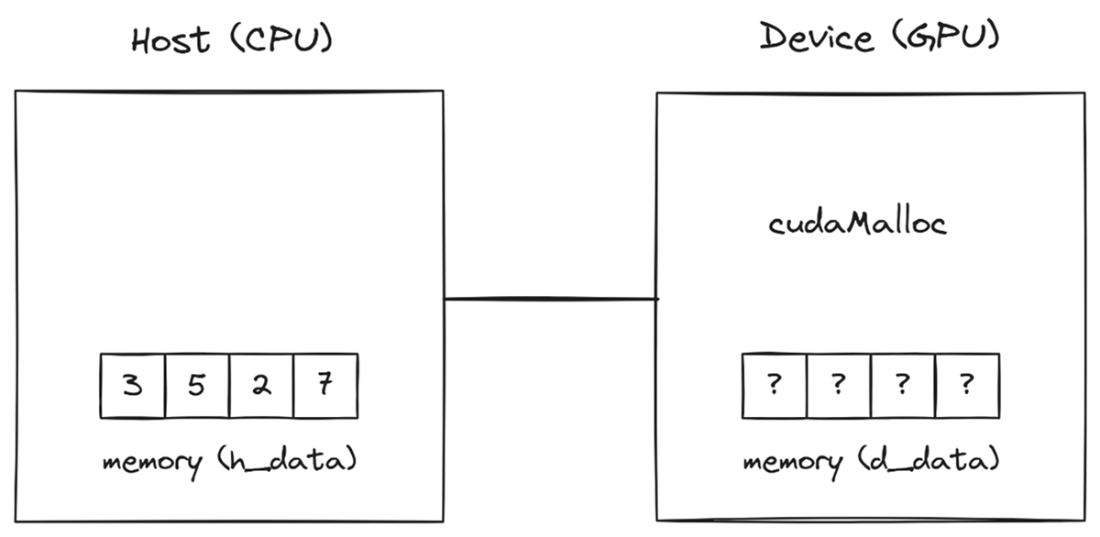
Step 1 — Allocate: reserving space on the GPU. cudaMalloc carves out a block of device memory the same size as the host array, but doesn't copy anything yet. The GPU slots contain uninitialized data (the ? marks) until the copy step. Each region is labeled with the pointer that refers to it: h_data for the host array and d_data for the device array, a reminder that they point into two separate memories.
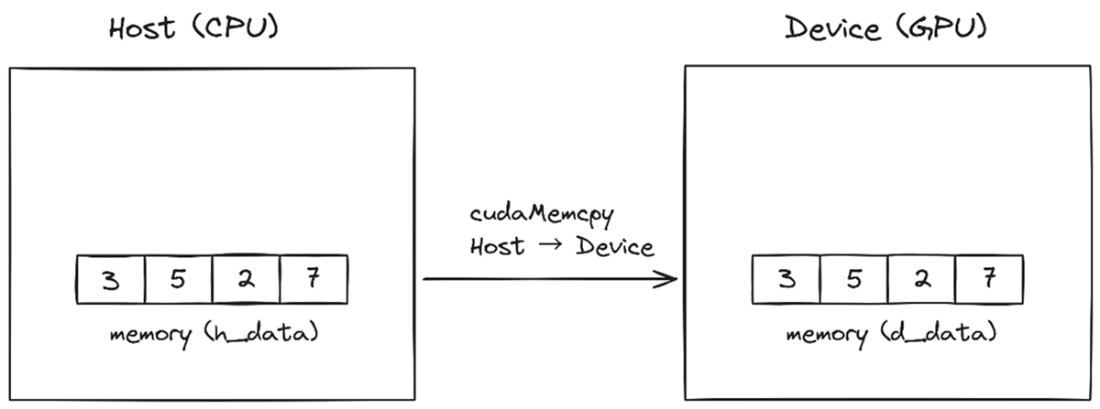
Step 2 — Copy In: moving data from host to device. cudaMemcpy transfers the array from CPU memory to the GPU: both sides now hold the same values, but from this point on, the GPU works with its own copy.
Step 3 — Compute: the GPU takes over. The CPU launches the kernel and steps back to wait; all four threads fire at once, each one reading its value from device memory, squaring it, and writing the result back (the up and down arrows), all in parallel. When the last thread finishes, cudaDeviceSynchronize() returns and the CPU carries on.
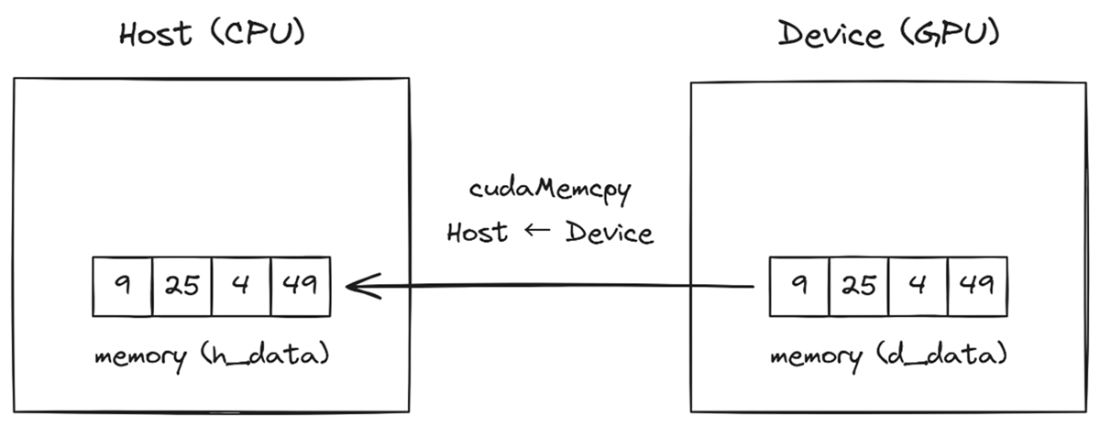
Step 4 — Copy Out: bringing the results back to the host. cudaMemcpy transfers the computed results from device to host: the squared values (9, 25, 4, 49) are now back on the CPU, ready to be used.
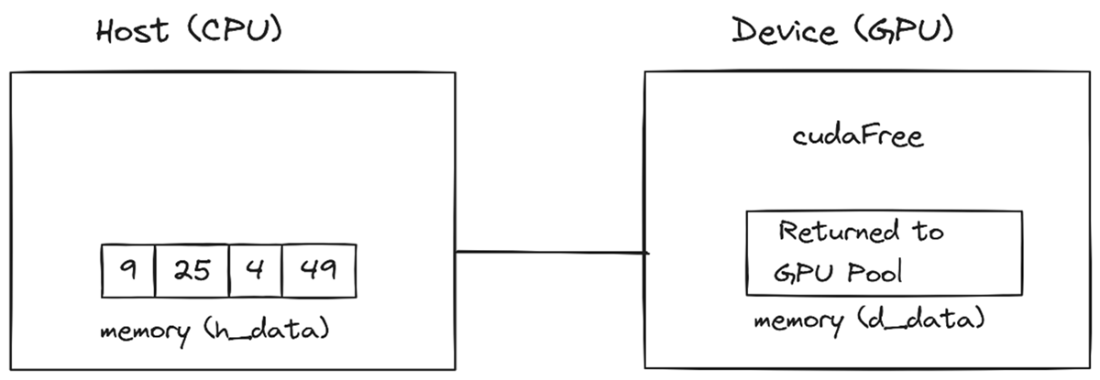
Step 5 — Free: clearing the desks out of the room. cudaFree returns the device memory to the GPU pool now that the results are safely on the host.
Summary
- __global__ marks a function as a kernel that runs on many GPU threads in parallel.
- <<<1, n>>> launches a kernel with n threads in one block. Each thread executes the same code independently.
- A kernel launch is asynchronous: the CPU moves on immediately, so call cudaDeviceSynchronize() before you rely on the GPU’s results.
- threadIdx.x gives each thread a unique index from 0 to n−1, its “desk number” for finding its own work.
- The hardware runs threads in warps of 32 on its SMs, and the CUDA cores inside an SM do the math. You launch threads; the hardware does the packing.
- The 5-step pattern: allocate GPU memory, send data in, launch kernel (and synchronize), retrieve results, free memory. Remember the analogy: Set Up Desks, Carry Exams, Grade, Collect, Clear. Almost every CUDA program that processes data follows it.
- Bounds check: if (idx < n) prevents threads from accessing memory they don’t own. Make it a habit.
- Data parallelism: the same operation applied to different data elements in parallel. Every kernel in this chapter is one instance of it, and the patterns in Part 2 are built on it.

 Grokking Parallel Programming ebook for free
