8 Deploying and orchestrating GenAI apps
Up to now, the focus has been on building GenAI apps locally, but the chapter shows why that is only the first step: if others are going to use your assistant, it needs to live on an always-on server with a stable public address. The text explains the main deployment choices, from self-hosting on your own hardware to running a cloud VM or using a managed hosting service, and emphasizes that hosted options are usually the easiest way to get started. A Hugging Face Space is presented as a practical, low-friction solution for duplicating a Langflow environment, configuring it with the right variables and secrets, and making a flow available through a public URL.
Once an app is deployed, the next challenge is making it work well with other systems and agents. The chapter frames this as orchestration: instead of building brittle point-to-point integrations, you expose flows and connectors as reusable tools that an agent can discover and call when needed. This is where MCP, A2A, and ACP enter the picture, with MCP getting the main focus because it lets Langflow flows become tools on an MCP server that other assistants can access dynamically. The chapter illustrates how this shared tool layer helps multiple assistants reuse the same capabilities, simplifies maintenance, and provides a cleaner boundary for control and compliance.
The tutorial brings the ideas together with a multi-step assistant that plans a culinary travel itinerary, generates a matching recipe, and sends everything by email. Existing flows such as travel planning and recipe generation are exposed through MCP, then combined with a direct email tool inside a supervising agent that decides which capability to use and in what order. To make the system understandable and debuggable, the chapter introduces observability with LangSmith, showing how traces reveal each step, tool call, latency, and token usage so you can spot mistakes and refine prompts or tool descriptions. Finally, it shows how to publish the assistant on a website by embedding Langflow’s chat widget, turning a local experiment into a shareable, monitorable GenAI application that others can actually use.
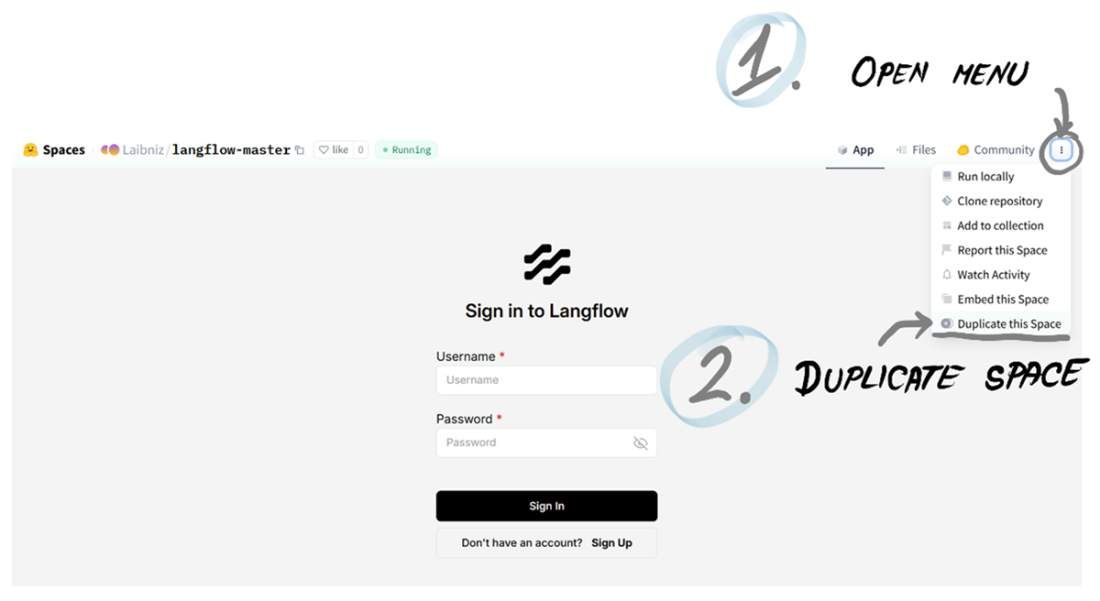
You can duplicate any Langflow space and make it your own.
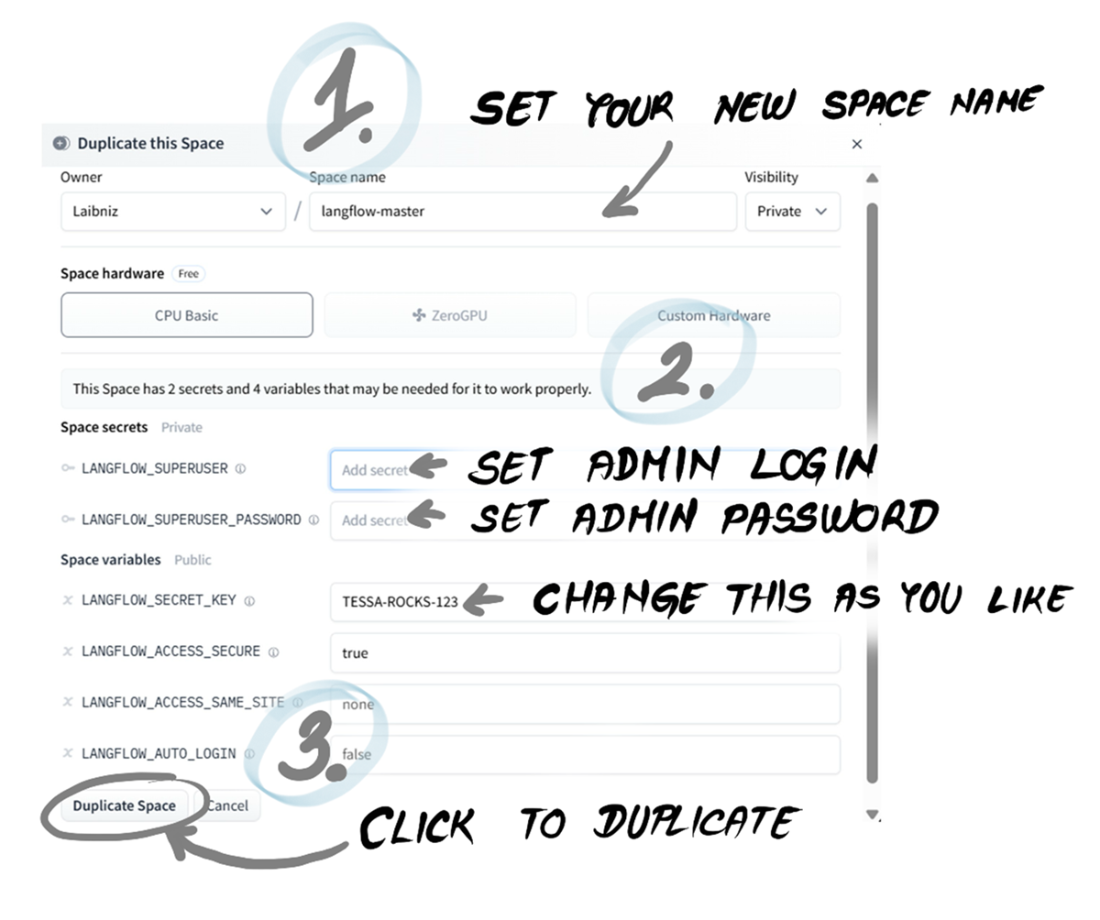
When duplicating a Hugging Face Space, you need to set a few parameters.
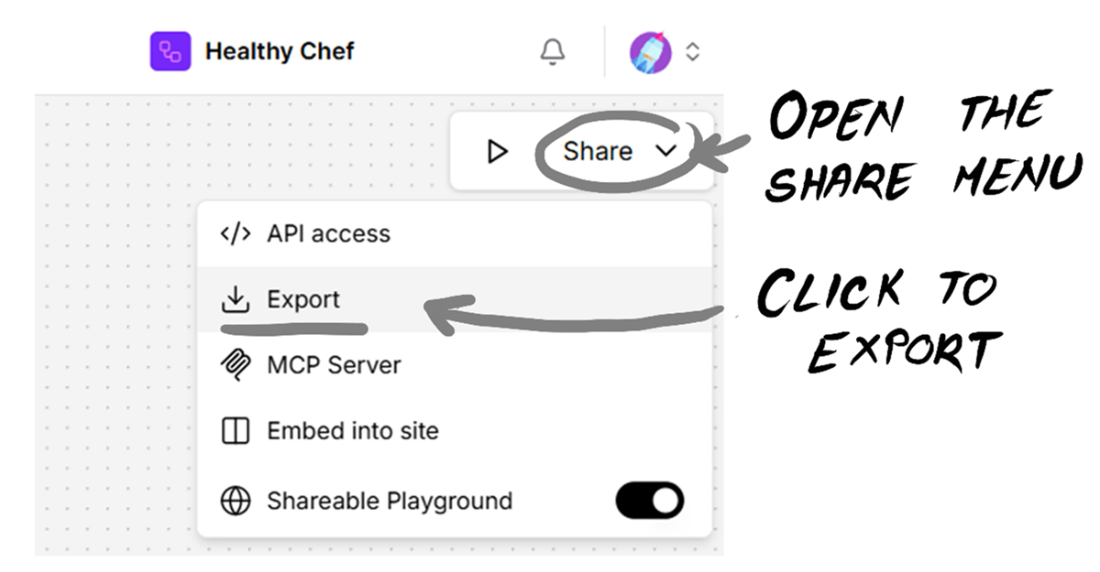
You can export any flow definition as a file from the Share menu.
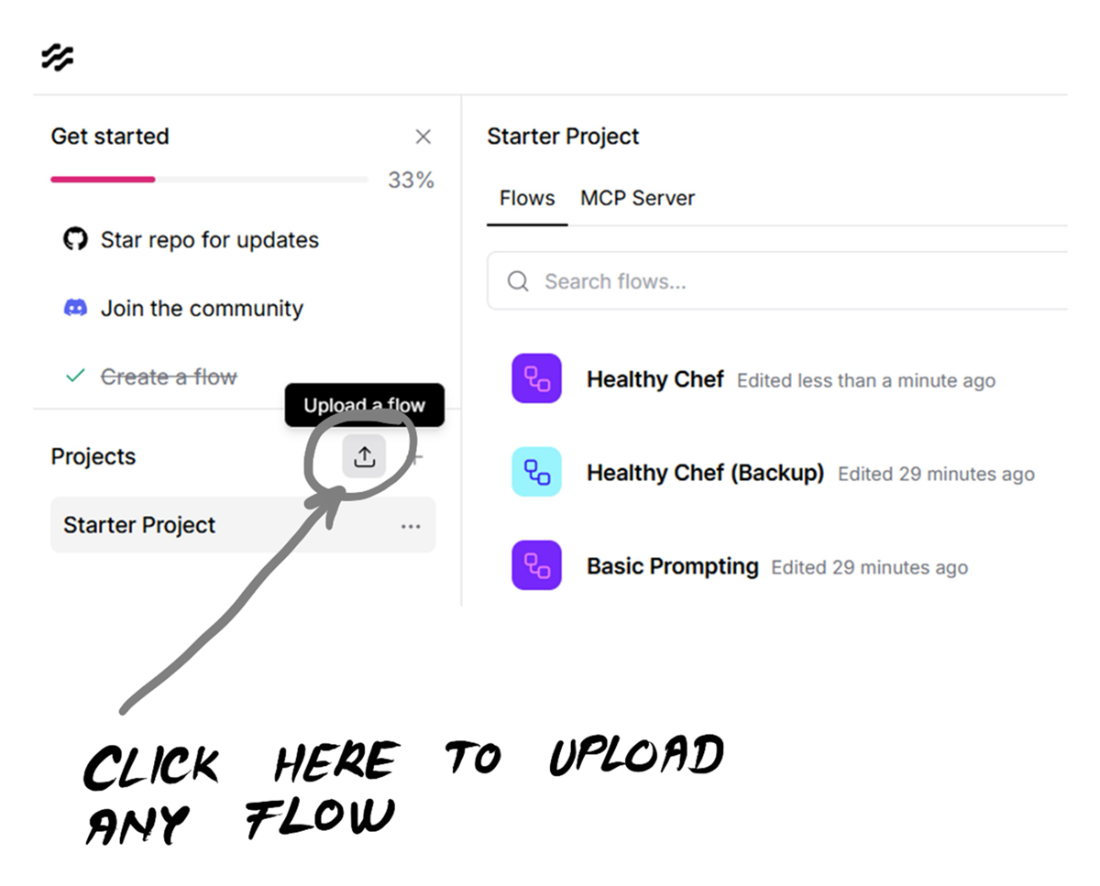
You can import any external flow by uploading its definition file.
Share a Langflow playground with anyone you like.
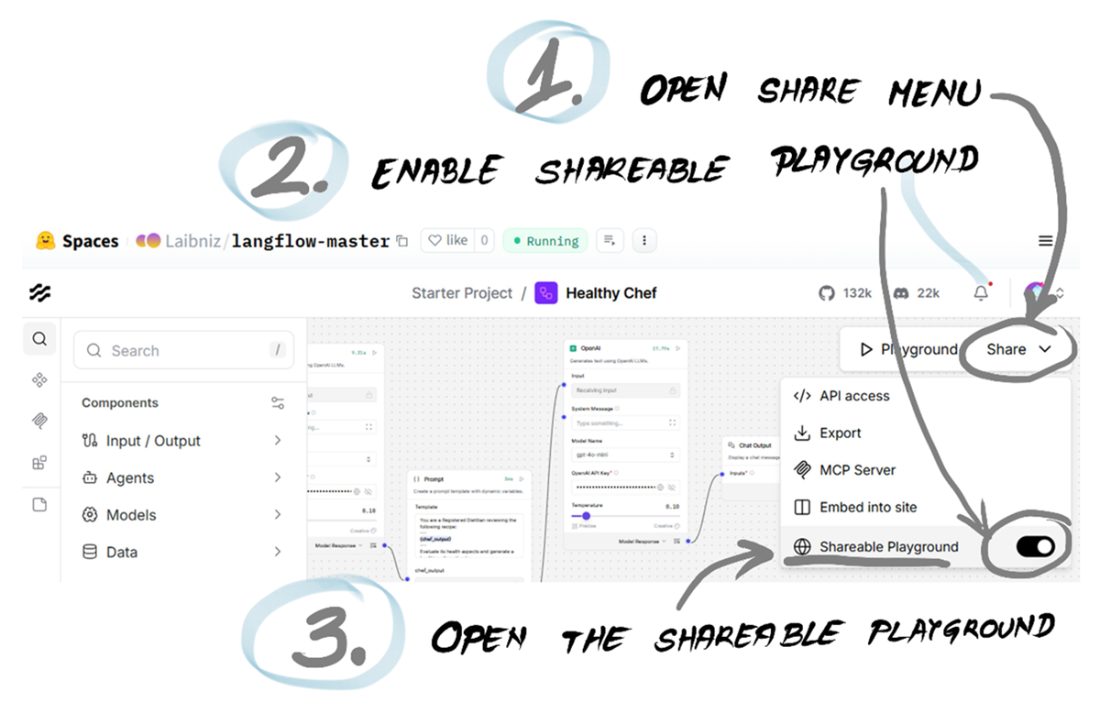
A shared playground interface that can now be shared with anyone.
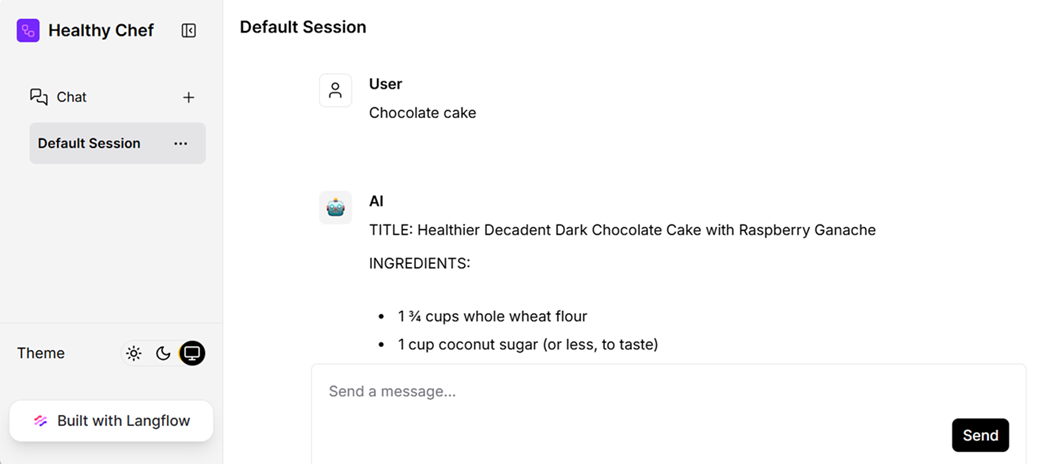
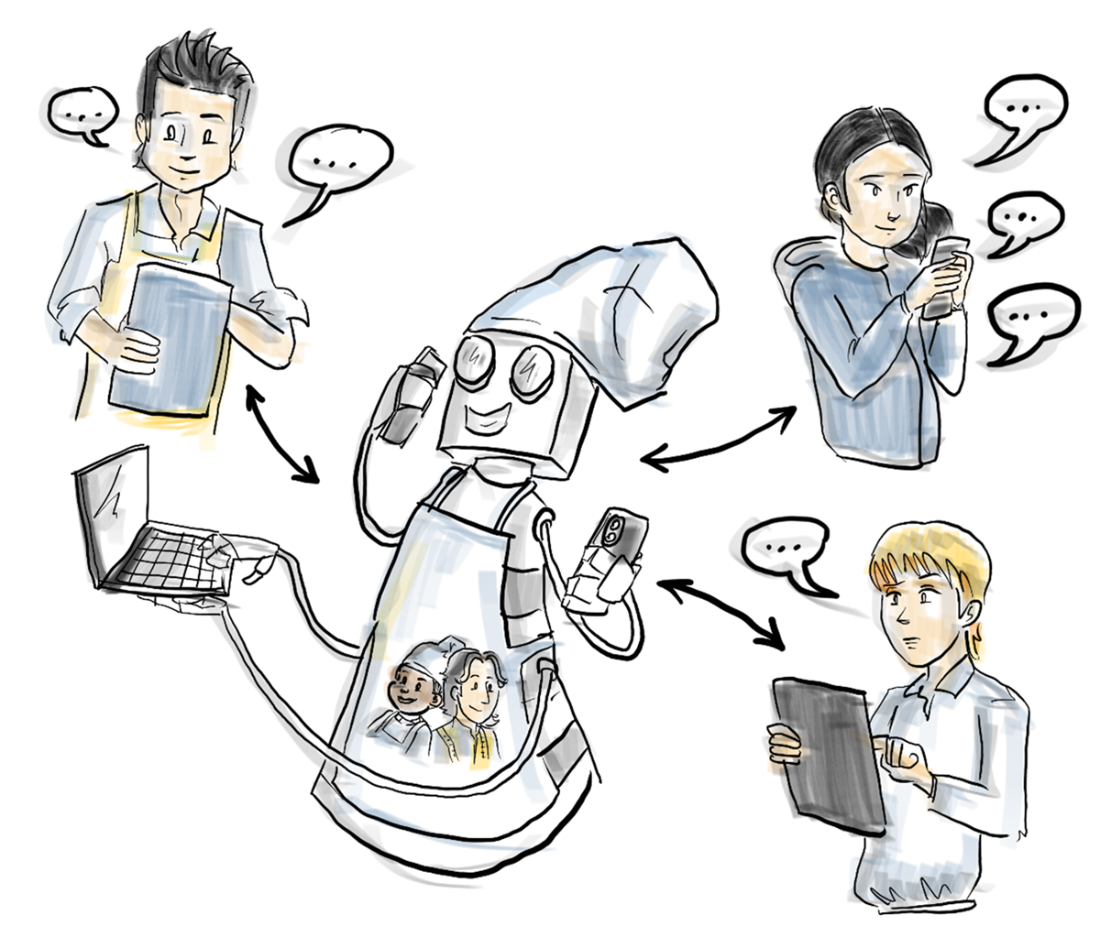
After deployment, HealthyChef can be reached by many users at once from different devices. Quite a shift!
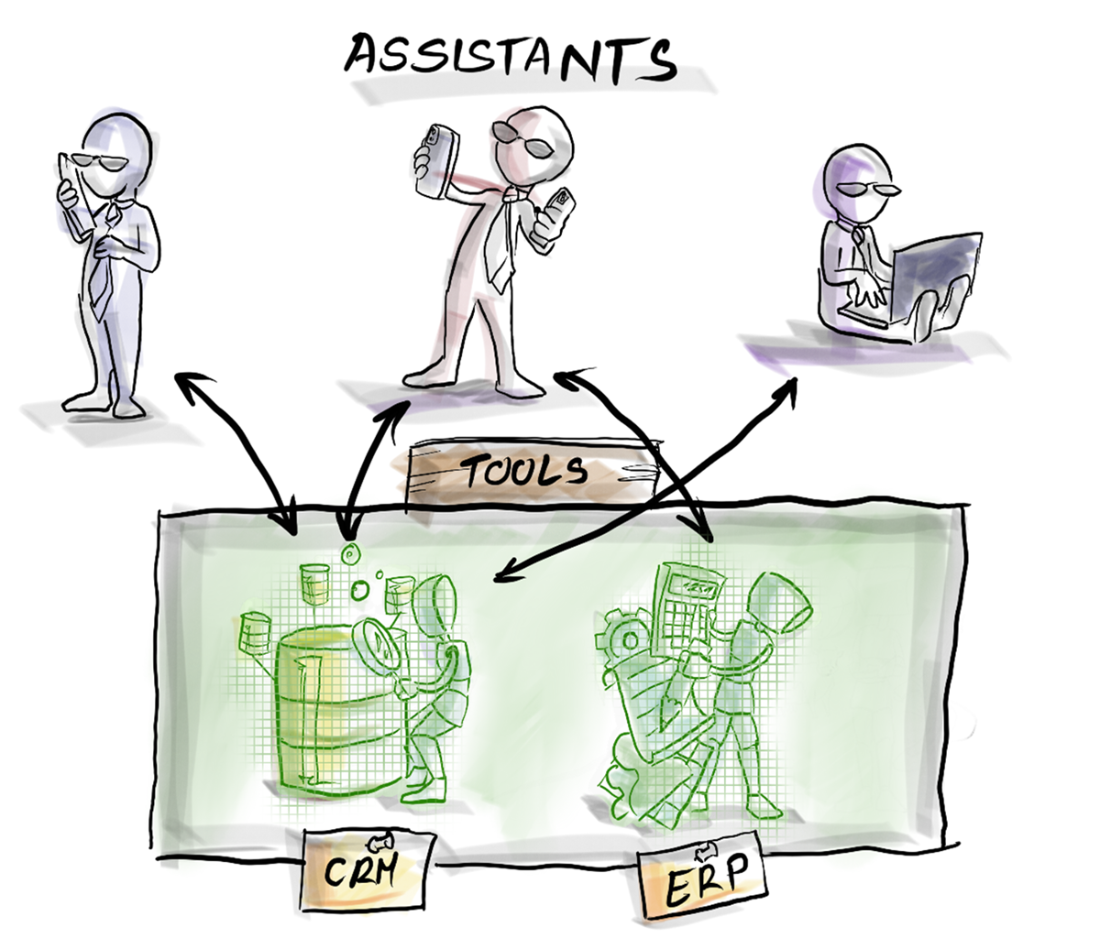
Many assistants can leverage many tools at once, much like in-flesh employees do in a real office.
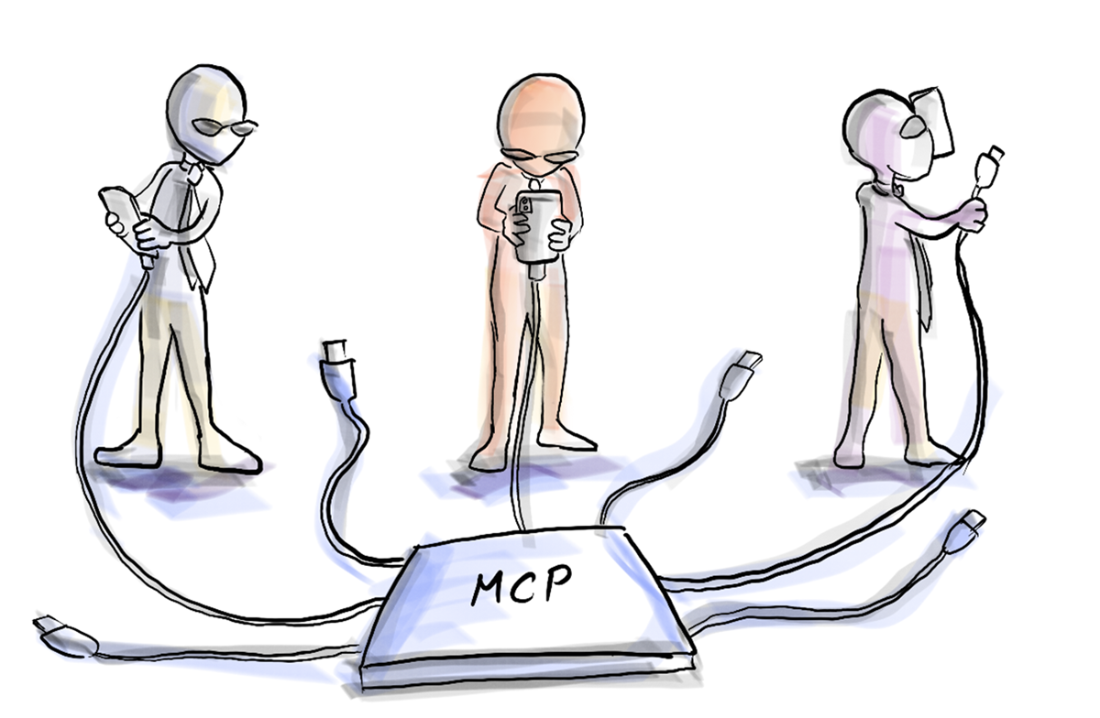
MCP servers act like USB-C hubs for agents: one universal plug, many possible tools.
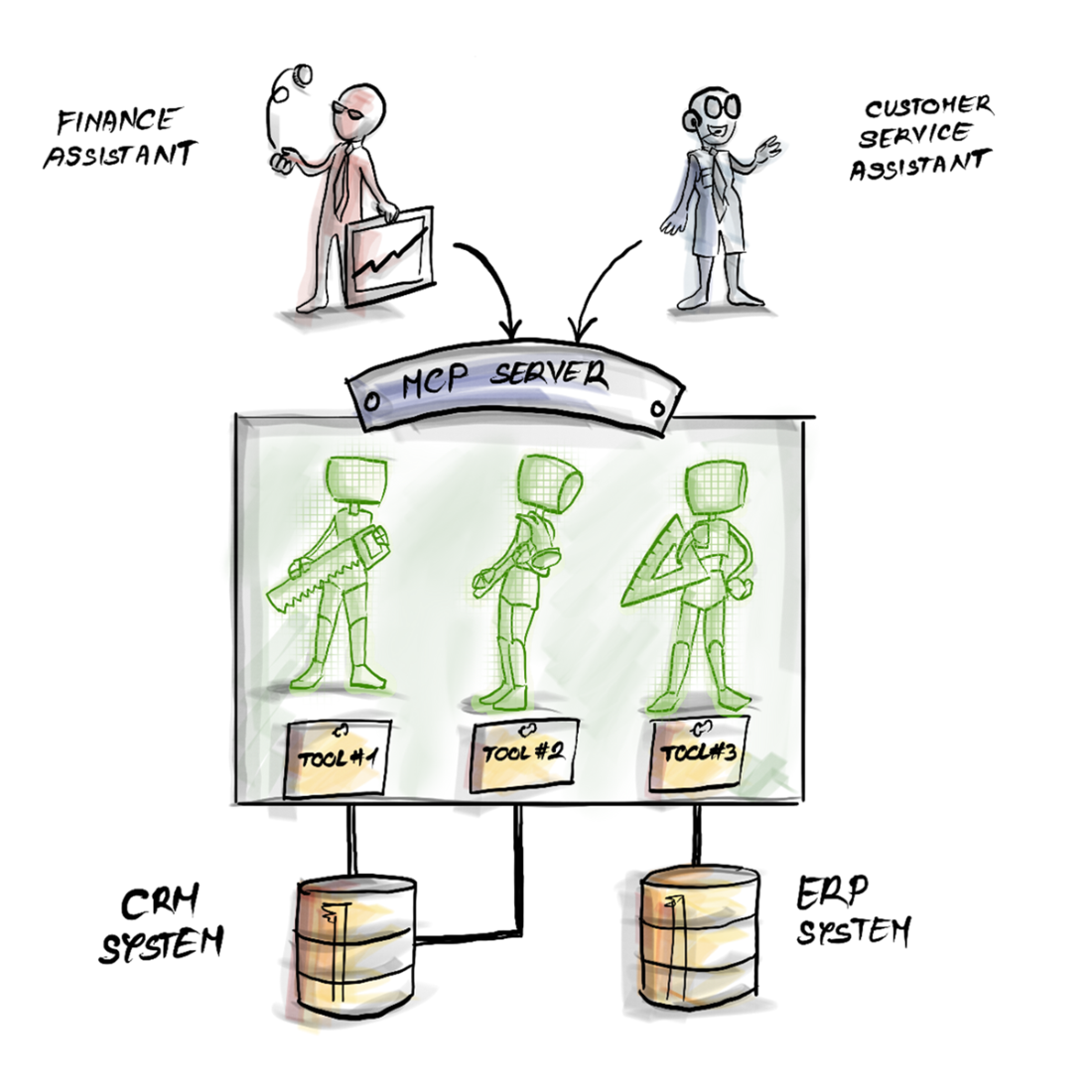
Through the MCP server, different assistants can reuse the same tools—one unified interface for many underlying systems.
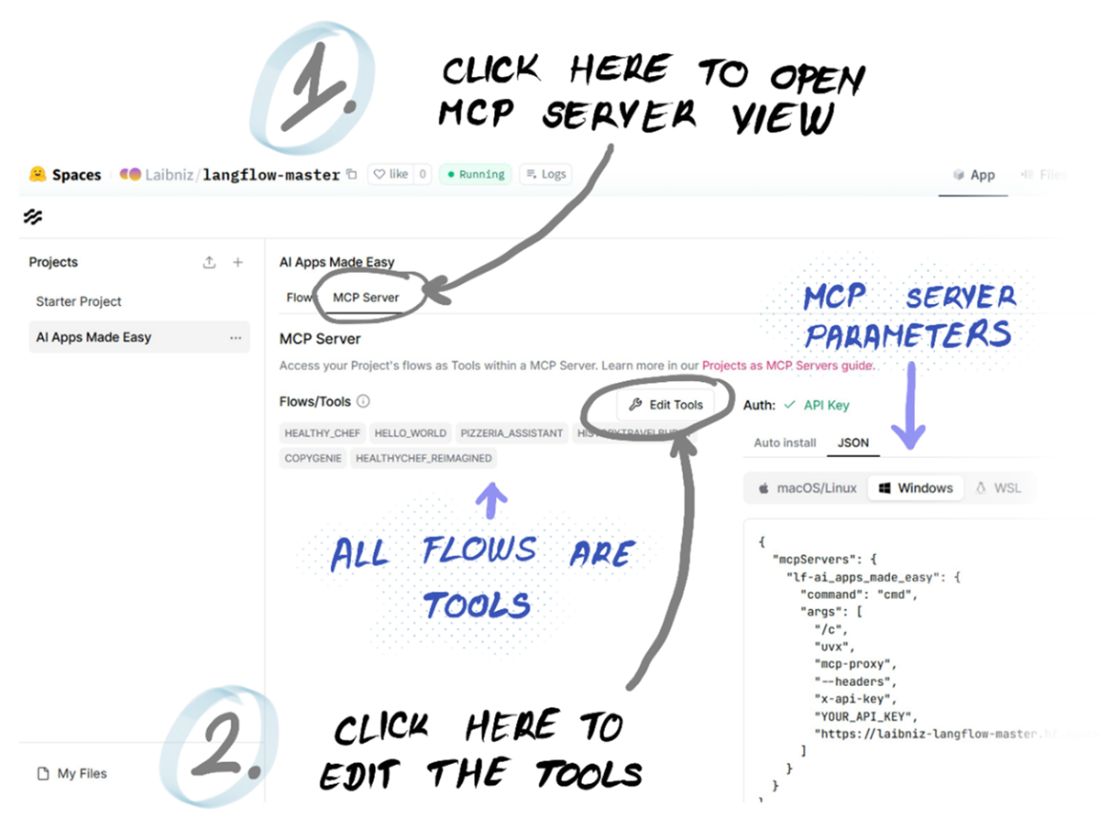
Project-level MCP Server view. All flows inside the project become tools.
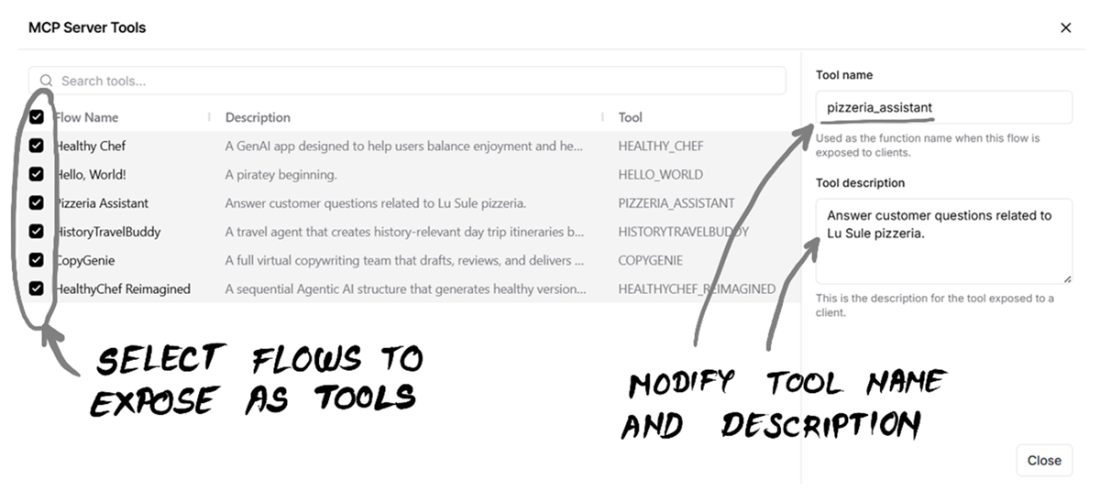
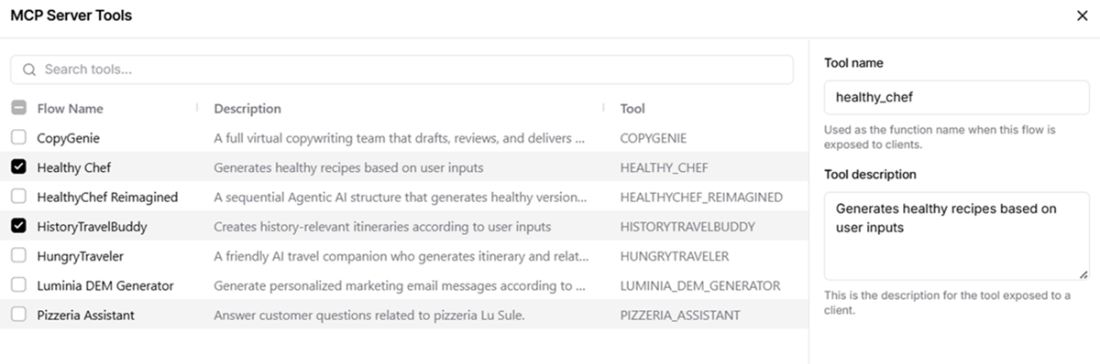
MCP Server Tools dialog. The description acts as the tool’s manifest and guides agents’ decisions.
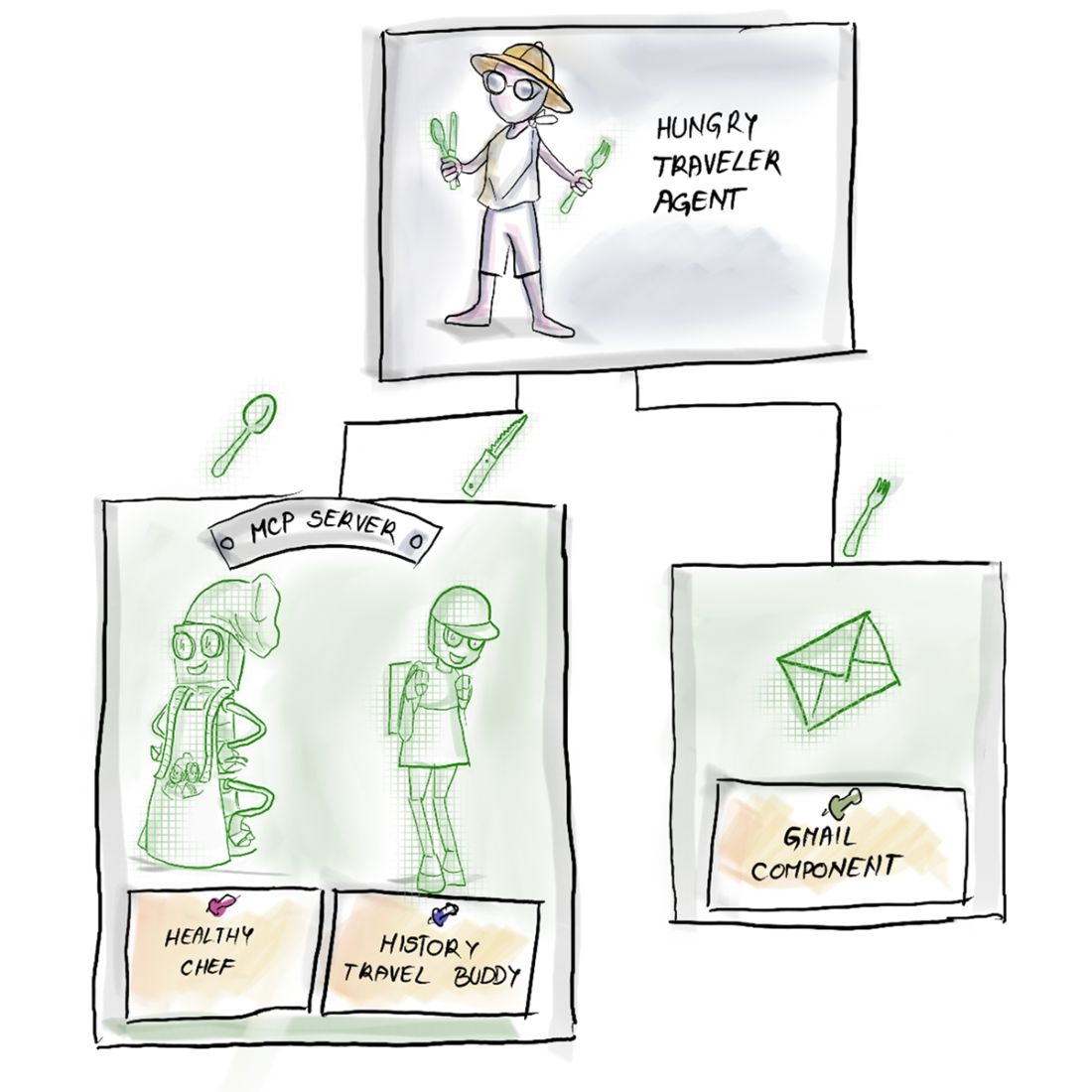
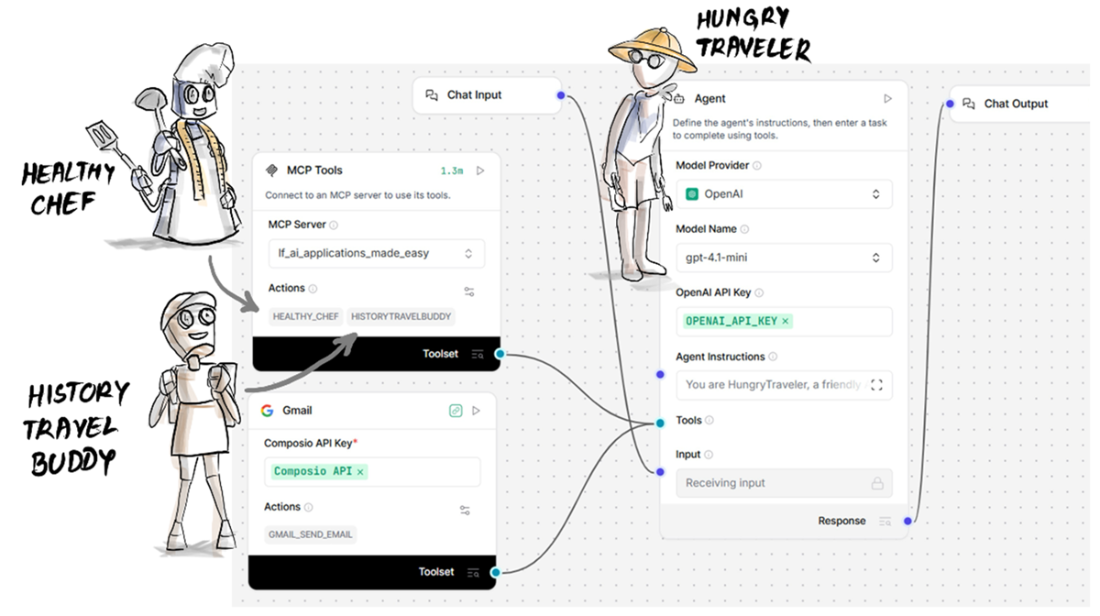
How HungryTravel agent uses MCP to reuse existing agents and do its tasty job.
Let’s keep only the flows we need, with the right tool description.
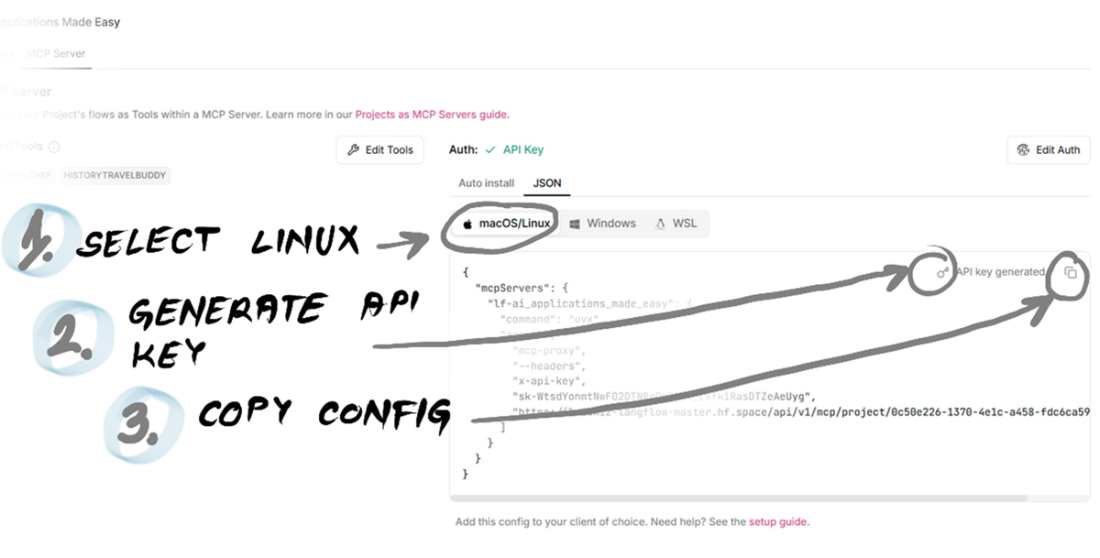
Generate an API key and copy the connection string of our MCP server.
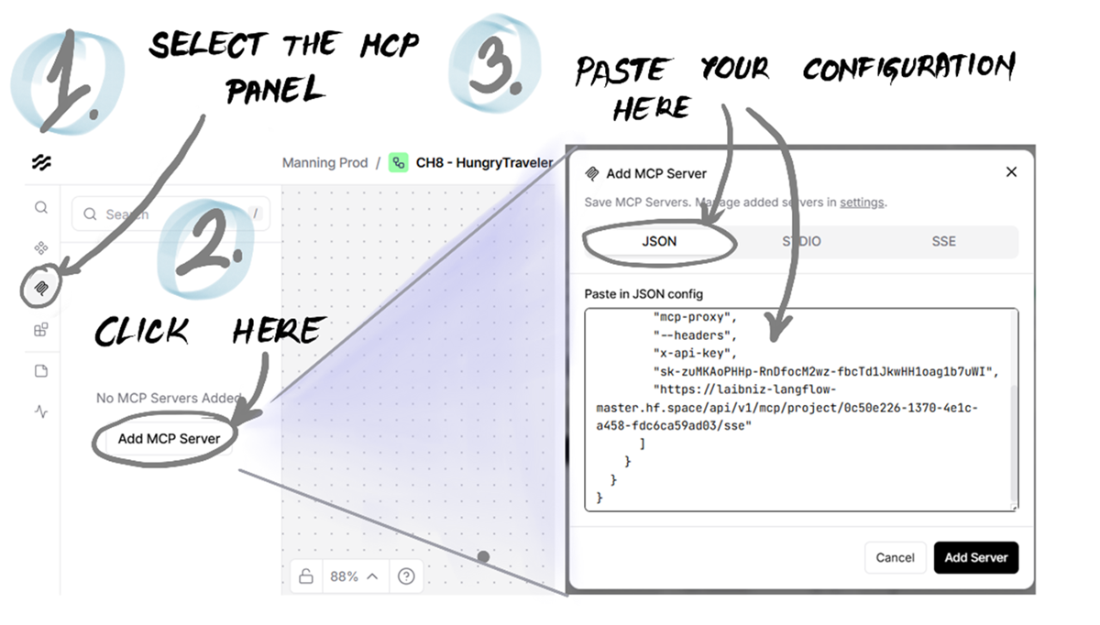
Configure your MCP Server by pasting the connection string.
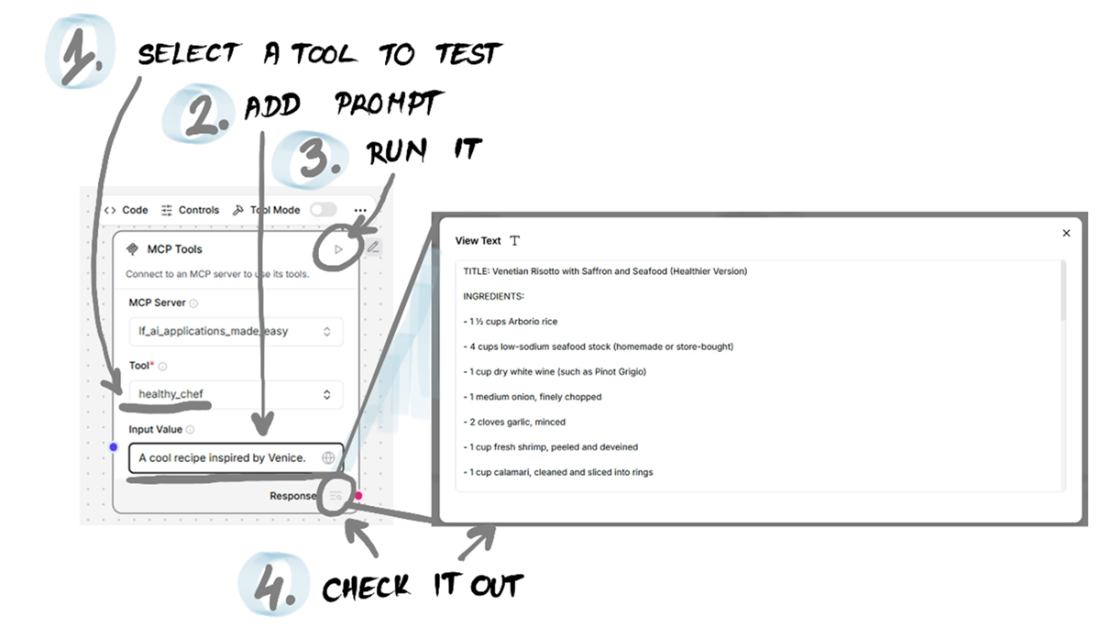
You can test any tool from the MCP server by sending an input prompt and checking out the response.
HungryTraveler flow. We are reusing chefs and travel agents as tools made available through an MCP server.
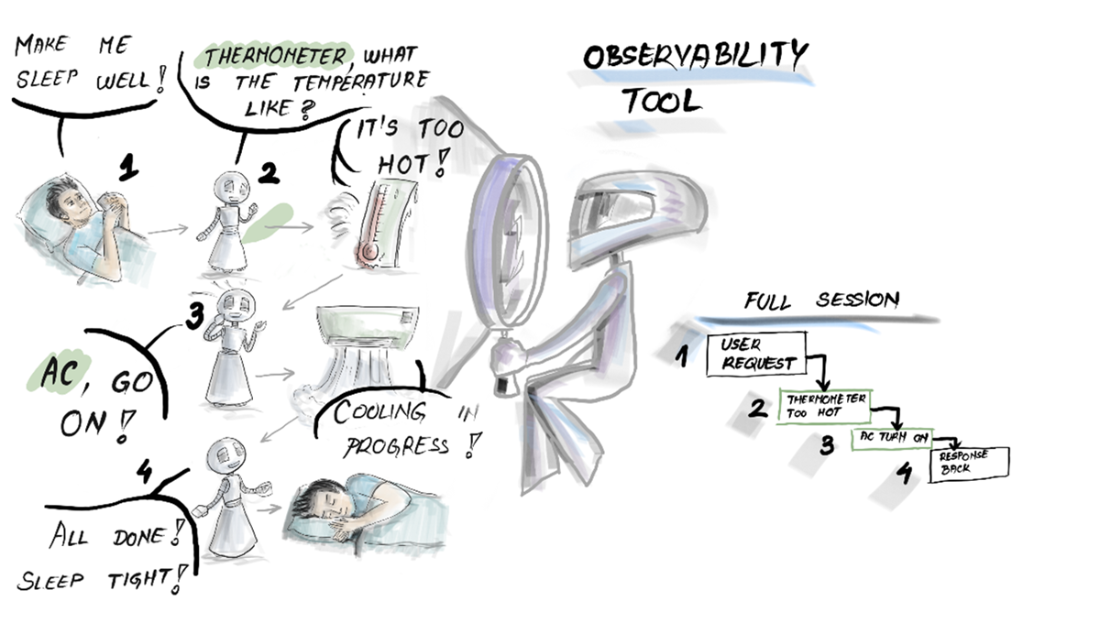
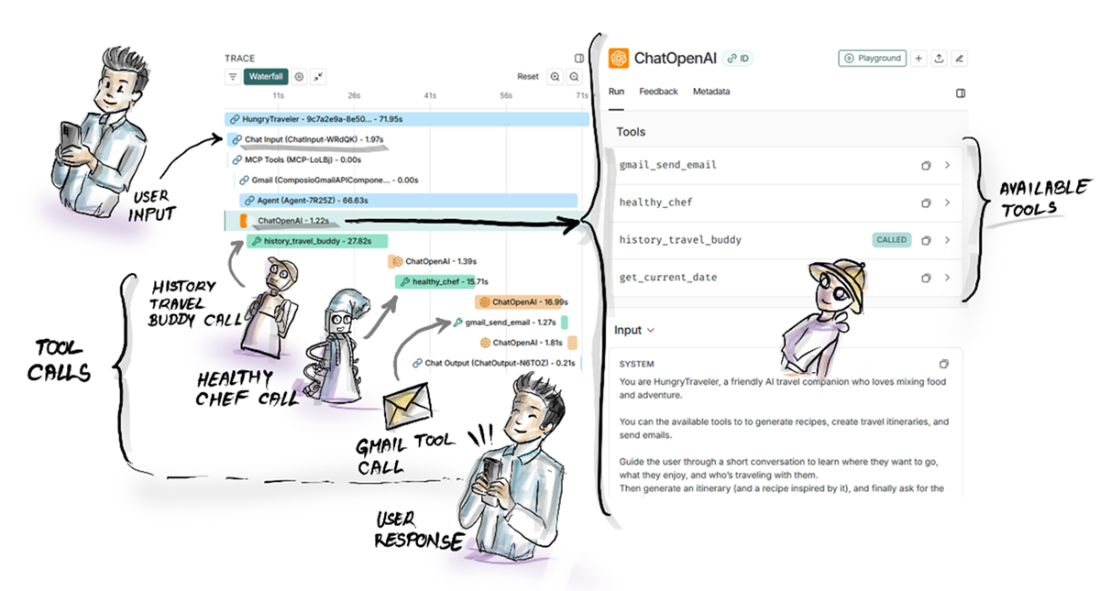
The behavior of an agent can be visualized through an observability tool.
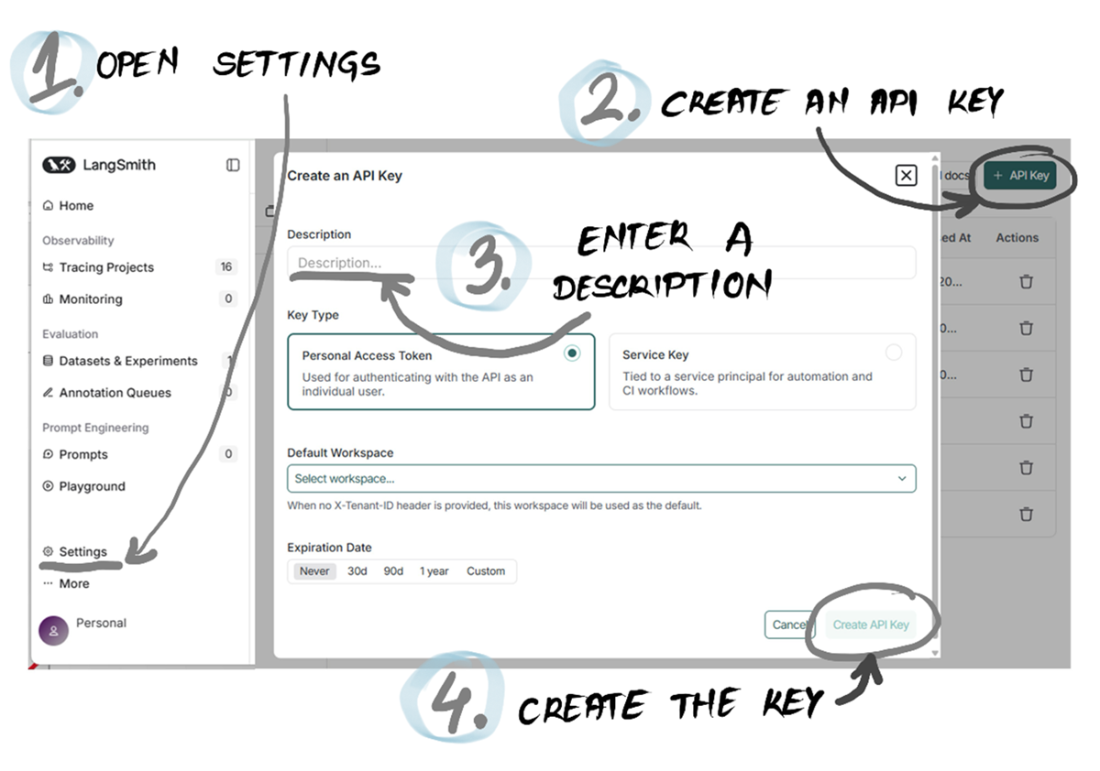
After signing up, create an API key to connect with LangSmith.
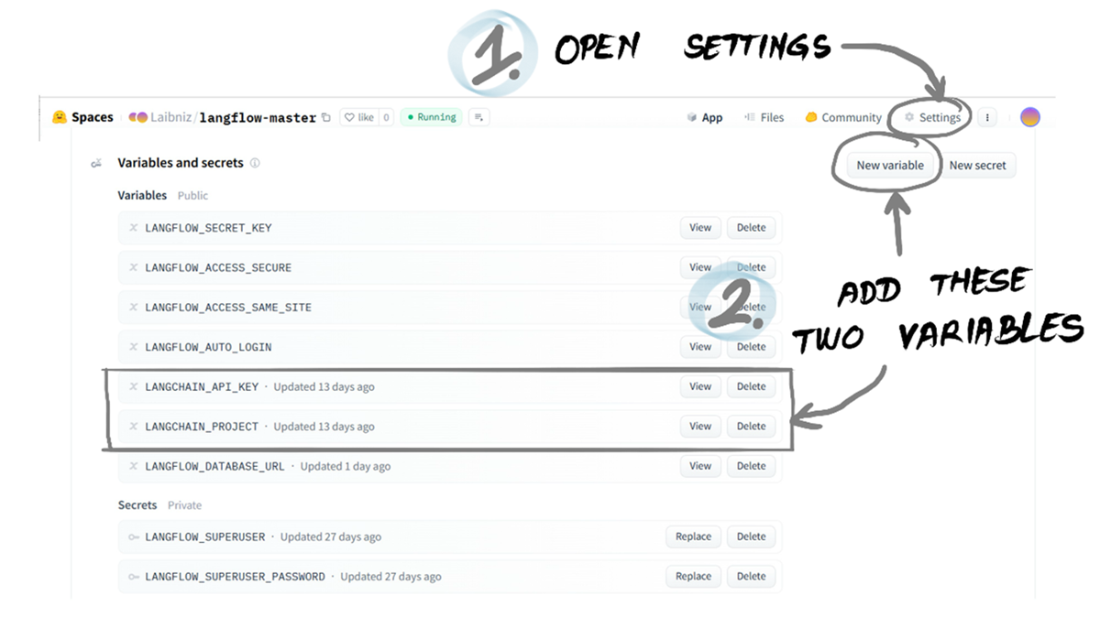
Setting environment variables in a Hugging Face Space.
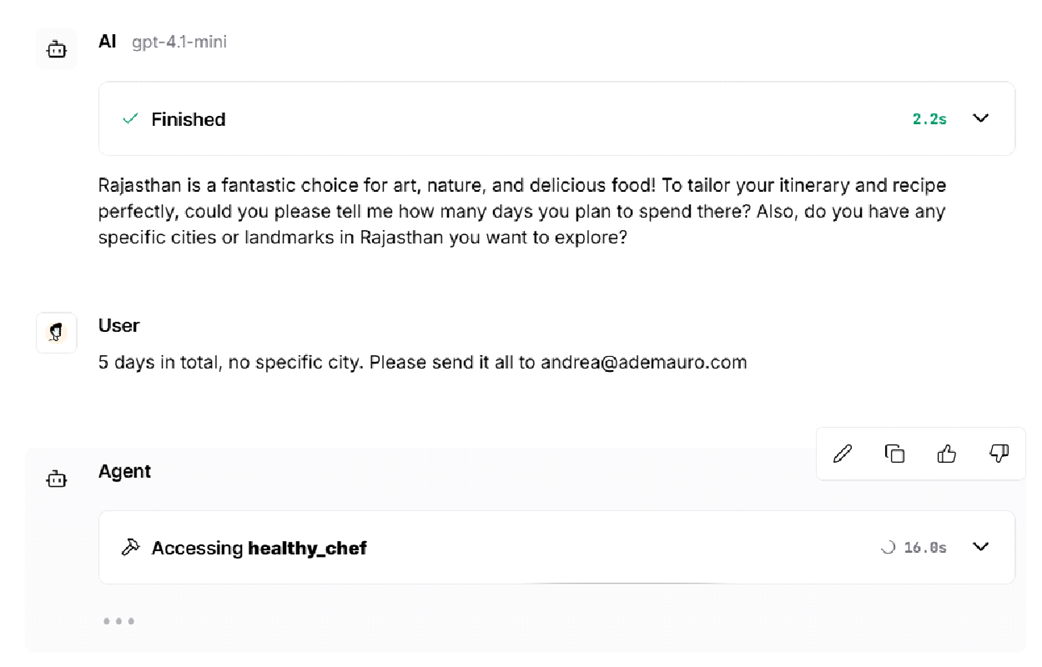
Let’s get a good Rajasthani itinerary and recipe to prepare us for the journey.
This LangSmith trace tells us how HungryTraveler operated. It did well!
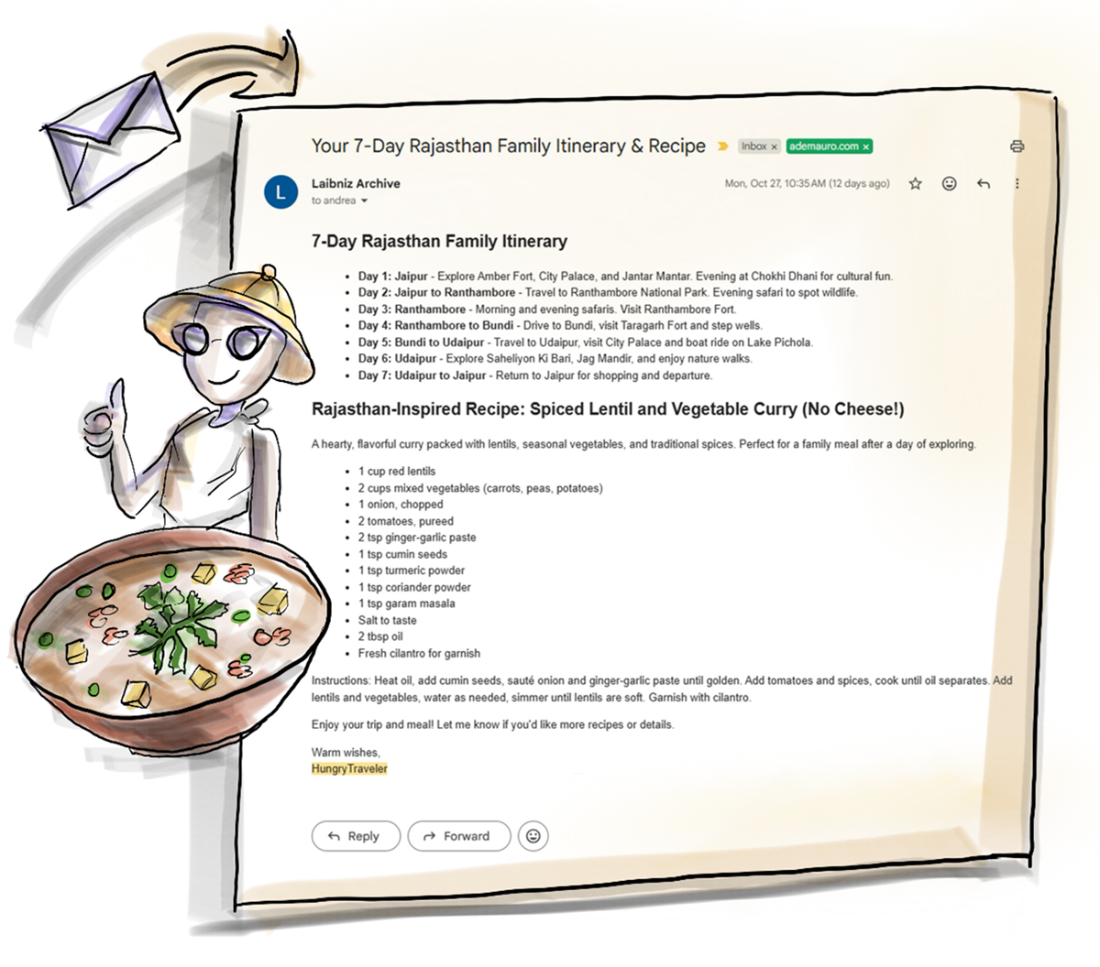
You’ve got mail! HungryTraveler created a delicious itinerary and recipe combo.
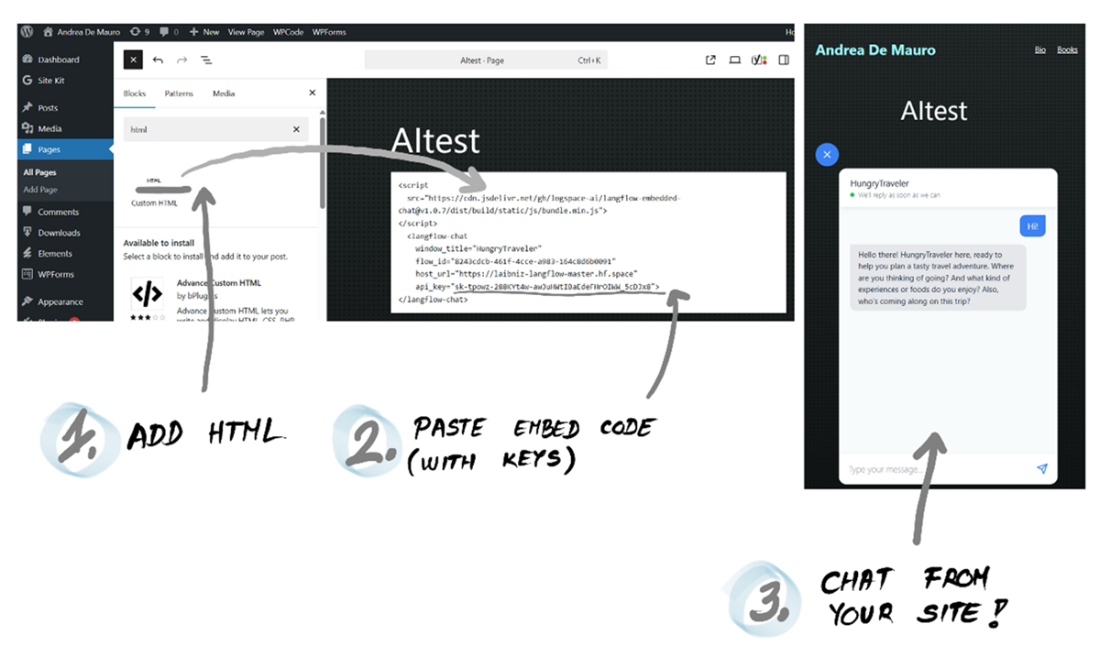
You can embed the Chat Widget onto any webpage by copying/pasting some HTML code.
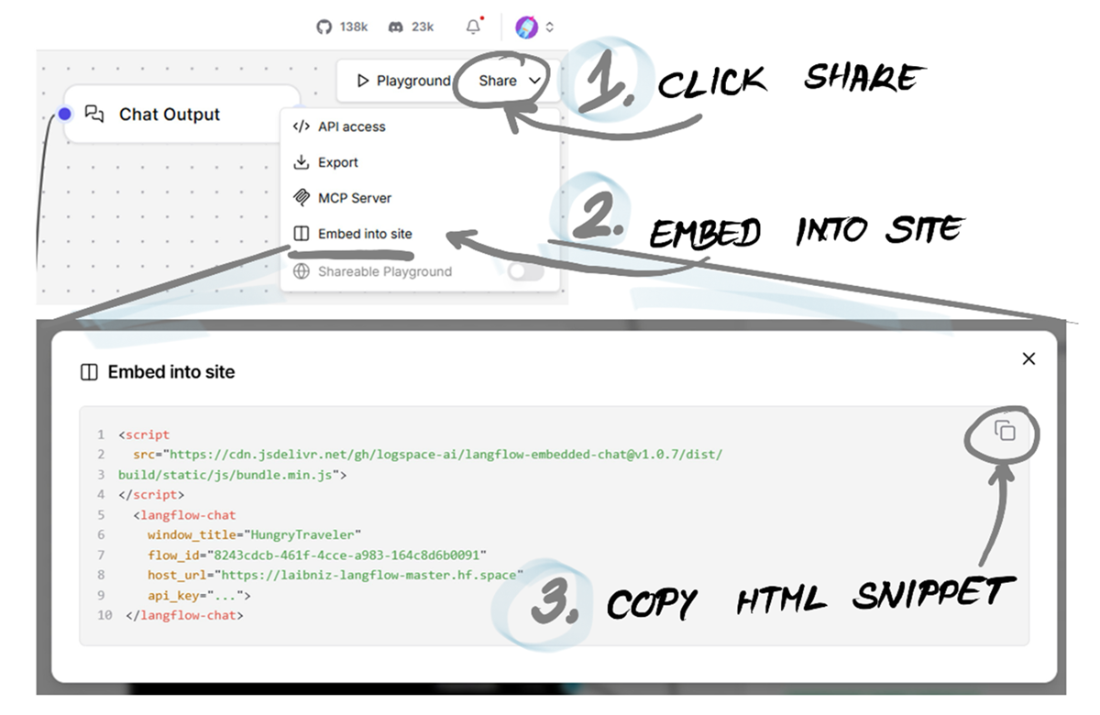
How to add a Langflow assistant to a WordPress page.

 Grokking AI Applications ebook for free
