7 Integrating GenAI in your data ecosystem
The chapter broadens GenAI beyond chat-based experiences and shows how AI applications must connect to a company’s wider data ecosystem. Instead of relying on human conversation alone, the model can work with structured inputs from files, databases, CRM systems, and other enterprise sources. Because LLMs usually return plain text, the surrounding workflow must also reshape inputs into prompts and convert outputs into formats that downstream systems can store and reuse.
To handle that wider data layer, the chapter introduces KNIME as a low-code, visual analytics platform that complements Langflow. KNIME is presented as a flexible tool for data ingestion, transformation, joining tables, aggregation, automation, API integration, and even direct interaction with LLMs. Its node-based workflow style closely resembles Langflow, making it a practical bridge between traditional data processing and GenAI orchestration.
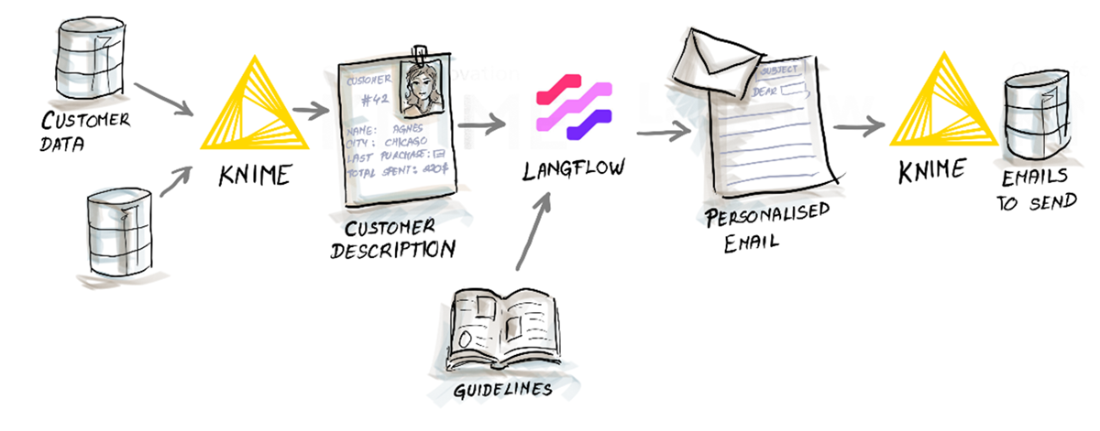
The main example builds a bulk personalized email generator for a fictional brand, starting from customer master data, transaction history, and communication guidelines. KNIME prepares customer-level summaries by joining tables, sorting transactions, aggregating spend and recency, and packaging the result as JSON; Langflow then uses that structured customer profile plus the brand rules to generate a subject line and email body. The response is sent back to KNIME, converted into tabular form, and saved to Excel, creating a repeatable end-to-end workflow that can scale, be scheduled, and be adapted to other business use cases.
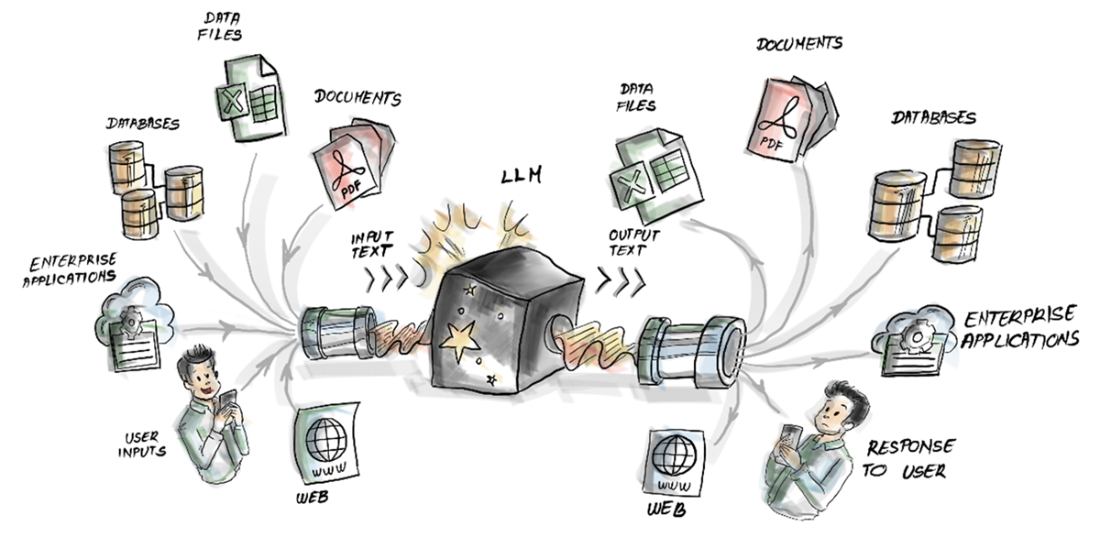
The LLM's input text might actually be coming from various sources—files, systems, or users.
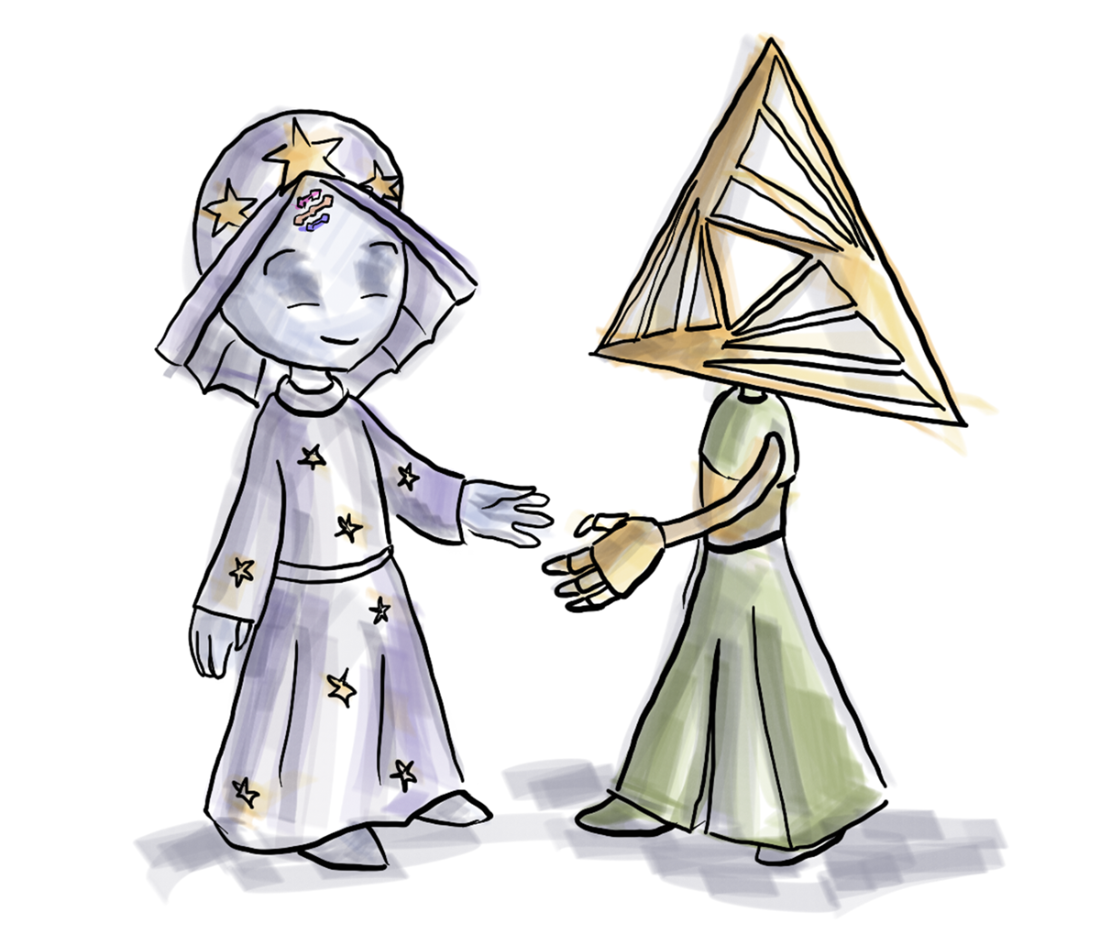
Meet KNIME, a partner in developing your next AI applications.
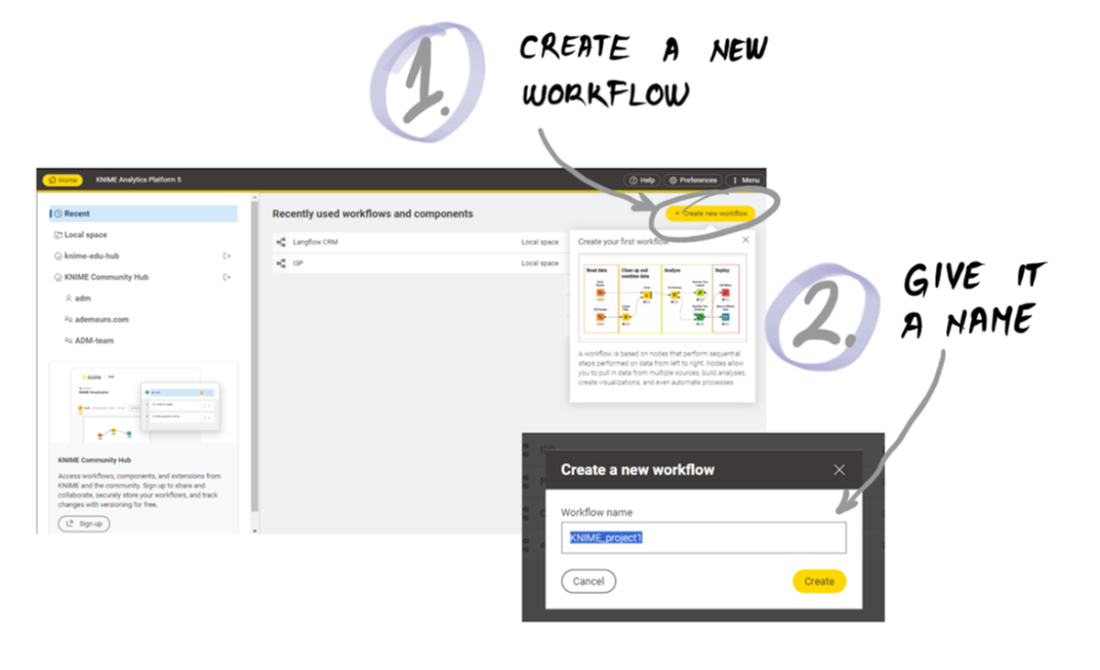
Creating a new workflow in KNIME.
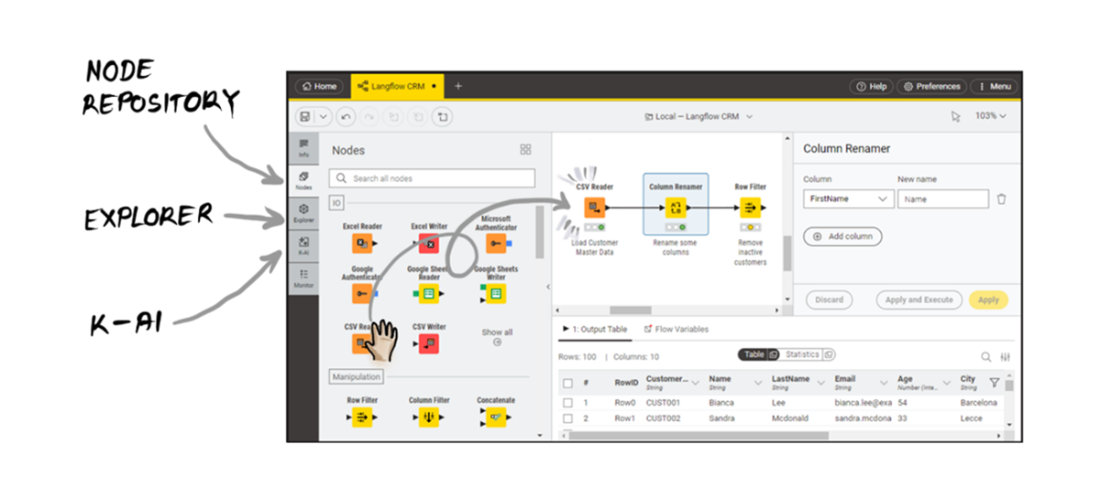
The KNIME Workbench: your private studio for crafting data workflows.
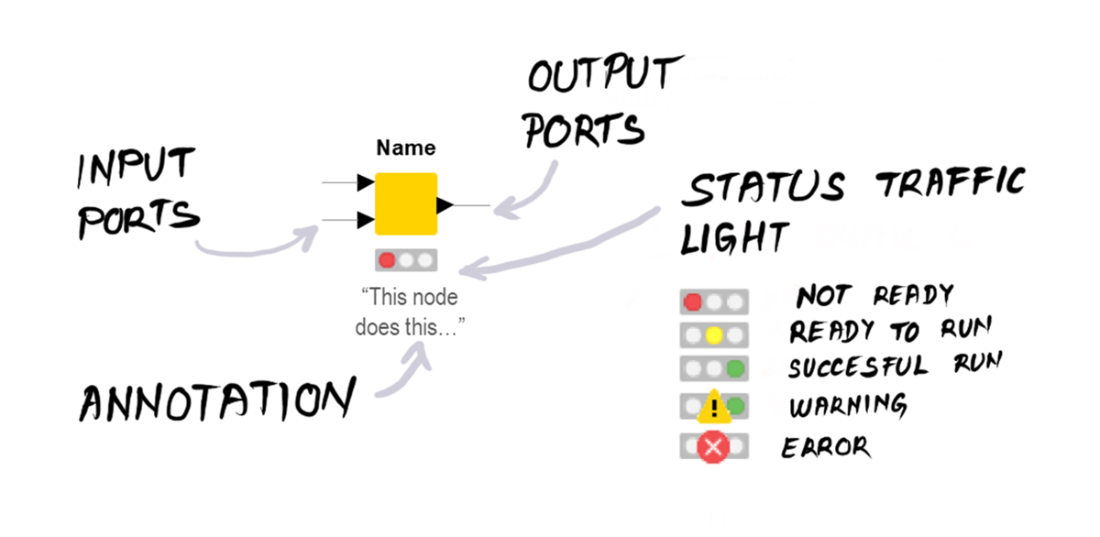
Anatomy of a KNIME node.
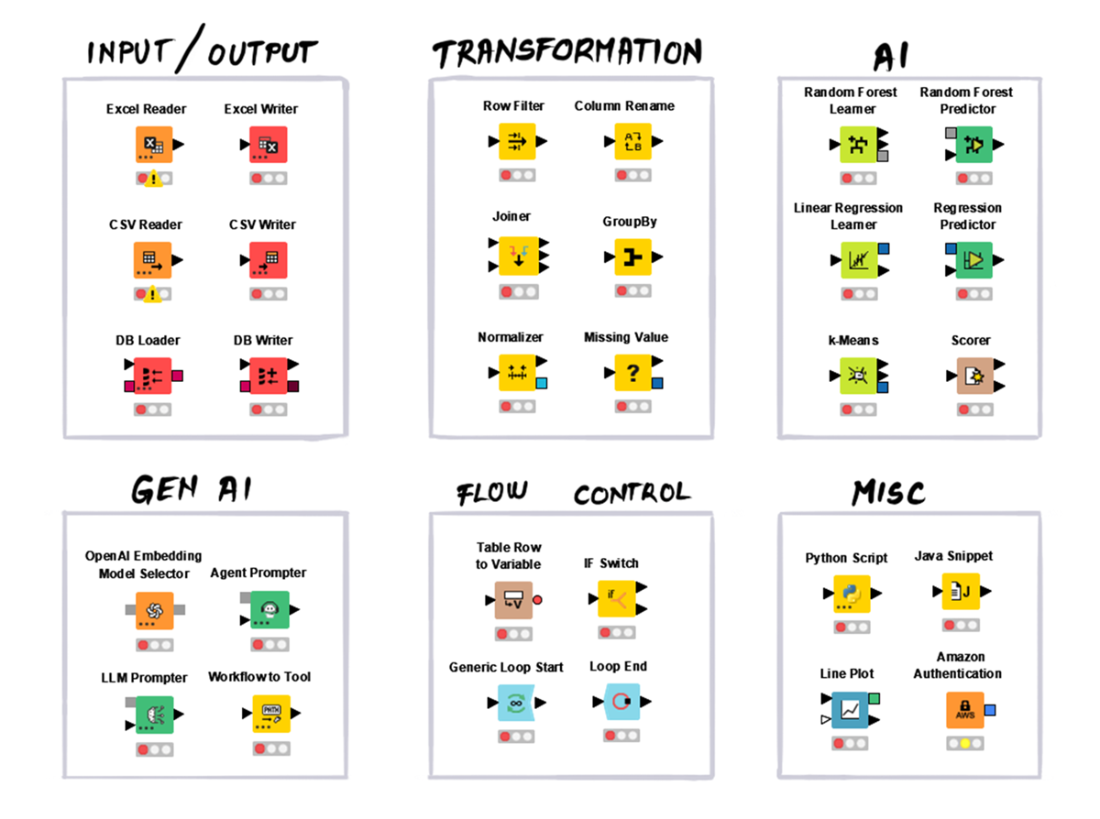
The many types of nodes available in KNIME.
Hyper-personalized emails: earning customer love at scale.

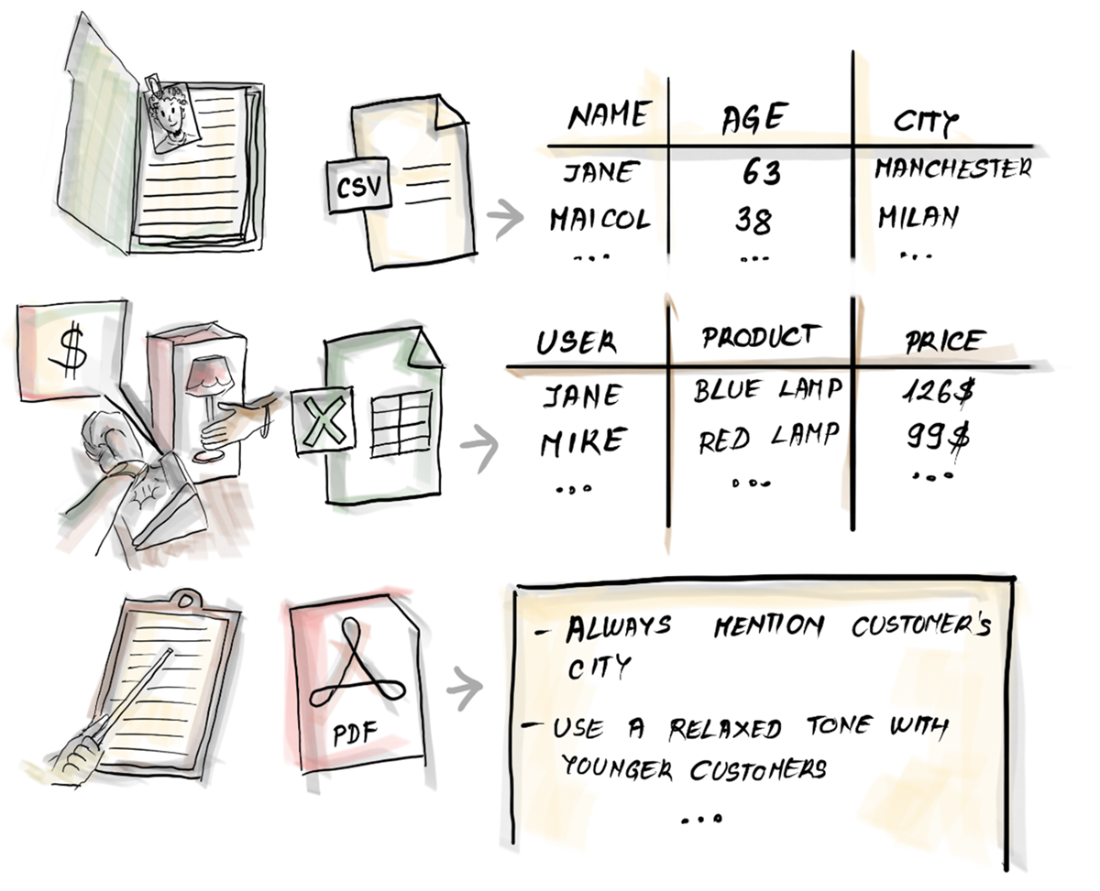
Three files store all you need to generate the content of your personalized emails.
From raw customer data to a list of personalized marketing emails to send.
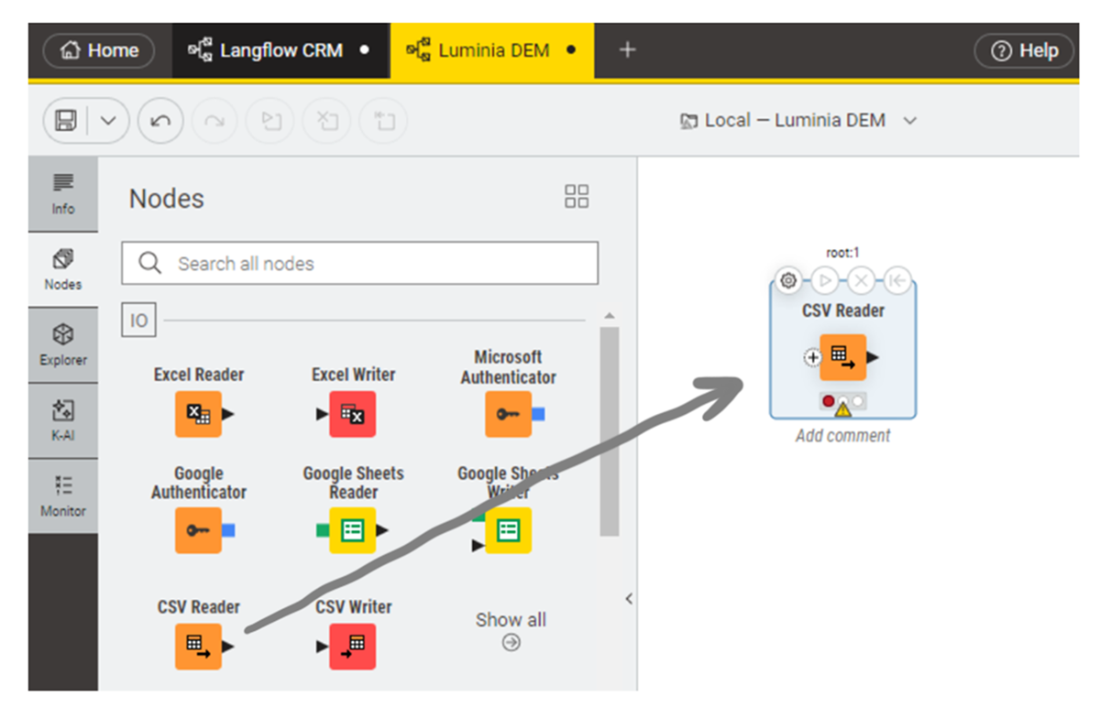
Implementing our very first KNIME node: the CSV Reader.
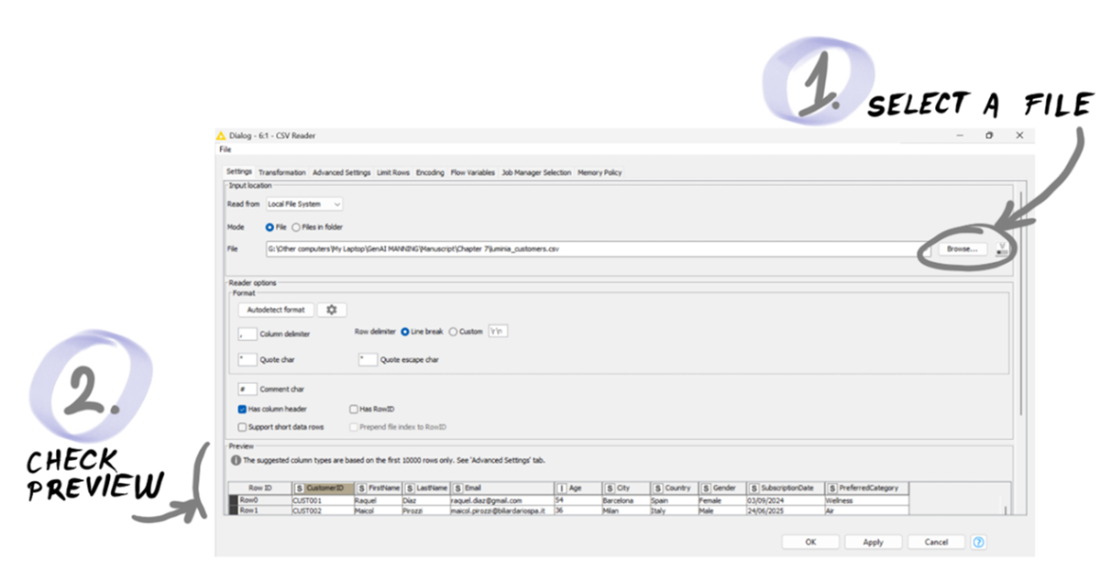
The configuration window of the CSV Reader node.
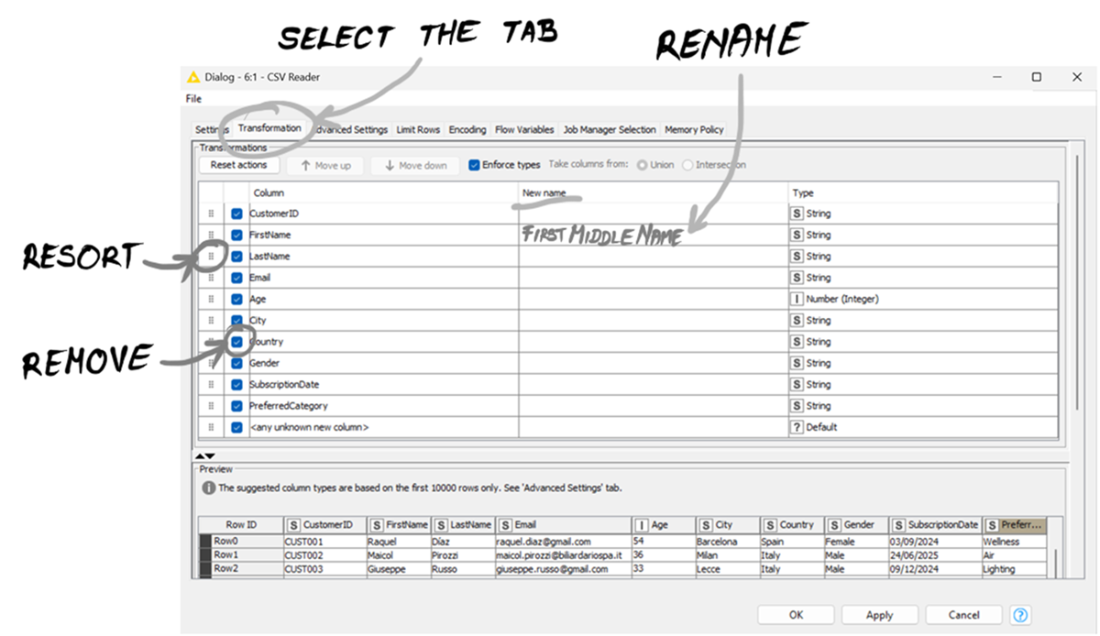
The Transformation tab in the CSV Reader node configuration: extra settings to load the data in the way you need.
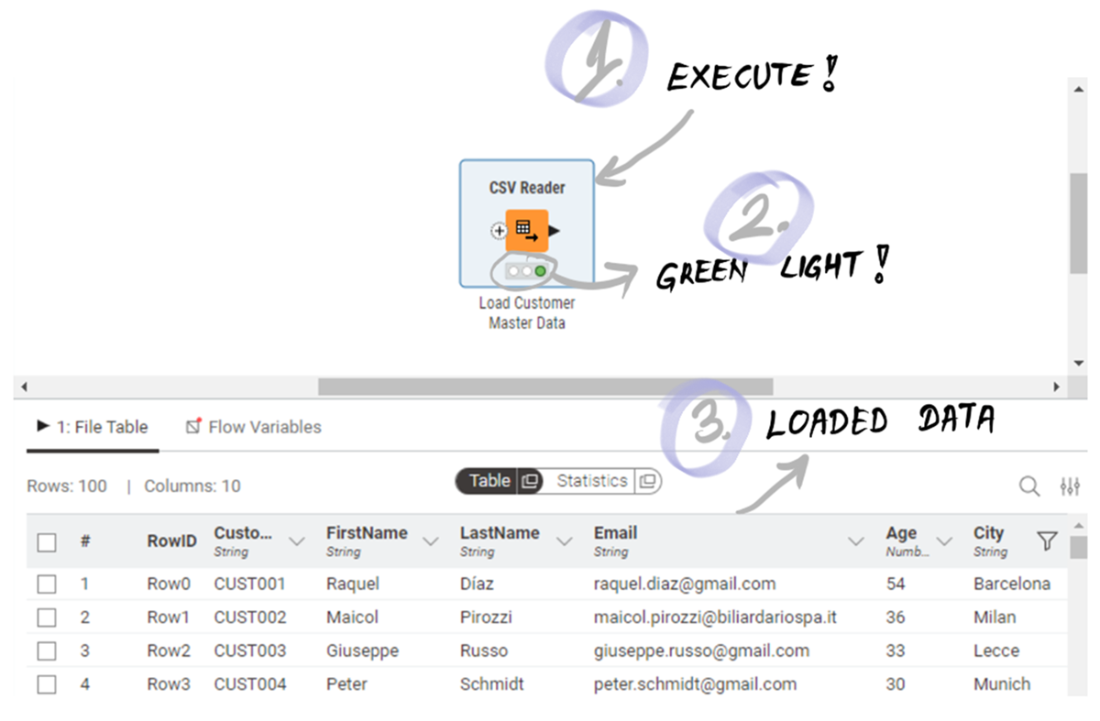
Your first KNIME node did its job: the customer data is ready at the output port of the CSV Reader node.
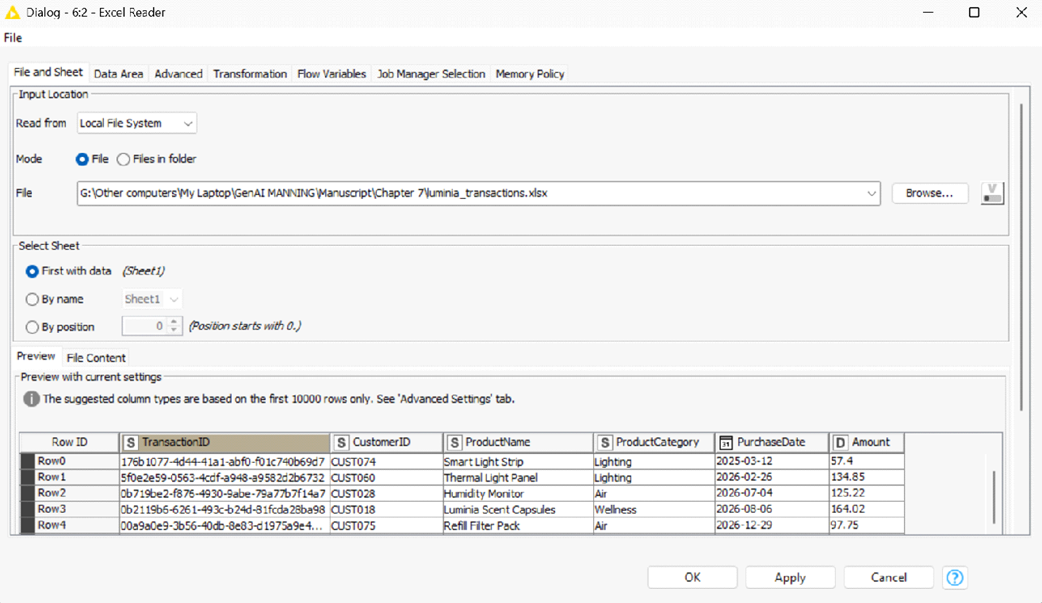
The configuration window of the Excel Reader node. The preview shows some transactions of Luminia products.
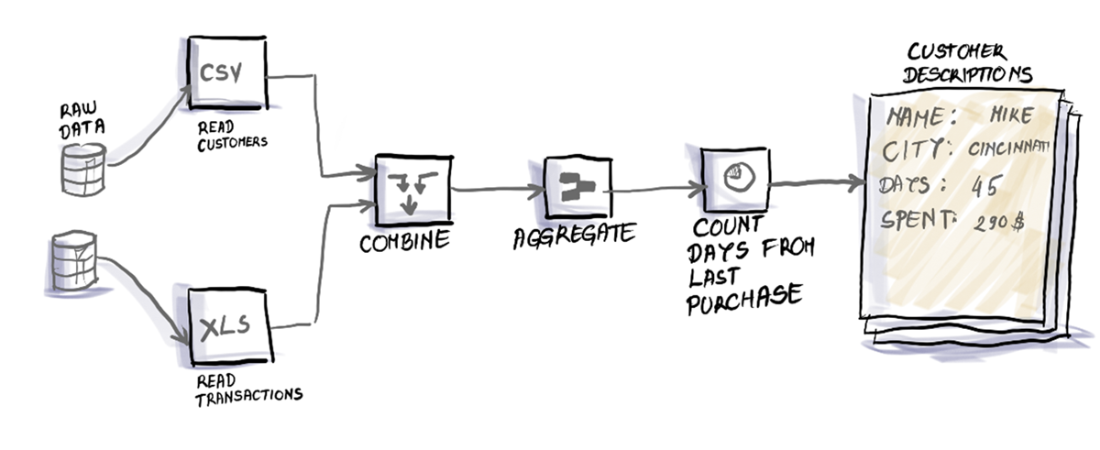
The KNIME workflow, moving from raw data to structured customer descriptions.
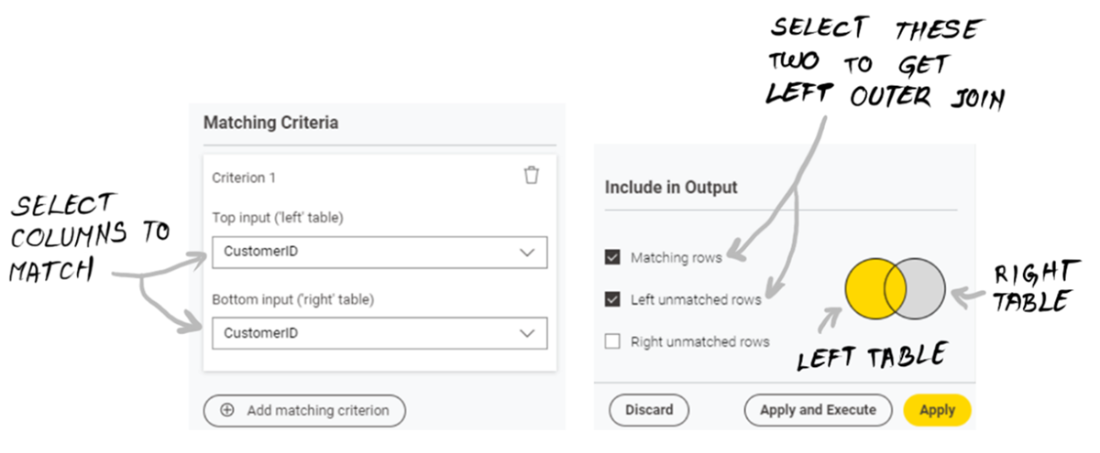
The Joiner node configuration to combine customers with their transactions.
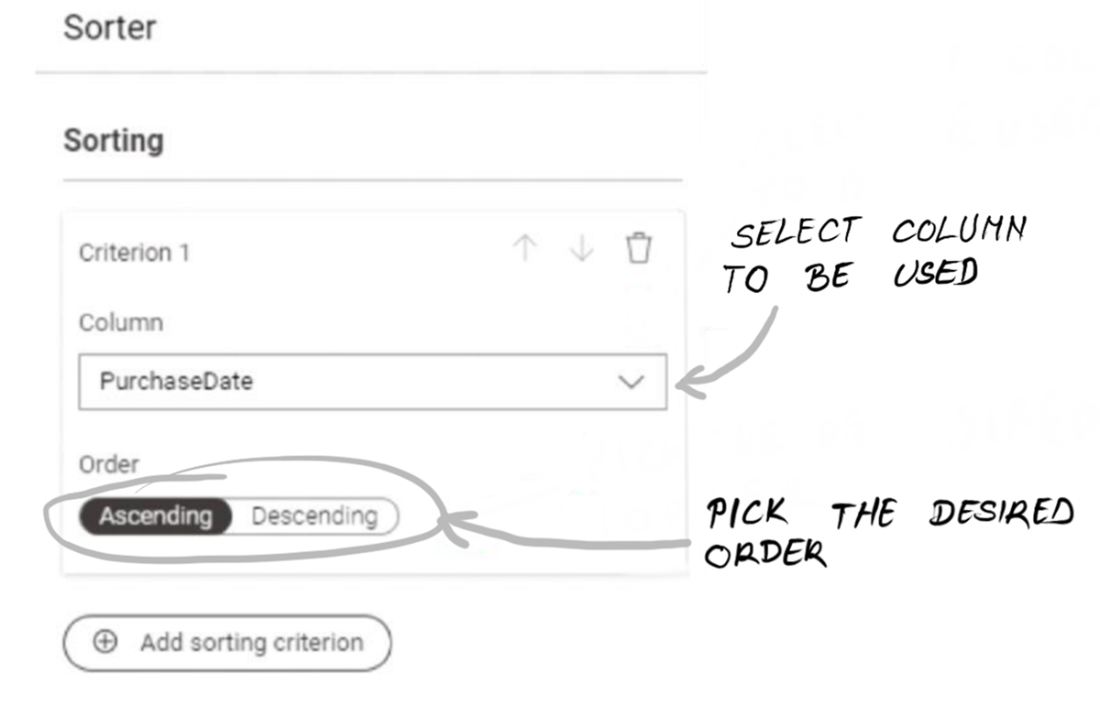
The configuration window of the Sorter node asks you to pick one or more columns to sort on and the order.
By defining groups, you decide the granularity of your GroupBy aggregation.
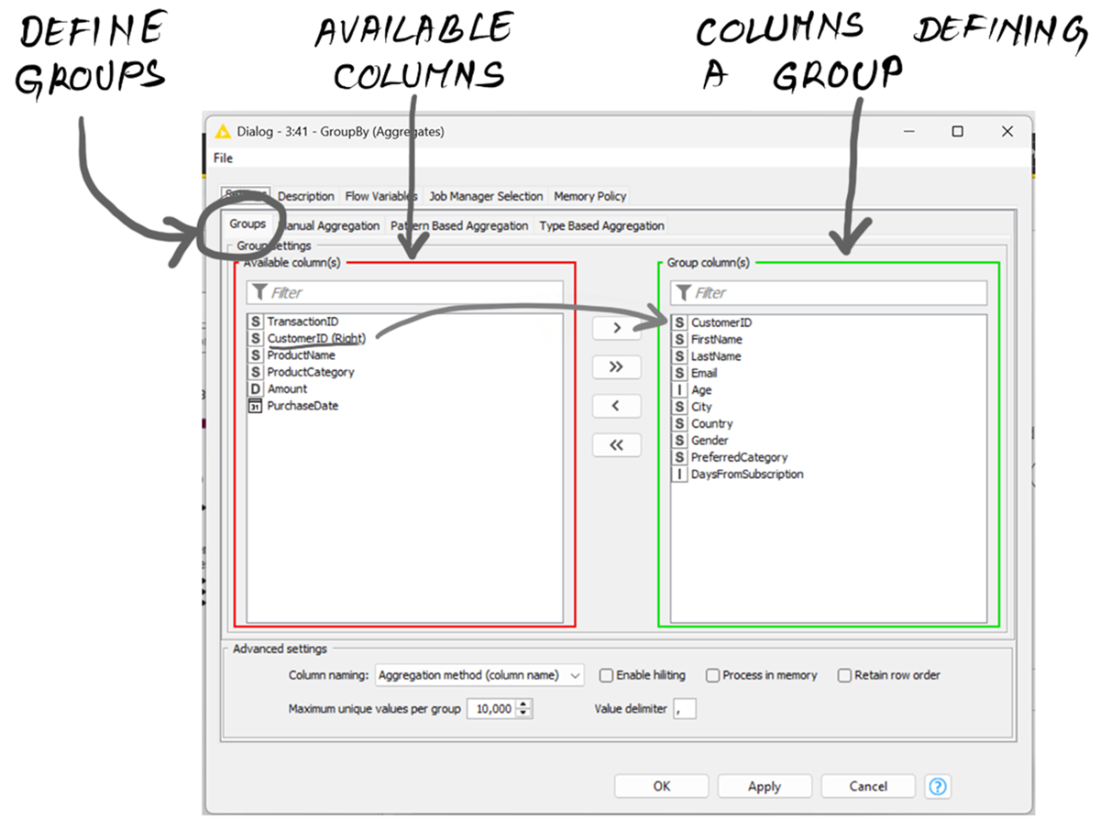
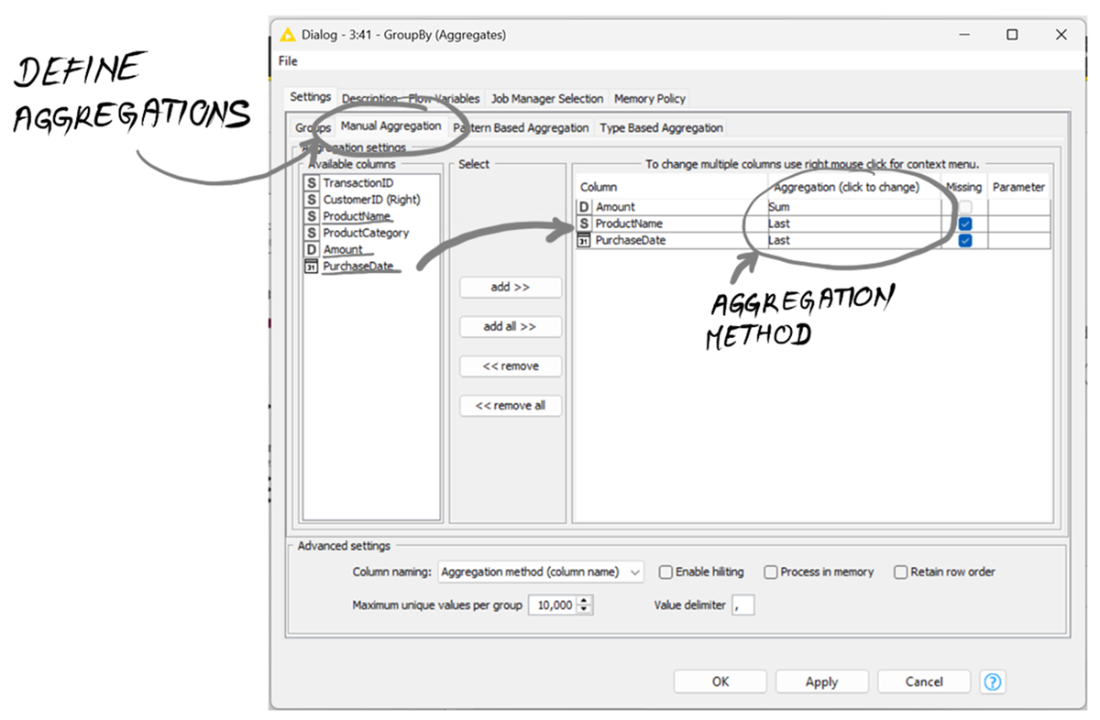
Pick the aggregation method for each column you want to aggregate.
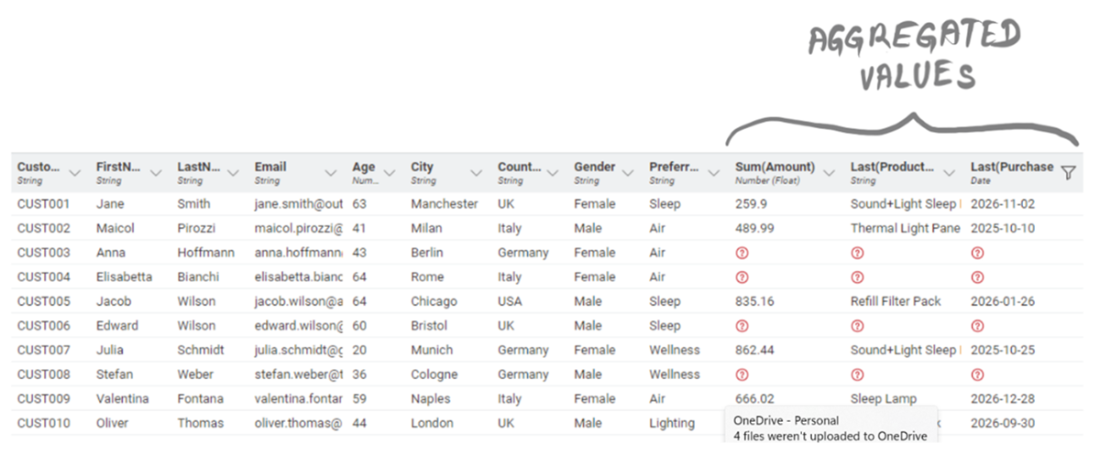
The output of GroupBy: now we have aggregated values by customers.
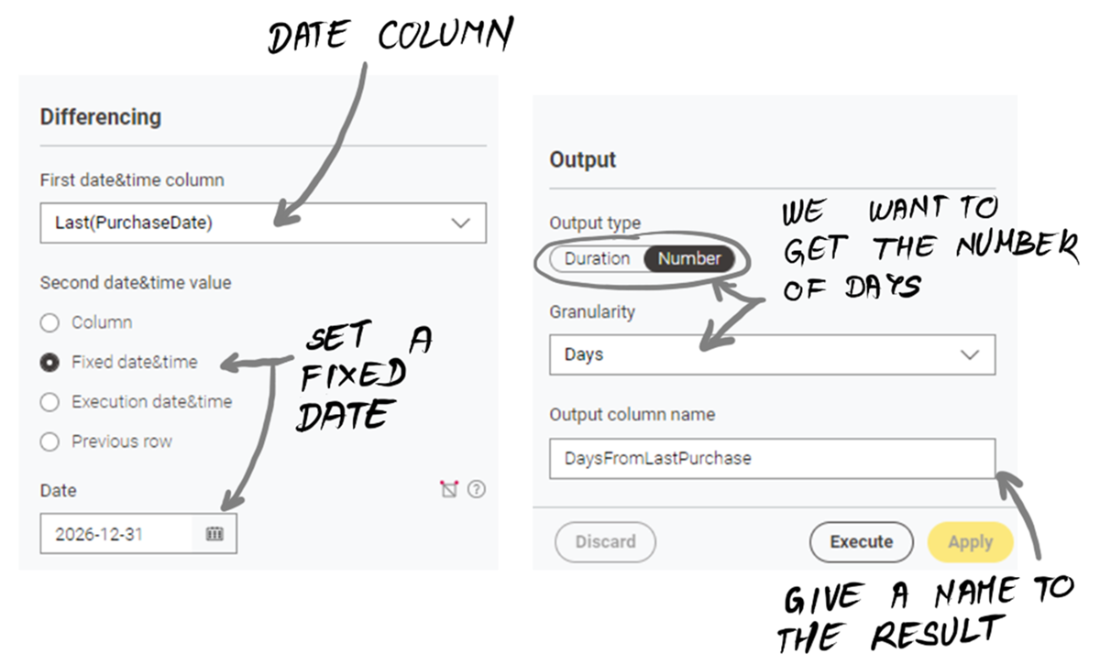
The Date&Time Difference node configuration does the math between times.
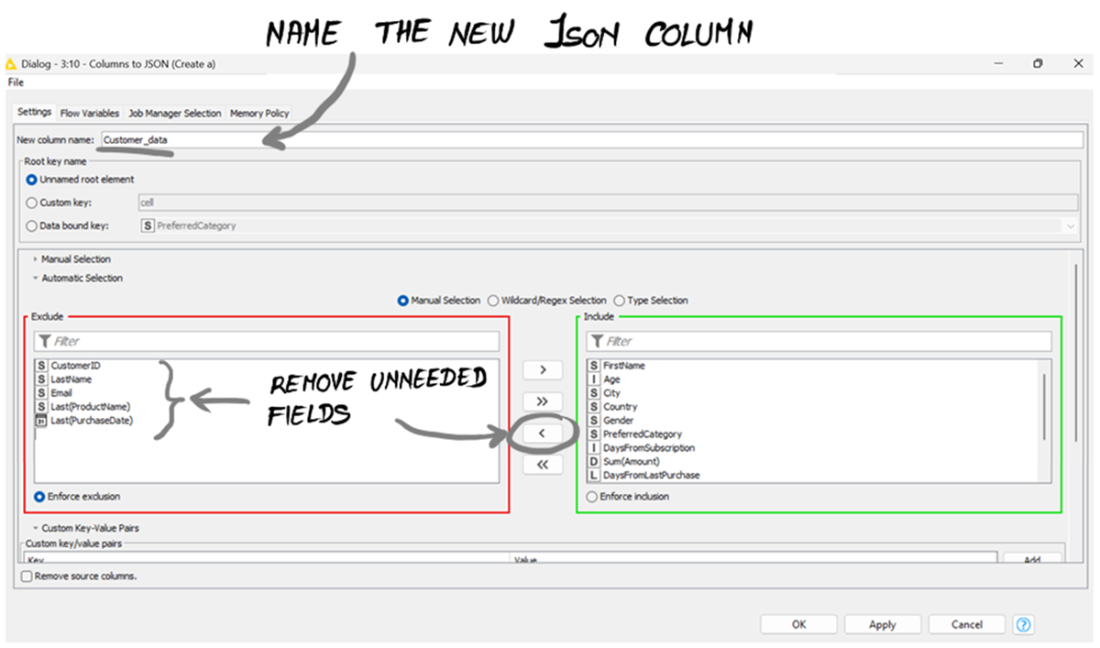
The Columns to JSON node generates a single object embedding all the columns you need.
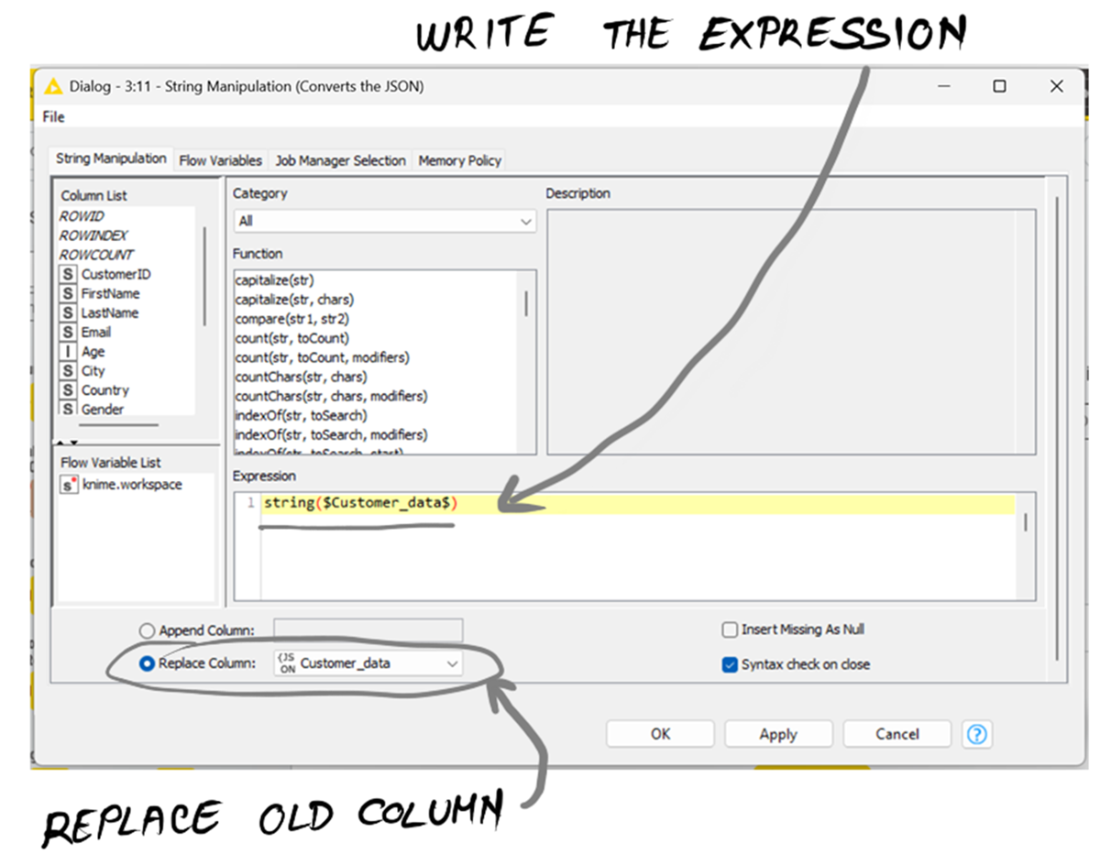
The String Manipulation node lets you apply any sort of transformation to strings.
The workflow for turning customer descriptions into emails.
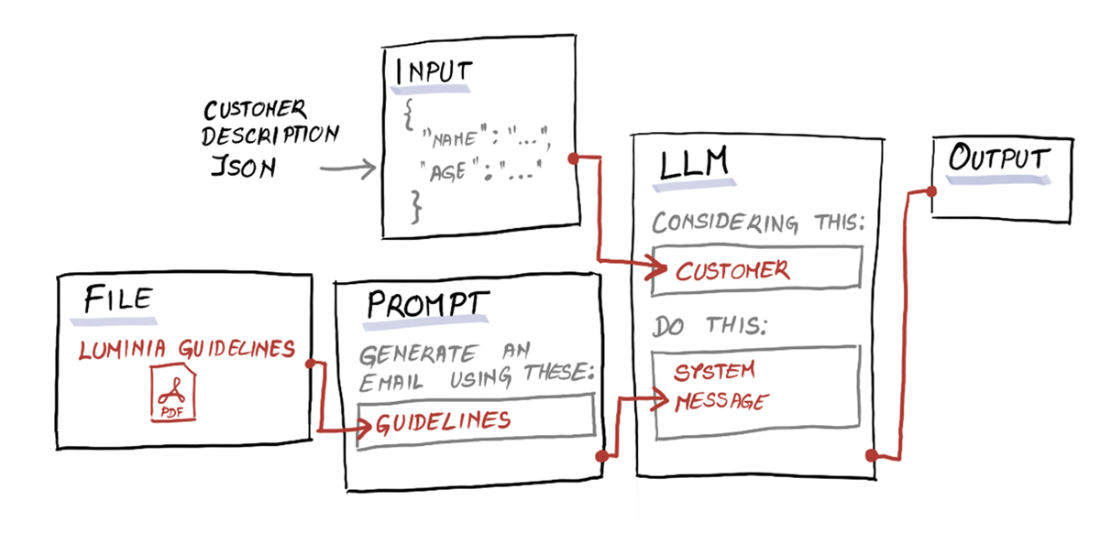
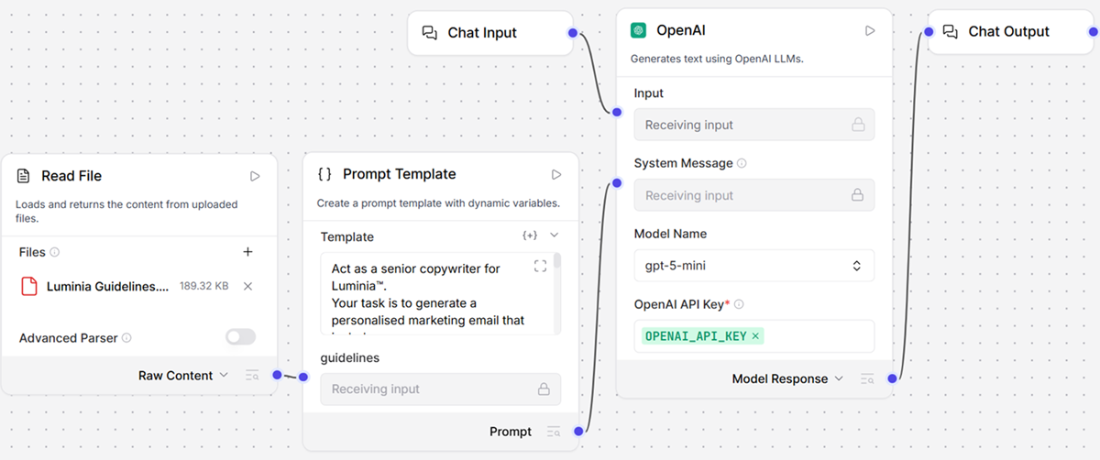
The Langflow flow that takes a customer JSON profile and generates a subject and email body according to Luminia's brand guidelines.
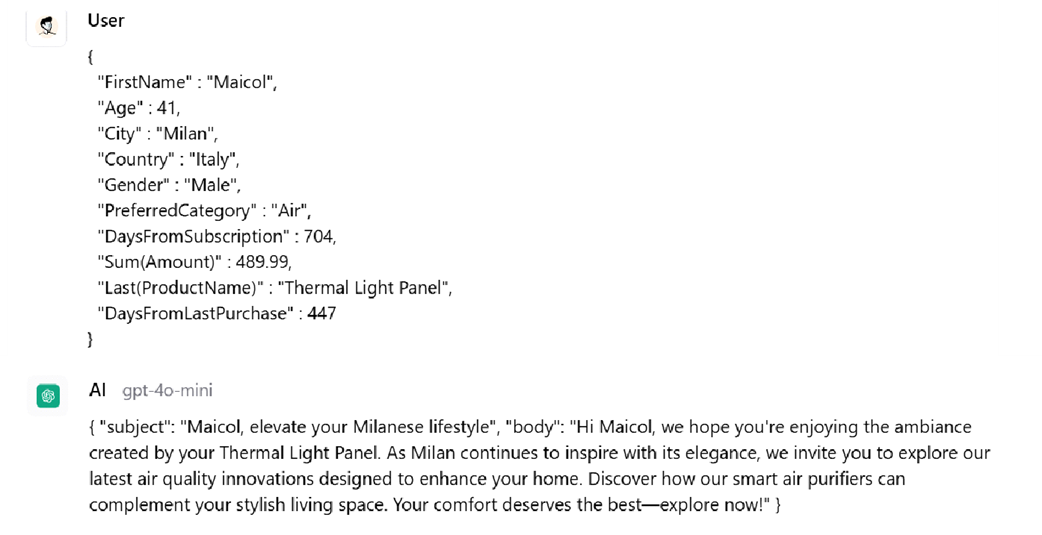
Sample input and output from the Langflow flow: this user has no excuses not to buy a new product.
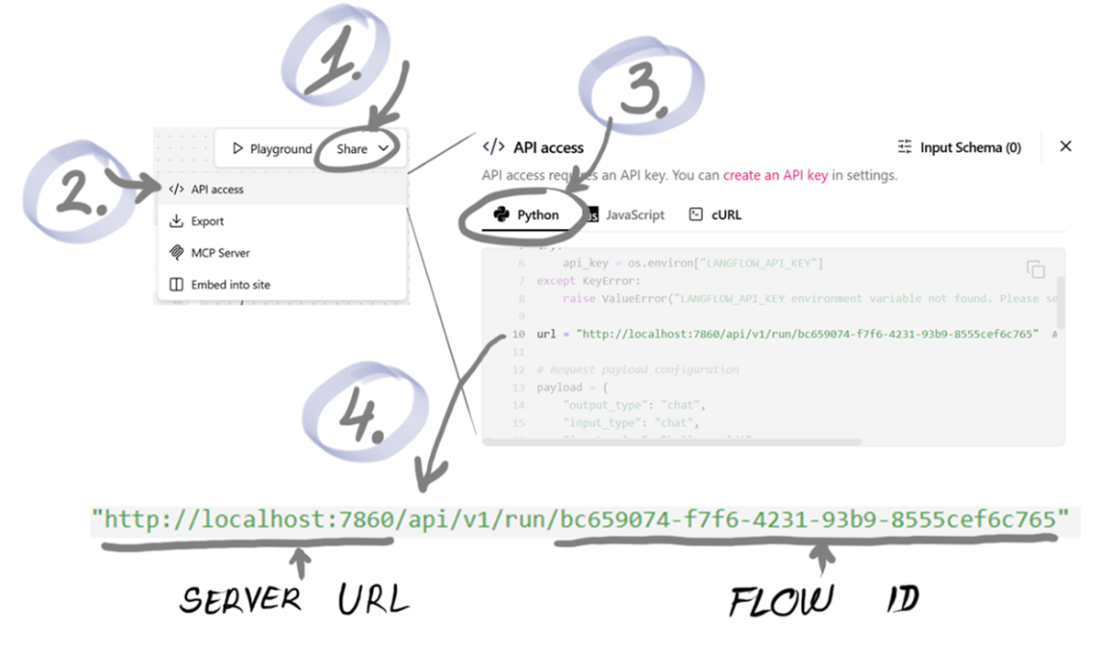
Where to find your Server URL and Flow ID.
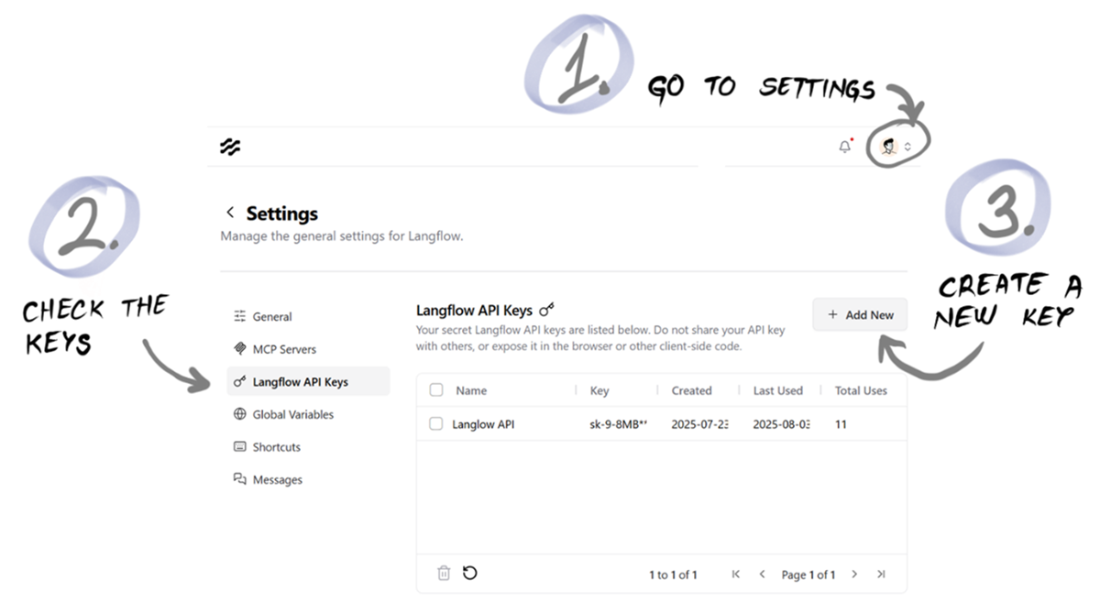
How to generate a Langflow API Key.
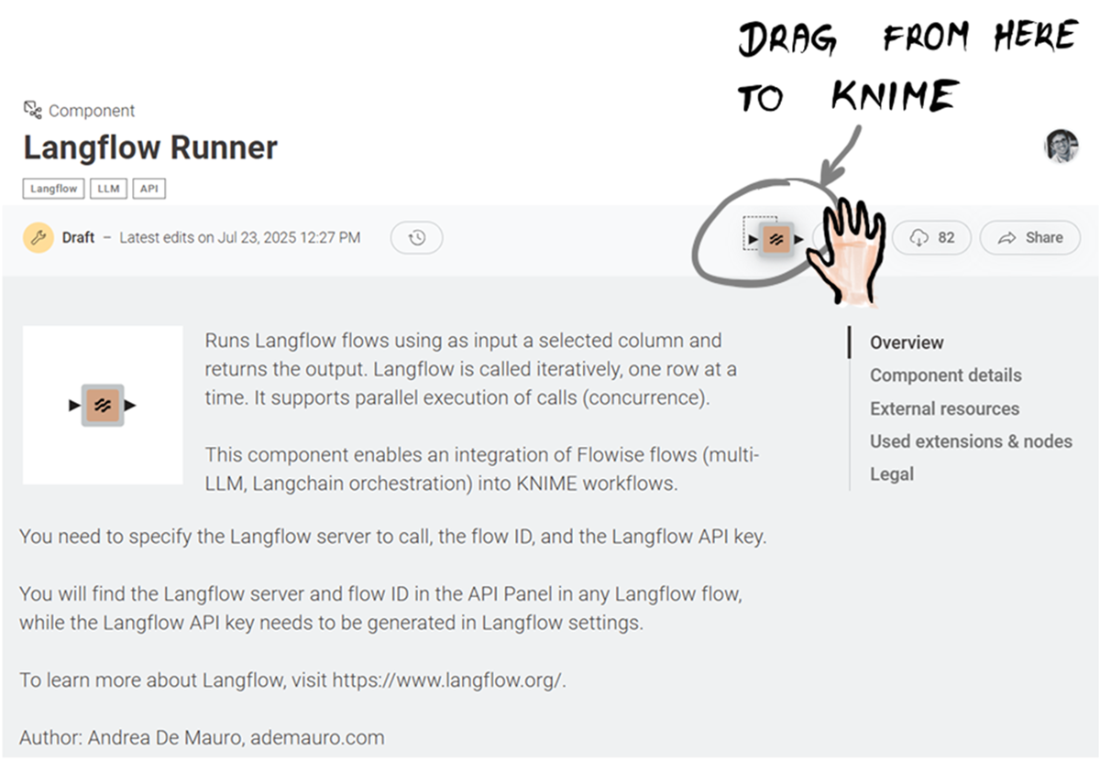
Langflow Runner in KNIME Hub: drag it into your workspace.
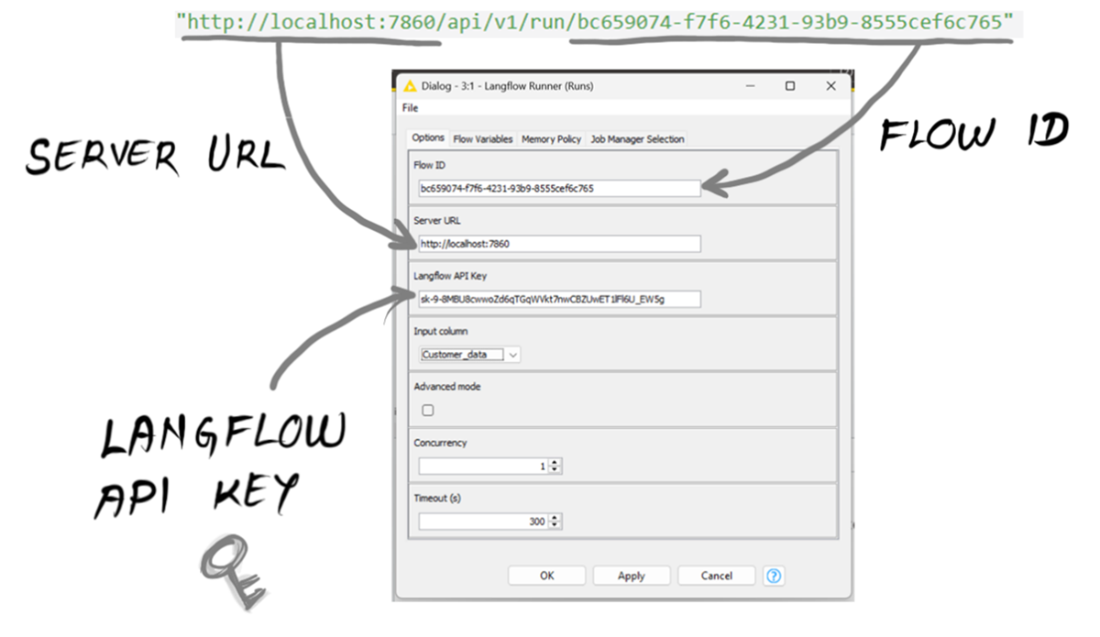
Configuration window of Langflow Runner in KNIME.
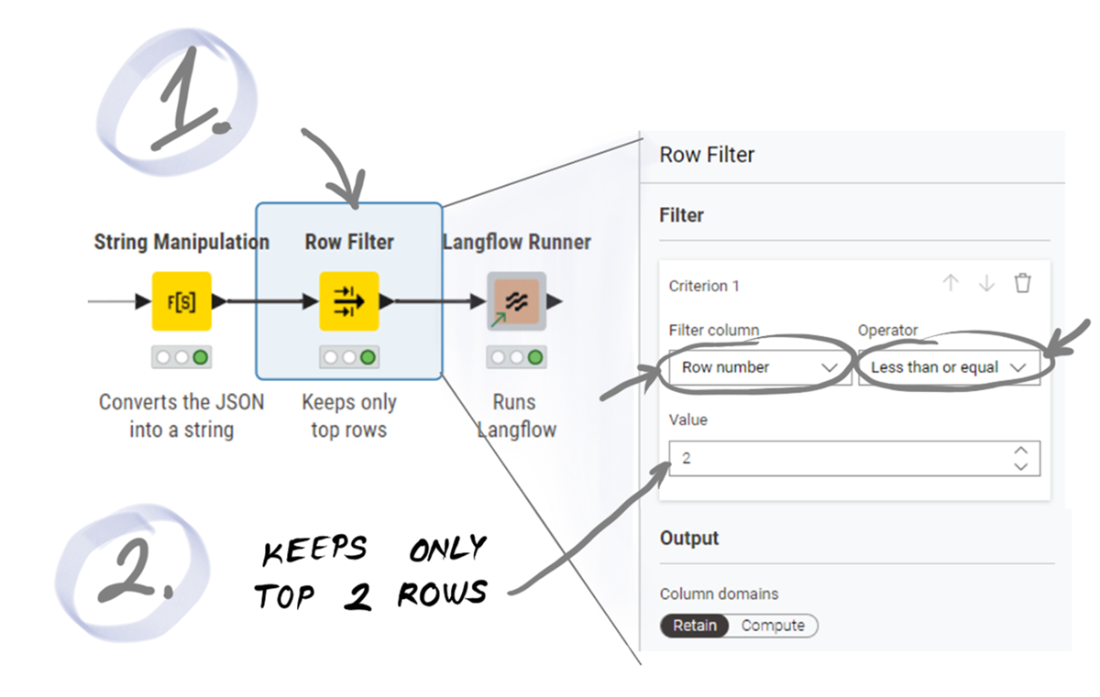
The Row Filter node lets you set criteria for keeping only the rows you need in a table.
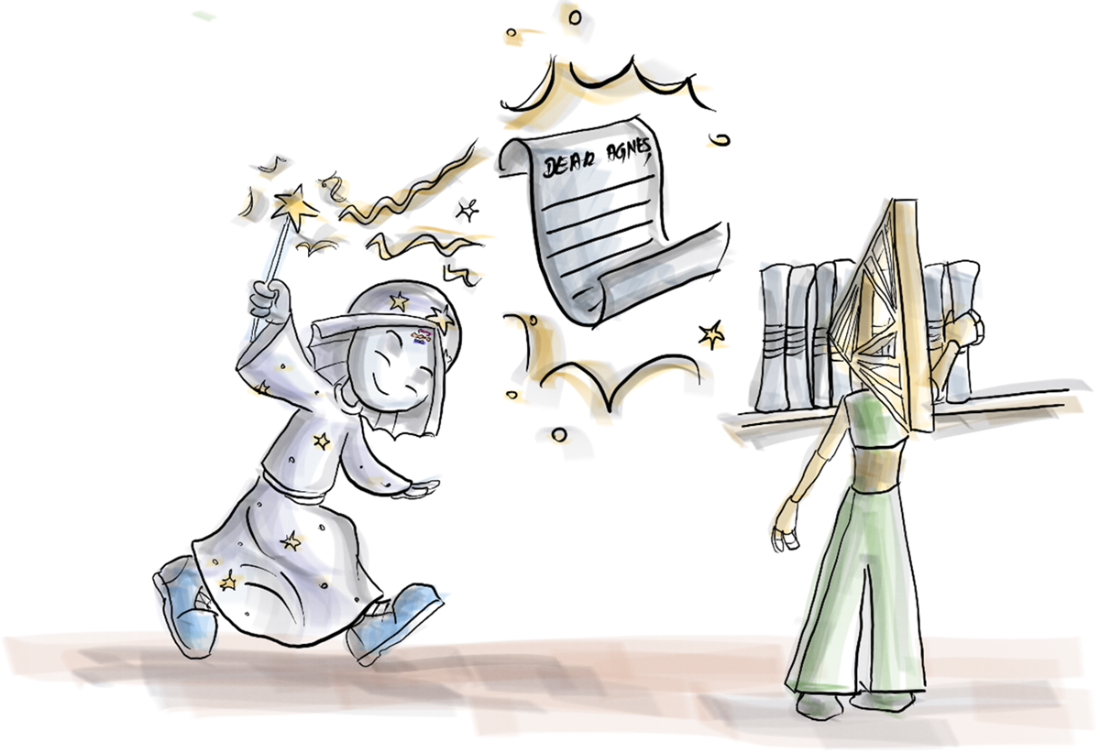
KNIME + Langflow: the spell that turns raw data points into ready-to-send emails.
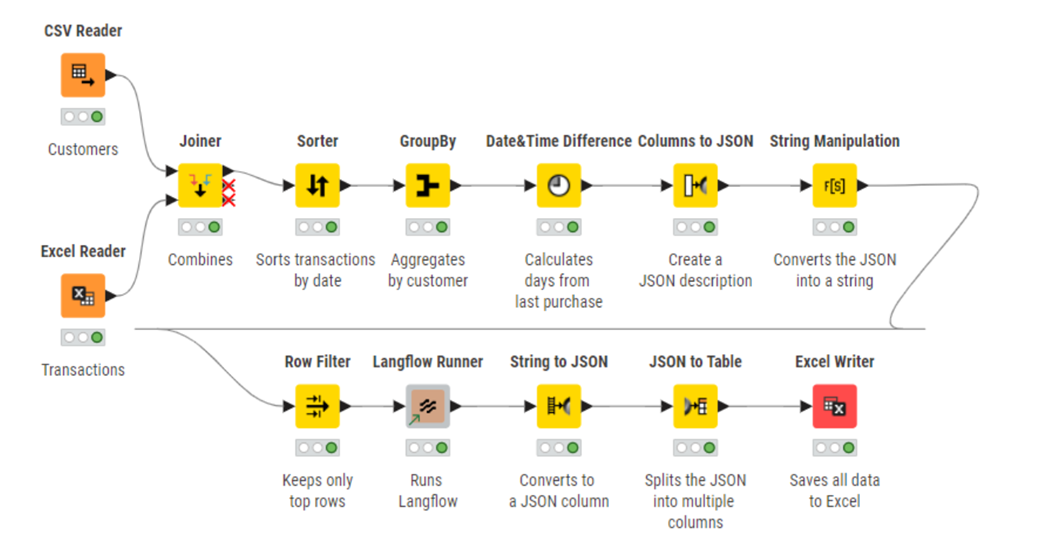
The full KNIME workflow can generate hyper-personalized emails for all our customers.
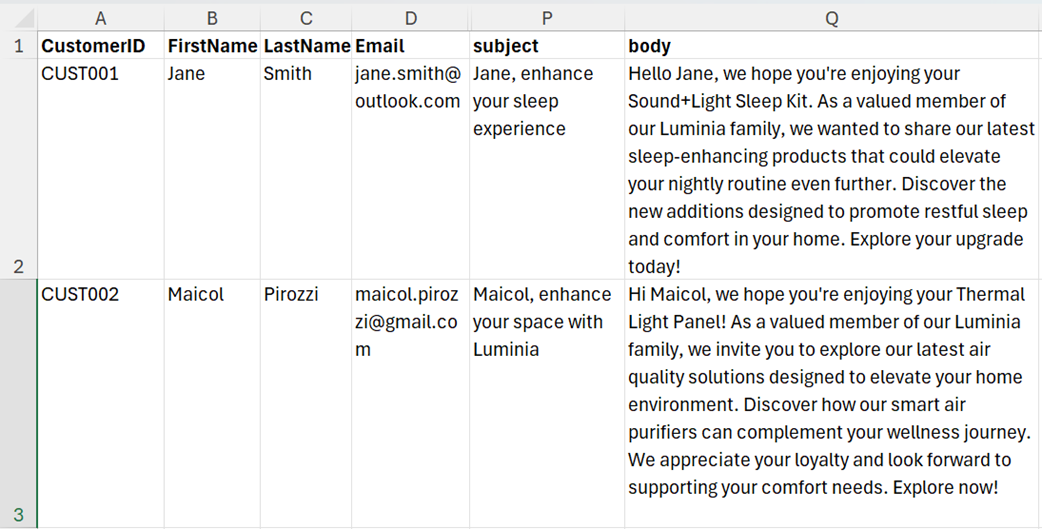
The Excel file with the subject and body of the emails to be sent to the Luminia customers.
Summary
- Integrating GenAI into a data ecosystem means moving beyond conversational AI to applications where inputs come from databases, files, or other systems rather than directly from humans.
- KNIME complements Langflow by handling data extraction, transformation, aggregation, and integration with external systems, while Langflow focuses on the LLM-driven generative logic.
- KNIME workflows are built from nodes—visual building blocks—used to load, join, sort, aggregate, and transform data into the structured formats LLMs require.
- This KNIME–Langflow integration can be extended with dynamic campaign content injection, direct CRM connectivity, automated email sending, and scheduled executions for full end-to-end marketing automation.

 Grokking AI Applications ebook for free
