4 Augmenting LLMs with your own documents
Large language models are powerful, but by default they are broad generalists that rely on pre-trained knowledge and often miss organization-specific, current, or traceable information. This makes them a poor fit for tasks like answering questions about a shop’s hours, a company’s policies, or any curated document collection unless they are given access to those sources. The chapter introduces Retrieval-Augmented Generation as the remedy: a way to combine the model’s reasoning ability with knowledge pulled from documents we control, so responses can be more accurate, up to date, and easier to justify.
RAG is presented as a three-step process: ingest documents, retrieve the most relevant chunks, and generate an answer using that retrieved context. Ingestion means reading files of many kinds, splitting them into chunks, converting those chunks into embeddings, and storing them in a vector database along with useful metadata. Retrieval means turning the user’s question into an embedding, comparing it against stored vectors with a similarity measure, and selecting the closest matches. Generation then places those matches into a prompt so the LLM can answer based on the retrieved context rather than only on its general training.
The chapter then shows how to build this workflow in Langflow using a practical pizza-restaurant example. One subflow handles ingestion with components for reading files, splitting text, creating embeddings, and storing them in Chroma; the other handles runtime search and answering with a chat input, retriever, parser, prompt template, LLM, and chat output. It also highlights the main tuning levers that affect quality, such as chunk size, chunk overlap, top-k retrieval, query rewriting, and metadata use, and suggests expanding the system with memory or other document sources like webpages and folders. Finally, it notes that the same logic can be implemented directly in code with common LangChain tools, making the RAG pipeline explicit and reusable.
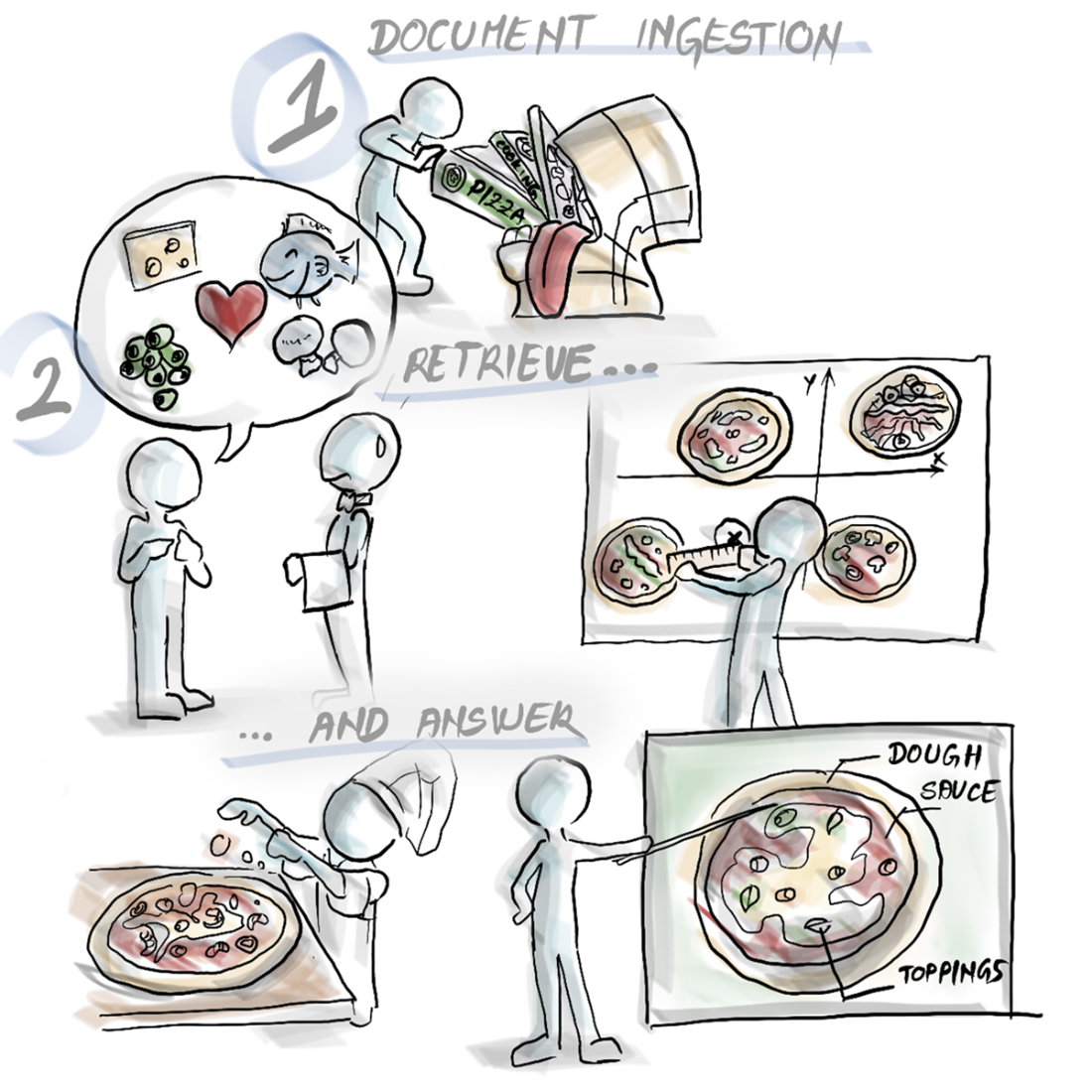
A RAG-based flow includes three essential steps: document ingestion, document retrieval and answer generation.
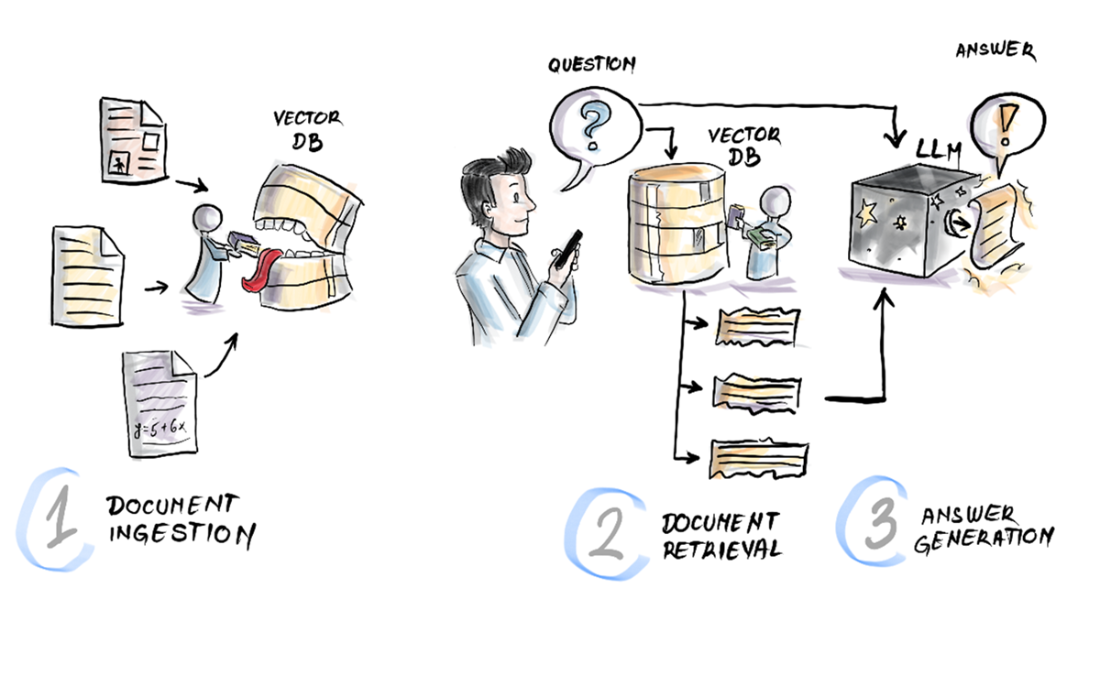
The invisible work behind any RAG response: collecting knowledge, retrieving relevant pieces, and crafting the final answer by stitching together the right context.
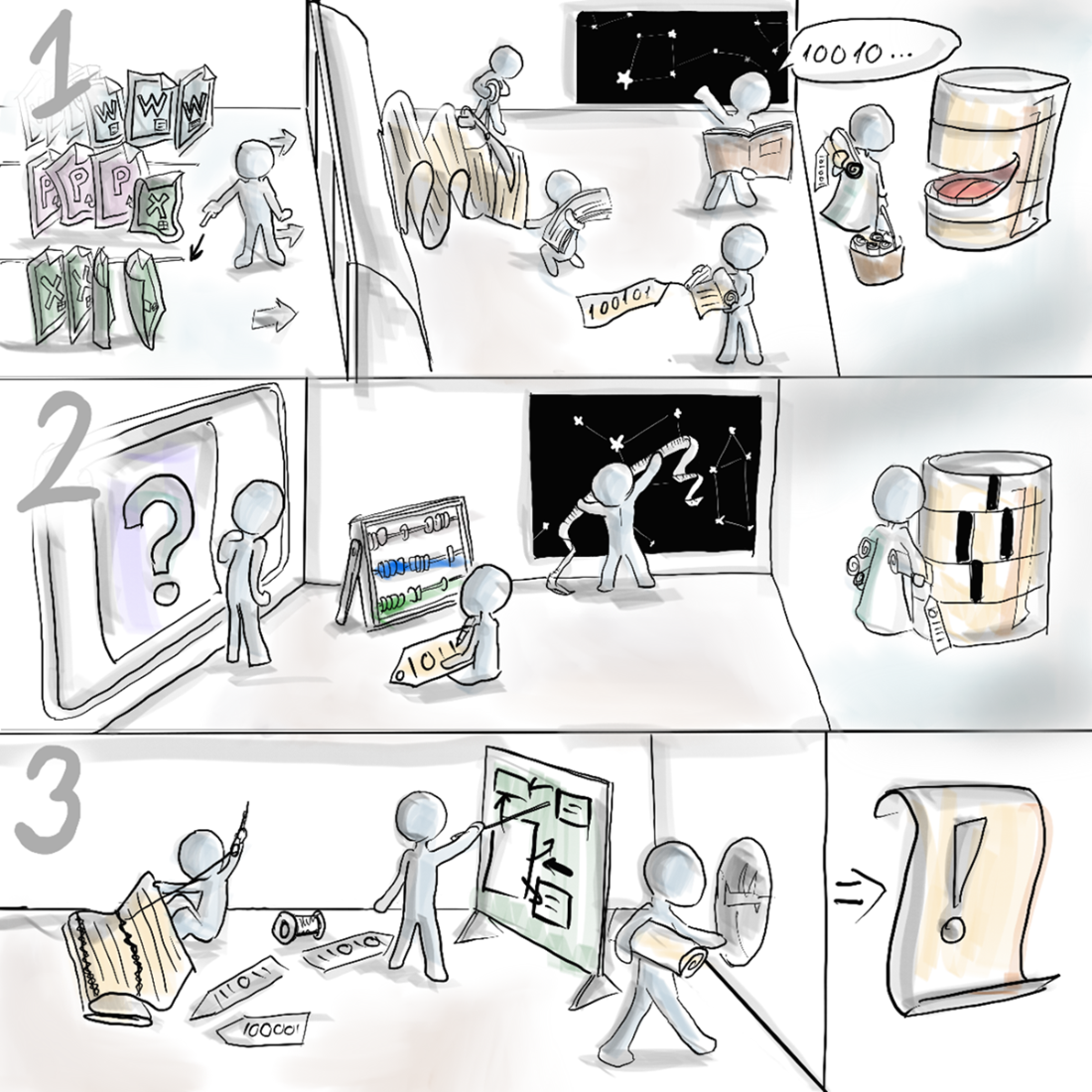
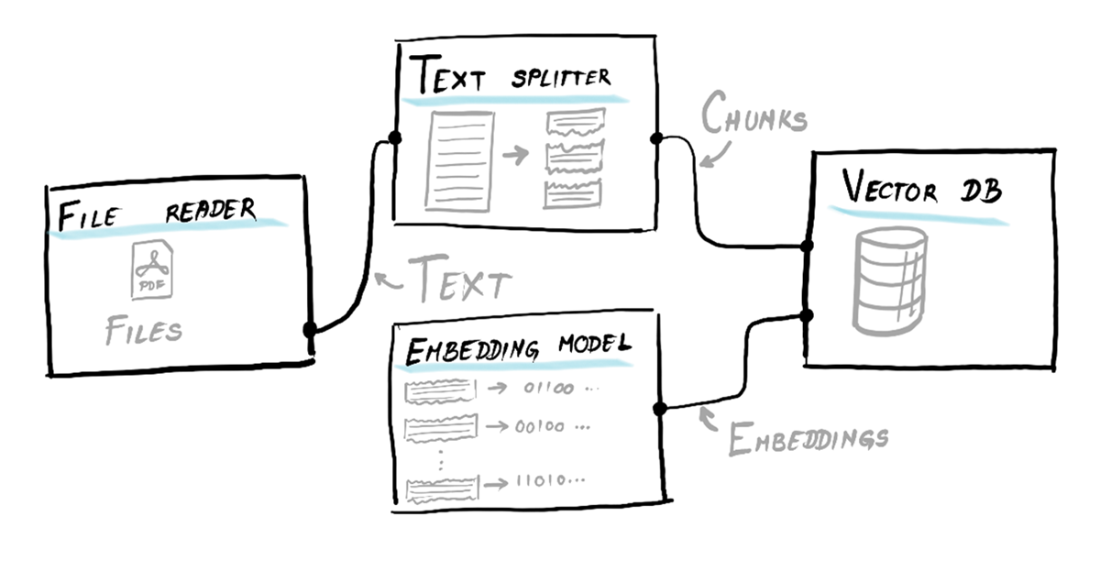
Moving from documents onto a vector DB during the ingestion phase in a RAG system.
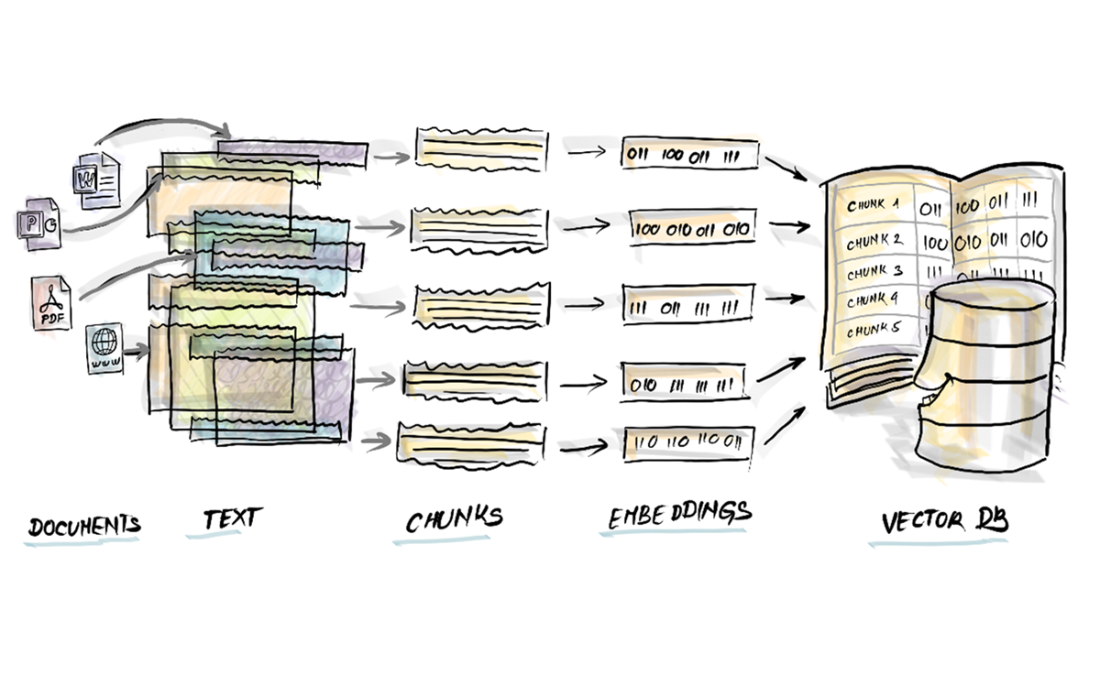
Six pet-related chunks laid in a 2D embedding space.
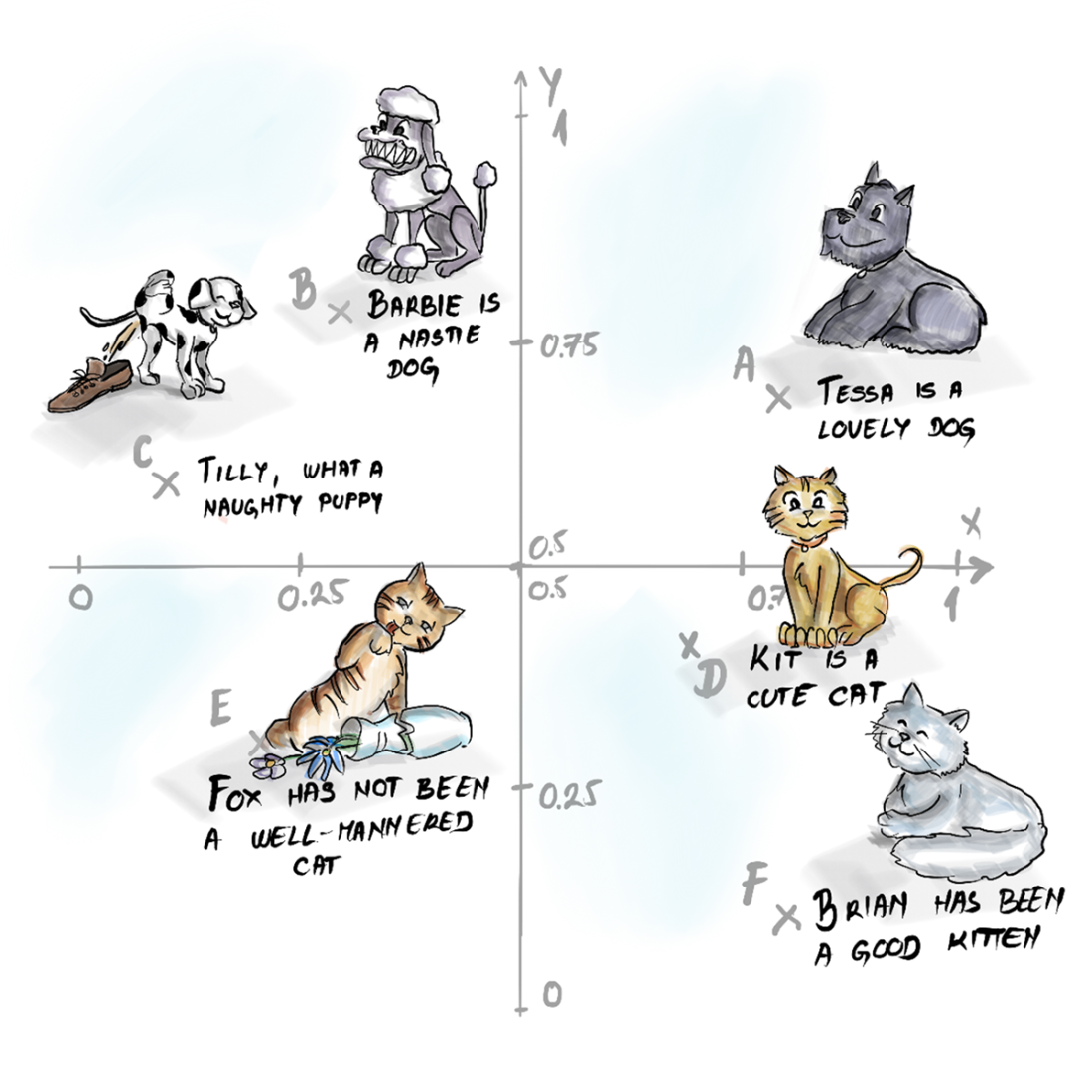
Euclidean distances between our question and each embedding in the vector DB.
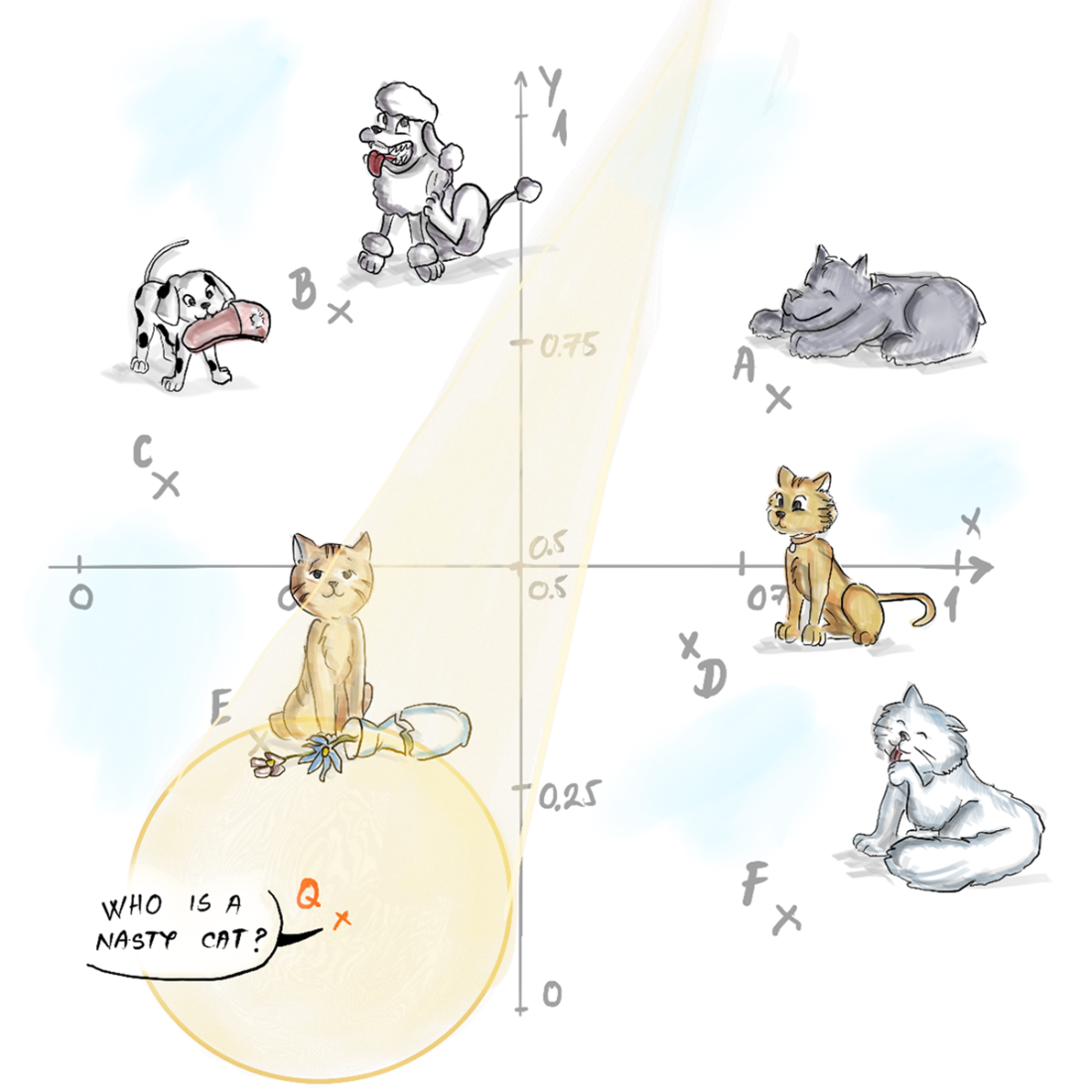
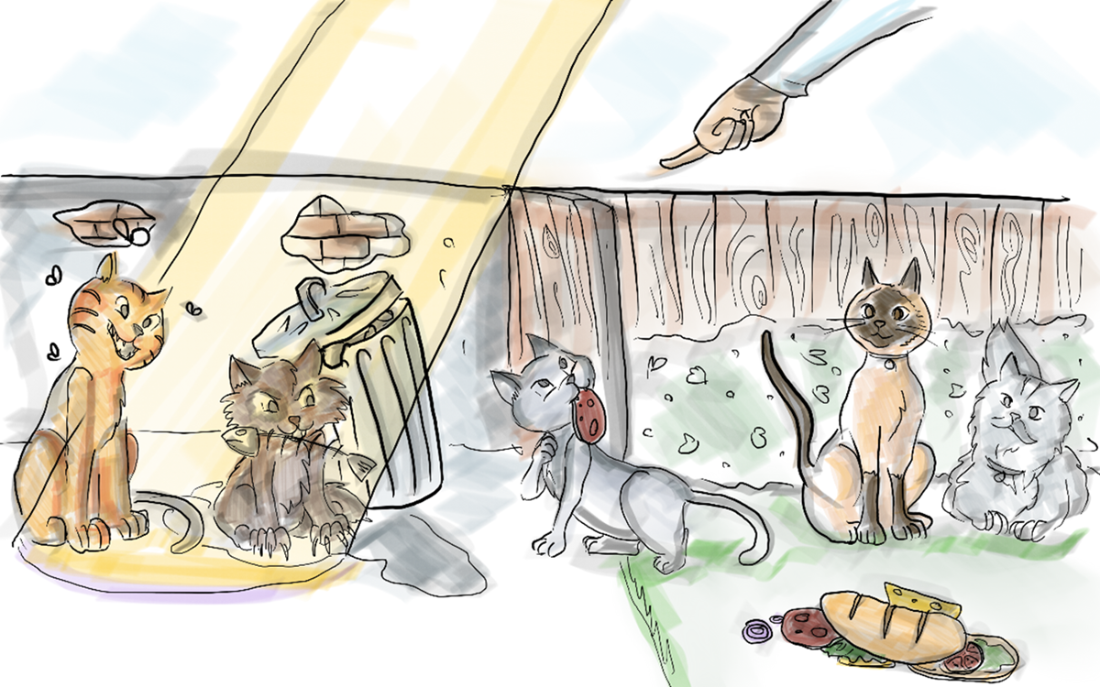
No escape for naughty cats: the closest matches always get picked.
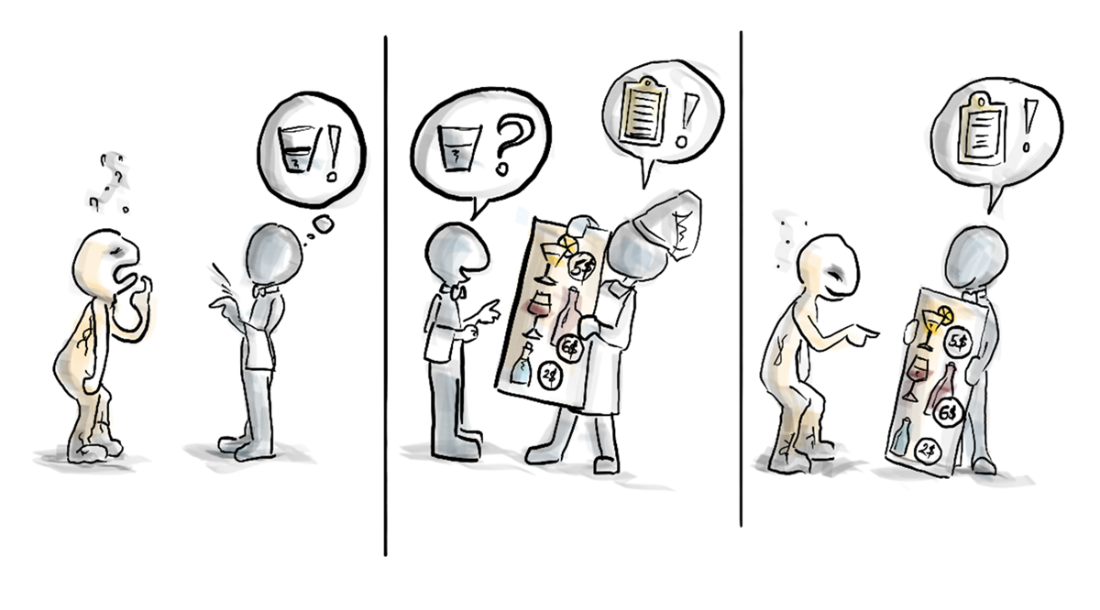
Looking for the perfect wine pairing? Ask PizzaMate™.
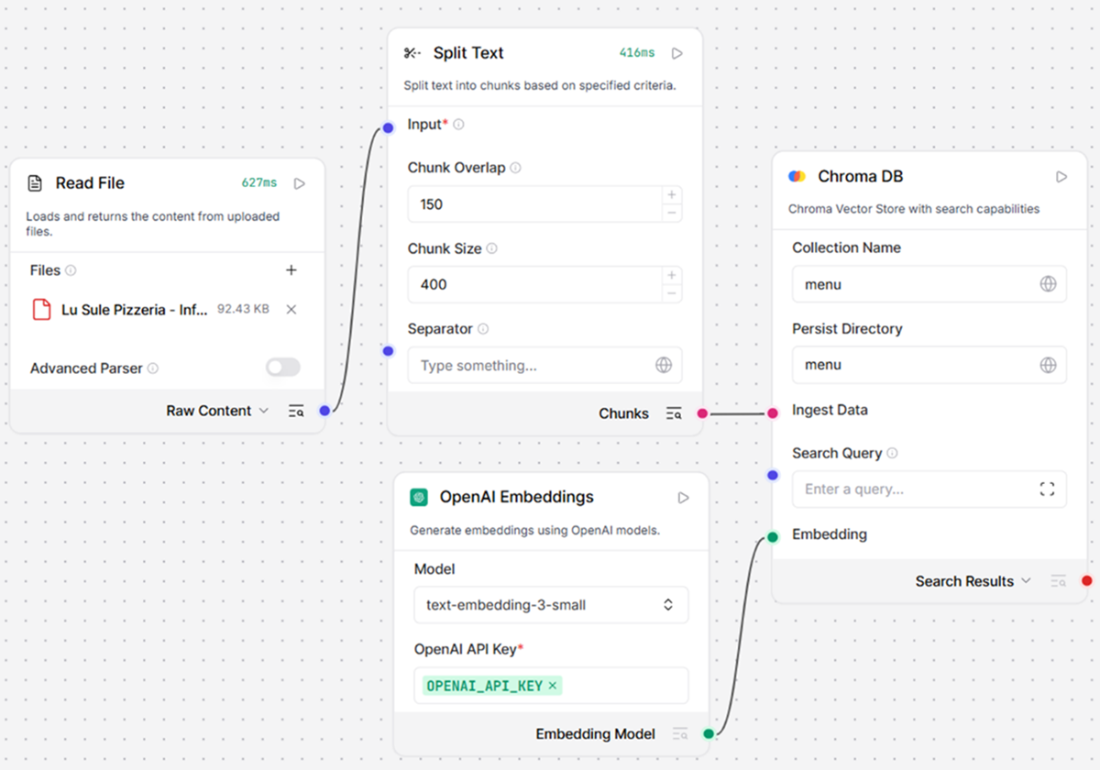
The document ingestion subflow of our RAG system.
The perfect RAG recipe.
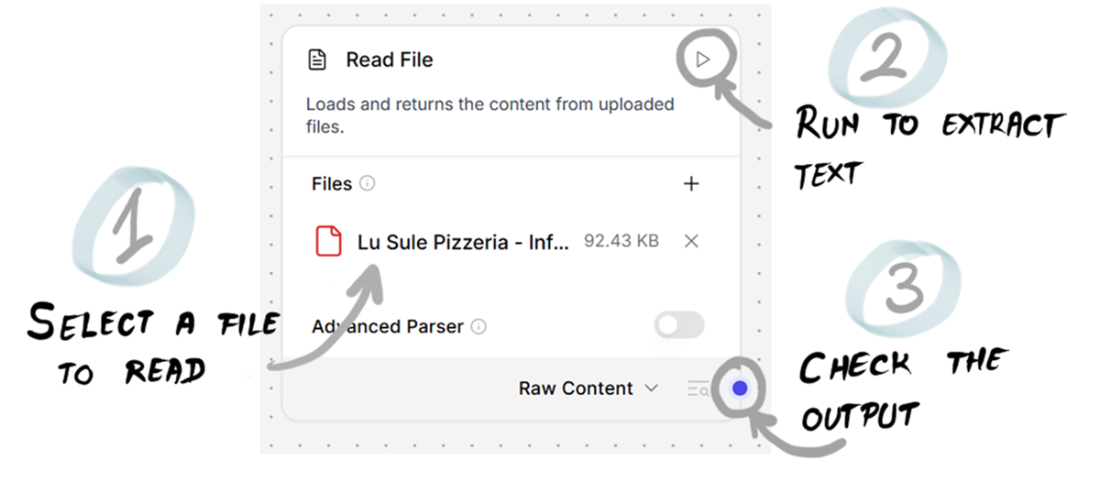
The Read File component lets you extract text from document files.
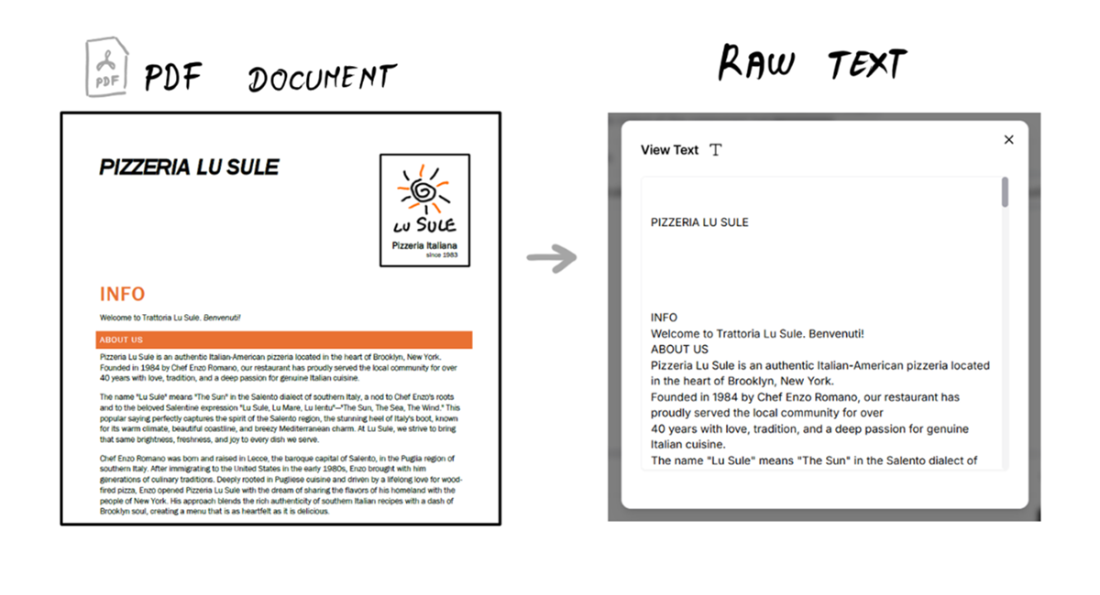
We extracted all the text from a PDF file.
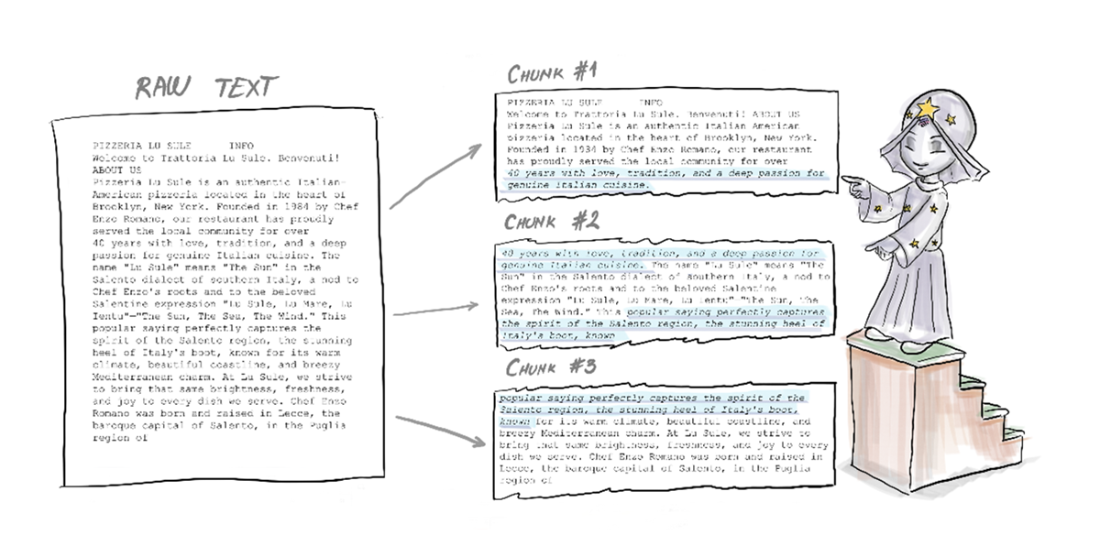
The poor text will now be chopped up into chunks.
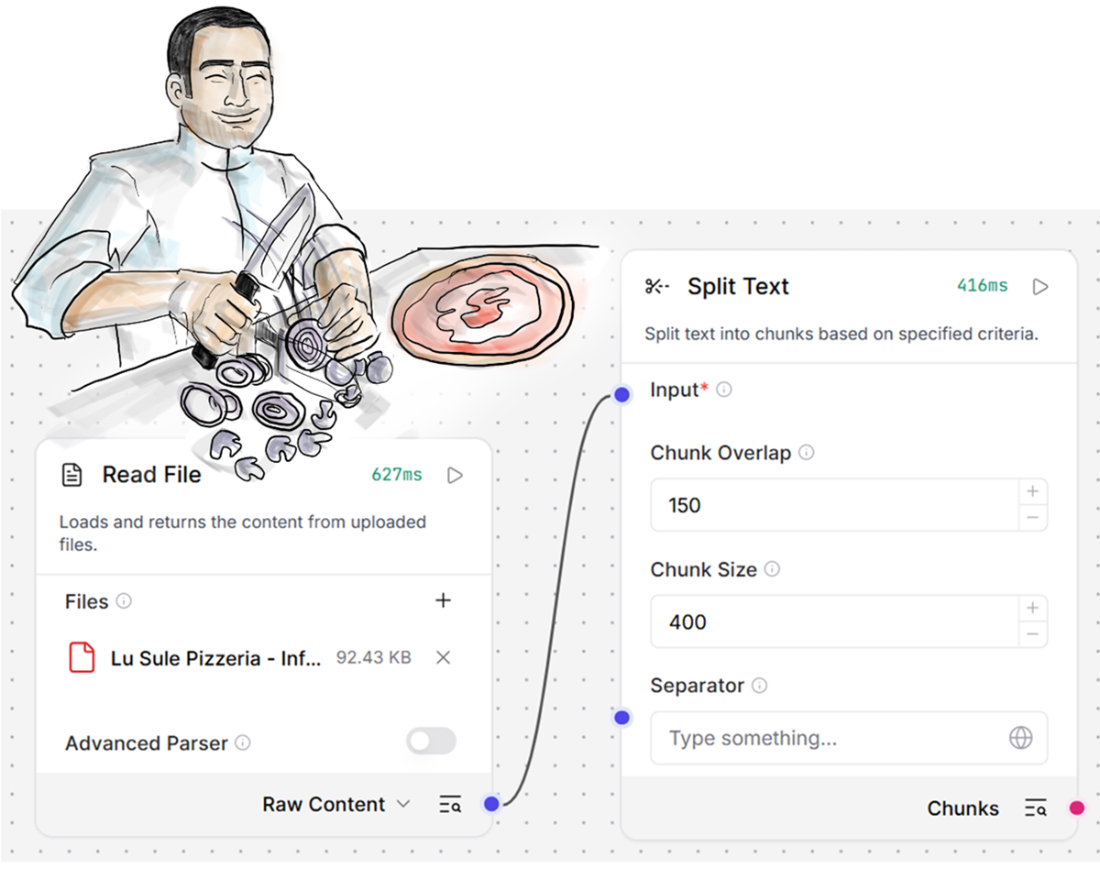
The raw text is split into chunks, partially overlapping each other.
The Document Ingestion subflow is ready to go.
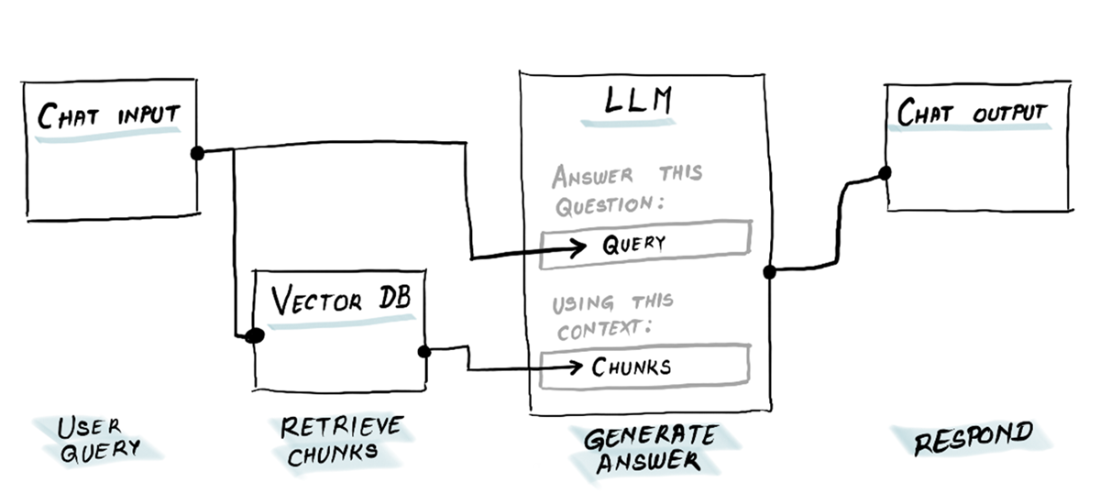
A simplified sketch of our Retrieve and Answer subflow.
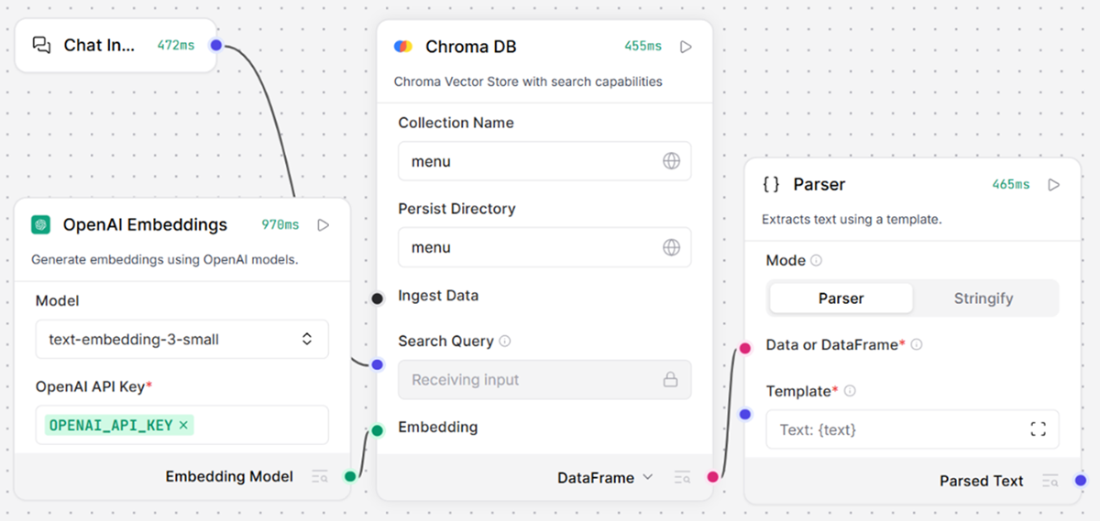
This flow can retrieve relevant entries from a vector DB and transform them into plain text.
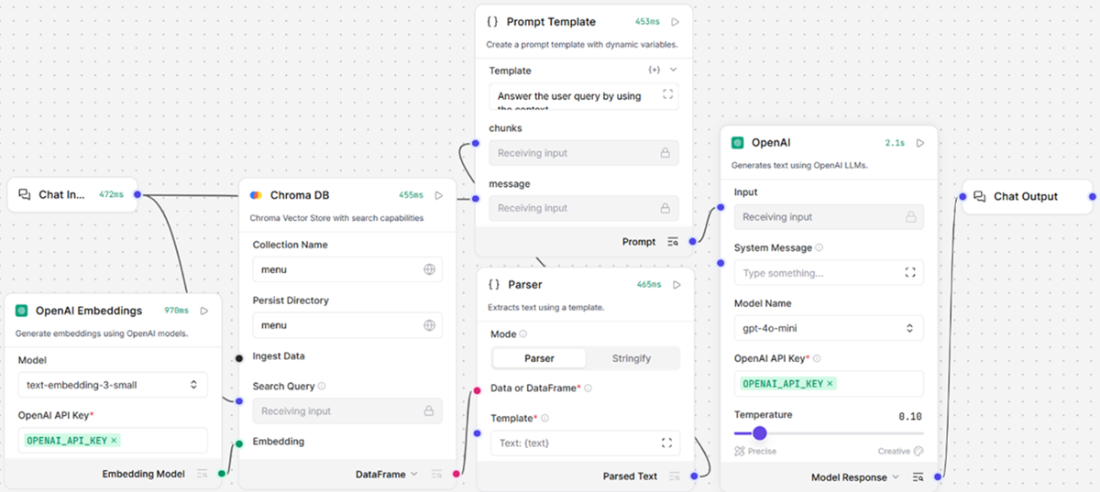
The Retrieve and Answer subflow is ready to chat about pizzas.
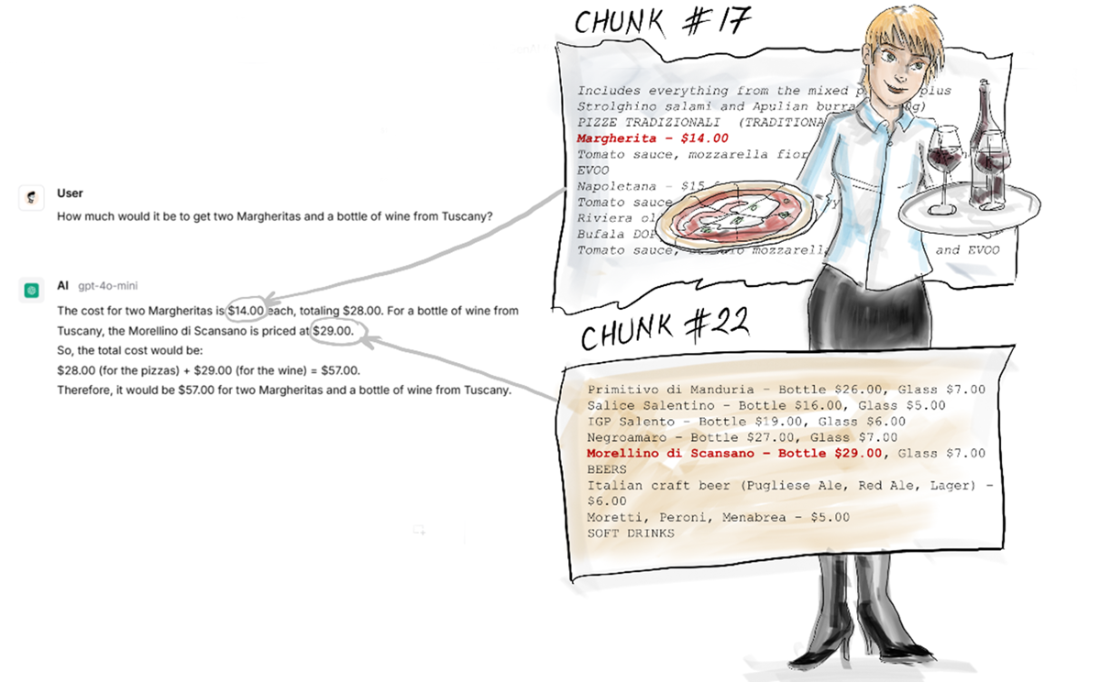
PizzaMate™ got it right!
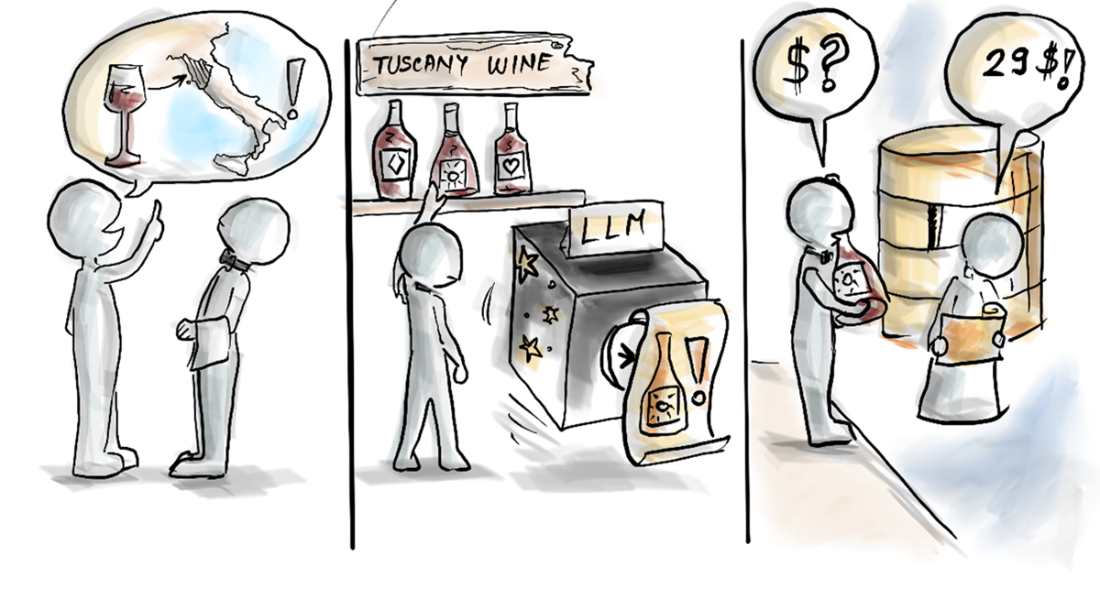
In RAG, pre-trained knowledge and retrieved documents come together to serve smarter answers.
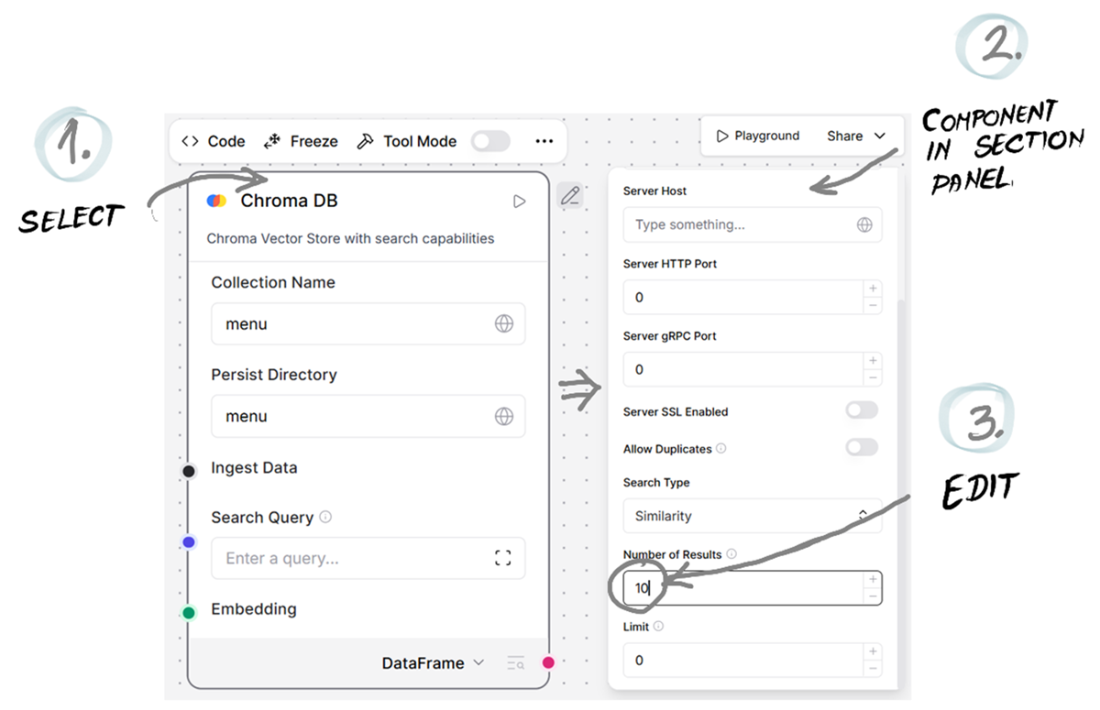
The Chroma DB component has some useful additional controls.
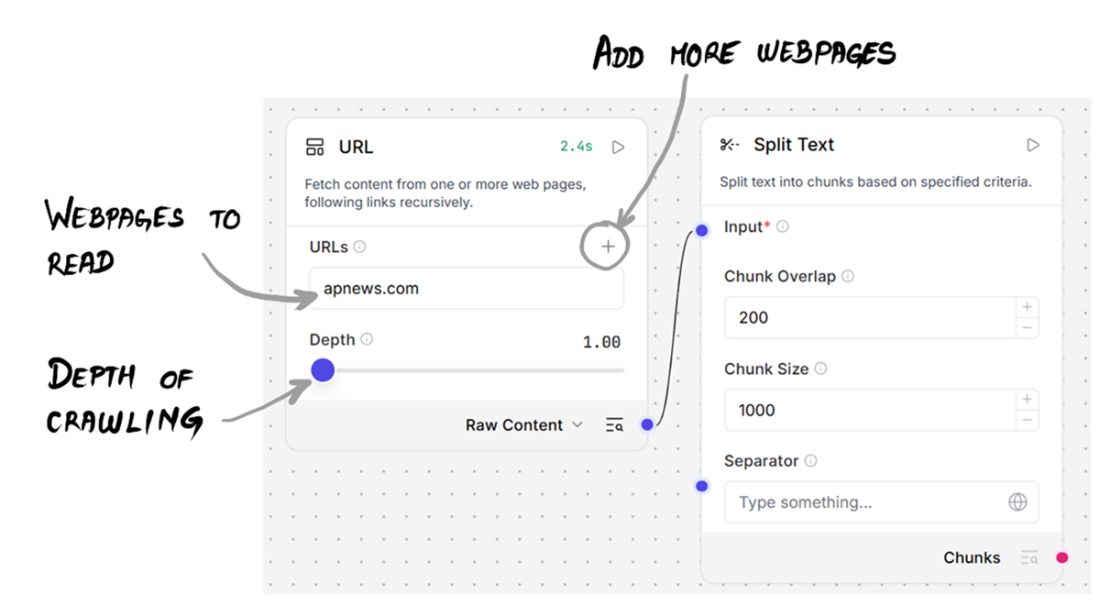
The URL component lets you scrape webpages recursively.
Summary
- When you want an LLM to include knowledge that wasn’t part of its pre-training, you need a RAG system.
- Embeddings are numeric vectors that can place any chunk of text as a point in a multi-dimensional space, where close points refer to semantically similar texts.
- In RAG, you first ingest the data, in whatever format it comes to you, and transform it into text, which is then split into chunks. Then, each chunk is transformed into embeddings and saved in a vector DB. When the user asks a query, the closest chunks are provided to the LLM, which will ultimately generate the answer.
- Langflow helps you implement RAG by providing components for reading documents, embedding text, storing vectors, and querying them.
- The PizzaMate™ flow demonstrates how you can easily equip an LLM with the information stored in a file.
- You can further improve RAG performance by changing parameters like the size of chunks, their level of overlap, the top k retrieval setting, or by rewriting your search query with the help of another LLM call.

 Grokking AI Applications ebook for free
