2 Building your first GenAI app
This chapter introduces Langflow as a low-code environment for building GenAI applications and argues that visual orchestration is a natural fit for modern AI development. Rather than getting lost in framework details or syntax, the focus is on combining specialized pieces into a working workflow that can be designed, tested, and adjusted quickly. The chapter also explains why low-code tools are especially useful for GenAI: they provide pre-built components, make complex logic easier to visualize, simplify debugging, and speed up prototyping.
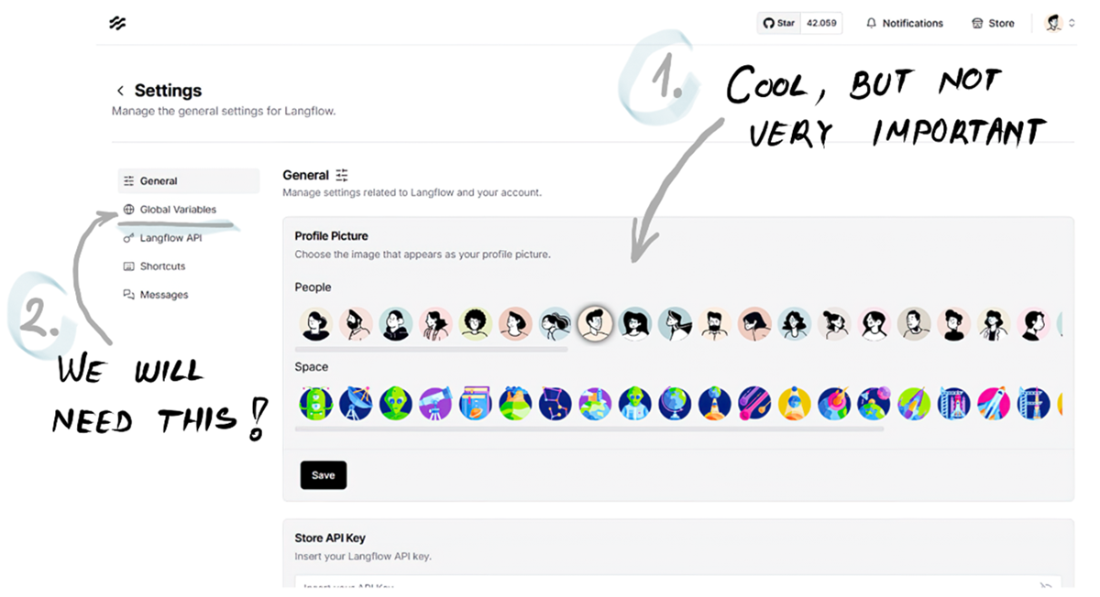
The practical goal is to get readers set up and building immediately. The chapter walks through ways to access Langflow, including the desktop app, a public sandbox, or a local Python installation using a virtual environment and package manager. Once inside the interface, readers learn the layout of the home page, settings, flow editor, component library, playground, and global variables. These pieces form the basis for creating reusable flows, configuring API keys, and organizing projects in a way that supports experimentation and iteration.
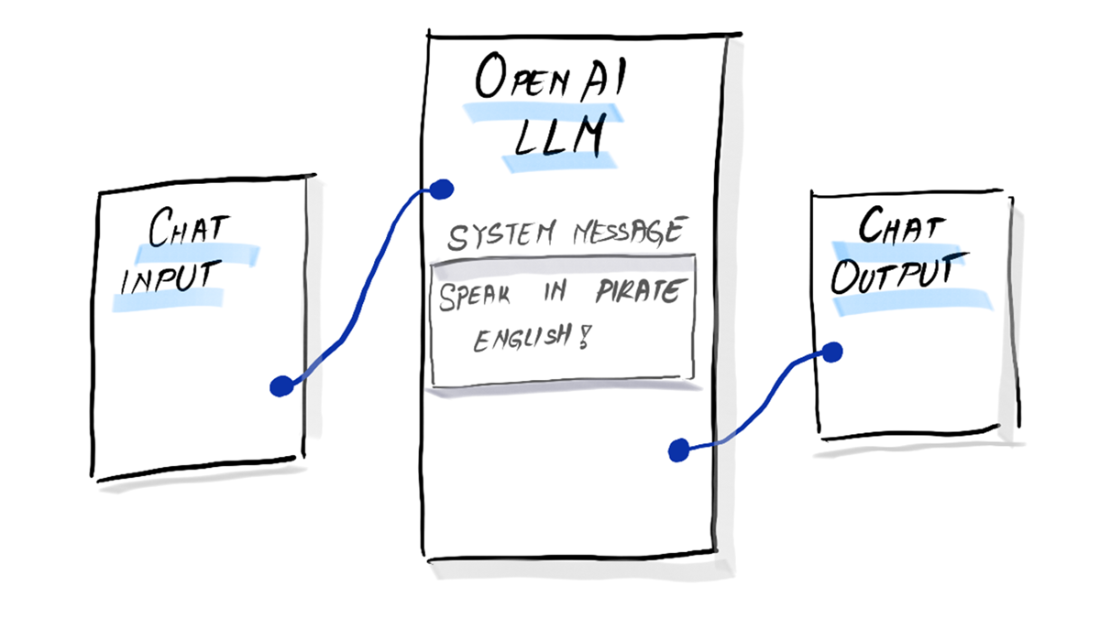
The hands-on example is a simple pirate-themed chatbot built from scratch with just three main components: chat input, an LLM component, and chat output. A system message is used to steer the model into Pirate English, while the OpenAI API key is stored as a reusable credential. After connecting the nodes and testing the flow in the playground, the result is a working “Hello, World!” chatbot that demonstrates the core Langflow pattern. The chapter closes by showing the one-to-one relationship between the visual flow and equivalent Python code, reinforcing that Langflow is a faster, more approachable way to prototype the same underlying logic.
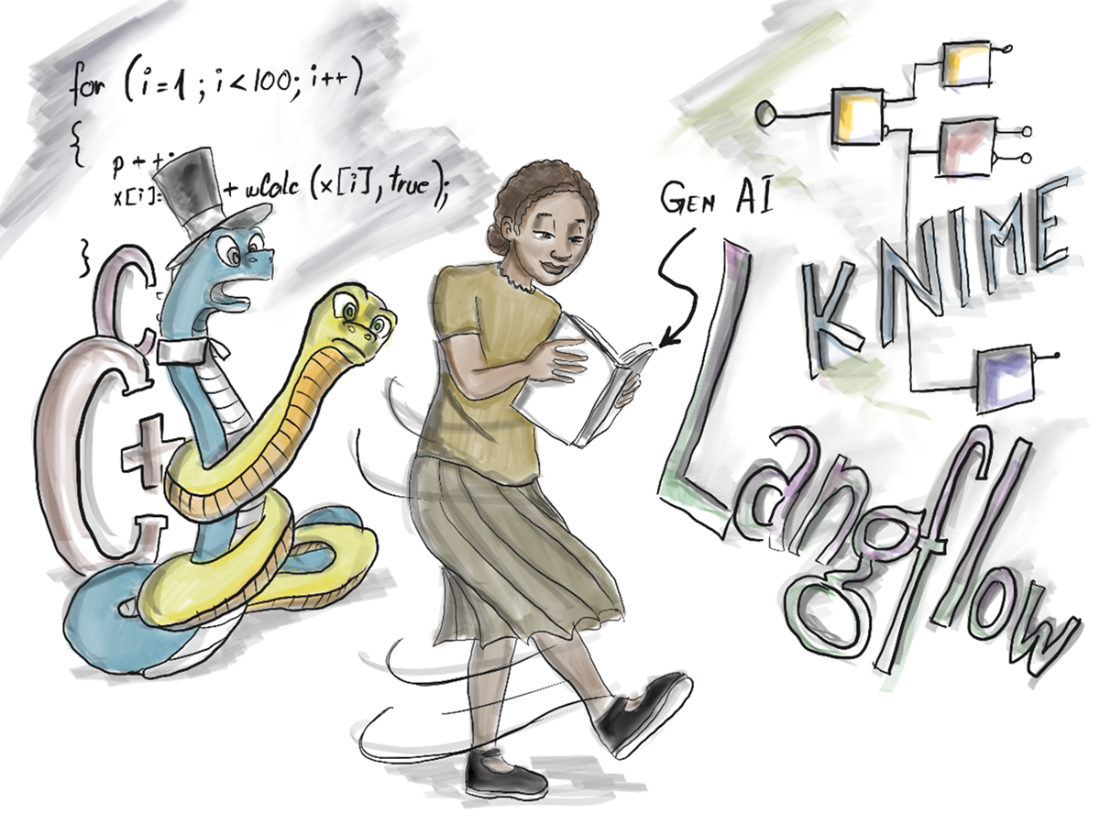
Old-school coding in the 80s: developers battled memory addresses and registers line by line.

You don’t necessarily need to tame Python to write code for GenAI applications.
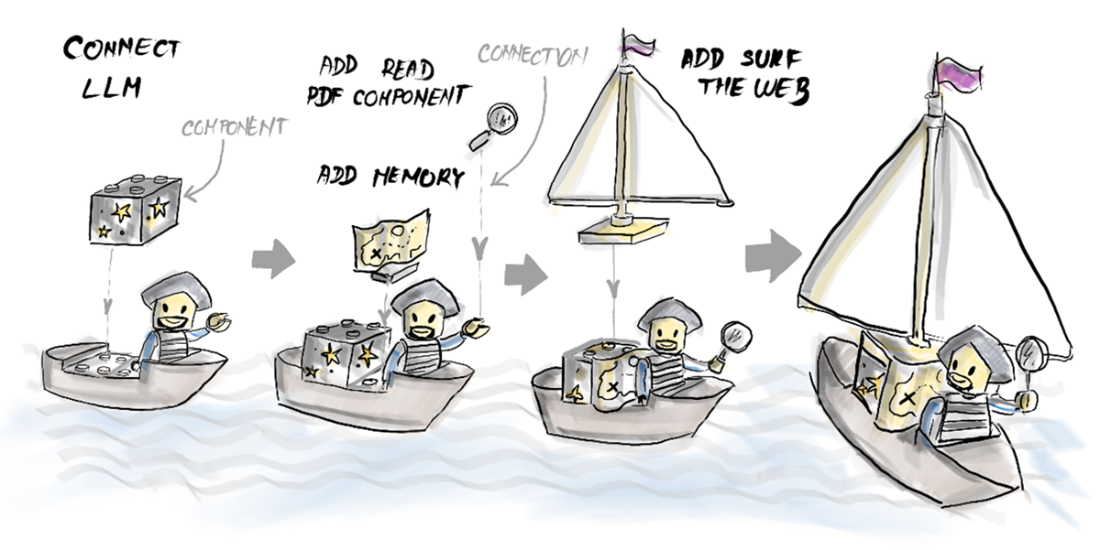
Piecing bricks together to get a GenAI app.
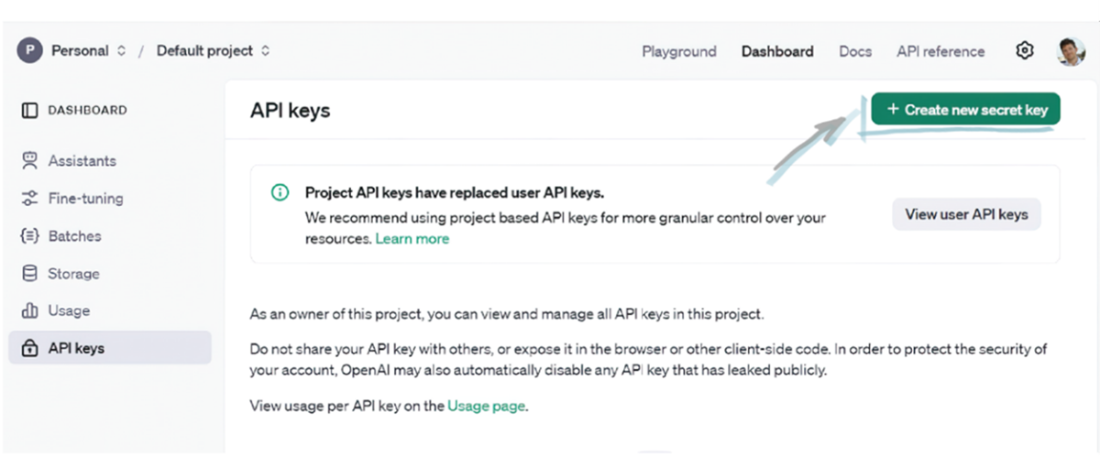
An API key is typically required to authenticate the request.
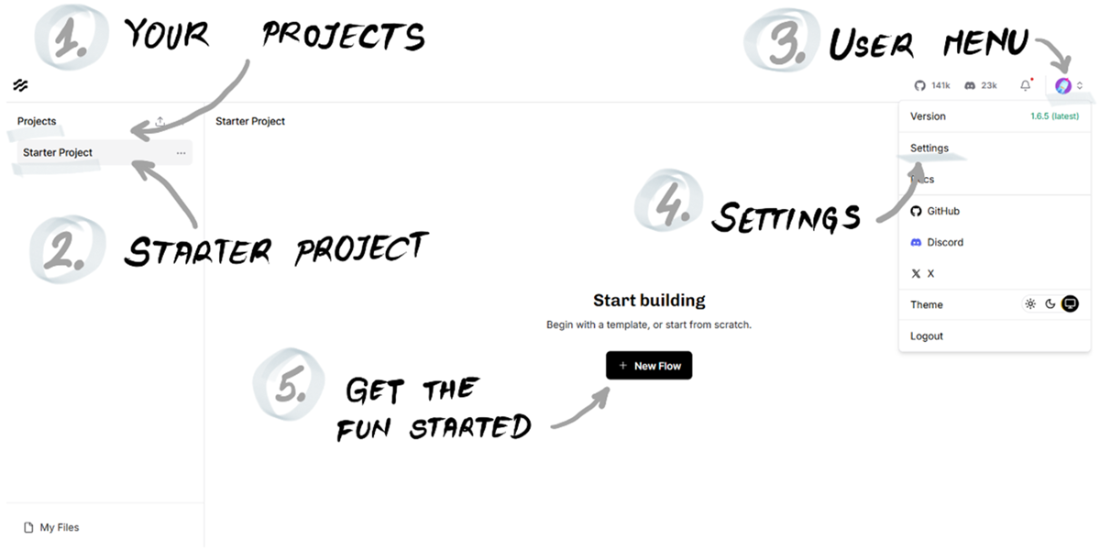
The Langflow home page.
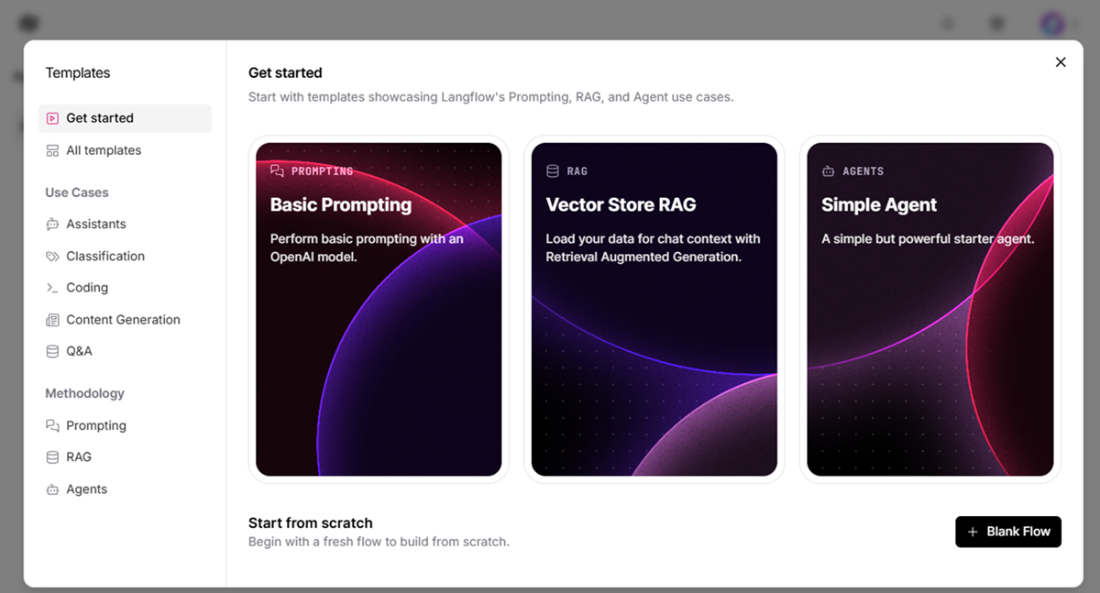
Templates to get started in Langflow.
The setting menu in Langflow.
A pirate virtual assistant: how useful.

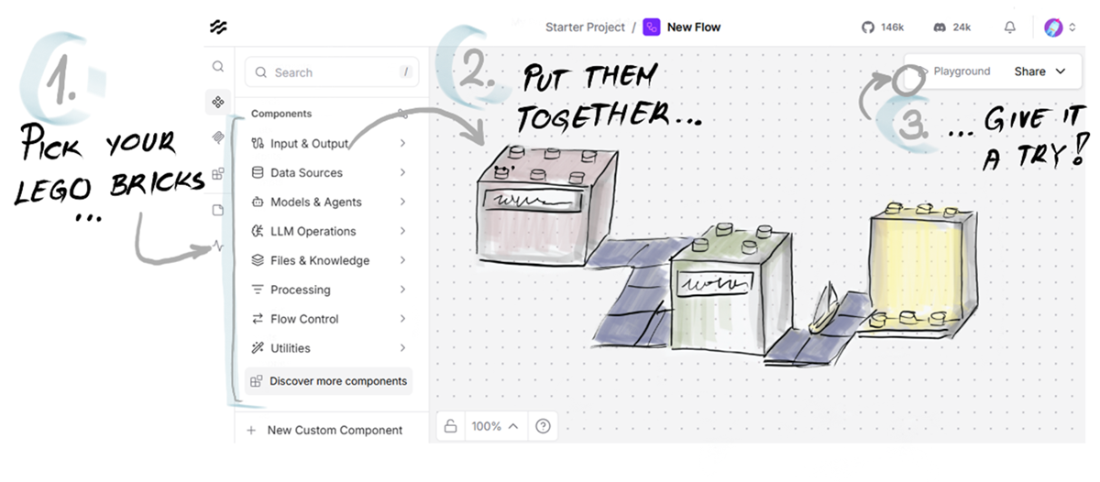
The flow editor in Langflow.
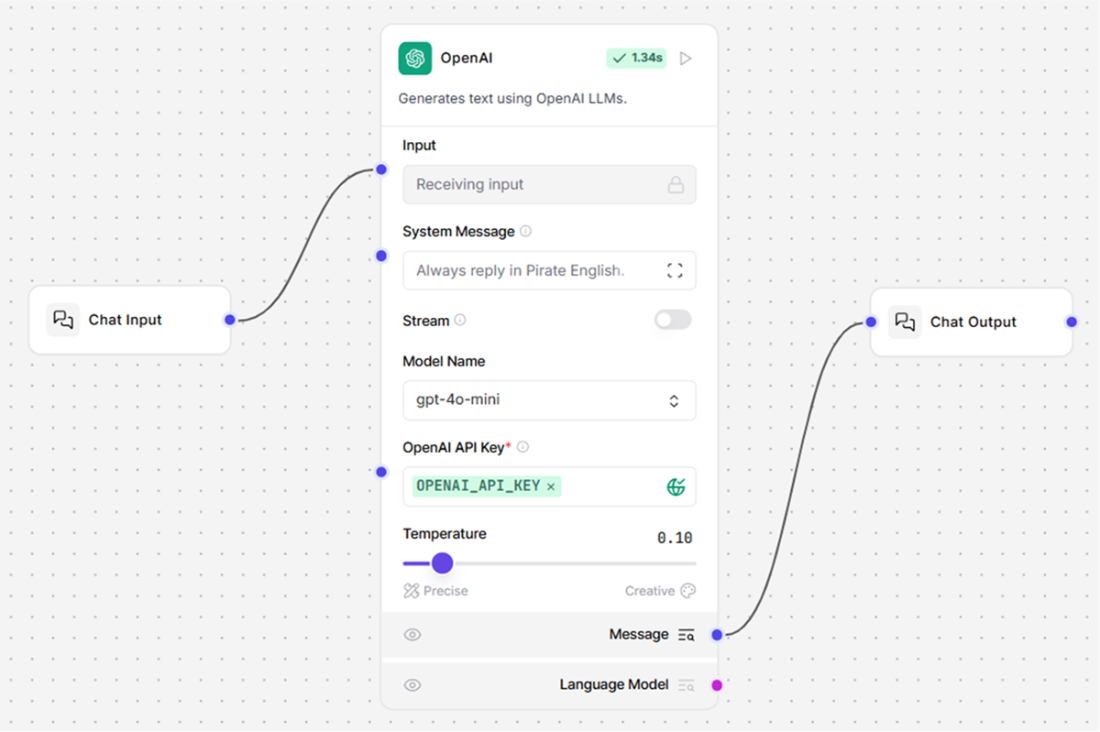
The blueprint of our pirate chatbot.
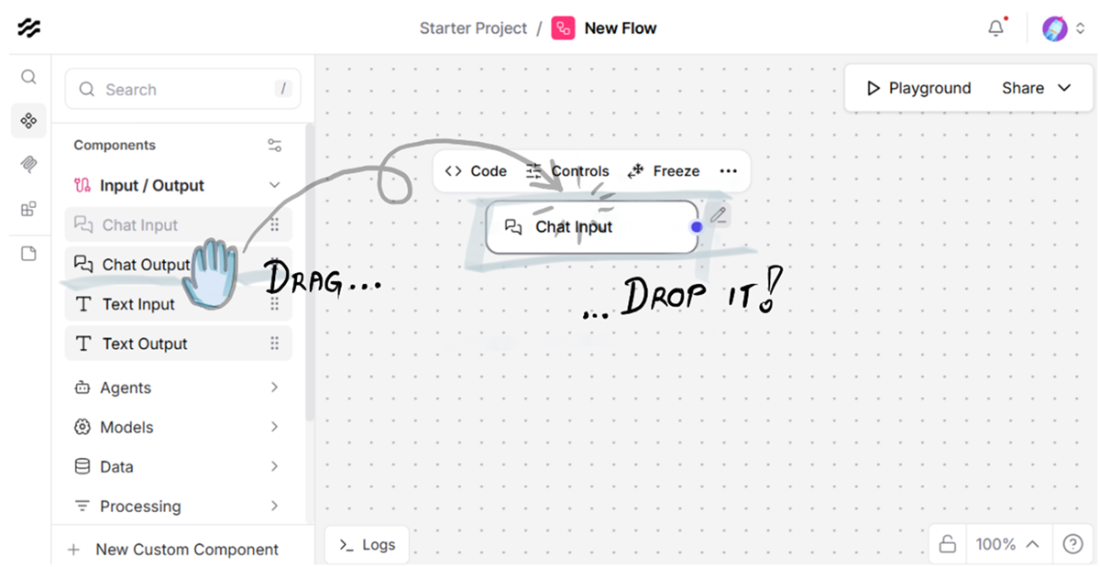
Drag and drop a component to build with it.
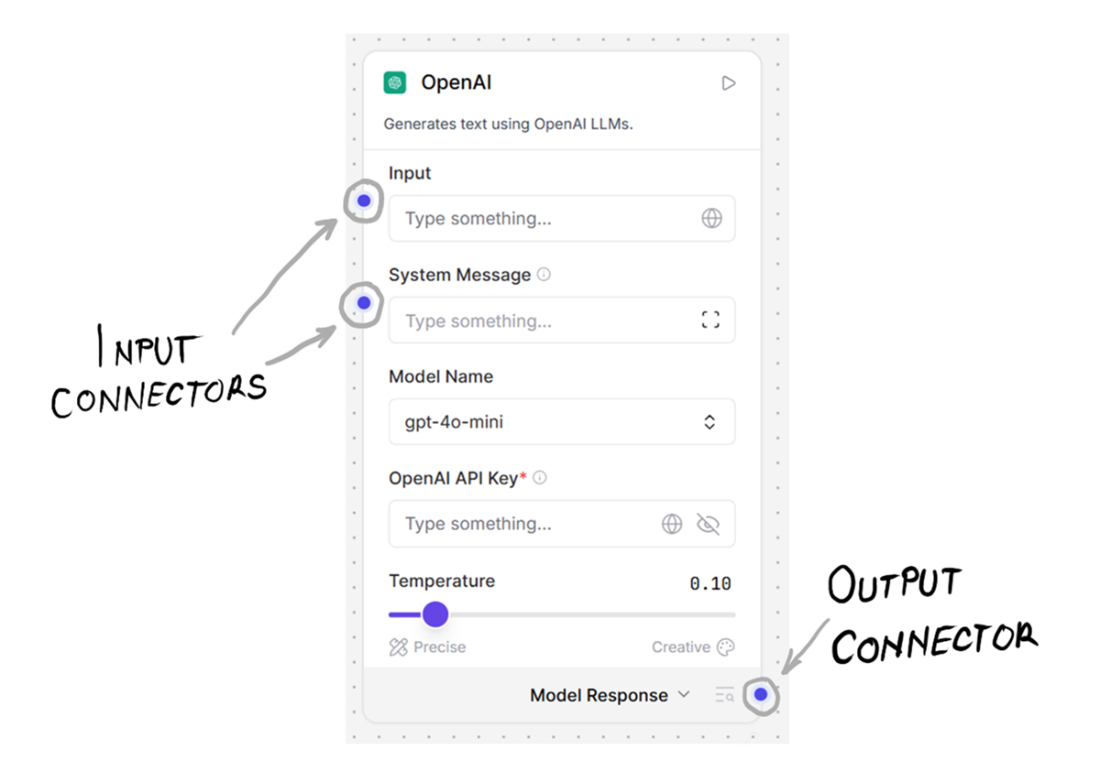
The OpenAI Model component: our gateway to the magic black box.
This is how you generate an API secret key to call OpenAI LLMs.
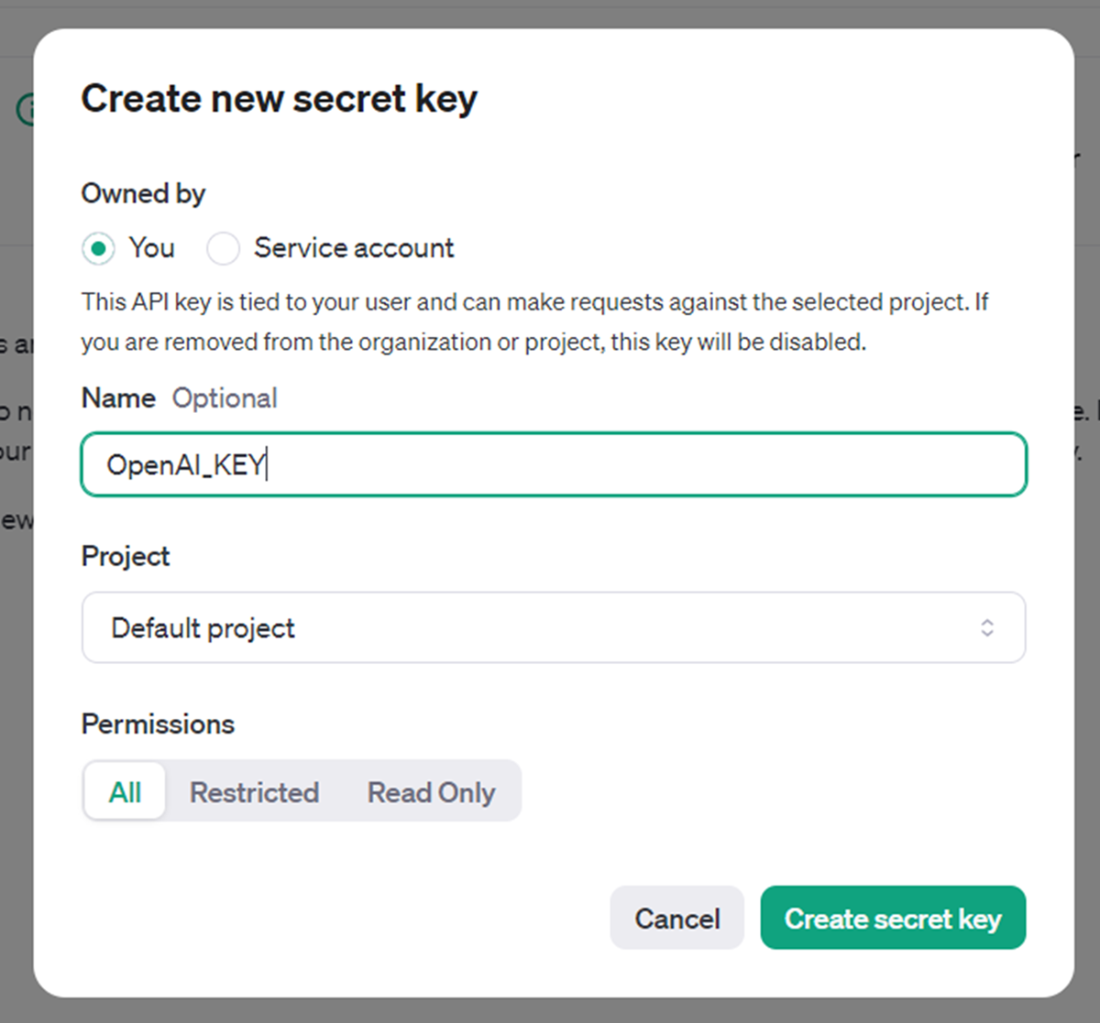
You can give a name to your OpenAI secret key.
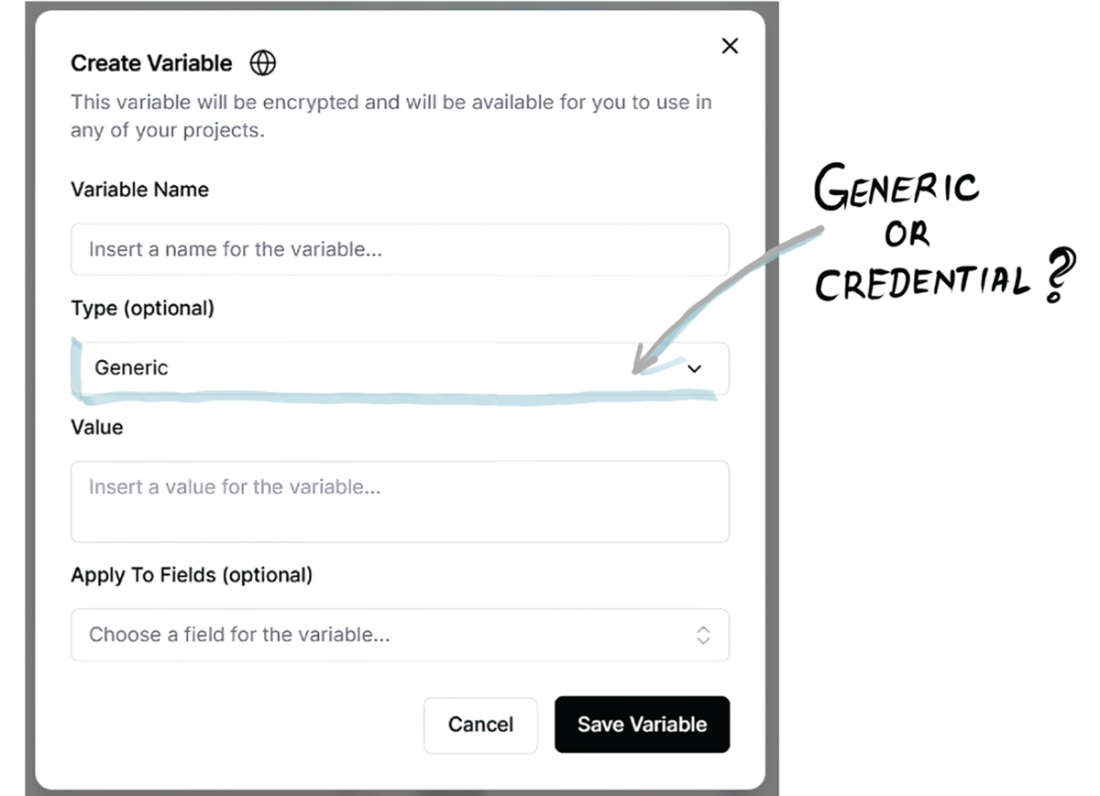
You can save all your keys as global variables and reuse them as needed.
Our first Langflow creation is ready to chit-chat.
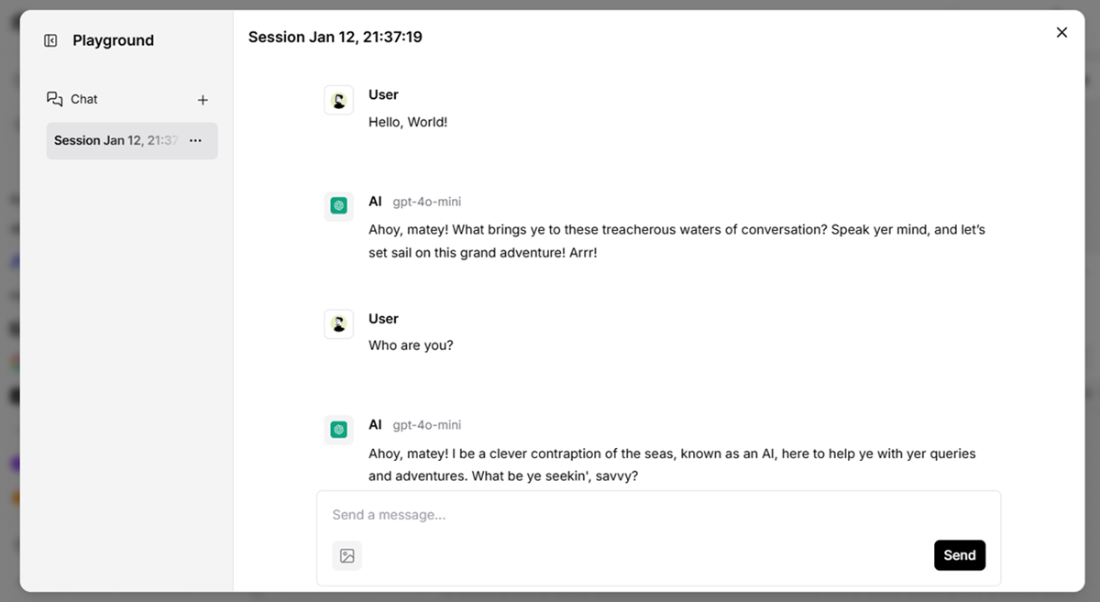
A piratey chat, generated by our first creation in Langflow.
Meet Langflow, the wizard of GenAI apps.

Summary
- Low-code development is the next step in programming abstraction, making GenAI tools more accessible and faster to prototype.
- In Langflow, a flow is built by connecting pre-made, Lego-like components—each handles a specific task, from user input to LLM output.
- Each component has input and output ports that let you chain it with other components, and you can customize its behavior by tweaking its parameters.
- Langflow offers a wide range of pre-built components—connecting to popular LLMs, vector stores, embeddings, and agent tools—so you can build GenAI apps with minimal coding overhead.
- System messages (like “Always reply in Pirate English”) shape how your LLM responds, guiding the style or function of its output.

 Grokking AI Applications ebook for free
