7 Capstone: Creating your first web application
This chapter guides you through building a simple, multipage Node.js web application as a capstone project. Using a cooking school site as the example, it pulls together prior lessons to create a clean, nonrepetitive foundation you can grow over time. The immediate goal is a small static site with a home page, class listings, a contact sign-up flow, and basic error handling, all served by a custom Node.js server.
You begin by initializing the project with npm, setting main.js as the entry point, and adding the http-status-codes dependency. The chapter defines a clear directory structure: main.js and router.js at the root, alongside helper modules (content-types.js and utils.js), a views folder for HTML pages, and a public folder for client assets (css, js, images). Bootstrap and a custom stylesheet provide quick styling. In main.js, core and local modules are required, the port is set, and the application is prepared to serve static files.
The application logic centers on small, focused modules. content-types.js maps MIME types; utils.js provides a getFile helper to read and return files with appropriate headers and error handling; router.js offers a minimal routing system that registers GET and POST handlers and funnels requests through a single handle function with a safe fallback to an error page. You then create the views (index, courses, contact, thanks, error) and register routes for pages and assets; the contact form posts to the home route and returns a thank-you page. With routes in place, you start the server, load the pages and assets, and end with a working base ready for future enhancements, including database connections.
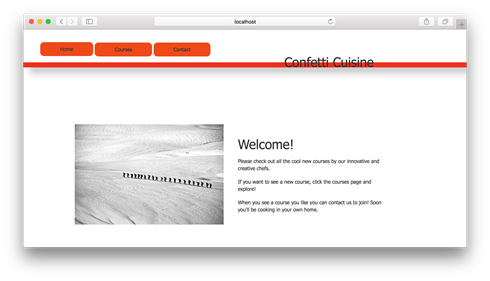
Example home page for Confetti Cuisine
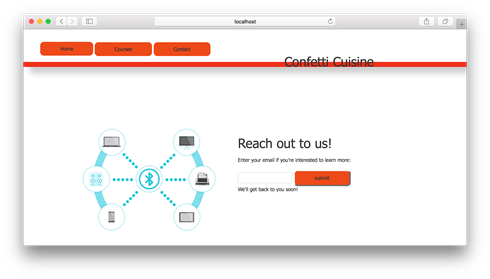
Example contact page for Confetti Cuisine
Summary
In this capstone exercise, I built a complete web application serving static web pages for Confetti Cuisine. To accomplish this task, I required my own router module into the main application file. Then I created a custom system for routing user requests to serve specific content. After building custom functions to register routes in an organized and systematic way, I created views and assets to be served from their respective directories.
A lot of code logic is going on here, and the code logic is on its way to a professional structure used by Node.js applications around the world.
In unit 3, I explore web frameworks and show you how they use this application structure and some scaffolding (prebuilt folders and structure) to accomplish the same application in fewer steps and with fewer headaches.
FAQ
What are the high-level steps to build the Confetti Cuisine web app in this capstone?
Initialize package.json, set up the project structure, create main.js, build views (index, courses, contact, thanks, error), add assets (CSS, JS, images), implement a custom router, handle errors, and run the server.How do I initialize the project and set up package.json?
Create and enter the folder withmkdir confetti_cuisine && cd confetti_cuisine, then run npm init. Accept defaults but set entry point to main.js, add a description like “A site for booking classes for cooking.”, and set your author. Install dependencies with npm install http-status-codes --save.What directory structure should I use?
Keepmain.js, router.js, package.json, content-types.js, and utils.js at the project root. Put HTML views in /views (index.html, courses.html, contact.html, thanks.html, error.html). Place client assets under /public in css, js, and images folders.Why don’t HTML files go in the public folder?
The public folder is for static assets (CSS, JS, images) served to the browser. HTML views are returned by the server as responses and belong in the/views folder, not under /public.What does content-types.js do?
It exports an object that maps file extensions (html, text, js, jpg, png, css) to their appropriateContent-Type response headers so responses can set the correct MIME type.What is utils.getFile and how does it handle errors?
getFile(file, res) reads the requested file with fs.readFile and writes the contents to the response. If reading fails, it sends an HTTP 500 with an HTML error message.How does the custom router work?
router.js keeps a routes object with GET and POST maps. Use router.get(path, handler) and router.post(path, handler) to register handlers. router.handle(req, res) dispatches to the matching handler; on failure it serves views/error.html.How do I register routes for pages and assets?
Inmain.js, for each URL call router.get or router.post, set headers (e.g., res.writeHead(httpStatus.OK, contentTypes.html)), and then serve files via utils.getFile (e.g., views/index.html, public/css/bootstrap.css, images, JS). The contact form uses router.post('/') to return views/thanks.html.How do I add and link CSS, JS, and images?
Place CSS in/public/css (e.g., bootstrap.css, confetti_cuisine.css), JS in /public/js, and images in /public/images. Link styles in each HTML view head: <link rel="stylesheet" href="/bootstrap.css"> and <link rel="stylesheet" href="/confetti_cuisine.css">. Make sure matching routes exist for these asset URLs.How do I run and access the server?
Start it withnode main. The app listens on port 3000; visit http://localhost:3000/ to see the home page.
 Get Programming with Node.js ebook for free
