5 Handling incoming data
This lesson expands a simple Node.js HTTP server into a foundation that can read incoming request data and serve different responses based on what the client asks for. It revisits the basic server callback that runs on every request, demonstrates setting headers and sending HTML, and motivates the need for routing so different URLs (such as a home page versus a contact page) produce different output. The goal is to connect request details to purposeful responses, turning a one-size-fits-all server into a basic web application.
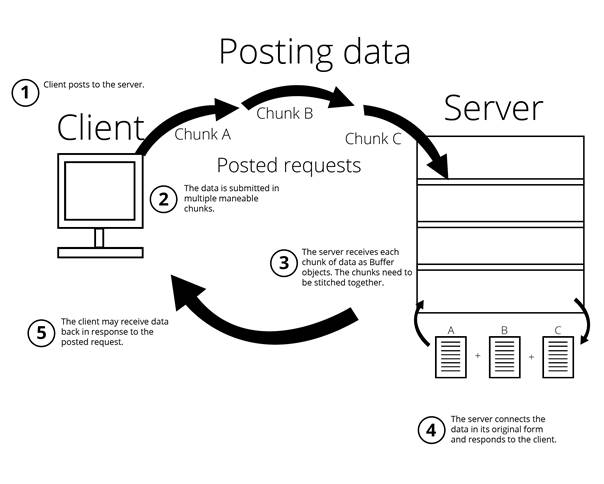
It shows how to inspect key parts of each request—method, URL, and headers—and make them easier to read in logs. Beyond common GET requests, it explains how POST bodies arrive as streamed chunks, not a single block, and how to assemble them by listening to data and end events on the request, concatenating buffers, and converting the result to text. With this pattern in place, you can verify that posted form data is received by testing from the command line and observing the server’s console output.
Finally, the lesson introduces application routing by mapping specific URL paths to different response bodies and falling back to a default when no match is found. You learn to branch on the requested path to serve distinct content, simulate slower work with a delayed response, and recognize that routing becomes the backbone of app logic as features grow. Along the way, it highlights returning appropriate status codes (such as 200 for success and 404 for missing pages) and reinforces that clear, deliberate routing is essential to delivering the right content to users.
A web server collects posted data and arranges it.
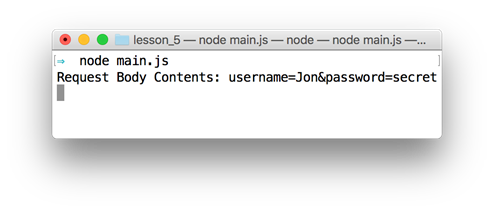
Results of running a curl command
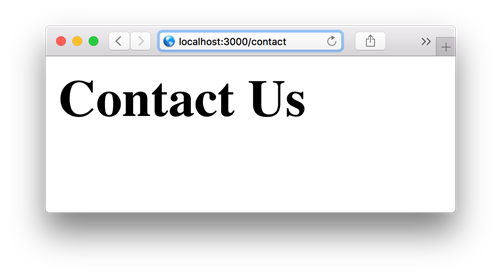
Browser view for the /contact URL
FAQ
What do the req and res objects represent in a Node.js HTTP server?
The req object represents the incoming HTTP request (method, URL, headers, body stream), and res represents the HTTP response you send back. The handler signature is always (req, res) in that order.How can I see the HTTP method, URL, and headers for a request?
Log them from the request object:console.log(req.method), console.log(req.url), and console.log(req.headers). For readability, wrap values with JSON.stringify(value, null, 2).How do I read POST body data without a framework?
Listen to the request stream events, collect chunks, then combine onend:
let body = [];
req.on('data', chunk => body.push(chunk));
req.on('end', () => {
  const text = Buffer.concat(body).toString();
  console.log('Body:', text);
});
Why does POST data arrive in chunks?
Node streams request bodies to your server so it can process data progressively without waiting for the entire payload. You accumulate chunks and reconstruct the full body withBuffer.concat, then .toString() if you need text.How can I test a POST request without building a form?
Use curl (or a REST client). Example:curl --data "username=Jon&password=secret" http://localhost:3000. The server will receive a POST and the form-encoded body.What is routing, and how do I add simple routes without Express?
Routing is choosing a response based on the requested URL (and optionally method). A simple approach maps paths to content and checksreq.url:
const routeResponseMap = {
  '/info': '<h1>Info Page</h1>',
  '/contact': '<h1>Contact Us</h1>'
};
if (routeResponseMap[req.url]) {
  res.end(routeResponseMap[req.url]);
} else {
  res.end('<h1>Welcome!</h1>');
}
How do I send different status codes (e.g., 200 or 404) with my response?
Set headers before sending the body. For example:res.writeHead(200, {'Content-Type': 'text/html'}) for success, or res.writeHead(404, {'Content-Type': 'text/plain'}) and then res.end('Sorry, the page you are looking for is not here') for a not found route.How can I simulate slow processing to see delayed responses?
Wrapres.end(...) in a timer: setTimeout(() => res.end(html), 2000). This mimics heavy work or external I/O and helps you observe client-perceived latency.Why do I sometimes see multiple logs or callbacks on a single page load?
Browsers often request additional resources (like/favicon.ico) alongside the page. You’ll see separate requests in your logs for each, which can look like multiple callbacks per refresh.What’s the quickest way to bootstrap and run the example server?
Initialize the project withnpm init, create main.js with your server code, then run node main and visit http://localhost:3000 in your browser.
 Get Programming with Node.js ebook for free
