34 Deploying your application
This chapter explains how to take a Node.js application from local development to a live, publicly accessible site using Heroku. It outlines the essential preparation to make your app production-ready, shows how to deploy through the command line, and covers setting up a remote MongoDB database. You also get guidance on monitoring a running app, handling configuration in production, and practical tips for iterating safely once your code is live.
Preparation focuses on aligning your app with Heroku’s environment and workflow. You confirm the Heroku CLI and Git are installed, initialize a Git repository, and exclude large dependencies like node_modules with a .gitignore. The application is configured to read environment variables (notably PORT and MONGODB_URI), and a Procfile is added so Heroku knows how to start the web process. Deployment involves creating a Heroku app, pushing your committed code to the Heroku remote, and letting Heroku run your install steps. You verify behavior in the browser and use heroku logs --tail to diagnose issues such as routes that depend on a database before it’s configured.
For data persistence, you provision a MongoDB add-on (mongolab:sandbox) that supplies a database URL exposed to the app as MONGODB_URI, with a reminder to treat that URL as sensitive. You can inspect and manage configuration with heroku config and heroku config:set, then test the live site by exercising forms and routes that create and read data. The chapter encourages monitoring your app in production, validating all features in the new environment, and preparing for future steps like seeding data and debugging techniques covered in the following lesson.
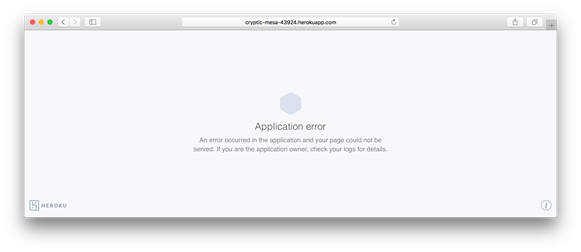
Displaying the Heroku error page
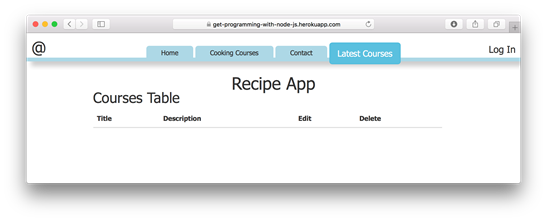
Displaying the Heroku courses page
FAQ
What does “deployment” mean in this chapter?
Deployment is taking your app from your local development environment (for example, http://localhost:3000) and publishing it to a publicly accessible production environment so anyone can reach it online.What tools do I need installed before deploying to Heroku?
Install the Heroku CLI and Git. Verify withheroku --version (or heroku version on Windows) and git --version.What changes must I make to my Node.js app to run on Heroku?
Make your server listen onprocess.env.PORT (fallback to 3000), configure Mongoose to use process.env.MONGODB_URI (fallback to your local MongoDB URL), and add a Procfile that starts the app.Why do I need a Procfile, and what should it contain?
Heroku uses the Procfile to know how to launch your app. Add a single line likeweb: node main.js to start a web dyno with your app.Should I commit node_modules to Git?
No. Create a.gitignore in your project root and include /node_modules so the folder isn’t added to your repository.How do I deploy my app to Heroku with Git?
From your project root:git init → create .gitignore for /node_modules → git add . → git commit -m "Initial application commit" → heroku create → git push heroku master.What does the heroku create command do?
It registers a new app on Heroku, gives you a unique URL, creates a remote Git repo, and links it as the heroku remote in your local repo.My page works but a data page (like /courses) errors after deploy—why?
This usually means the production database isn’t set up. Add a MongoDB add-on and ensure your app connects via theMONGODB_URI environment variable.How do I set up a MongoDB database for my Heroku app?
Runheroku addons:create mongolab:sandbox. Heroku will provision a database and set MONGODB_URI. Verify with heroku config.How do I view logs and manage environment variables on Heroku?
View live logs withheroku logs --tail. List config vars with heroku config and add one with heroku config:set NAME=VALUE.
 Get Programming with Node.js ebook for free
