26 Adding an API to your application
This lesson shows how to evolve a traditional Express.js app into one that cleanly exposes an API while preserving existing pages. It starts by reorganizing routing for clarity and maintainability, then adds the ability for controllers to return JSON as well as rendered EJS views, and finally demonstrates consuming that JSON from the browser with Ajax so pages can update without full reloads. The result is a structure that supports both server-rendered pages and programmatic data access for internal features or external clients.
You begin by modularizing routes with express.Router into separate files per resource (users, subscribers, courses, home, errors) and aggregating them in a central index that applies namespaces like /users, /subscribers, and /courses. This namespacing keeps paths consistent with RESTful conventions and makes route ownership obvious, while leaving home and error routes un-namespaced. The lesson emphasizes middleware and route order: mount the combined router in main.js with app.use('/', router), keep detailed routes before error handlers, and ensure the app’s middleware (parsers, templating) runs before the router. Within each module, paths omit the resource prefix because the index router supplies it.
To create the API, selected controller actions conditionally return JSON when a query parameter (for example, format=json) is present, otherwise rendering the usual EJS view. This enables endpoints that external consumers can call and also powers in-app features. On the client, a small script wires a button to make an Ajax GET to a JSON endpoint, then populates a modal with returned records (such as course titles and descriptions), illustrating how to refresh content dynamically without navigating away. The chapter closes by suggesting you extend the same conditional JSON approach to other index and show actions, noting that show returns a single record rather than an array.
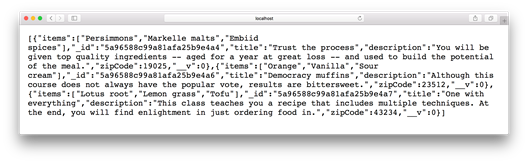
Display of JSON course results in browser
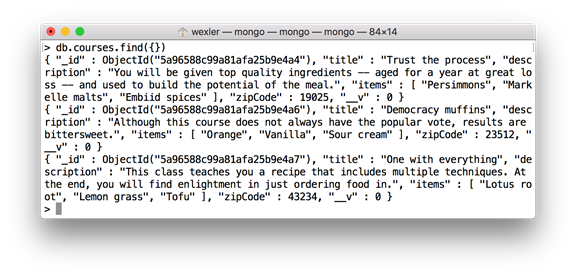
Display of courses in MongoDB
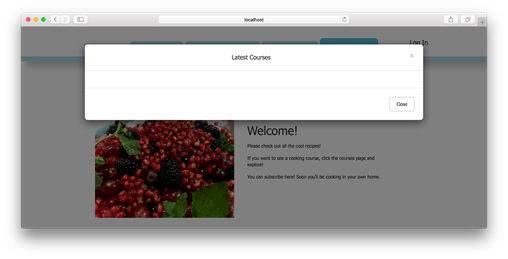
Simple modal button in navigation bar
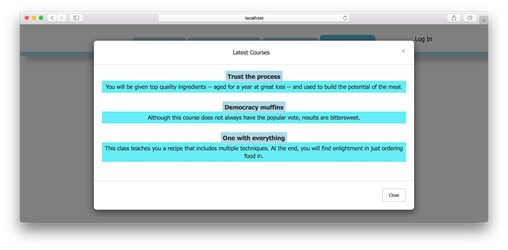
Populating course data within modal
FAQ
Why split routes into modules and use namespacing?
To keep main.js uncluttered, make routes easier to maintain, and clearly separate concerns by resource (users, courses, subscribers). Namespacing (for example, /users, /courses) groups related routes under a common path and makes future API expansions (like versioning or platform-specific paths) straightforward.How do I move user routes into routes/userRoutes.js?
Create routes/userRoutes.js, require express.Router() and usersController, add the user CRUD/auth routes without the /users prefix, then export the router. Example:const router = require('express').Router();
const usersController = require('../controllers/usersController');
router.get('/', usersController.index, usersController.indexView);
router.get('/new', usersController.new);
router.post('/create', usersController.validate, usersController.create, usersController.redirectView);
router.get('/login', usersController.login);
router.post('/login', usersController.authenticate);
router.get('/logout', usersController.logout, usersController.redirectView);
router.get('/:id/edit', usersController.edit);
router.put('/:id/update', usersController.update, usersController.redirectView);
router.get('/:id', usersController.show, usersController.showView);
router.delete('/:id/delete', usersController.delete, usersController.redirectView);
module.exports = router;How do I combine all route modules with a namespace in routes/index.js?
Require each route file, mount them on a router with path prefixes, then export the router:const router = require('express').Router(),
userRoutes = require('./userRoutes'),
subscriberRoutes = require('./subscriberRoutes'),
courseRoutes = require('./courseRoutes'),
errorRoutes = require('./errorRoutes'),
homeRoutes = require('./homeRoutes');
router.use('/users', userRoutes);
router.use('/subscribers', subscriberRoutes);
router.use('/courses', courseRoutes);
router.use('/', homeRoutes);
router.use('/', errorRoutes);
module.exports = router;Why must I call app.use('/', router) in main.js, and where should it go?
Because the router is middleware that handles your routes. Add const router = require('./routes/index') and app.use('/', router) after application-level middleware (body parsers, template engine setup) so requests are parsed and views are configured before routing.What’s the difference between using app and router for middleware after refactoring?
Use app for global middleware (parsers, static files, view engine) so it runs before routing. The router should only mount route handlers and related route-specific middleware. This ensures correct execution order and avoids issues where routes see unparsed bodies or missing template setup.How can I return JSON without breaking existing EJS views?
Check a query parameter (for example, format=json) and branch the response:indexView: (req, res) => {
if (req.query.format === 'json') {
res.json(res.locals.courses);
} else {
res.render('courses/index');
}
}What URL shows the courses as JSON?
Visit /courses?format=json. Without the query parameter (/courses), the controller renders the EJS index view as before.How do I fetch that JSON from the client and display it in a Bootstrap modal?
Add a modal partial and include it in your layout. Then, in public/js/recipeApp.js (loaded after jQuery and Bootstrap), request the data and append it into the modal body:$(document).ready(() => {
$('#modal-button').click(() => {
$('.modal-body').html('');
$.get('/courses?format=json', (data) => {
data.forEach(course => {
$('.modal-body').append(
`<div><span class='course-title'>${course.title}</span>
<div class='course-description'>${course.description}</div></div>`
);
});
});
});
});
 Get Programming with Node.js ebook for free
