This chapter transitions from manually hashing passwords to a cleaner, standardized approach using Passport.js and passport-local-mongoose. By wiring these tools into an Express and Mongoose stack, the app gains secure, session-based authentication so only real users can sign up and log in. The end result is a smoother developer experience and a consistent login flow that relies on cookies and middleware rather than ad hoc hashing code.
Implementation begins by installing and initializing Passport, enabling session support, and attaching it as middleware. The User model is connected to Passport with a local strategy, plus serialize/deserialize functions that move compact, encrypted user data in and out of sessions. Adding the passport-local-mongoose plugin to the schema delegates password storage to the library, replacing a plain password field with hash and salt, and allowing email to serve as the login identifier. The chapter explains how serialization works across requests and why salts strengthen password security, then encourages cleaning up legacy bcrypt hooks and adjusting seeds to register users via Passport.
With configuration in place, the create action switches to User.register for account creation, while login routes use passport.authenticate with redirects and flash messages for feedback. A small middleware addition exposes loggedIn and currentUser to all views, enabling a simple navigation indicator for signed-in users and a logout link. Finally, a logout action clears the session and confirms sign-out, completing a minimal, production-ready authentication loop that simplifies code and improves security and user experience.
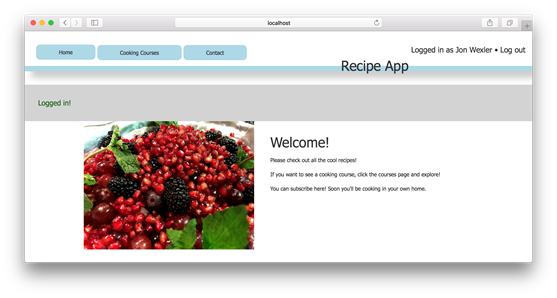
Example of a successful login in the browser
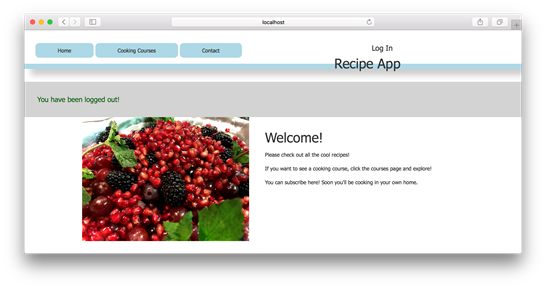
Example of a successful user logout in the browser
FAQ
What does Passport.js add to the app compared to manual bcrypt hashing?Passport.js handles hashing, salting, and authentication for you, integrates with Mongoose via passport-local-mongoose, and manages session-based login state, reducing custom code and boilerplate.What is a Passport “strategy,” and which one is used here?A strategy is a pluggable way to authenticate (e.g., username/password, OAuth). This chapter uses the “local” strategy for email/password authentication without third-party providers.How do I install and initialize Passport in an Express app?Install with: npm i passport passport-local-mongoose -S. Then require Passport and add middleware: app.use(passport.initialize()); app.use(passport.session()); Ensure your Express session (e.g., express-session) is configured before passport.session().How do I connect Passport to my User model?Require the User model, then set up: passport.use(User.createStrategy()); passport.serializeUser(User.serializeUser()); passport.deserializeUser(User.deserializeUser()); This wires the local strategy and enables serializing/deserializing users into sessions.What is serialization/deserialization in this context?Serialization converts the user to a compact form stored in the session cookie. Deserialization reverses that process on each request so you can access the full user (e.g., with Mongoose methods) during request handling.How do I add passport-local-mongoose to the schema and use email as the login field?Add the plugin before registering the model: userSchema.plugin(passportLocalMongoose, { usernameField: 'email' }); This tells Passport to use the email field instead of the default username.What schema and model changes are required after adding passport-local-mongoose?Remove the plain password field and any references to it. The plugin adds hash and salt fields. Also remove bcrypt hooks and comparison methods so Passport controls hashing (e.g., remove pre('save') and passwordComparison).How do I register (create) users with Passport?Create a User instance with non-password fields, then call User.register(newUser, req.body.password, callback). On success/failure, set flash messages and redirect accordingly. Update seed scripts to use register instead of Model.create.How do I authenticate users at login?Use passport.authenticate('local', { failureRedirect, failureFlash, successRedirect, successFlash }) as the route handler. Passport verifies the credentials and performs the redirect and flash messaging.How can I show login state in views and implement logout?Expose to views on each request: res.locals.loggedIn = req.isAuthenticated(); res.locals.currentUser = req.user;. In the navbar, conditionally show the current user or a login link. For logout, create a route calling req.logout(), set a success flash, and redirect (e.g., to '/').
pro $24.99 per month
access to all Manning books, MEAPs, liveVideos, liveProjects, and audiobooks!

 Get Programming with Node.js ebook for free
