16 Capstone: Saving user subscriptions
The capstone adds a subscription feature to the Confetti Cuisine Express app so the team can capture potential customers for their newsletter. The goal is to persist each visitor’s name, email, and ZIP code, providing a simple, reliable flow from a public form to stored records. By introducing a database layer and a controlled save process, the work also lays the foundation for future user account functionality.
The implementation begins by setting up MongoDB and integrating Mongoose to manage the connection and data modeling. A concise schema defines the subscriber’s three fields, and an exported model makes that structure reusable across the app. A dedicated subscribers controller encapsulates the logic: one action queries and renders all subscribers, another serves the subscription page, and a third creates and saves a new subscriber, using promises to handle success and error cases cleanly.
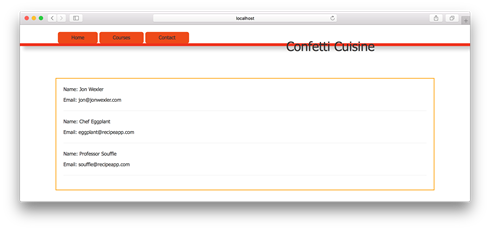
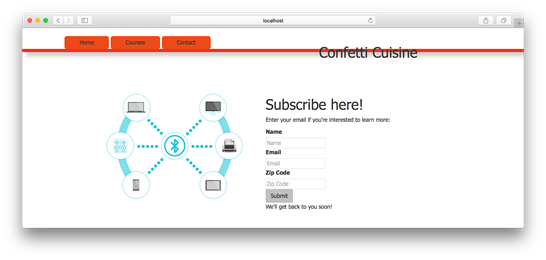
On the presentation and routing side, an EJS view lists existing subscribers by looping over data from the controller, and a subscription form collects name, email, and ZIP with field names aligned to the schema. Routes are added or updated to display the list, show the form, and handle form submissions, completing the end-to-end path from UI to database. With these pieces in place, the app can be relaunched to demonstrate a working subscription flow that captures interest and stores data for later use.
Listing subscriber data on the subscribers page
Listing subscription form on the contact page
Summary
In this project, I took a largely static Express.js application and modified it to start saving and displaying dynamic data. With these changes and the help of a templating engine and middleware in Express.js, this application is taking shape.
I started by connecting the application with Mongoose and using the schema and modeling tools that come with Mongoose to structure application data. Next, I connected those models with new controllers and routes that handle specific requests to view and save subscriber data. Last, I incorporated a form where users can finally interact with and pass along their information to be processed and reviewed by the Confetti Cuisine team. With the help of promises, the code is clean and ready for errors that may occur.
In unit 4, you learn how to use Mongoose on another level by building a user model. Through this model, you learn about validation and security steps taken when creating, reading, updating, and deleting (CRUD) data.
FAQ
What do I need to build to save newsletter subscriptions in this chapter?
- A MongoDB database - The Mongoose package - A data schema with three fields (name, email, zipCode) - A subscription form on the site - A POST route that saves the subscriber data modelHow do I install and start MongoDB for the project?
Install with Homebrew usingbrew install mongodb, then start the local server with mongod.How do I add Mongoose and connect to the local database?
Install withnpm i mongoose -S. In your app, require('mongoose') and call mongoose.connect('mongodb://localhost/confetti_cuisine'). The database is created on first use if it doesn’t exist.What fields are in the Subscriber schema?
The schema has three fields: -name: String
- email: String
- zipCode: Number
Define it in models/subscriber.js and export a model with module.exports = mongoose.model('Subscriber', subscriberSchema).Which controller actions are implemented and what do they do?
-getAllSubscribers: Queries the database for all subscribers and renders a list view.
- getSubscriptionPage: Renders the subscription form view.
- saveSubscriber: Creates a new Subscriber from request body fields and saves it; on success renders a thank-you view, otherwise sends the error.What routes do I add to wire everything up?
- Require the controller:const subscribersController = require('./controllers/subscribersController')
- GET /subscribers → subscribersController.getAllSubscribers
- GET /contact → subscribersController.getSubscriptionPage
- POST /subscribe → subscribersController.saveSubscriberHow do I display all subscribers in a view?
Use an EJS template (e.g.,subscribers.ejs) that loops over the subscribers array provided by the controller and outputs fields like name and email.How is the subscription form set up?
Incontact.ejs, create a form that posts to /subscribe with inputs named name, email, and zipCode. Use a 5-digit pattern for zipCode (e.g., pattern="[0-9]{5}") so it maps cleanly to the schema.Should I keep the old contact form handler?
No. The chapter deprecates the previouspostedContactForm action in the home controller; you can remove that route and action.How do I run and test the subscription flow?
Start the app withnpm start, visit /contact to submit the form, then go to /subscribers to see stored subscribers.
 Get Programming with Node.js ebook for free
