Overview
12 Capstone: Enhancing the Confetti Cuisine site with Express.js
This chapter walks through refactoring the Confetti Cuisine site from a hand-rolled Node.js server to an Express.js application to simplify routing, templating, and asset delivery. It preserves the home, courses, and sign-up experiences while adopting EJS with a shared layout to keep pages consistent and reduce duplication. The overall goal is to streamline development, make content easier to render, and prepare the app for growth with clearer structure and middleware support.
The build begins by initializing the project, adding a start script, and installing express, ejs, express-ejs-layouts, body-parser, and http-status-codes. A clean structure is established with controllers for route logic, views for templates, and a public directory for client assets. The main server sets the view engine to EJS, enables layout rendering, parses URL-encoded and JSON bodies, serves static files from public, and defines routes for the home, courses, and contact pages, including a POST route to process the contact form.
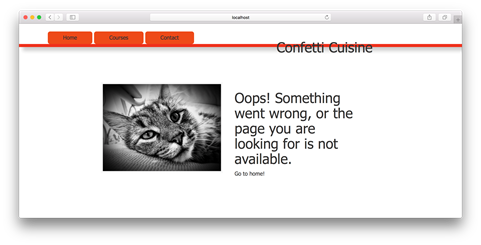
Dynamic content is introduced by preparing a courses list in the controller and passing it to the view, where EJS iterates and renders titles and prices, eliminating hardcoded markup. Robustness is added via centralized error handling: a 404 handler renders a friendly not-found page for unmatched URLs, and a 500 handler logs unexpected issues and responds gracefully, both registered after all other routes. The result is a maintainable Express app that keeps UI consistent through a shared layout, simplifies static asset delivery, and is ready to swap the in-memory data for a database without changing the views.
Summary
Through this project, I redefined the Node.js project file structure to fit a web framework. I used npm to install three external packages. Then I rebuilt the main application file, using Express.js syntax. To create a path for specific URLs, I set up new routes, using Express.js keywords. For a consistent user interface, I used layouts with EJS. Using Express.js’ static library, I set up static assets to be served to the client through my public folder. Last, I added content to the main project application file and set up that content to be served dynamically to one of my views.
With consistent practice of these techniques and proper error handling, I can use Express.js to build future applications in a few steps. With new features such as layouts and dynamic content, I can try to send content to other views in my application or try modifying the layout as it’s used throughout the app.
In unit 3, I discuss how to organize application code around persistent data with Express.js.
FAQ
How do I initialize the Confetti Cuisine Express application?
From a new confetti_cuisine folder, run npm init and accept defaults (set main to main.js). Then add a start script in package.json: "start": "node main.js". Launch with npm start.Which npm packages do I need and what do they do?
Install: express (web framework), ejs (view engine), express-ejs-layouts (layout support), body-parser (parse request bodies), http-status-codes (readable status constants). Command: npm install express ejs express-ejs-layouts body-parser http-status-codes --saveWhat directory structure should I use?
Create: views (EJS templates), controllers (route handlers), public (client assets) with public/css, public/js, public/images. Keep main.js and package.json at the project root.How do I set up the basic Express server and home route?
In main.js: const express = require('express'); const app = express(); app.set('port', process.env.PORT || 3000); app.get('/', (req, res) => res.send('Welcome to Confetti Cuisine!')); app.listen(app.get('port'), () => console.log(...));How do I parse form data in Express?
Add body-parser middleware: const bodyParser = require('body-parser'); app.use(bodyParser.urlencoded({ extended: false })); app.use(bodyParser.json()); This enables parsing of URL-encoded and JSON bodies.How do I add routes for courses and the contact form?
Create controllers/homeController.js with functions like showCourses, showSignUp, and a POST handler that renders a thank-you page. In main.js: app.get('/courses', homeController.showCourses); app.get('/contact', homeController.showSignUp); app.post('/contact', homeController.postedContactForm); Ensure the POST handler name matches your export.How do I enable EJS and layouts?
Require express-ejs-layouts, set EJS as the view engine, and use the layouts middleware: const layouts = require('express-ejs-layouts'); app.set('view engine', 'ejs'); app.use(layouts); Create views/layout.ejs with the placeholder <%- body %> to inject page content.How do I serve static files (CSS, JS, images)?
Add app.use(express.static('public')); After this, files under public/ are served directly (e.g., /css/confetti_cuisine.css, /images/product.jpg).How do I pass dynamic data to views and render it?
Build data in the controller and pass it via res.render: res.render('courses', { offeredCourses: courses }); In courses.ejs, loop and print values: <% offeredCourses.forEach(course => { %> <%= course.title %>
$ <%= course.cost %> <% }) %>How should I handle 404 and 500 errors?
Create controllers/errorController.js with pageNotFoundError (sets 404 and renders error.ejs) and internalServerError (logs error and sends a friendly 500). In main.js, register them last: app.use(errorController.pageNotFoundError); app.use(errorController.internalServerError); Route order matters—these act as catch-alls.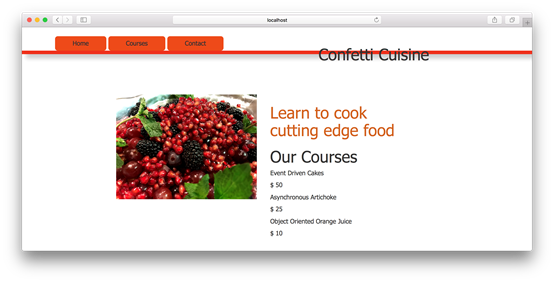

 Get Programming with Node.js ebook for free
