Appendix B. Creating customer journeys in GrowthLoop
This appendix outlines a practical, step-by-step approach to building and launching customer journeys in GrowthLoop so marketers can craft personalized, multi-step experiences that drive engagement and performance. It emphasizes starting with the right foundations—proper permissions, clear audience definitions, and active channel integrations—so journeys target the right customers and execute reliably across channels.
The guide walks through accessing the Journeys area, creating and naming a journey, and defining entry criteria from first-party data such as behaviors, demographics, or purchase history. It details configuring schedules (one-time, always-on, or recurring) and re-entry rules, then designing the workflow on a drag-and-drop canvas using entry, criteria, action, delay, destination, and experiment nodes. Practitioners can route audiences to email or paid channels, space communications appropriately, and run controlled A/B tests by splitting traffic and measuring outcomes. The process concludes with saving, reviewing, and publishing the journey to run according to the chosen schedule.
After launch, the appendix recommends ongoing monitoring of key metrics like open rate, CTR, and conversion to uncover optimization opportunities. It encourages iterative testing with the Experiment Node to refine messaging, timing, and targeting, and stresses aligning every journey with broader marketing goals and meaningful segments. For troubleshooting, it advises verifying audience and node logic, ensuring integrations are authenticated and active, and seeking support when technical issues arise.
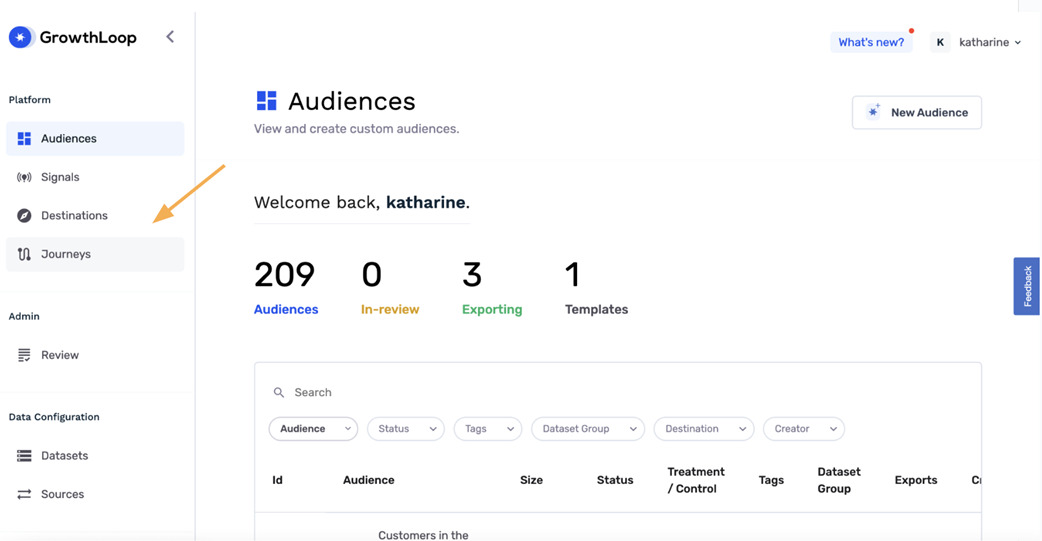
Figure B.1 Navigating to the journey builder
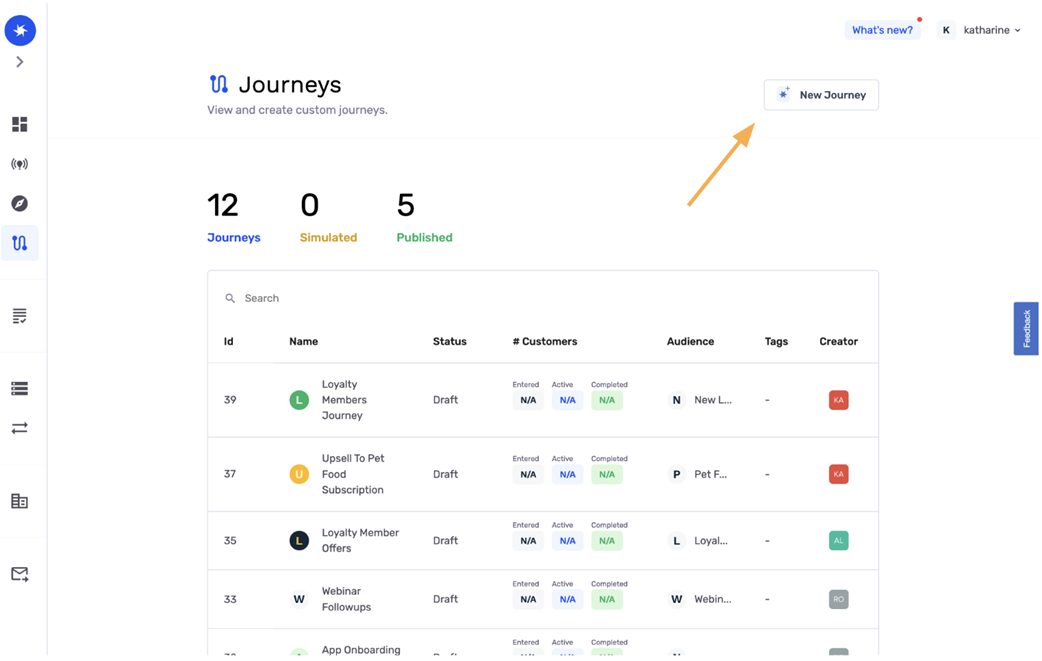
Figure B.2 Creating a new journey
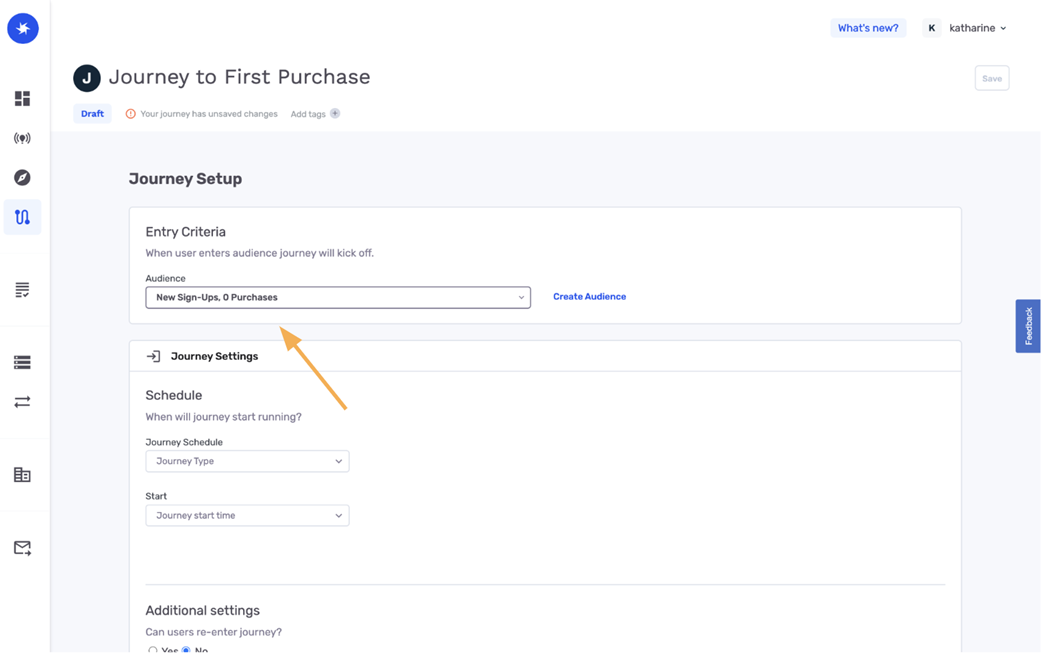
Figure B.3 Setting up entry criteria
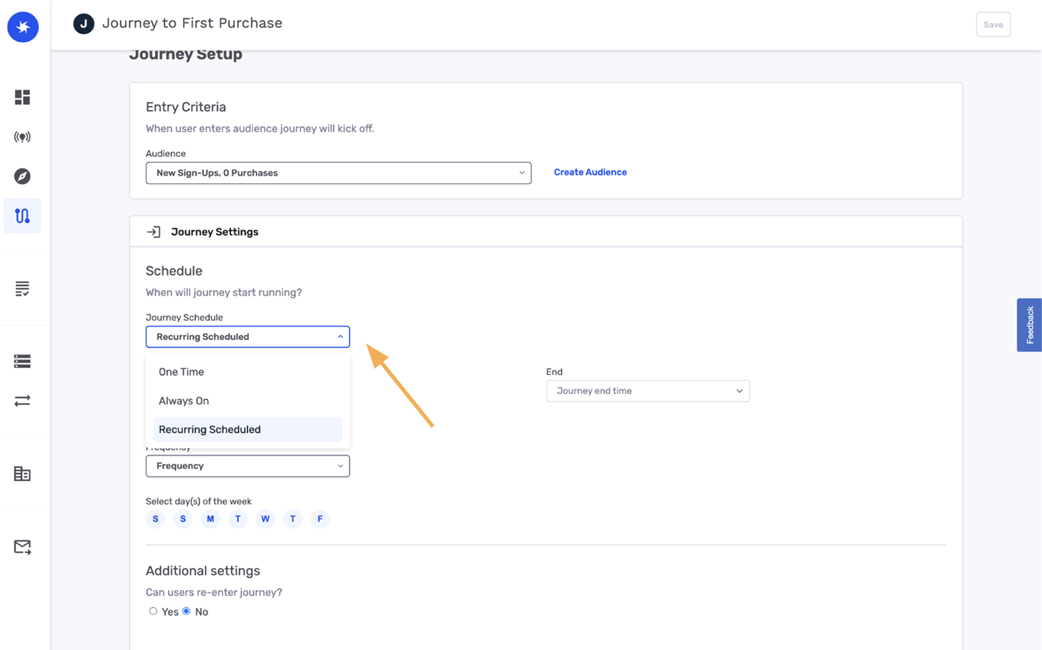
Figure B.4 Configuring journey settings
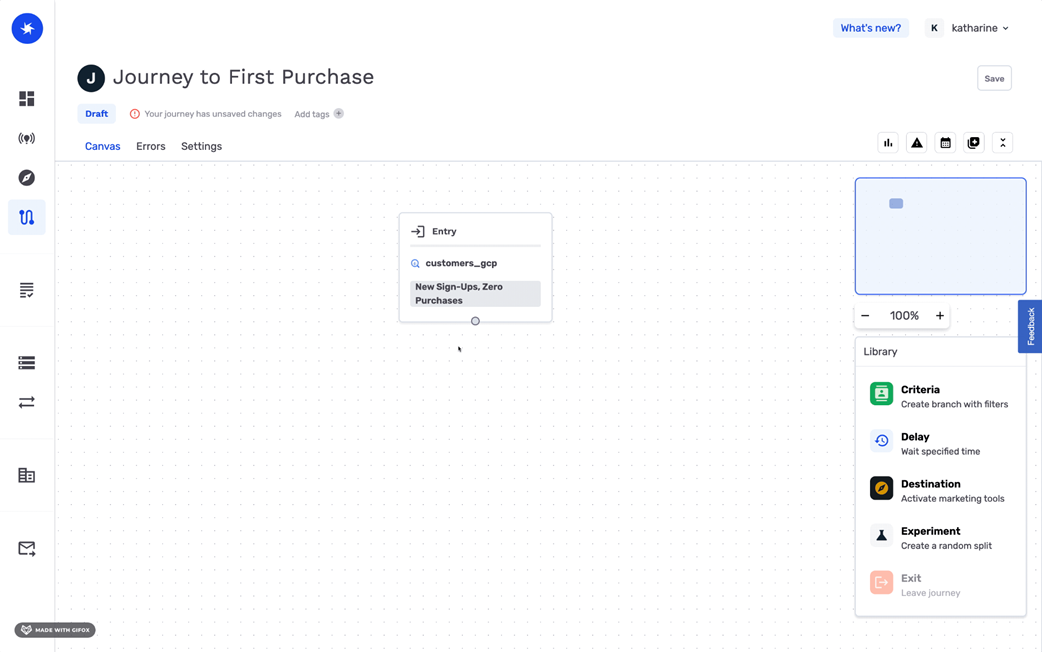
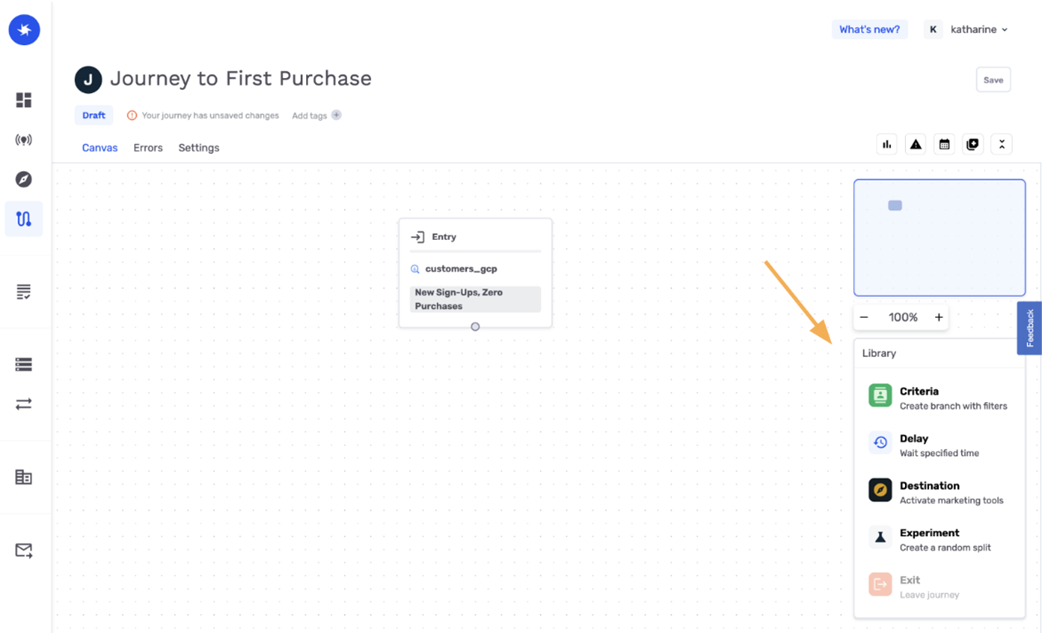
Figure B.5 Designing the workflow on the canvas
Figure B.6 Adding criteria and delays
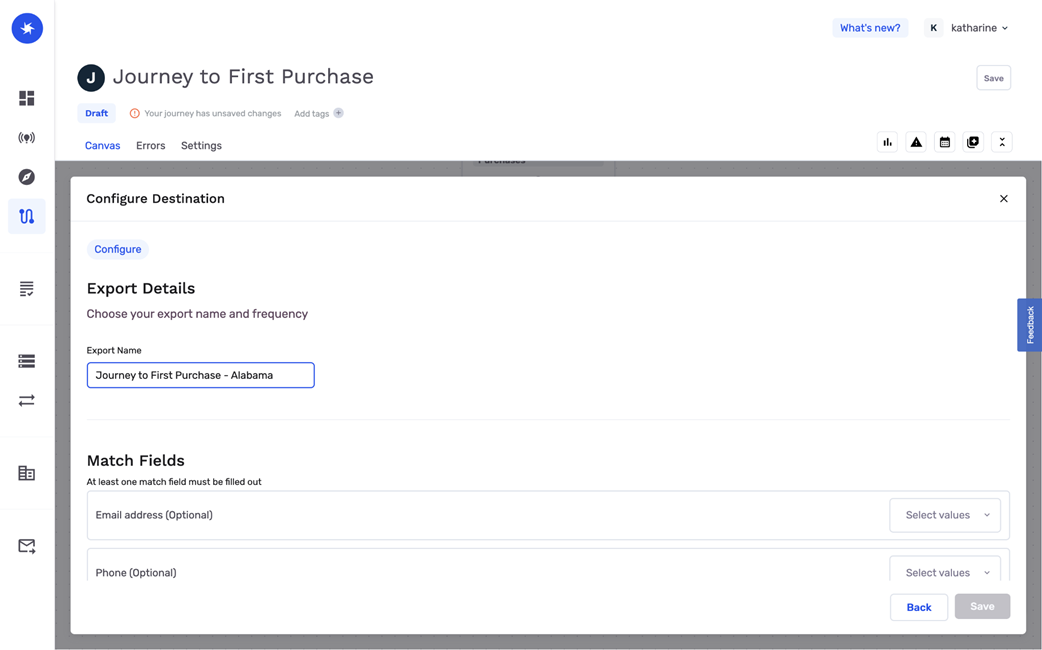
Figure B.7 Setting destinations
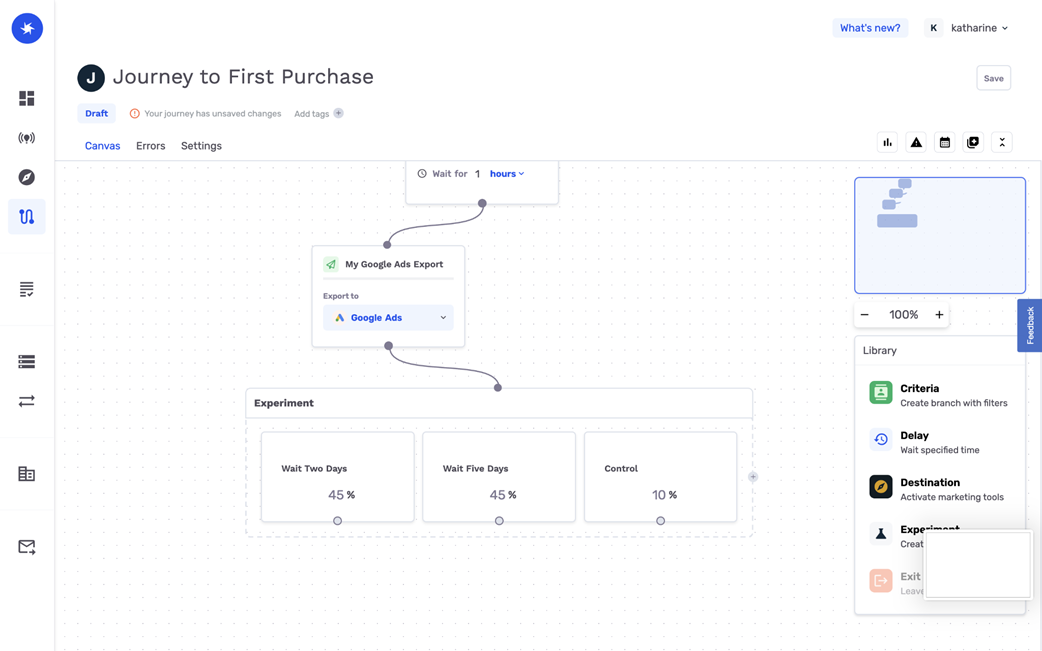
Figure B.8 Experimentation setup
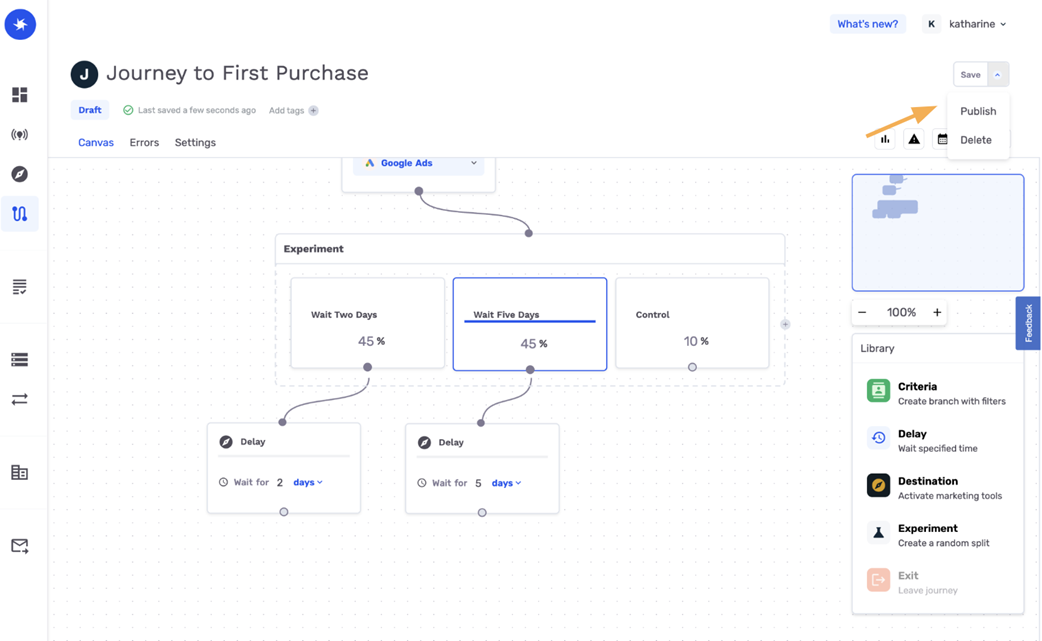
Figure B.9 Save and publish the journey
FAQ
How do I access the Journey Builder in GrowthLoop?Log in to GrowthLoop and navigate to the “Journeys” tab in the left-hand sidebar. This is where you can create, manage, and publish customer journeys.What prerequisites do I need before creating a journey?- A GrowthLoop account with permissions to create and publish journeys
- Defined audience segments or clear criteria for who should enter the journey
- Active integrations with any channels you plan to use (e.g., email platforms, paid media)How do I create and name a new journey?Click “New Journey,” then enter a descriptive name that reflects the purpose (e.g., “Abandoned Cart Recovery” or “New Customer Onboarding”) so it’s easy to identify later.How do I define entry criteria for who enters the journey?Select or build an entry audience segment using first-party data from your data warehouse—such as behavior, demographics, or purchase history—so only relevant customers enter.What scheduling options are available, and can customers re-enter a journey?You can choose:
- One time: Runs once, either immediately at publish or at a scheduled time
- Always on: Runs continuously from the start date until you end it
- Recurring: Runs on a defined cadence (e.g., every Monday at 9 AM)
You can also allow users to re-enter if they meet the criteria again.How do I design the workflow on the canvas?Use the drag-and-drop canvas:
- Start with an Entry Node for your entry audience
- Add Criteria Nodes to further filter participants
- Add Action Nodes to activate touchpoints like emails or SMS
Map each step to create the end-to-end journey flow.How do I add criteria and delays between steps?Use a Criteria Node to segment customers based on additional data (e.g., purchase frequency or engagement level). Use a Delay Node to add time intervals between steps (e.g., wait three days before sending a follow-up).How do I set destinations and configure exports to channels?Add a Destination Node to sync participants to platforms like Klaviyo (email) or Facebook Ads. Configure export settings by specifying matched fields between systems and any personalization signals to include.How can I run A/B tests or experiments within a journey?Use the Experiment Node to randomly split participants into groups and assign percentages (e.g., 50%/50%). Test variations (such as different email creatives) and compare engagement results.How do I save and publish a journey, and what should I do after launch?- Click “Save” on the canvas, review settings, then click “Publish” to activate based on your schedule.
- After launch, monitor key metrics (open rates, conversion rates, CTR), use the Experiment Node for iterative improvements, and ensure the journey aligns with broader marketing goals.
- If steps don’t trigger, verify audience segments and criteria nodes; confirm your channel integrations (e.g., Klaviyo or Facebook Ads) are active and authenticated; consult GrowthLoop’s documentation and support for help.
pro $24.99 per month
access to all Manning books, MEAPs, liveVideos, liveProjects, and audiobooks!

 First-Party Data Activation ebook for free
