Chapter 8. Filtering and transformation
Event processing networks rely on filtering and transformation to shape large streams of incoming events into useful forms before deeper analysis or delivery to consumers. Filtering is used to remove irrelevant events, route events to different downstream paths, or restrict what an agent can accept, while transformation changes event content by projecting, translating, enriching, splitting, aggregating, or composing events. The chapter emphasizes that these operations can be stateless, where each event is handled independently, or stateful, where the result depends on context, accumulated history, or related events from other streams.
A central theme is that filtering can be expressed in several places and at several levels. An input terminal filter provides a simple, stateless pass/fail gate; a dedicated Filter agent can also produce separate filtered-in and filtered-out streams, making it useful for branching logic and sampling; and a context definition can implicitly filter events by determining which ones belong to a partition. The chapter uses XPath as a practical example of a filter language, showing how event types, attribute presence, comparisons, logical operators, and built-in functions can be used to test event content and structure. It also explains stateful filtering patterns such as first, last, and random sampling over temporal windows.
On the transformation side, the chapter explains how agents can create derived events from one or more inputs, often using XSLT, scripting, or other expression languages. Project removes unwanted attributes, Translate modifies or adds attributes, and Enrich combines event data with external reference data from global state, including handling multiple query results through policies such as first, last, every, or combine. Split breaks one event into many, Aggregate combines many events into summarized output using derivation functions like count, sum, and avg, and Compose performs a join between two streams using match conditions, buffers, and unmatched-event policies. The discussion concludes by addressing event header behavior, validation, and how these concepts are used in the Fast Flower Delivery application and in practical event processing tools.
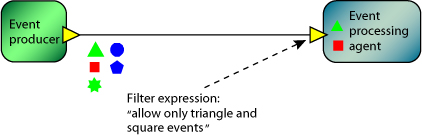
In this example the event processing agent has a filter expression on its input terminal that allows in only a subset of the events emitted by the event producer.
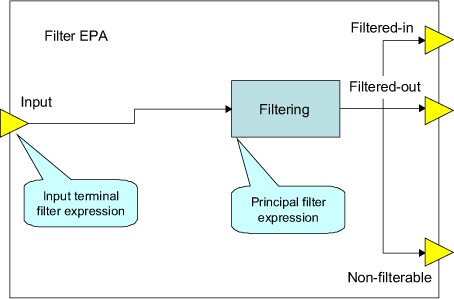
A schematic view of the Filter event processing agent
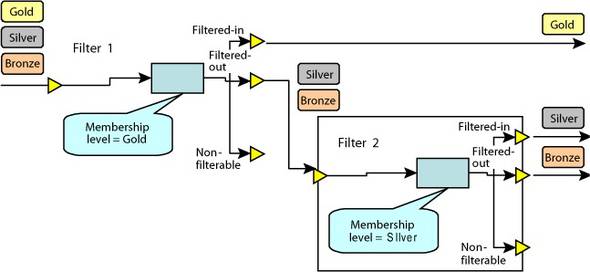
Using two successive Filter agents to divide an incoming event stream into three substreams
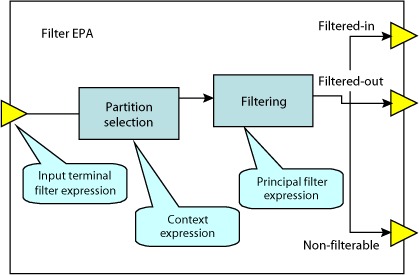
A Filter EPA showing the logical position of the partition filter, after the input terminal and before the internal filter step
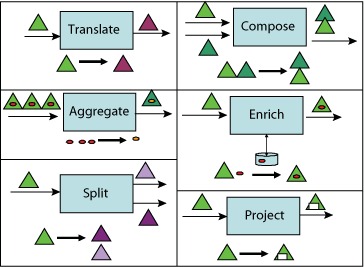
Classification of the different types of Transformation agents. The triangles represent event instances; the arrows show the number of input and output streams for each type.
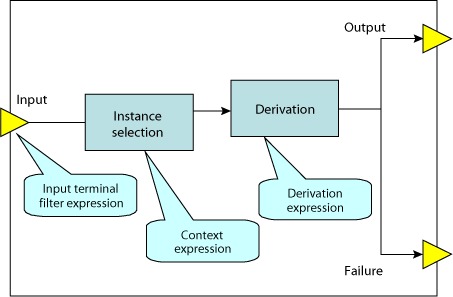
Internal logic of a transformation agent
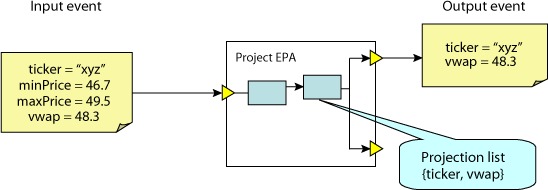
A Project agent can be used to simplify an event by removing one or more of its attributes.
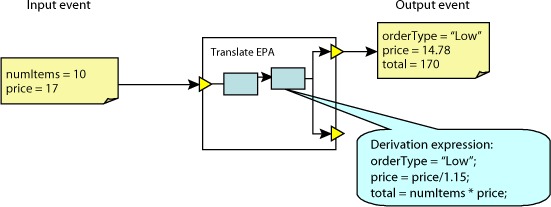
A Translate event processing agent can be used to insert new attributes into the output event.
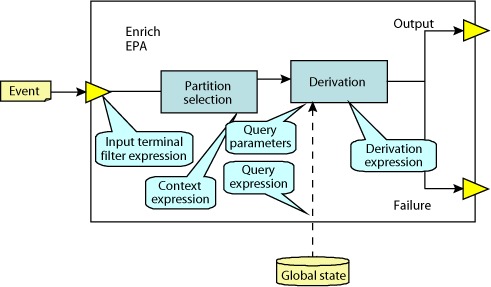
The Enrich agent augments the output event with attribute values derived by querying a global state element.
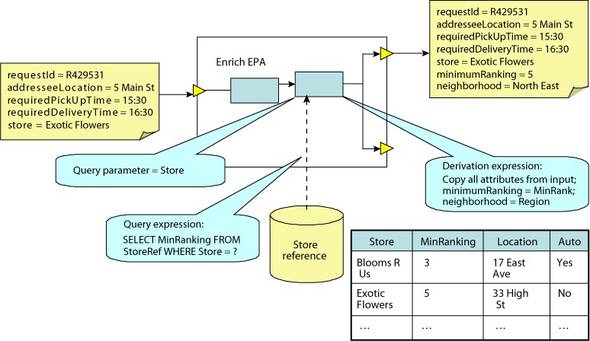
The Request enrichment agent from the Fast Flower Delivery application. This agent uses the store attribute of the input event to find the flower store’s neighborhood and the minimum driver ranking that is acceptable to it, and adds these values as attributes to the output event.
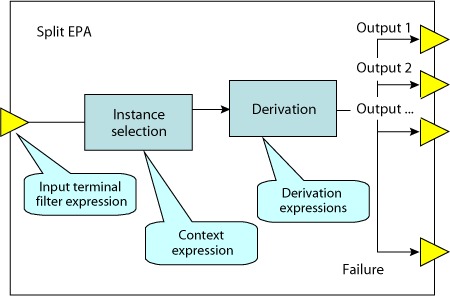
A Split event processing agent
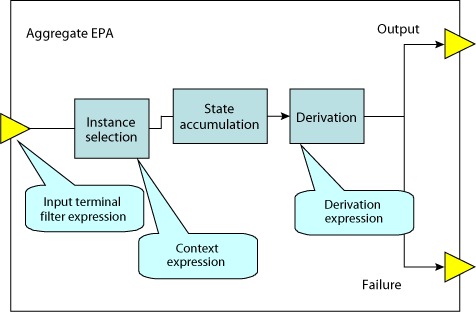
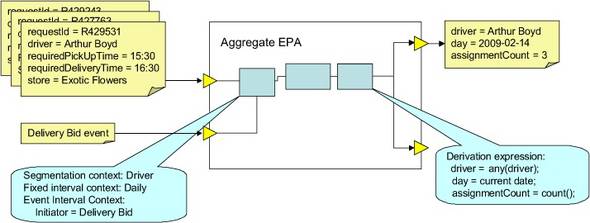
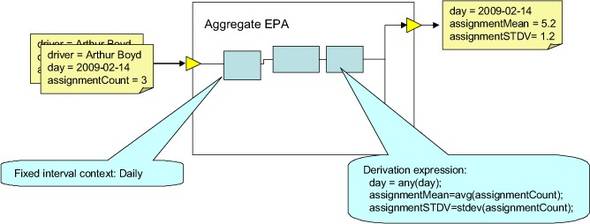
An Aggregate EPA, showing the state accumulation step
The Daily assignments calculator agent from the Fast Flower Delivery application. This shows how an Aggregate agent can be used to count the number of Assignment events associated with a given driver on any one day.
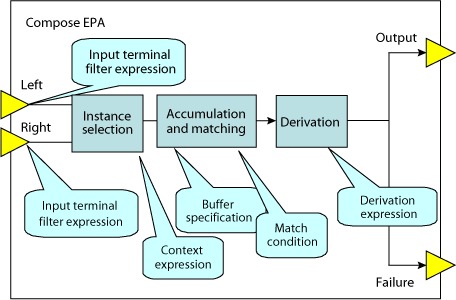
The Compose event processing agent
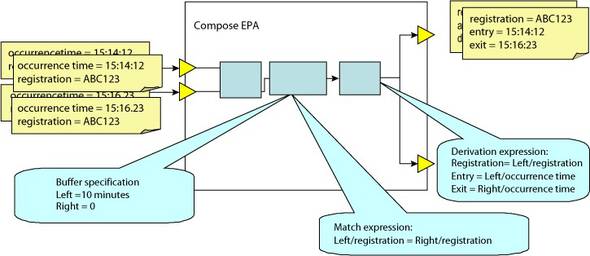
Use of a Compose event processing agent to match up vehicle arrival and departure times
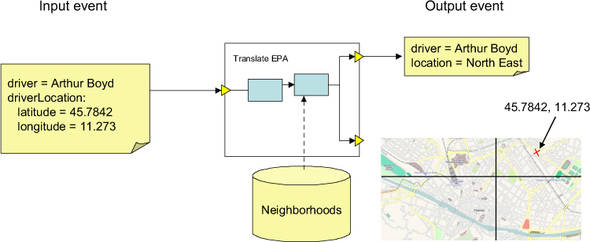
Locating a Fast Flower delivery driver in the city of Florence
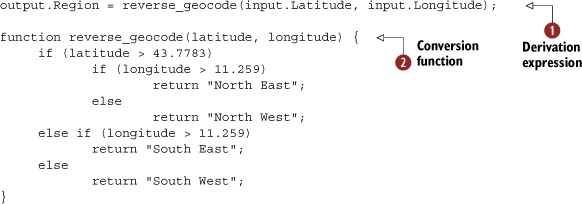
Listing 8.2. JavaScript implementation of a simple reverse geocode translation
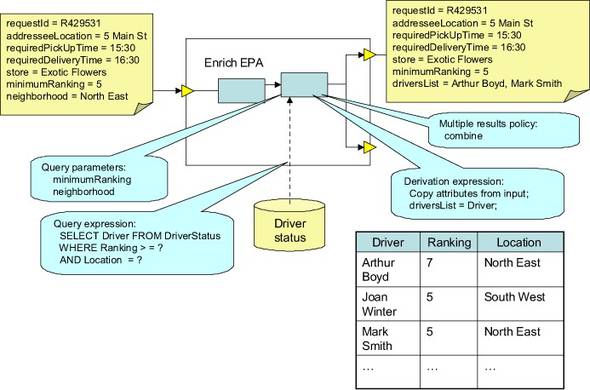
The Bid Request creator agent from the Fast Flower Delivery application. This agent queries the Driver status table to find suitable drivers and creates a Bid Request event containing the names of these drivers in its drivers list attribute.
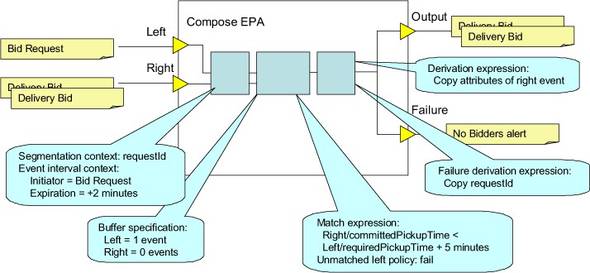
The Assignment manager agent monitors incoming delivery bids. It rejects them if the committed pickup time is too far out. If no bids are received it raises a No Bidders alert.
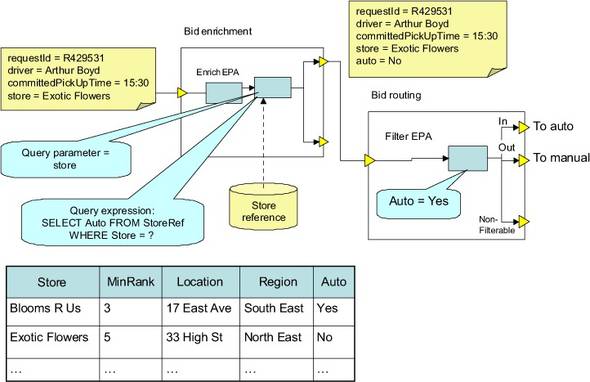
The Delivery Bid event is first enriched with the store’s automatic/manual assignment preference and then routed using a Filter agent.
The Daily statistics creator agent. This runs once a day to calculate statistics for the whole cohort of drivers, so that the performance of an individual driver can be assessed.
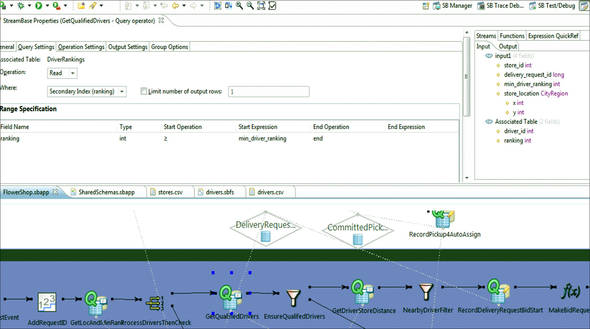
Example of a filter from the StreamBase product
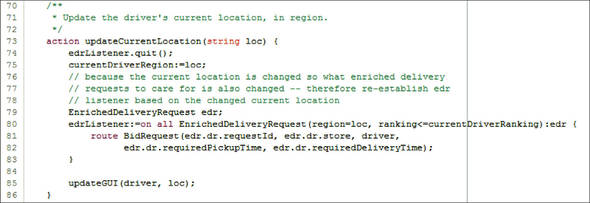
A transformation example in MonitorScript

 Event Processing in Action ebook for free
