4 Retrieval using AutoGen agents
This chapter introduces how to make RAG retrieval smarter and more reliable by orchestrating it with AutoGen agents. Instead of a single, brittle search call, agents plan and refine retrieval: they validate and rewrite ambiguous queries, pick the right index or database, run multiple searches if needed, and ground answers strictly in retrieved evidence to limit hallucinations. The approach emphasizes responsiveness and accuracy by combining asynchronous execution, hybrid vector-and-keyword search, and careful prompting so agents rely on facts rather than prior model knowledge.
Practically, the chapter shows how to wire up a two‑agent pattern (assistant proposes, executor calls tools) to an Azure AI Search Index, using low‑temperature settings, explicit termination rules, and a loop that iterates on query rewrites until results are sufficient. It walks through creating embeddings for hybrid search, registering the search function with both agents, and using a group chat manager so multiple agent pairs can run concurrently—one pair per data source. While more agents can improve accuracy, the chapter balances quality with latency and token cost, recommending a small, well‑tooled set of agents that run searches in parallel across databases and summarize top results to stay within context limits.
Once retrieval completes, a dedicated writer agent composes the final, grounded answer and streams it to the user for a better UX, with a language checker ensuring the response matches the user’s language. The system also logs questions, search outputs, and answers (for audits and improvement), uses a triage step to route queries to the right agent chain (e.g., product vs. order vs. clarify), and exposes everything over websockets for real‑time streaming. The chapter closes with operational tips—choose strong models with large context windows, cap top‑N hits or return summaries to control latency and context usage, add error and response validation, and scale the async plan cleanly as new databases and agent chains come online.
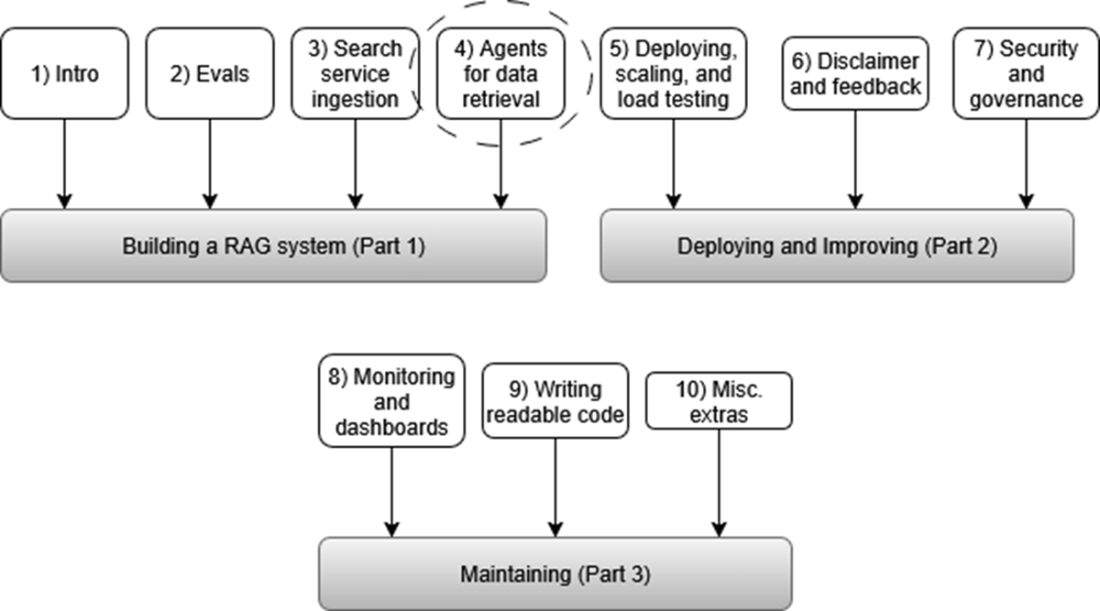
We are now in the Retrieval stage of our RAG pipeline, which includes input validation, query triage, query rewriting, and search using agents.
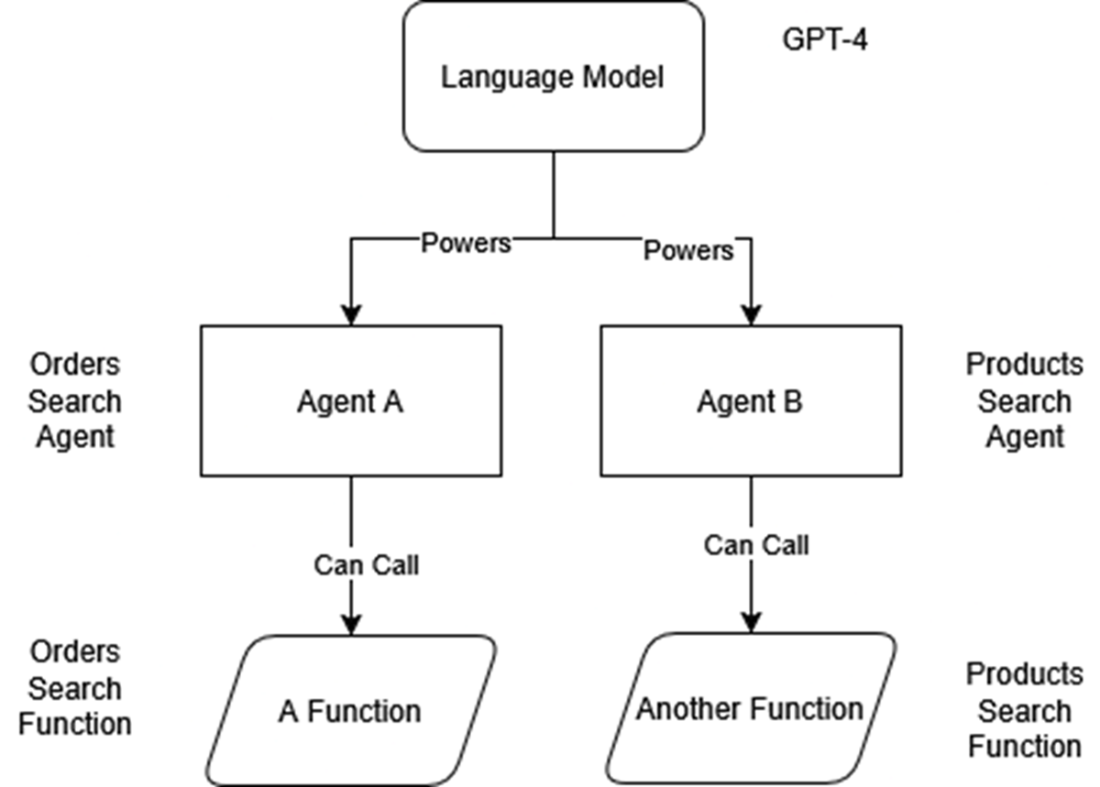
A single language model can power multiple agents. These agents can converse with each other or call functions. In this example, we use GPT-4 to power two different agents, each of which may call a different function.
A user question (“What is Product XYZ?”) enters the system with its chat history and is routed through a Group Chat Manager to two agents. The Search Assistant Agent decides what to ask the database and recommends calling the search function with the rewritten query “Product XYZ.” The Search Executor Agent runs that function against the data source, returning structured search results. Those results flow to a Writer Agent, which streams back a concise answer to the user.
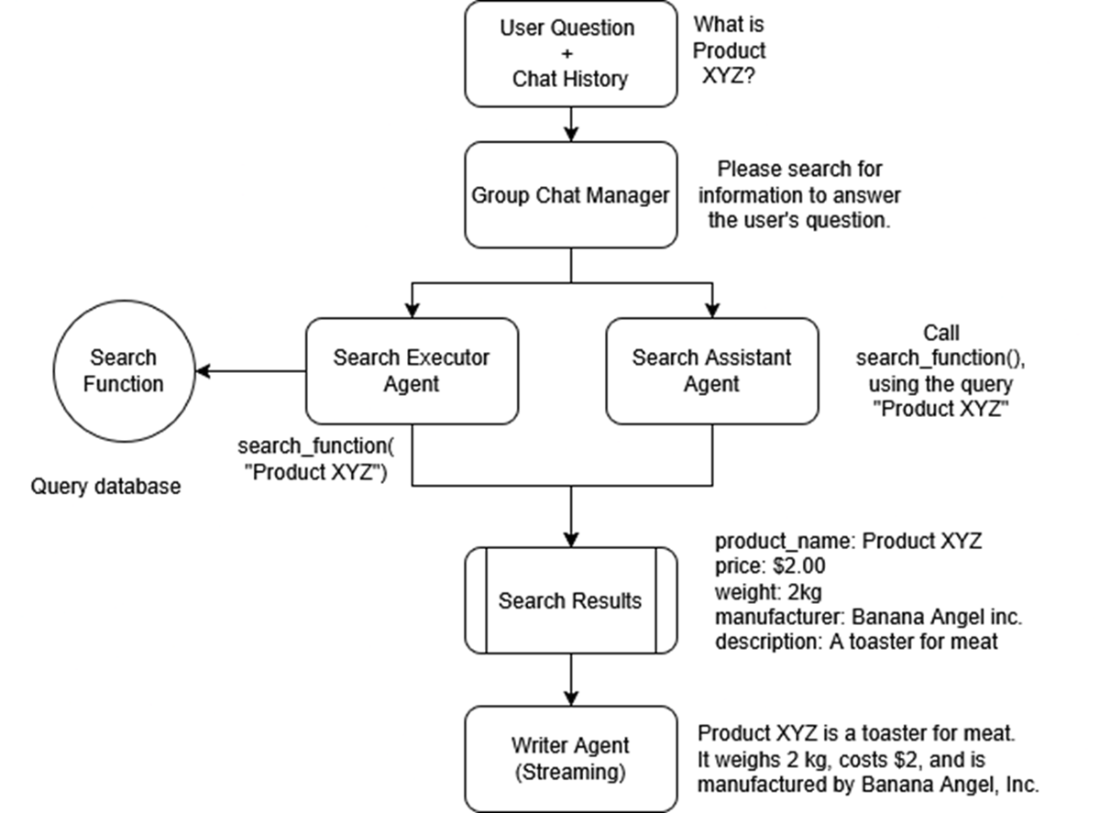
As part of our overall RAG chat process, the Search Assistant Agent decides what to ask the database and recommends calling the search function with the rewritten query “Product XYZ.”
The Search Executor Agent (highlighted) runs the search function against the data source, using the search term recommended by the Search Assistant Agent, returning structured search results when enough relevant info has been found.
Search Function accepts the search query from the Executor Agent and returns structured search results from the database, in this case an Azure AI Search Index.
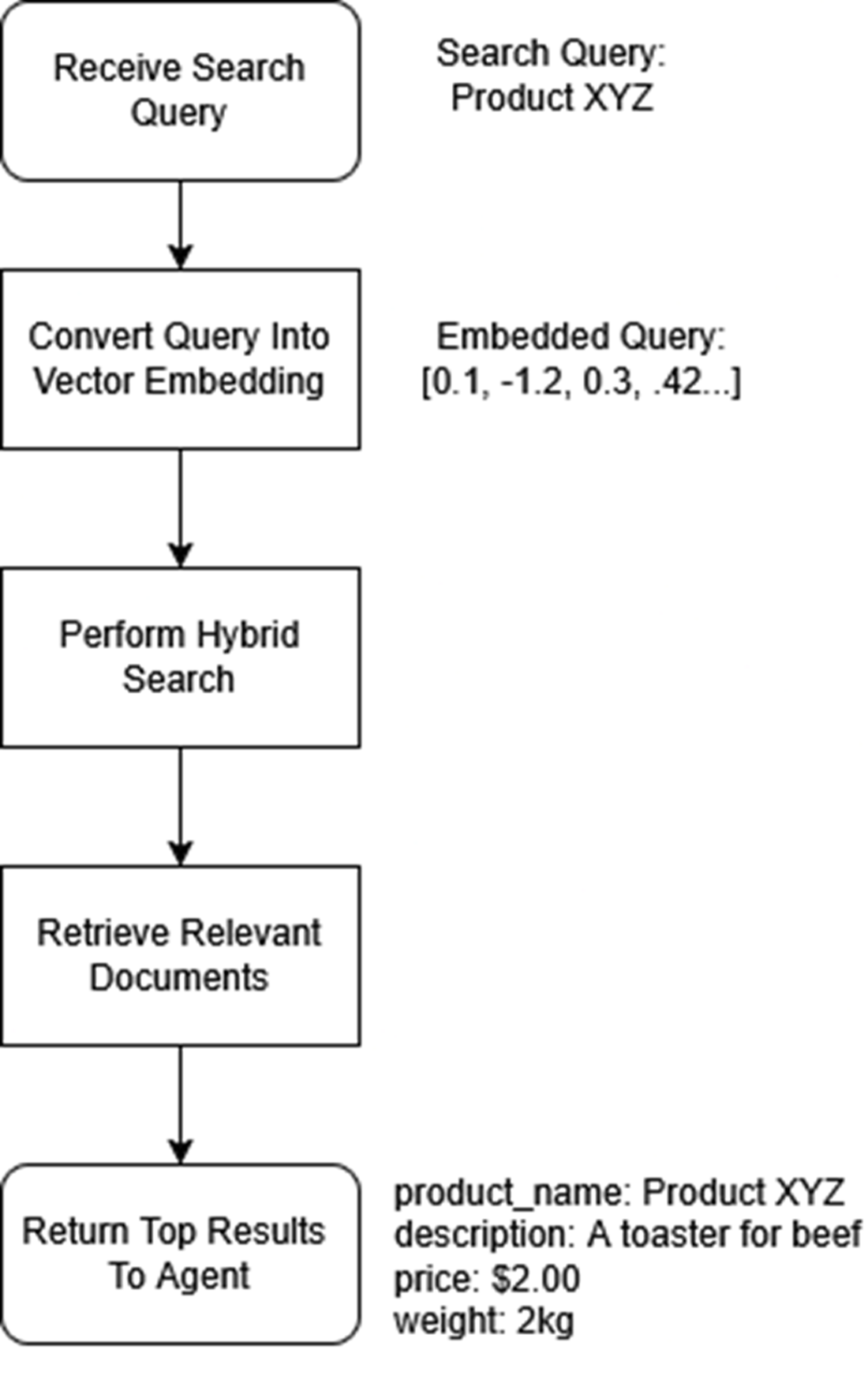
Illustrates the workflow for handling search queries using Azure AI Search. Queries are converted into vector embeddings, enabling a hybrid (text and vector) search to efficiently retrieve the most relevant documents for the user.
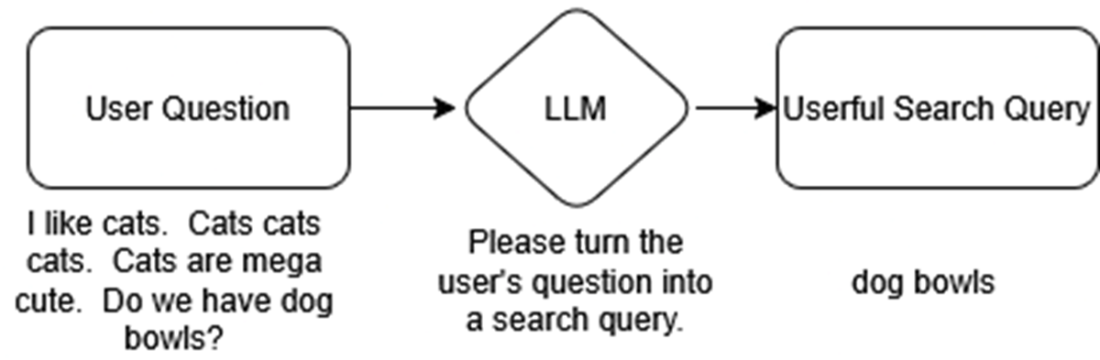
An illustration showing how in Query Rewriting, the unnecessary parts of the user’s question are removed to clarify what the AI should search for. This is especially important when we are using vectors and embeddings that look at the meaning of the words.
Here we are focusing on building the Group Chat Manager, which will bundle the Assistant and Executor together and allow them to run at the same time as other Group Chats. These agents will take turns in a Round-Robin pattern, meaning they go one by one and then repeat if needed.
We can search multiple databases at the same time using multiple group chats. First, the user submits a question. The question is sent to two different agent group chats at once. The first agent group searches our AI Search Index containing data about our company’s products, while the second agent group searches for information about customer orders. A writer agent combines the search results and writes an answer to the user’s question
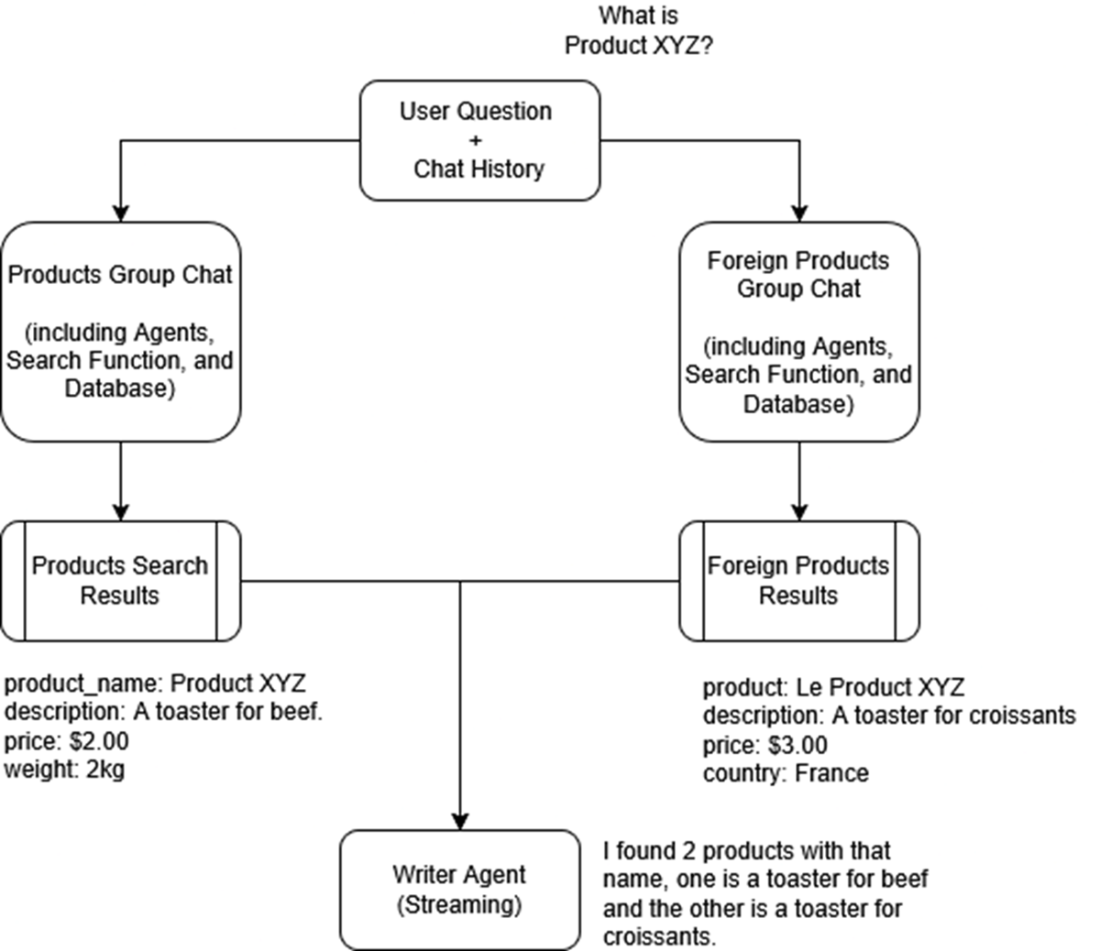
After the 2 agents in the groupchat retrieve enough information to answer the user’s question, the structured search results flow to a Writer Agent, which streams back a concise answer to the user, one word at a time.
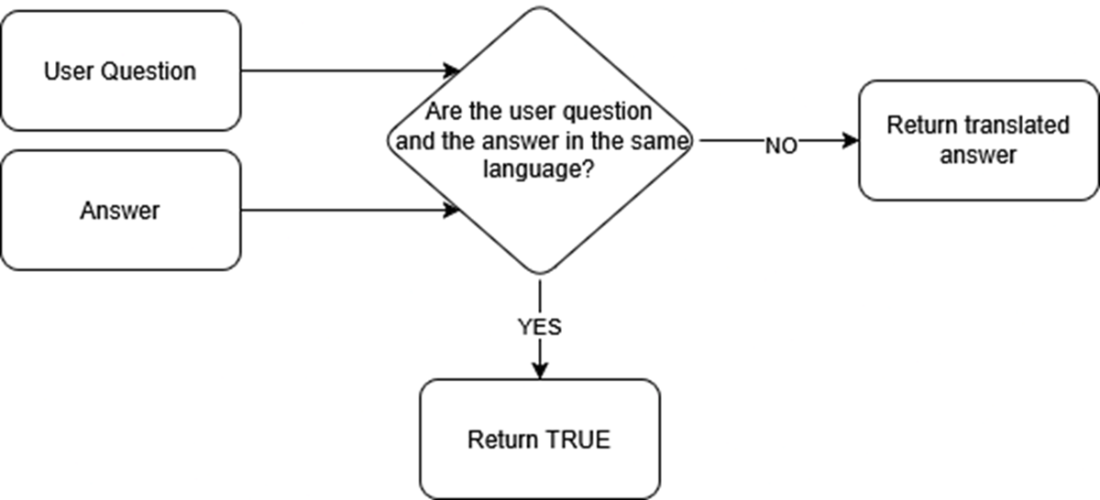
We always want to make sure the answer is returned in the correct language. The user question and answer are fed to an LLM to decide if they are written in the same language. If not, then the answer is translated to the same language as the user question and returned.
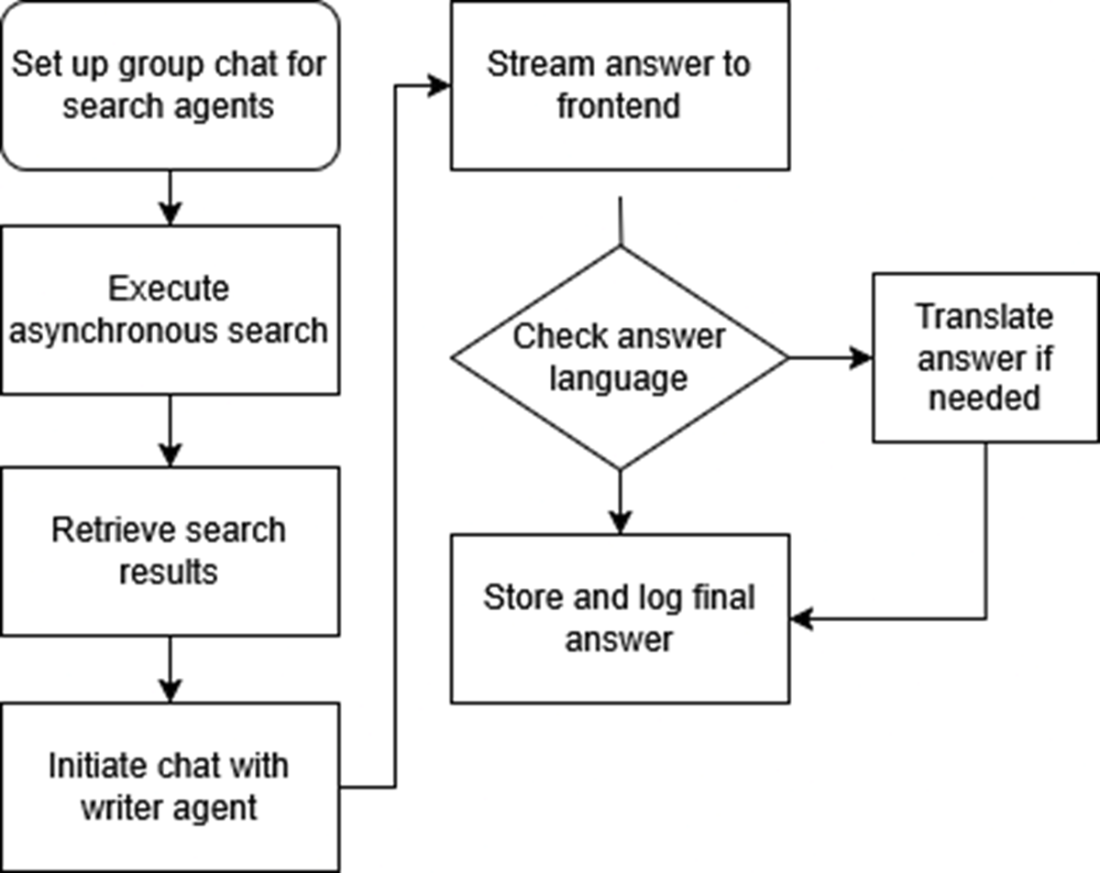
The RAG Chat workflow, where search agents retrieve relevant data. We set up a group chat (or multiple group chats if we are pulling from multiple databases) and then we execute them all at the same time to run multiple simultaneous searches. After the search results are retrieved, a writer agent formulates a response and streams it to the frontend. Then we check the language, translate the answer if needed, and store and log everything to our chat log database for future analysis.
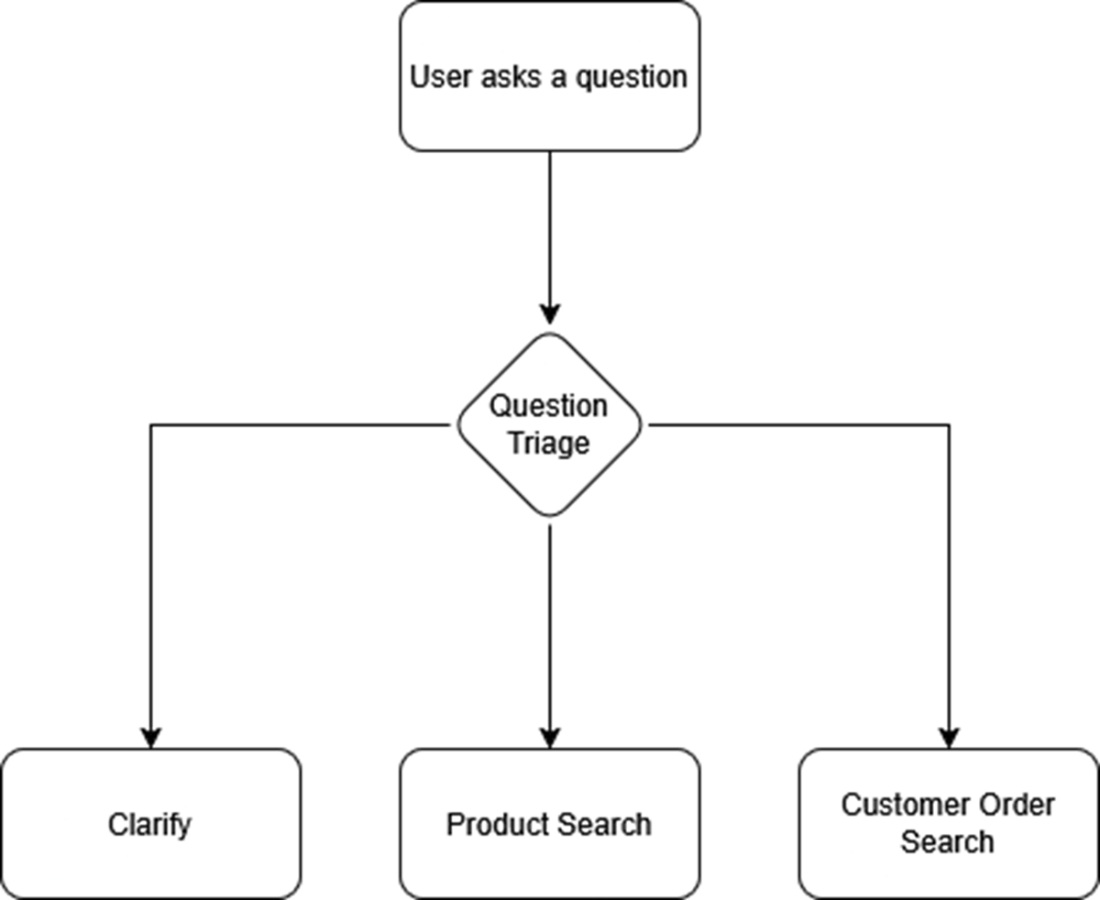
The architecture of a triage function. The triage function helps to classify what kind of question the user is asking, and which agents should be activated. The user will ask a question, and an LLM is asked to output the category to which the question belongs: Product, Customer Order, or Clarify (if more information is needed from the user)
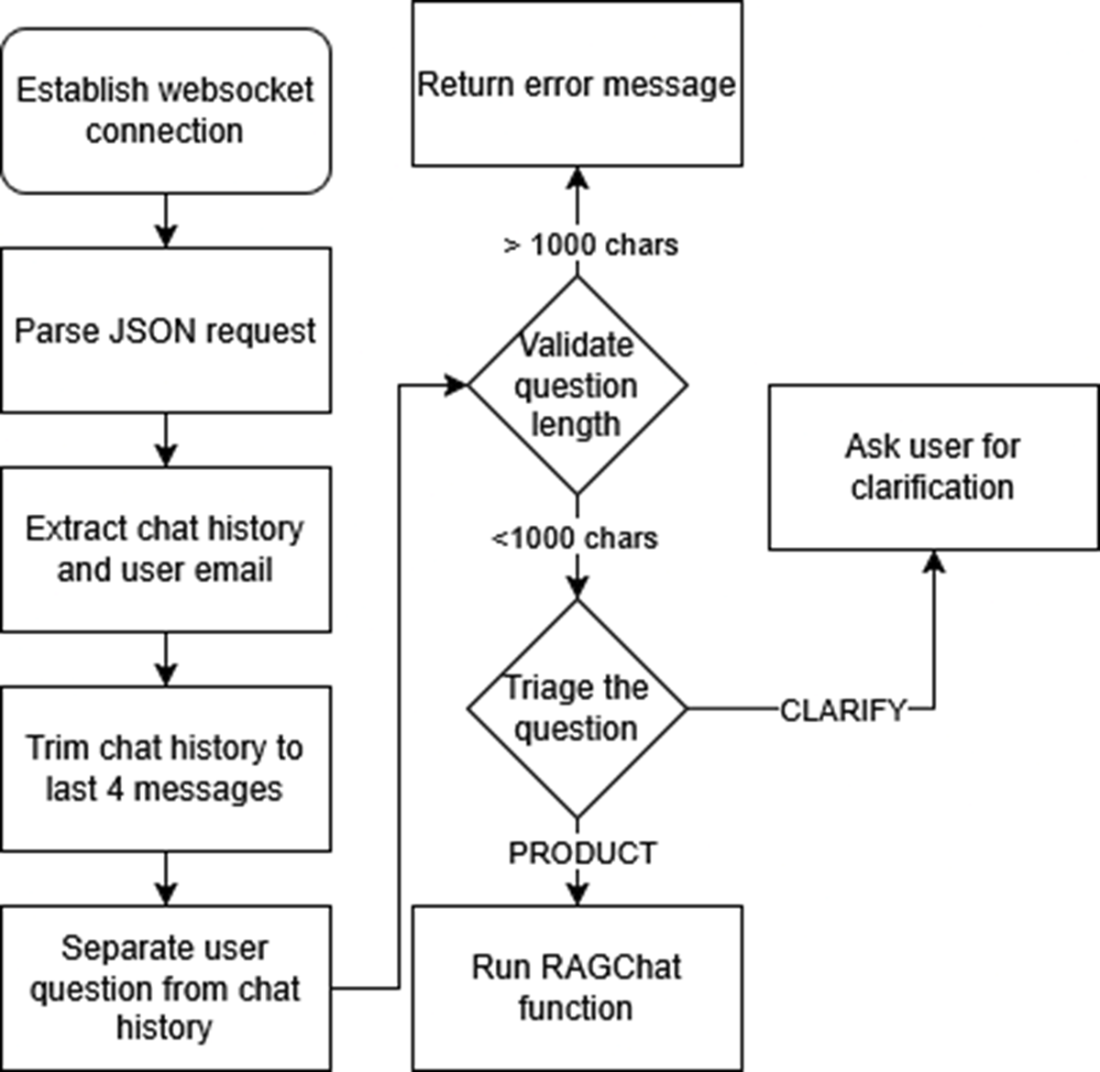
The WebSocket connection workflow for handling user queries. After establishing a websocket connection, it processes the incoming request, extracts relevant information like chat history and user email, trims the chat history to the last 4 messages and separates the user question from the chat history, validates the user question to make sure it is under 1000 characters, and triages the user question. If the user question is determined to be related to a product then we run the RAGChat function, or if more clarification is needed then we ask the user a question.
Summary
- Using AutoGen’s assistant and executor pattern lets the system refine queries, try multiple strategies, and ask for clarification—dramatically reducing hallucinations compared with a one‑shot search‑and‑answer pipeline.
- Each agent pair combines keyword and vector look‑ups in Azure AI Search. The assistant proposes a query, the executor runs it, and the loop repeats if necessary until the search result quality is high.
- Separate group‑chat managers let you hit several databases simultaneously. Expanding the async_chat_plan with more recipient blocks adds new databases without lengthening user wait time.
- A lightweight LLM “triage” function tags incoming questions (PRODUCT, ORDER, etc.) so only the relevant agent chain fires—saving tokens and avoiding pointless queries.
- A tiny language‑checker ensures the bot answers in the same language as the user’s most recent question, while a SQLite log captures questions, search results, and final answers for auditing and continuous improvement.
- Streaming back answers over a persistent websocket makes even longer queries feel fast.

 Enterprise RAG ebook for free
