12 Running on Your Laptop
This chapter explains why running small language models directly on a laptop is a practical alternative to relying on commercial online LLM services. The main motivation is privacy: prompts, files, and sensitive personal or corporate information can remain on the user’s machine, even when using models for productivity tasks such as chat, coding help, document analysis, or retrieval-augmented workflows. Once models are downloaded, the tools discussed can operate offline, making local assistants attractive for individuals and organizations that want more control over data exposure.
The chapter first explores Ollama, an open source local model-serving tool built around quantized GGUF models. Ollama can download, run, list, remove, and serve models through both a command-line interface and a local REST API, and it can support multiple models depending on laptop resources. It also allows custom models to be converted to GGUF format, described with a Modelfile, and imported for local inference. The chapter notes that Ollama is especially developer-friendly and integrates well with other tools, while also pointing out privacy considerations such as local prompt history, server logs, and update checks.
The chapter then presents LM Studio and Jan as desktop-oriented alternatives. LM Studio offers a polished user interface, local chat, document attachments for context or RAG, an OpenAI-compatible local API server, SDK support, embeddings, agentic tool-calling flows, and speculative decoding to speed up generation by pairing a larger target model with a smaller draft model. Jan is described as a fully open source desktop assistant that supports local GGUF models, imports from online catalogs or local files, RAG-style file uploads, and an OpenAI-compatible local API server powered by the Cortex engine, which can also be used separately. Overall, the chapter compares these tools as overlapping but distinct options for building private, laptop-based AI assistants, with the best choice depending on user skill level, hardware, workflow needs, and openness requirements.
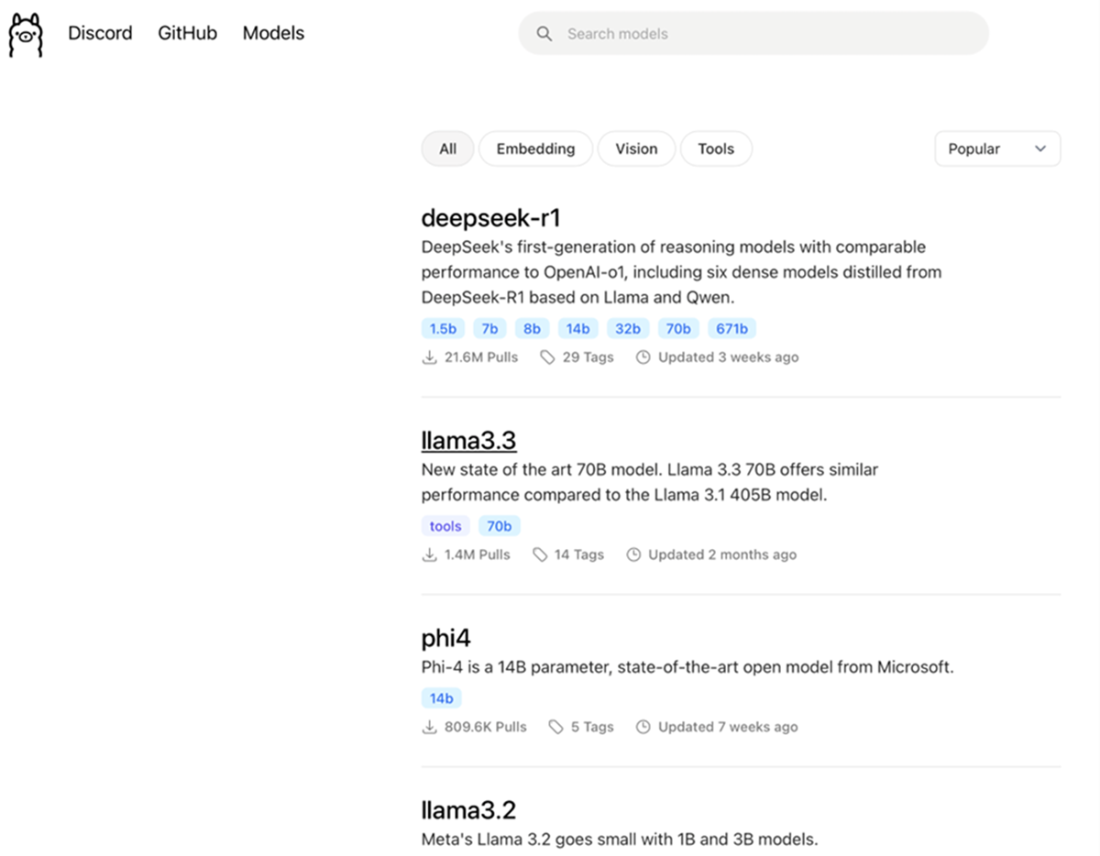
The Ollama’s online model catalog.
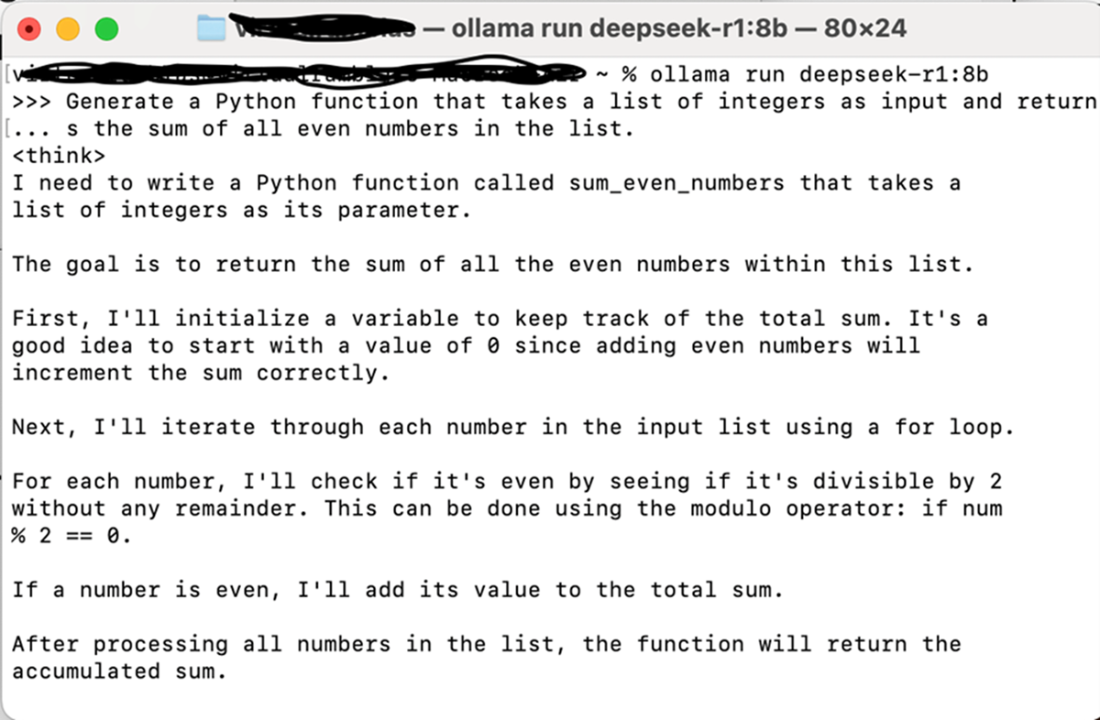
A live local chat session with the DeepSeek-R1 8B model through Ollama on macOS
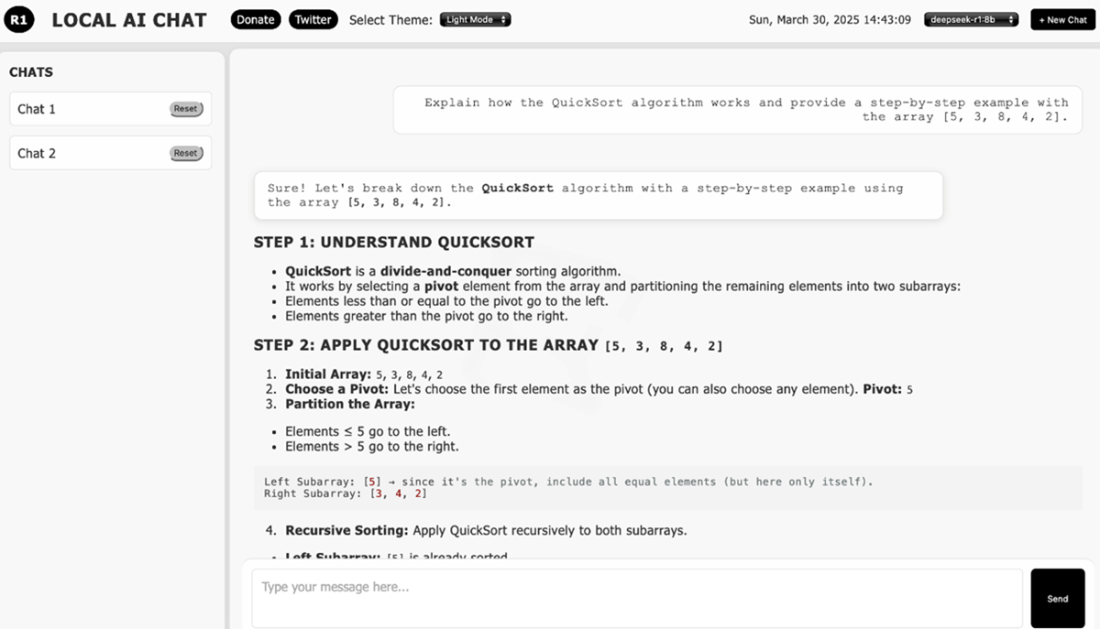
The LocalLLM UI
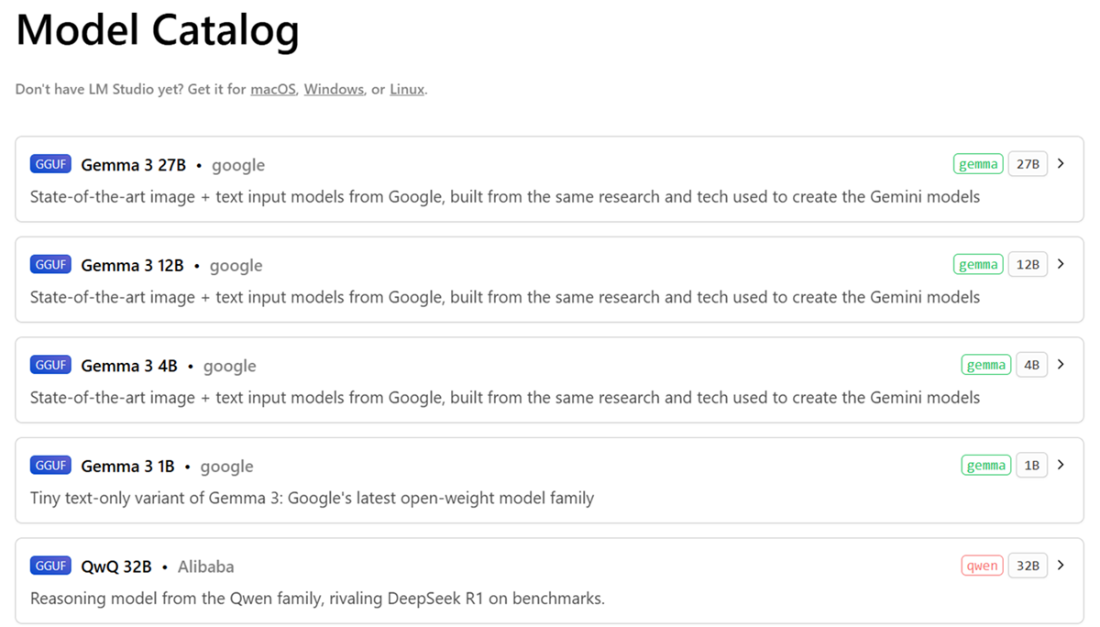
The online LM Studio’s model catalog
The chat view of the LM Studio app
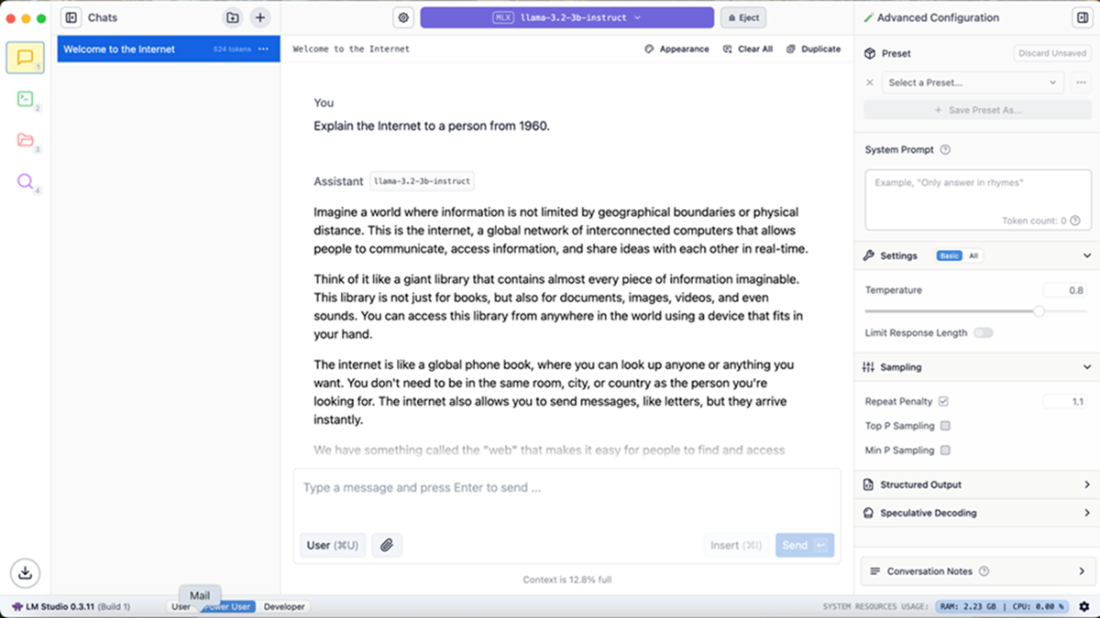
The LM Studio’s Developer view.
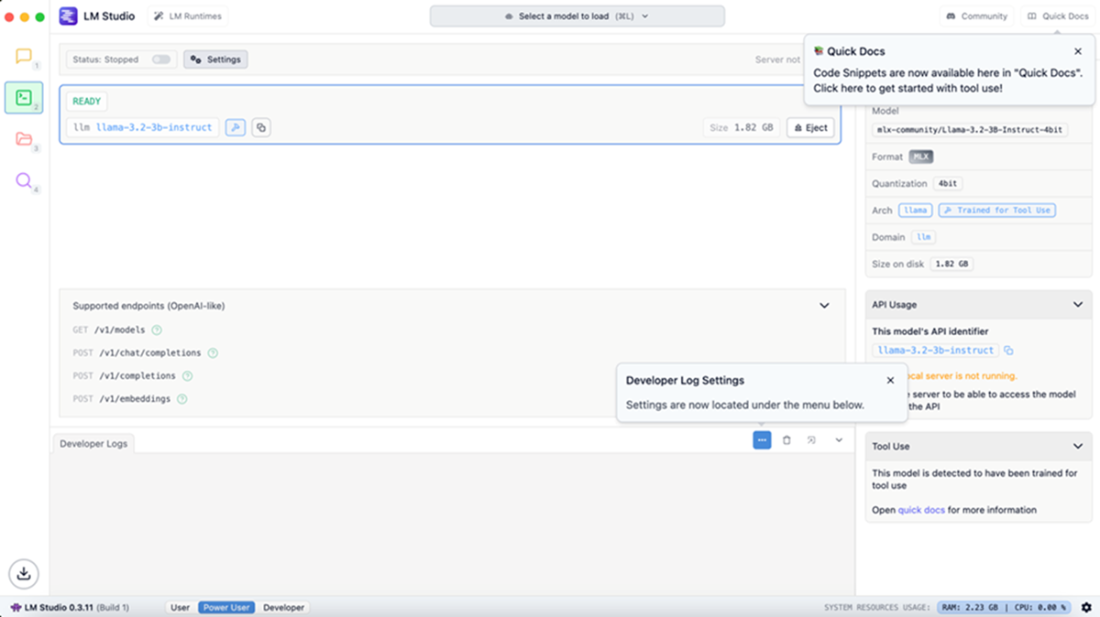
The LM Studio’s Speculative Decoding panel
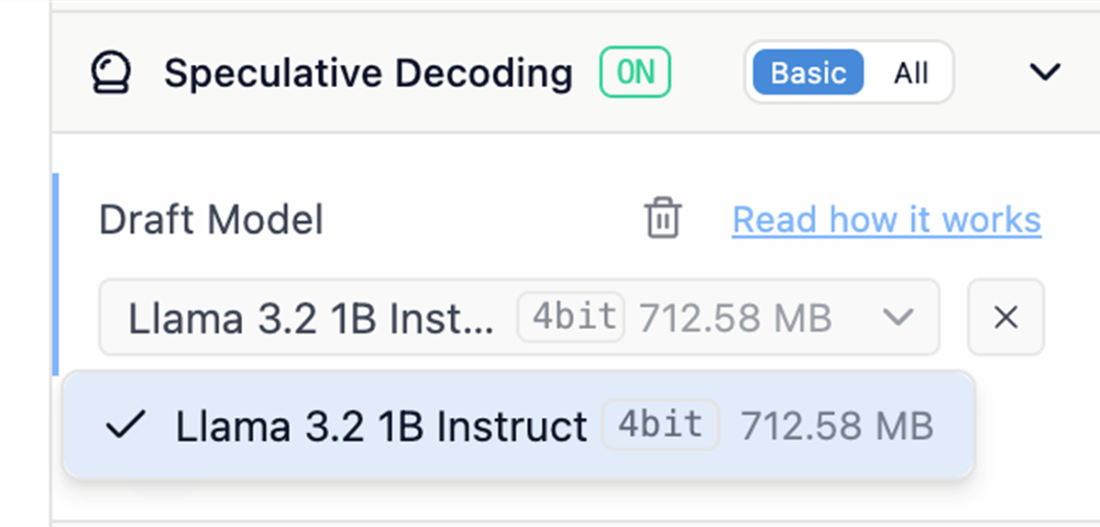
Speculative Decoding in action with the Llama 3.2 3B Instruct (target) and Llama 3.2 1B Instruct (draft) models in LM Studio
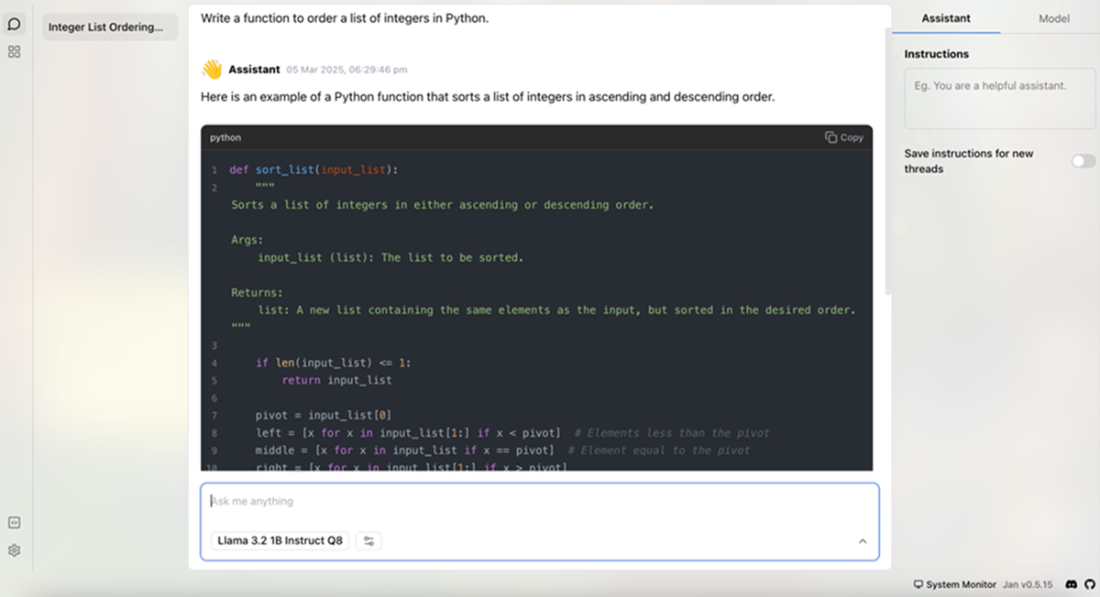
The chat view of the Jan desktop application.
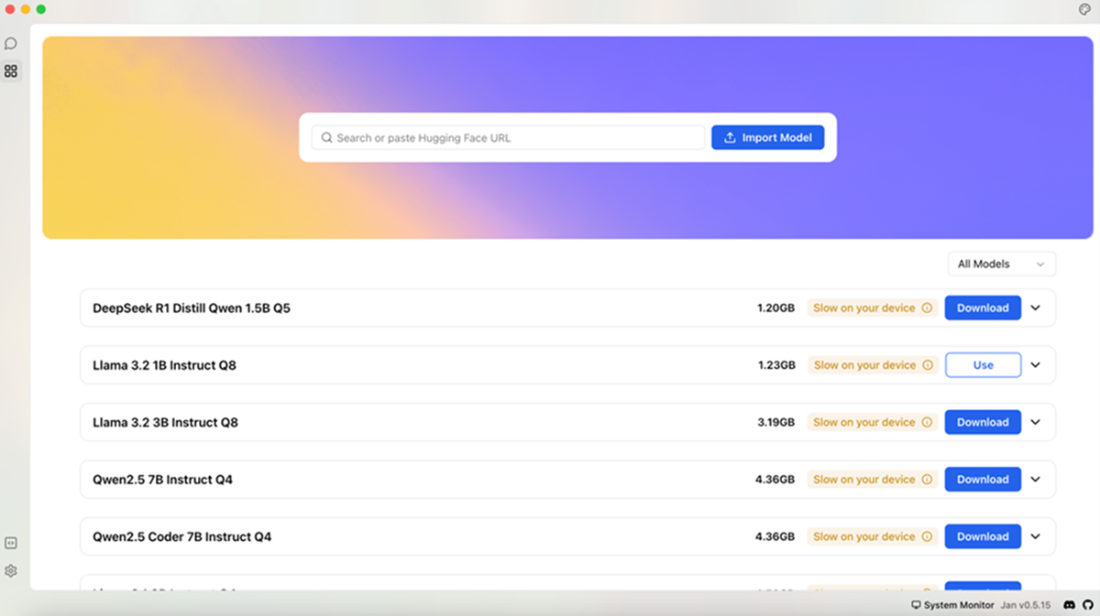
The model selection panel in the Jan desktop application
Summary
- Local language models provide privacy protection by processing data entirely on personal devices without internet connectivity.
- Ollama serves GGUF quantized models through a local API that downloads models automatically when first requested.
- Ollama run command starts both model download and chat interface in a single terminal command.
- GGUF models require approximately 8GB RAM for 7B models and 16GB RAM for 13B models.
- Ollama REST API provides endpoints for chat completions and model management.
- LocalLLM implements a web frontend for Ollama using Flask with streaming responses and model switching capabilities.
- Custom models require conversion to GGUF format using llama.cpp convert_hf_to_gguf.py script.
- Modelfiles define model configuration including templates, parameters, and stop tokens for Ollama deployment.
- LM Studio provides a desktop application with GUI for model management and chat interfaces.
- LM Studio supports both GGUF and Apple MLX model formats for local inference.
- Speculative decoding uses a smaller draft model to predict tokens that are verified by a larger target model.
- LM Studio Python SDK enables programmatic access to local models through convenient and scoped resource APIs.
- Agentic flows in LM Studio allow models to call Python functions as tools during conversation.
- Jan desktop application supports both local models and external commercial API providers.
- Jan requires GGUF format models and provides hardware compatibility warnings during model selection.
- Cortex engine powers Jan with C++ implementation supporting llama.cpp and ONNX Runtime backends.
- Cortex CLI provides commands for server management, model pulling, and chat sessions.
- Local assistants eliminate data transmission to external servers while maintaining full functionality offline.
FAQ
Why would I run a small language model locally on my laptop?
Running an SLM locally helps preserve privacy and safety because prompts, responses, documents, and sensitive data do not need to be sent to third-party cloud services. It also enables offline use after the model has been downloaded, making it useful for personal assistants, productivity tools, RAG applications, and organization-internal workflows.
What is Ollama and what model formats does it support?
Ollama is a local model serving tool based on llama.cpp. It lets users run language models directly on a laptop through a CLI or REST API. Ollama uses GGUF quantized models and can run models from the Ollama catalog or GGUF models hosted on Hugging Face.
How do I run a model locally with Ollama?
After installing Ollama, you can run a model from the terminal with the ollama run command. For example:
ollama run deepseek-r1:8BIf the model is not already installed, Ollama downloads it first. Subsequent runs start the local chat session immediately.
How much RAM do I need to run local models with Ollama?
Because Ollama models are quantized, many can run on laptops, even CPU-only machines, if enough RAM is available. A useful rule of thumb is: about 8 GB of available RAM for 7B or 8B models, 14–16 GB for 13B models, and around 32 GB for 33B models.
Can Ollama be used through an API instead of the command line?
Yes. Ollama includes a local REST API server, listening by default on port 11434. For example, /api/tags returns installed models, and /api/chat can be used for chat completions from local client applications.
How can I import a custom model into Ollama?
A custom model can be converted to GGUF using the convert_hf_to_gguf.py script from the llama.cpp repository. After conversion, you create a Modelfile describing the GGUF file, template, context length, stop tokens, and other parameters. Then you deploy it locally with:
ollama create my-model-name -f ModelfileAfter creation, the model can be run with ollama run my-model-name:latest.
Does Ollama preserve privacy when the laptop is connected to the Internet?
According to the chapter’s analysis of Ollama version 0.5.13, local inference and chatting happen on the locally hosted server, and packet inspection did not show suspicious traffic. However, Ollama includes an update checker that periodically contacts https://ollama.com/api/update with anonymized system information. Users should also protect the local plain-text prompt history file and log files from malware or unauthorized access.
What is LM Studio and how is it different from Ollama?
LM Studio is a free desktop application for running local models on macOS, Windows, and Linux. Unlike Ollama, the desktop app is not Open Source, but it provides Open Source utilities such as Python and JavaScript SDKs. It offers a polished UI, local chat, document attachments for context or RAG, an OpenAI-like local API server, and support for GGUF and Apple MLX models.
What is Speculative Decoding in LM Studio?
Speculative Decoding is an inference optimization that uses two models: a larger target model and a smaller, faster draft model that share the same tokenizer. The draft model predicts future tokens, and the target model accepts or rejects them. When many draft tokens are accepted, generation can be faster without reducing output quality. The chapter gives an example using Llama 3.2 3B Instruct as the target model and Llama 3.2 1B Instruct as the draft model.
What is Jan and what role does Cortex play in it?
Jan is a 100% Open Source desktop application for chatting with local models and, optionally, cloud models from providers such as OpenAI, Anthropic, Google, Groq, and others. For local use, it supports GGUF models and includes an OpenAI-compatible local API server. Jan is powered by Cortex, an Open Source embeddable local AI engine written in C++ that can also be installed and used independently through the cortex CLI.

 Domain-Specific Small Language Models ebook for free
