7 Spatial context and 3D insight
Three-dimensional visualization gives digital twins the spatial context they need to become intuitive, explorable representations of the physical world. By adding depth, scale, and real-world geometry, 3D views make complex systems easier to understand than 2D charts alone—revealing relationships such as elevation, visibility, networks, and proximity. This spatial insight underpins use cases from urban planning and environmental analysis to equipment inspection and facility operations, turning data streams and models into visually coherent, place-aware experiences.
At the core are mesh fundamentals—vertices, edges, faces, polygons, and normals—enhanced by texture mapping for photorealism. Modern web stacks render these models efficiently via WebGL and libraries like Three.js, while geospatial tiling standards (such as 3D Tiles and I3S) stream massive datasets with hierarchical level of detail and feature metadata. Accurate placement relies on georeferencing and transformation matrices that combine translation, rotation, and scale, enabling overlays of sensor data at precise locations. Effective interaction and performance depend on established navigation paradigms (orbit and walkthrough) and optimization techniques including LOD, frustum/backface/occlusion culling, progressive loading, caching, and adaptive quality.
Reality capture methods broaden how twins are created and maintained: 360-degree imagery for rapid context, photogrammetry (SfM) for textured geometry, LiDAR for millimeter accuracy, and SLAM for fast mobile mapping without GPS. Emerging techniques like NeRF and Gaussian splatting raise visual fidelity and interactivity, while USD and platforms such as Omniverse enable interoperable, physics-aware, real-time collaboration across teams and tools. Immersive modalities—VR for full-scale simulation, AR for in-situ overlays, and MR for spatially aware blending—extend how users perceive and act on twin data. Building effective visualizations ultimately requires task-driven choices, robust security and access control, strong UX, and scalable data-to-visualization pipelines that aggregate, simplify, and stream updates in near real time.
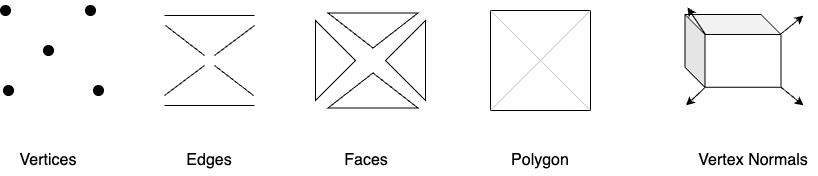
Geometric 3D modeling primitives that form the basis of mesh based models.
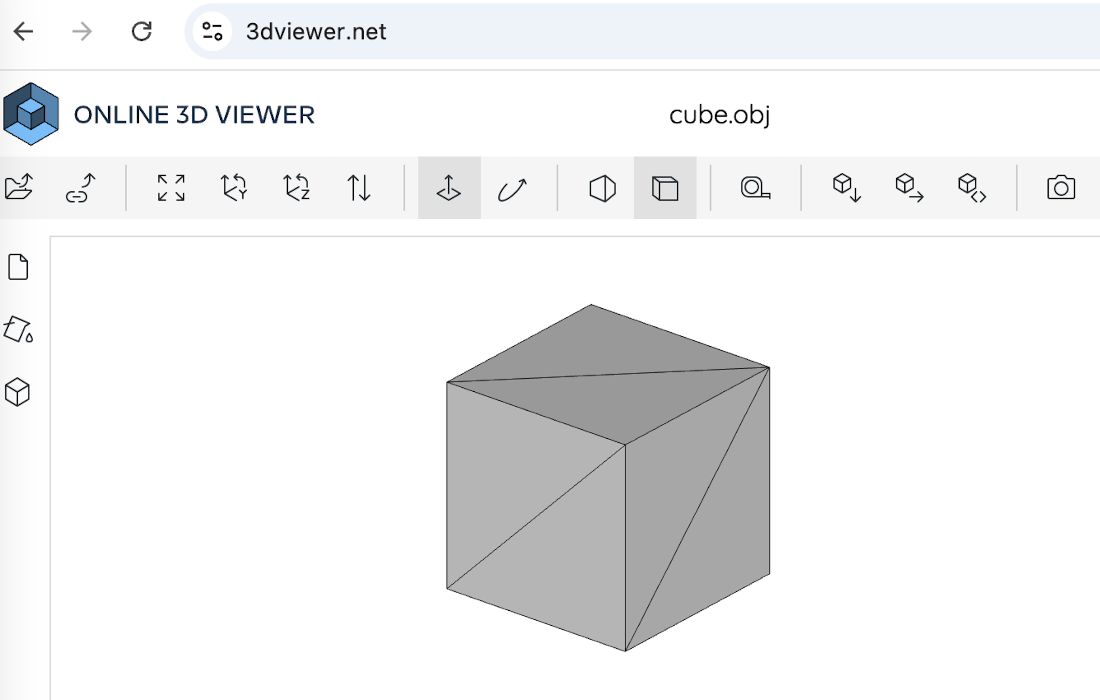
Using an online OBJ file viewer to view the mesh-based 3D geometric model of a cube that we defined in listing 7.1.
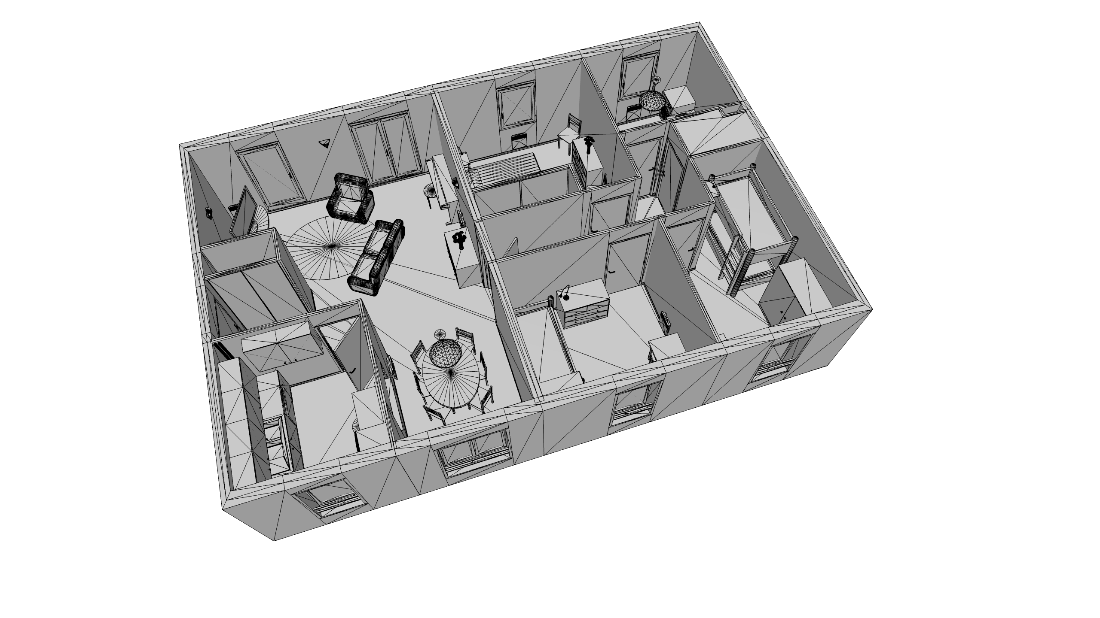
A mesh-based 3D geometric model of an apartment showing how the 3D modeling primitives can be used to model more complex structures.
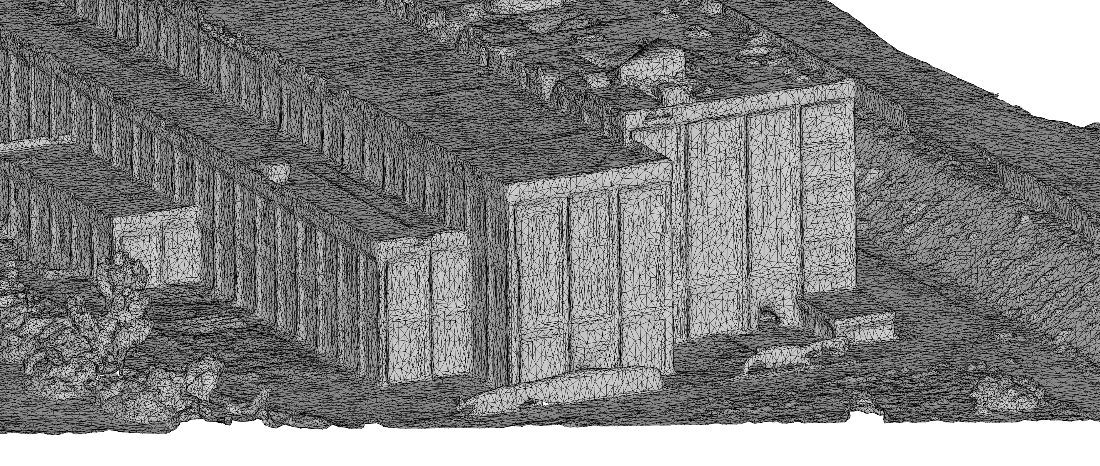
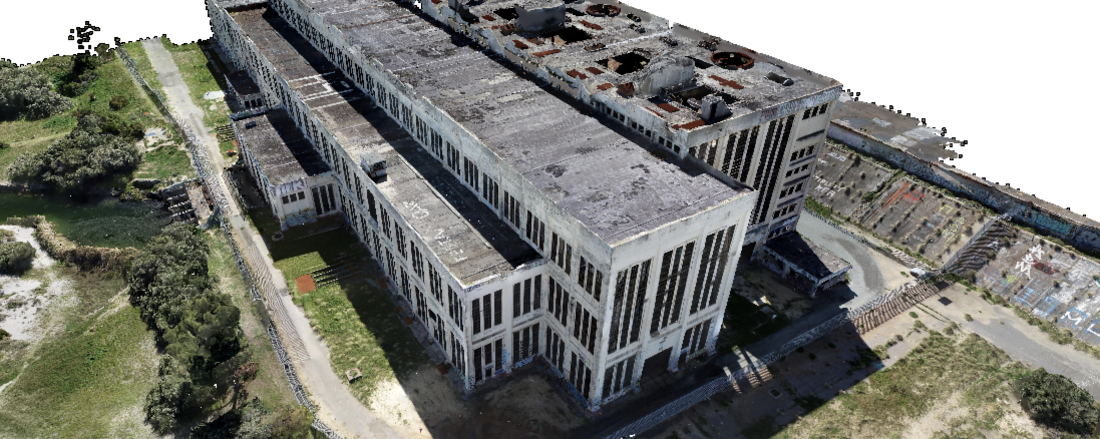
A mesh-based geometric 3D model of a large physical structure, created using photogrammetry from aerial photographs taken by a drone, demonstrating how large physical structures can be modeled using the primitives from figure 7.1.
The mesh-based 3D geometric model from figure 7.4, with texture overlay, demonstrating the photorealism that such a model provides.
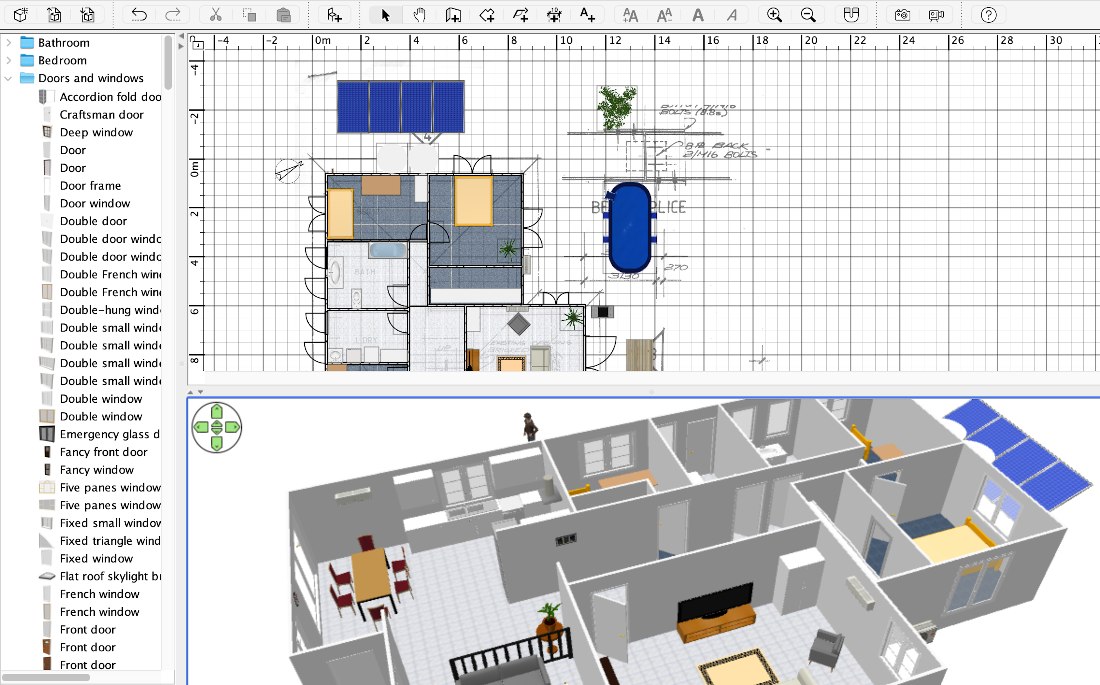
Using the scanned blueprint of my home to create a 3D geometric mesh-based model.
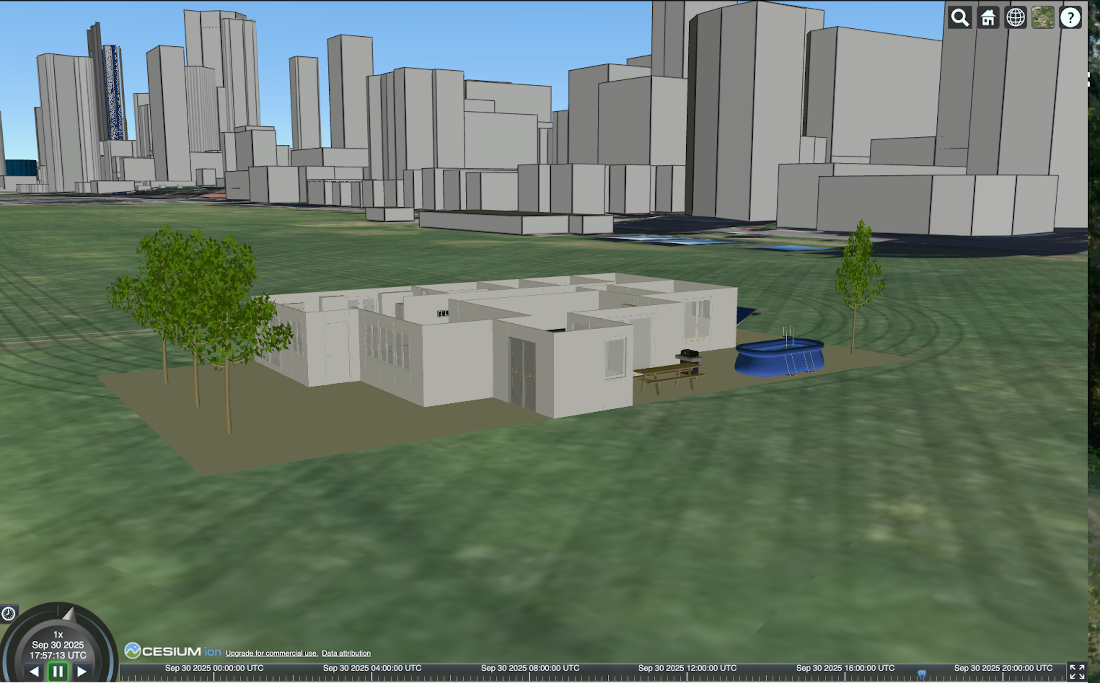
The 3D model of my home spatially located in downtown Perth using CesiumJS with a coordinate transformation matrix, and including the OSM 3D building layer.
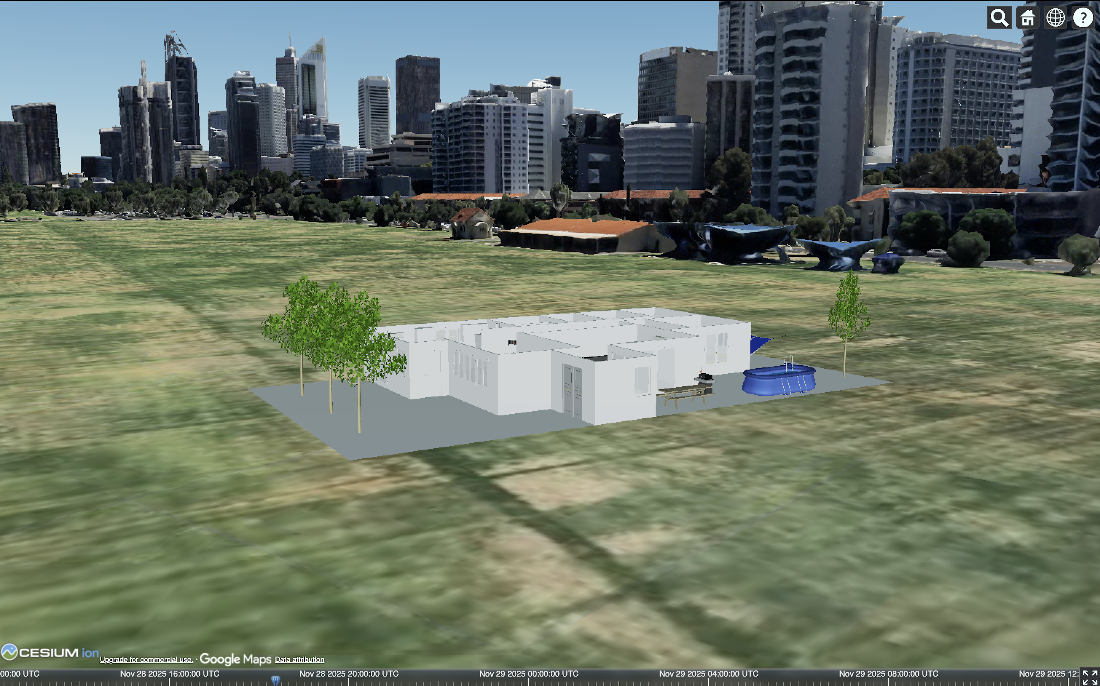
The 3D model of my home with Google’s photorealistic 3D tileset also loaded in the scene. Imagery © 2025 Google.
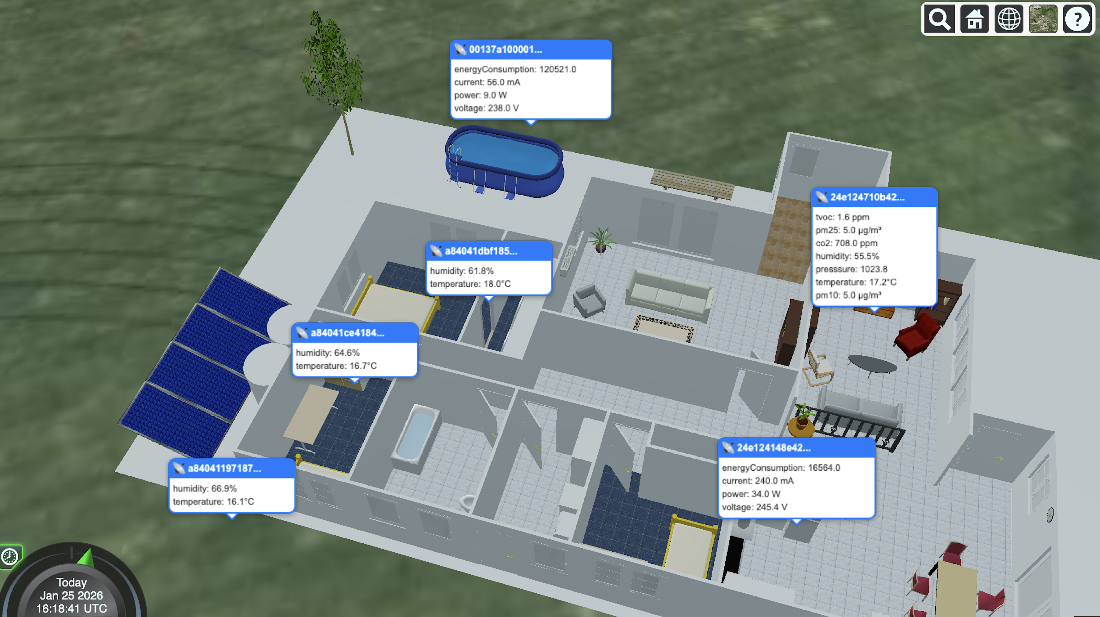
By transforming the local coordinates of the sensor taking the measurement (as plotted on the floorplan during sensor installation) to global coordinates, I can place the measurements within the scene at their appropriate spatial locations.
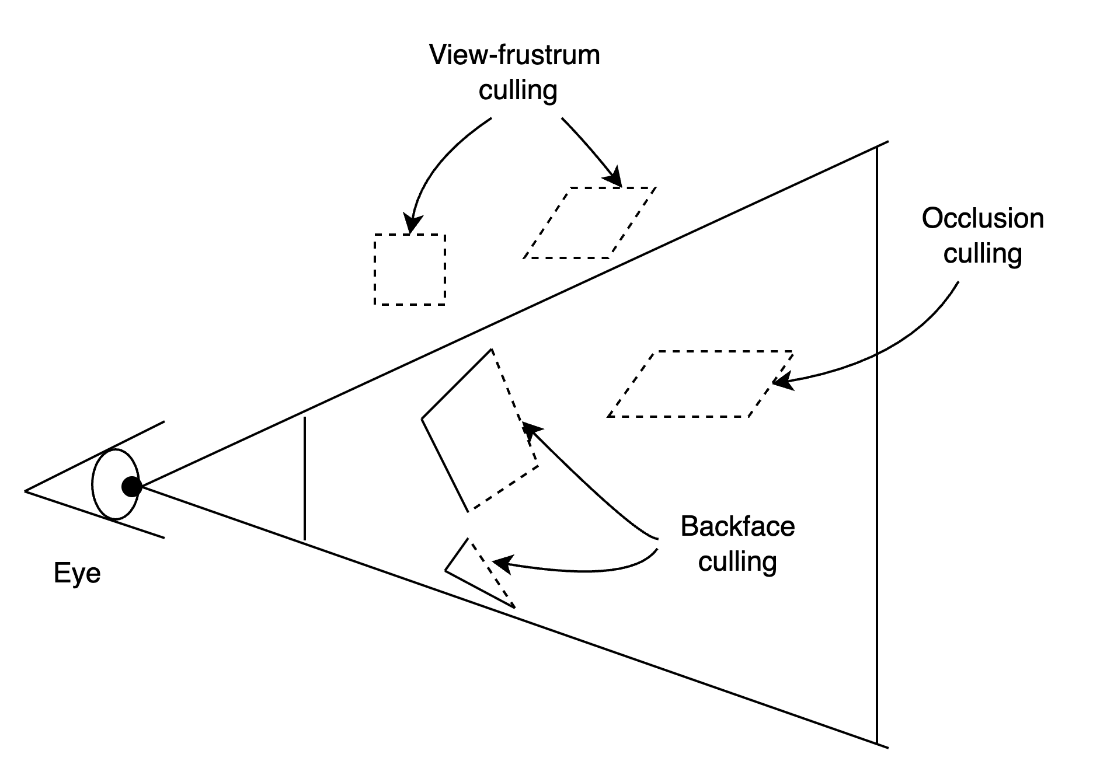
Different forms of culling objects that are not visible within the view to improve the performance of 3D rendering.
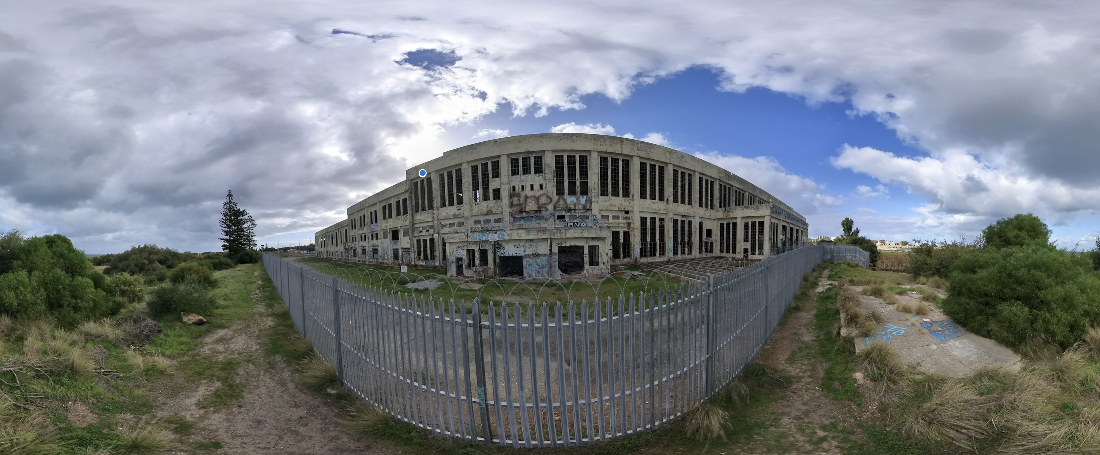
A 360° image of the abandoned power station seen in figure 7.4, shown as an equirectangular image.
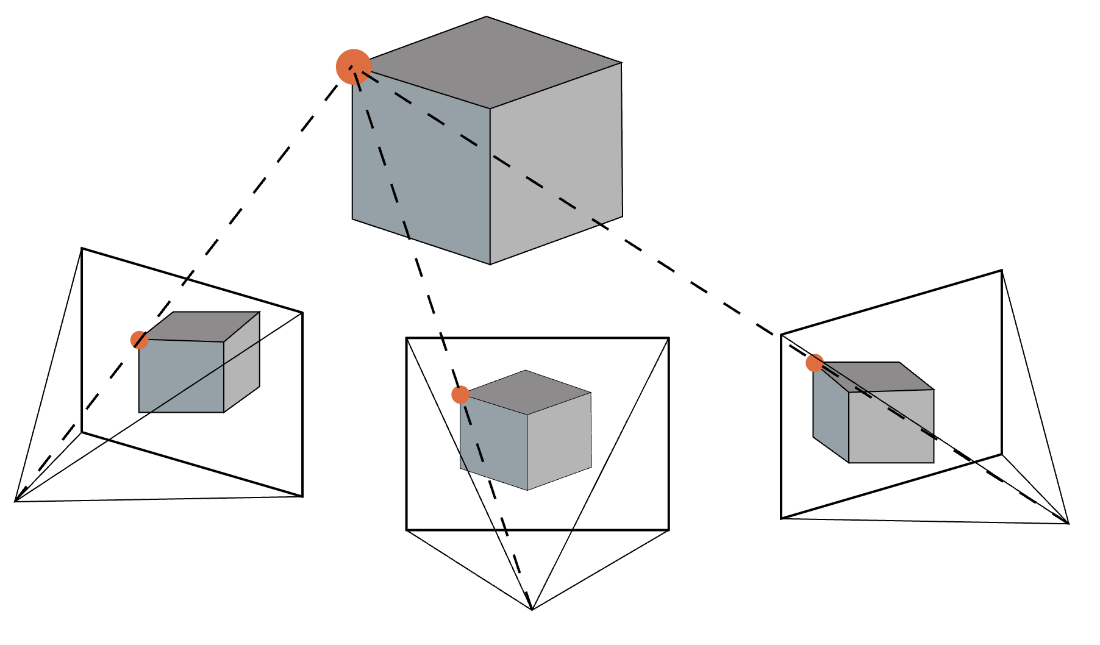
The structure from motion problem. What kind of camera took these pictures, and where was it when each picture was taken? Image © Piero Toffanin, OpenDroneMap, reproduced with permission.
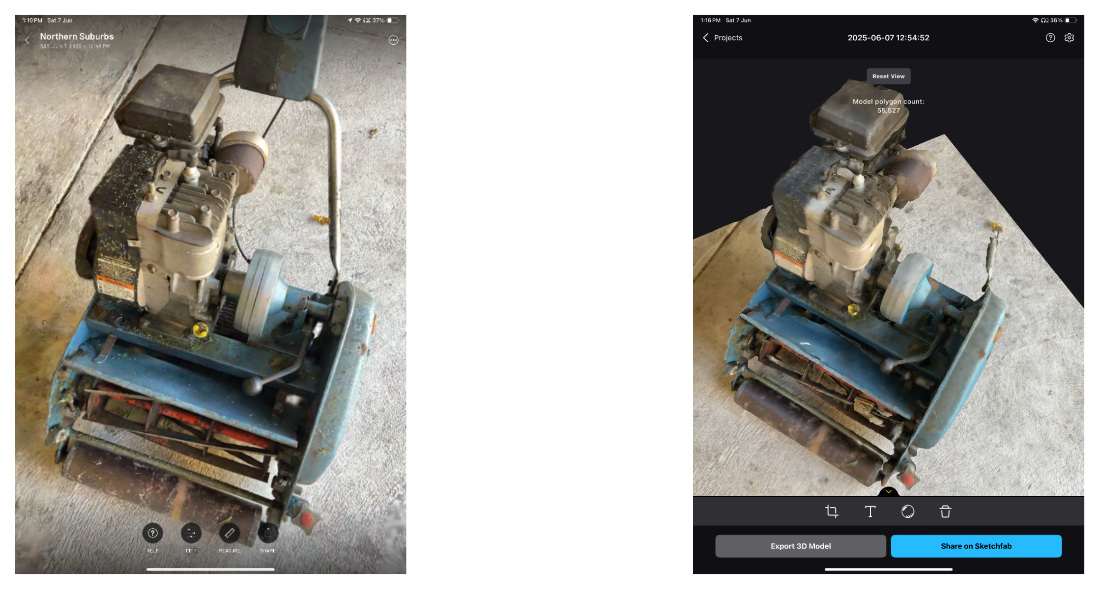
A 3D model created using Gaussian splatting using the Scaniverse app compared with a textured mesh created with photogrammetry using the RealityScan app, both on a 3rd generation iPad Pro.
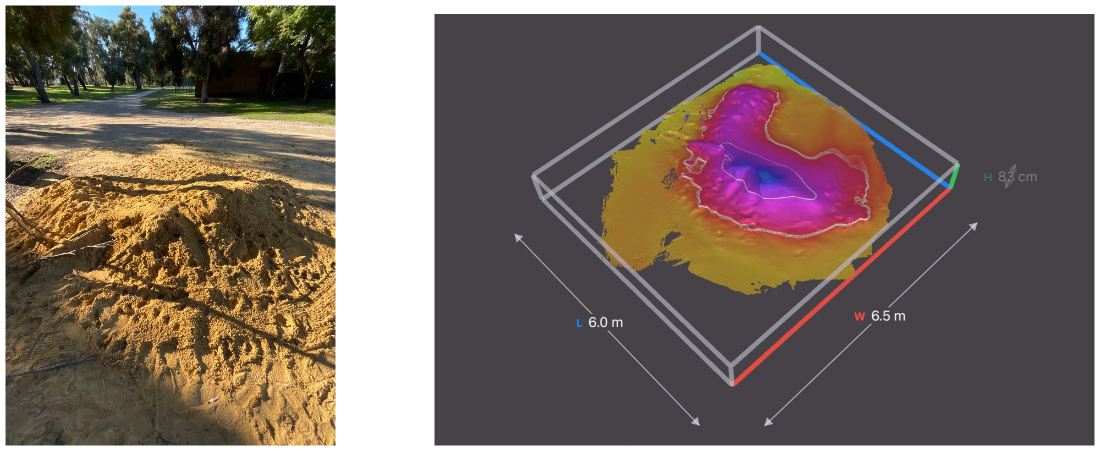
A 3D model of a pile of sand (left), created using the LiDAR sensor on a 3rd generation iPad Pro 11" with the 3D Scanner app, showing how accurate volume calculations and measurements can be performed from the model.
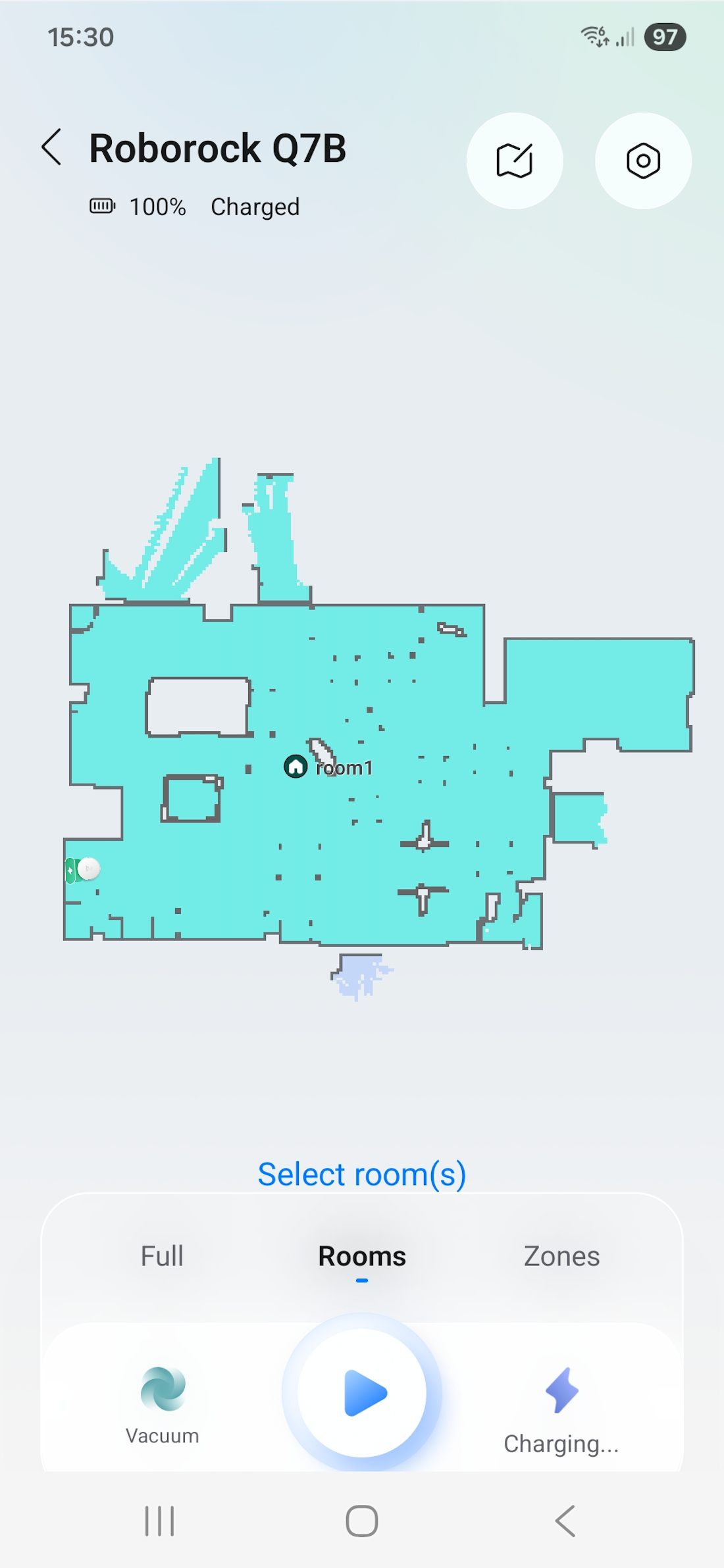
A room and the furniture within it mapped by LiDAR based SLAM in a robotic vacuum cleaner.
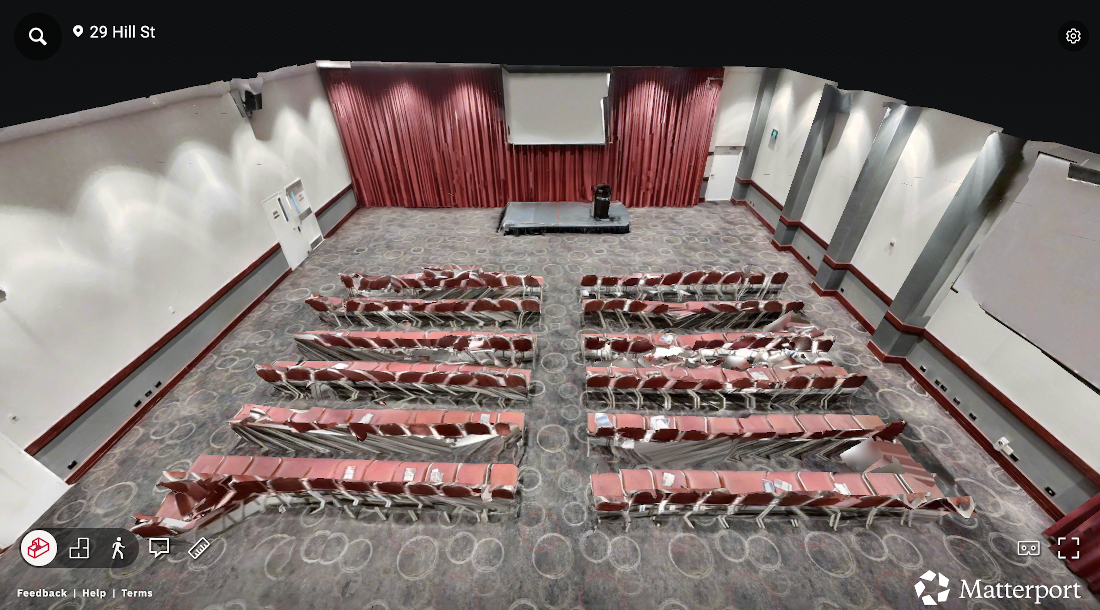
An immersive 3D model of a conference venue captured using Matterport. See the 3D animation here https://3d.dtia.site/matterport.gif.
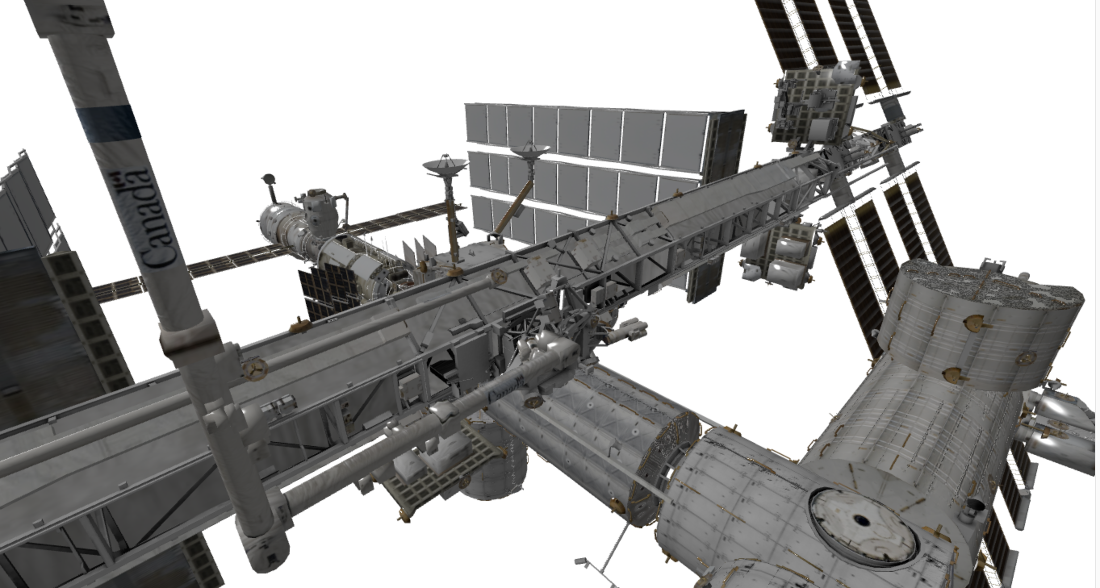
A 3D model of the International Space Station created as a universal scene description file. Available at https://science.nasa.gov/resource/international-space-station-3d-model/. © NASA Visualization Technology Applications and Development (VTAD).
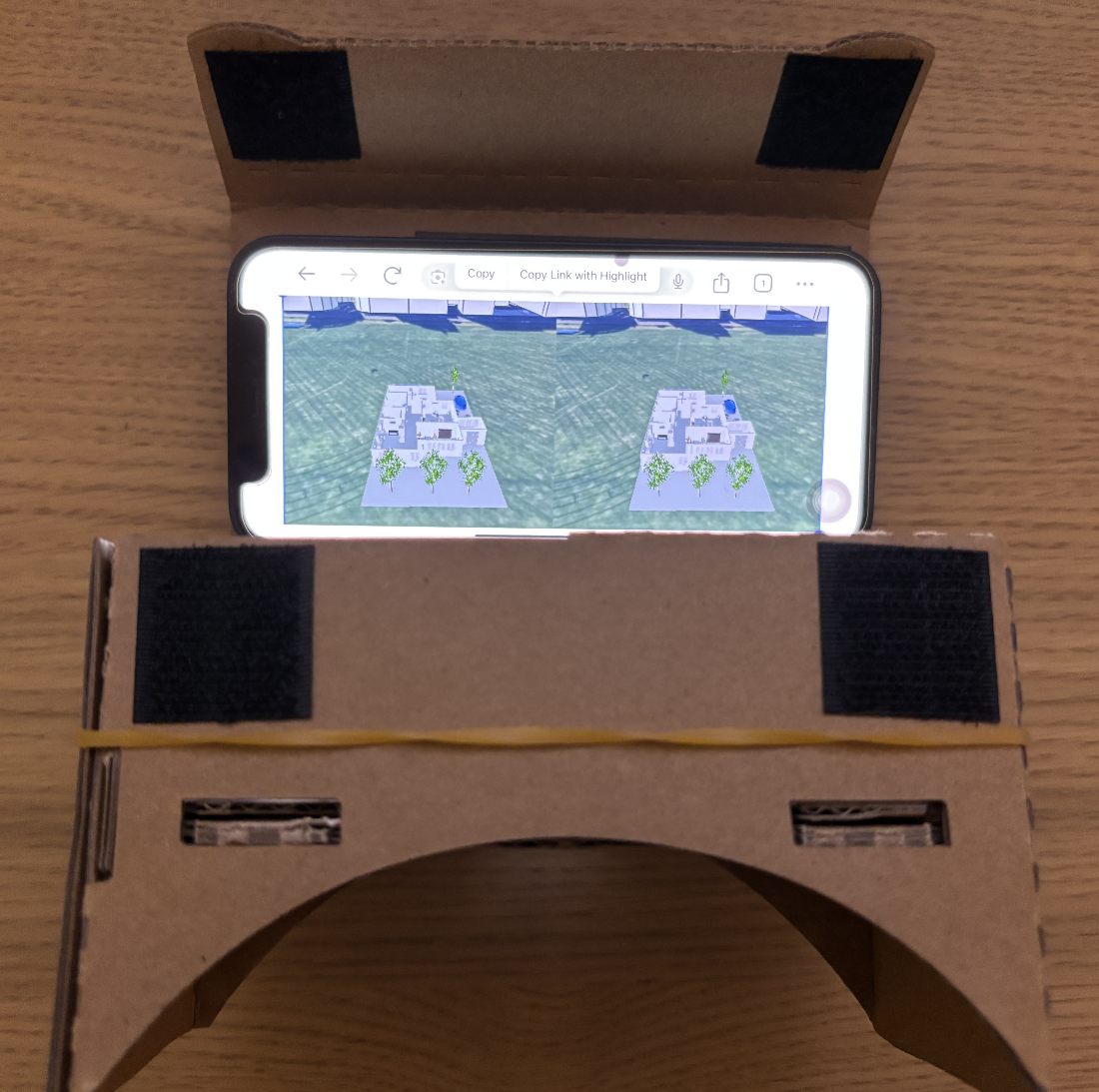
The VR enabled Cesium page ( https://3d.dtia.site/cesium/vr/index.html) viewed on a smartphone and placed in a cardboard viewer gives a low-cost VR experience.
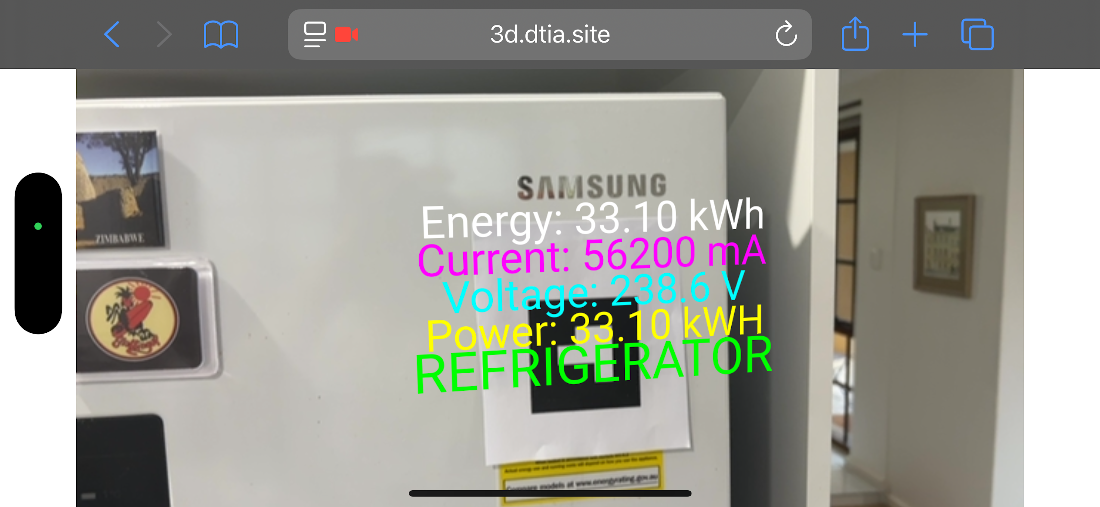
Using an AR marker and the AR.js library to anchor data from my refrigerator in a camera view.
Summary
- Three-dimensional models provide essential spatial context for complex systems, making physical relationships, scale, and depth immediately comprehensible.
- WebGL, Three.js, and standards such as 3D Tiles and I3S enable interactive, browser-based visualization of large-scale 3D datasets, including geospatially accurate placement of models.
- Spatially locating sensor data and other information within 3D models preserves geometric context, enabling intuitive visualization, volumetric analysis, and actionable insights.
- Techniques such as level-of-detail management, frustum and occlusion culling, progressive loading, and adaptive quality are critical to maintaining responsive and high-fidelity 3D environments.
- Different visualization approaches, including 2D charts, geospatial views, 360-degree photographs, mesh-based models, LiDAR, photogrammetry, extended reality, and USD, offer trade-offs between fidelity, performance, interactivity, and hardware requirements.
FAQ
Why is 3D visualization essential for digital twins?
It provides spatial context—scale, depth, and physical relationships—that 2D charts can’t convey. For inherently 3D systems (buildings, terrain, plants), 3D views make patterns and interactions easier to understand, improving communication, analysis, and decisions.What is a mesh-based 3D model and what are its core primitives?
A mesh is built from simple components: vertices (x,y,z points), edges (between vertices), faces (usually triangles), polygons (coplanar faces), and vertex normals (for lighting). Meshes balance fidelity and performance and render well in browsers for broad distribution.Which text-based 3D formats should I know (OBJ, PLY, STL), and when do I use each?
- OBJ: Human-readable, indexed geometry; widely supported (great for learning and general workflows).- PLY: Designed for scanner output; per-vertex attributes (color, confidence); ASCII or binary.
- STL: Triangle lists (no indexing); de facto for 3D printing; larger, repetitive files.
How does texture mapping make 3D models look photorealistic?
Texture mapping projects 2D images onto 3D geometry so materials, colors, and details appear realistic. Photogrammetry workflows often generate both the mesh and its textures, producing highly lifelike results compared to untextured geometry.How do I put large 3D scenes on the web efficiently?
Use WebGL (GPU in the browser) via libraries like Three.js for scenes and loaders. For city- or facility-scale content, stream with OGC 3D Tiles or I3S/SLPK, which use hierarchical level of detail (HLOD) to load only what’s needed and preserve feature metadata.How do I geospatially position a 3D model in CesiumJS?
Convert the model to 3D Tiles (e.g., with Cesium ion), then apply a model matrix composed of translation, rotation, and scale. Translation uses eastNorthUpToFixedFrame at your lon/lat/height; rotation aligns to true north; scale matches real-world size.How can I overlay sensor data at the correct 3D locations?
Transform each sensor’s local coordinates into global coordinates using the same model matrix that places your asset. This anchors data in ECEF/global space so popups, markers, and heatmaps appear exactly where measurements occur.What are practical ways to keep 3D visualization performant?
- Rendering: Level of Detail, frustum culling, backface culling, and occlusion culling.- Workflow: Profile first (CPU vs GPU), progressive loading, caching derived data, and adaptive quality to preserve responsiveness on lower-end devices.
Which reality-capture method should I choose?
- 360° photos: Fast, immersive context; no true geometry.- Photogrammetry (SfM): Accessible, photorealistic textures; moderate geometric precision; compute-intensive.
- LiDAR: Millimeter accuracy and complex geometry; larger files, specialized hardware.
- NeRF: Photorealism with view-dependent effects; great for reflective/transparent surfaces.
- Gaussian splatting: Real-time, high-fidelity view synthesis; excellent for interactive experiences.
- SLAM: Mobile, indoor mapping without GPS; fast capture with acceptable drift.
How do VR, AR, and MR fit in—and what UX and security practices matter?
- VR: Full immersion for design reviews and training.- AR: Contextual overlays on real equipment for field tasks.
- MR: Spatially aware blending for collaborative planning.
- UX: Use standard controls (e.g., OrbitControls), provide a Reset Camera, avoid custom schemes that break muscle memory.
- Security: Enforce role-based access, mask sensitive data, and secure live streams; design a scalable data-to-visualization pipeline (aggregation/downsampling, WebSockets/MQTT) for low-latency updates.

 Digital Twins in Action ebook for free
