6 Visualization and insight
Visualization turns the otherwise invisible data structures of a digital twin into information people can quickly understand and act on. By mapping measurements and states from sensors, systems, and models into 2D visuals, teams compress complexity into perceptible patterns that align with how humans process sight far faster than text. Effective design hinges on sound data-to-visual encodings (for example, position for quantities, hue for categories), clear role-based views for operators, engineers, executives, and maintainers, and UX practices like progressive disclosure, fast interactions, and accessibility. Because visuals shape trust, the chapter stresses showing data recency, surfacing uncertainty, and being transparent about any smoothing or aggregation.
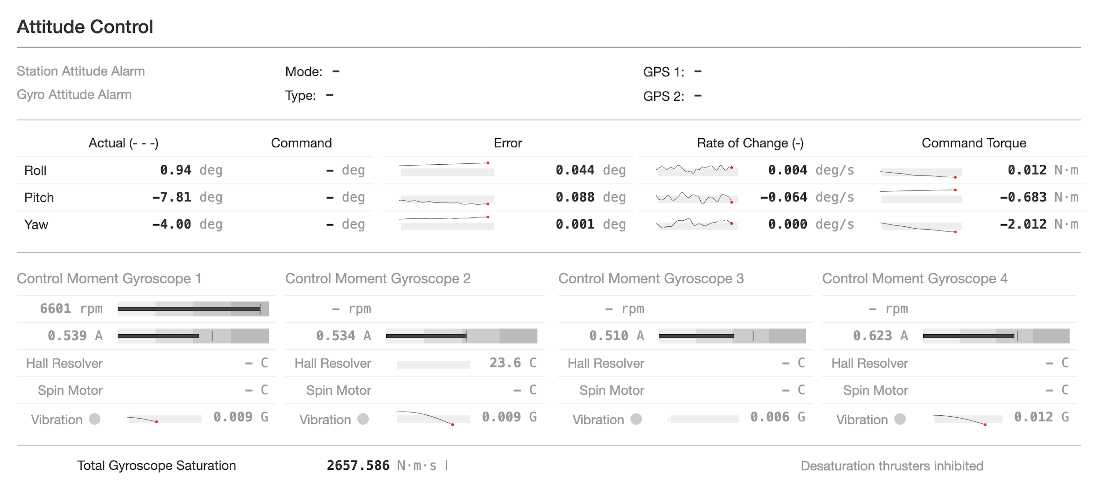
The chapter surveys core 2D techniques that deliver insight at different scales and contexts. Charts and timeseries reveal trends, cycles, and anomalies; compact forms like sparklines communicate many signals in little space. Dashboards integrate multiple panels—often with concise indicators such as bullet graphs—to provide at-a-glance system health, especially when paired with spatial cues that anchor metrics to the assets they describe. Schematic views (such as P&IDs and mimic/HMI displays) prioritize functional topology over physical layout to support operations and troubleshooting. Spatial visualizations place data on floorplans or maps to answer “where” immediately, while heatmaps condense dense behavior across time, space, or categories to expose patterns that might be missed in tables.
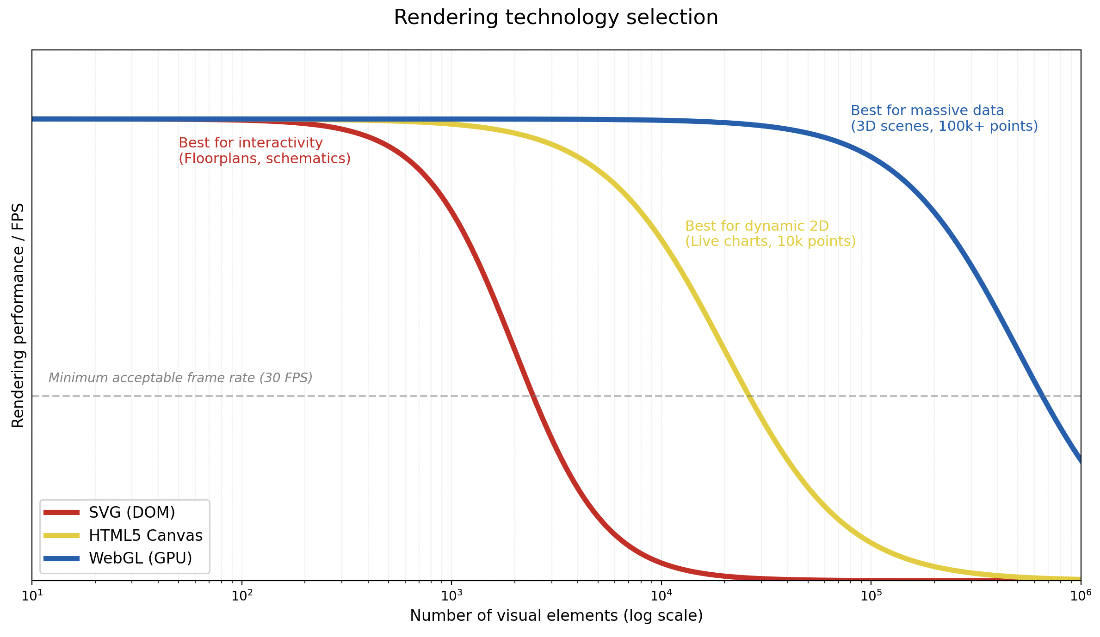
Delivering responsive, trustworthy visuals at scale requires engineering choices as much as design choices. The chapter outlines when to use SVG, Canvas, or GPU-accelerated WebGL; how to keep interactions fluid with culling, debouncing, and pre-aggregation; and how to manage exploding timeseries via decimation (including visually lossless simplification) and multi-resolution storage so viewers can zoom smoothly from overview to detail. It also recommends favoring production-ready platforms like Grafana for most monitoring needs—benefiting from native timeseries support, heterogeneous data source integration, alerting, and interactive exploration—reserving custom rendering for the truly specialized views. The unifying theme is to make the right information obvious, fast, and reliable, without hiding the limits or freshness of the underlying data.
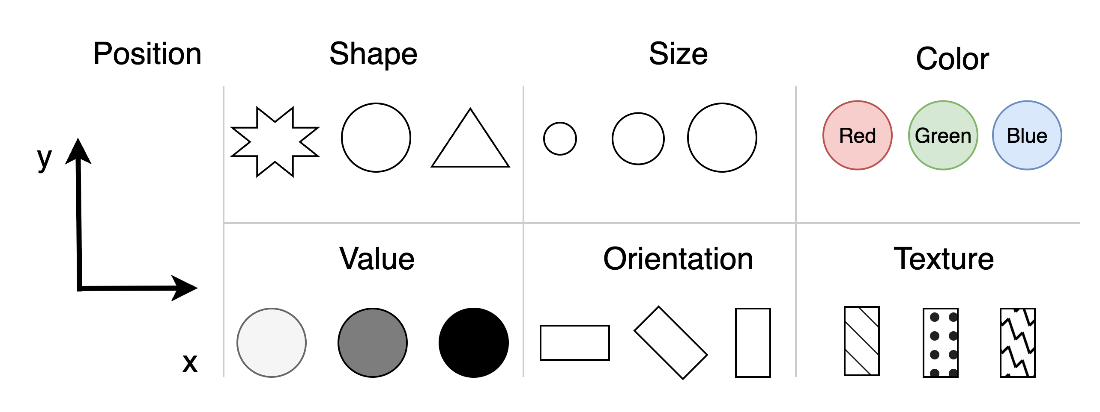
Jacques Bertin’s seven visual variables from his 1967 book Sémiologie graphique provide a ruleset for translating raw sensor data into actionable visual insights in a digital twin.
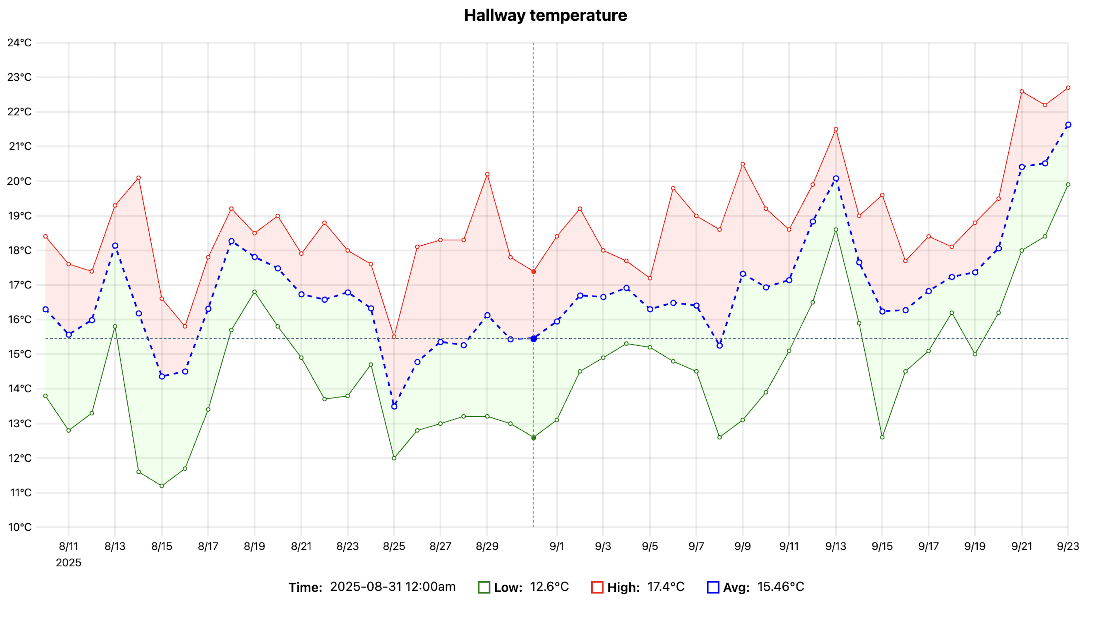
A line graph plotted for the daily mean, low, and high temperatures from a temperature sensor in my hallway over a forty-five day period in spring, allowing for continuous monitoring of the sensor’s performance and detecting any unusual or unexpected thermal patterns.
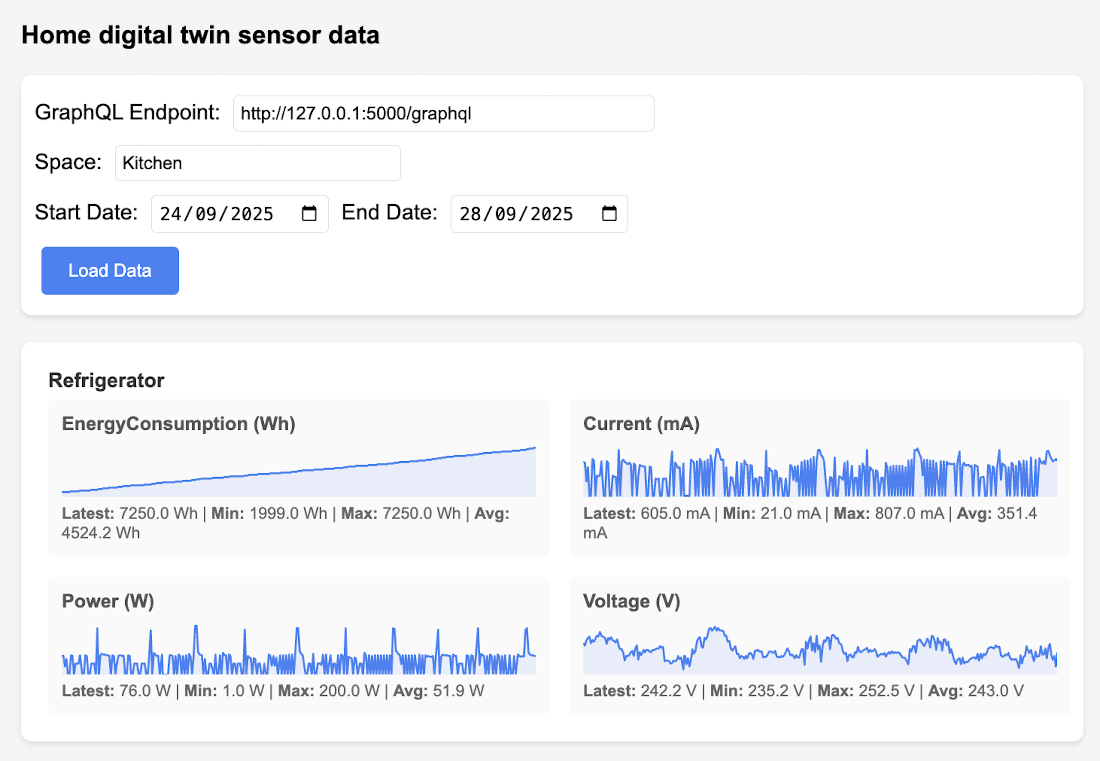
A visualization of all sensor measurements related to a specified space, for a given time period in my home. Each set of measurements is rendered as a sparkline graph, showing the minimum, maximum, average, and latest reading for the given time period.
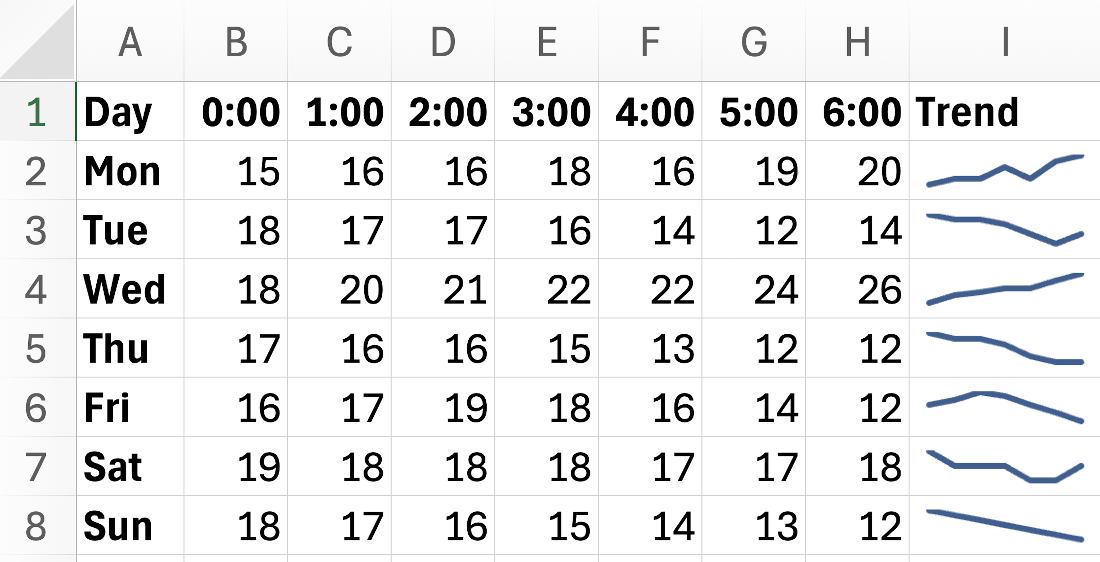
Sparklines in Microsoft Excel can clearly communicate trends across large data sets.
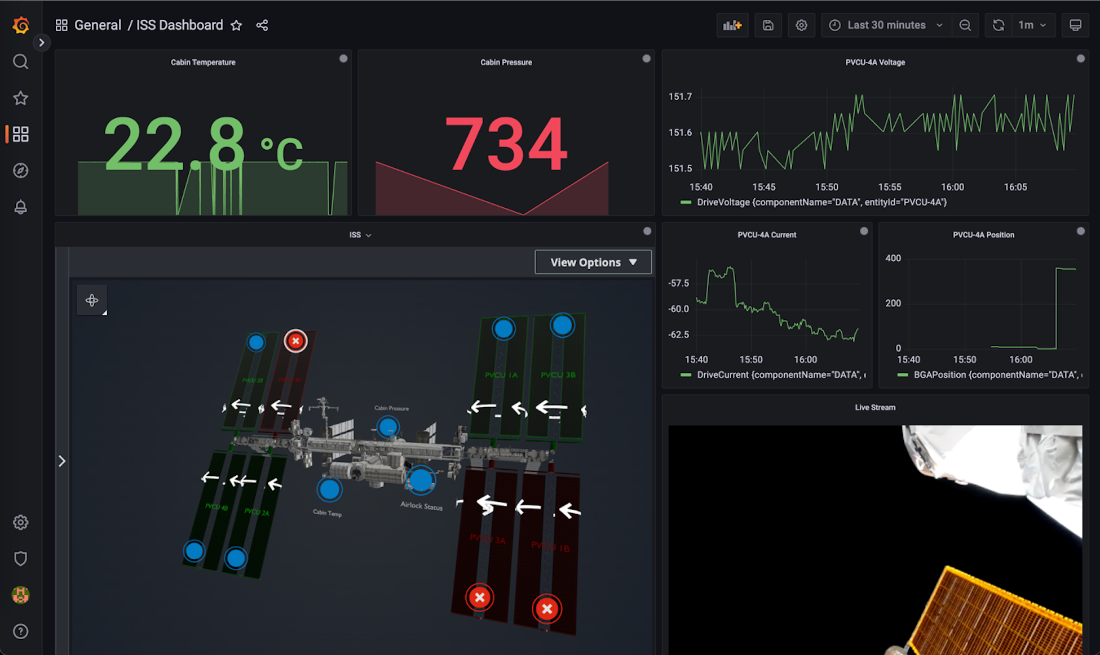
A dashboard showing a range of telemetry from the ISS, enabling mission controllers and crew to continuously monitor complex systems and environmental conditions in real-time.
An example of a dashboard built with AWS TwinMaker showing the same telemetry data from the ISS as figure 6.6, but spatially located on a 3D model of the station itself, to support better contextualization of the data. Source: https://aws.amazon.com/blogs/publicsector/using-aws-iot-twinmaker-build-spacecraft-digital-twin/.
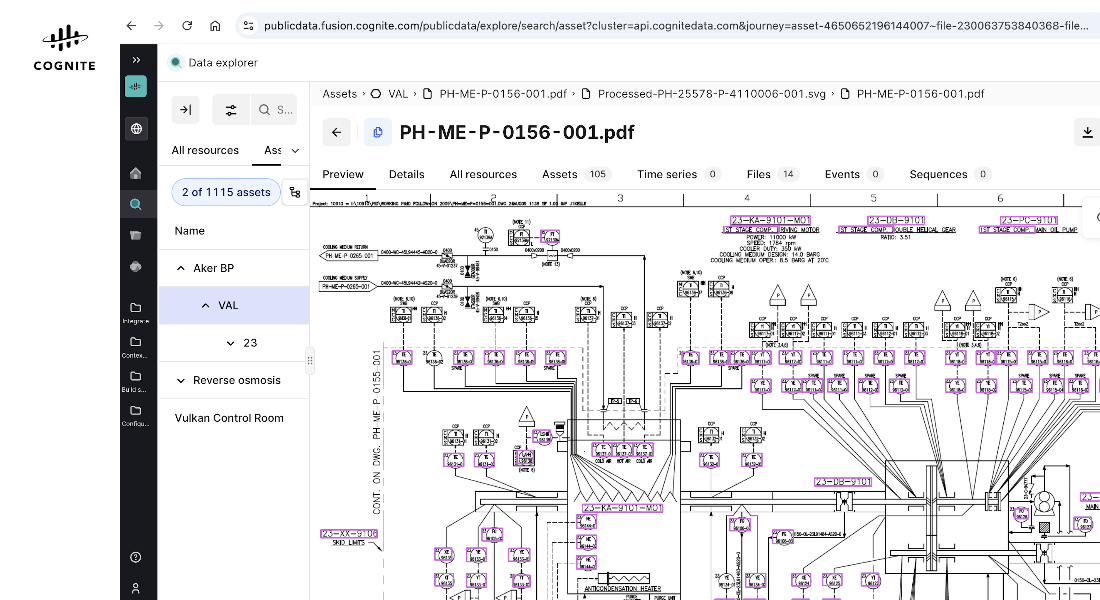
A P&ID diagram shown in Cognite Data Fusion™ showing equipment on the Valhall oil production platform. Image © Cognite™ ( https://www.cognite.com/en), reproduced with permission.
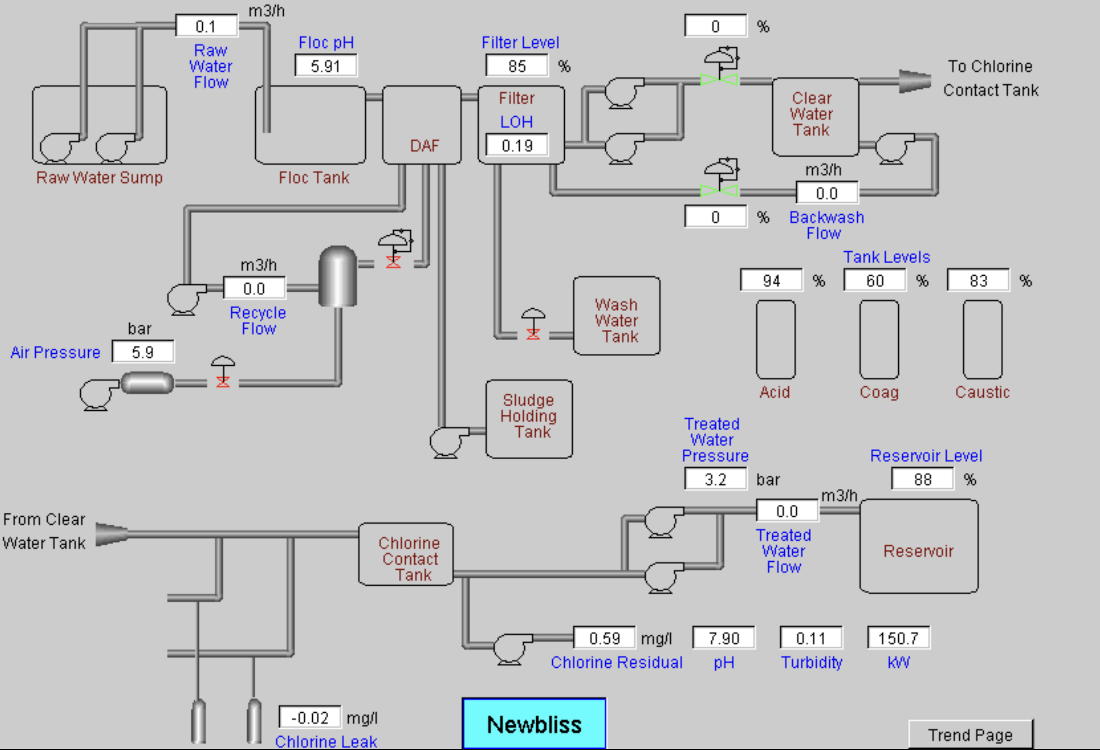
A mimic of a physical operator panel showing how important components are connected together and overlaying data from sensors. Source https://www.dexdyne.com/veolia-water. © Dexdyne.
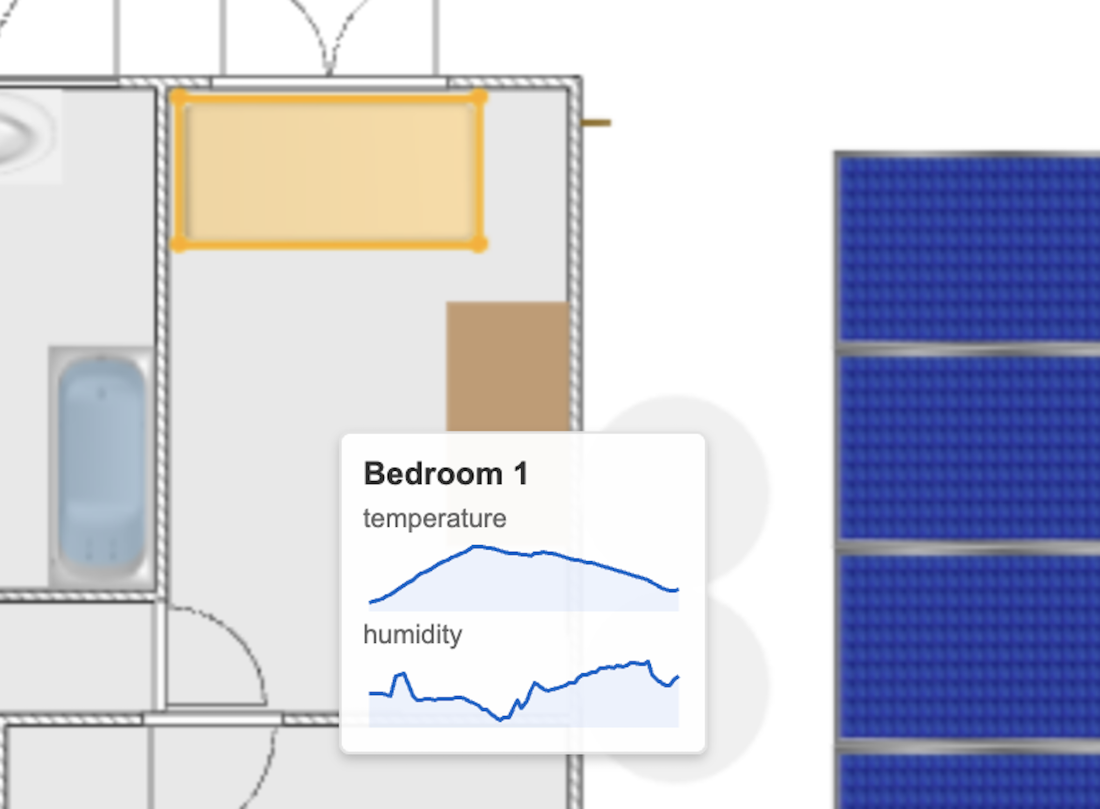
Data visualization overlaid over a floorplan to provide spatial context to the data, linking abstract measurements and metrics directly to their physical location, and guiding effective physical actions.
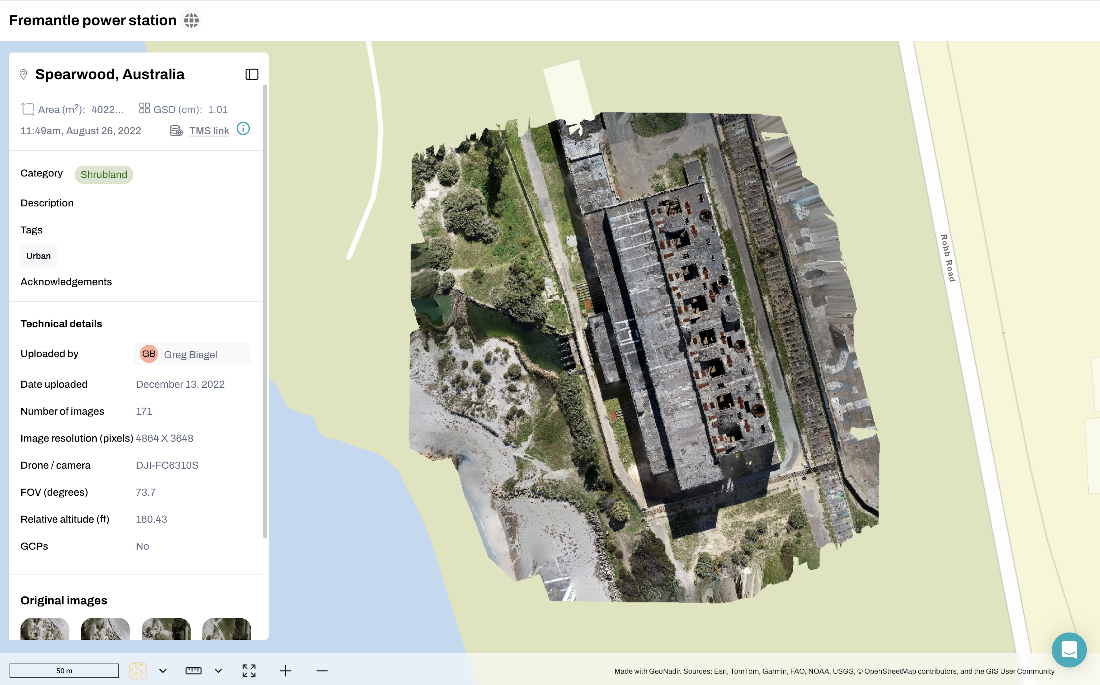
An orthomosaic image of a construction site created from drone photography and overlaid on a map. Available at https://data.geonadir.com/image-collection-details/1682. © OpenStreetMap, GeoNadir
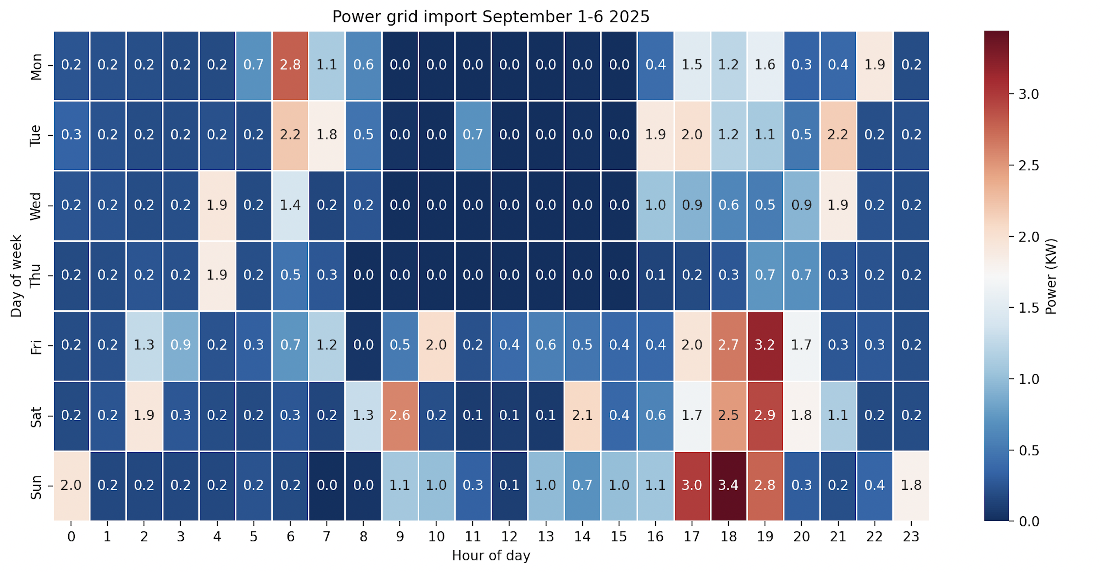
A heatmap showing the hourly distribution of power import in my home over a week in September 2025.
A performance comparison of web rendering technologies. Selecting the right technology depends heavily on the number of visual elements required.
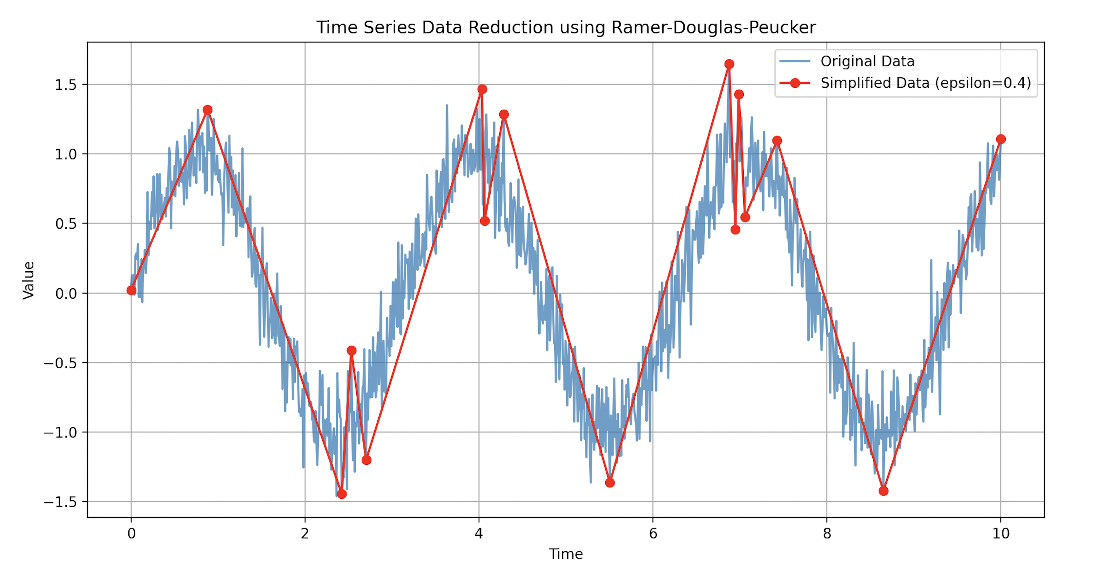
An example of applying the RDP algorithm to 1000 data points, reducing these to 16 points, while maintaining the essential shape of the trend.
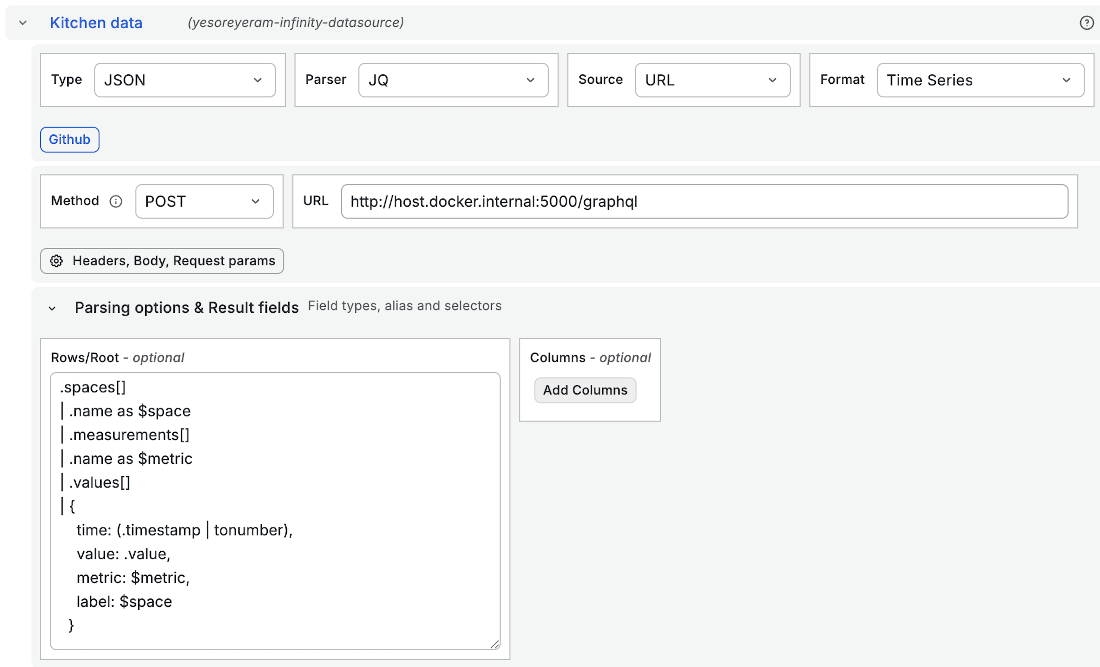
Configuration of the Infinity data source using jq to transform the nested JSON of the API response into tabular data for charting.
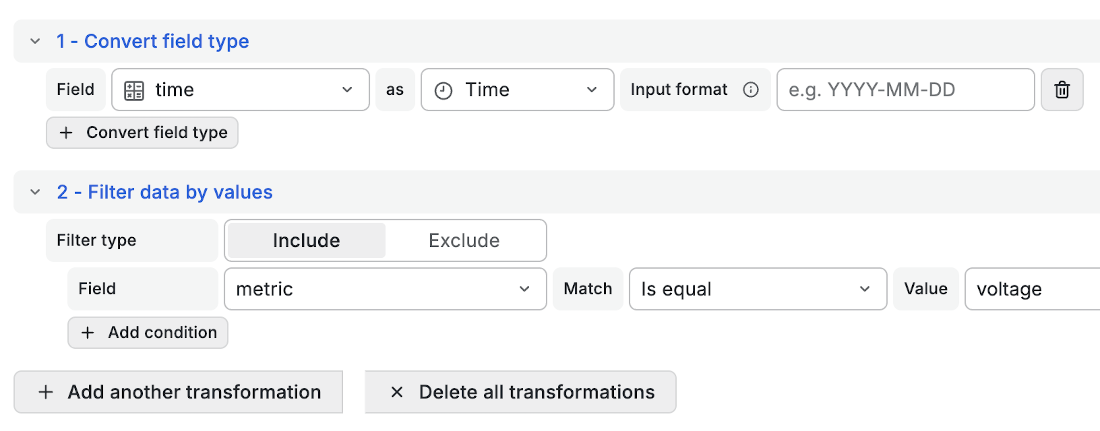
Two transformations configured in the Infinity data source to format the data correctly for Grafana timeseries visualization.
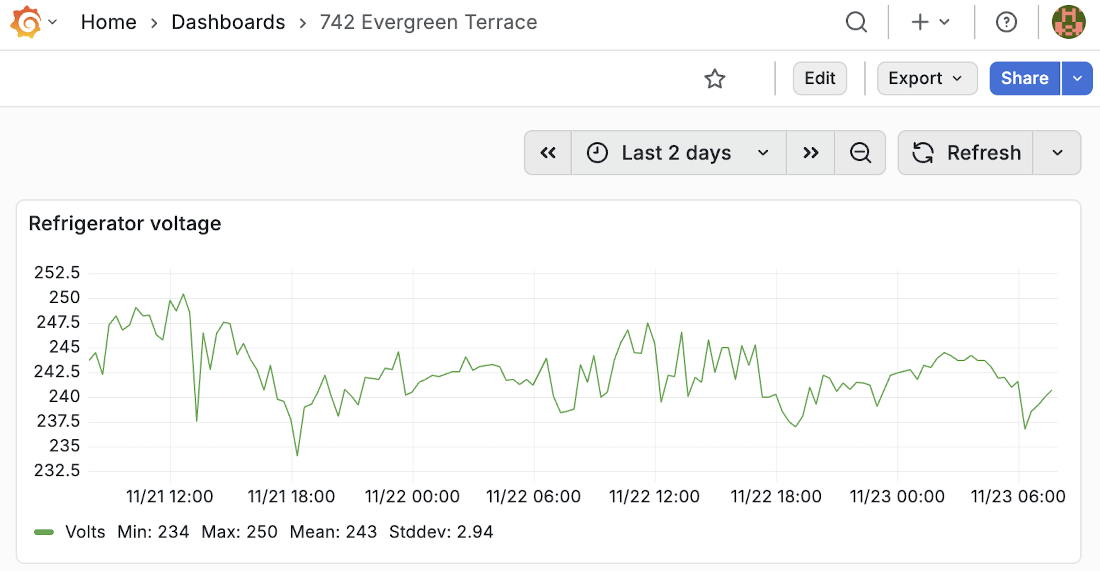
A Grafana dashboard containing a single panel showing voltage fluctuation over time.
Summary
- Visualizations reveal the digital representation of reality a digital twin presents to users, depending on the power of human visual processing, to aid decision-making.
- The principles of mapping data to a visual representation influence how you build visualizations to convey your digital model.
- 2D visualizations include graphs, charts, dashboards, and spatial and topological components that communicate large amounts of data in a way that can be quickly interpreted and understood.
- You can adopt a number of techniques to ensure your visualizations are usable and well performing.
- Tools such as Grafana enable you to quickly build powerful visualizations in a low to no-code environment and free you from the effort of writing custom code.

 Digital Twins in Action ebook for free
