8 Image classification
Image classification was the first breakout success of deep learning, with convolutional neural networks (convnets) driving dramatic improvements from 2011 onward and becoming dominant by 2016. This chapter introduces convnets as the core tool for vision tasks and focuses on practical workflows you can use when data is limited—a common real-world constraint. It pairs a gentle, example-first introduction with clear guidance on when to train from scratch, when to rely on data augmentation, and when to leverage pretrained models for best results.
At the heart of convnets are local receptive fields and weight sharing, which make learned features translation-invariant and enable spatial hierarchies: early layers capture edges and textures, while deeper layers encode parts and objects. The chapter explains feature maps, filters, convolutional kernels, padding, strides, and why max pooling is the standard downsampling choice for classification. A simple stack of Conv2D and MaxPooling2D layers, followed by GlobalAveragePooling and a classifier, already delivers strong performance (for instance, a basic convnet reaches about 99.1% test accuracy on MNIST versus ~97.8% for a dense baseline), illustrating the efficiency and inductive biases of convnets for vision.
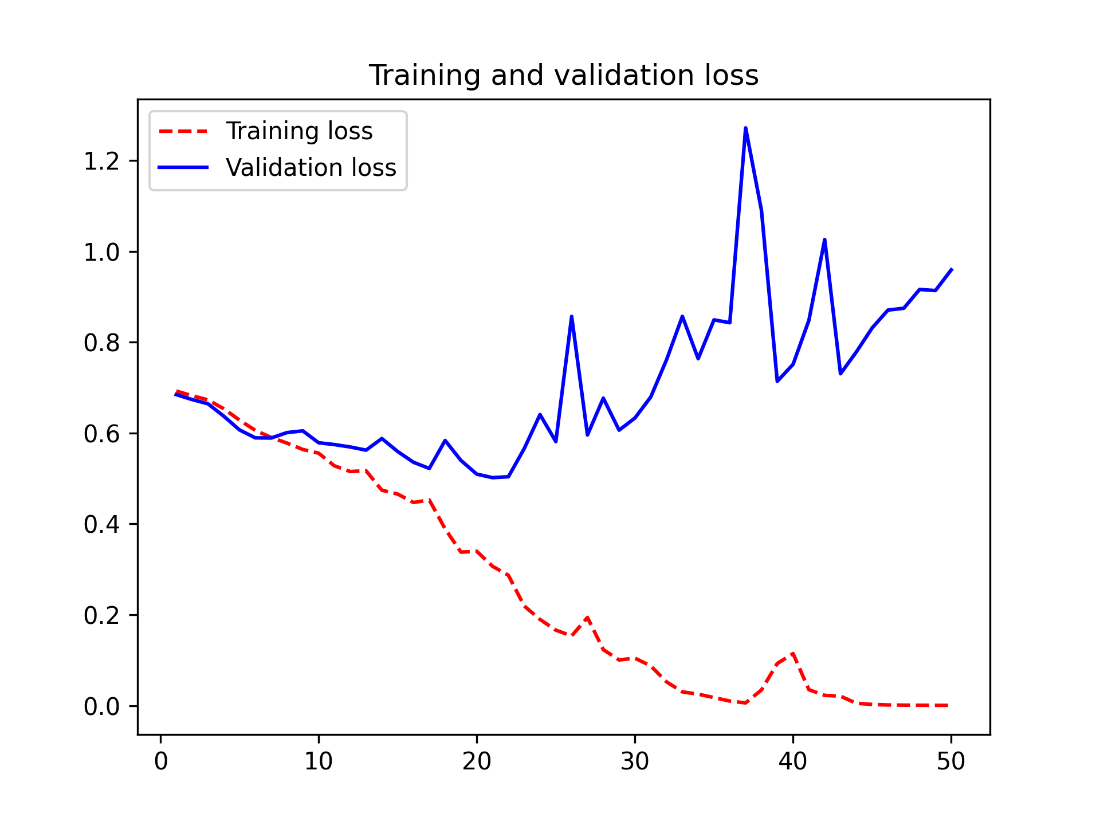
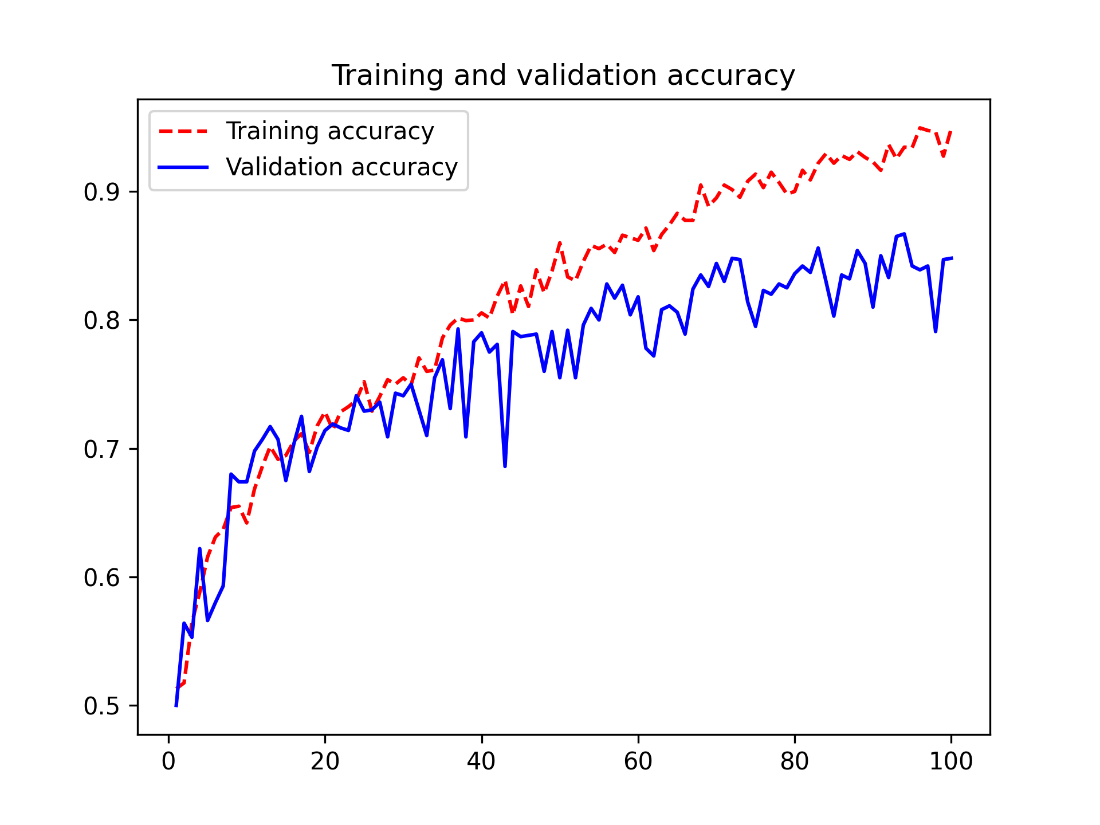
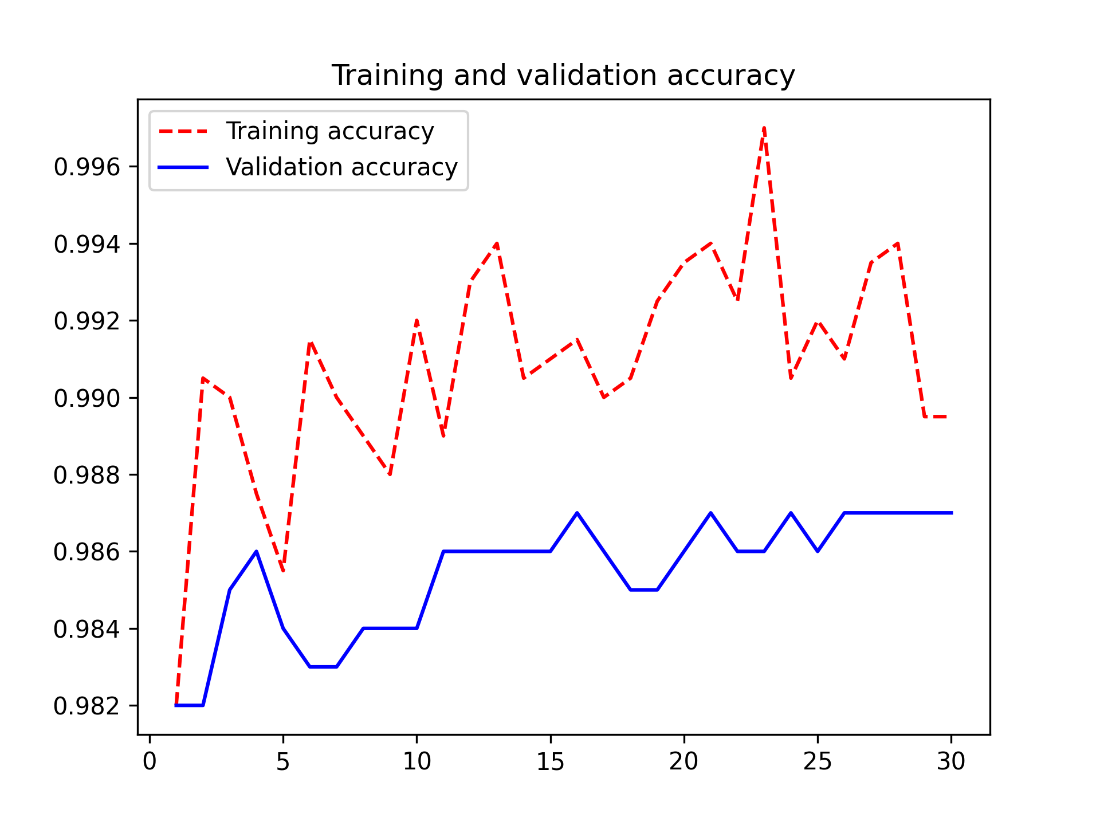
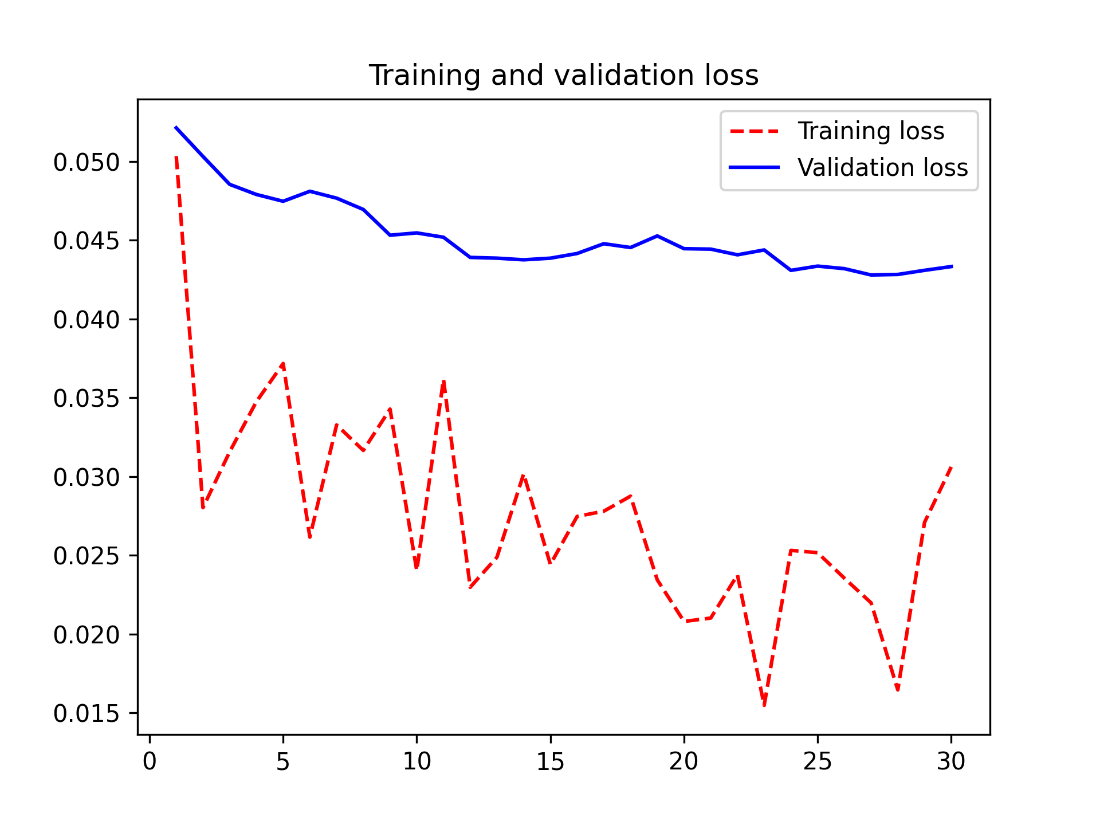
Turning to practice on small datasets, the chapter builds an end-to-end pipeline with tf.data and image loading utilities, then shows a dogs-vs-cats baseline trained from scratch (quickly overfitting around ~80% accuracy). It mitigates overfitting via on-the-fly data augmentation (random flips, rotations, zoom) and dropout to reach mid-80% accuracy. The second half centers on transfer learning with a pretrained backbone (Xception via KerasHub): fast, disk-based feature extraction already yields around 98% accuracy; end-to-end feature extraction with augmentation achieves similar results; and fine-tuning—after first training the new head and then unfreezing the backbone with a low learning rate—pushes performance further (about 98.5–98.6%). Together, these three strategies—training a compact model from scratch, feature extraction, and fine-tuning—form a practical toolbox for image classification, especially when data is scarce.
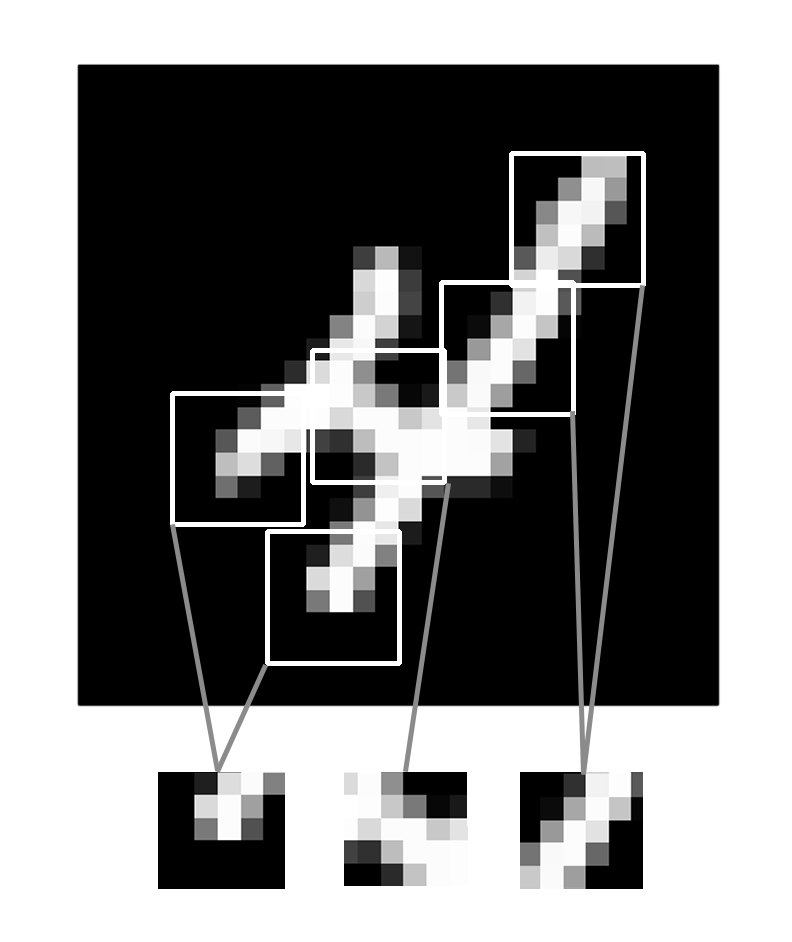
Images can be broken into local patterns such as edges, textures, and so on.
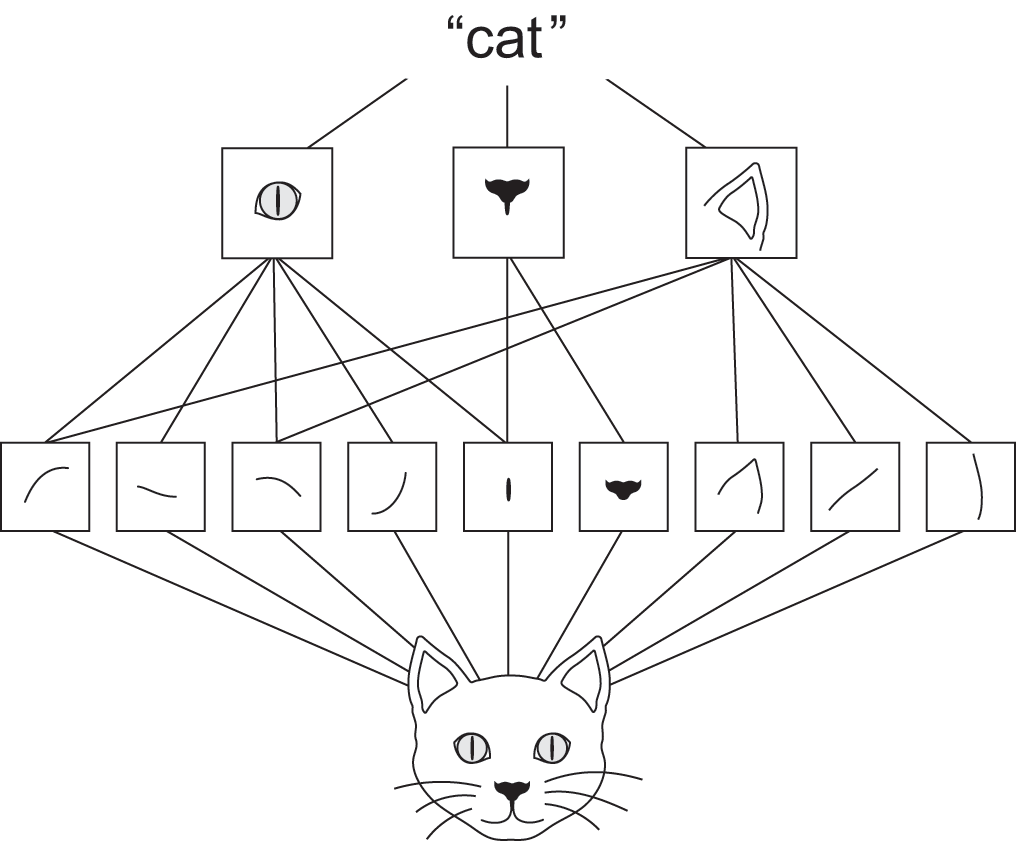
The visual world forms a spatial hierarchy of visual modules: elementary lines or textures combine into simple objects such as eyes or ears, which combine into high-level concepts such as “cat.”
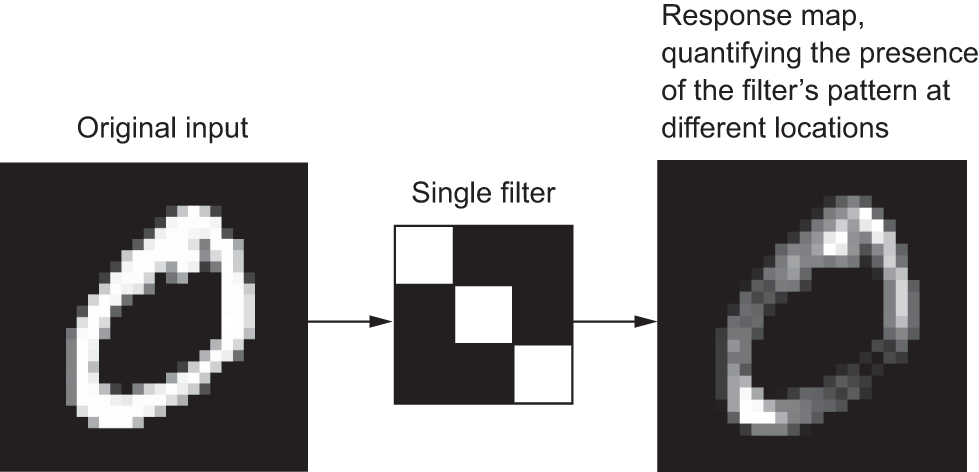
The concept of a response map: a 2D map of the presence of a pattern at different locations in an input
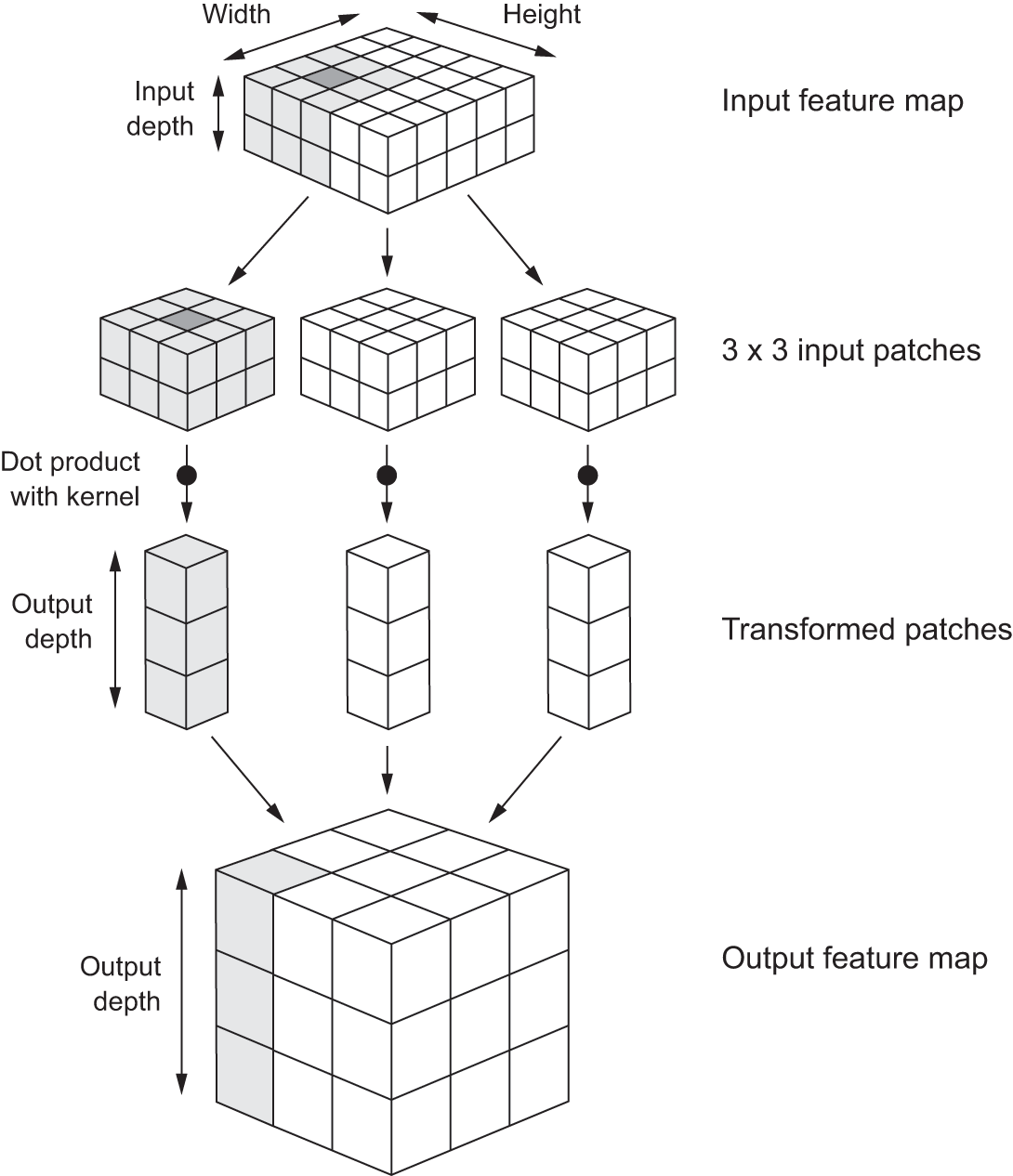
How convolution works
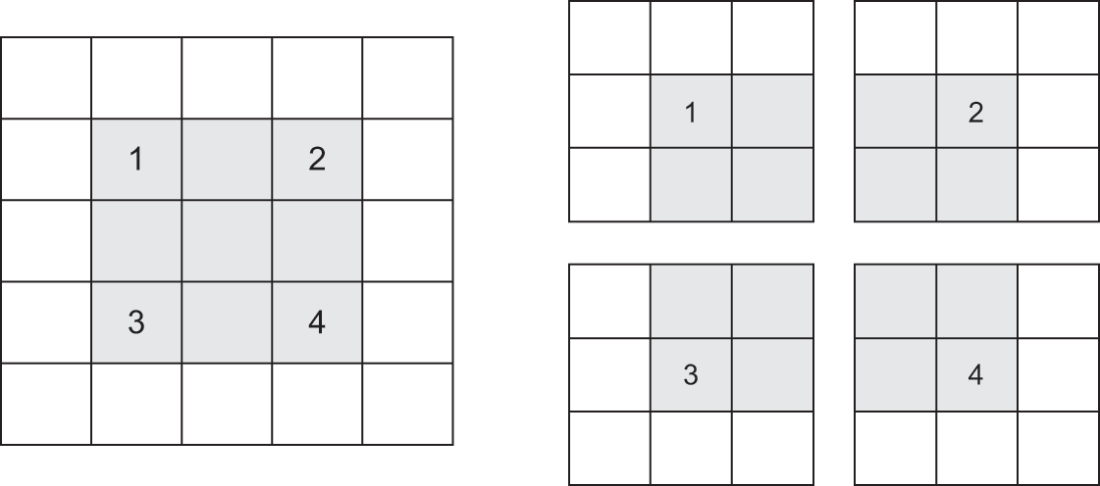
Valid locations of 3 × 3 patches in a 5 × 5 input feature map
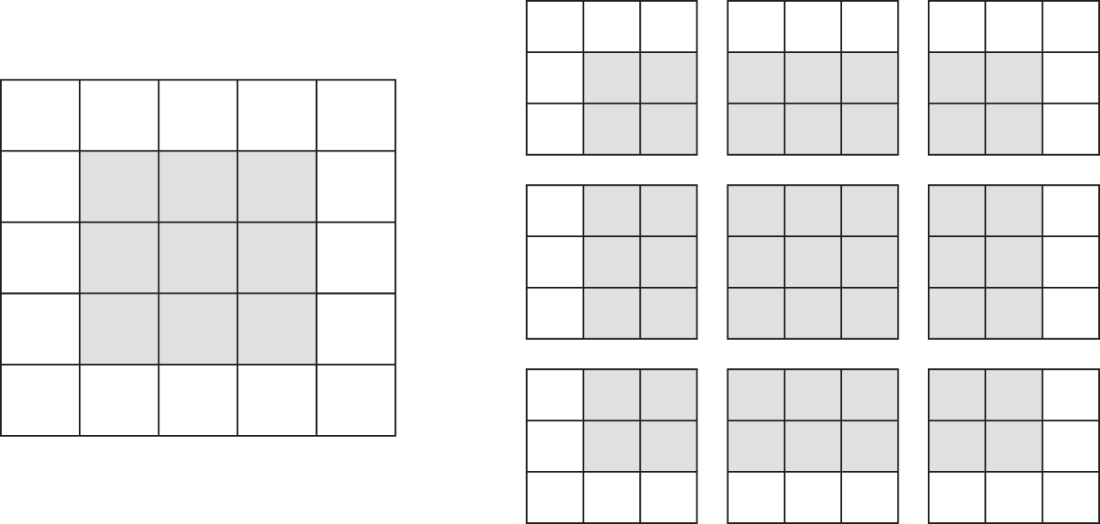
Padding a 5 × 5 input in order to be able to extract 25 3 × 3 patches
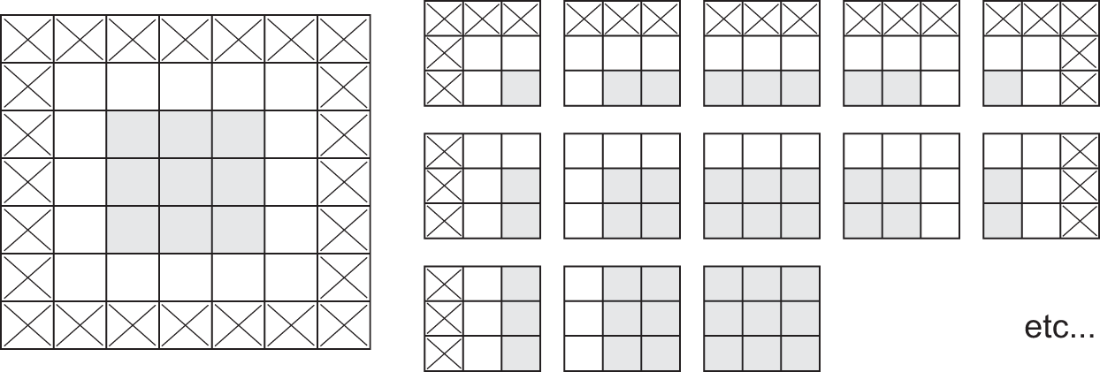
3 × 3 convolution patches with 2 × 2 strides
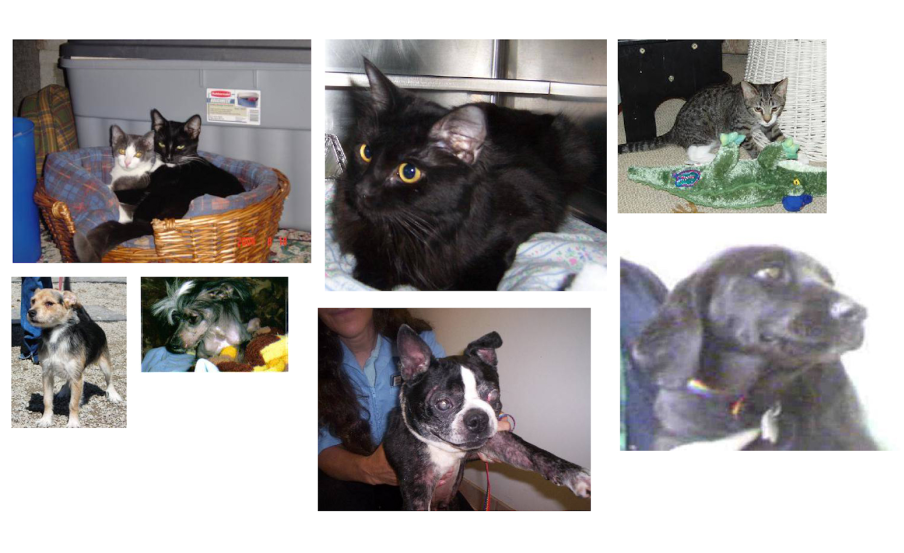
Samples from the Dogs vs. Cats dataset. Sizes weren’t modified: the samples come in different sizes, colors, backgrounds, etc.
Training and validation metrics for a simple convnet
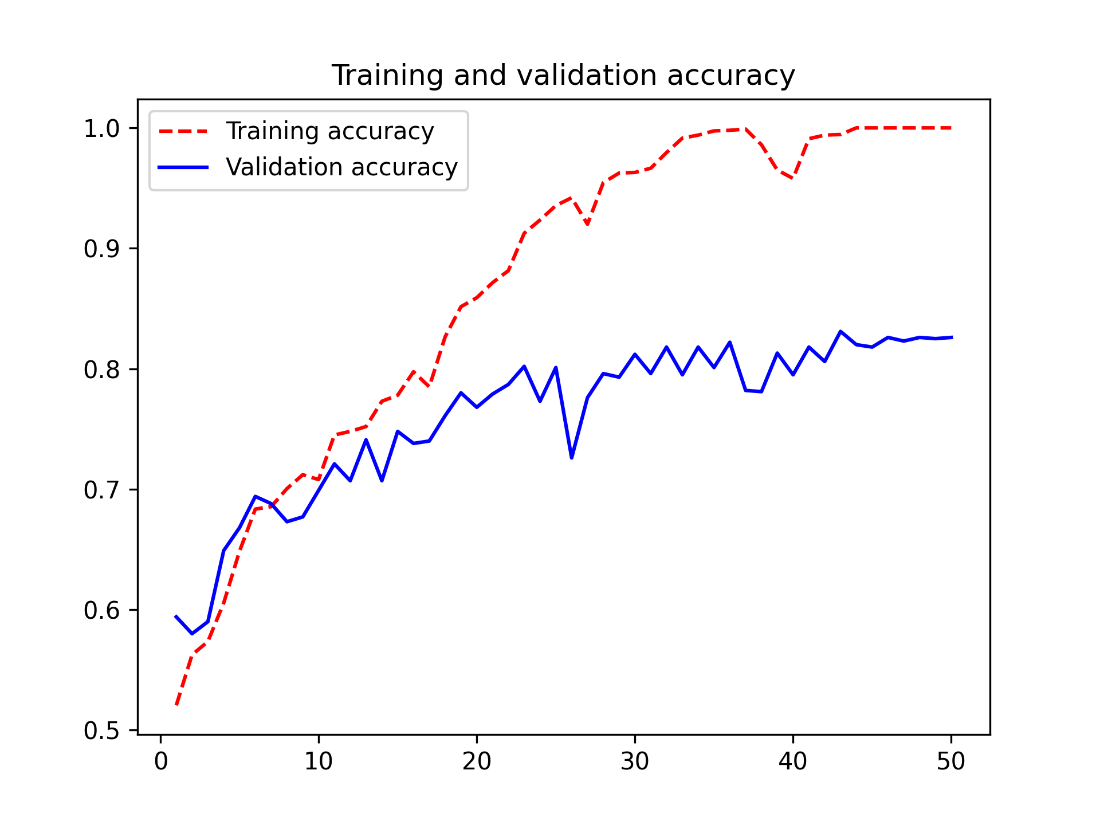
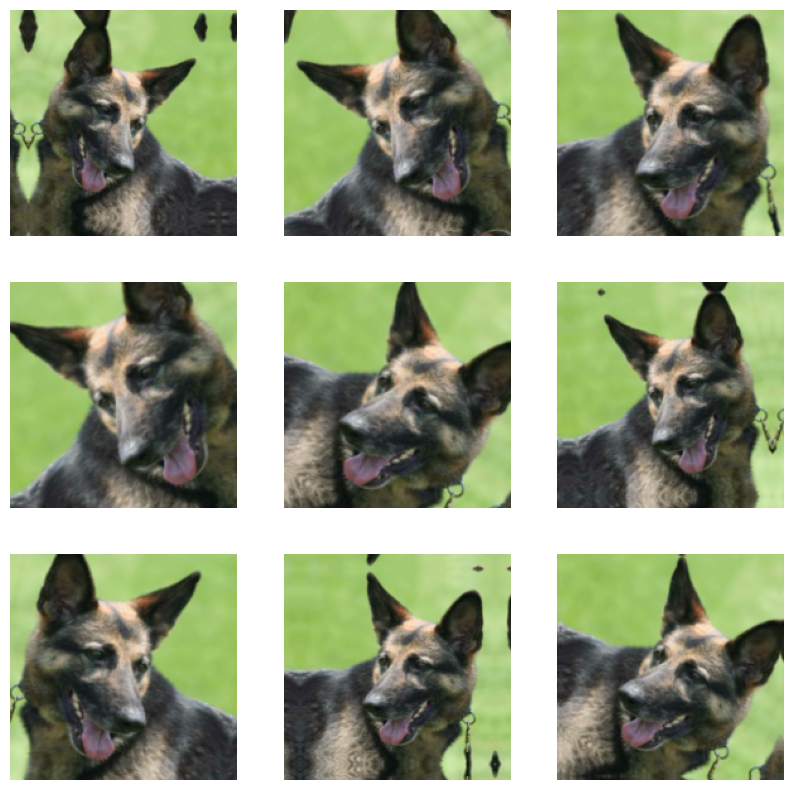
Generating variations of a very good boy via random data augmentation
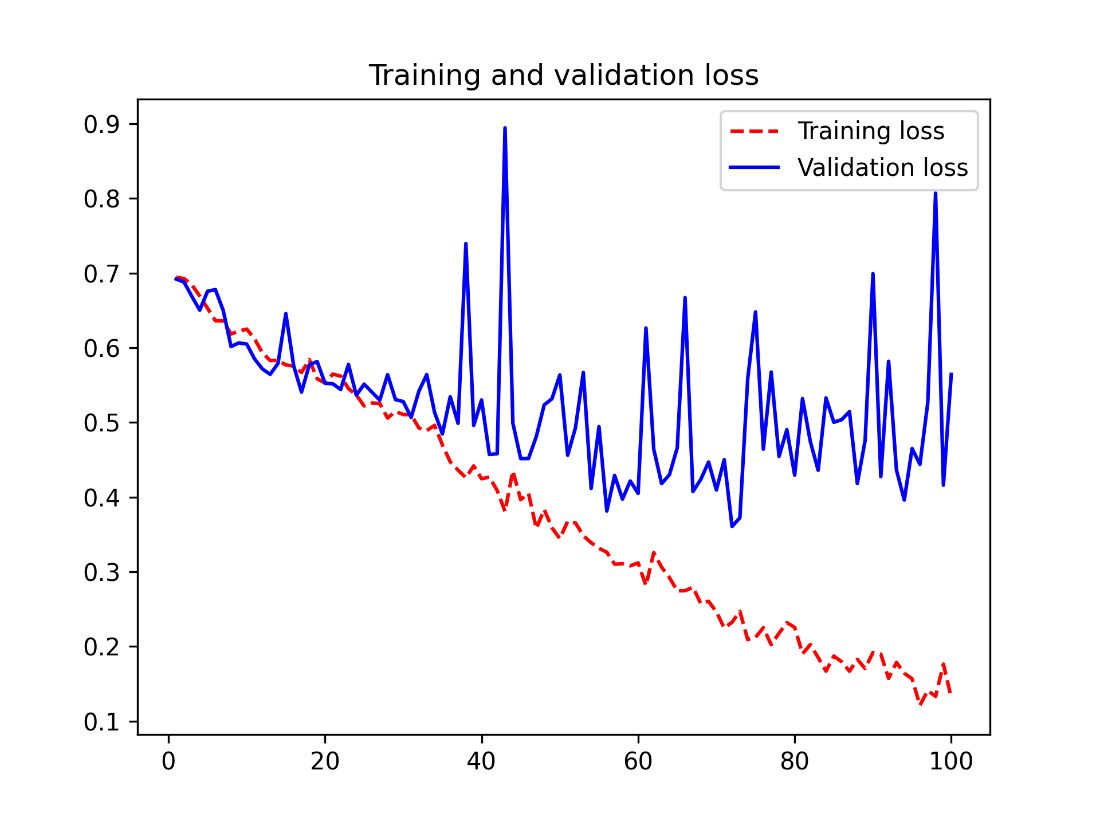
Training and validation metrics with data augmentation
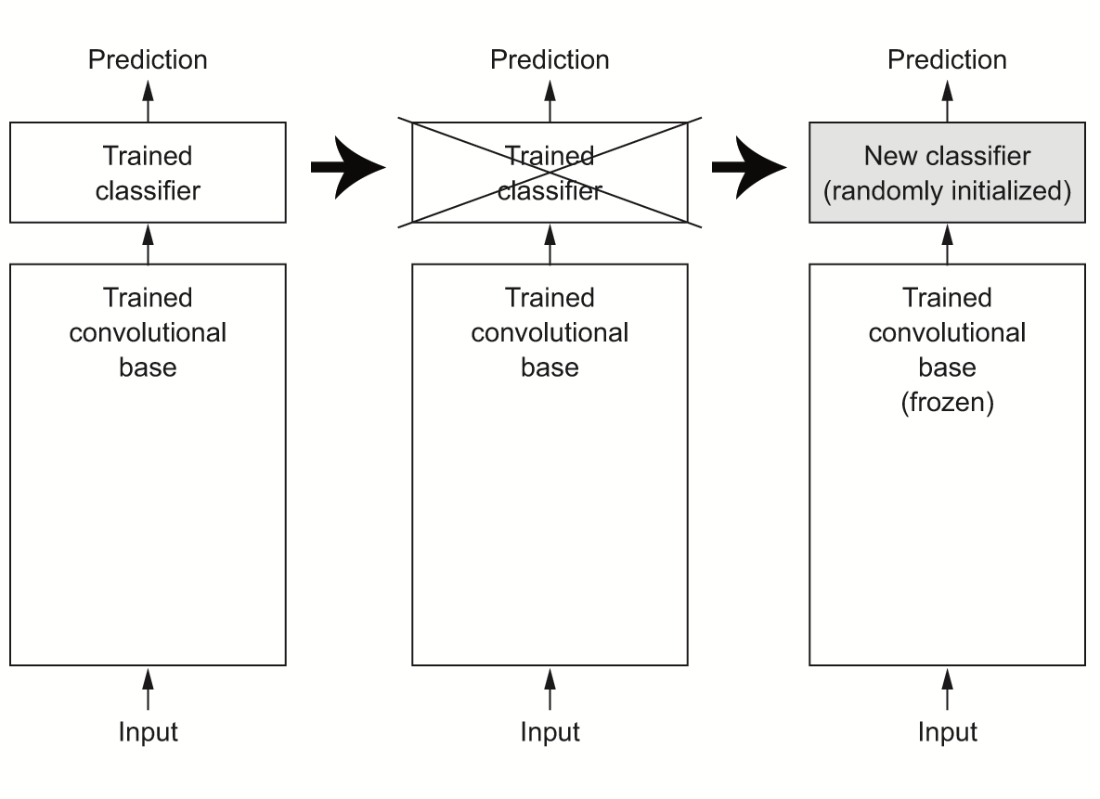
Swapping classifiers while keeping the same convolutional base
Training and validation metrics for plain feature extraction
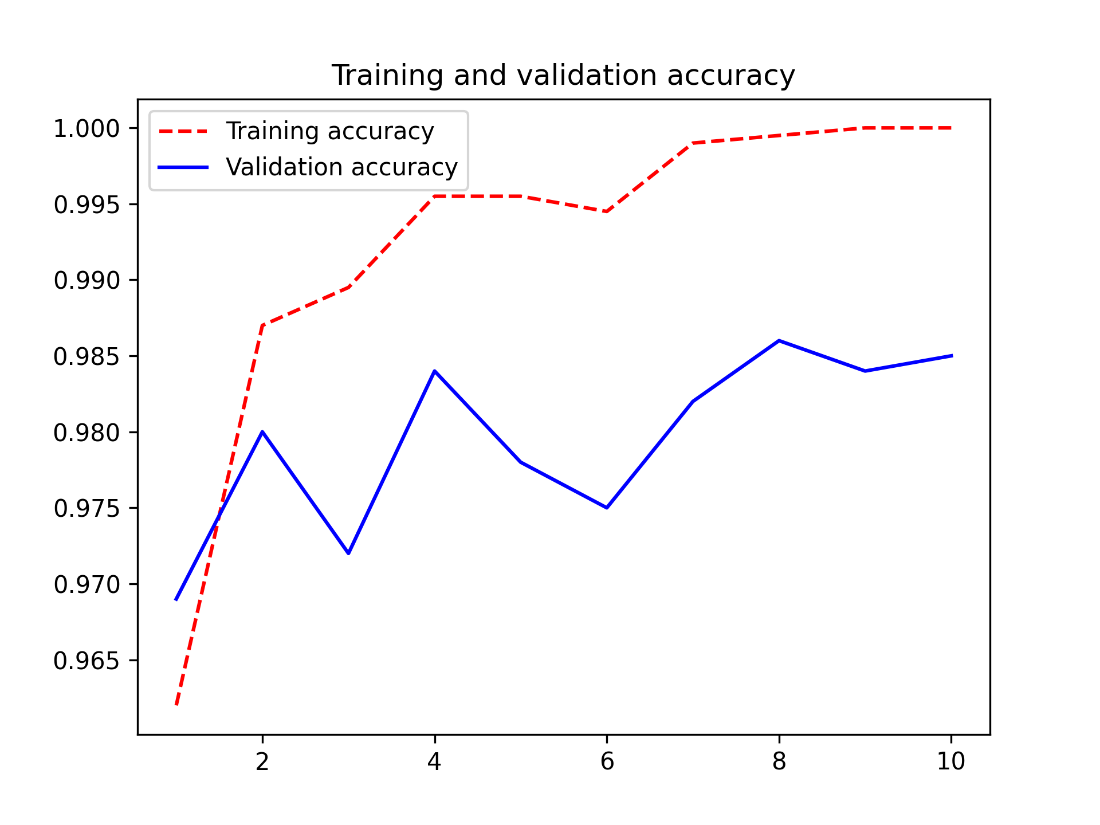
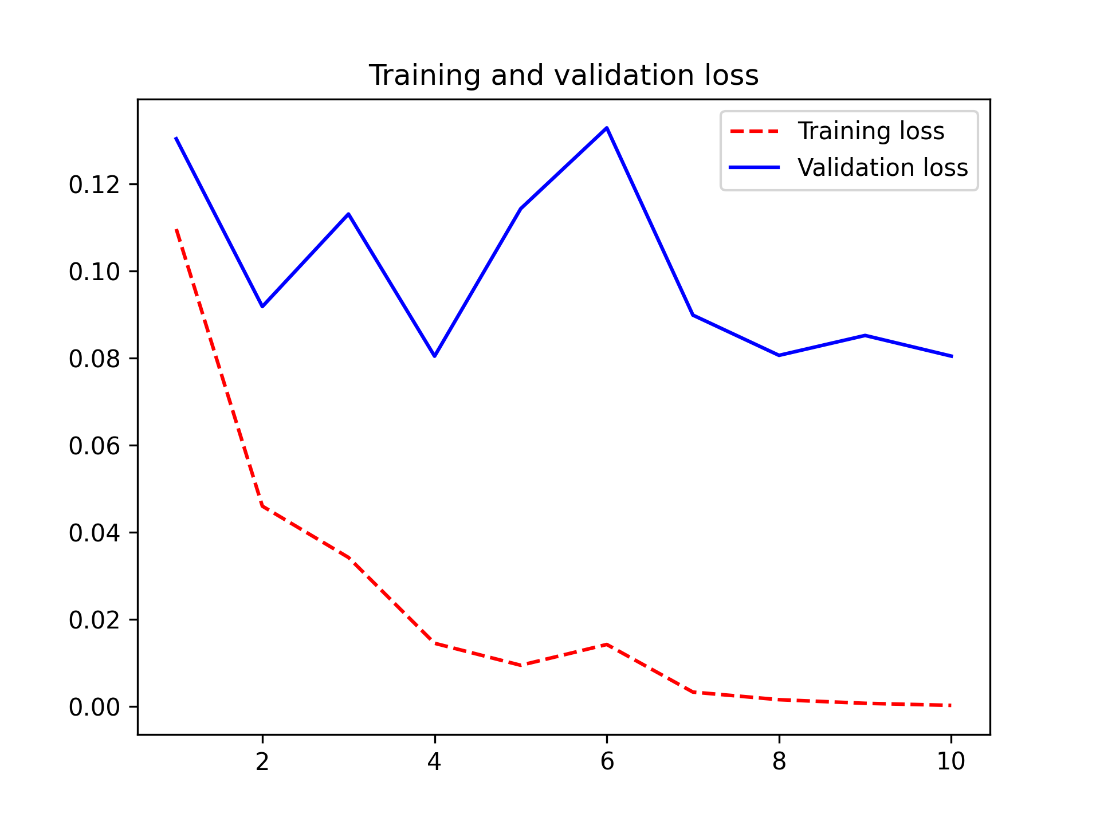
Training and validation metrics for feature extraction with data augmentation
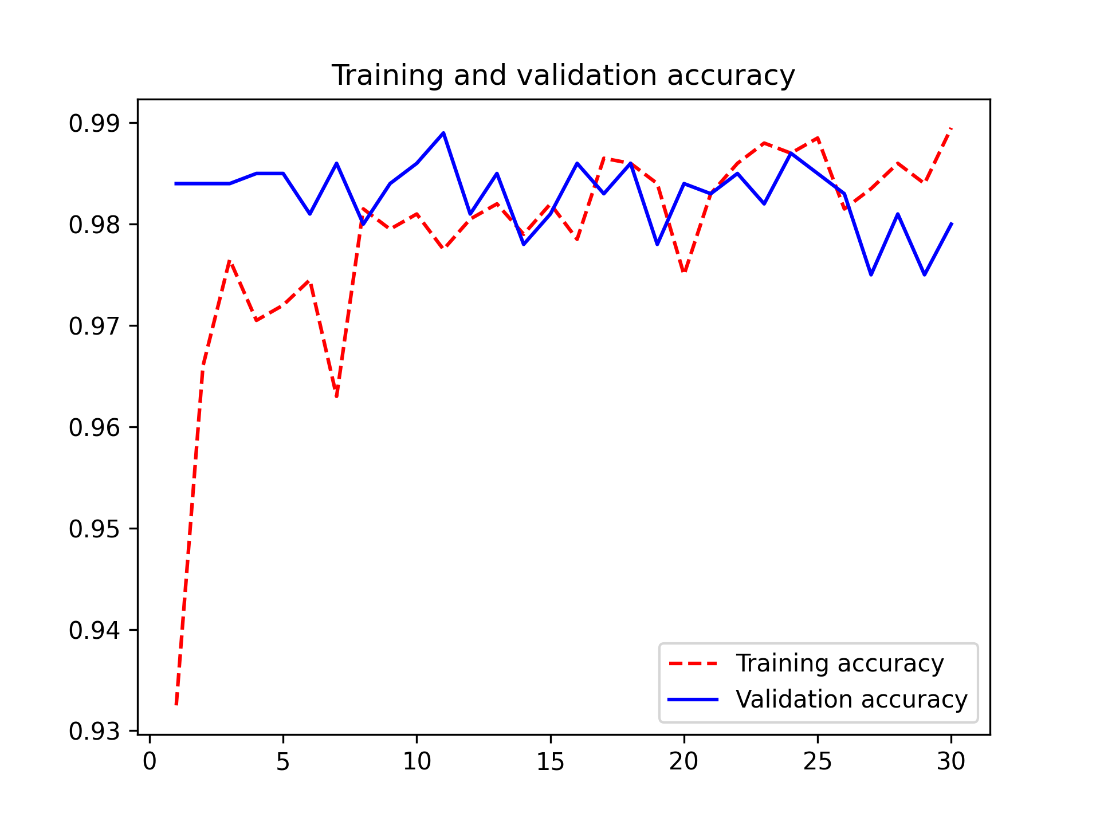
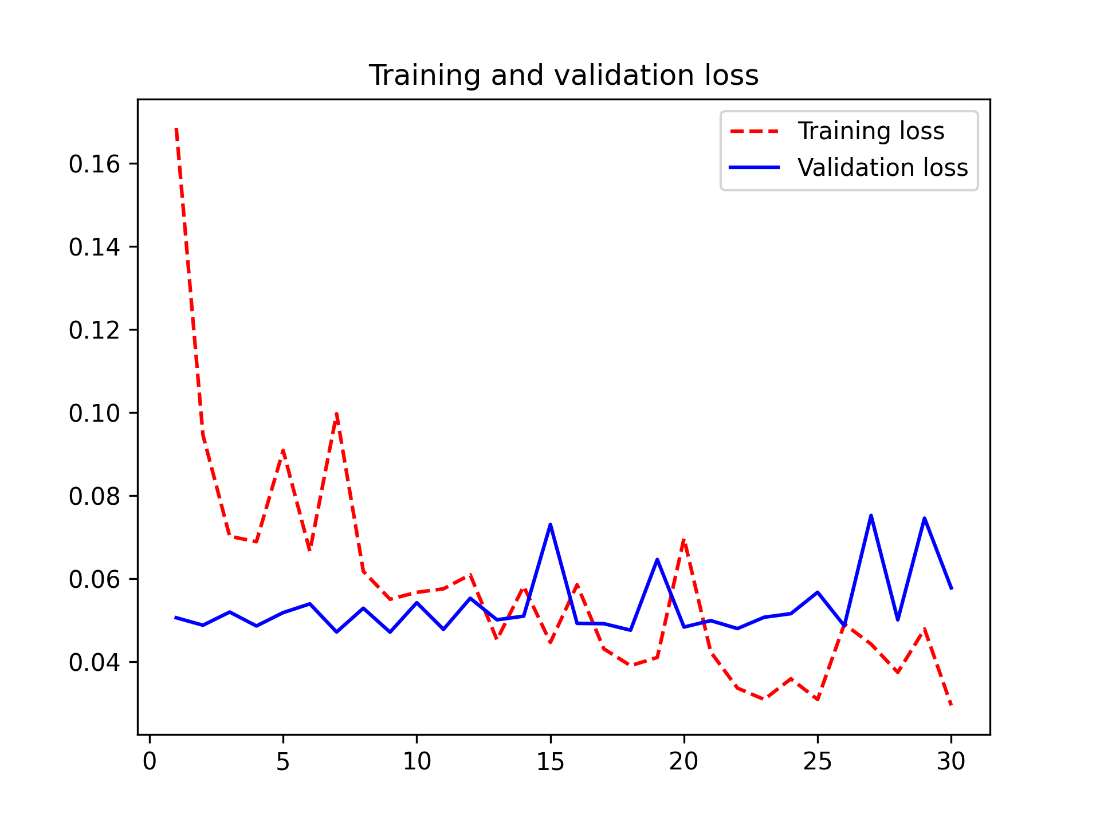
Training and validation metrics for fine-tuning
Chapter summary
- Convnets excel at computer vision tasks. It’s possible to train one from scratch even on a very small dataset, with decent results.
- Convnets work by learning a hierarchy of modular patterns and concepts to represent the visual world.
- On a small dataset, overfitting will be the main issue. Data augmentation is a powerful way to fight overfitting when you’re working with image data.
- It’s easy to reuse an existing convnet on a new dataset via feature extraction. This is a valuable technique for working with small image datasets.
- As a complement to feature extraction, you can use fine-tuning, which adapts to a new problem some of the representations previously learned by an existing model. This pushes performance a bit further.
FAQ
What makes convolutional neural networks (convnets) well-suited for image classification compared to densely connected networks?
Convnets learn local, translation-invariant features via small receptive fields (for example 3×3 filters) and build spatial hierarchies of patterns across layers. This makes them data-efficient for vision tasks and better at generalizing across positions in an image than densely connected networks, which learn global patterns and require more data.How does the convolution operation work and what are “feature maps” and “filters”?
A convolution layer slides small windows over the input and applies the same learned kernel at each location to produce an output tensor (feature map). Each output channel corresponds to a learned filter that responds to a specific visual pattern; the 2D grid of responses for one filter is its response map.What are padding and strides, and how do they affect output size?
- Padding controls border effects: “valid” uses only fully inside windows (shrinks spatial size), while “same” pads inputs so output spatial size matches input.- Strides set the step between windows. A stride > 1 downsamples width and height (commonly by 2). Strided convs are less common in classifiers than pooling but are used in some architectures.
What is max pooling and why is downsampling important?
Max pooling takes the maximum over small windows (often 2×2 with stride 2) for each channel, halving spatial dimensions. Downsampling (via pooling or strided conv) helps the model: (1) grow the receptive field to learn higher-level concepts, (2) reduce computation and parameters, and (3) concentrate information in channels rather than spread across large feature maps.How should image tensors be shaped and what about channels-first vs channels-last?
In Keras the default is channels-last: (height, width, channels). Some ecosystems (e.g., parts of PyTorch) use channels-first: (channels, height, width). In Keras you can switch with keras.config.set_image_data_format("channels_first") or per-layer data_format, but the default is fine in most cases.What output layers and losses should I use for image classification?
- Multi-class (exclusive classes): final Dense with softmax; use categorical_crossentropy (sparse_categorical_crossentropy with integer labels).- Binary classification: final Dense(1) with sigmoid; use binary_crossentropy.
- Include a pooling layer (e.g., GlobalAveragePooling2D) before the classifier to bridge 3D features to 1D vectors.
How do I load and preprocess images efficiently in Keras?
Use keras.utils.image_dataset_from_directory to build tf.data.Dataset pipelines that read files, decode, resize, batch, and shuffle. Then add steps like .map(...) for custom transforms and .prefetch(tf.data.AUTOTUNE) for overlap of preprocessing and training.What is data augmentation and where should I apply it?
Data augmentation randomly transforms training images (e.g., RandomFlip, RandomRotation, RandomZoom) so the model sees diverse variations and overfits less. You can apply it inside the model (GPU) or in the input pipeline via Dataset.map (CPU, parallelized). Pipeline-based augmentation is often the simplest and most scalable.How do I leverage a pretrained convnet: feature extraction vs fine-tuning?
- Feature extraction: freeze the pretrained backbone (convolutional base), run inputs through it, and train a new classifier on top. It’s fast and works well with little data; you can do this either by precomputing features or end-to-end with data augmentation.- Fine-tuning: after training the new head, unfreeze some or all of the backbone and train with a low learning rate so the pretrained features adapt to your task.
What are best practices for fine-tuning pretrained models?
- Preprocess inputs exactly as expected by the checkpoint (e.g., use a matching preprocessing layer such as KerasHub ImageConverter).- Freeze the backbone first, train the head, then unfreeze and fine-tune with a small learning rate (e.g., 1e-5).
- Often fine-tune only the top layers to reduce overfitting and cost.
- Avoid unfreezing BatchNormalization layers during fine-tuning.
- Use callbacks like ModelCheckpoint(monitor="val_loss", save_best_only=True) to retain the best model.

 Deep Learning with Python, Third Edition ebook for free
