5 Cleaning and Transforming DataFrames
This chapter presents a practical, end-to-end workflow for cleaning and transforming large tabular data with Dask DataFrames. Building on pandas-like syntax, it highlights where distributed execution changes behavior and performance, and underscores why rigorous data cleaning is essential before analysis. Working from the NYC Parking Ticket dataset, the chapter moves from basic column/row navigation to indexing, recoding, joining, and finally exporting clean, analysis-ready data.
Core manipulation begins with selecting, dropping, and renaming columns, and selecting rows via index and slices, with notes on Dask-specific nuances (for example, drop requires axis=1 for columns, and some row-wise operations are better done on small, materialized pandas slices). Missing data handling follows a clear sequence: profile null rates, drop columns with heavy missingness, impute sensible defaults (such as filling a categorical with its most frequent value), drop rows with limited missingness in key fields, and fill remaining gaps with explicit placeholders. The chapter then shows how to recode high-cardinality fields using where and mask to collapse categories (e.g., plate types into PAS/COM/Other and rare vehicle colors into Other). Elementwise transformations with apply (using meta for type hints) convert date strings to datetimes and derive a month–year feature, which is subsequently promoted to the index to speed filtering and future joins.
With a suitable index in place, the chapter demonstrates efficient Boolean filtering and index-aware joins, emphasizing that aligning indices across DataFrames makes inner joins fast and predictable (e.g., enriching citations with monthly temperature data). It also covers concatenation along rows via append, discusses persisting intermediate results to avoid repeated computation, and concludes with writing outputs. For text files, it explains partition-aware CSV writing, optional repartitioning to produce a single file, and common formatting options; for Parquet, it shows simple, partitioned writes with compression. By the end, you have a cleaned, recoded, indexed, and optionally enriched dataset saved to disk, ready for exploration and modeling.
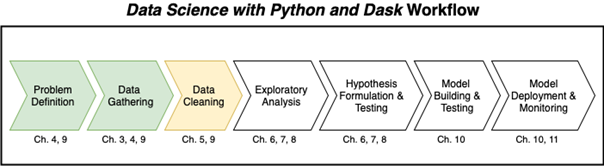
The Data Science with Python and Dask workflow
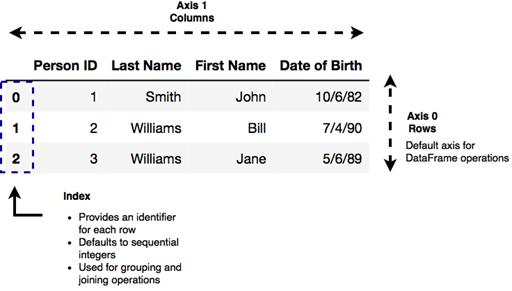
The structure of a DataFrame
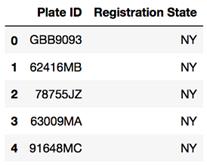
The output of Listing 5.3
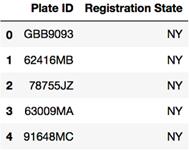
The output of Listing 5.4
The output of Listing 5.5
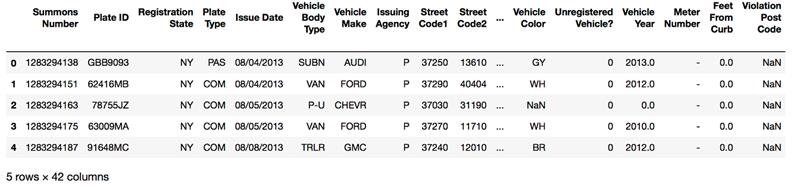
The output of Listing 5.6
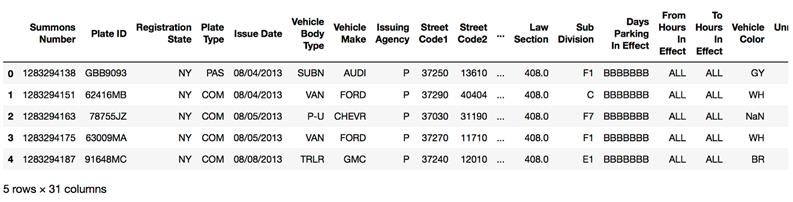
The output of Listing 5.7
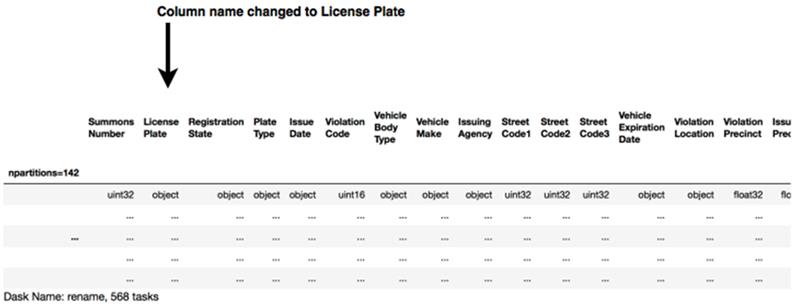
The output of Listing 5.8

A join operation combines two datasets by adding the columns of the right table to the columns of the left table.
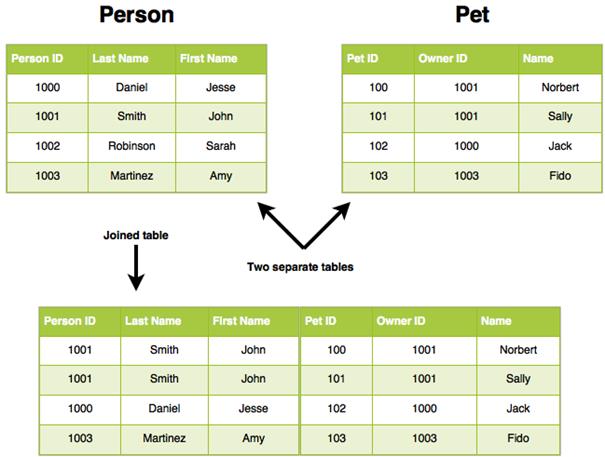
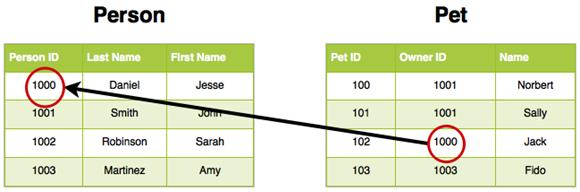
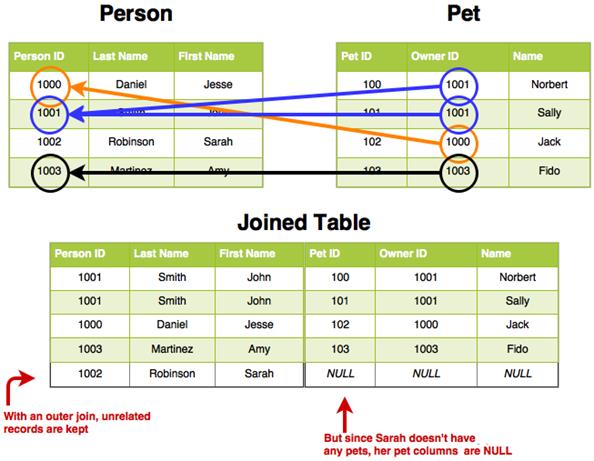
We can tell that Jack is my cat because his Owner ID is a key that points to my Person ID
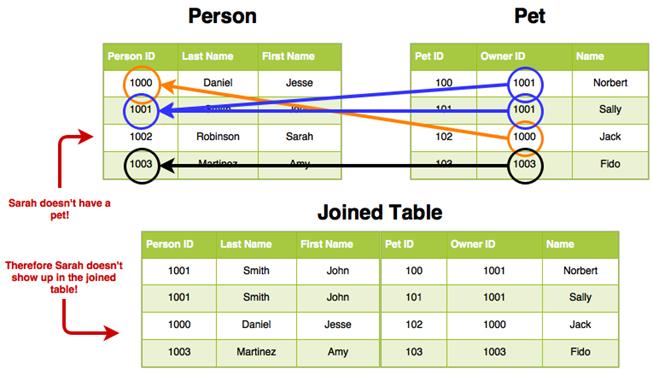
Showing all the key relationships between the Person and Pet tables
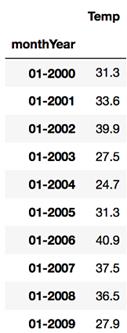
New York City Average Monthly Temperature
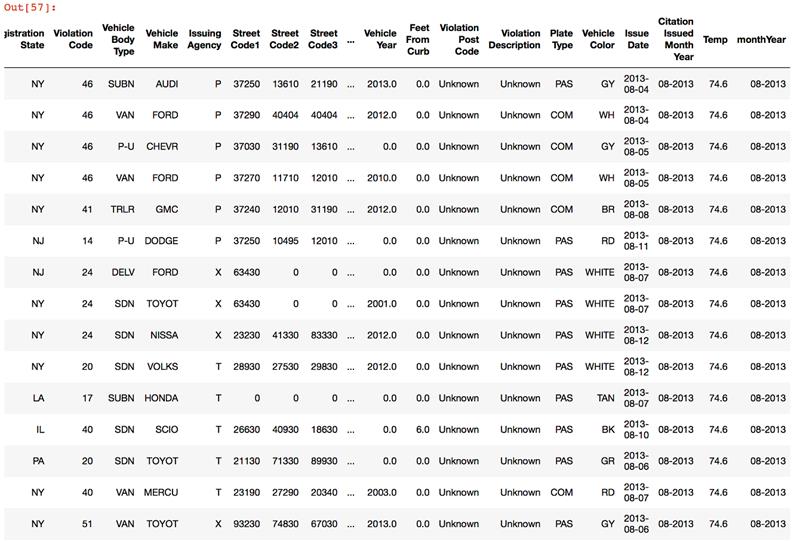
The output of Listing 5.30
The result of an outer join preserves records that don’t have any relationships
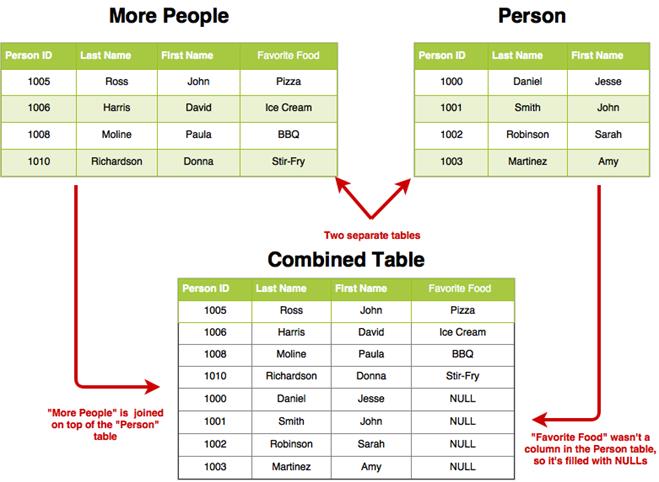
The result of concatenating the Person and More People tables
Summary
In this chapter you learned
- Selecting columns from a DataFrame uses square bracket ([…]) notation. You can select more than one column by passing a list of column names into the column selector brackets.
- The head method shows the first 10 rows of a DataFrame by default. You can also specify a number of rows you want to view.
- Columns can be dropped from a DataFrame by using the drop method. However, since DataFrames are immutable, the column is not dropped from the original DataFrame.
- Null values can be removed from DataFrames using the dropna method.
- Use the drop-assign-rename pattern to replace columns in a DataFrame, such as when parsing or recoding values in a column.
- Transformation functions can be performed elementwise over a DataFrame using the apply method.
- Boolean operators (>, <, =, etc.) are supported for filtering DataFrames. If your filter condition requires more than one input value, you can use NumPy style Boolean functions such as isin.
- Two DataFrames can be relationally joined using the merge method. You can even merge a Pandas DataFrame to a Dask DataFrame!
- DataFrames can be concatenated (unioned) using the append method.

 Data Science with Python and Dask ebook for free
