9 Extending Airflow with custom operators and sensors
This chapter shows how to make Airflow DAGs more modular, concise, and reusable by moving task-specific logic into custom hooks, operators, and sensors, and by packaging those components for distribution. It begins with a simple movie-recommendation use case implemented via PythonOperator and demonstrates why ad hoc code (API sessions, auth, pagination, file I/O) quickly becomes boilerplate that is hard to reuse. The chapter’s overarching goal is to encapsulate that logic in clean, testable components that integrate smoothly with Airflow’s connection management, templating, and scheduling, and to introduce deferrable sensors/operators to conserve worker resources during long waits.
The core implementation centers on a MovielensHook that subclasses BaseHook to manage an authenticated requests session, build the base URL from an Airflow Connection, and handle pagination, with simple caching to avoid repeated metastore lookups. Building on the hook, a MovielensFetchRatingsOperator (BaseOperator) implements execute to fetch ratings and write them to storage, exposes start/end dates and output path as template fields, and uses the operator’s logger and safe resource cleanup. For orchestration, a MovielensRatingsSensor (BaseSensorOperator) polls for data availability via a lightweight next() check on the hook’s generator, while a deferrable variant offloads the wait to Airflow’s Triggerer using an asyncio-based trigger, freeing workers and improving scalability; the chapter contrasts embedding “deferrable” logic in one class versus using a separate Async class and adopts the latter for clarity.
Finally, the chapter packages these components into a small Python distribution (airflow_movielens) using a src layout and setuptools, declaring dependencies and metadata so the package can be installed with pip and used across environments. It highlights operational considerations—ensuring the scheduler, webserver, and workers all have the package installed—and offers options for sharing: install from a repository, publish to a package index, or contribute to Airflow providers. The result is a maintainable approach that reduces DAG boilerplate, promotes reuse across projects, and enables proper testing and CI/CD for custom Airflow extensions.
Building a simple pilot MVP for movie recommender project

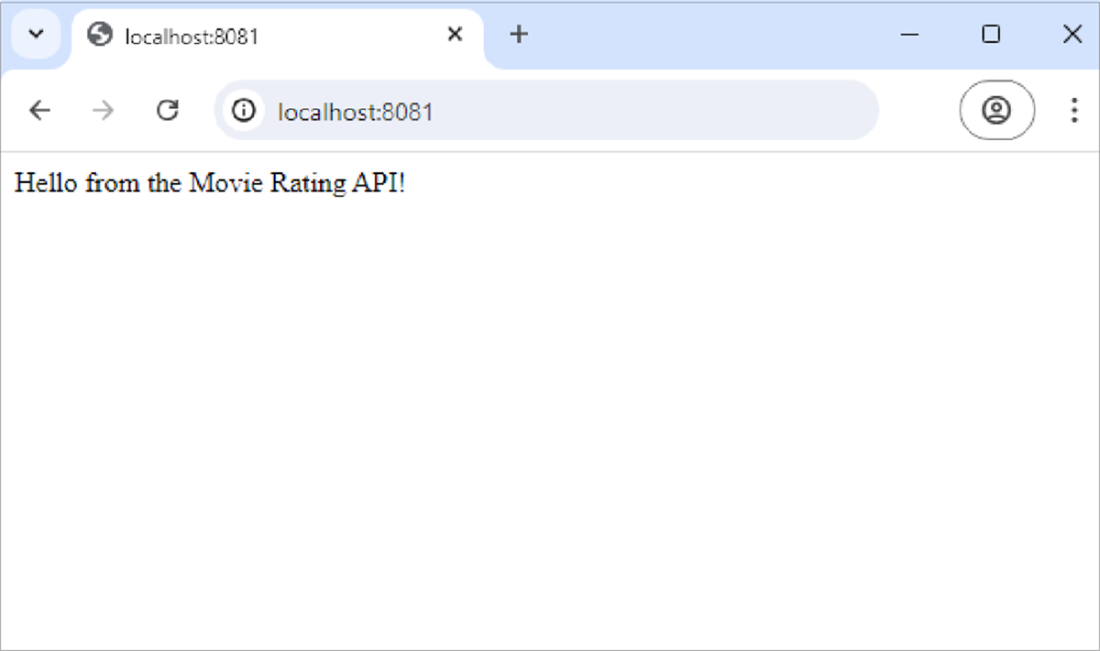
Hello from the movie rating API
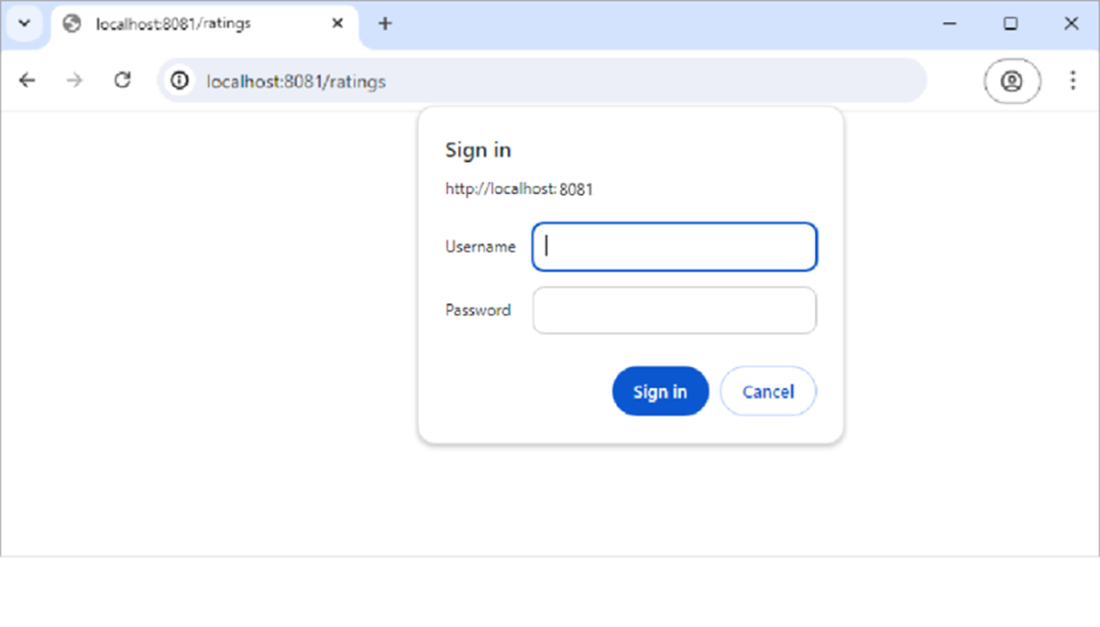
Authenticating to the ratings endpoint
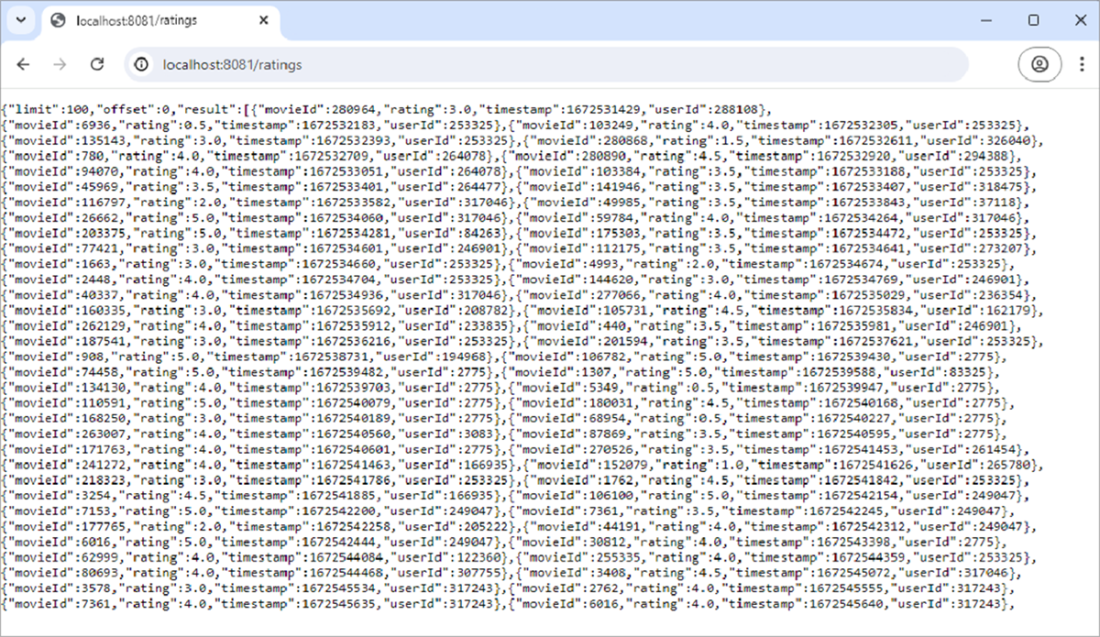
Ratings returned by the ratings endpoint of the API
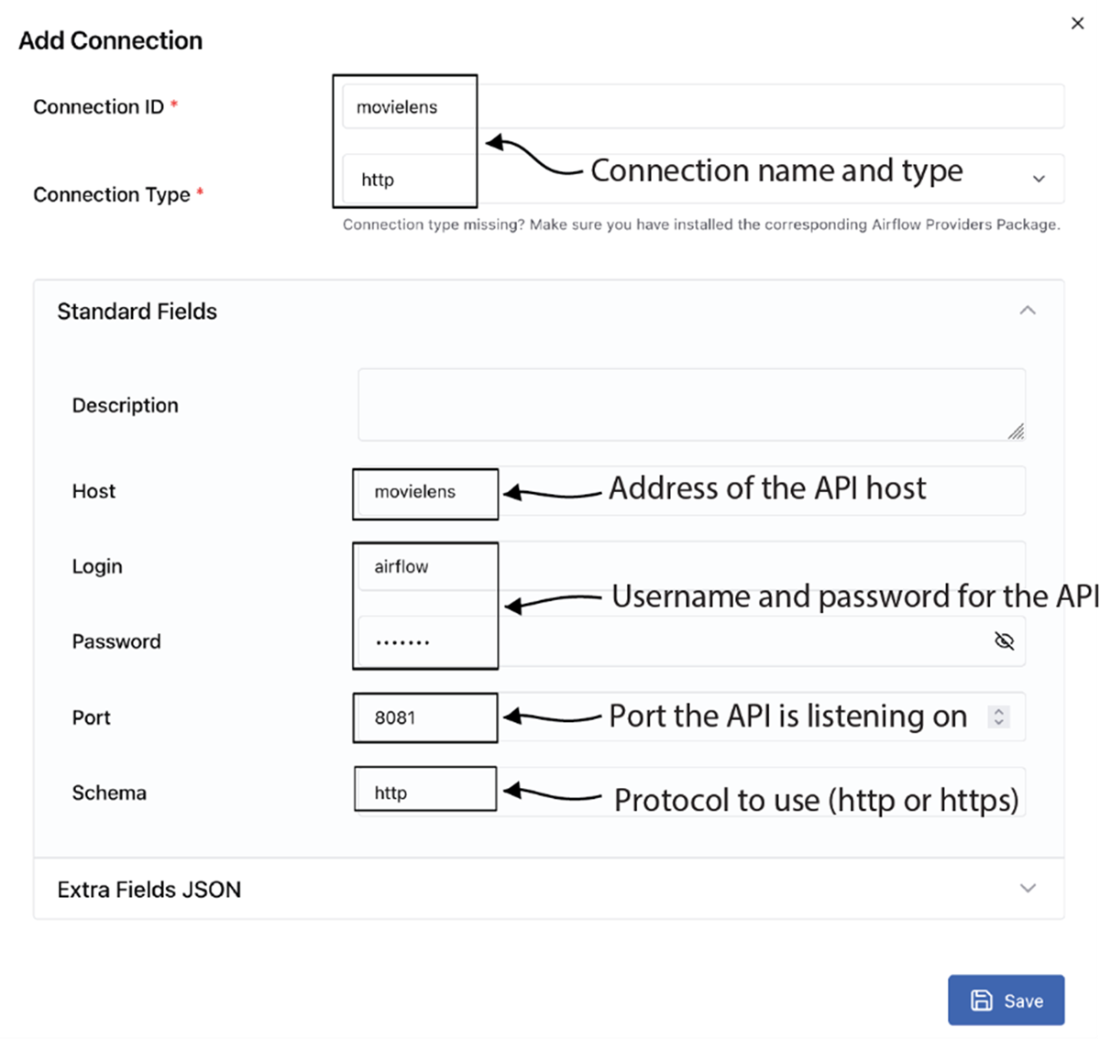
Adding our movie API connection in the Airflow web UI
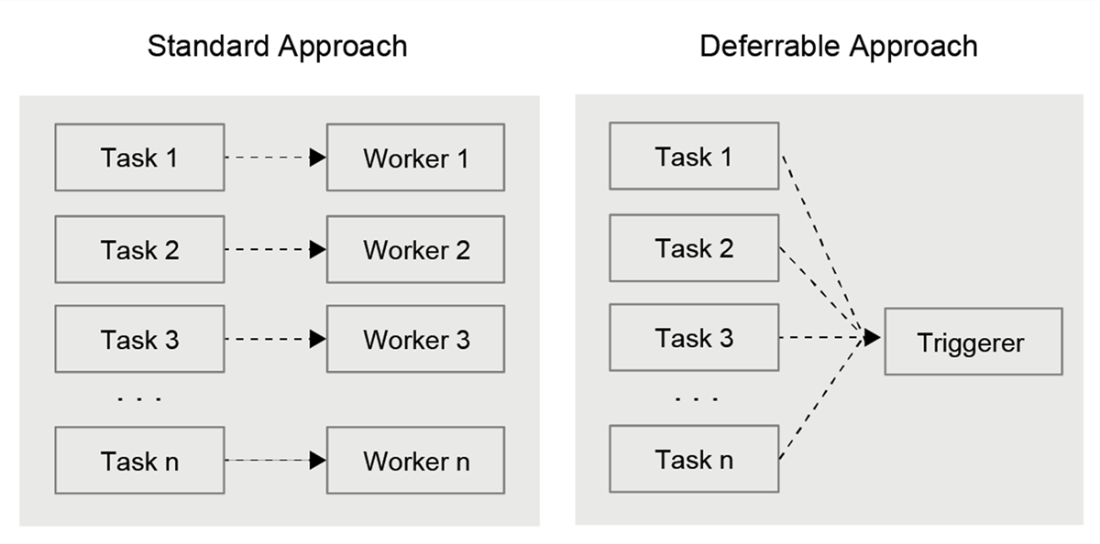
In the standard (non-deferrable) method of running tasks, each task needs to be assigned a worker. However, the deferrable approach transfers all the tasks to the Triggerer.
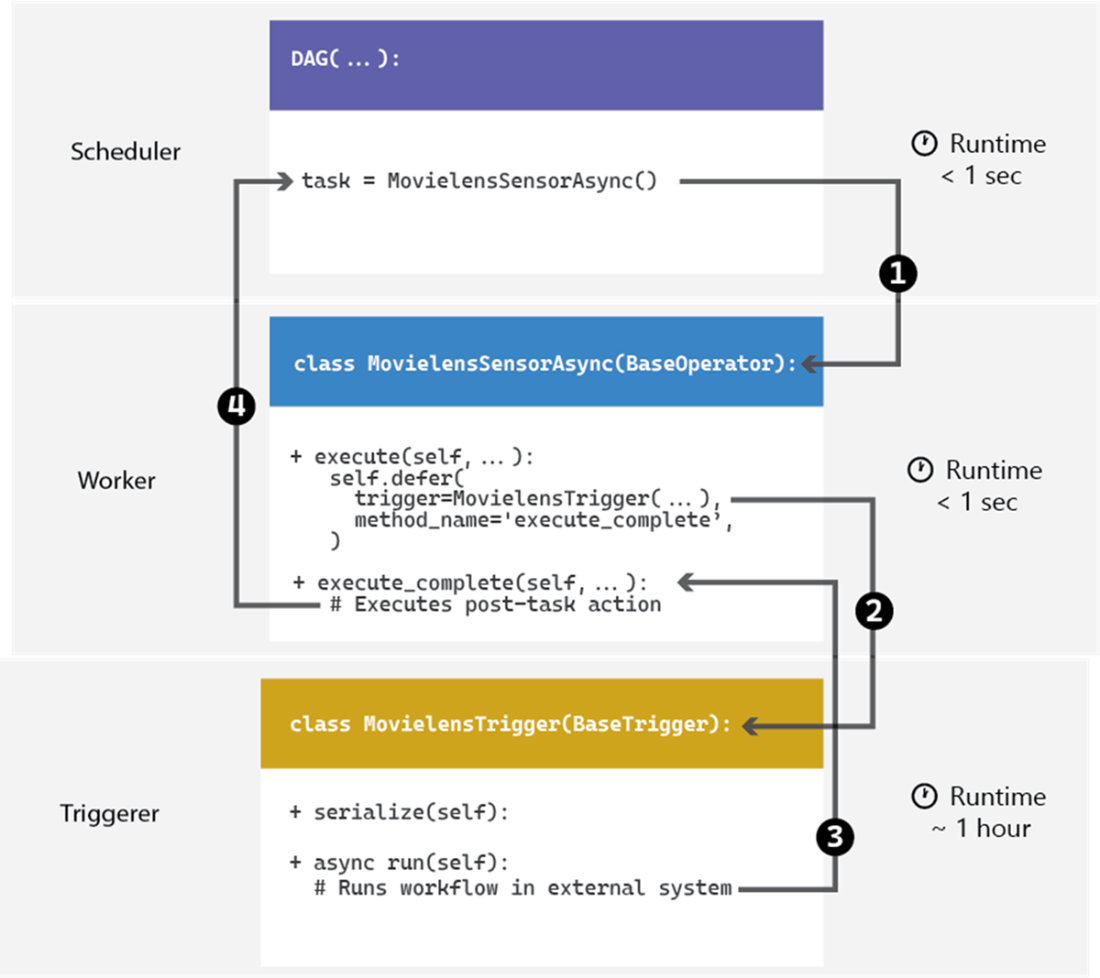
Deferrable sensor execution sequence. Task execution begins in the scheduler. Once the task is ready to run, the execution of the sensor moves to a worker (1). The worker then passes the execution of the deferred task to the trigger (2) using the defer method. The trigger spends most of the runtime waiting for the external task to be completed. Once it finds new records, the trigger returns the execution to the worker (3). The worker then runs any remaining commands defined in the execute_complete method. Finally, the scheduler (4) marks the task as successful and proceeds with the execution of any downstream tasks.
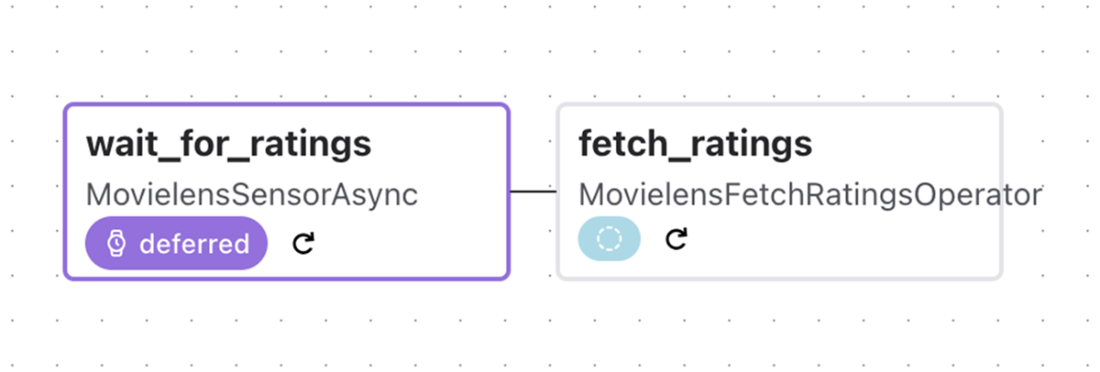
Deferred task in the Airflow UI
Summary
- You can extend Airflow’s built-in functionality by building custom components that fit your specific use cases. In our experience, two use cases in which custom operators are particularly powerful are as follows:
- Running tasks on systems that are not natively supported by Airflow (e.g., new cloud services, databases, etc.)
- Providing operators/sensors/hooks for commonly performed operations, such that these are easy to implement by people in your team across DAGs
- Of course, this is by no means an exhaustive list, and there may be many other situations in which you would want to build your own components.
- In Airflow, you can create your own components by defining Python classes and incorporating custom logic. These components can be imported and used in your DAGs to achieve any custom functionality required by your Airflow pipeline.
- Custom hooks allow you to interact with systems that do not have support built into Airflow.
- Custom operators can be created to perform tasks that are specific to your workflows and are not covered by built-in operators.
- Custom sensors allow you to build components for waiting on (external) events.
- Deferrable operators in Airflow have the ability to pause or "defer" tasks, freeing up Airflow workers during waiting periods. This is particularly useful when a task needs to wait for an external system to complete a process.
- The triggerer is a component in Airflow that’s responsible for managing deferred tasks. While a worker in Airflow handles one task at a time, a triggerer can manage multiple deferred tasks asynchronously, making the process of managing workers more efficient.
- While many operators have a deferrable version, you can also create your own custom deferrable operators if your workflow requires a unique logic implementation.
- To incorporate deferrable functionality, one could either integrate both deferrable and non-deferrable logic in a single class or create separate classes where each class implements either deferrable or non-deferrable logic. Both approaches are valid, but the choice depends on the complexity and needs of the implementation.
- Code containing custom operators, hooks, sensors, and so on can be structured by implementing them in a (distributable) Python library.
- Custom hooks/operators/sensors must be installed with their dependencies on your Airflow cluster before they can be used. This can be tricky if you do not have permission to install software on the cluster or if you have software with conflicting dependencies.
- Some people prefer to rely on generic operators such as the built-in Docker-Operator and the KubernetesPodOperator to execute their tasks. An advantage of this approach is that you can keep your Airflow installation lean, as Airflow is only coordinating containerized jobs; you can keep all dependencies of specific tasks with the container. We’ll focus on this approach further in a future chapter.

 Data Pipelines with Apache Airflow, Second Edition ebook for free
