5 Templating tasks using the Airflow context
This chapter explains how Airflow’s templating and task context make pipelines dynamic and time-aware, moving beyond static, one-size-fits-all workflows. Using a running example that ingests hourly Wikipedia pageviews for a handful of company pages, it shows how to plan incremental processing, construct parameterized URLs from scheduling metadata, and adapt behavior at runtime. The overarching goals are to render variables as tasks run, apply templating consistently across operators, debug rendered values efficiently, and interact reliably with external systems.
The core mechanics center on Jinja templating and the task context. Many operators (such as BashOperator) accept arguments that Airflow renders with Jinja at execution time, governed by each operator’s template_fields and optional template_ext for file-based templates. By contrast, PythonOperator passes the runtime context to a Python callable, which can accept named parameters (for explicit intent) or **kwargs to capture everything; you can also pass your own arguments via op_args and op_kwargs, and even template those values before they reach the callable. The chapter shows how to inspect rendered templates in the UI or via the CLI, and surveys the most useful context variables (for example logical_date, data_interval_start/end, ds, and ts) used to compute strings like zero-padded timestamps.
Bringing these ideas together, the workflow downloads an hourly gzip of pageviews, extracts it, parses counts for selected page titles, and persists results to Postgres using SQLExecuteQueryOperator. It demonstrates templating file paths and SQL, configuring a connection via conn_id, and adding template_searchpath so Airflow can render external .sql files. The discussion clarifies the roles of operators (what to do) and hooks (how to connect), and notes the need for provider dependencies when talking to external systems. The outcome is an automated, repeatable pipeline whose tasks run on the correct schedule, produce time-stamped outputs, and populate a database that supports downstream analysis such as identifying peak viewing hours.
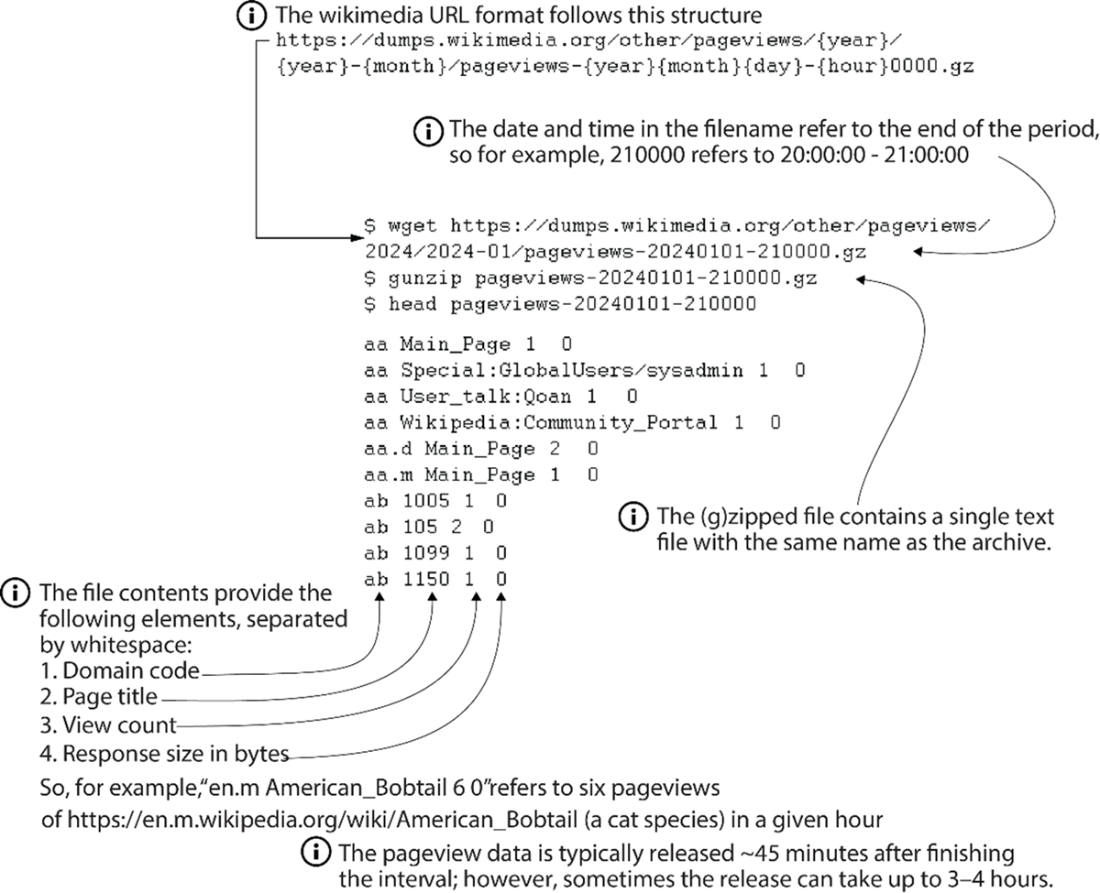
Downloading and inspecting Wikimedia pageviews data
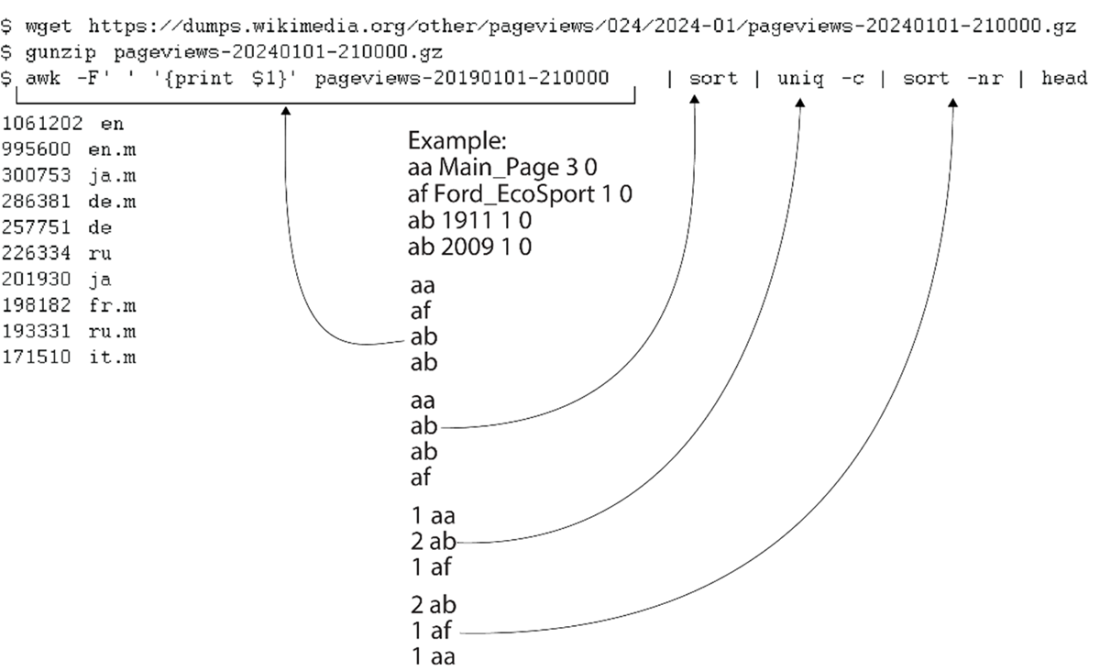
First simple analysis on Wikimedia pageviews data
First version of the StockSense workflow

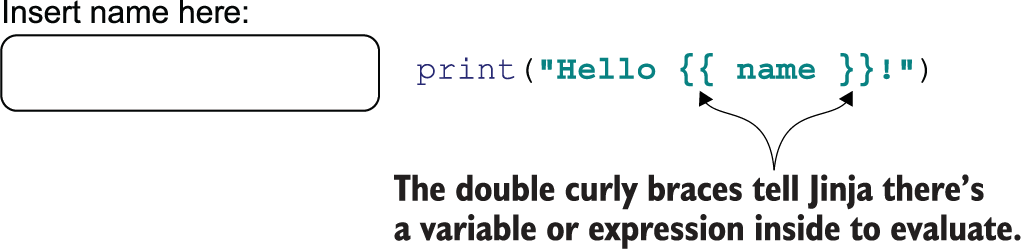
Not all variables are known upfront when writing code, for example, when using interactive elements such as forms.
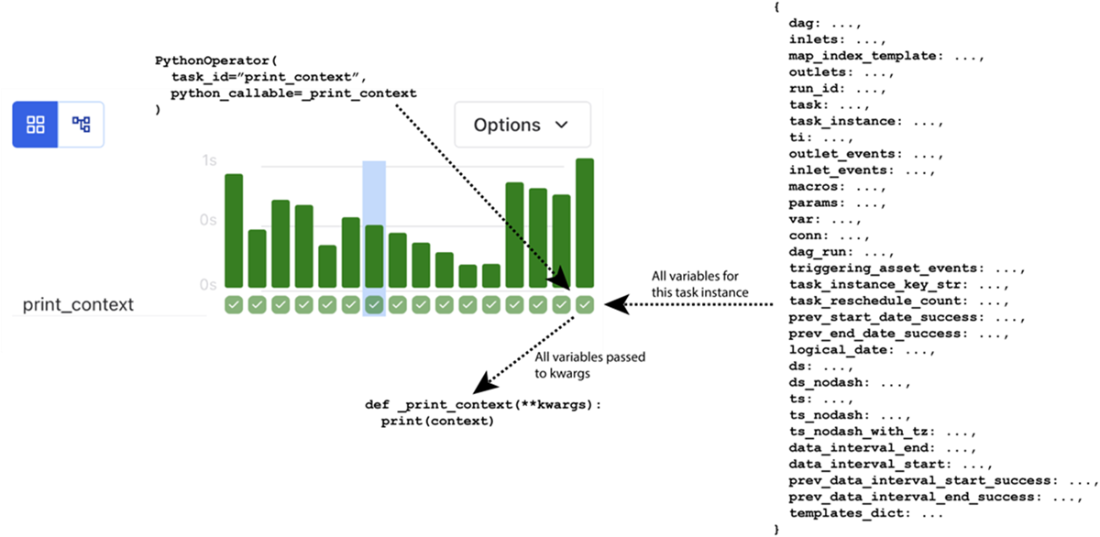
Providing task context with a PythonOperator
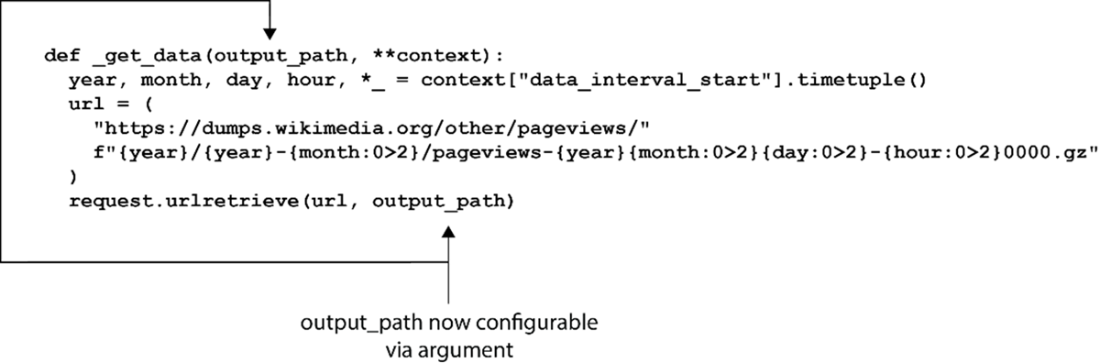
The PythonOperator takes a function instead of string arguments and thus cannot be Jinja-templated. In this called function, we extract datetime components from the data_interval_start to dynamically construct the URL.
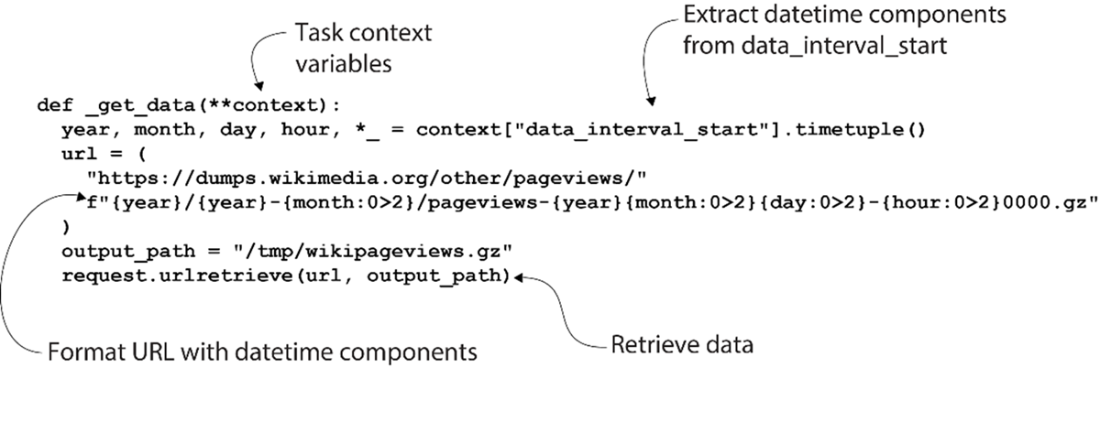
Python determines if a given keyword argument is passed to one specific argument in the function, or to the ** argument if no matching name was found.
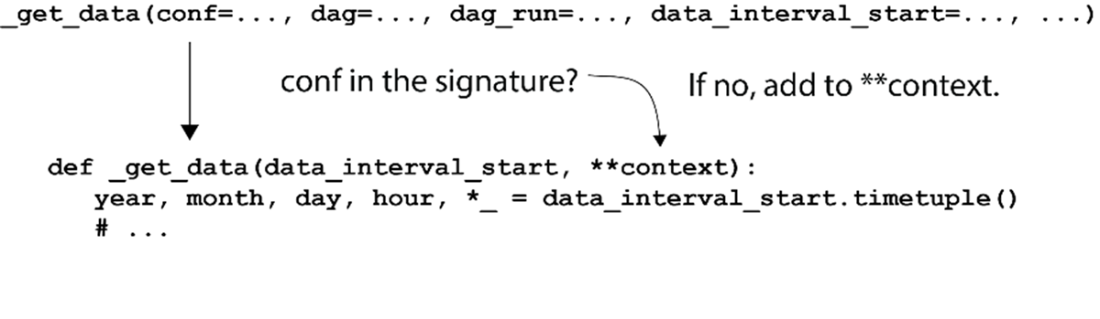
_get_data expects an argument named data_interval_start. No default value is set, so it will fail if not provided.
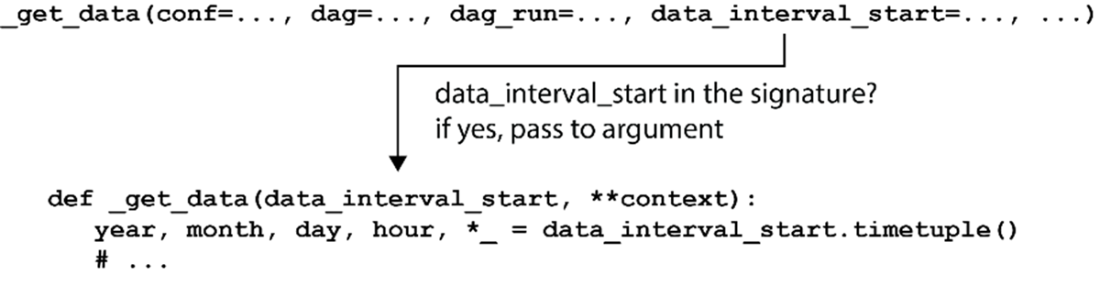
Any named argument can be given to _get_data(). data_interval_start must be provided explicitly because it’s listed as an argument, all other arguments are captured by **context.
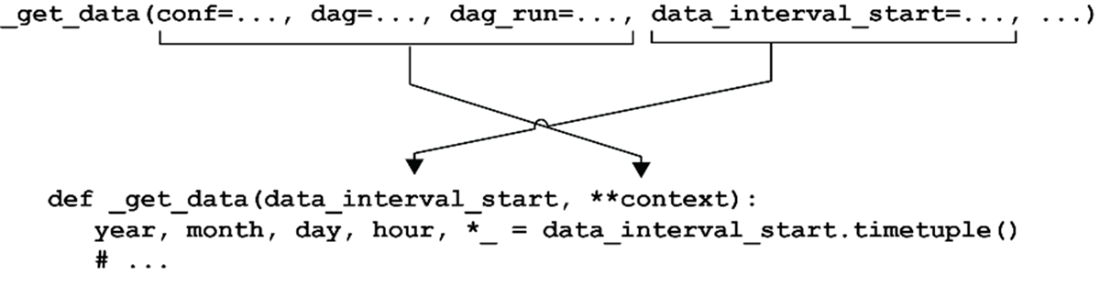
The output_path is now configurable via an argument.
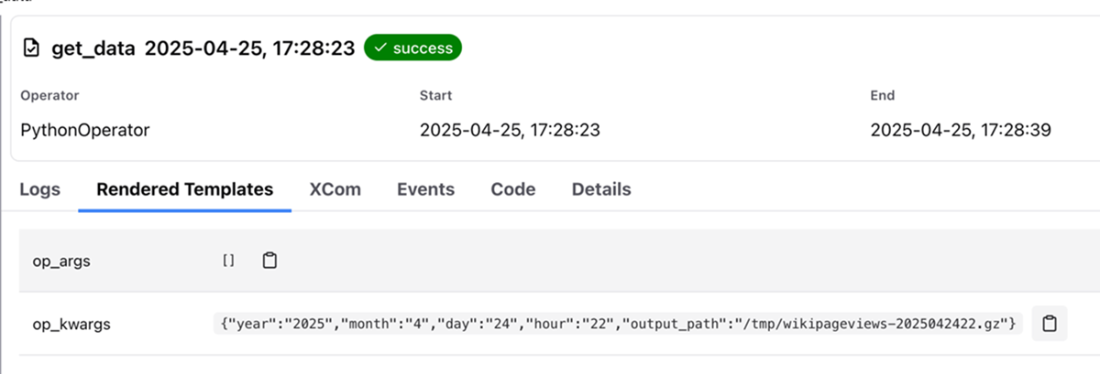
Inspecting the rendered template values after running a task.
Conceptual idea of workflow. After extracting the pageviews, write the pageview counts to a SQL database.

DAG fetching hourly Wikipedia pageviews and writing results to Postgres

Connection listed in Airflow UI

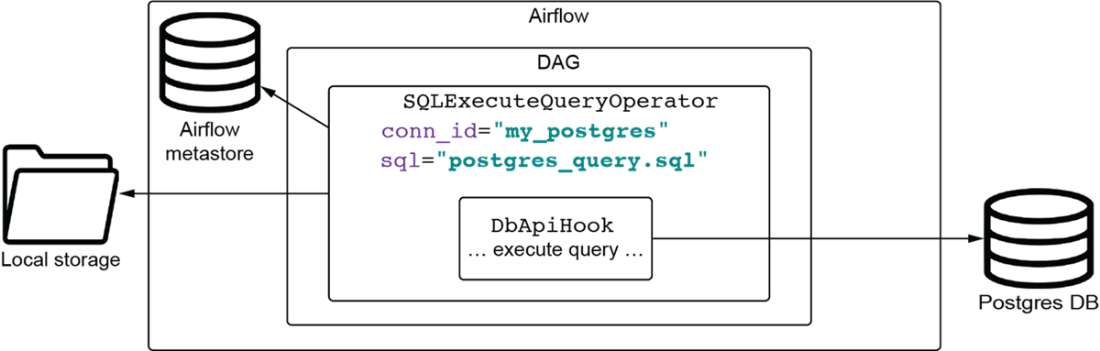
Running a SQL script against a Postgres database involves several components. Provide the correct settings to the SQLExecuteQueryOperator, and the DbApiHook will do the work under the hood.
Summary
- In Airflow, templating allows for the dynamic parameterization of tasks at runtime. This enables the creation of more generic and reusable workflows, as values like dates or filepaths can be determined when the DAG is executed, rather than being hardcoded.
- Jinja templating lets you create flexible workflows in Airflow operators. For example, you can dynamically generate a SQL 'SELECT' statement using Jinja templating. By including {{ logical_date }} within the query. Airflow will replace it with the current interval (e.g., '20240101').
- The PythonOperator in Airflow is unique when it comes to templating. Unlike with other operators, the PythonOperator variables and runtime information are not templated with Jinja but instead all variables are passed as a dictionary directly to the function that the python_callable points to during execution.
- By using op_args (a list of positional arguments) and op_kwargs (a dictionary of keyword arguments) you can pass additional parameters to the python callable of a PythonOperator.
- The airflow tasks render command allows you to test and verify the output of the templated arguments before running the actual tasks in a workflow.
- Operators describe what to do; hooks, on the other hand, define the how aspect, handling the interaction with external systems and services. They are connection interfaces to external systems like databases, cloud services, or file systems.

 Data Pipelines with Apache Airflow, Second Edition ebook for free
