2 Anatomy of an Airflow DAG
This chapter introduces the anatomy of an Airflow DAG by guiding you through a small, practical workflow: collecting rocket launch images from a public API. It motivates why a workflow orchestrator is useful even for simple jobs by showing how larger goals are decomposed into clear, resilient tasks that can run independently, in sequence, or in parallel. Along the way, it establishes core concepts—DAGs, tasks, operators, dependencies, and execution state—so you can reason about how work moves through a pipeline and how Airflow provides visibility and control.
Building the pipeline starts with defining a DAG and choosing one of three authoring styles: explicit DAG instantiation, the more concise context manager pattern, or the Taskflow API. Tasks are created with operators that perform single units of work, such as BashOperator to retrieve data and PythonOperator to parse and download images; dependencies are expressed with the readable >> and << operators. The chapter clarifies the distinction and relationship between operators and tasks, then shows how to run Airflow locally—either in a Python environment with the standalone command or via Docker Compose—before exploring the UI to inspect graph and grid views, follow task states, and read logs.
Once the workflow runs, the chapter covers scheduling with the schedule argument (for example, @daily), how start_date and catchup determine historical runs, and how to manage failures. You learn to diagnose issues through logs and to recover efficiently by clearing only failed and downstream tasks instead of rerunning everything. Finally, it introduces Airflow 3 DAG versioning, which records structural changes to DAGs and surfaces previous versions in the UI, laying groundwork for safer backfills and improved observability. The result is a concise toolkit for authoring, operating, and iterating on reliable, inspectable data workflows.
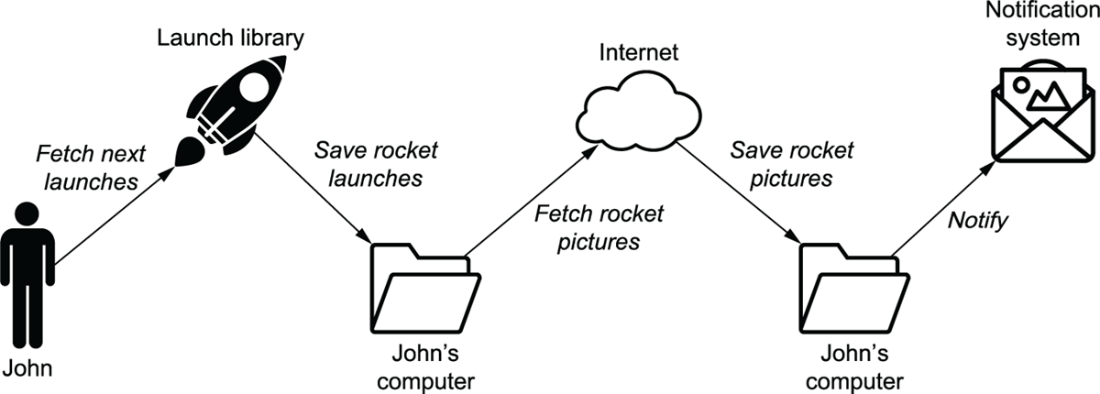
John’s mental model of downloading rocket pictures
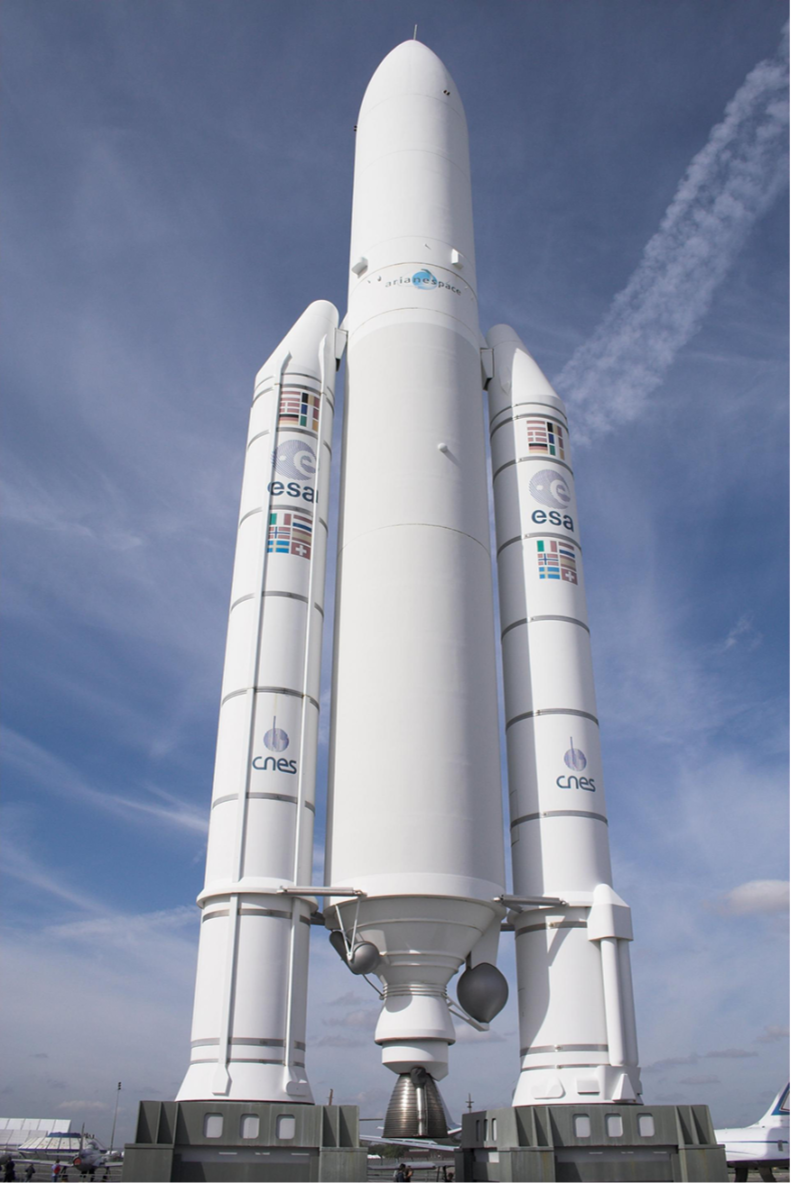
Example image of the Ariane 5 ECA rocket
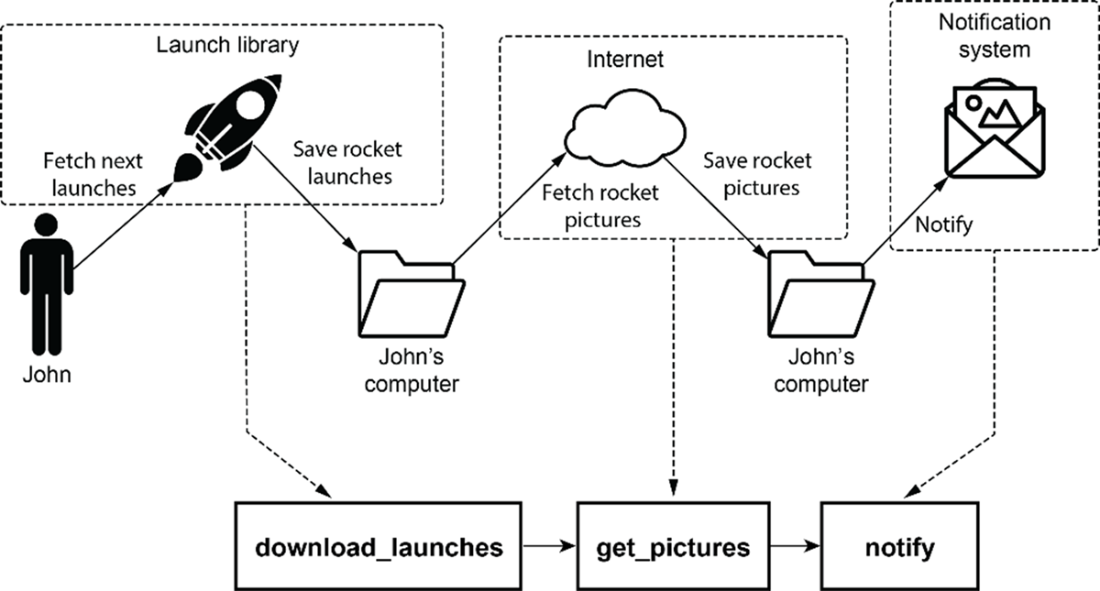
John’s mental model mapped to tasks in Airflow
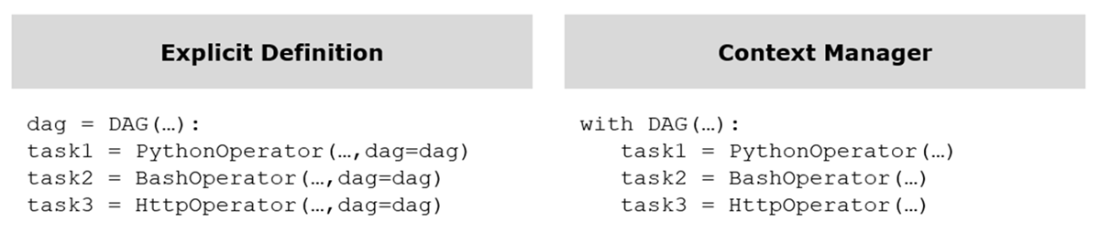
Explicit definition of a DAG compared to the same definition using a context manager.
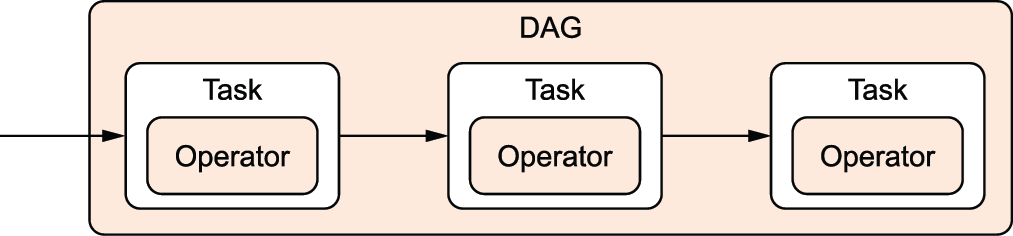
DAGs and operators are used by Airflow users. Tasks are internal components to manage operator state and display state changes (e.g., started/finished) to the user.
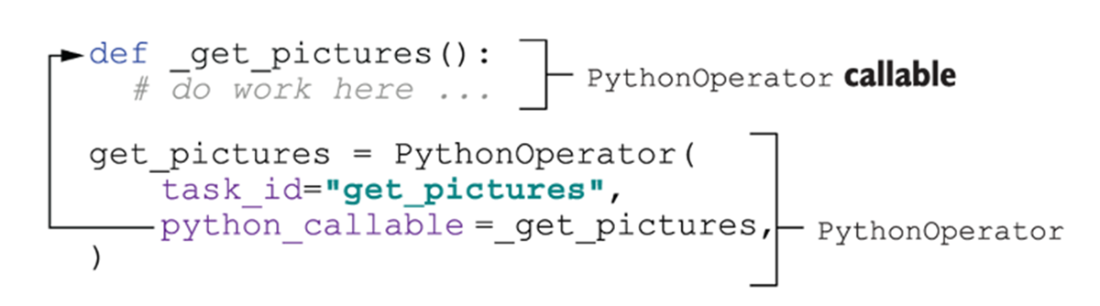
The python_callable argument in the PythonOperator points to a function to execute.
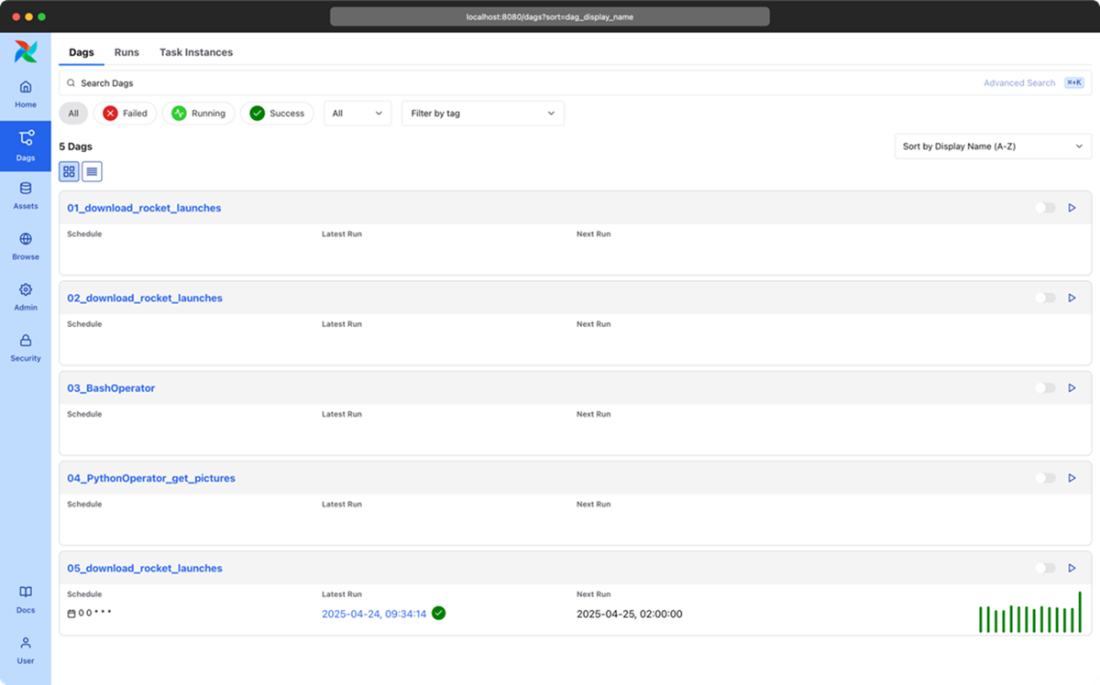
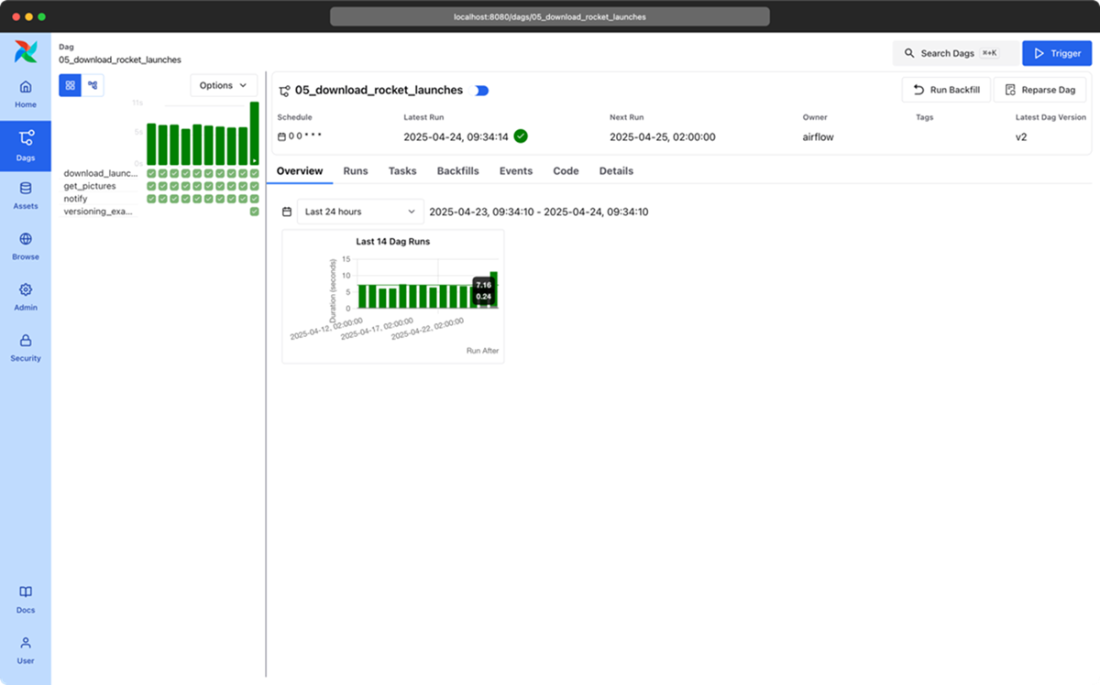
Airflow dag overview screen
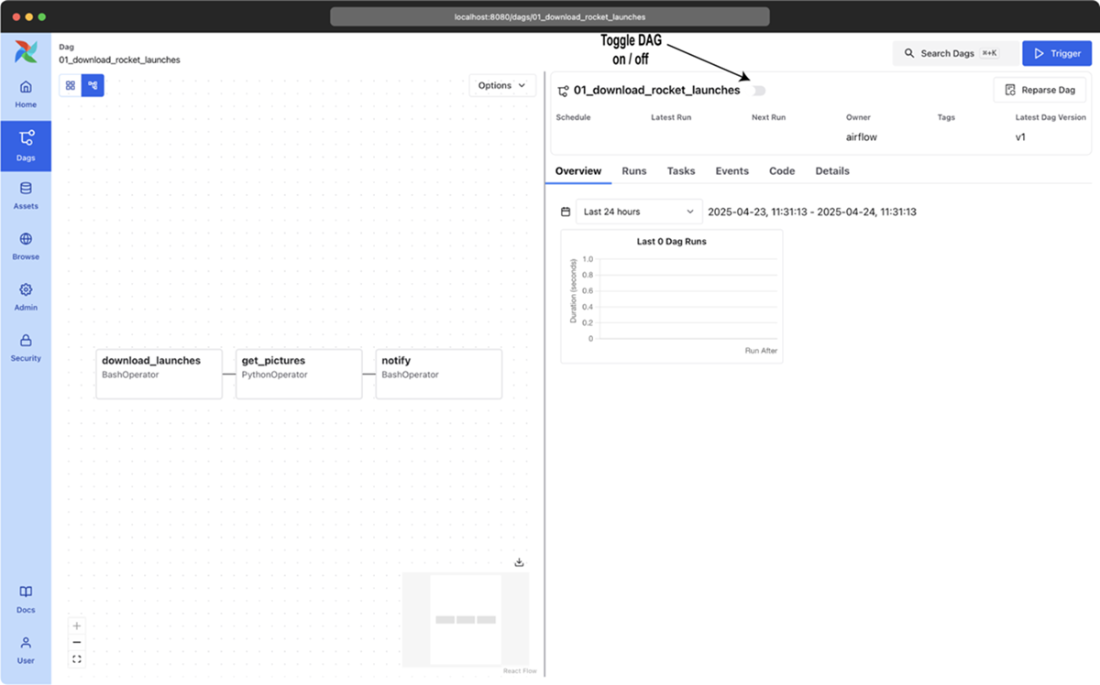
Airflow rocket launch DAG in graph view
Graph view displaying a running DAG
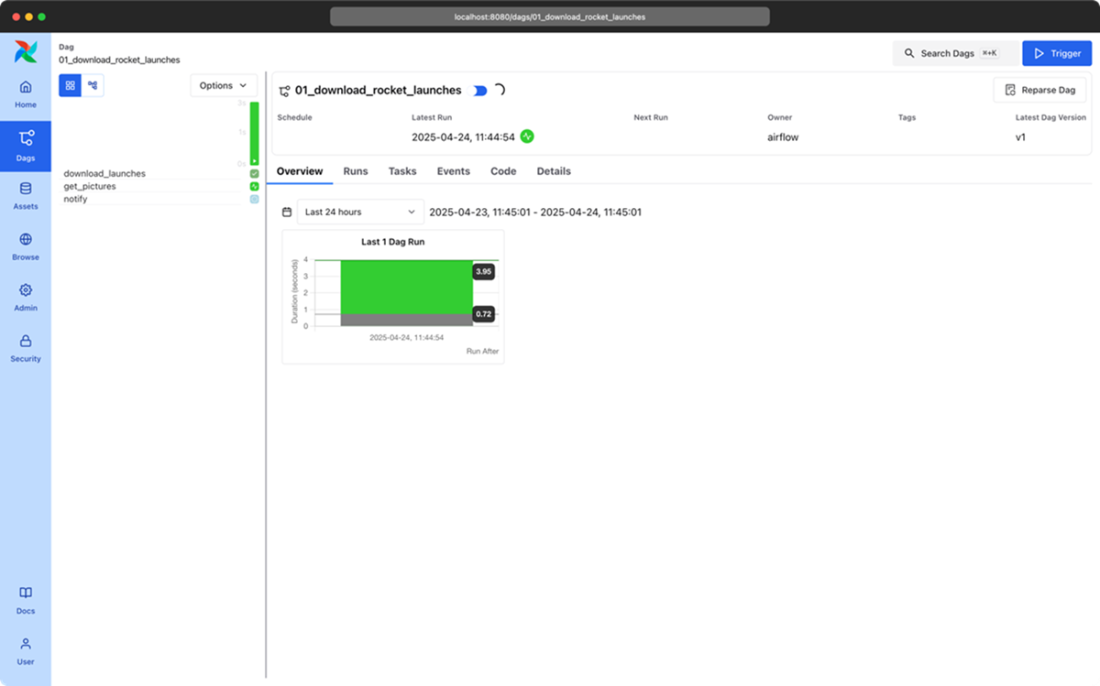
Task detail screen
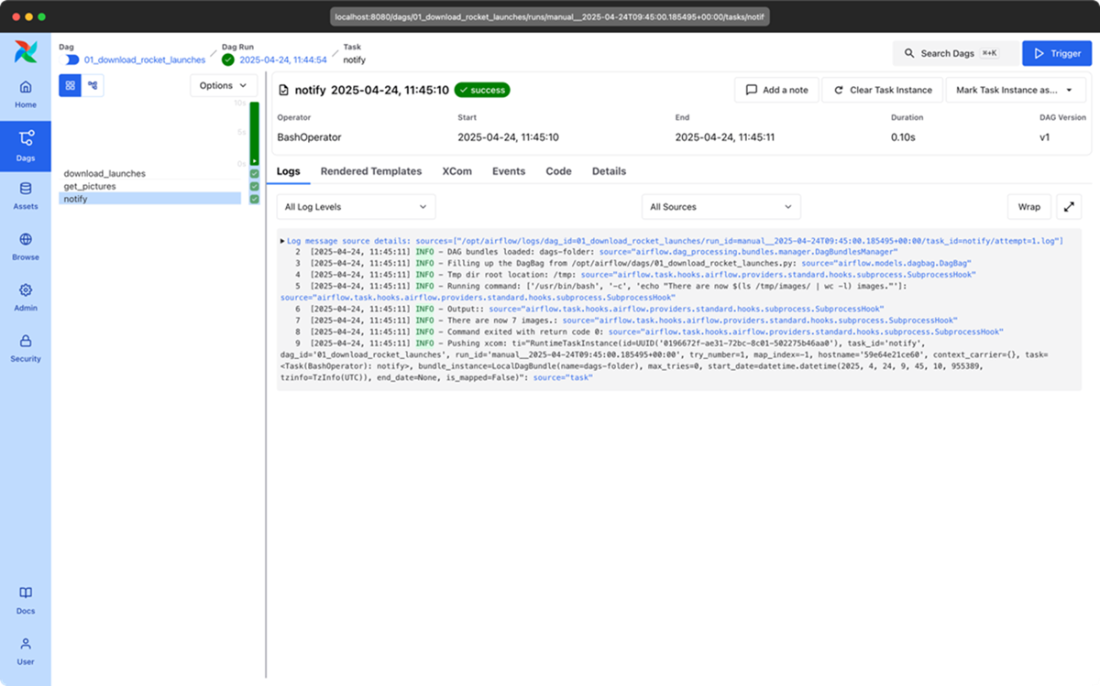
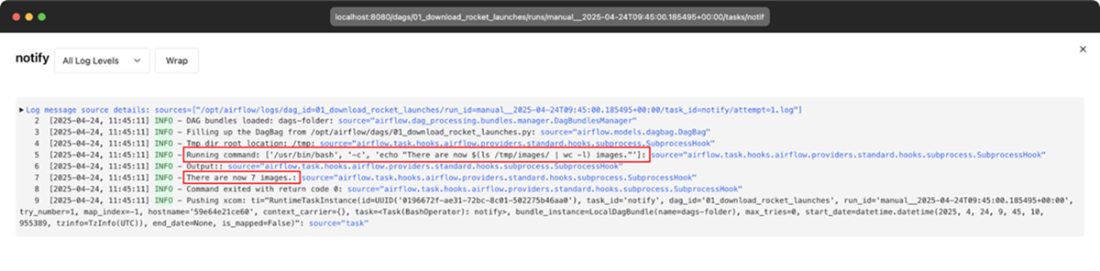
Print statement displayed in logs
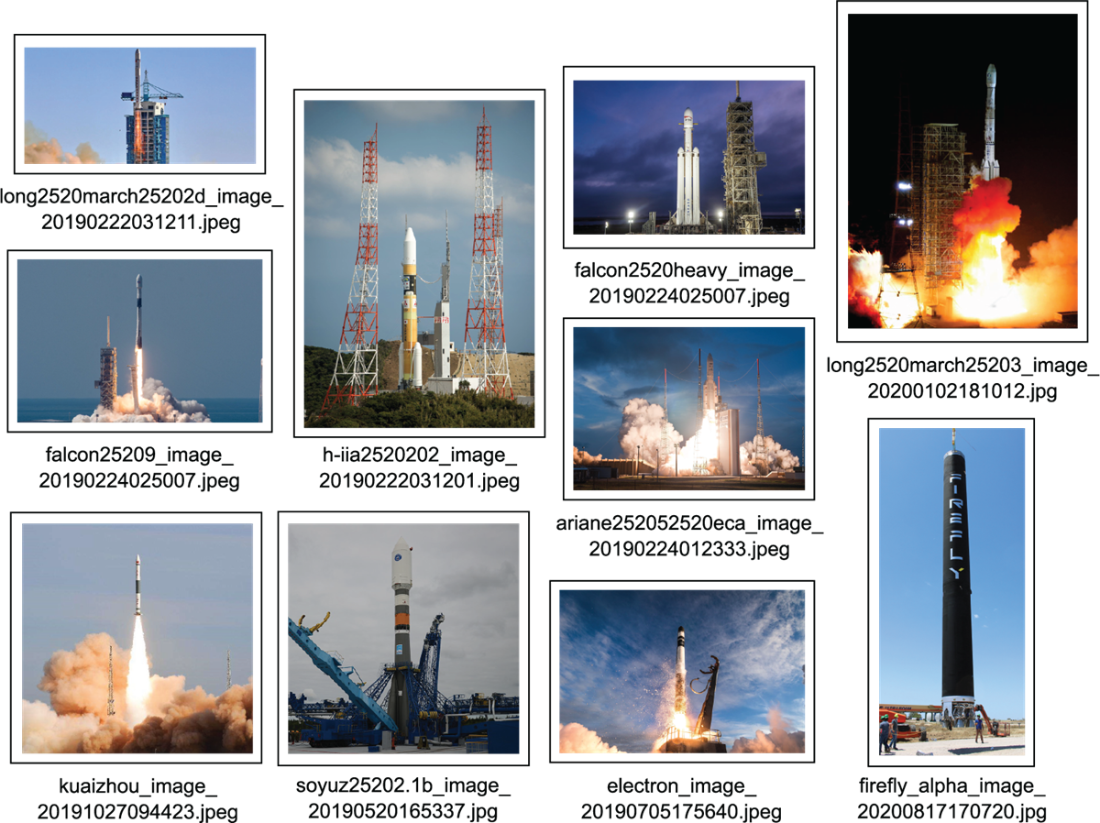
Resulting rocket pictures
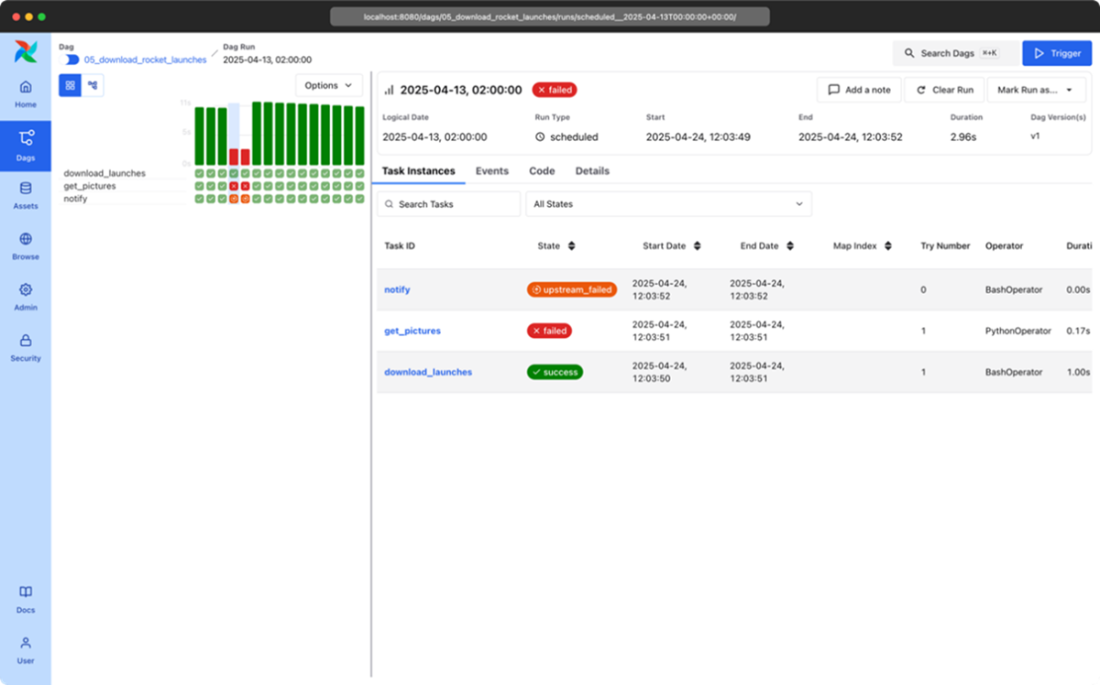
Relationship between graph view and grid view
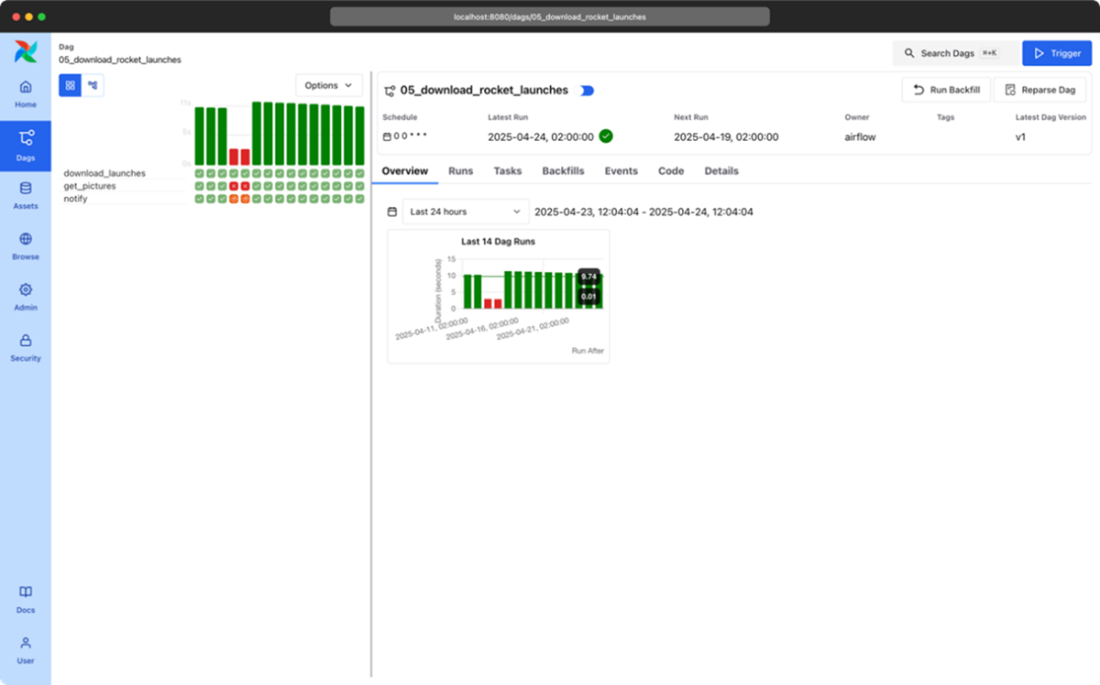
Failure displayed in grid view
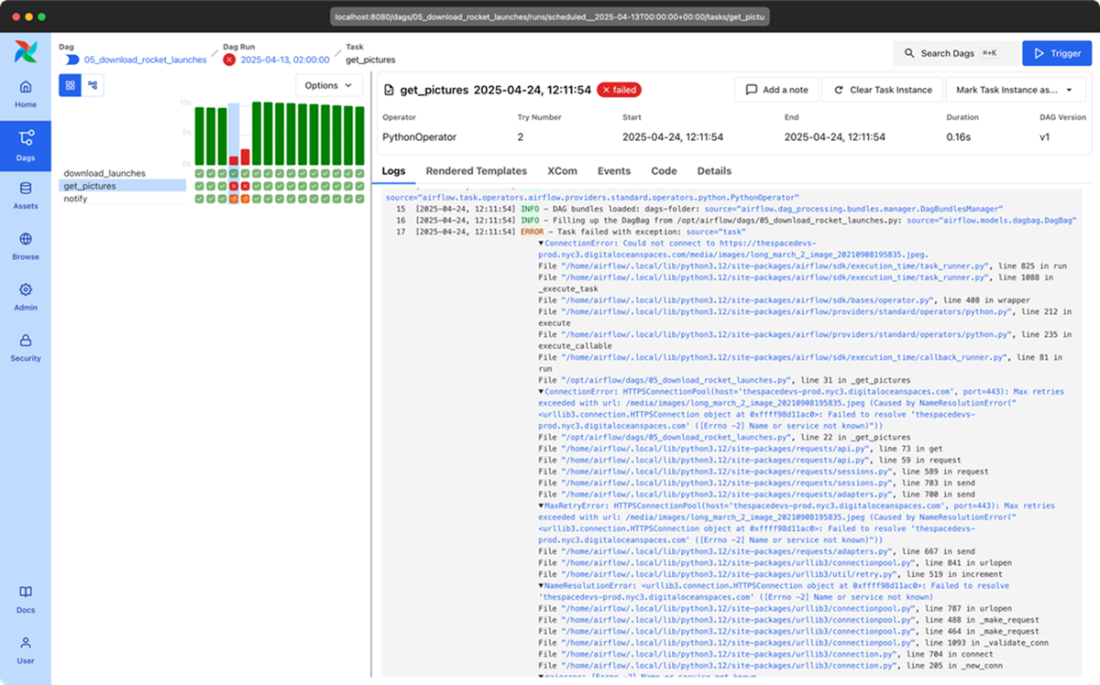
Stack trace of failed get_pictures task
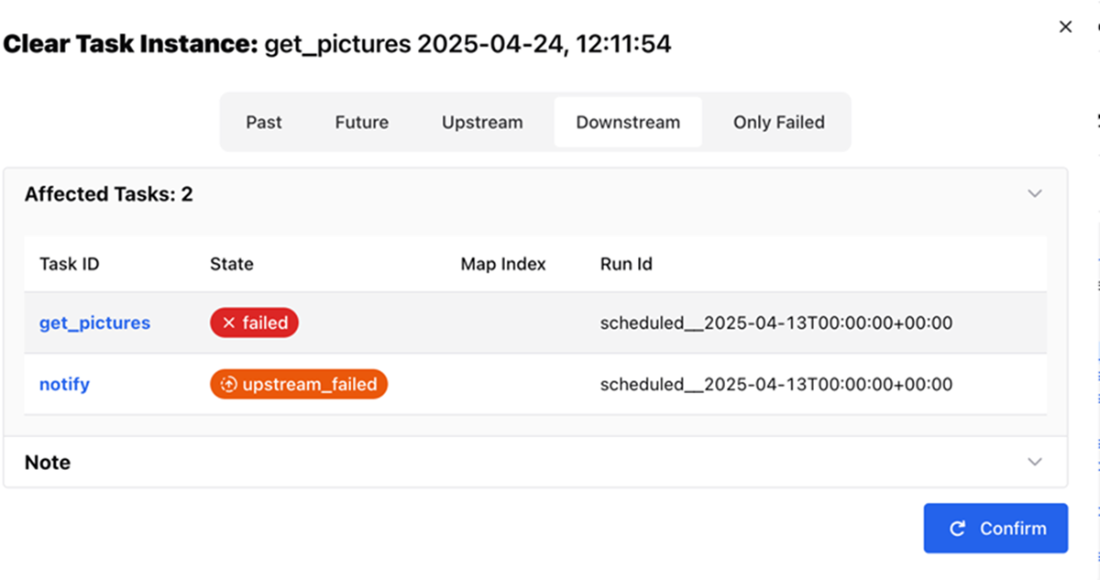
Clearing the state of get_pictures and successive downstream tasks
Cleared tasks displayed in graph view
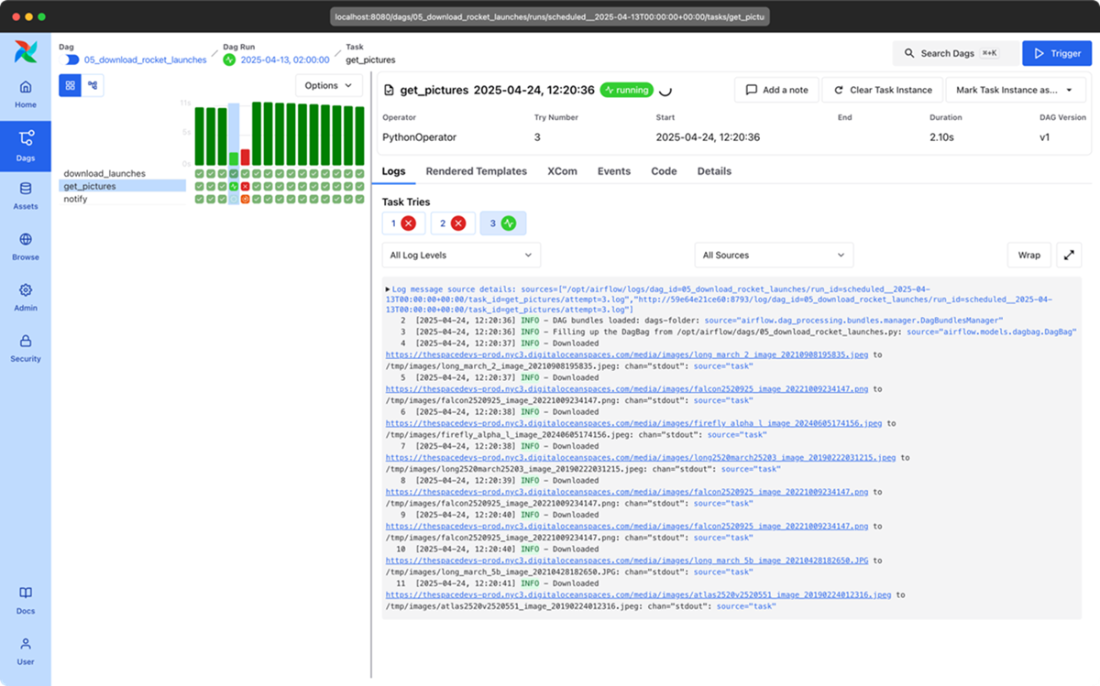
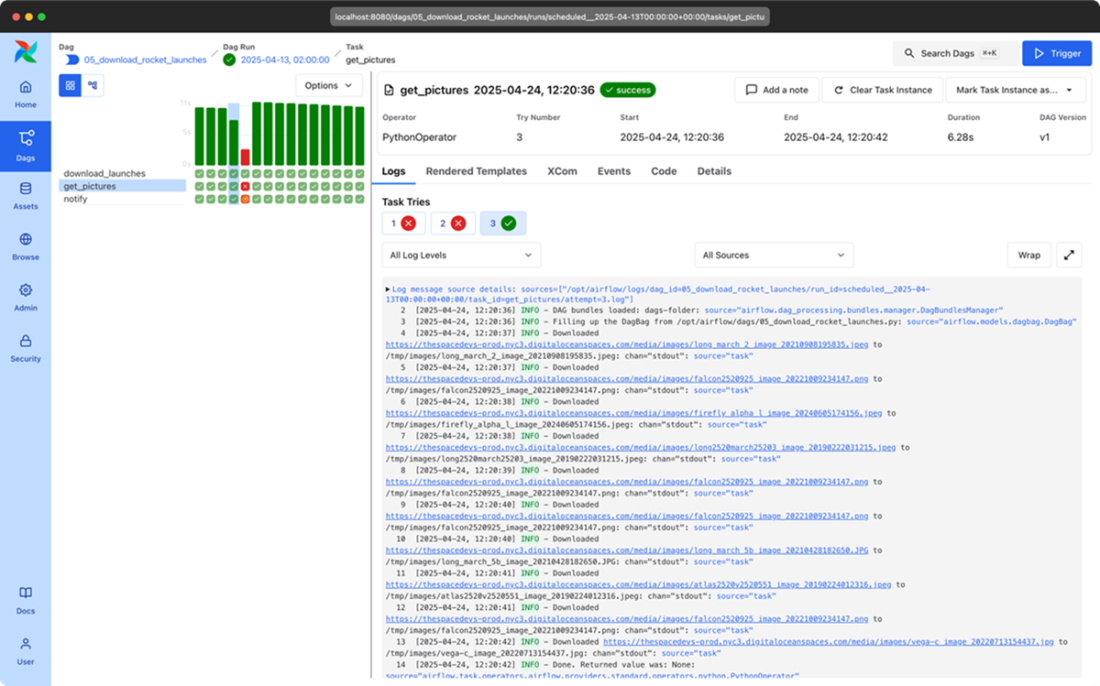
Successfully completed tasks after clearing failed tasks
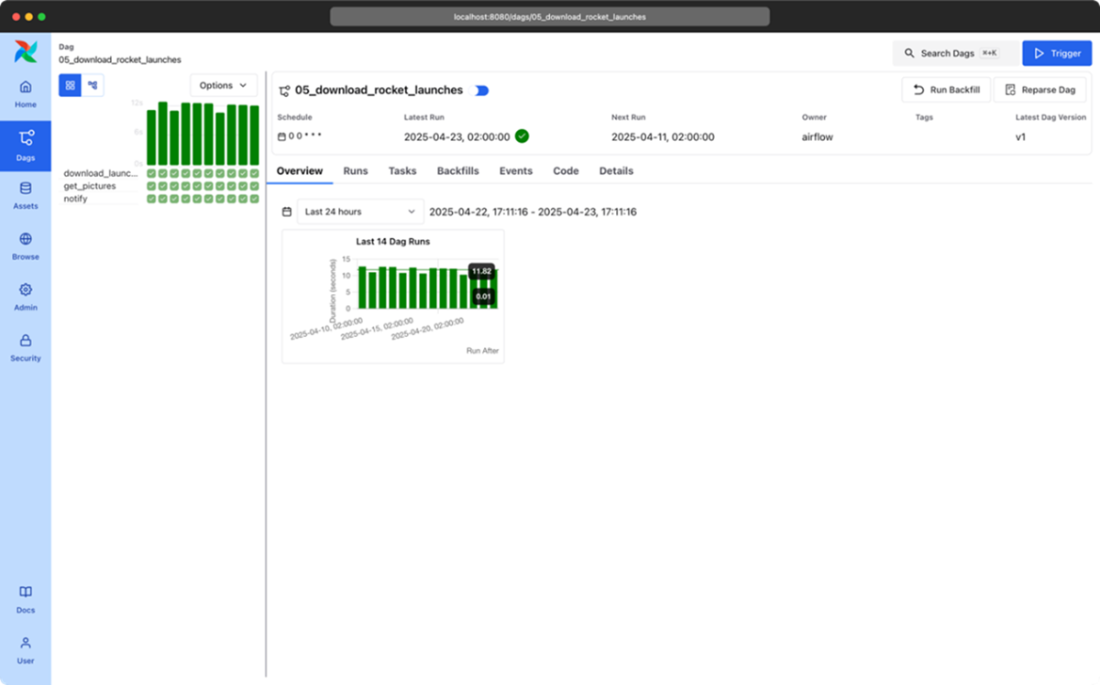
Dag Versioning version 1
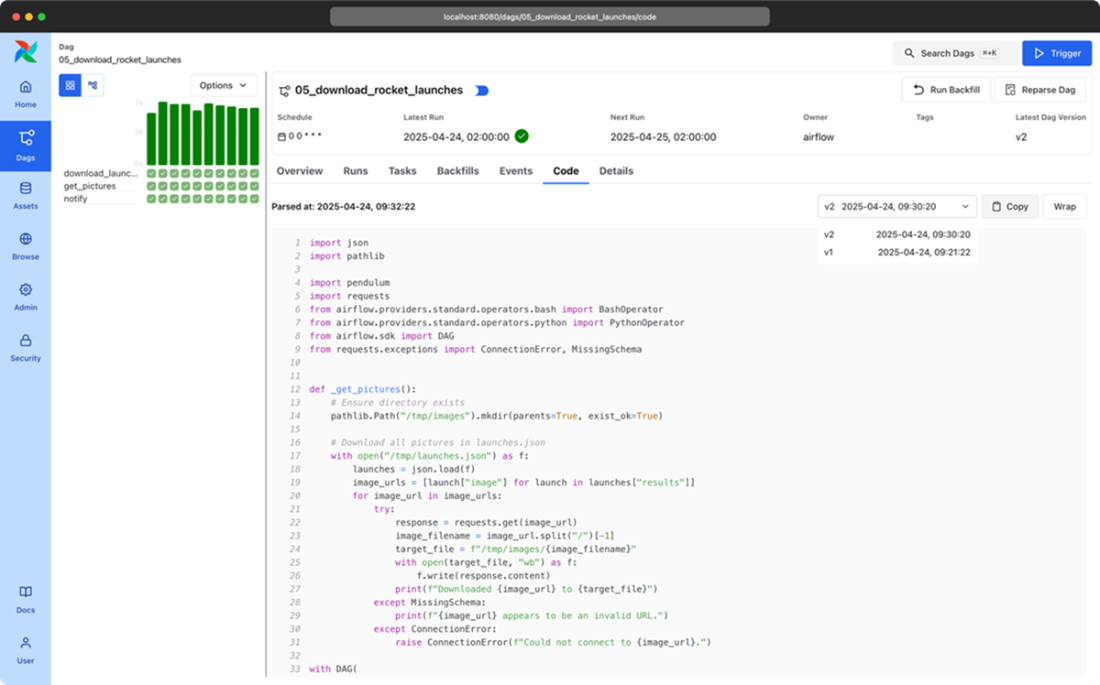
Dag Versioning version selector in Code view
Dag Versioning new task visible in latest run
Summary
- in Airflow we can split a large job, which consists of one or more steps, into individual “tasks” that together form a DAG. The role of a DAG is to orchestrate the execution of operators, managing start/stop of tasks, and task dependencies.
- There are three main methods in Airflow to define a DAG: explicitly using a DAG object, using a context manager, or with the Taskflow API.
- Operators in Airflow are the building blocks that perform single tasks. By connecting these operators, users can define workflows using DAGs.
- Airflow contains an array of operators both for generic and specific tasks. For example:
- BashOperator: Executes a Bash command for shell commands within a task.
- PythonOperator: Executes Python code as part of a task.
- EmailOperator: Sends an email to one or more recipients; it can be used to notify users of task progress or failures.
- OracleOperator: Executes SQL commands in an Oracle database, helping operations like data extraction, and loading within an Oracle environment.
- In a DAG, the execution order of tasks is managed by establishing task dependencies. The most common way to define the task execution order in Airflow is by setting task dependencies with the rshift (>>) or lshift (<<) operators. The Airflow UI displays a list of all created DAGs, allows users to trigger DAG executions, and provides detailed insights into each task's execution status, success or failure, along with logs to help diagnose and troubleshoot any issues.
- In Airflow, task failure management is a critical aspect of workflow execution. When a task fails, Airflow provides mechanisms to handle such events gracefully. Users can configure retries to rerun a task after a failure. If manual intervention is required, users can clear the failed task state, prompting Airflow to reschedule and execute the task again.
- Airflow 3 introduces the concept of DAG versioning. At the time of writing the impact is only cosmetic but it lays the foundation for safer backfills, improved observability, and runtime-determined DAG logic.

 Data Pipelines with Apache Airflow, Second Edition ebook for free
