17 Airflow deployment options
Running Airflow in production revolves around choosing between a managed service and operating it yourself. Managed offerings like Astronomer’s Astro, Google Cloud Composer, and Amazon MWAA offload infrastructure setup, patching, scaling, and monitoring, while adding convenient deployment and developer tooling. They integrate tightly with their respective clouds and promise faster time to value, but can impose constraints in flexibility and come with pricing considerations tied to environment size, workers, and underlying services.
If you roll your own on Kubernetes, the chapter walks through a practical path: install the official Helm chart, inspect the core components, and then harden and customize. Key steps include setting a static webserver secret, switching to an external metadata database, and choosing a DAG delivery strategy—baking DAGs into the image for immutability, mounting a shared persistent volume for multi-team sharing, or using git-sync for automatic updates. For Python dependencies, embedding them in images is the production-friendly approach; to avoid cross-team dependency conflicts, you can segment workloads by queues or adopt multiple executors, combining the CeleryExecutor with the KubernetesExecutor and selecting per-task images for true environment isolation.
Ultimately, the “best” deployment depends on real-world constraints: desired control versus operational burden, cloud and service integrations you rely on, Kubernetes expertise, security and secrets management, how DAGs and libraries flow through CI/CD, cost efficiency and scaling behavior, and the need for per-team or per-task isolation. Managed services suit teams prioritizing speed and reduced ops, while self-managed Kubernetes appeals when fine-grained customization, portability, or tight integration with existing platforms is paramount. The chapter provides concrete building blocks so you can align the deployment model with your organization’s skills, governance, and budget.
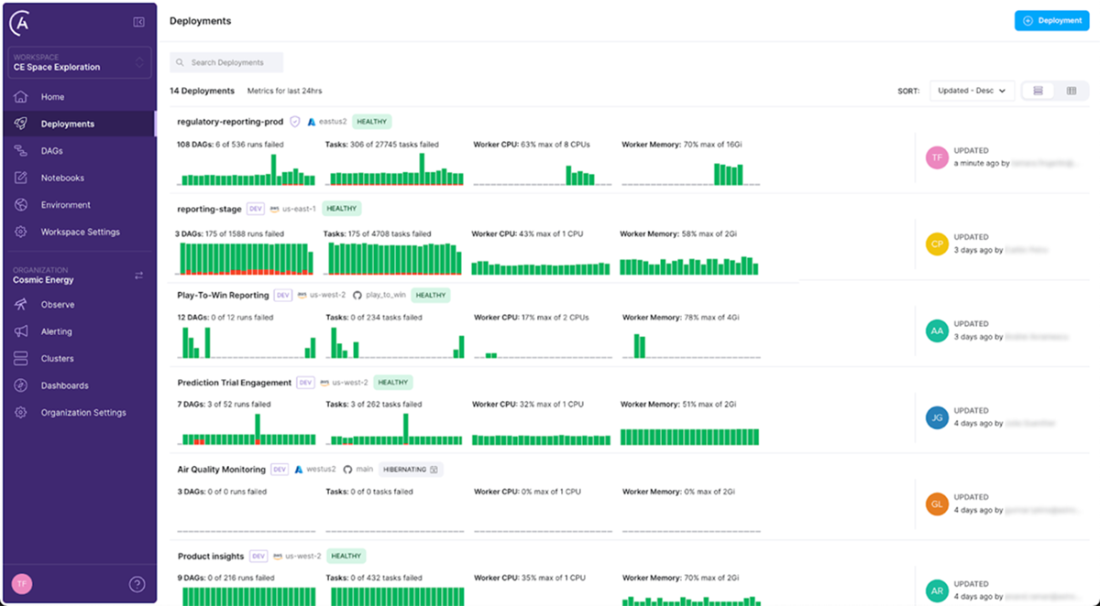
Astronomer UI overview of different deployments.
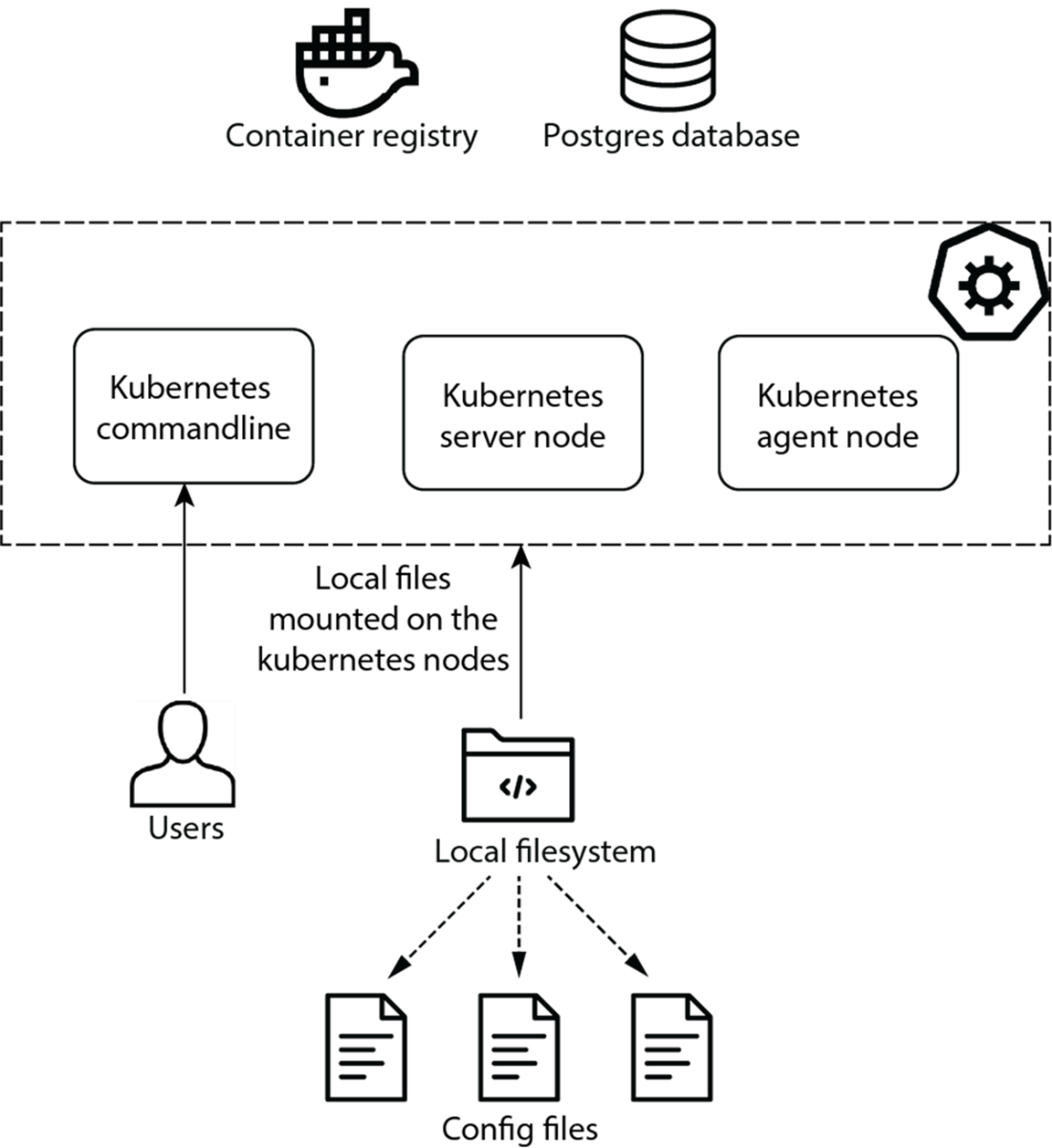
Kubernetes cluster and other services. Airflow components will be deployed inside the cluster.
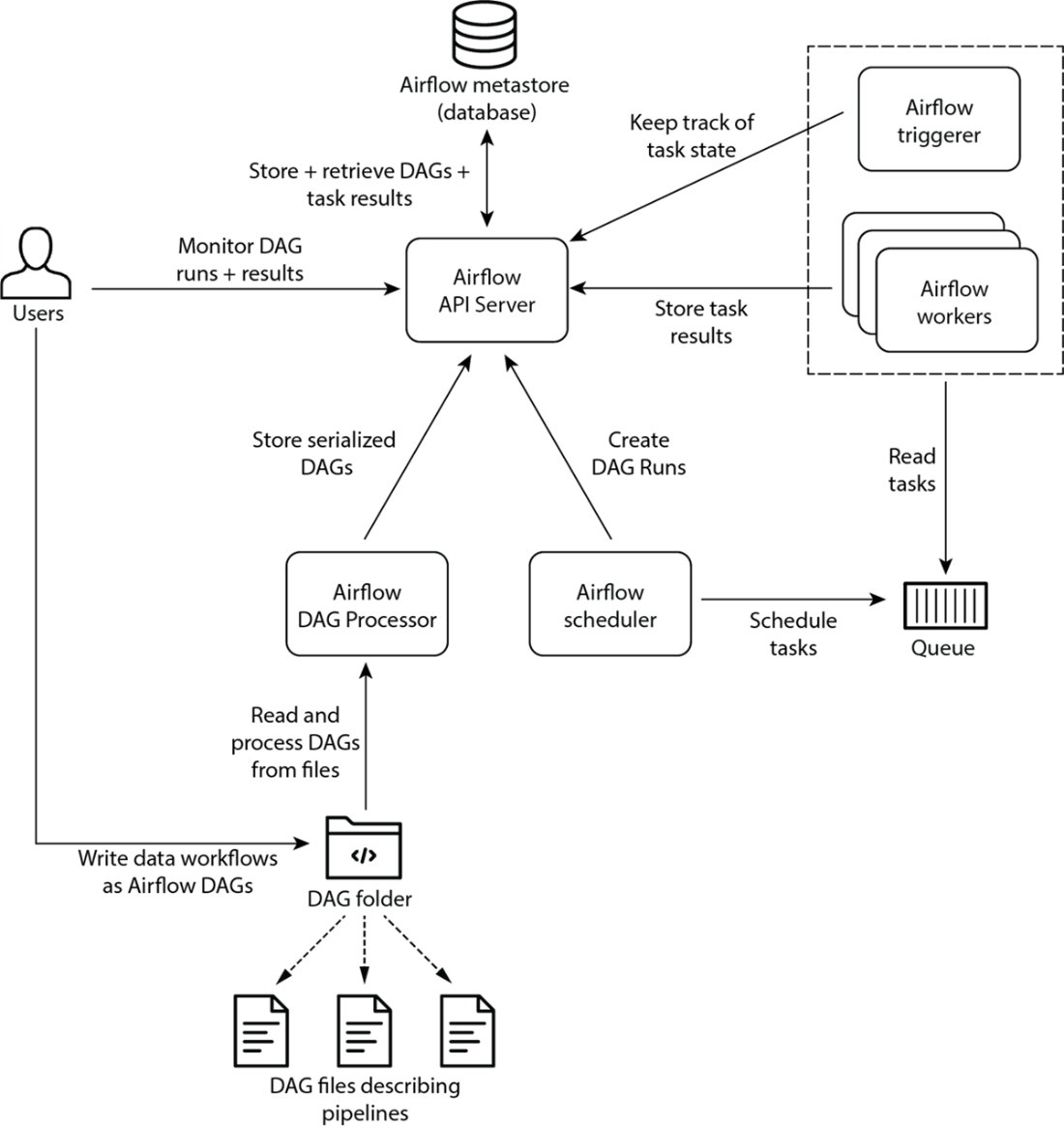
Airflow deployment with the CeleryExecutor architecture
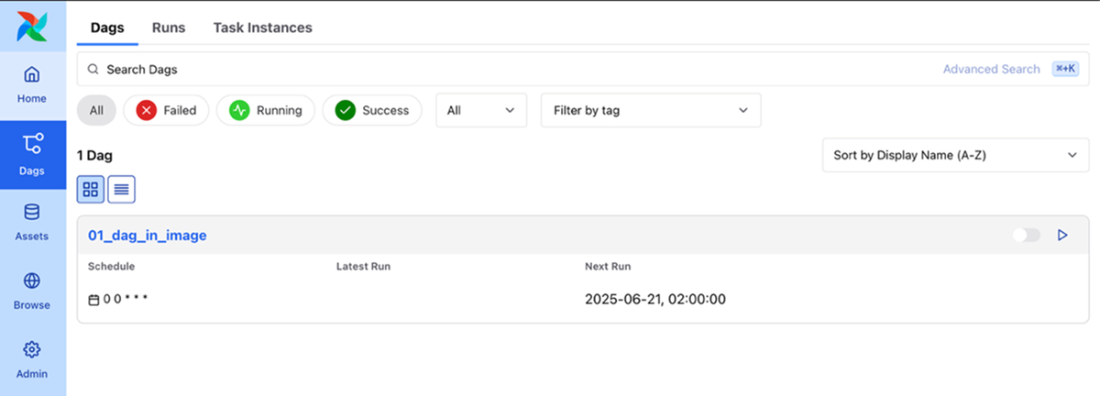
Dag from the default docker image shown in the UI
DAGs from persistent volume shown in the UI
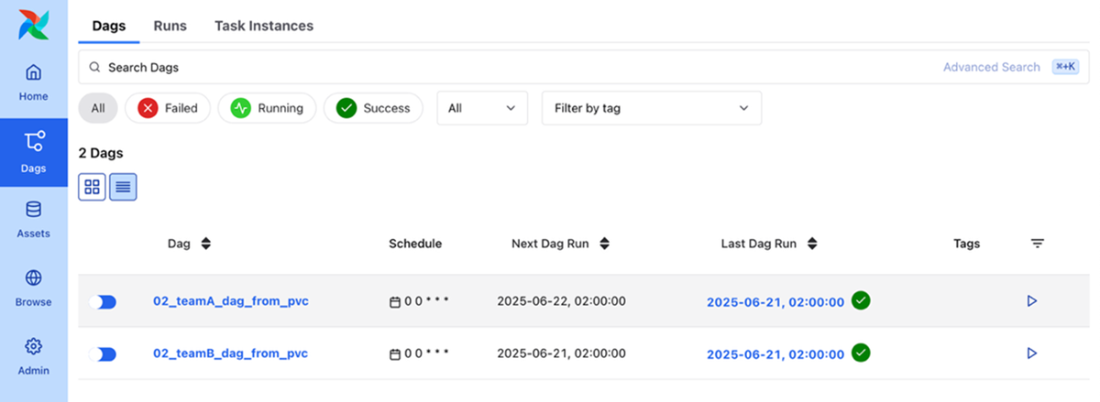
DAGs from git repository (chapter02) shown in the UI
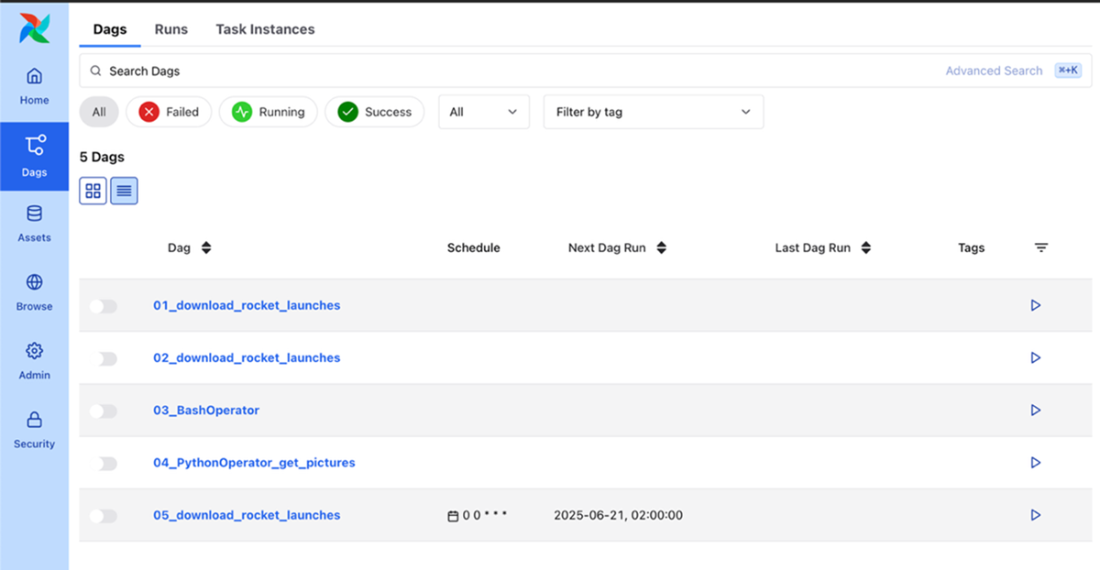
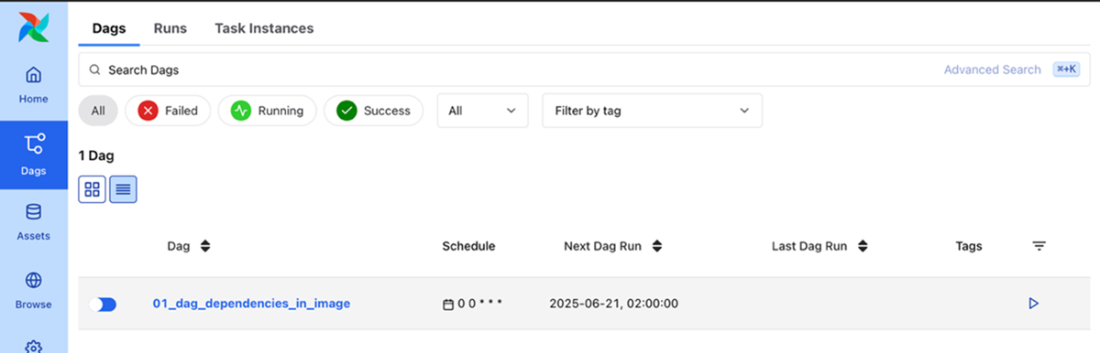
Dependencies in image shown in the UI
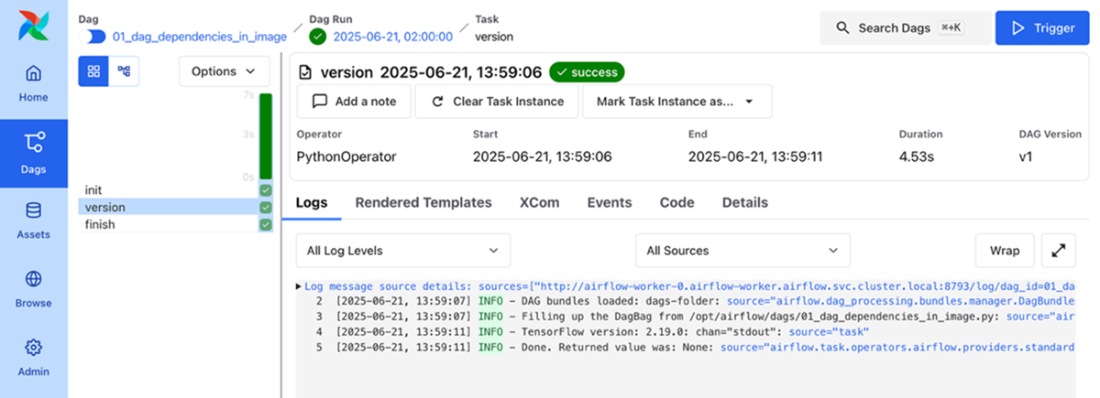
Version of dependency printed in the log of the task
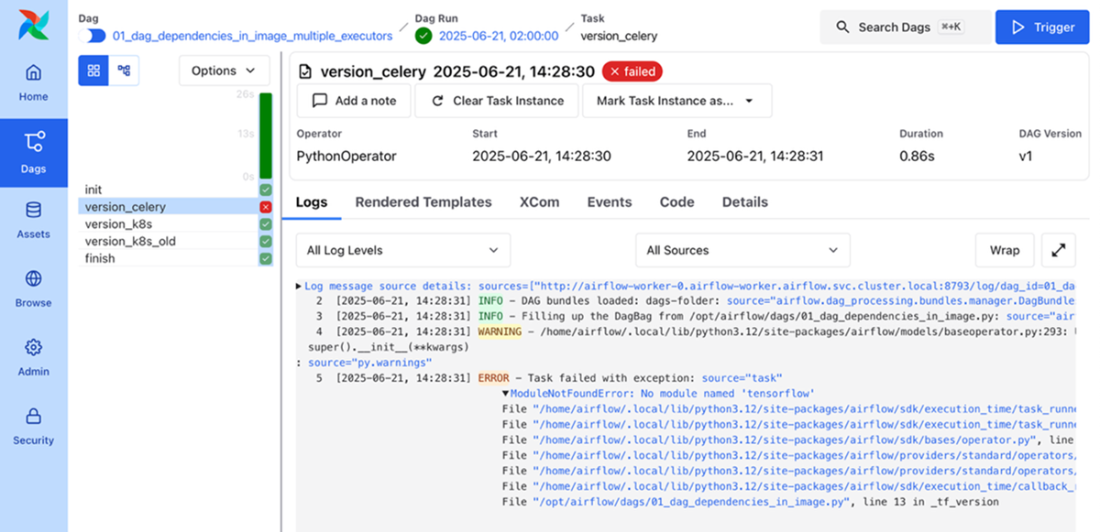
Module not found in default worker image executed by the CeleryExecutor
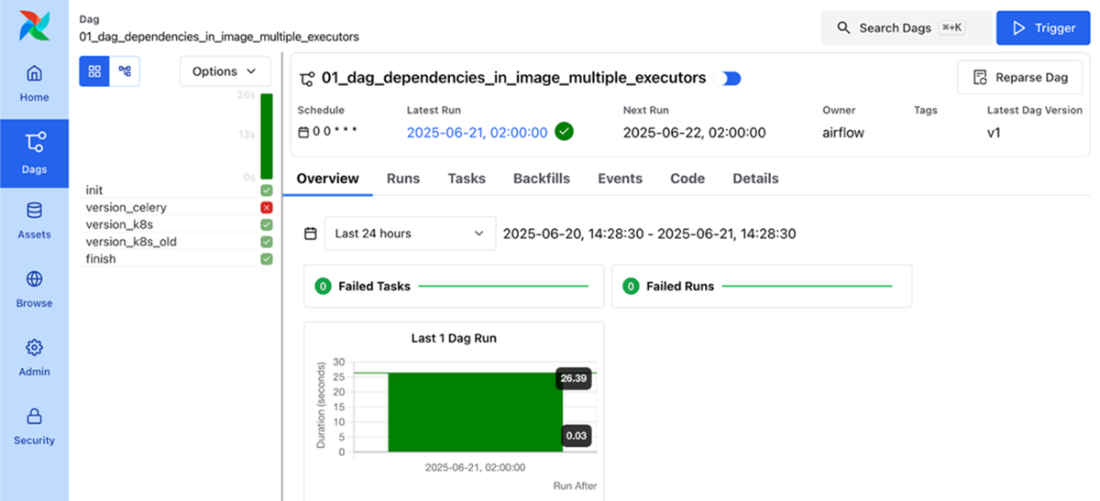
The KubernetesExecutor executes two tasks with images containing different versions of tensorflow
Summary
- Vendor-managed services (e.g., Astronomer, Google Cloud Composer, Amazon MWAA) provide an easy alternative to rolling out your own deployment by managing many details for you.
- Rolling your own deployment on Kubernetes with helm gives you full flexibility.
- There are a lot of configurations to choose when rolling your own Airflow deployment.
- A common pattern emerged from the different example configurations: providing a custom values override file and a specific helm upgrade command.
- Choosing between vendor-managed services or creating your own cloud deployment will depend on many factors, with managed solutions providing greater ease in deployment and management at the expense of less flexibility and (possibly) higher running costs.
FAQ
What are my main options for deploying Apache Airflow to production?
You can choose a managed service (offloading infrastructure and maintenance to a vendor) or roll your own deployment, typically on Kubernetes. Managed options include Astronomer Astro, Google Cloud Composer, and AWS MWAA. Self-managed gives maximum flexibility but requires more expertise for security, upgrades, and cost control.How do managed Airflow services differ, and when should I use one?
- Astronomer Astro: Airflow-focused platform, multi-cloud (AWS, Azure, GCP), rich developer tooling (CLI, local dev), observability, lineage, and multi-deployment insights.- Google Cloud Composer: Runs on GKE, tight GCP integration (GCS, BigQuery), pay-per-underlying resources plus Composer fees, easy dependency management via UI/CLI.
- AWS MWAA: CeleryExecutor-based scaling, native AWS integrations (S3, Redshift, SageMaker, CloudWatch, IAM), DAGs/plugins/requirements from S3, environment base fee plus per-worker pricing.
Use a managed service when you want to focus on DAGs over infrastructure, and your requirements fit the vendor’s flexibility, integrations, and pricing.
What is Astronomer Astro, and how do I interact with it?
Astro is Astronomer’s fully managed Airflow service. It abstracts setup/maintenance, adds developer tools (Astro CLI with local dev), and platform features like Astro Observe for observability/lineage and cost insights across deployments. You can create/manage deployments via UI, Astro CLI, REST API, or Terraform.What should I know about Google Cloud Composer?
Composer is Airflow on GCP, running on GKE with seamless integration to GCP services (e.g., GCS, BigQuery). You manage via GCP Console and gcloud CLI, can install Python deps through UI/CLI, and pay for both the Composer environment and underlying resources. Google contributes operators/providers to Airflow, easing GCP usage in DAGs.How does AWS Managed Workflows for Apache Airflow (MWAA) work?
MWAA manages infrastructure and scales Celery workers with workload. You store DAGs, plugins, and Python requirements in S3; logs/integration via CloudWatch and authentication/authorization via IAM. Pricing includes a base environment fee, per-worker instance cost (size tiers), and storage (metastore and S3).How do I deploy Airflow on Kubernetes using the official Helm chart?
- Add the apache-airflow repo and install the chart into a namespace (e.g., airflow).- Set apiServer.service.type=LoadBalancer to expose the UI locally.
- Verify pods (scheduler, workers, triggerer, dag-processor, Redis, Postgres if enabled).
- Access the UI at http://localhost:8080 (or 8081 depending on node), with the configured credentials.
How do I set a static secret key for the Airflow UI/api-server to avoid restarts?
Create a Kubernetes Secret with a generated key, then reference it in Helm values. In the chart, set apiSecretKeySecretName to your Secret’s name. This prevents a new random key on each upgrade, avoiding unnecessary restarts. For production, consider a secure external secret store (e.g., Vault, Azure Key Vault, Google Secret Manager).How can I use an external metadata database with the Helm chart?
- Create a Kubernetes Secret containing the SQLAlchemy connection URI to your external DB.- Disable the bundled Postgres (postgresql.enabled=false).
- Point data.metadataSecretName to your DB Secret.
- Reapply any initial-user and secret-key overrides, since you’re switching metadata stores.
- Consider a connection pooler (PgBouncer) to reduce connection churn.
What are the recommended approaches for deploying DAGs on Kubernetes?
- Bake DAGs into the image: simplest and immutable; every DAG change triggers a new image build/deploy.- Persistent Volume (PVC): share a mounted volume across components; good for multi-team setups but requires CI/CD to push code to storage.
- Git Sync: the chart’s gitSync sidecar pulls from a repo/branch/subPath; DAGs update automatically when changes land in Git.
How do I handle Python dependencies and multiple executors in production?
- Avoid installing deps at startup via _PIP_ADDITIONAL_REQUIREMENTS in production.- Prefer baking dependencies into images. For heterogeneous needs, use multiple executors (Airflow 3 supports multiple executors, experimental) so CeleryExecutor uses one image while KubernetesExecutor can use another (via pod_template), and even per-task image overrides. This isolates conflicting libraries across workloads.

 Data Pipelines with Apache Airflow, Second Edition ebook for free
