16 Securing Airflow
Airflow’s security model is built as a layered defense because the platform orchestrates access to many other systems and is therefore an attractive target. The chapter outlines practical steps to reduce the attack surface and protect both the user interface and the data it manages. It emphasizes configuring access control, encrypting sensitive information at rest and in transit, integrating with centralized identity and secret services, and adopting network hygiene so that externally reachable components are minimized and never exposed publicly.
Access is governed with a role-based access control system powered by Flask-AppBuilder, offering fine-grained permissions tied to UI components and actions. While local users can be created, a more scalable pattern is to authenticate against an LDAP-capable directory service so credentials are managed centrally, with Airflow assigning a default role at first login. For data at rest, Airflow encrypts secrets (such as connections, variables, and user passwords) with a Fernet key; generating and setting this key before storing any secrets is critical, and the key must be protected and recoverable. Configuration can read the key from a command to avoid storing it in plain text.
To safeguard data in transit and mitigate man-in-the-middle attacks, the chapter shows how to serve the UI over HTTPS using TLS, which requires a private key (kept secret) and a certificate (shareable), often self-signed for local use and issued by a trusted authority in production. Beyond UI transport security, secret management is best delegated to external systems such as Vault, AWS, GCP, or Azure via Airflow’s Secrets Backend so operators reference connections and variables by name while values are fetched on demand; resolution prioritizes the secret backend, then environment variables, then the metastore. The guidance concludes with pragmatic practices: restrict network access (for example, allowlist known ranges), avoid public exposure of services, and keep Airflow up to date to benefit from security fixes.
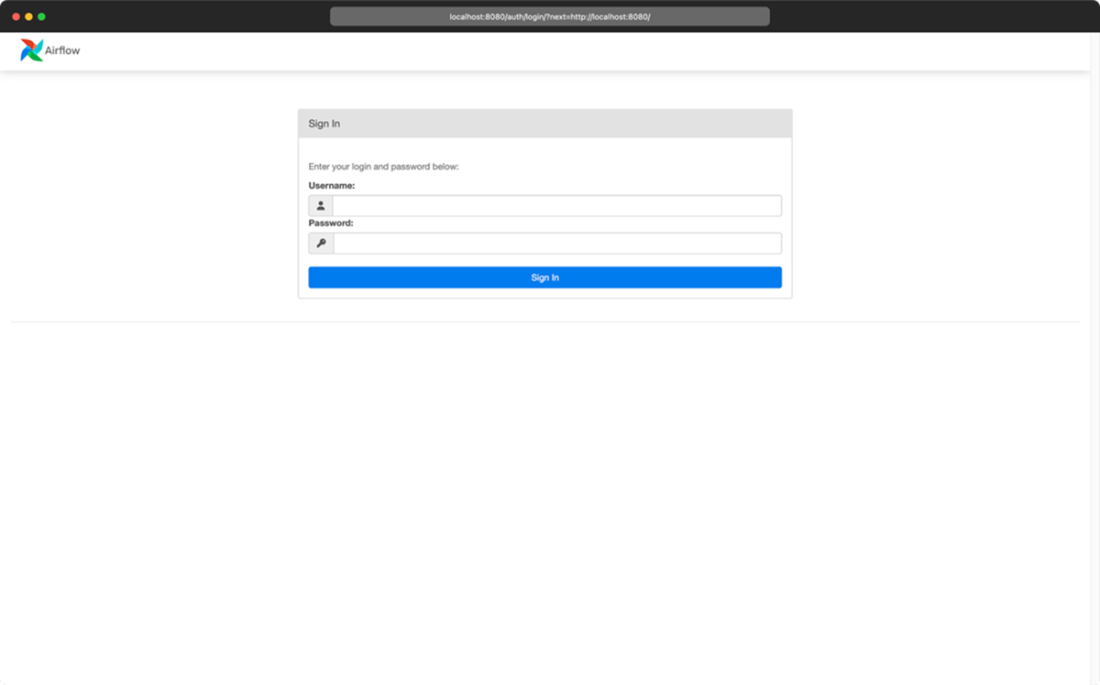
Home screen of the RBAC interface. Password authentication is enabled by default. The existence of a default user depends on the way Airflow is deployed.
RBAC permissions model

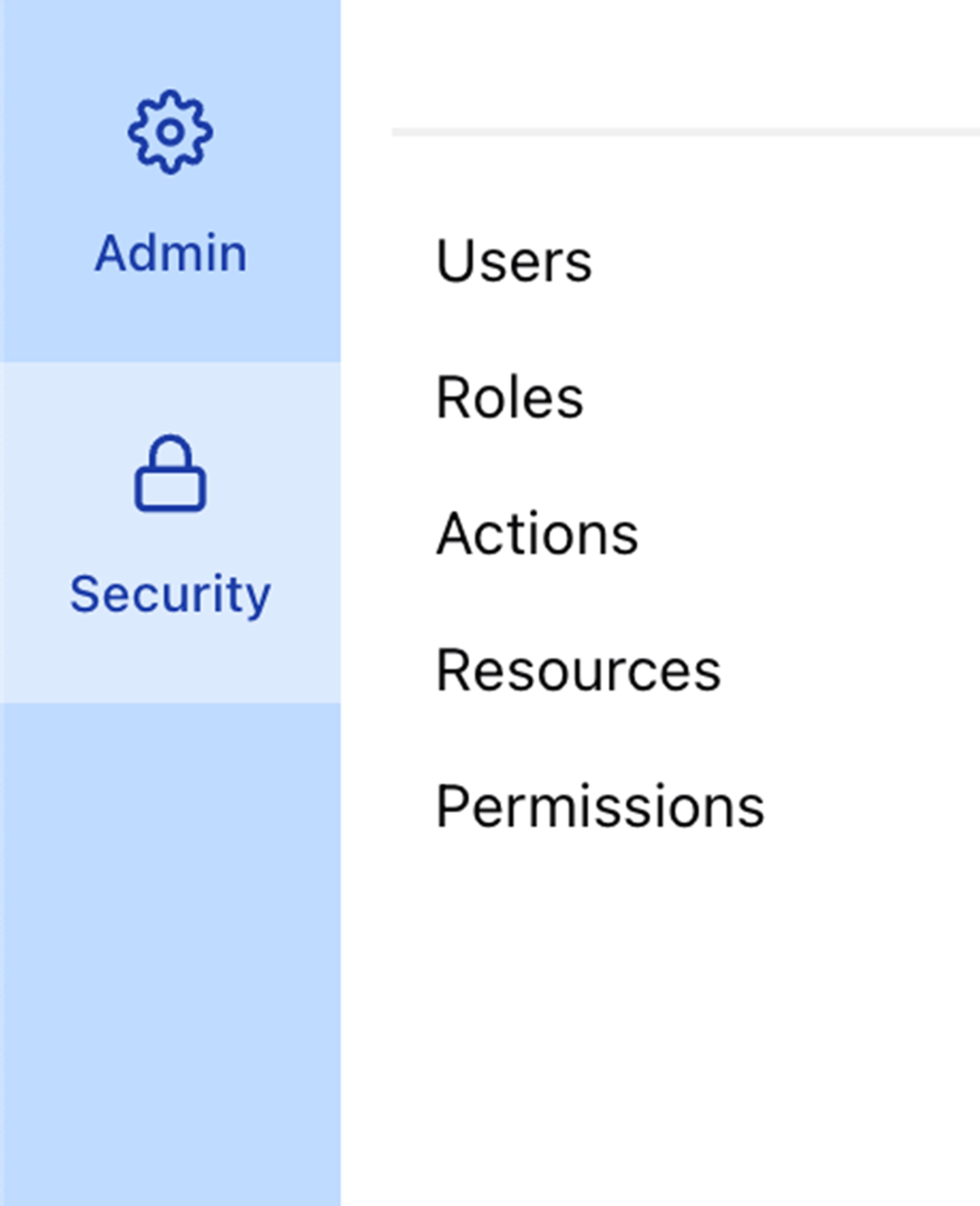
Options under the Security tab
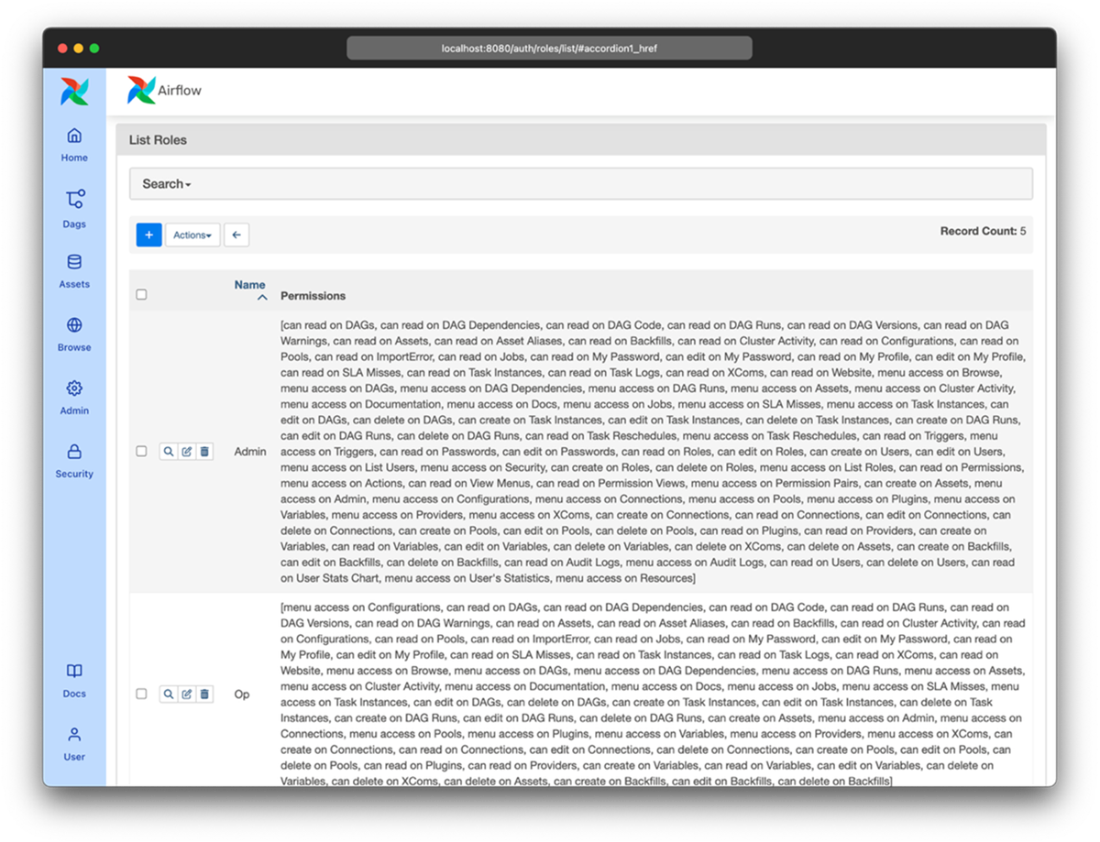
Default roles and corresponding permissions in Airflow.
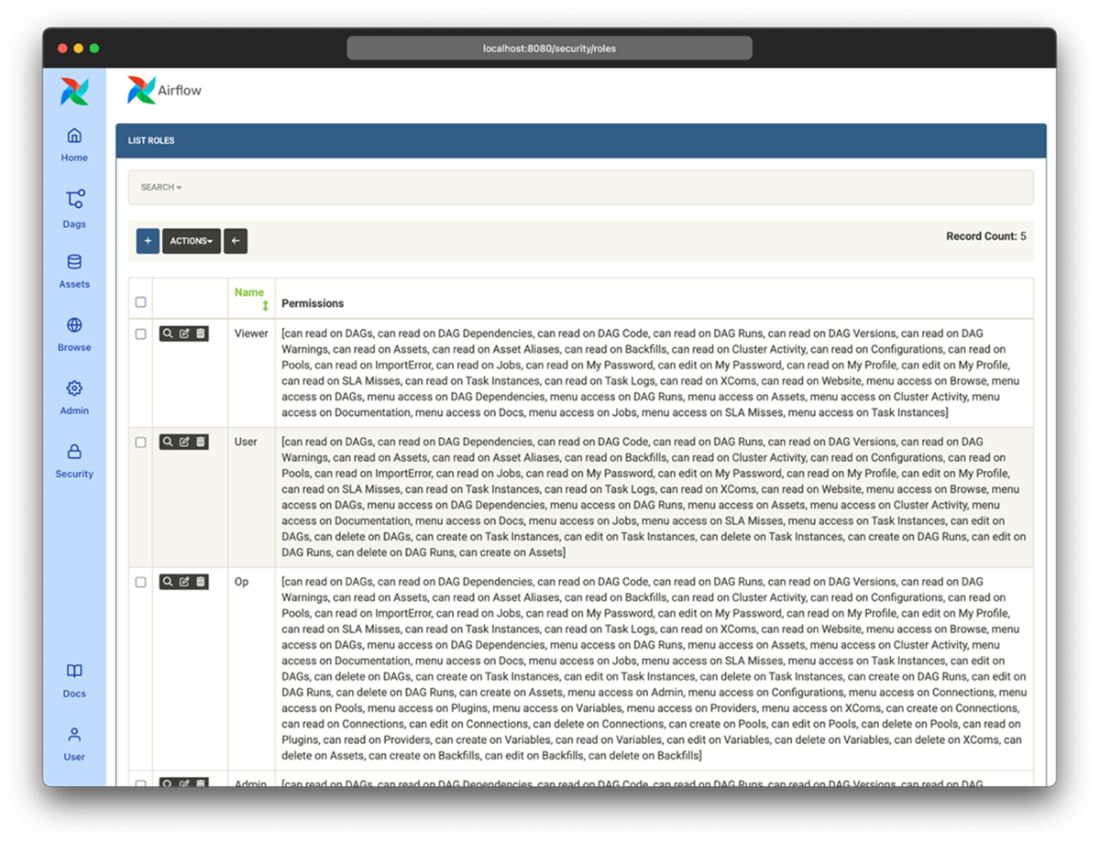
List roles screen in the RBAC interface configured with the sandstone theme
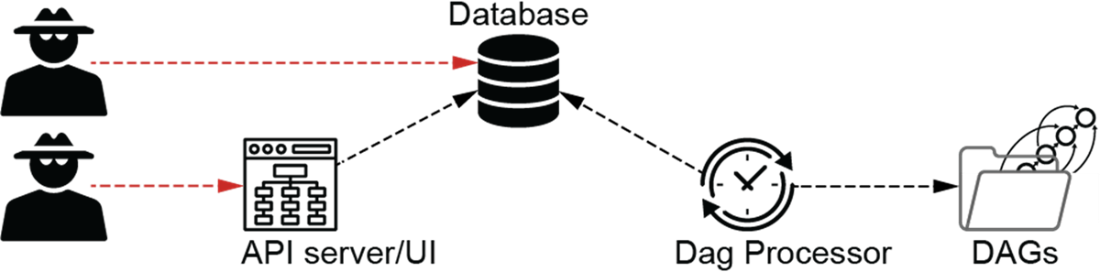
The UI and database expose a service and can offer a potential access path for uninvited guests to Airflow. Protecting these will lower the attack surface.
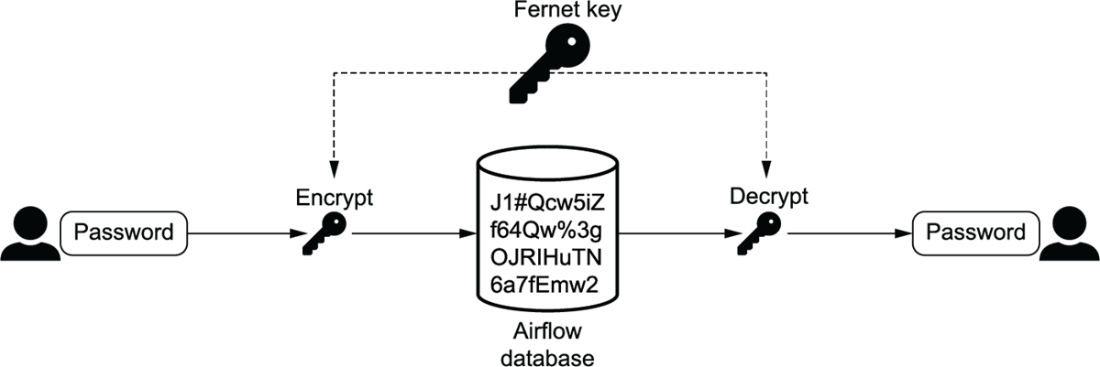
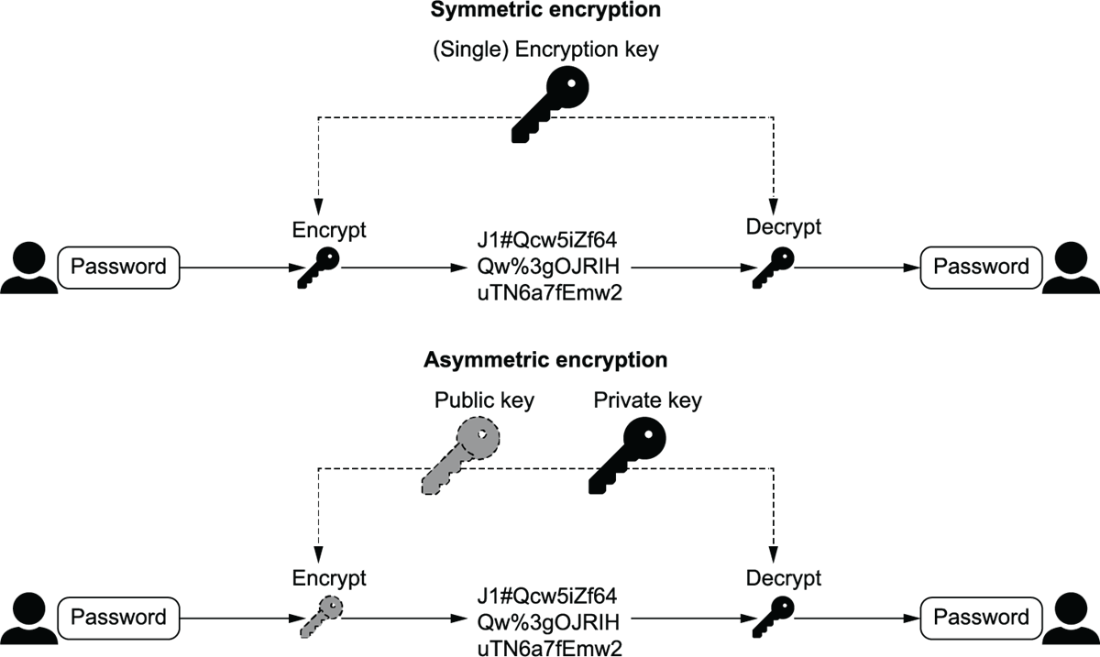
The Fernet key encrypts data before storing it in the database and decrypts data before reading it from the database. Without access to the Fernet key, passwords are useless to an intruder. One key for both encryption and decryption is called symmetric encryption.
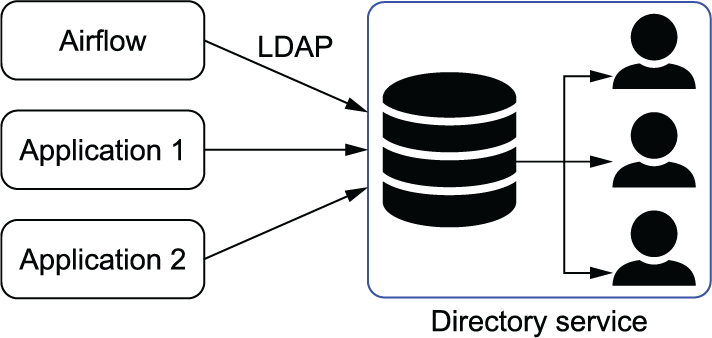
Users are stored in a directory service such as Microsoft Entra ID or OpenLDAP, which can be accessed with LDAP. This way, a user is created only once and connects to all applications.
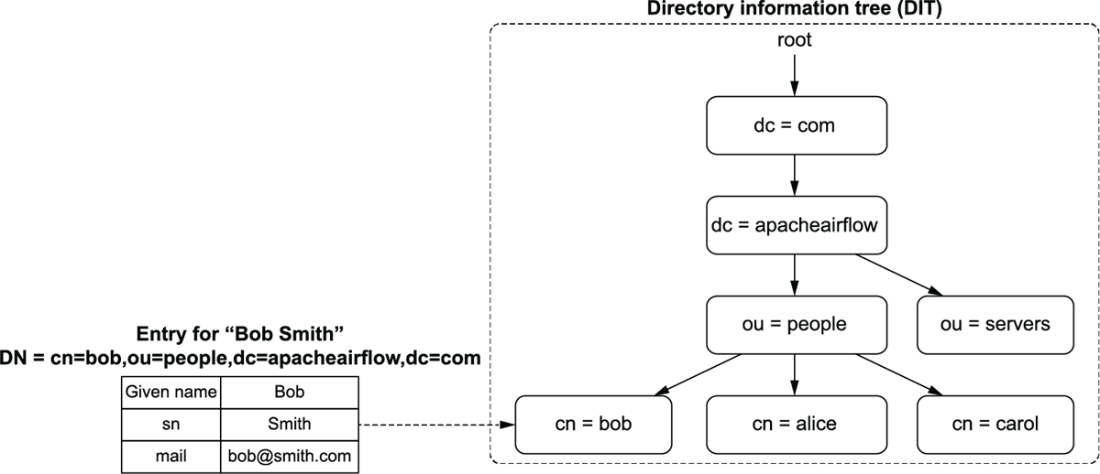
Information in a directory service is stored in a hierarchical structure named DIT. Entries represent an entity such as a person and hold key-value attributes about the entity.
A man-in-the-middle attack intercepts traffic between a user and the Airflow webserver. Traffic is read and forwarded so that the user does not notice the interception, while the attacker reads all traffic.
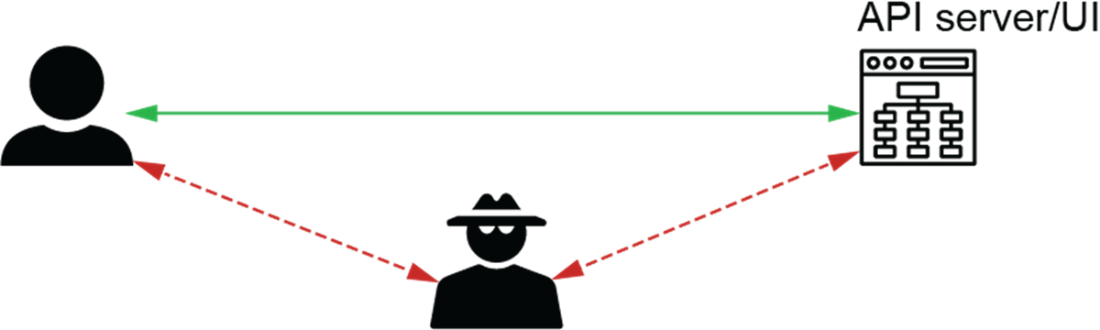
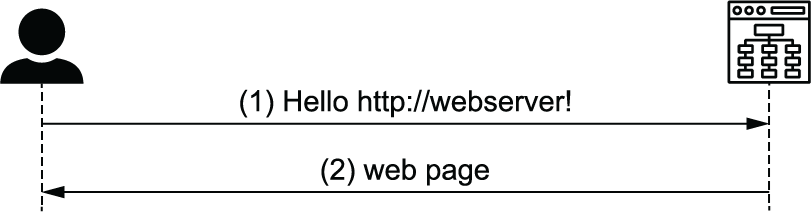
With HTTP, the validity of the caller is not checked, and data is transmitted in plain text.
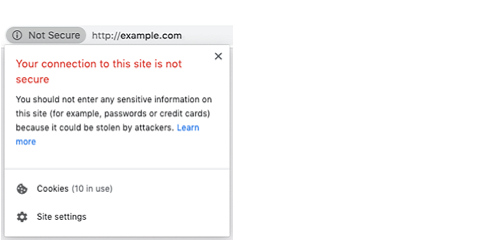
Navigating to http://example.com in Google Chrome will display “Not Secure” because HTTP traffic is unsecured.
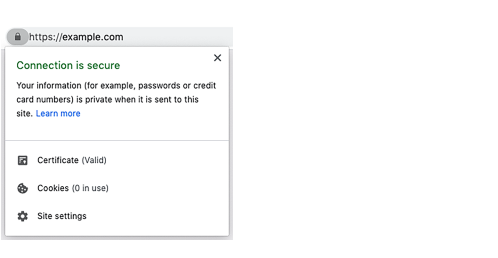
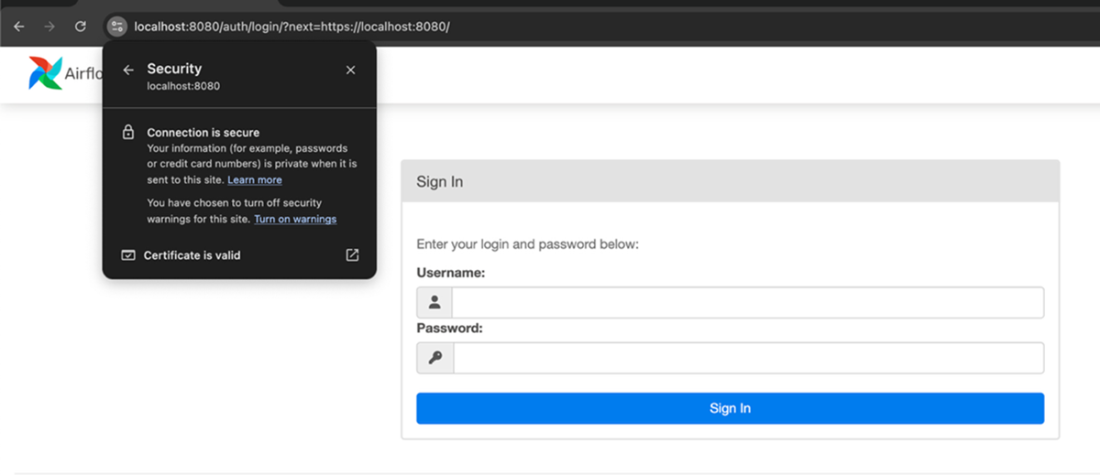
Navigating to an HTTPS website in Google Chrome displays a lock (if the certificate is valid) to indicate a secure connection.
At the start of an HTTPS session, the browser and webserver agree on a mutual session key to encrypt and decrypt traffic between the two.
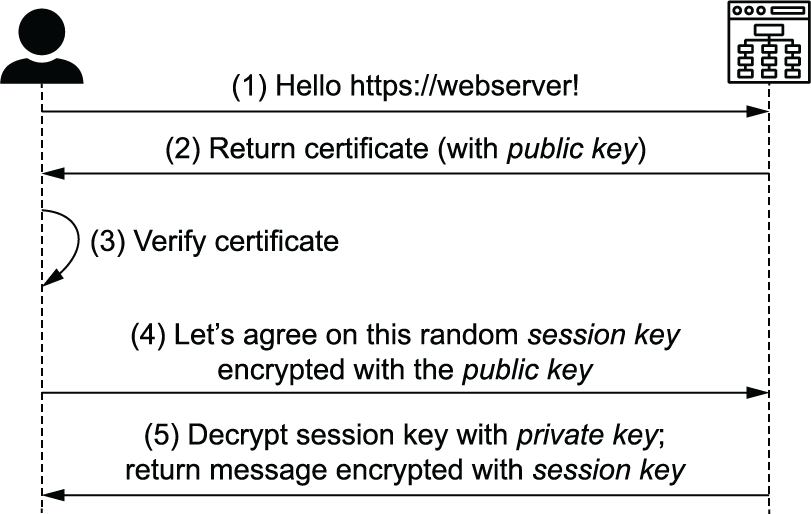
Using symmetric encryption, a loss of the encryption key allows others to both encrypt and decrypt messages. With asymmetric encryption, a public key is shared with others, but a loss of the public key does not compromise security.
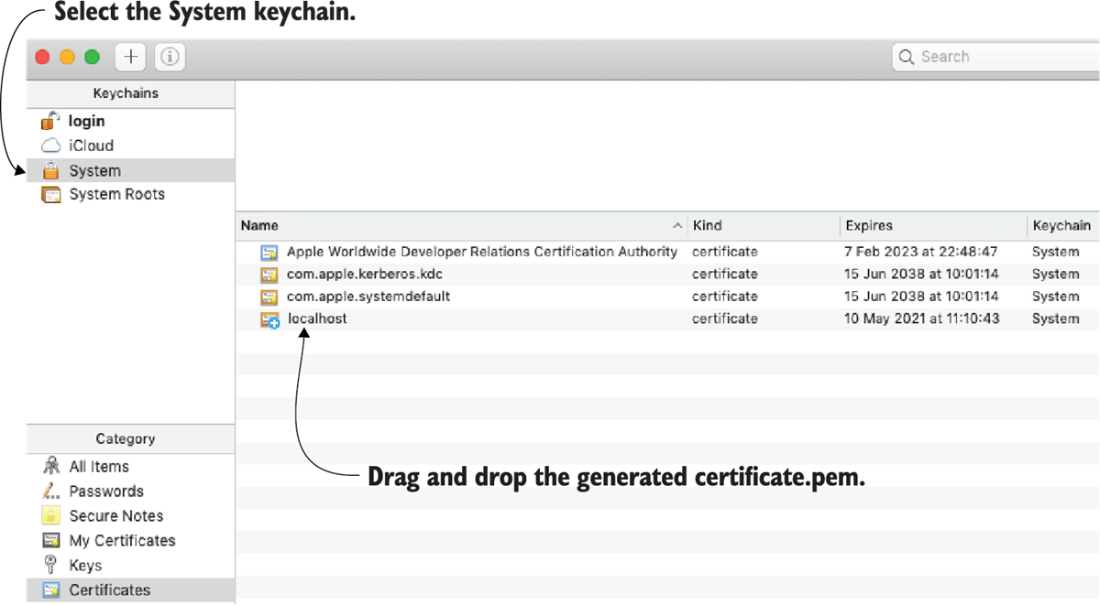
After providing a certificate and private key, the UI is served on https://localhost:8080. Note that no official certificate can be issued for localhost; therefore, it must be self-signed. Self-signed certificates are by default untrusted, so you must add the certificate to your trusted certificates.
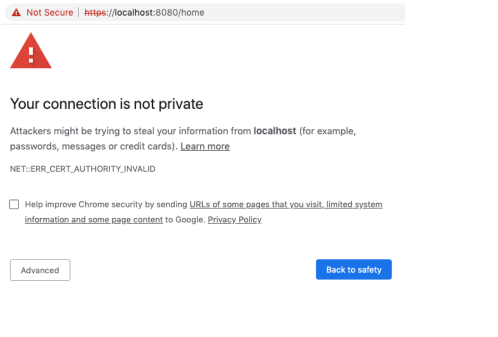
Most browsers display warnings when using self-signed certificates because their validity cannot be checked.
Adding a self-signed certificate to the system certificates on macOS
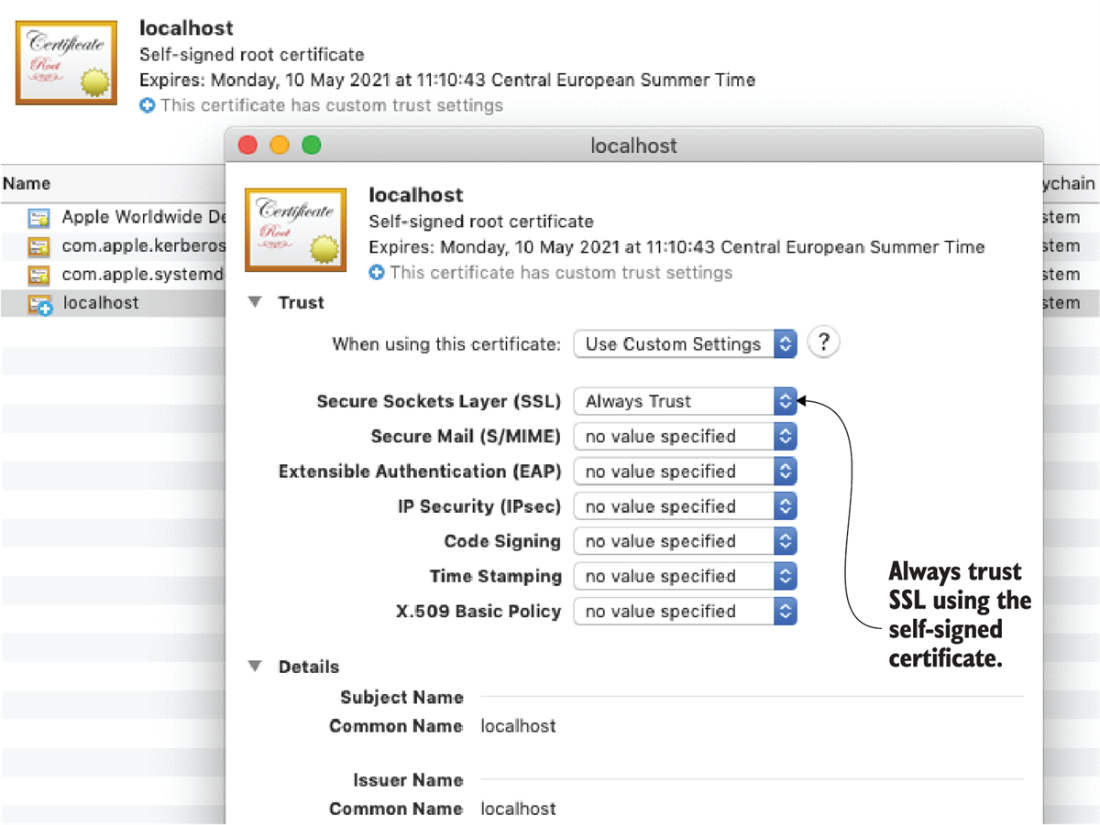
Trusting SSL using the self-signed certificate enables trust between our computer and the Airflow webserver.
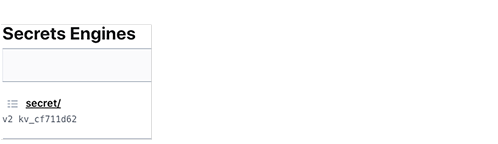
Secrets in Vault are stored in “Secrets Engines,” which can store secrets in various systems. By default, you get an engine named “secret” for storing key-value secrets.
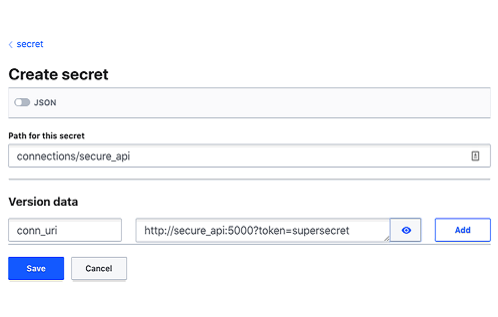
Saving Airflow connection details in Vault requires setting a key: conn_uri.
Summary
- In general, security does not focus on one item but involves securing various levels of your application to limit the potential attack surface.
- The RBAC interface features a role-based security mechanism to allow certain actions to the groups in which users are organized.
- You can configure Airflow’s RBAC to interface with your existing LDAP services to avoid having to do user management in multiple places
- Interception of traffic between the client and the Airflow webserver can be made useless by applying TLS encryption (also known as HTTPS).
- Credentials in Airflow’s database can be made unreadable to an attacker by encrypting the secrets with a Fernet key.
- A secret management system such as HashiCorp Vault can be used to store and manage secrets so that secrets are managed in one single location and shared only when needed with applications such as Airflow.

 Data Pipelines with Apache Airflow, Second Edition ebook for free
