12 Best practices
This chapter distills practical best practices for building Airflow pipelines that are easy to read, safe to operate, and efficient at scale. It emphasizes writing clean, consistent DAGs; managing configuration and secrets in a predictable, centralized way; designing tasks that are reproducible through idempotency and determinism; and handling data and resources efficiently. Along the way it encourages making deliberate choices about scheduling, structure, and orchestration so teams can iterate quickly while avoiding hidden performance and reliability pitfalls.
The guidance starts with code quality and DAG design: adopt a shared Python style and enforce it with linters and formatters; choose one Airflow convention for DAG definitions and dependency notation and use it consistently. Store credentials in Airflow connections (or supported secret backends) and standardize how configuration is supplied, being mindful of where it’s loaded and avoiding any heavy I/O or computation during DAG parsing—push that work into tasks. To reduce duplication, generate repeated patterns with factory functions and organize complexity with Task Groups. Define schedules explicitly with timetable classes for clarity across Airflow versions and instance settings. When the amount of work varies by run, use Dynamic Task Mapping (ideally via the TaskFlow API) to create data-driven, parallel tasks on the fly.
For correctness and speed, make tasks idempotent and deterministic, and favor a functional data engineering mindset that minimizes side effects. Process only what’s needed: filter and aggregate early, prefer incremental over monolithic runs, and cache intermediate results so steps can be retried independently—keeping raw snapshots while cleaning up temporary artifacts. Use shared storage rather than local disks to ensure downstream accessibility, and offload heavy computation to systems built for it (databases, clusters) while Airflow orchestrates. Finally, protect shared services and control throughput with resource pools that cap concurrent access, tuning pool sizes to the capacity of each dependent system.
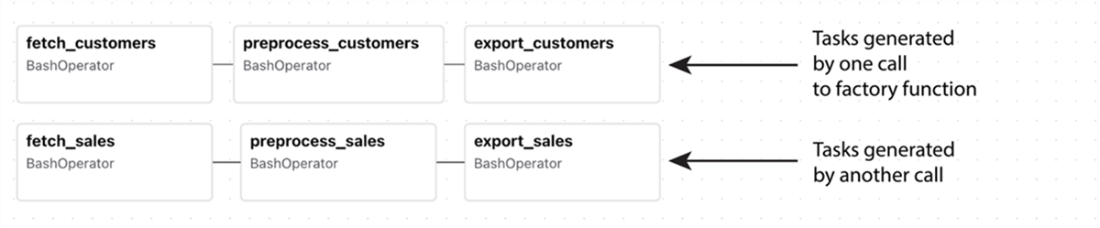
Generating repeated patterns of tasks using factory methods. This example DAG contains multiple sets of almost identical tasks, which were generated from a configuration object using a task factory method.
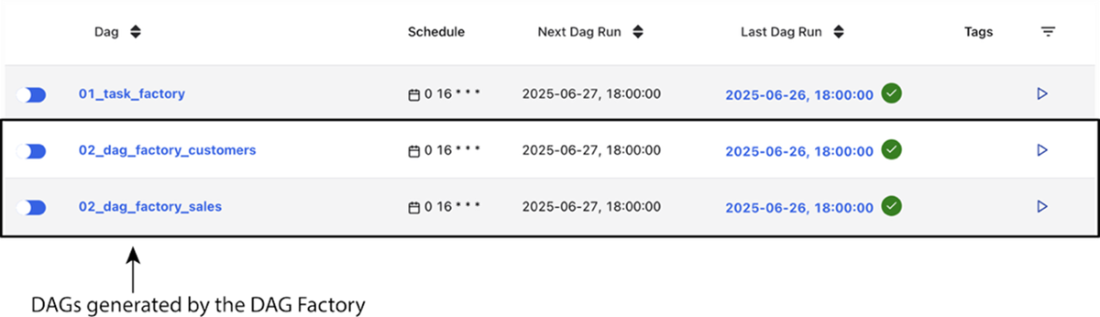
Multiple DAGs generated from a single file using a DAG factory function. (Screenshot taken from the Airflow UI, showing multiple DAGs that were generated from a single DAG file using a DAG factory function.)
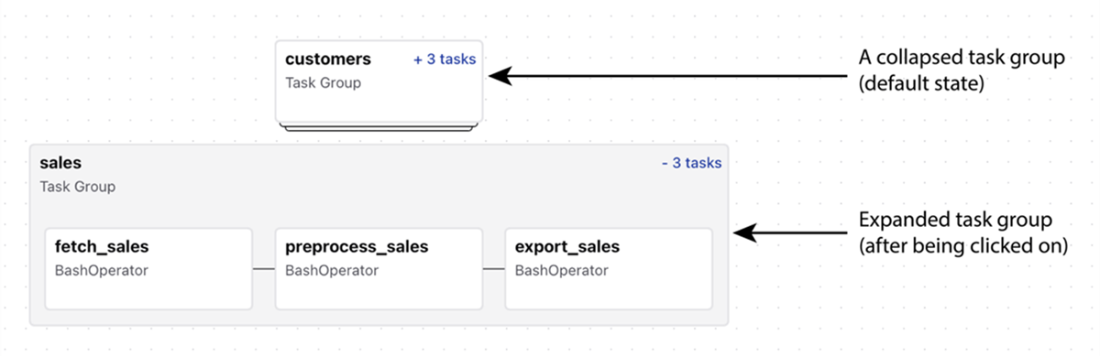
Task groups can help organize DAGs by grouping related tasks. Initially, task groups are depicted as single nodes in the DAG, as shown for the customers task group in this figure. By clicking on a task group you can expand it and view the tasks within the group, as shown here for the sales task group. Note that task groups can be nested, meaning that you can have task groups within task groups.
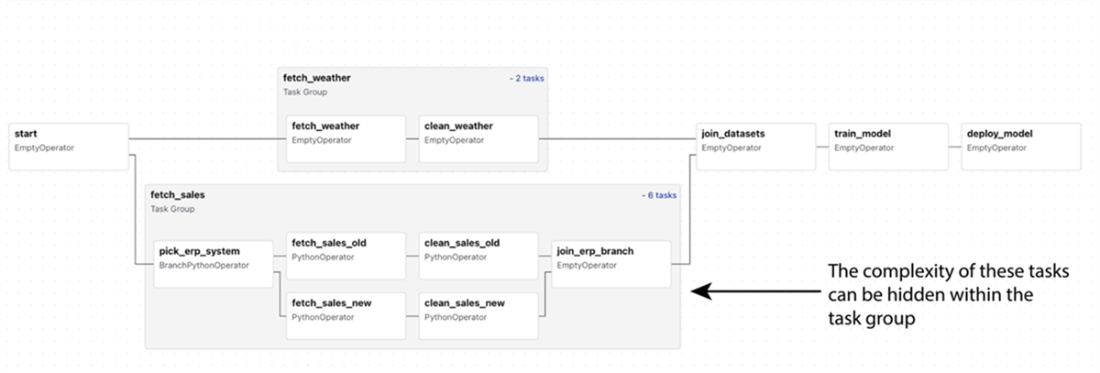
Using task groups to organize the umbrella DAG from chapter 6. Here, grouping the tasks for fetching and cleaning the weather and sales data sets helps greatly simplify the complex task structures involved in these processes. (Code example is given in dags/04_task_groups_umbrella.py.)
A schematic overview of the example code shown in Listing 12.31
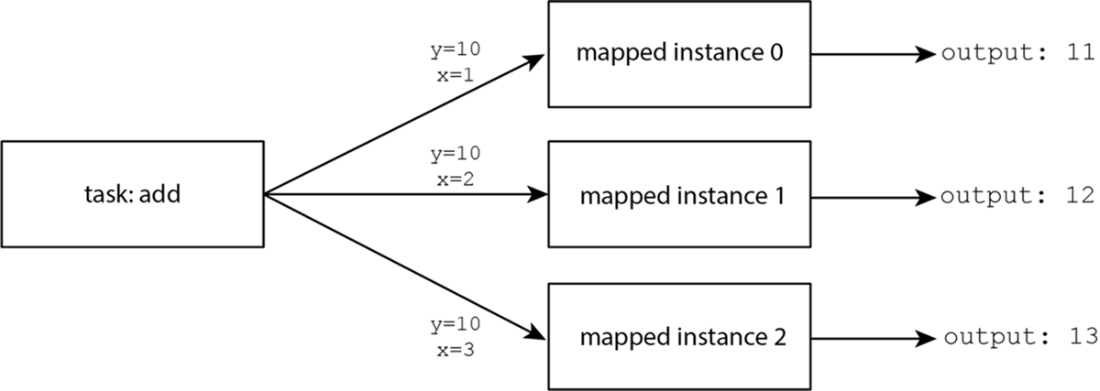
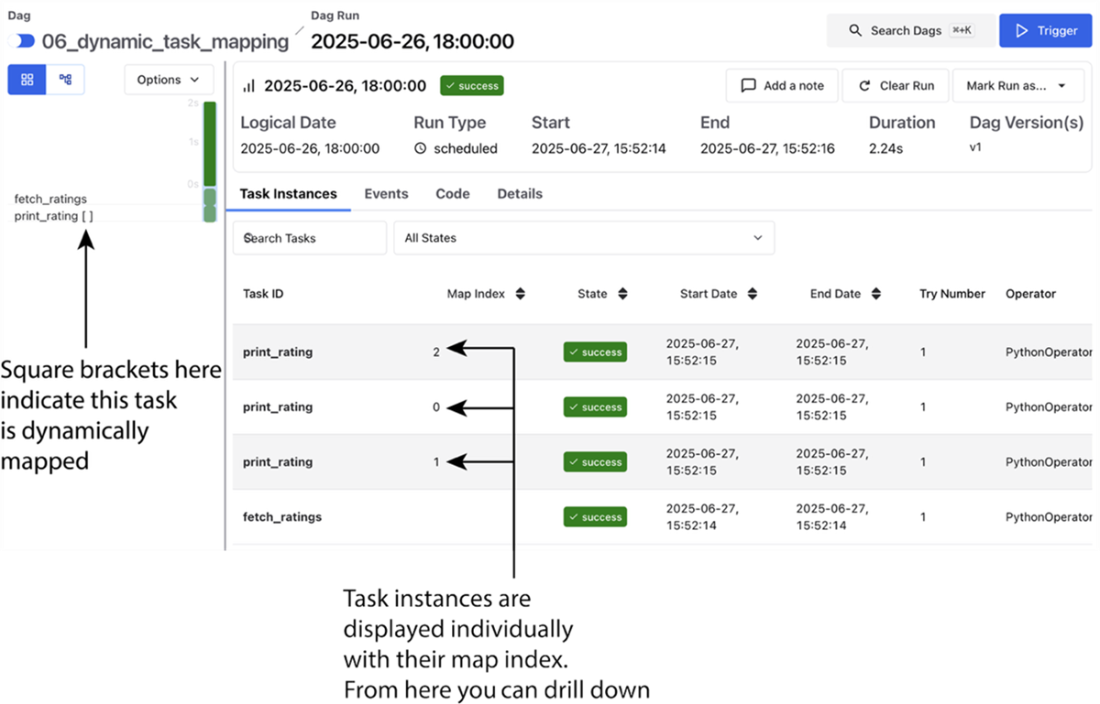
The Airflow UI’s grid view gives insight into Dynamic Task Mapping in a number of places. Most notably with the [] notation at the top level, showing that the specific task has dynamically mapped instances beneath it.
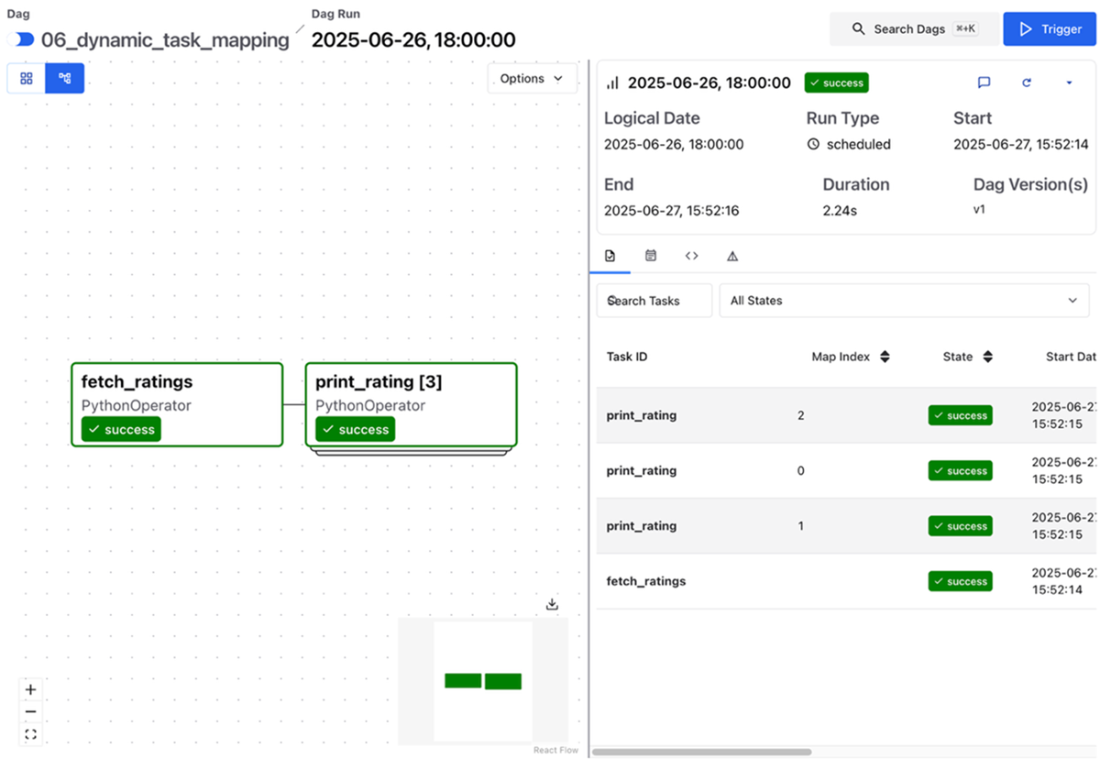
In the graph view, the mapped task is visually displayed (with additional tasks behind the “top” one). The mapped instances are also visible and show the individual instances
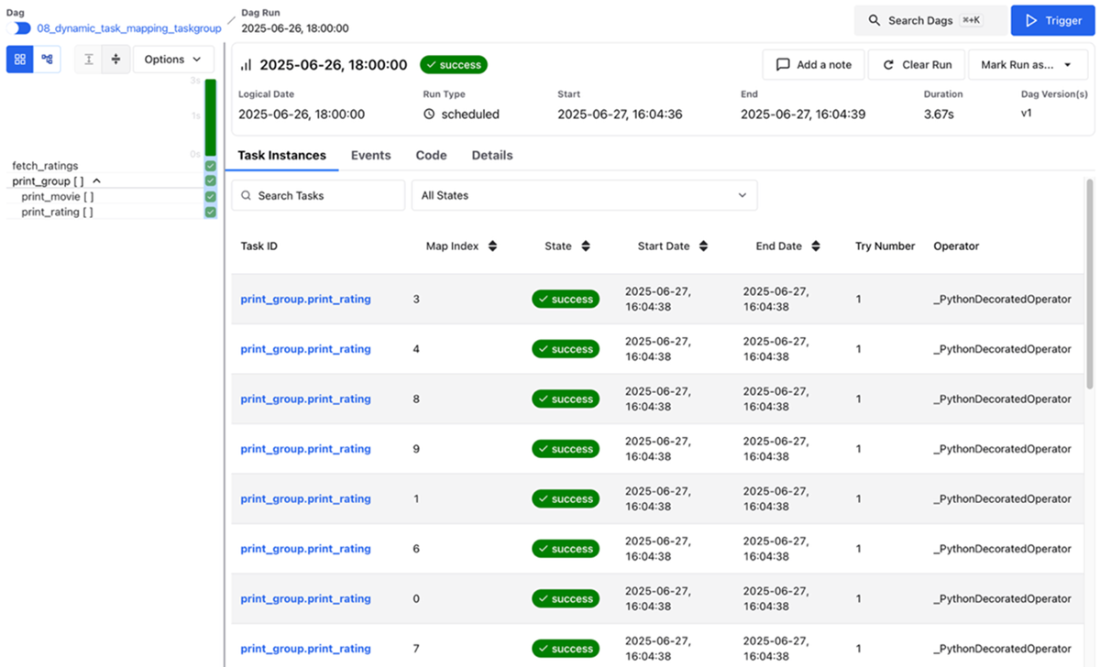
For TaskGroups, the UI gives a similar representation, with [] indicating at both the task and the taskgroup level that this is a mapped task. For all mapped tasks, the individual instances are available in the right panel, as before.
Example of an inefficient data process compared to a more efficient one. (A) One way to calculate the aggregate sales per customer is to first fully join both data sets and then aggregate sales to the required granularity and filter for the customers of interest. Although this may give the desired result, it is not very efficient due to the potentially large size of the joined table. (B) A more efficient approach is to first filter/aggregate the sales and customer tables down to the minimum required granularity, allowing us to join the two smaller data sets.
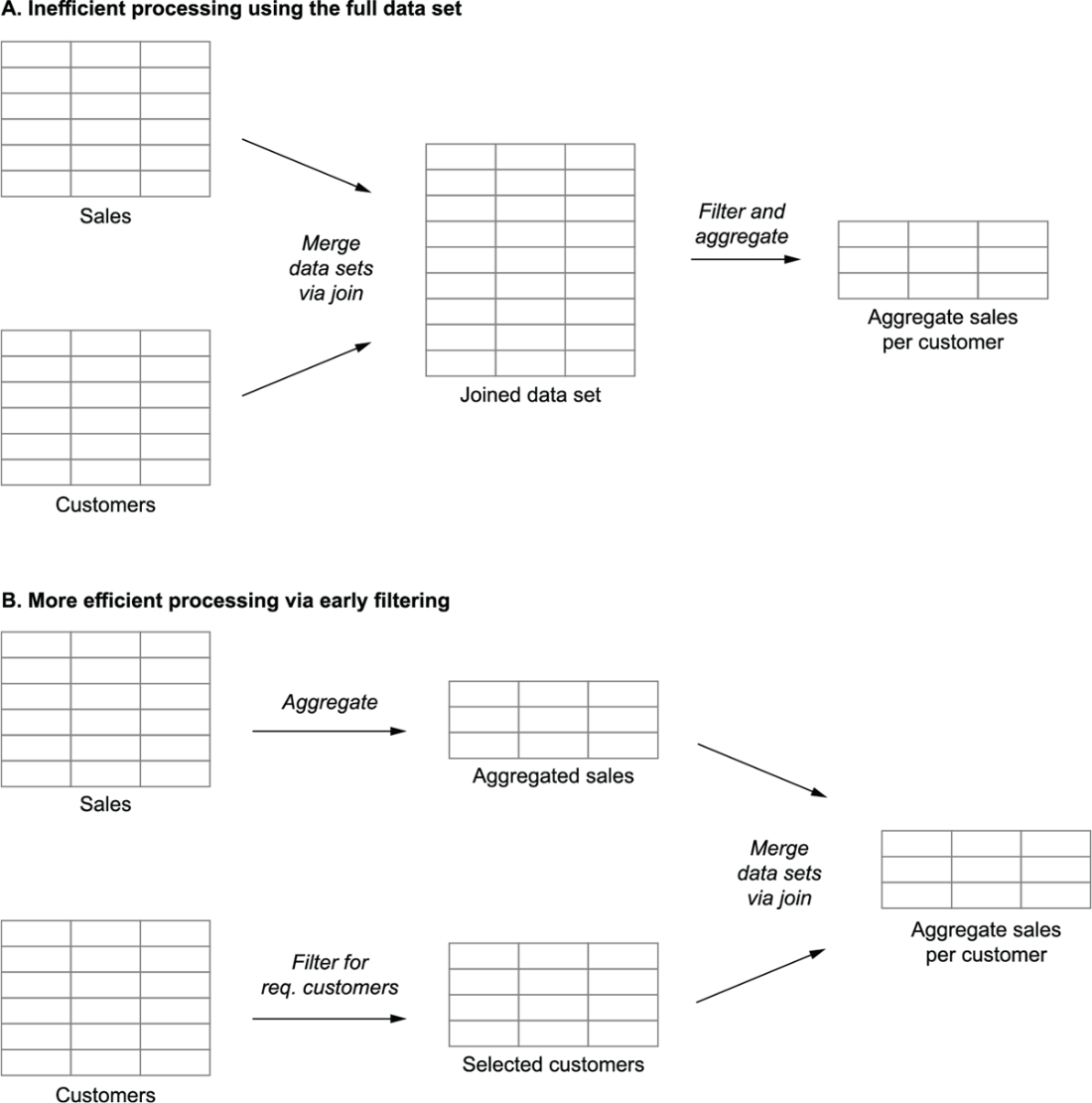
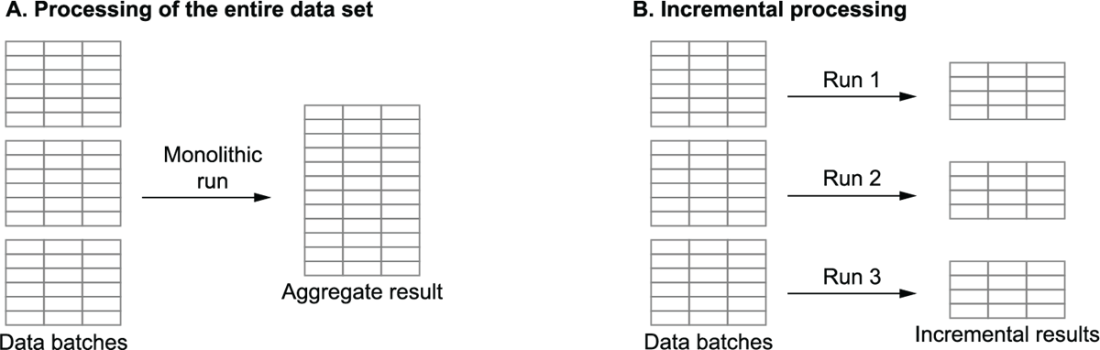
Illustration of monolithic processing (A), in which the entire data set is processed on every run, compared to incremental processing (B), in which the data set is analyzed in incremental batches as data comes in
Storing intermediate data from tasks ensures that each task can easily be rerun independently of other tasks. In this case, cloud storage (indicated by the bucket) is used to store intermediate results of the fetch/preprocess tasks.

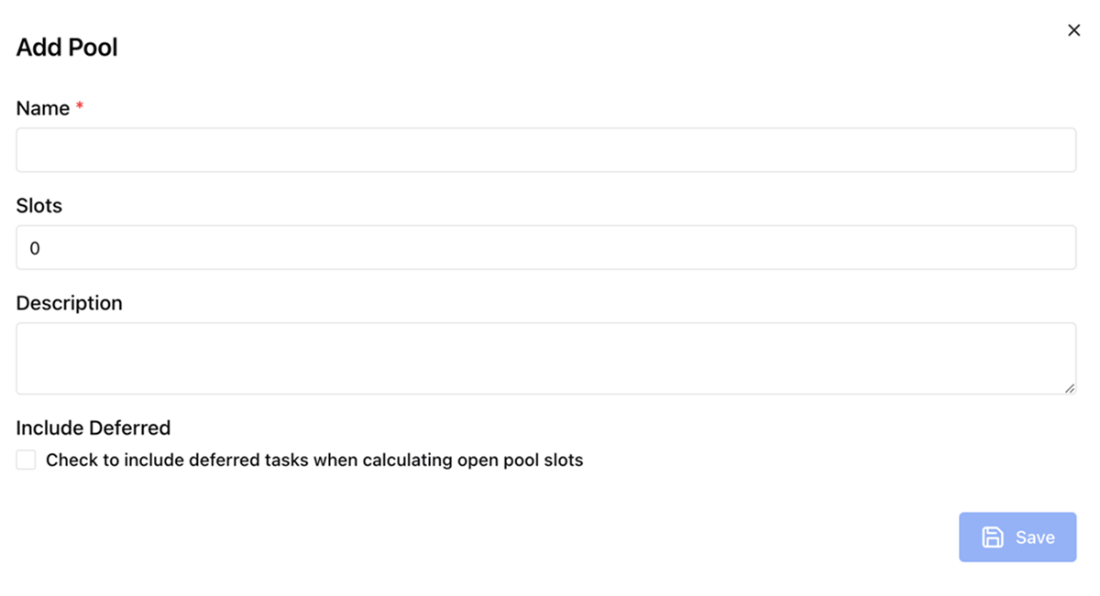
Creating a new resource pool in the Airflow web UI. Note the final checkbox offers more control over whether or not deferrable tasks count towards the pool slot consumption.
Summary
- Adopting common style conventions together with supporting linting/formatting tools can greatly increase the readability of your DAG code.
- Credentials should always be managed centrally. Airflow offers multiple secret backend interfaces with external secret management systems, allowing you to re-use existing infrastructure if available.
- Be consistent in how you specify configuration in order to avoid confusion.
- Doing computations in your DAG definition should be avoided, as it can greatly slow down Airflow.
- Factory methods allow you to efficiently generate recurring DAGs or task structures while capturing differences between instances in small configuration objects or files.
- Dynamic Task Mapping enables you to make your DAG structure dynamic, depending on the data at hand. This can enhance both parallelism as well as atomicity of your tasks.
- TaskGroups allow you to structure your DAGs visually, especially when your DAGs have a lot of tasks.
- Idempotent and deterministic tasks are key to building reproducible tasks and DAGs, which are easy to rerun and backfill from within Airflow. Concepts from functional programming can help you design tasks with these characteristics.
- Data processes can be implemented efficiently by carefully considering how data is handled (i.e., processing in the appropriate systems, limiting the amount of data that is loaded, and using incremental loading) and by caching intermediate data sets in available file systems that are available across workers.
- You can manage/limit access to your resources in Airflow using resource pools.

 Data Pipelines with Apache Airflow, Second Edition ebook for free
