2 A chat with ChatGPT
This chapter introduces how to put ChatGPT to work for data analysis, beginning with a quick orientation to the web interface and a first dialogue to set expectations about capabilities and limitations. It explains essential controls such as example prompts, the input field, starting a new chat, choosing a model, and regenerating answers, and it highlights conversation memory and history. Throughout, it emphasizes prudent use: language models can sound convincing while being wrong, so users should verify outputs and remain mindful of issues like hallucinations.
The chapter then demonstrates direct analysis of native text data. Using a fictional product review, it shows classification into domain categories, sentiment detection, extraction of positive and negative aspects with tightly specified output formats, and summarization at different levels of brevity. It also illustrates drafting friendly replies to customers and refining them with follow-up instructions, reinforcing how precise prompts yield concise, consistent results suited for aggregation. Finally, it notes practical constraints such as context limits and the need to scale beyond single examples by automating the flow of many documents.
For tabular data, the chapter presents two complementary approaches. First, within the ChatGPT interface, users can upload a dataset (e.g., CSV) and have ChatGPT generate and execute Python code to compute answers, with the option to inspect the analysis; this is convenient but subject to file-size, performance, and privacy constraints. Second, it shows how to use ChatGPT indirectly as a translator from natural language questions to formal languages such as SQL for external tools (e.g., an RDBMS), including schema description, query generation for counts, top categories, and ratios, and the importance of validating code and tightening outputs to match exact requirements. The chapter closes by motivating further automation to streamline these workflows end to end.
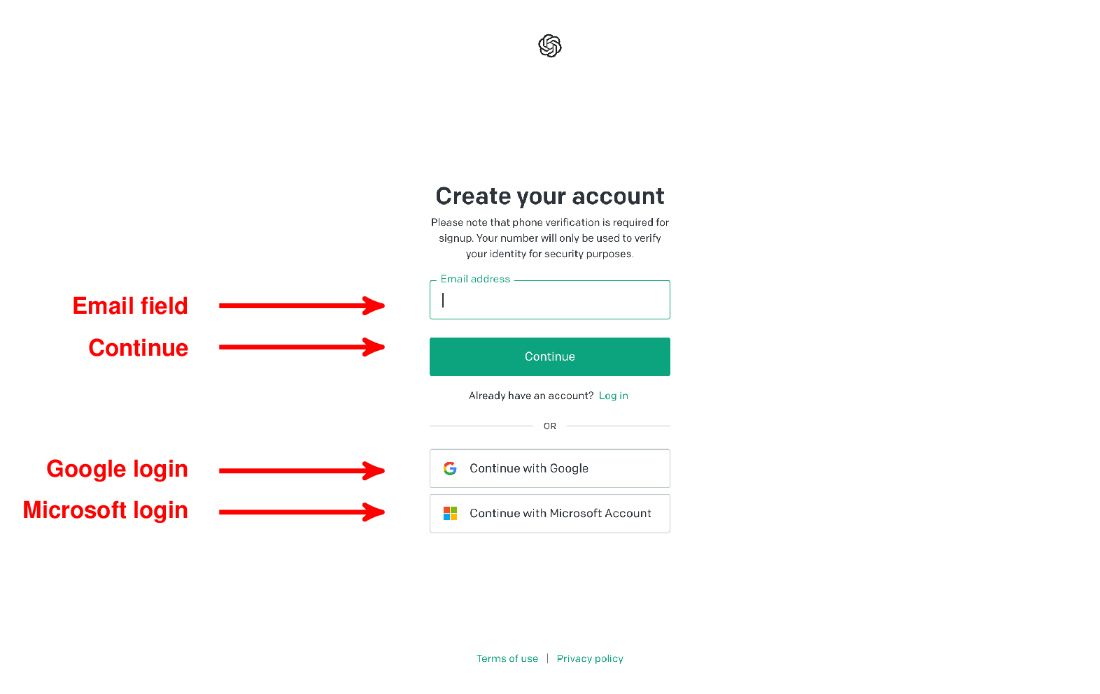
Signup page for OpenAI account. Enter your email address (“Email field”) and click on the Continue button (“Continue”) or sign up using a Google account (“Google login”) or a Microsoft account (“Microsoft login”).
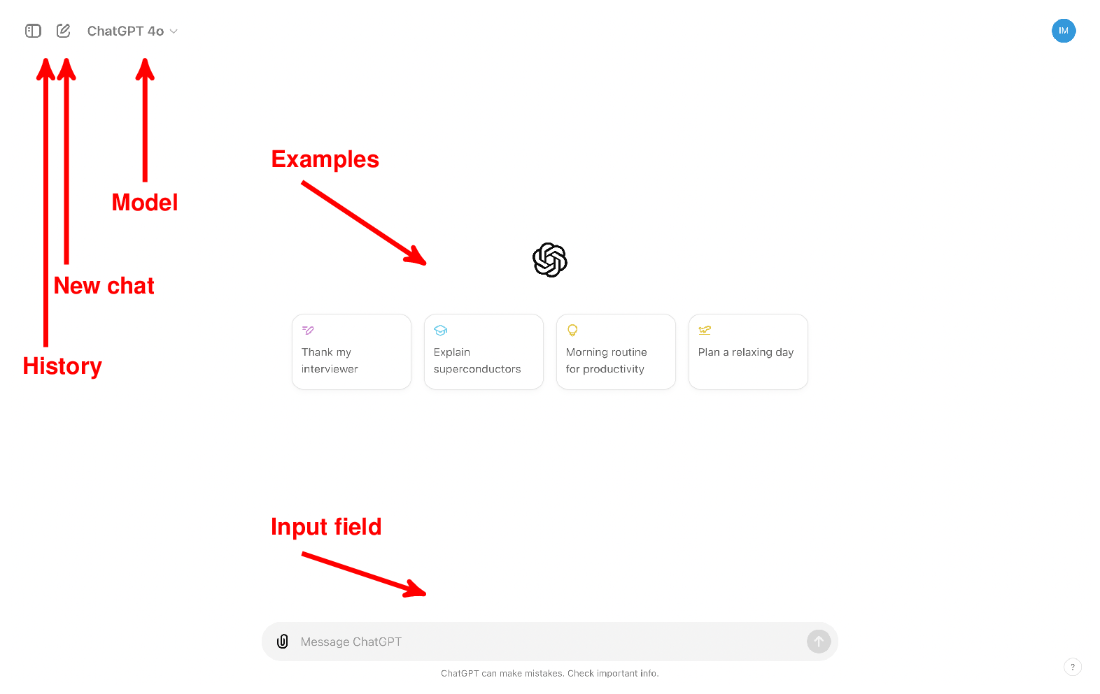
ChatGPT Web interface: interact with ChatGPT by clicking on pre-defined example inputs or enter arbitrary text into the input field. Click on the “New chat” button to reset the conversation.
After ChatGPT generates an answer, the “Regenerate” button appears below the generated response. Click on this button to receive an alternative answer to your last input.

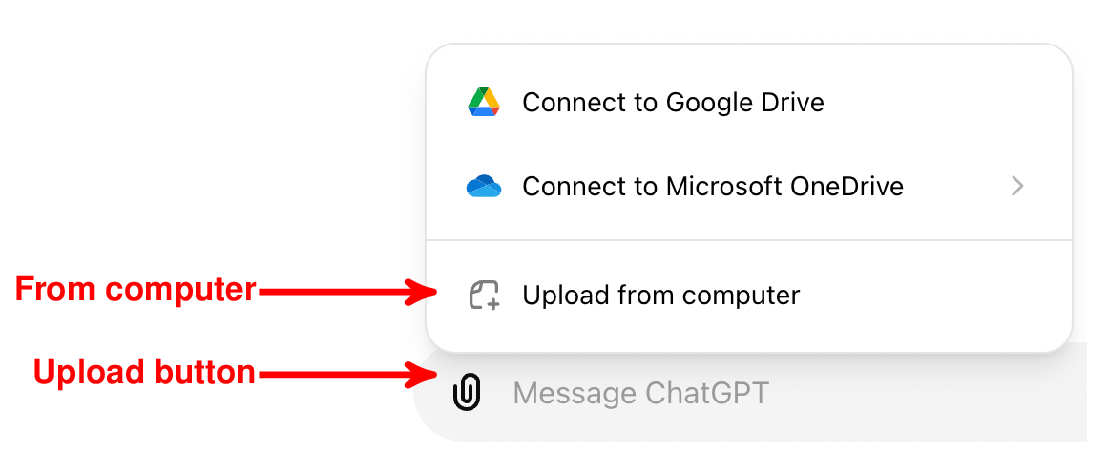
Click on the “Upload button” and choose the option “From computer” to upload files on disk.
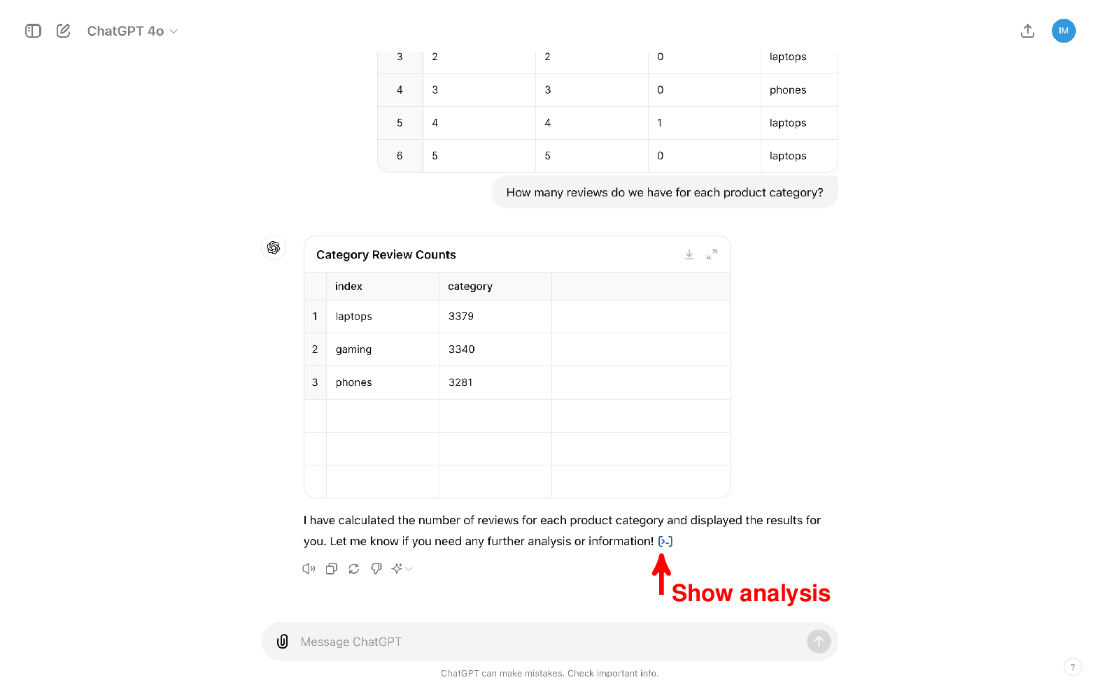
Answer generated by ChatGPT for a question about the input table. Click on the “Show analysis” button to see how ChatGPT calculated the answer.
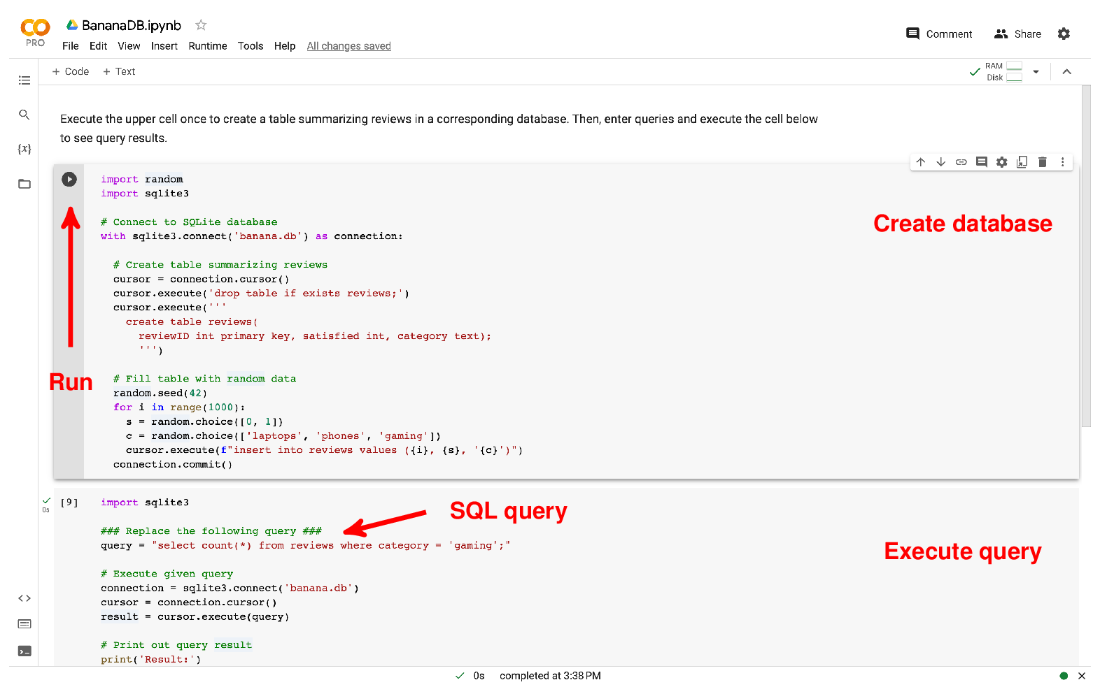
Google Colab notebook allowing you to query the BananaDB database via SQLite. Execute the upper cell (“Create database”) to create the database, replace the given SQL query (“SQL query”) with a query of your choice, and then execute the lower cell (“Execute query”) to see the query result. The arrow marks the “Run” button used to execute the upper cell.
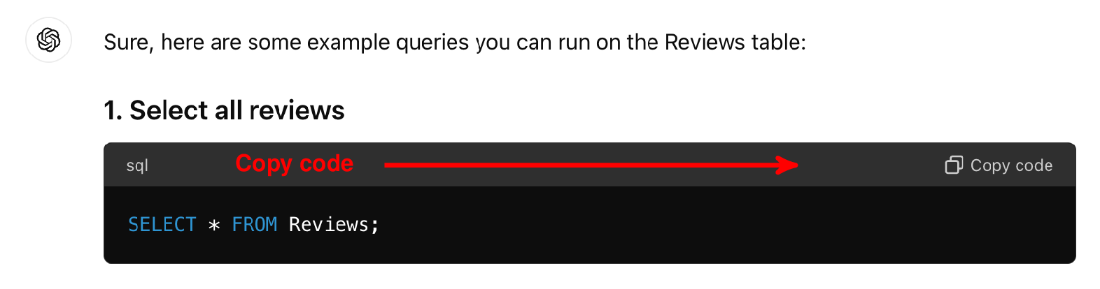
The ChatGPT Web interface uses specialized markup to represent code, including SQL queries. Click on the button marked by the arrow to copy the code (making it convenient to paste the code into suitable interfaces for execution).
Summary
- Language models can solve various tasks, given instructions in natural language.
- While powerful, language models can produce incorrect output.
- You can use ChatGPT via a Web interface in your Web browser.
- ChatGPT enables users to interact with various GPT model versions.
- To process text with ChatGPT, enter the text and a task description.
- ChatGPT can classify text, given classification categories.
- ChatGPT can extract information from text, given corresponding questions.
- ChatGPT can produce text summaries according to user specifications.
- ChatGPT is not suitable for processing large data sets directly.
- However, ChatGPT can generate code that processes large data using other tools.
- To produce code, enter a description of the data, the task, and the output format.

 Data Analysis with LLMs ebook for free
