8 Interfaces: Where the product's verbs live
This chapter treats an application’s interface as the place where its real actions live. Instead of starting from data models or helper functions, it starts at the “doors” a system exposes to the outside world—web routes, CLI commands, and public library functions—because that is where requests enter, business rules are enforced, and user-visible outcomes are decided. The key idea is that the interface shows what the product is actually allowed to do, while the schema shows what data can exist; together, they reveal both the shape of the product and the rules governing it.
To make a large API understandable, the chapter shows how to find the route manifest, the single source of truth for a system’s surface area, across frameworks like Rails, Django, Express, Next.js, tRPC, GraphQL, gRPC, and libraries. Once found, that surface is reorganized into a feature menu rather than a file list, with endpoints grouped by what users are trying to accomplish and sorted by size so the most important areas stand out first. On Cal.com, this approach turns hundreds of endpoints into a readable map that exposes surprising priorities, such as large internal admin and team-management surfaces alongside the expected scheduling flow.
The final part focuses on three reusable AI readings of that surface: a top-down feature map, a runtime trace of one user action across services, and a deep dive into one endpoint from request to response. These views reveal how work is split between synchronous checks that block the user and asynchronous fan-out that happens after the response, and they highlight reliability concerns like idempotency, retries, outbox patterns, and concurrency control. The chapter’s broader lesson is that once you can read an interface well, you can quickly understand what a system does, who it is really built for, and where the dangerous edge cases hide.
Three LLM-generated views of a repository's interface, at three levels of zoom: a sized hierarchy of all endpoints grouped by feature with a narrative summary, a swimlane diagram for a single user action, and a UML sequence diagram for a single endpoint.
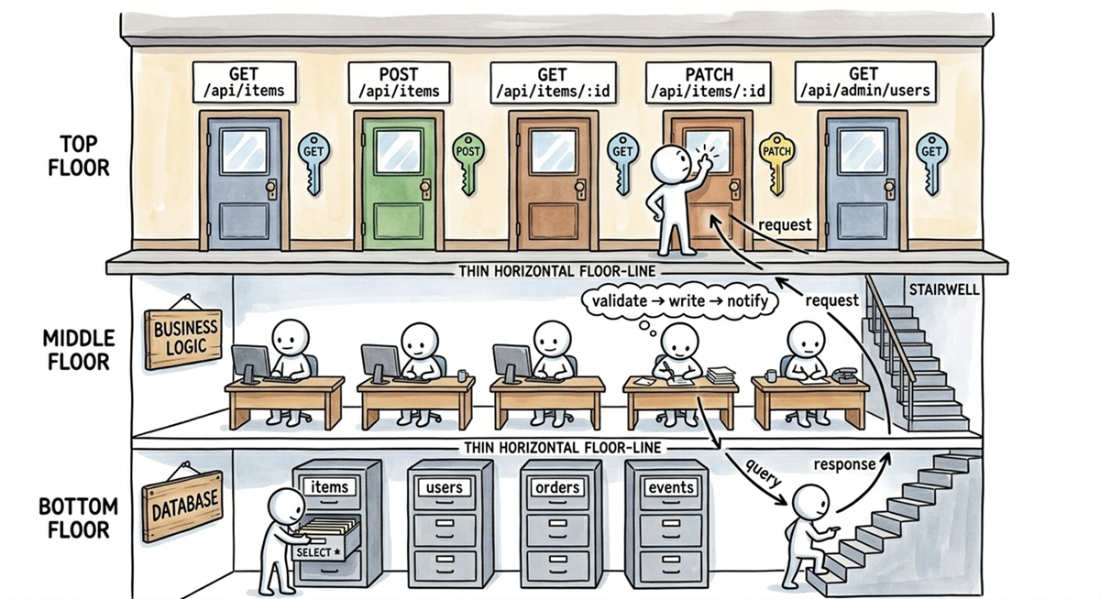
An interface as a row of doors: each door is an address, each key is a method or signature, and the procedure inside is the business logic.
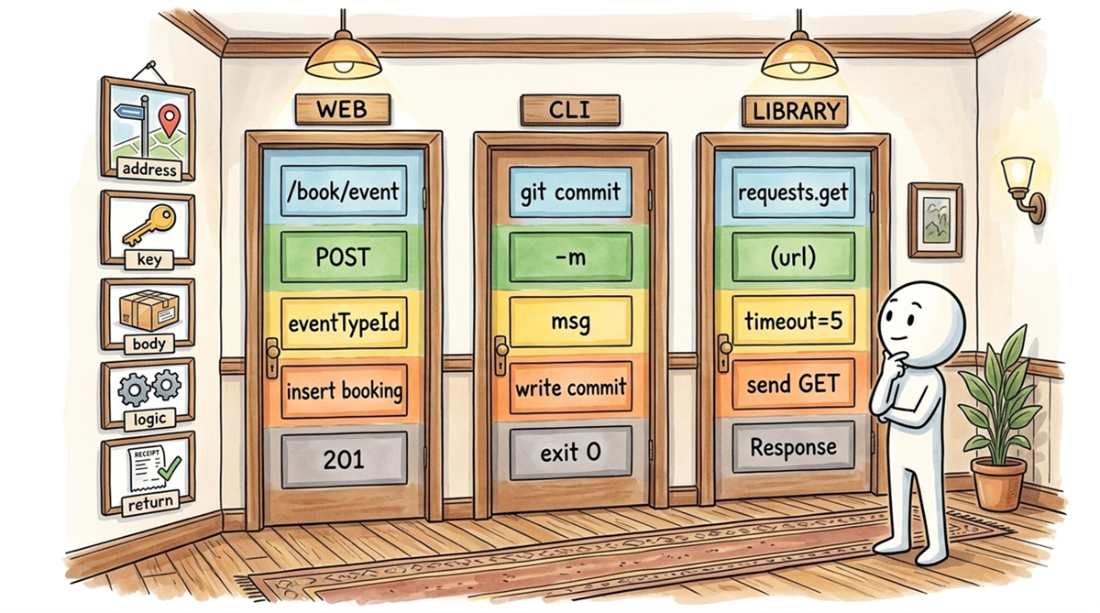
A web endpoint, a CLI command, and a library function all share the same five parts: an address, a method, a request body, core logic, and a return code. The syntax changes; the structure doesn't.
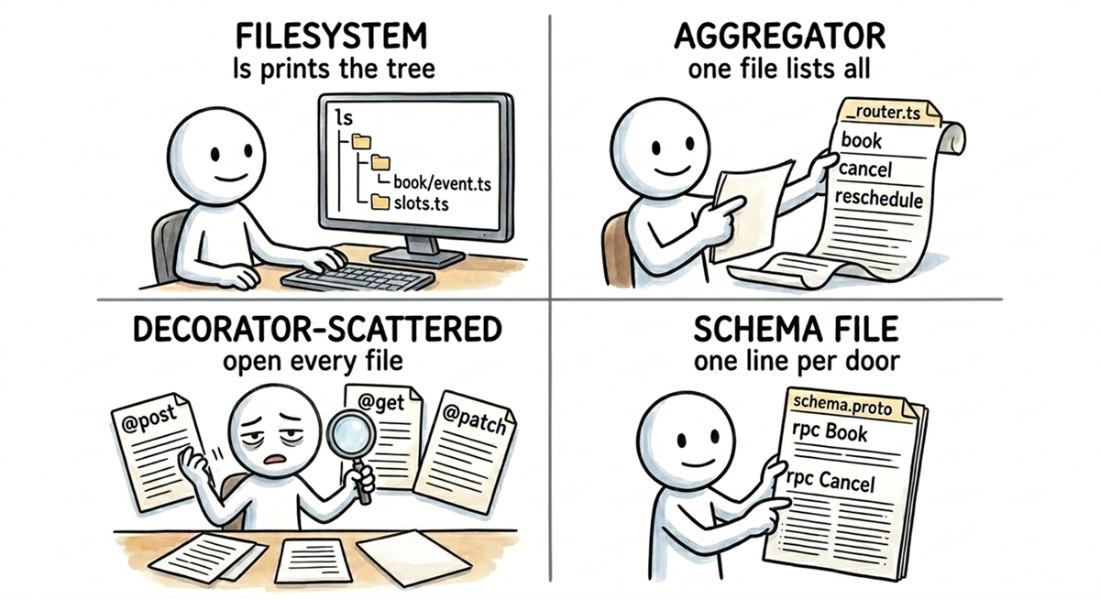
Four routing styles, and the effort required to map the full API for each. Filesystem routes are visible with ls; an aggregator file lists all routes in one place; decorator-scattered routes require scanning every handler; and a schema file defines the entire surface, one typed line per operation.
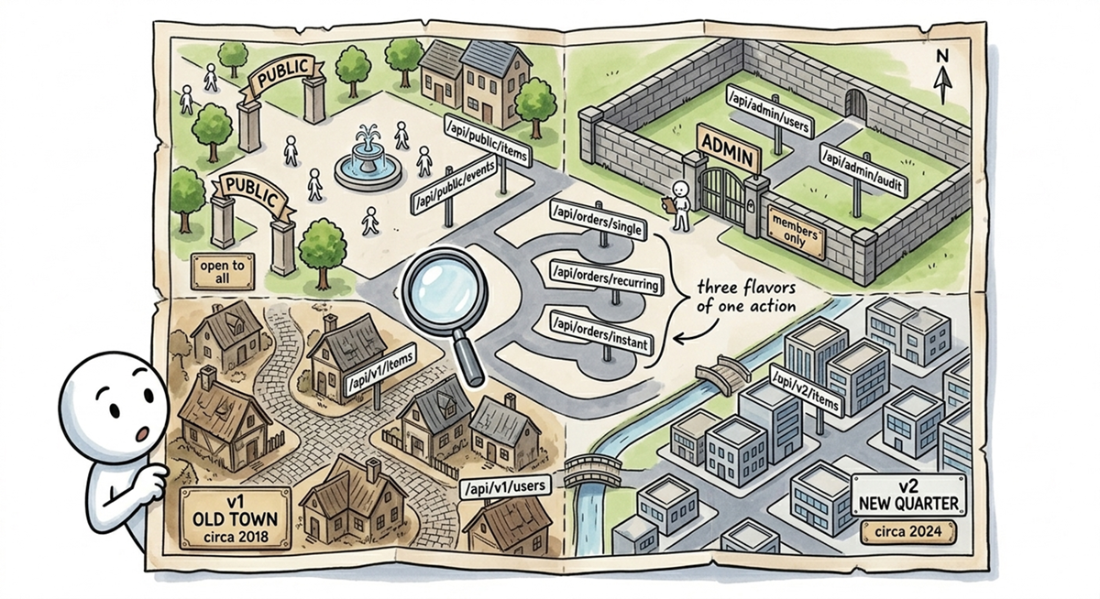
The URL tree is a city map, where prefixes like /admin and /public define districts, versions like /v1 and /v2 mark different eras, and sibling routes cluster into cul-de-sacs.
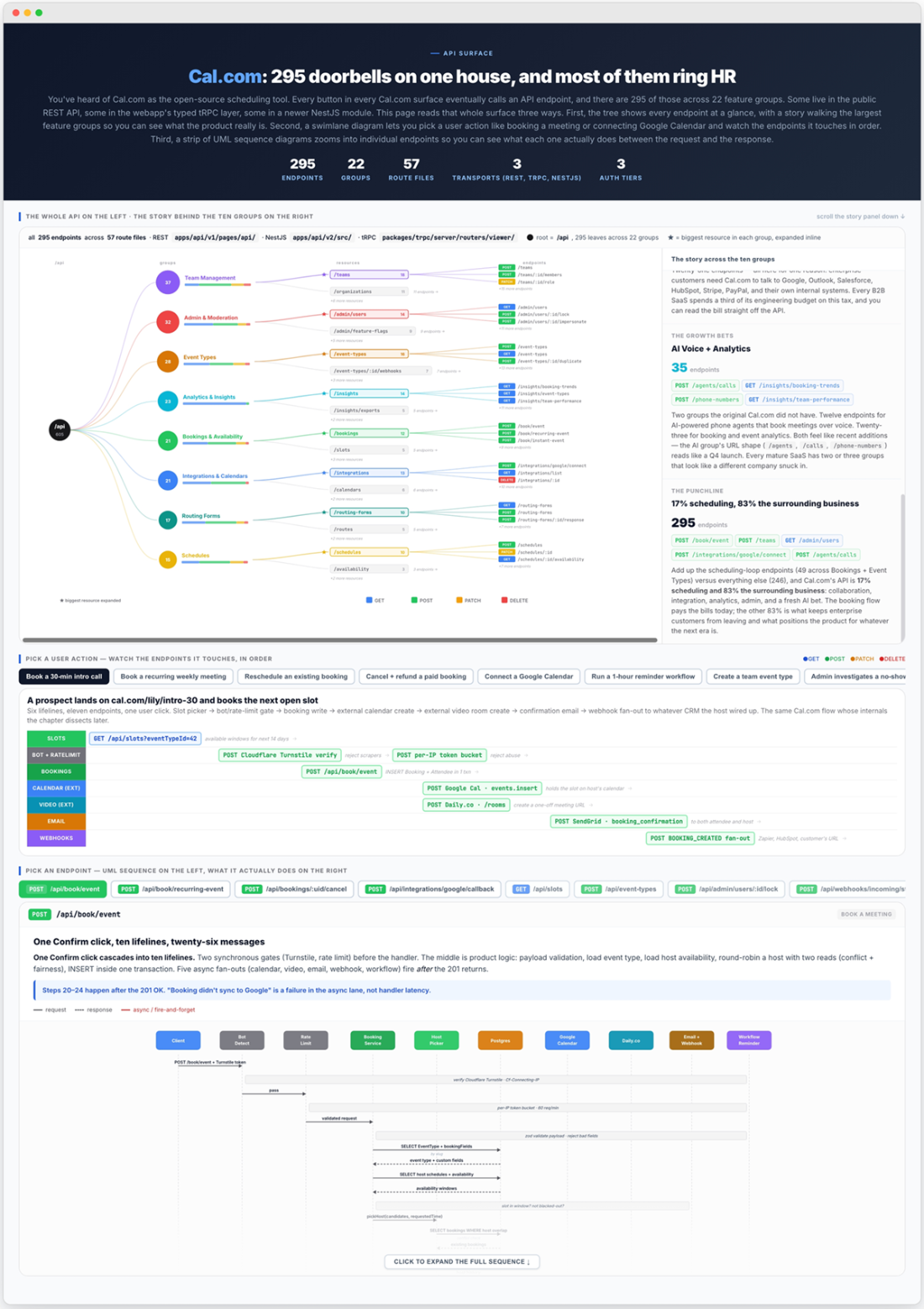
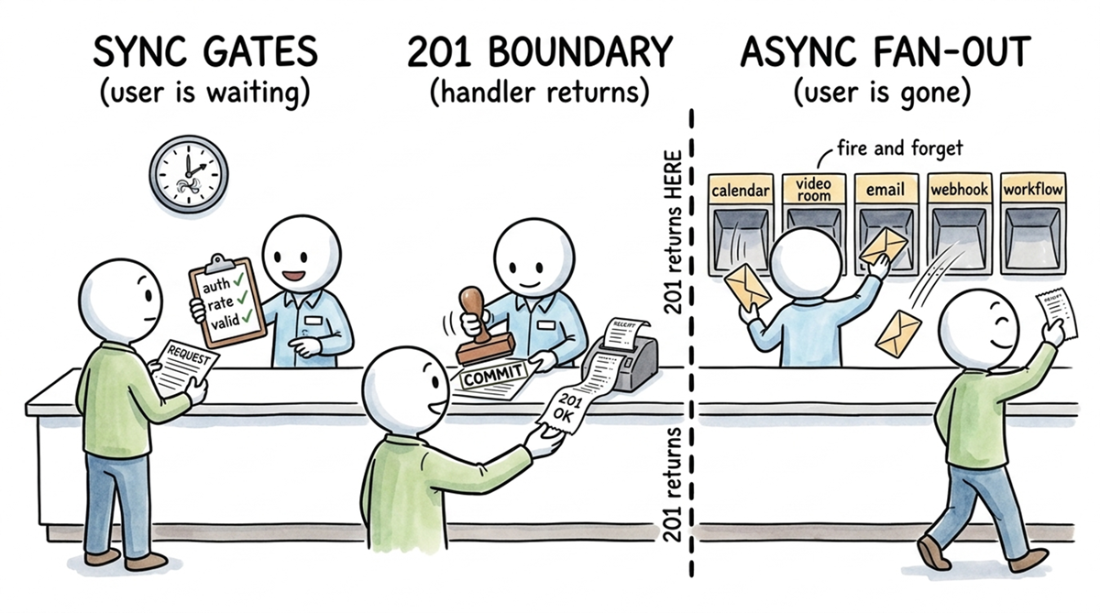
A typical API request has three phases: synchronous pre-flight checks the user waits for, a core database transaction, and asynchronous follow-up work that runs after the 201 response is sent.
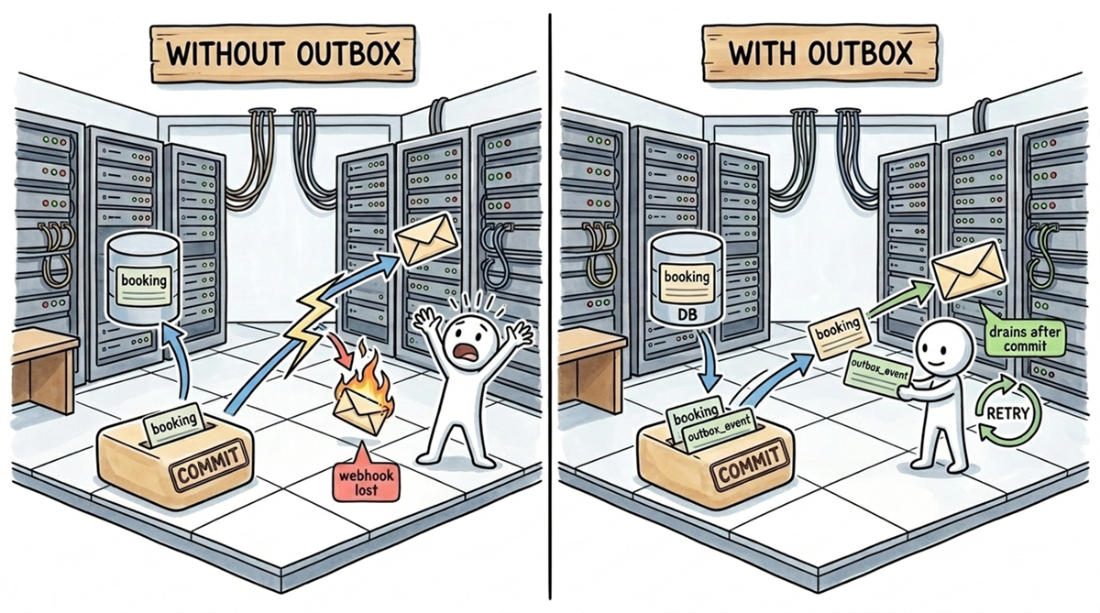
The outbox pattern prevents lost side effects. Without it, a crash after the COMMIT but before the webhook call drops the event silently. With the pattern, an outbox_event row is written in the same transaction as the booking. A separate worker drains the outbox after the commit, ensuring the webhook survives the crash.
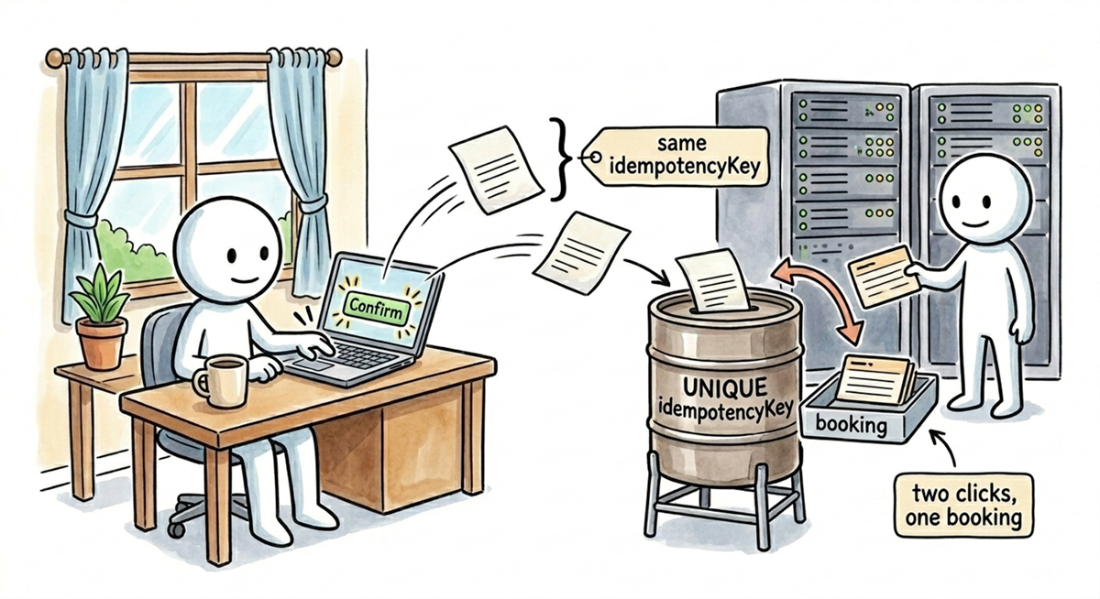
A double-clicked "Confirm" sends two requests with the same idempotencyKey. A UNIQUE constraint lets the first INSERT succeed but rejects the second, creating one booking instead of a double charge.
Summary
- An interface is a list of entry points, or "doors," into a system. Every door has the same three parts: an address, a key, and a procedure that runs when you turn the key. The pattern holds for web endpoints, CLI commands, and public library functions alike. Because you can't change a public interface without breaking its users, it's the most stable part of a system and the fastest way to learn what a product does before reading its implementation.
- To read a surface, you first have to find the file that defines it. This file is different in every stack: config/routes.rb in Rails, urls.py in Django, the pages/api/ directory in Next.js, _router.ts in tRPC, or the public exports of a library. For a command-line tool, it's the tree of commands defined with a library like cobra or argparse. Your goal is to extract a complete list of all entry points to feed to an LLM.
- The first LLM pass organizes the flat list of endpoints into a high-level feature map. You get a menu of features and a short narrative that groups them, highlighting the largest and most surprising clusters. For Cal.com, this pass revealed that only 17% of its API surface handles scheduling; the other 83% manages the surrounding business of teams, administration, integrations, and AI.
- The second pass traces user journeys across the surface by generating swimlane diagrams. In these diagrams, services appear as vertical lanes, and calls between endpoints are horizontal arrows that show the flow of events from left to right. The Cal.com analysis produced eight distinct flows to choose from, visualizing everything from a user booking an event to an admin marking a no-show.
- The third pass zooms in on a single endpoint to generate a UML sequence diagram. The diagram for Cal.com's POST /api/book/event endpoint showed six service lifelines, from the client through the gateway, booking service, and Postgres out to the external APIs and notifications. It splits the synchronous checks and writes from the asynchronous fan-out that fires after the 201 Created response is sent. Diagrams at this detail often surface bugs before you open a handler file.
- Scale the depth of your analysis to the size of the surface you're reading. A project like Cal.com, with three hundred endpoints, warrants the full three-pass treatment of menu, tour, and trace. For a three-command CLI or a ten-function library, just list the entry points and skim them.

 Crack Any Codebase with AI ebook for free
