7 Schema: A fossilized argument
The chapter explains that a schema is the most stable and revealing layer of an application because it shows what the system truly remembers. Using Cal.com as the example, it portrays the schema as a dense but trustworthy contract: tables, columns, foreign keys, enums, constraints, and indexes all encode business decisions that were once made and then fossilized into the running product. Rather than reading this file like a dictionary, the chapter argues that AI can help turn it into a business map by identifying the core nouns, relationships, state machines, and query patterns that define the product.
To make that map useful, the chapter recommends four AI-assisted views of the schema. First, ask for an ERD and a guided tour so the schema becomes a story centered around the tables that matter most. Second, trace one user action across the tables it touches to reveal runtime order and transactional boundaries. Third, zoom into a single table to read the important columns and indexes as product decisions and performance bets. These techniques also surface deeper design choices, especially the schema’s normalization strategy and its tenancy model, showing how the team balances clean structure, read speed, and tenant isolation.
The final move is to mine the migration history, which turns the schema from a static map into a timeline of the product’s evolution. The migration folder reveals distinct eras: the initial MVP, early monetization and team features, expansion into routing forms and workflows, an enterprise pivot with organizations, and later hardening work such as RBAC, trust-and-safety, and AI-related features. By comparing the live schema with its history, the chapter shows how AI can reconstruct not only what the product is now, but how it got there, while also warning about gaps, rewrites, and squashed histories that can hide the truth.
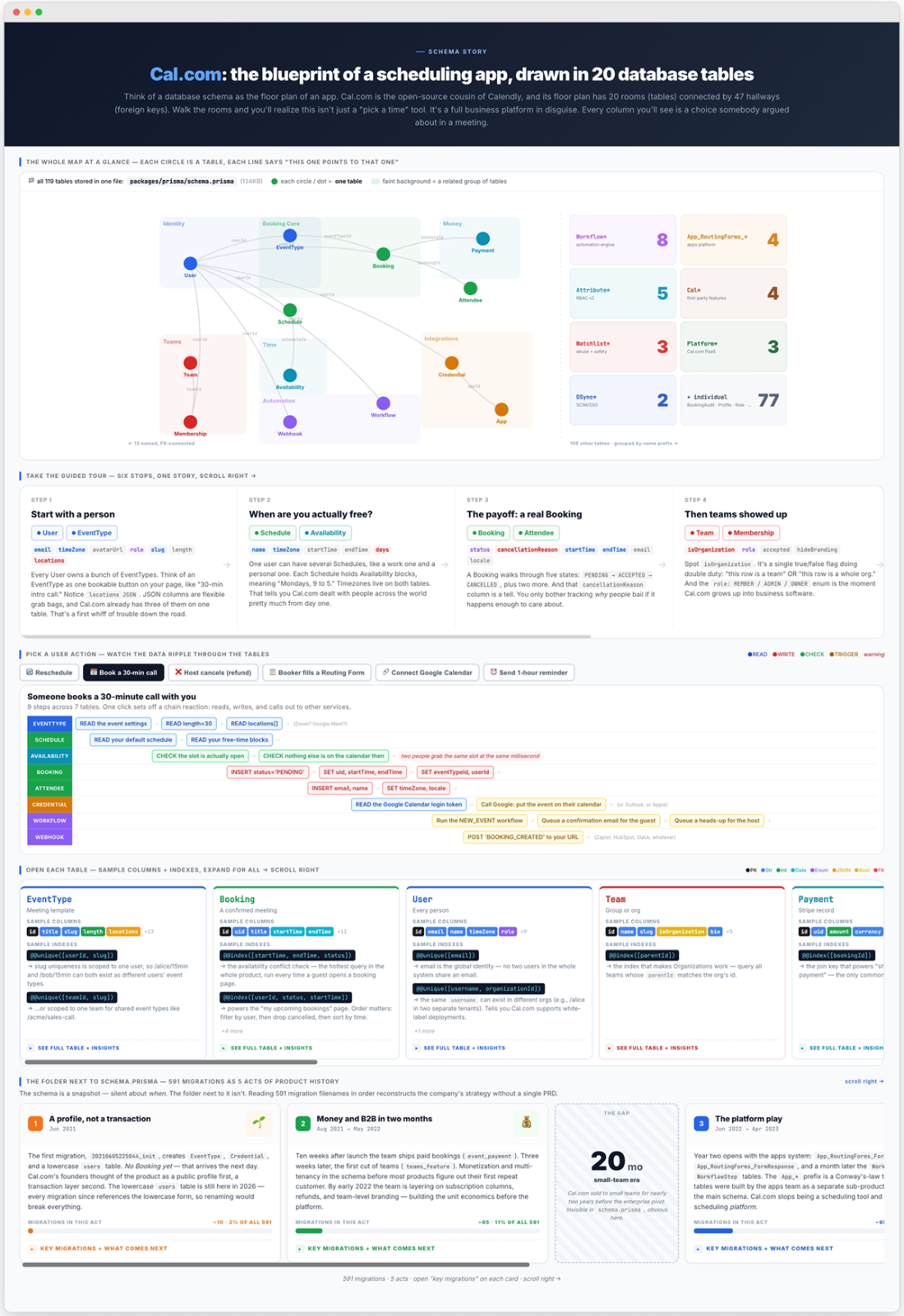
One Prisma schema, viewed four ways: as a relationship graph clustering 119 models around the Booking table; as a swim-lane diagram tracing a user action across tables; as a detailed view of a single table's columns and indexes; and as a history reconstructed from its migration files.
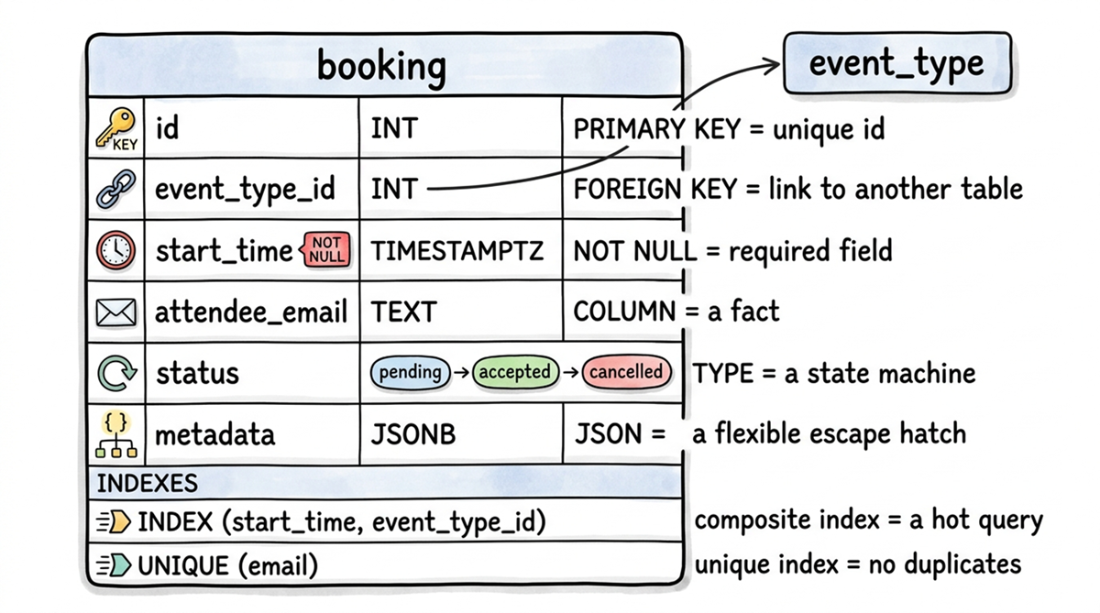
Each part of the booking table schema encodes a business rule: the primary key makes each row unique, a foreign key links to event_type, NOT NULL marks required fields, the status enum acts as a small state machine, metadata is a JSON escape hatch, and the two indexes bet on a hot query path and forbid duplicate emails.
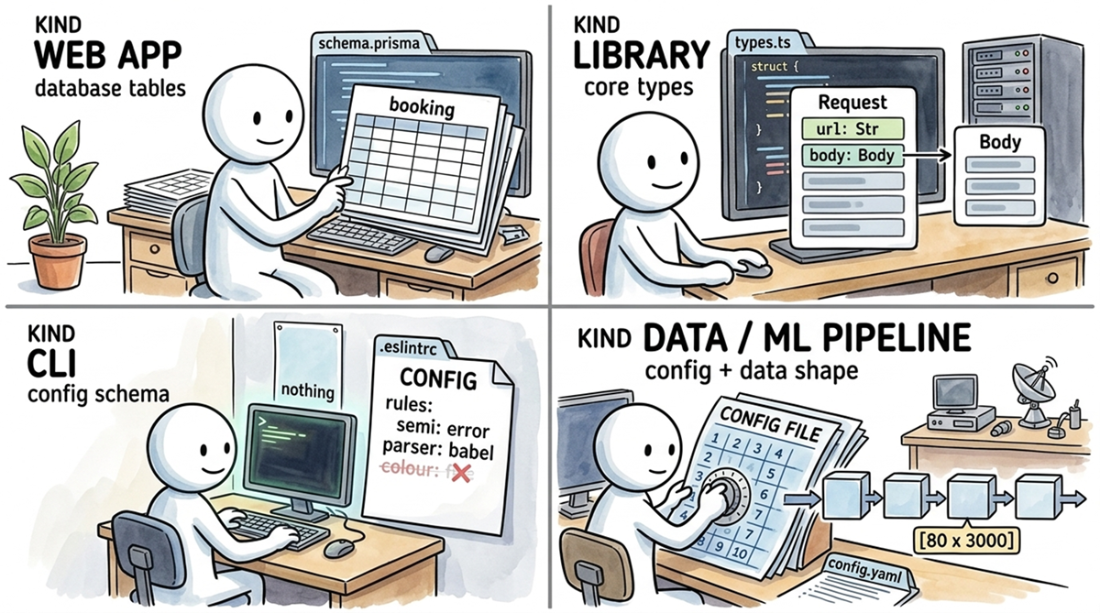
A schema takes a different form in each of the four kinds of codebases. A web app's schema is its database tables (schema.prisma); a library's is its core types (types.ts); a CLI's is its configuration file (.eslintrc); and a data pipeline's is both its own configuration and the shape of the data it transforms (config.yaml).
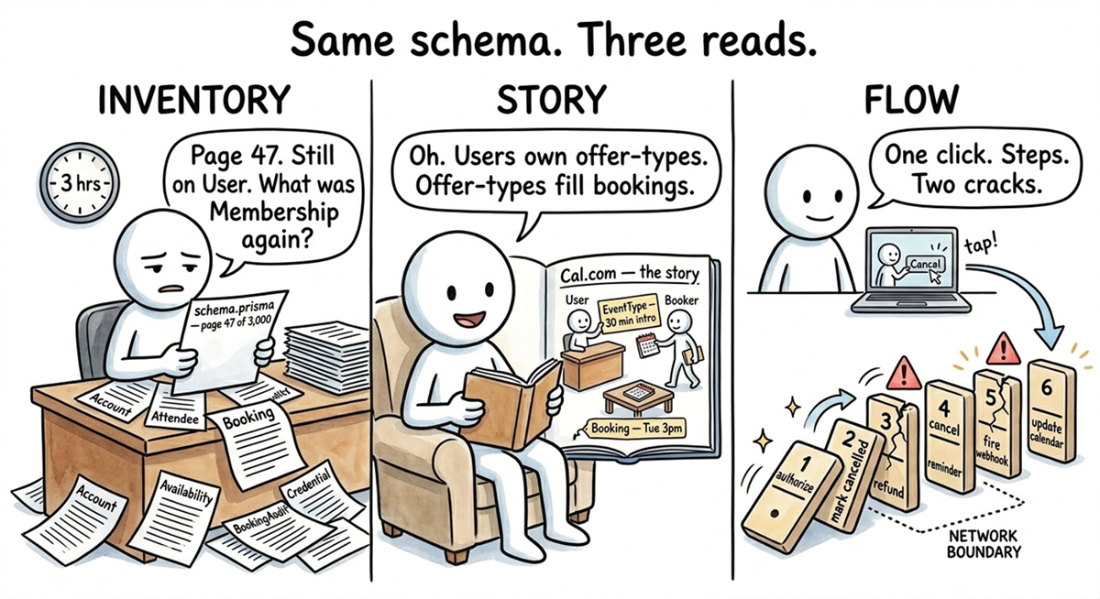
Three ways to read the same schema: alphabetically, which hides the structure; top-down, as a story about the product ("Users own offer-types, offer-types fill bookings"); or bottom-up, by tracing one click through fifteen tables and three external services.
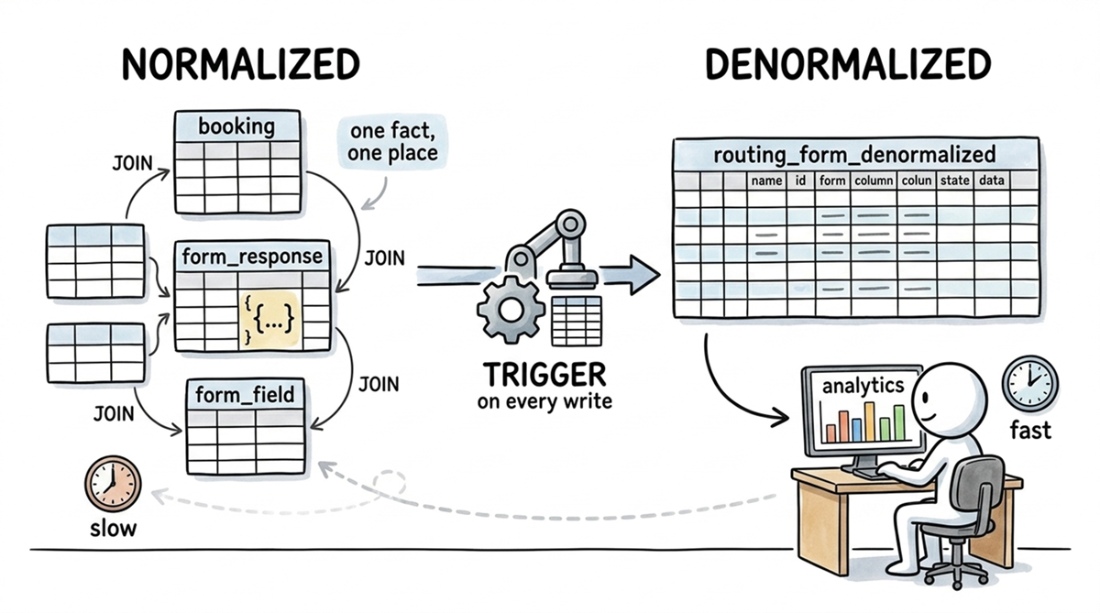
The Cal.com schema is mostly normalized, joining tables like booking, form_response, and form_field. The routing_form_denormalized table is the exception: a wide, flat copy of the joined data, kept fresh by a Postgres trigger. This lets the analytics dashboard query a single table instead of re-joining the originals and parsing JSON on every page load.
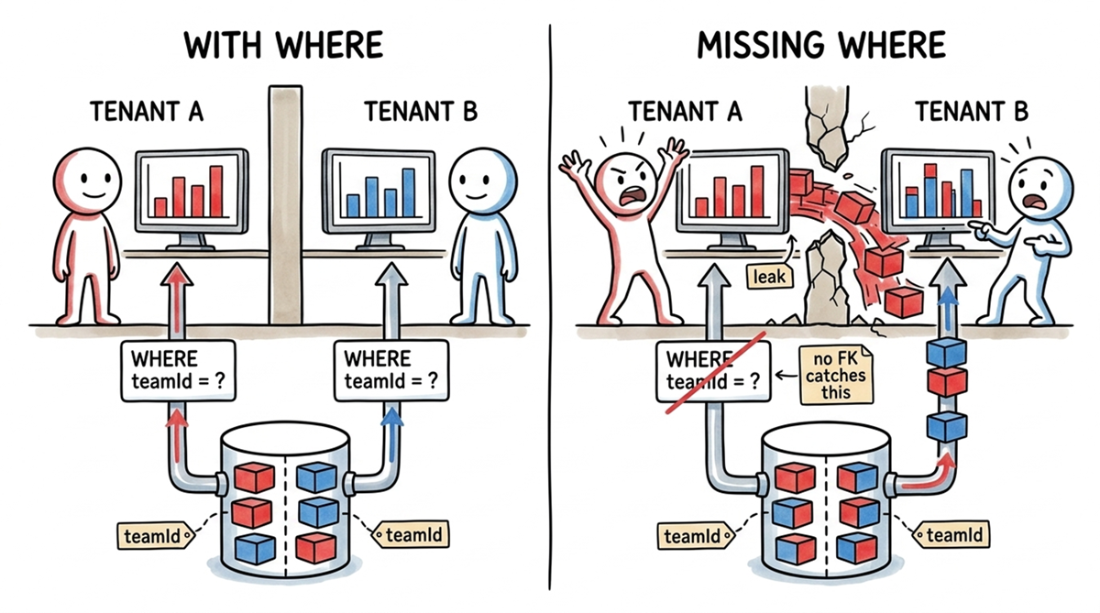
In a shared table, the application enforces tenant isolation by adding WHERE teamId = ? to every query. Forgetting this clause leaks one tenant's private data to another.
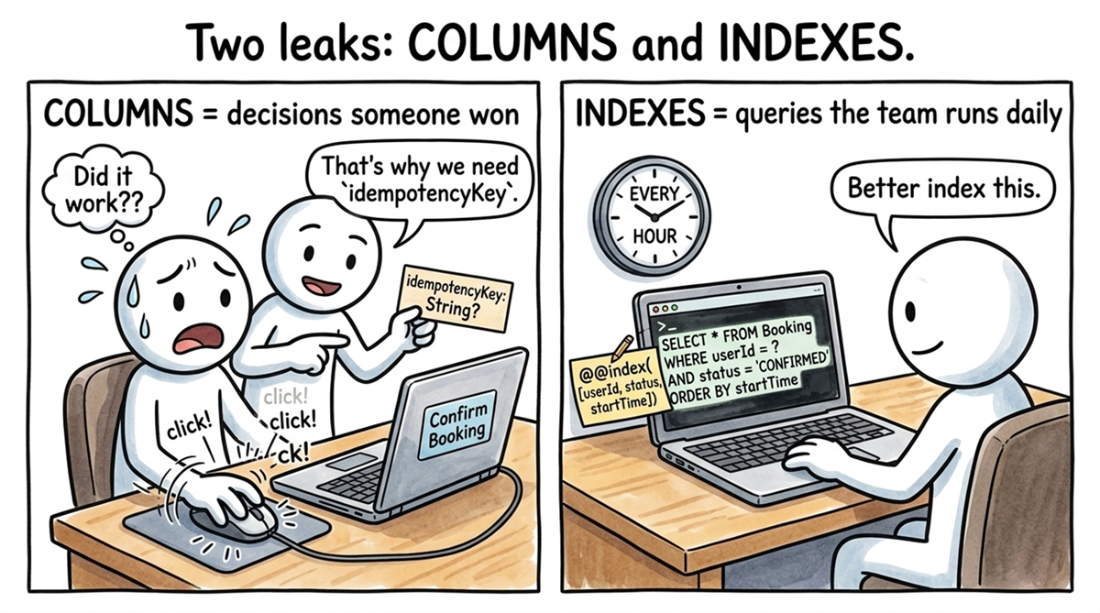
A table's columns record product decisions (idempotencyKey stops double-clicks, metadata is a release valve, creationSource splits API from web traffic) while its indexes map to the application's most common WHERE clauses.
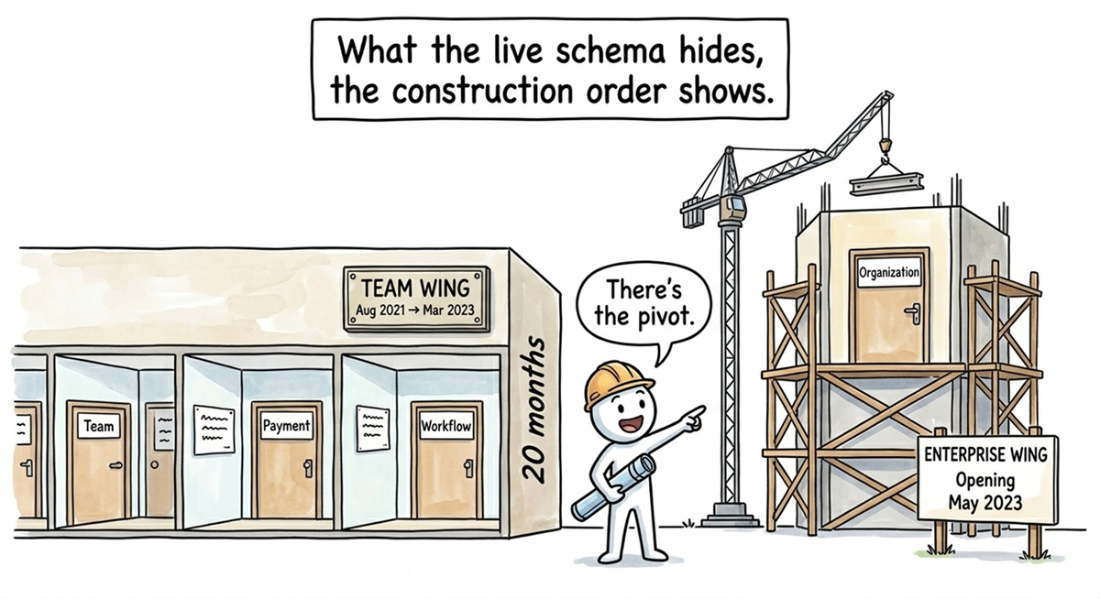
The migration folder tells the story that the final schema erases. On the left, migrations from August 2021 to March 2023 add tables for team features (Team, Payment, Workflow). On the right, a pivot to enterprise features begins in May 2023 with the Organization table. This history is obvious when reading the migrations in order but invisible in the current schema.
Summary
- A schema is your system's data contract; unlike a spec, it has to compile. It defines the durable shapes the system agrees on: tables in a database, core types in a library, or the config for a CLI. Even a stateless tool's lack of a schema is an architectural choice. Tables are the nouns, foreign keys are the relationships between them, and columns are the fossil record of past arguments. A short Python script can find the schema in any stack, and an LLM can project it four ways.
- A guided tour turns the flat alphabetical list into a story, grouping the ~20 core tables into 6–8 narrative steps that each explain why a cluster exists. Cal.com's tour organizes 119 models around a central User-EventType-Booking flow, turning a long inventory into a single product sentence.
- Tracing one user action exposes the runtime order and failure modes a static schema hides, mapping a gesture to the 3–6-step flow of reads, writes, and external API calls it triggers. Cal.com's "Host cancels with refund" cascades across fifteen tables and three external services, making the full cost of a feature visible before you read the code.
- A table's columns record its history of product decisions, and its indexes reveal its most frequent queries, so zooming in on the 4–8 most revealing fields and the @@index lines tells you what the team optimized for without reading a single handler.
- The migration folder reconstructs the product's history that the live schema erases, reading the changes over time instead of the current state. Cal.com's migrations cluster into five product eras, revealing a twenty-month gap between its Teams and Organizations features, the exact point at which the company pivoted from selling to startups to selling to enterprise.

 Crack Any Codebase with AI ebook for free
