6 Git history: The product's memory
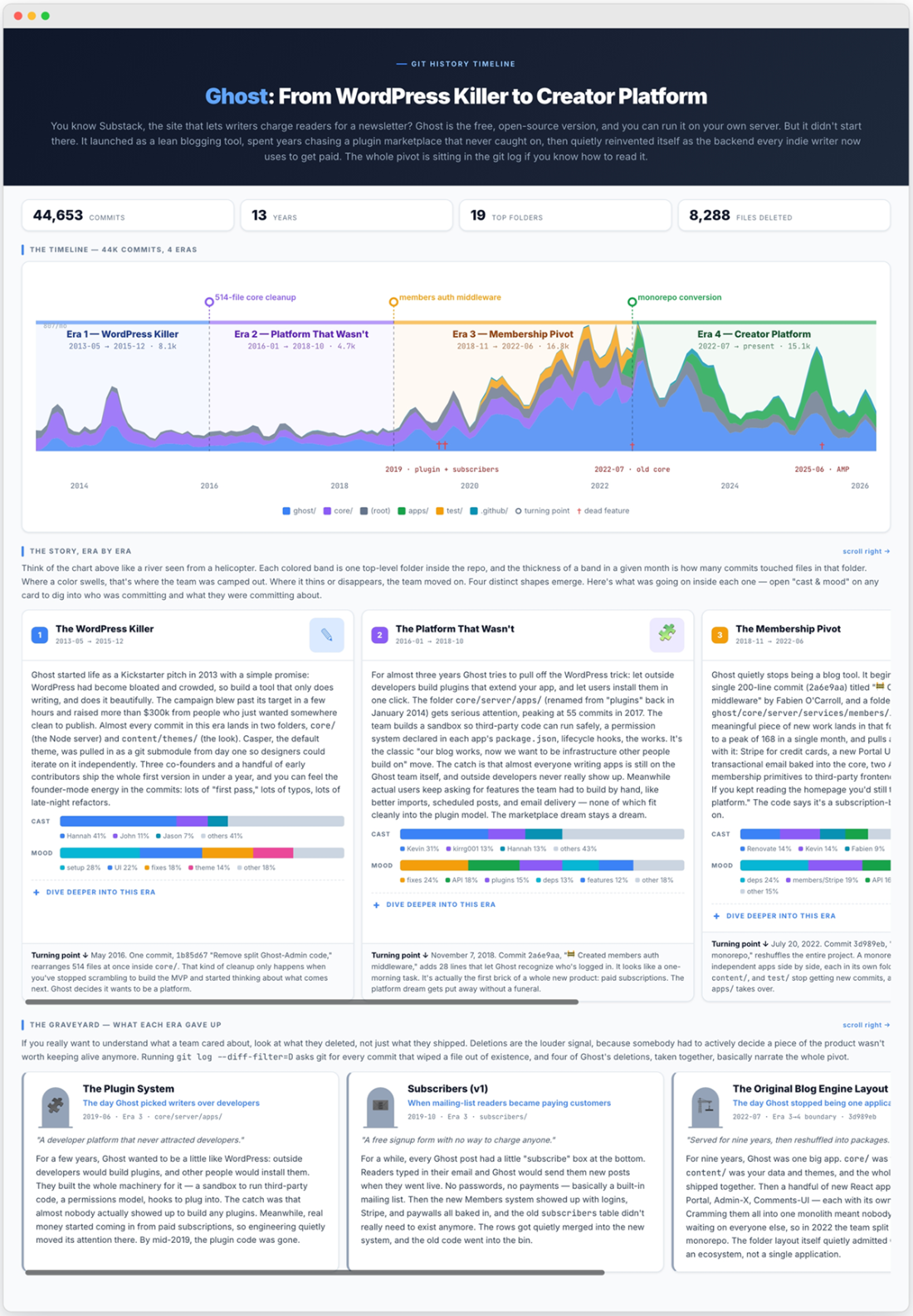
Git history is the product’s memory: a commit log quietly records who changed what, when, and why, creating a trustworthy diary of pivots, fixes, and dead ends that no README or marketing page can fully replace. In the chapter’s Ghost example, a tiny commit that added members authentication was the first clue to a much bigger shift, eventually revealing how the product moved from a blogging tool toward paid memberships and newsletters. Because these records are shared and hard to rewrite without leaving traces, they preserve the real sequence of decisions better than any polished narrative.
The chapter’s main technique is to read that memory at the right zoom level. First, you can compress thousands of commits into a few named eras by grouping activity over time and by directory, turning a flat log into a story with clear turns. Then you can zoom into one era to identify the people who drove it and the kinds of work they dominated, using commit streams and landmark diffs to spot whether the team was shipping new features, cleaning up old ones, or broadening beyond a founder-led core. The key idea is that one repository can be mined repeatedly for different questions without rerunning the entire analysis each time.
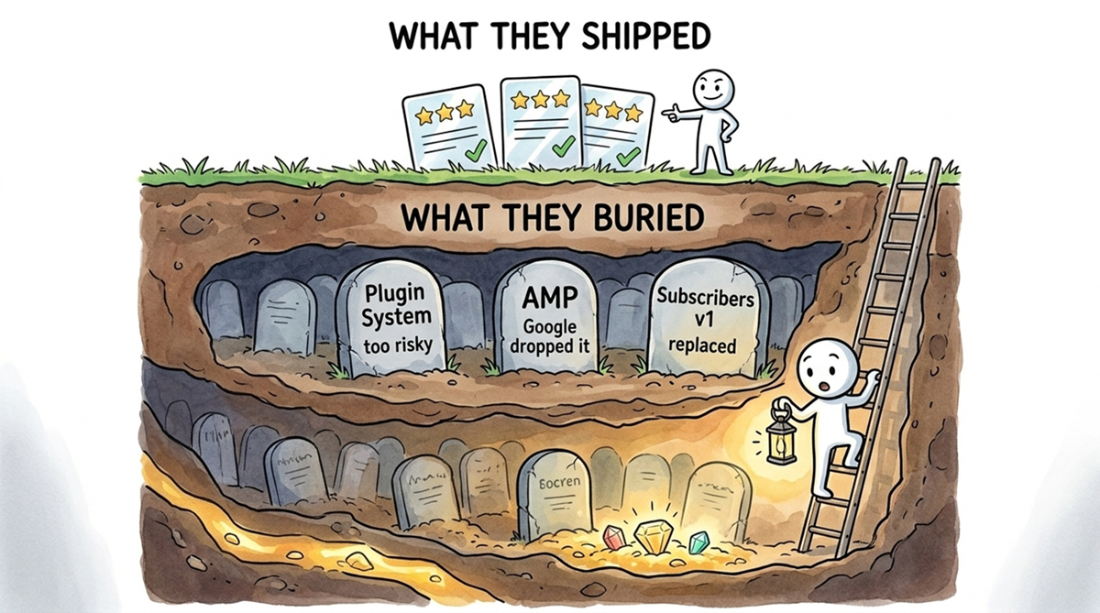
The final layer is the graveyard: deleted files and bulk removals show what the team gave up to make room for new bets. In Ghost’s history, those deletions mapped the collapse of an app platform, the retirement of an old subscribers feature, the reorganization of the original monolith into multiple apps, and the later removal of AMP support. Together, the eras, contributor profiles, and feature deaths show not just what the product became, but the tradeoffs that shaped it: when a bet succeeded, when it stalled, and what had to disappear for the next phase to begin.
Four views from one git history: a stacked-area chart of directory activity reveals architectural shifts, a timeline with named eras turns thirteen years of work into a story, per-era profiles show who drove each chapter, and a graveyard of deleted features shows what was abandoned along the way.
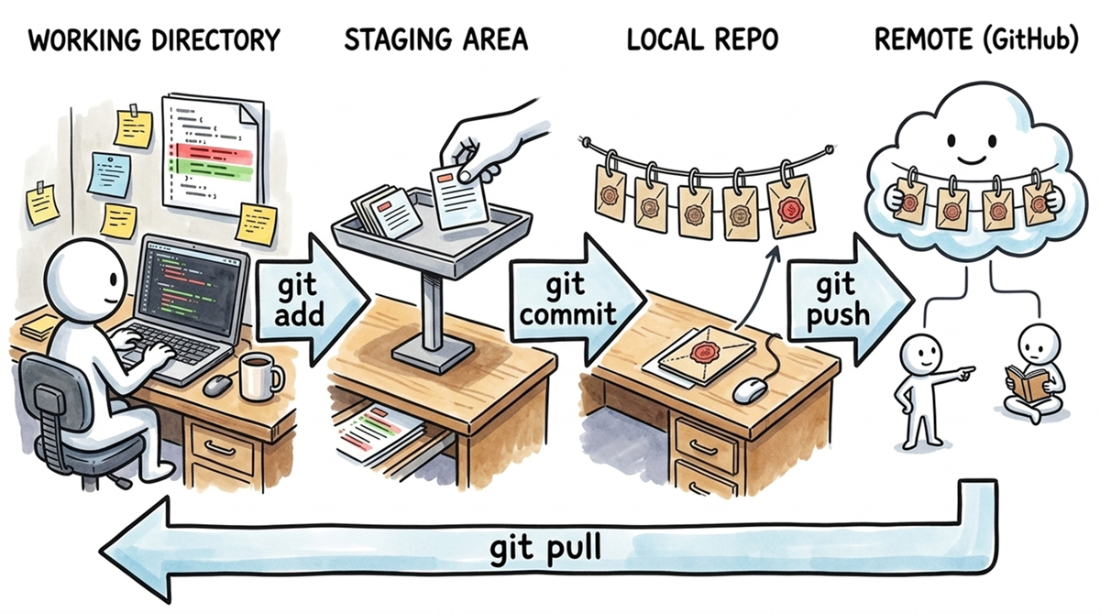
A change begins in your working directory. You add it to the staging area, then commit it to your local repository. A push sends the commit to the shared remote (like GitHub), and a pull brings your teammates' commits back down.
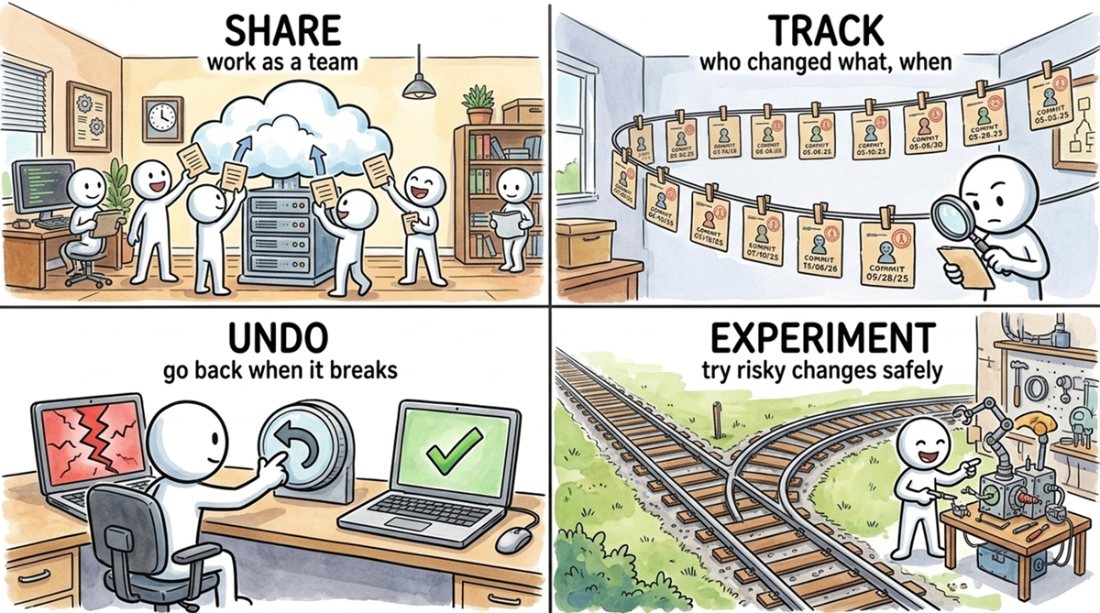
The four daily uses of Git that write the git log as an honest byproduct: share code across a team, track who changed what, undo mistakes, and experiment safely on a branch.
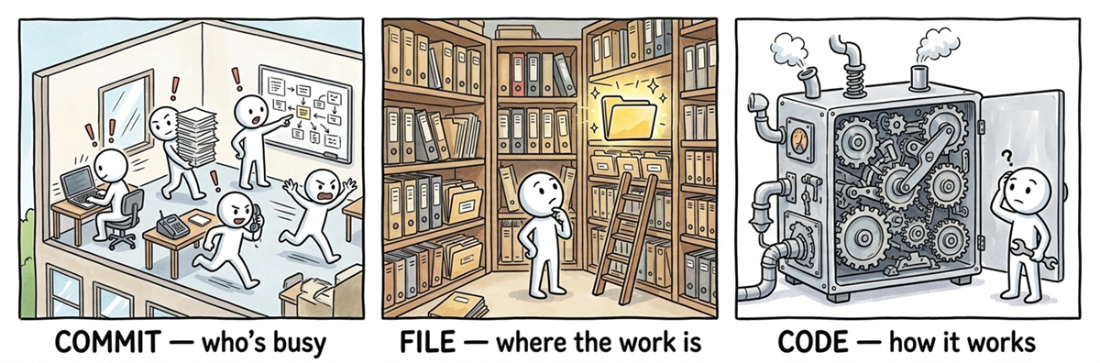
Git history provides answers at three zoom levels: the commit level shows who is active, the file level shows where work is concentrated, and the code level shows how a feature actually works.
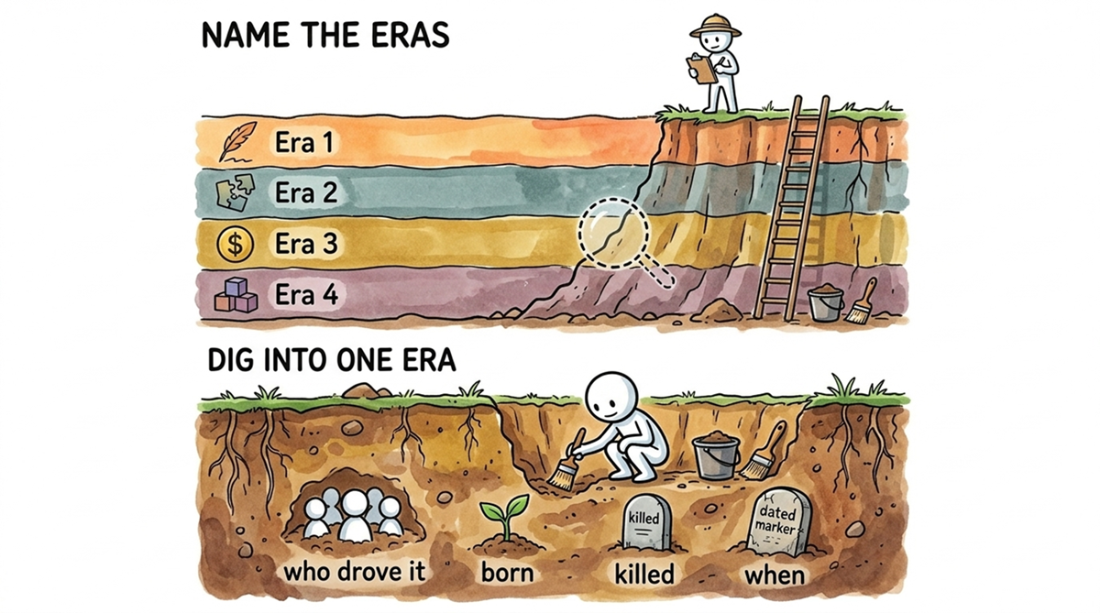
Reading a git history is a two-level process, like an archaeological dig: first, survey the repository to name its major eras, then excavate a single era to find who drove the work, which features were abandoned, and when the project pivoted.
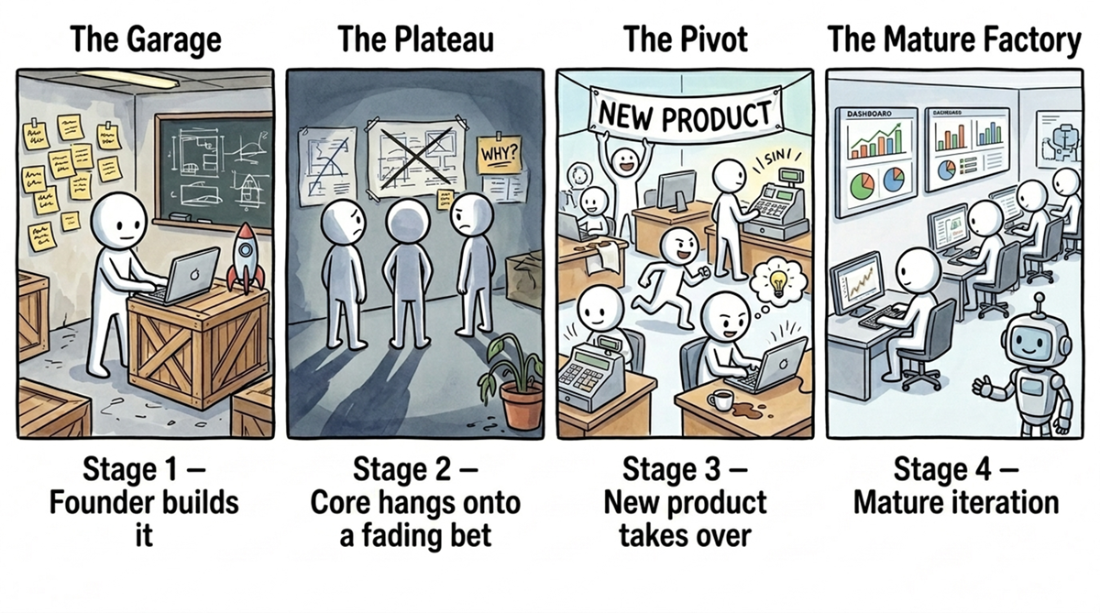
The four eras of a product's lifecycle as seen in its commit history: founder-led prototyping, maintaining a fading bet, a chaotic pivot, and mature, distributed development.
A project advertises what shipped, but its git history also records what was killed. These deletions (a plugin system that never found an audience, an AMP integration Google abandoned, a replaced subscribers v1) show which bets the team walked away from.
Summary
- Git history is the project's most honest record. Unlike a README or marketing copy, the commit log can't be spun; it's a direct, timestamped account of who changed what, when, and why. Every codebase has one, making it a universal source of truth.
- Effective analysis of git history depends on choosing the right level of detail. You can query for commit metadata, file paths, or full diffs, and you can filter for all changes, just additions, or just deletions. The wrong combination will either bury you in noisy refactors or cause you to miss major pivots. Every technique in this chapter uses a specific combination.
- You can use an LLM to digest a project's entire timeline into 3-5 named eras. Feed it the monthly commit counts for each directory, along with the hashes of the largest code additions and deletions. The model will spot the sharp changes in activity, interpret them as strategic pivots, and define each era by the specific commits that bracket it.
- Within a single era, you can identify the team's lifecycle stage by analyzing its cast (the top contributors) and its mood (the dominant work patterns). These two factors reveal whether the team was prototyping, maintaining a dying feature, executing a major pivot, or iterating on a mature product. The cast and mood almost always shift together.
- An era is defined as much by what the team deleted as by what it built. To find a project's true strategy, surface the largest bulk deletions and read the code that was removed. This is the most honest strategy document you'll find, because no one writes a press release for a feature they abandoned.

 Crack Any Codebase with AI ebook for free
