4 Agent: Stop telling AI what to read. Let it decide.
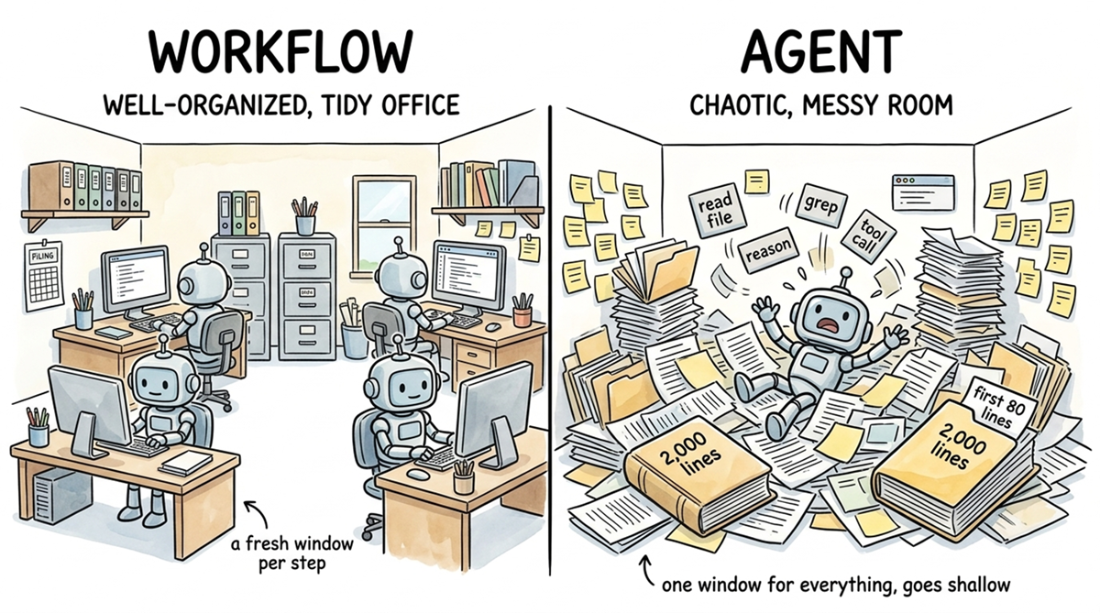
AI agents are most valuable when they are used for focused exploration rather than broad codebase mapping. A workflow can spend separate, fresh context on navigation, comprehension, and explanation, but an agent must use one shared context window for all three. That makes it easy for an agent to skim too many files, build a shallow list of names and signatures, and miss the real purpose of the system. The chapter’s core lesson is that asking an agent to do a workflow’s job wastes its strengths; agents work best when they are given a narrow question and allowed to decide what to read next.
When the prompt is specific, the agent can trace a single behavior across many files and build a much better mental model. The chapter shows this with the path from clicking a file in VS Code’s Explorer to seeing text appear in the editor: the agent follows calls through the explorer UI, editor service, editor groups, file loading, and Monaco rendering, recovering from dead ends and connecting the layers into one coherent flow. This kind of trace reveals relationships that no single file exposes, such as multiple entry points converging on the same gateway or the split between raw byte reading and text decoding. The result is an actionable understanding of how the system actually moves from user action to rendered output.
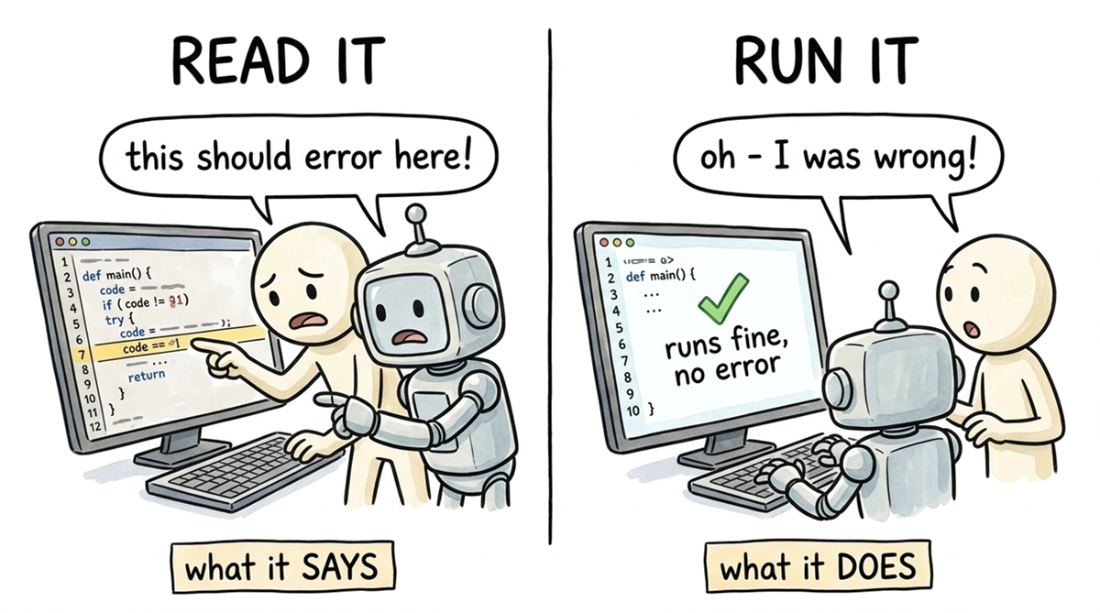
The chapter then pushes understanding further by having the agent write tests and build the project itself. Understanding tests check whether a mental model matches actual runtime behavior, and the URI example shows how a test can expose surprising ordering, like path cleanup happening before validation. A build-and-run task demonstrates that agents are also useful for tedious setup work, since they can read errors, fix environment mismatches, and keep going without frustration. Finally, the chapter recommends preserving what the agent learns in a persistent skill file: one file for codebase-specific facts and another for reusable general lessons. That way, each session starts with accumulated knowledge instead of repeating the same discovery work from scratch.
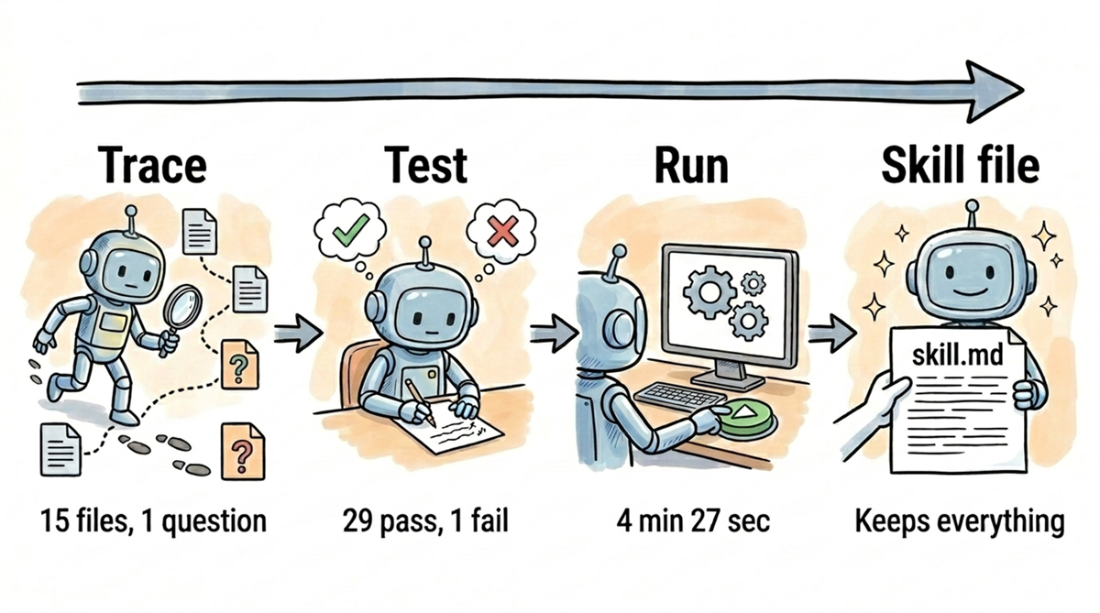
The agent traces, tests, and runs code to learn the codebase, saving what it learns in a skill file so the next session can build on that knowledge instead of starting from scratch.
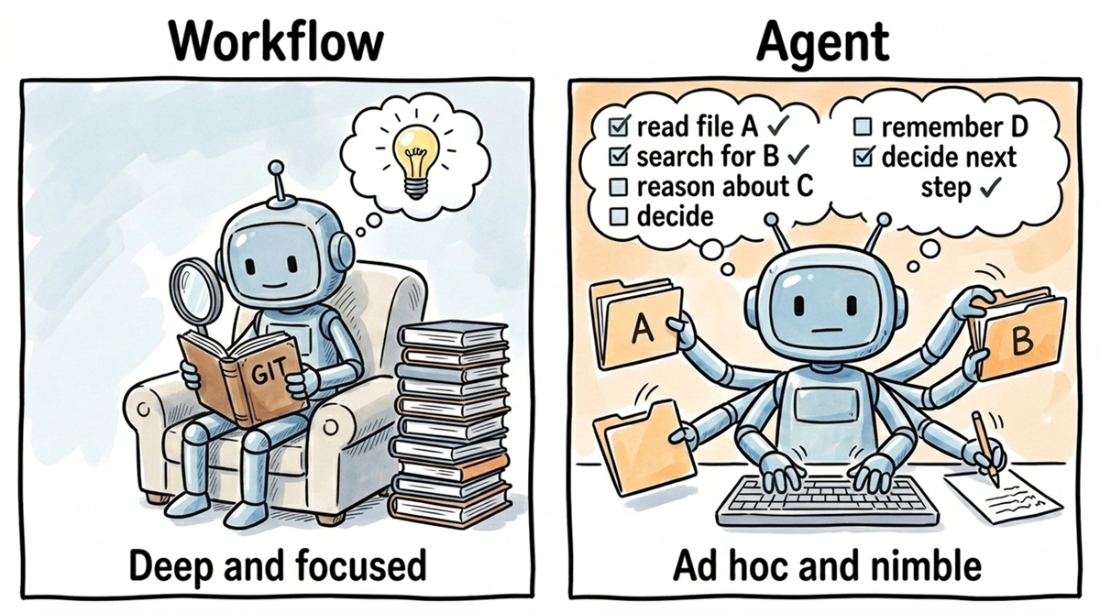
A workflow reads one thing deeply to understand it (left). An agent tries to do everything at once (right): read file A, search for B, and reason about C. The difference is focused work versus overwhelmed multitasking.
A pipeline gives each step a fresh context window. An agent uses one window for everything (reading files, calling tools, and its own reasoning), so it quickly runs out of space, skims the first 80 lines of a 2,000-line file, and moves on.
The agent read a validator that promised to throw on a bad path and was sure it would fail. But running the code proved it wrong: a silent cleanup step fixed the path before the validator ran, so the test passed instead of erroring.
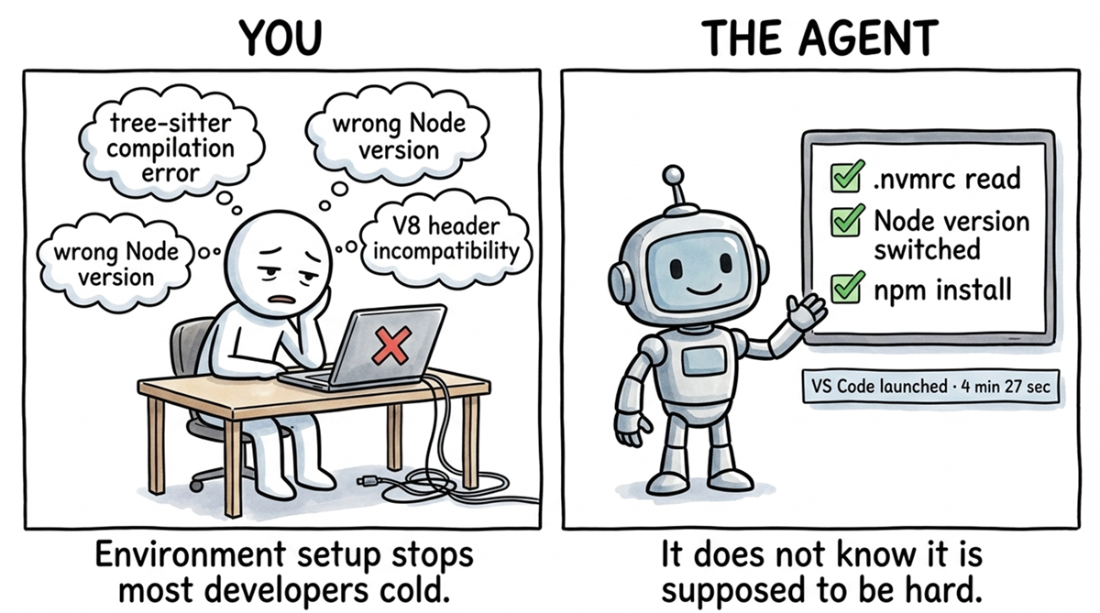
The agent fixes a common Node.js setup failure in four minutes. When compilation errors point to a version mismatch, it reads the .nvmrc file, switches Node versions, retries the build, and launches VS Code.
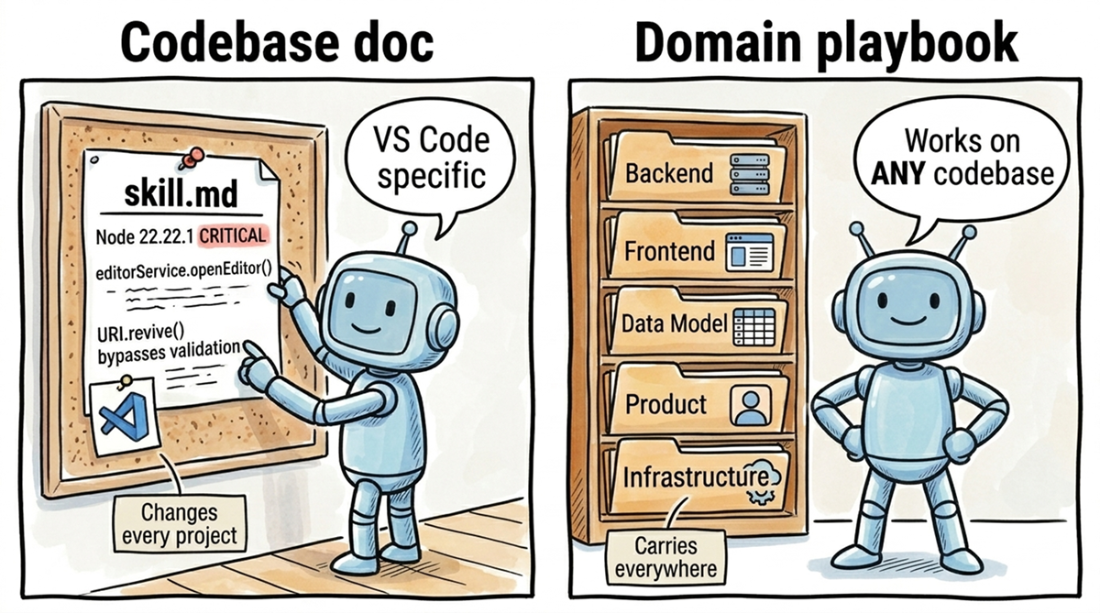
The agent generates two skill files: one with knowledge specific to the current codebase, and another with general techniques that apply to any codebase.
Summary
- Ask the agent one focused question at a time. A broad prompt forces the agent to spread its limited context window thin across dozens of files. A focused prompt lets it spend that same budget finding connections between files, the kind of insight you can't get from just reading the code yourself.
- Turn your beliefs into evidence with "understanding tests." Write a small test that asserts something specific about the system's behavior, then run it. For example, a single failing test on URI.from() proved that path cleanup runs before validation, an ordering that reading the source code alone doesn't reveal. A failing test is more valuable than a dozen passing ones because it corrects your mental model, not the code.
- Tests confirm behavior, but only a running system reveals hidden constraints. Let the agent deal with the yak-shaving of Node versions, native modules, and missing build tools so you can get straight to observing how the system works. Every build error is a constraint the docs forgot to mention.
- Your understanding only compounds if you write it down. At the end of each session, have the agent save what it learned to the skill file: build commands, gotchas, and important file locations. The next day's focused question can then start from today's knowledge instead of from scratch.
- Chat, workflow, and agent form a single loop. Run a workflow once to map the codebase (chapter 3). Use the agent daily to investigate specific areas with focused questions. Use chat for quick lookups mid-session. The skill file acts as the bridge between all three modes, so your comprehension debt shrinks instead of growing.

 Crack Any Codebase with AI ebook for free
